Vibroscope

Vibroscope

ダウンロード: App Store
Spark by MWM logo
ロゴ: Vibroscope

Vibroscope: プロフェッショナルなリアルタイム振動 & FFT分析

iPhoneを高精度な加速度計に変身。振動を定量化し、リアルタイムFFT周波数分析で3軸データを可視化、自動車、オーディオ、構造診断用のプロフェッショナルなログをエクスポートします。

ダウンロード: App Store

開発元

TOON,LLC

カテゴリ

Utilities

ダウンロード

27K+

ユーザー評価

1.0/5

評価数

0

対応言語

1

一目でわかる精度

このインターフェースを利用する 27K+ 人のユーザー.

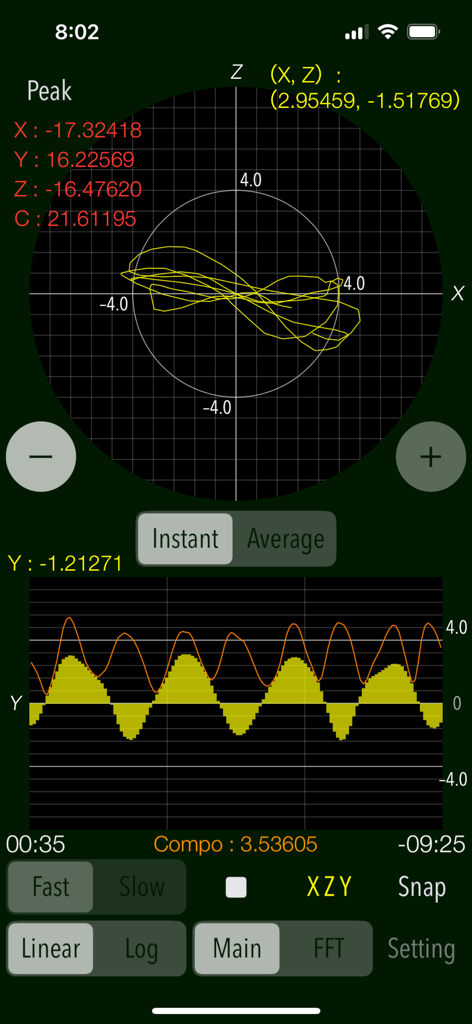
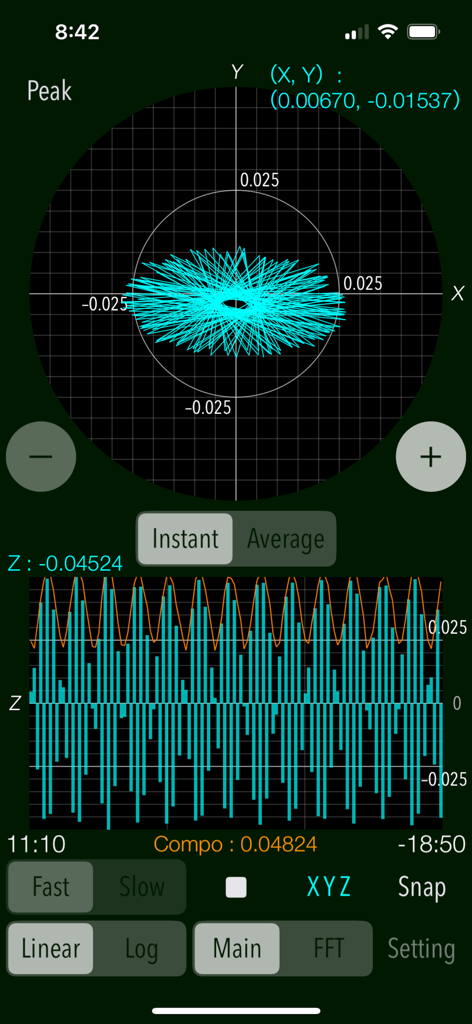
リアルタイムの振動測定グラフとピーク加速度値を表示するVibroscopeアプリのインターフェース

リアルタイムの振動測定グラフとピーク加速度値を表示するVibroscopeアプリのインターフェース

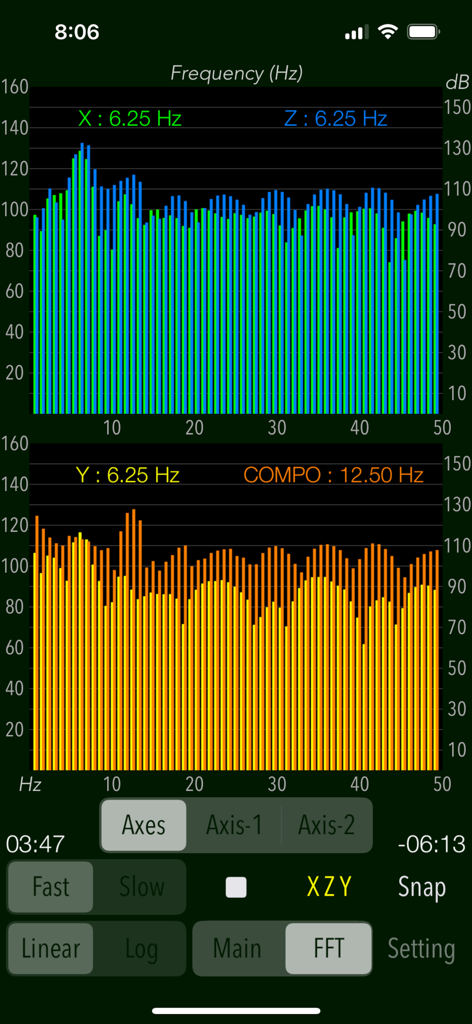
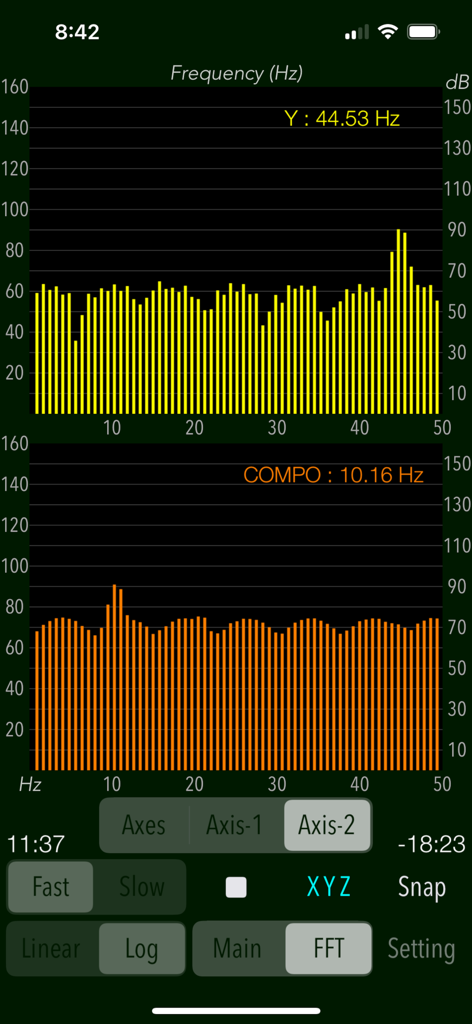
周波数スペクトルグラフとリアルタイム振動データ分析を表示するVibroscopeのインターフェース

周波数スペクトルグラフとリアルタイム振動データ分析を表示するVibroscopeのインターフェース

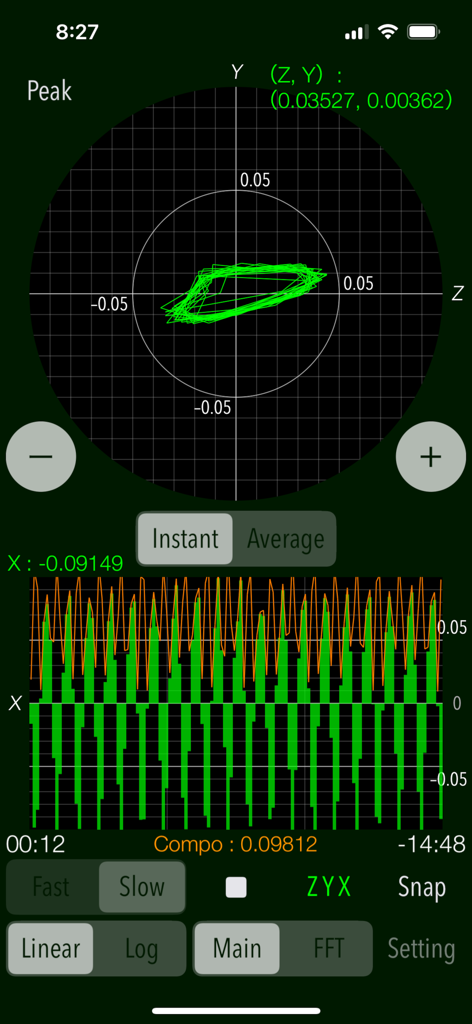
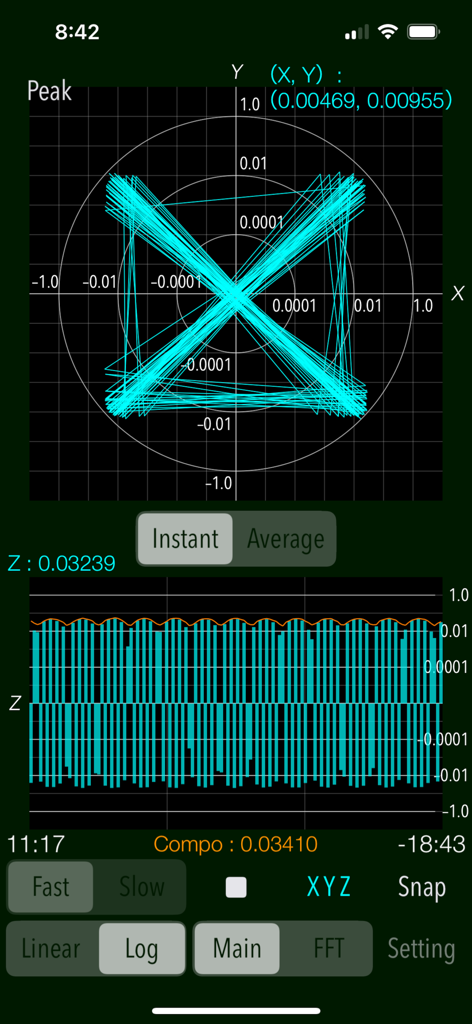
ベクトルグラフと波形グラフでリアルタイム振動データを表示するVibroscopeモバイルアプリのインターフェース

ベクトルグラフと波形グラフでリアルタイム振動データを表示するVibroscopeモバイルアプリのインターフェース

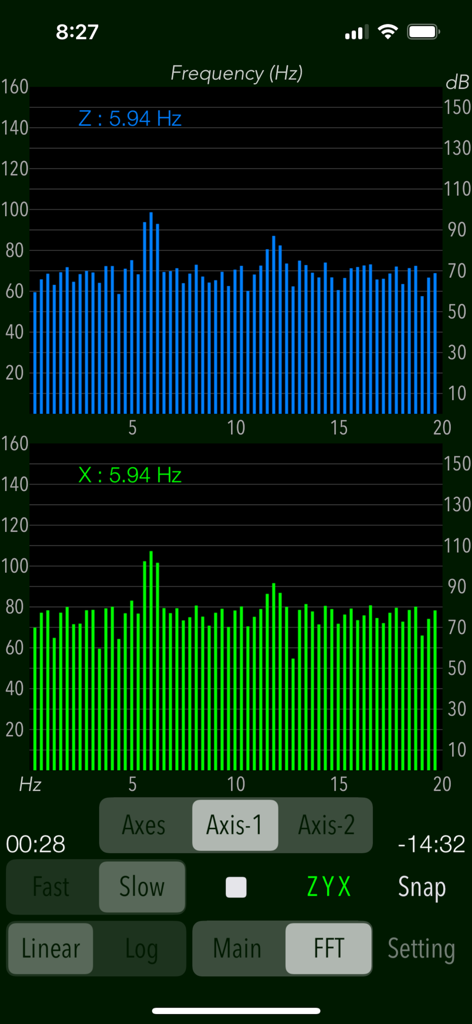
5.94 Hzのピーク周波数を伴うZ軸およびX軸のFFT周波数分析グラフを表示するVibroscopeアプリのインターフェース

5.94 Hzのピーク周波数を伴うZ軸およびX軸のFFT周波数分析グラフを表示するVibroscopeアプリのインターフェース

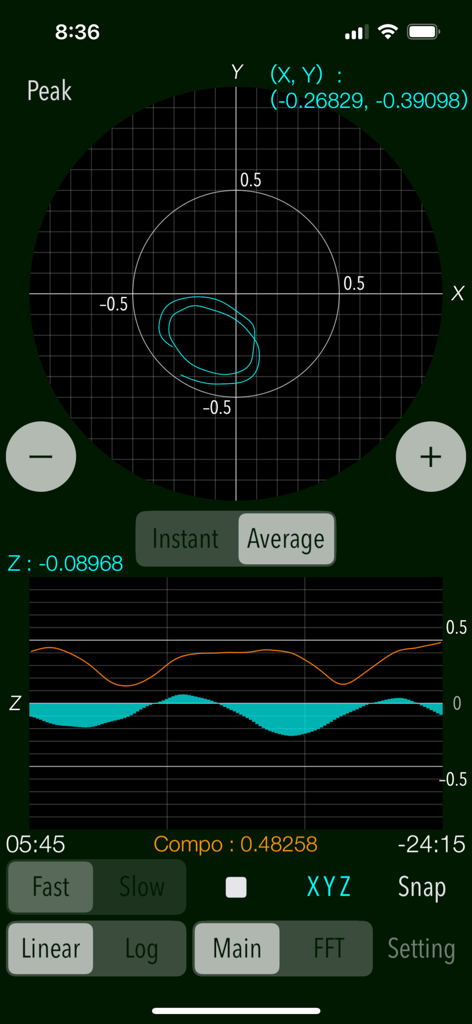
X-Yベクトル平面とZ軸波形グラフでリアルタイムの振動加速度データを表示するVibroscopeアプリのインターフェース

X-Yベクトル平面とZ軸波形グラフでリアルタイムの振動加速度データを表示するVibroscopeアプリのインターフェース

デュアルバーチャートでFFT周波数分析を表示するVibroscopeアプリのインターフェース

デュアルバーチャートでFFT周波数分析を表示するVibroscopeアプリのインターフェース

リアルタイム振動測定のためのX-Yベクトル平面とZ軸波形グラフを表示するVibroscopeアプリのインターフェース

リアルタイム振動測定のためのX-Yベクトル平面とZ軸波形グラフを表示するVibroscopeアプリのインターフェース

リアルタイムの3軸振動加速度グラフとデータロガー設定を表示するVibroscopeアプリのインターフェース

リアルタイムの3軸振動加速度グラフとデータロガー設定を表示するVibroscopeアプリのインターフェース

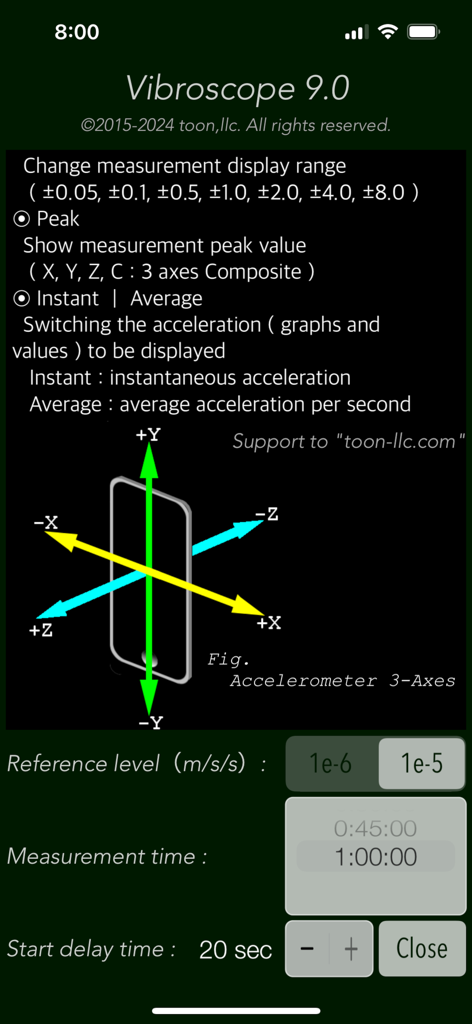
3軸加速度計の方向図と測定パラメータを表示するVibroscopeアプリの設定インターフェース

3軸加速度計の方向図と測定パラメータを表示するVibroscopeアプリの設定インターフェース

指先で精密な振動分析を

このアプリを際立たせるツール、 27K+ 人のユーザーが選択.

📊

リアルタイム3軸モニタリング

X、Y、Z軸の振動を高解像度ベクトルグラフと時間軸波形で同時に可視化し、即座に診断フィードバックを提供します。

🔍

高度なFFT分析

複雑な振動を周波数成分に分解し、エンジン、床、またはオーディオ機器の特定の干渉源を特定します。

💾

プロフェッショナルなデータロギング

測定ログを記録し、iTunesまたはFinder経由でUTF8テキストファイルとしてエクスポート。MacやPCでの詳細な分析やドキュメント作成に活用できます。

世界中のユーザーに愛されています

Trusted by 27K+ 人がこのアプリを愛用しています.

"

"Vibroscopeは私のオーディオセットアップに不可欠なツールです。FFTアナライザーを使用して、ターンテーブルのパフォーマンスに影響を与えていた知覚できないレベルの床振動を検出しました。正確な周波数ピークを可視化できたことで、適切なインシュレーターを選ぶことができました。スマートフォンアプリとしては驚くほど精密です。"

デビッド L.、Hi-Fi愛好家
"

"私は長年プロ用の加速度計を使用してきましたが、これは調整済みの産業用センサーの代わりにはならないものの、現場での迅速な診断には最適です。データロガー機能は画期的です。故障したHVACモーターの振動プロファイルをキャプチャし、分析のためにログをMacにエクスポートしました。あらゆるエンジニアにとって必須のユーティリティです。"

マーカス T.、機械エンジニア

アプリについて

について知っておくべきこと Vibroscope.

説明

"Vibroscope" is a powerful vibration analysis tool to measure various vibrations in real time using iPhone's acceleration sensor. It allows you to monitor by visualizing the very low frequency vibration such as inaudible by ear. This app can detect the amount of acceleration of vibration and display the two-axis coordinates in the horizontal direction and the time-axis waveform in the vertical direction. It is also equipped with the ability to analyze the frequency components of the very low frequency vibration by FFT analyzer. It can be measured by determining the horizontal or vertical direction to suit the attitude of the iPhone, so as to be available in a placement of the floor and desk or handheld. The measurement data can also be saved as a log file, so you can use it as a vibration data logger. Application Examples: - Analysis of the amount of acceleration and frequency components of the floor and walls during car traffic. - Measurement of howling vibration of audio equipment, etc. - Detection of acceleration and vibration of trains and automobiles. - Body balance check (horizontal body shaking detection). - Measurement of vibration acceleration during earthquakes, etc. (displayed value x 100 [GAL]) Features: - Measurement of vibrations (Main): acceleration values (m/s/s) - Real-time display: the horizontal direction (X-Y) - 2-axis vector plane graph, the vertical direction (Z) - the time-axis waveform. - Display scale switching of vibration acceleration graph (Linear/Log): Linear - linear scale display, Log - logarithmic scale display. - 3-axis composite acceleration display (Compo) - Peak level value display (Peak) - Switching of acceleration display (Instant/Average): Instant - instantaneous acceleration, Average - average acceleration per second. - Scaling of measurement display range - FFT analysis for 3-axis directional and composite acceleration, with peak frequency (FFT) - FFT graph display control (Axes/Axis-1/Axis-2) - Switching of sensor sampling period (Slow/Fast): slow, fast - Axis direction (Axis): Swapping the axis direction on the graph display during operation. - Measurement timer function: 1 sec to 1 hour - Start delay timer function: 0 - 20 sec - Reference level setting in FFT mode: 1e-6m/s/s, or 1e-5m/s/s - Snapshot of the measurement screen (Snap): Capture the measurement results and Timestamp to "Photos". - Data Logger: X-axis, Y-axis, Z-axis, saved in a text file (UTF8). It saves the measurement data, timestamp to LOG file. It can be exported by using "iTunes File Sharing". Important settings: - At the time of the first access to Photos after installing the app, you will be asked permission to access them from the iOS system. If you did not enable this setting on this time, it cannot be access from the app by privacy restrictions of the iOS. Please enable slide switch of the app in the access permission of the iOS setting, "Settings > Privacy & Security > Photos". - This app does not support to the background operation, so it needs to set on "Never" in the iOS setting, "Settings > General > Auto-Lock" for a long-time operation. Notes: - In general, there is variation and accuracy error by individual terminals and sensor devices of the iPhone, so this app does not recommend the use in the formal measurement. It is also possible that the accuracy error will accumulate if the vibration is too large, it may not be appropriate to display the measured value. - While driving a car or operating machinery, please do not use this app for safety. - The logarithmic scale graph displays very small numerical value, so it may be affected by noise and temperature error in your environment or time fluctuation of sensor calibration. - Log data can be transferred from an iOS device to a Mac or PC using the iTunes File Sharing feature. macOS Catalina and later can share files between an iOS device and a Mac using the Finder. Please visit our iOS app support page for more information on this app.

最新バージョン

9.0

サイズ

0.7 MB

リリース日

2015年9月16日

iPhoneをプロ仕様の振動アナライザーに

リアルタイムFFT分析と精密なデータログのためにVibroscopeを使用している、数千人のエンジニア、オーディオ愛好家、DIY愛好家の仲間に加わりましょう。

ダウンロード: App Store