Video Editor & Maker -Cup Cute

Video Editor & Maker -Cup Cute

ダウンロード: App Store
Spark by MWM logo
ロゴ: Video Editor & Maker -Cup Cute

動画エディター&メーカー - Cup Cute:モバイルクリエイターのための究極のオールインワンスタジオ

フレームごとの精密編集、あらゆる動画フォーマットへの変換、不要なオブジェクトの即時削除。オーディオ抽出からスマート圧縮まで、コンピューターなしでソーシャルメディアのワークフローをマスターしましょう。

開発元

立瑗 胡

カテゴリ

Graphics & Design

ダウンロード

115K+

ユーザー評価

4.6/5

評価数

1K+

対応言語

3

内部を覗いてみましょう

このインターフェースを利用する 115K+ 人のユーザー.

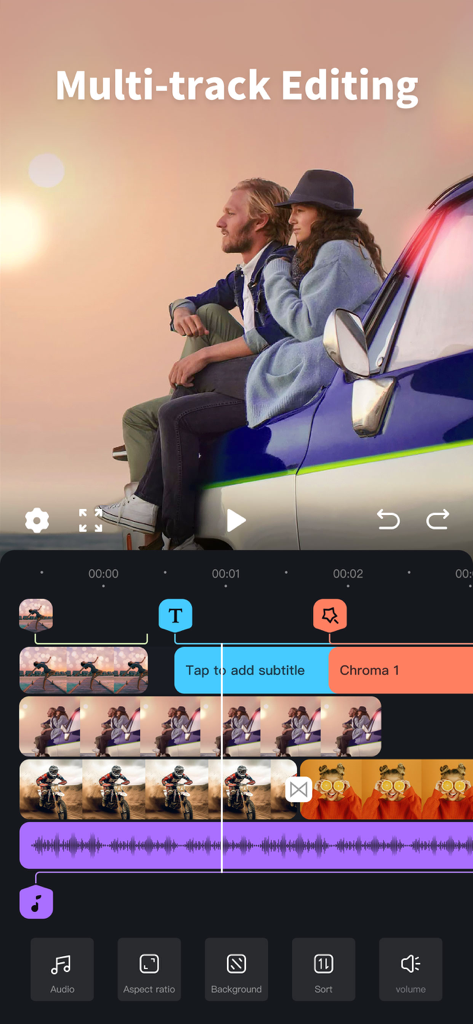
Cup Cuteアプリのマルチトラック動画編集インターフェイス。動画とオーディオトラックが表示されたタイムラインを示しています。

Cup Cuteアプリのマルチトラック動画編集インターフェイス。動画とオーディオトラックが表示されたタイムラインを示しています。

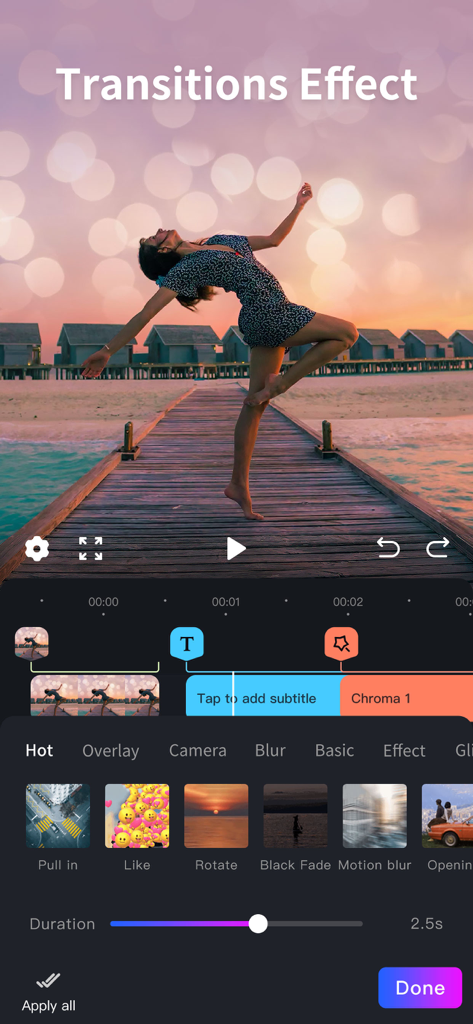
モバイル動画編集インターフェイス。夕日の動画に、期間スライダーを備えたPull inやMotion blurなどのさまざまなトランジションエフェクトを示しています。

モバイル動画編集インターフェイス。夕日の動画に、期間スライダーを備えたPull inやMotion blurなどのさまざまなトランジションエフェクトを示しています。

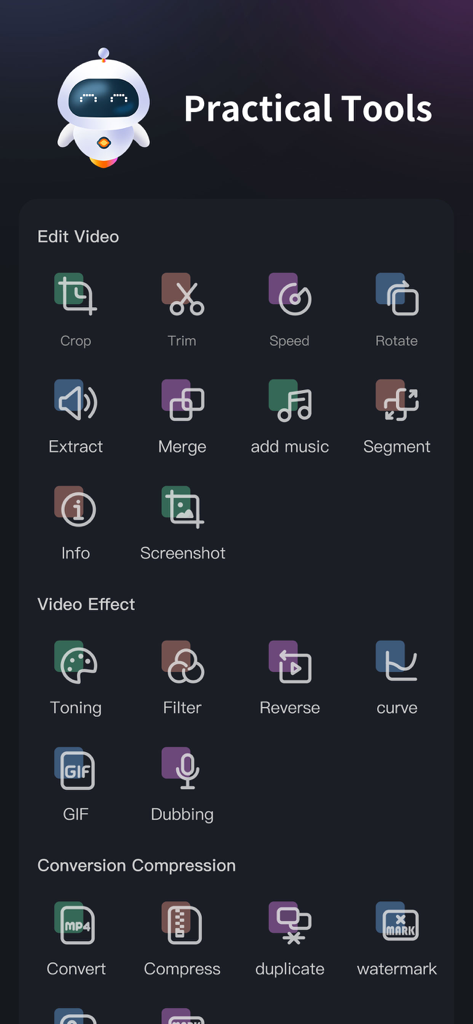
Cup Cute動画エディターアプリのダッシュボード。編集エフェクトと変換ツールを示しています。

Cup Cute動画エディターアプリのダッシュボード。編集エフェクトと変換ツールを示しています。

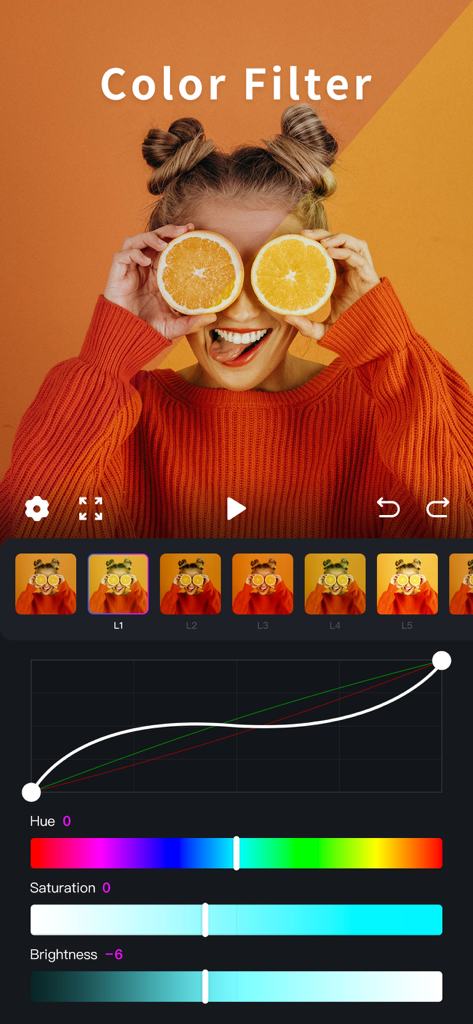
Cup Cuteアプリのインターフェイス。調整スライダーとカーブを備えたプロフェッショナルなカラーフィルターとトーニングツールを示しています。

Cup Cuteアプリのインターフェイス。調整スライダーとカーブを備えたプロフェッショナルなカラーフィルターとトーニングツールを示しています。

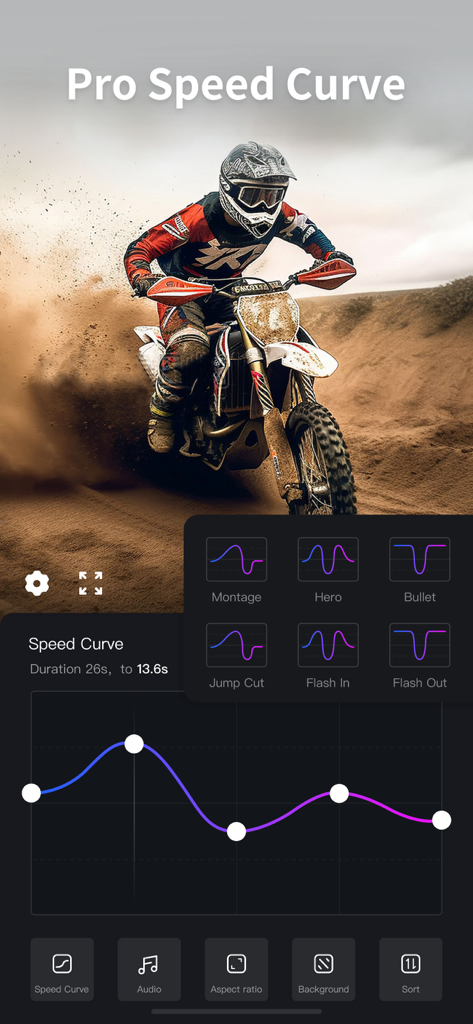
Cup Cute動画エディターアプリのプロスピードカーブ編集インターフェイス。スピードランププリセットを示しています。

Cup Cute動画エディターアプリのプロスピードカーブ編集インターフェイス。スピードランププリセットを示しています。

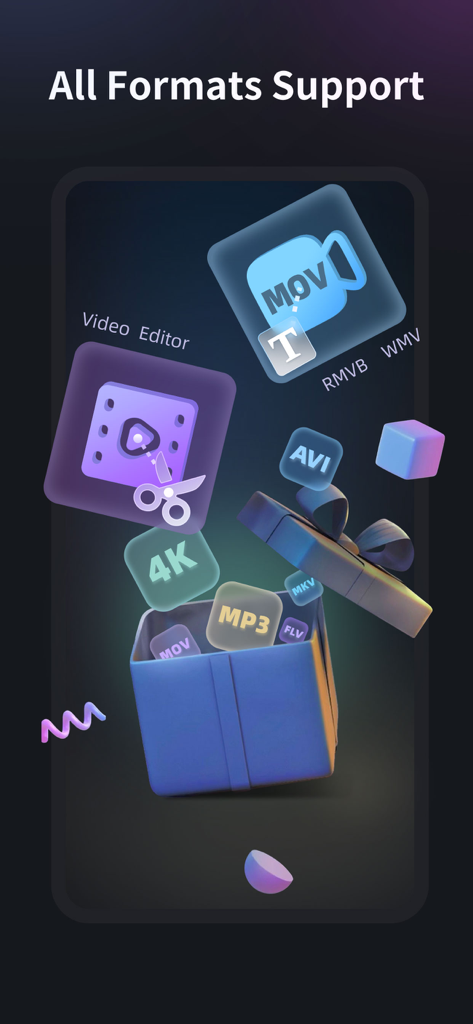
MOV、AVI、MP3などの複数の動画およびオーディオフォーマットのアプリサポートを示すグラフィック表示。

MOV、AVI、MP3などの複数の動画およびオーディオフォーマットのアプリサポートを示すグラフィック表示。

現代のクリエイターのためのオールインワンスタジオ

このアプリを際立たせるツール、 115K+ 人のユーザーが選択.

🔄

ユニバーサルフォーマットサポート

「サポートされていないファイル」エラーはもうありません。MKV、AVI、FLVファイルをモバイルデバイスで直接、ソーシャルメディア対応のMP4に編集・変換します。

プロレベルの精度

フレームごとの編集、可変速度ランプ、不要なオブジェクトを背景から削除するスマートツールでコンテンツをマスターしましょう。

📱

最適化&高速共有

Discord用に4K動画を圧縮したり、クリップをバズるGIFに変換したり、高音質のオーディオを抽出して独自のサウンドスケープを作成したりできます。

世界中のユーザーに愛されています

Trusted by 115K+ 人がこのアプリを愛用しています.

"

"ファン編集用にクリップを頻繁にダウンロードしていますが、ほとんどのアプリではMKVやAVIファイルを処理できません。Cup Cuteは私のワークフローにとってゲームチェンジャーとなりました。フォーマットを変換し、不要な背景オブジェクトを1つのアプリで削除できることで、TikTokに投稿する前に何時間もの作業を節約できます。"

Sarah J.、コンテンツクリエイター
"

"これはモバイル動画における究極の「スイスアーミーナイフ」です。圧縮ツールはiPhoneの貴重なストレージを節約するために、オーディオ抽出ツールはほぼ毎日プロジェクトに使用しています。どんな奇妙なファイルフォーマットでも処理でき、簡単な編集のためにラップトップを起動するよりもはるかに高速です。"

Marcus T.、デジタルメディア学生

アプリについて

について知っておくべきこと Video Editor & Maker -Cup Cute.

説明

Video editing assistant is a full-format and full-featured video editing software. Compatible with mainstream audio and video formats, and integrates many common functions in the video production process. Set video editing, video format factory, video conversion Video compression in one video production tool software. Easy to operate, easily edit the video you want, it is a must-have video app for video makers [Supported audio and video media formats] •Supported video formats: mp4, mov, mkv, flv, avi, rm, rmvb, 3pg, gif, m4v, mpg, wmv, asf, etc. • Supported audio formats: mp3, wav, m4a, aac, ape, flac, wma, amr, etc. [Software Features] • Full media format support, non-mp4 format video on the computer can also be edited on the mobile phone. TV drama mkv , Avi and other formats can also be edited directly on the mobile phone, which is convenient and convenient • Precise video editing, so that a single frame of video can be adjusted • No video time limit, time is under your control • Multiple network-wide unique video editing functions to help video editing and production 【Function description】 1. Screen cut 2. Time Clip 3. Video speed adjustment 4. Direction rotation 5. Extract audio 6. Merge and merge 7. Replace music 8. Segment cutting 9. Video information 10. Single frame screenshot 11. Video toning 12. Video filters 13. Rewind video 14. Slope speed regulation 15.Video to gif 16. Convert to MP4 17. Video compression 18.Video duplication 19.Image Erase 20.Video Erase 【meidaLeap VIP subscription】 1. Subscribing to VIP members includes the following benefits: HD export, removing advertising and opening all functions. 2. According to your choice, VIP members offer two time period subscriptions: "Monthly Fee" and "Annual Fee”. 3. When purchase confirmed, your iTunes account will be charged. 4. Subscription will automatically renew unless auto-renew is turned off at least 24 hours before the end of the current period 5. Account will be charged for renewal within 24 hours before the end of the current period 6. Subscription can be managed by the user, and can be turned off in user's account settings after purchased. The specific steps are: "Settings"-> "iTunes Store and App Store"-> select "Apple ID" on the iOS device 』-> Click『 View Apple ID 』-> Click『 Subscribe 』-> Select 『meidaLeap 』 on the account settings page to cancel subscription. Privacy Policy: https://video-alum.oss-cn-hangzhou.aliyuncs.com/support/meidaLeap_privacyPolicy.html Terms of Service: https://video-alum.oss-cn-hangzhou.aliyuncs.com/support/meidaLeap_terms.html 【contact us】 •Official Weibo: http://weibo.com/shipinxiangce •User exchange qq group: 773291563

最新バージョン

4.3

サイズ

93.8 MB

リリース日

2021年2月25日

コンテンツをマスターする準備はできましたか?

115,000人以上のクリエイターに加わり、あらゆるフォーマットを簡単に編集、変換、圧縮しましょう。デスクトップはもう不要です。今すぐiPhoneから直接バズる動画を作り始めましょう。

ダウンロード: App Store