VoCat - My Own Vocabulary

VoCat - My Own Vocabulary

ダウンロード: App Store
Spark by MWM logo
ロゴ: VoCat - My Own Vocabulary

VoCat - 自分だけの単語帳:あなた専属の猫がお手伝い!あらゆる単語をマスターしよう

SAT、語学試験、医療用語のための究極のカスタム辞書を作成。リストを即座にインポートし、オフラインで学習し、Nero the catと一緒に目標を達成しましょう。

開発元

DevStory Corp.

カテゴリ

Education

ダウンロード

311K+

ユーザー評価

4.9/5

評価数

5K+

対応言語

72

アプリのぞき見

このインターフェースを利用する 311K+ 人のユーザー.

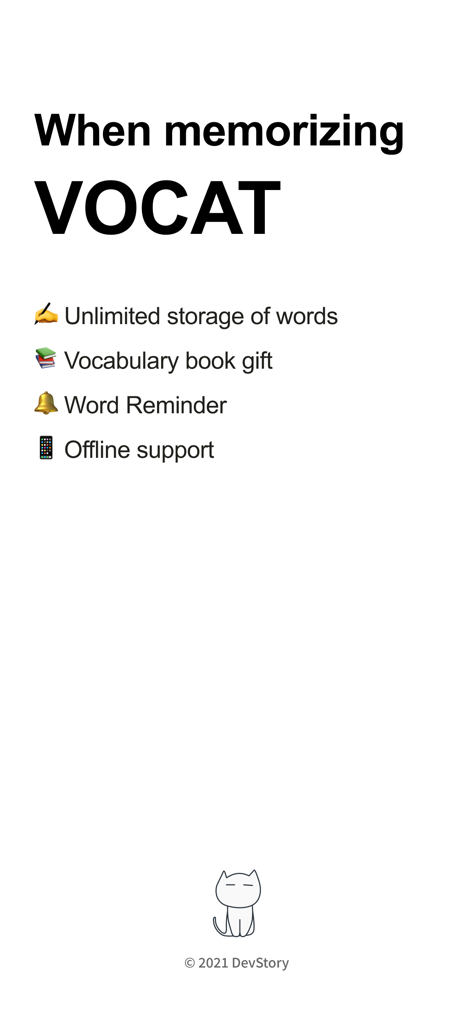
VoCatアプリの主要機能の概要(無制限の単語、単語リマインダー、オフラインサポートなど)

VoCatアプリの主要機能の概要(無制限の単語、単語リマインダー、オフラインサポートなど)

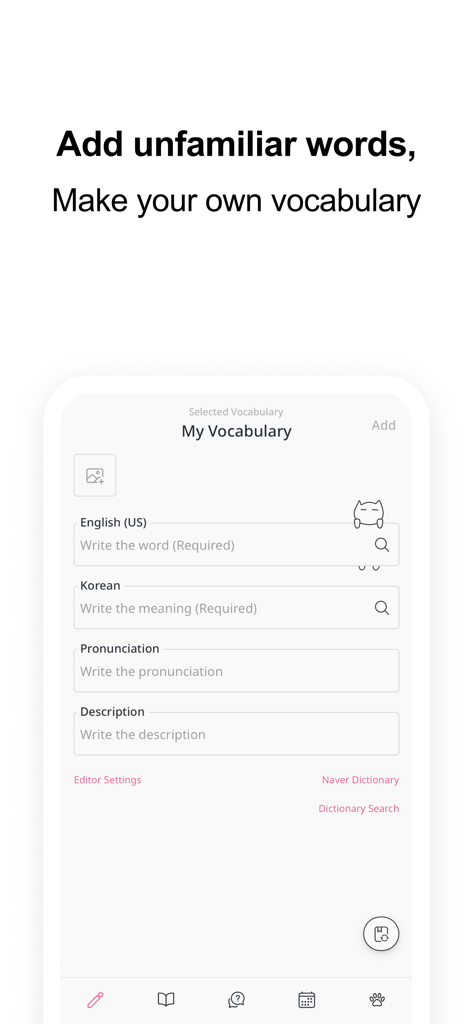
VoCatアプリの新しい単語追加画面(翻訳と発音フィールドあり)

VoCatアプリの新しい単語追加画面(翻訳と発音フィールドあり)

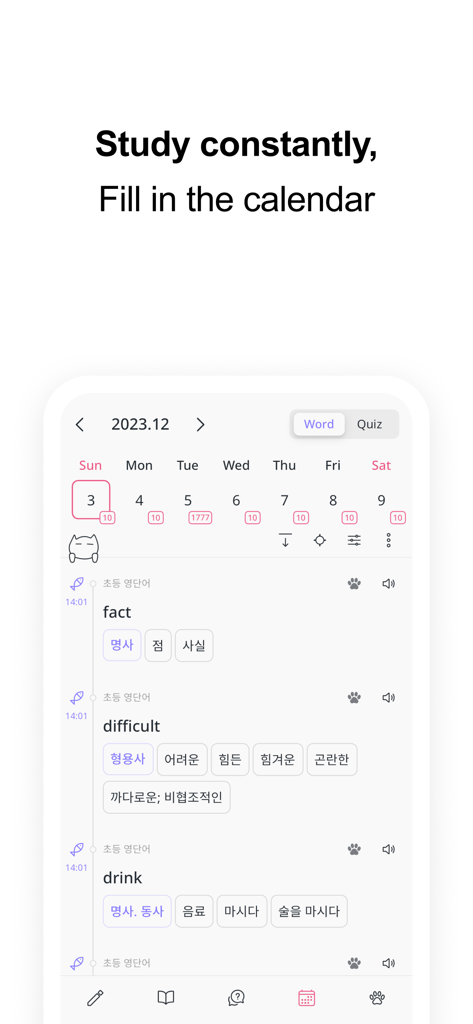
VoCatアプリの学習進捗と単語リストを追跡するためのカレンダー表示画面

VoCatアプリの学習進捗と単語リストを追跡するためのカレンダー表示画面

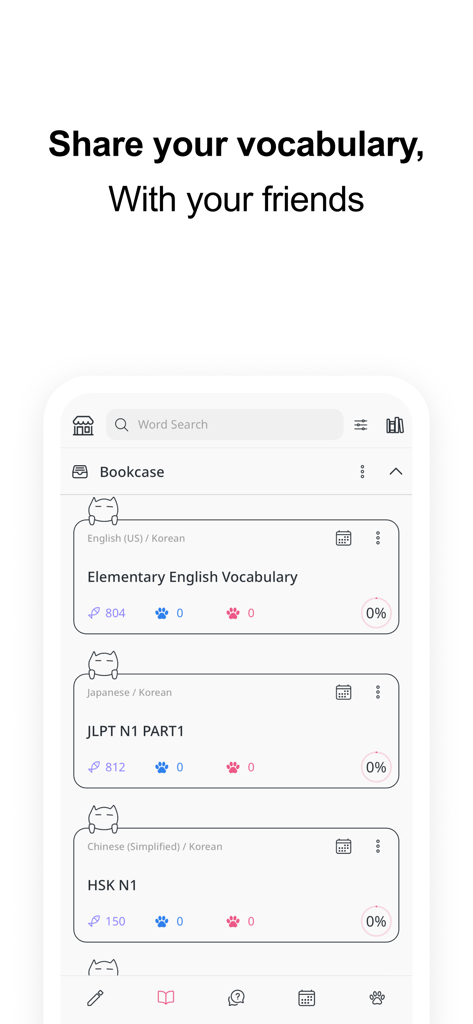
VoCatアプリの本棚セクション(英語、日本語、中国語の共有単語リストあり)

VoCatアプリの本棚セクション(英語、日本語、中国語の共有単語リストあり)

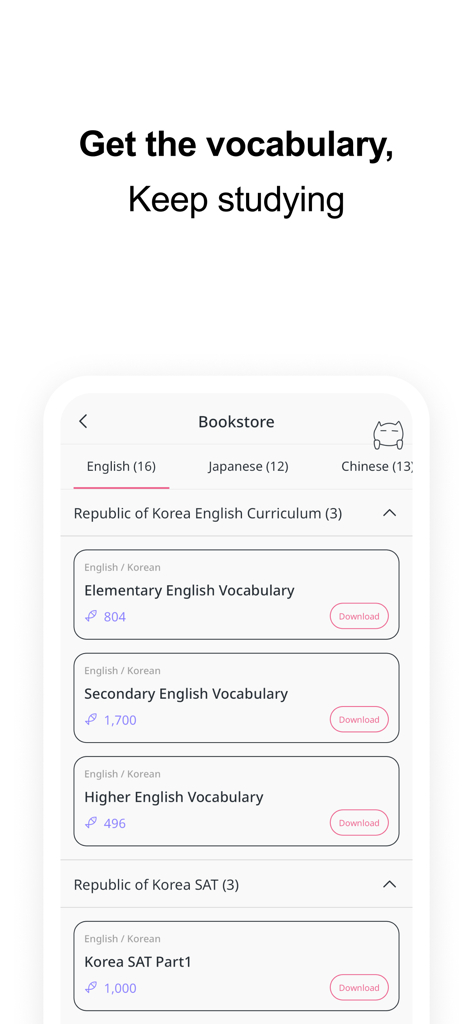
VoCatアプリの書店画面(英語、日本語、中国語のカリキュラム用ダウンロード可能単語リストあり)

VoCatアプリの書店画面(英語、日本語、中国語のカリキュラム用ダウンロード可能単語リストあり)

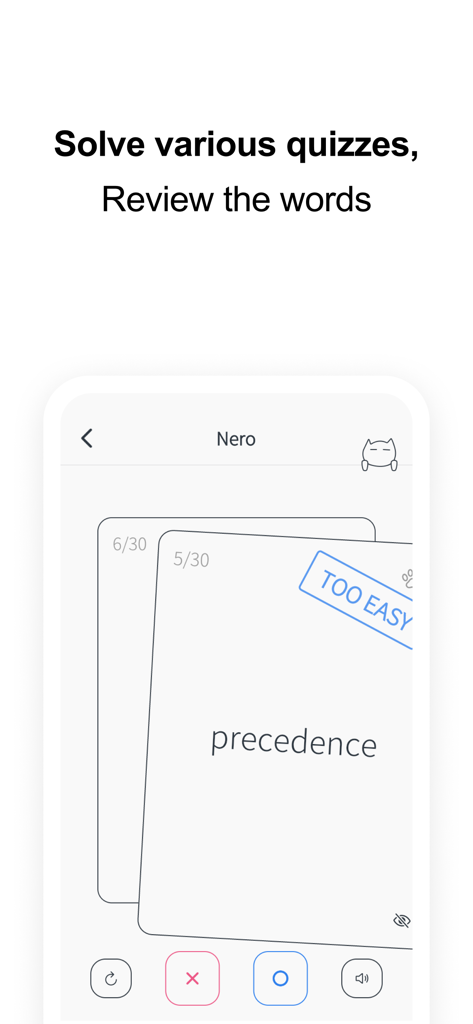
VoCatアプリの単語クイズ画面(単語precedenceのフラッシュカード表示)

VoCatアプリの単語クイズ画面(単語precedenceのフラッシュカード表示)

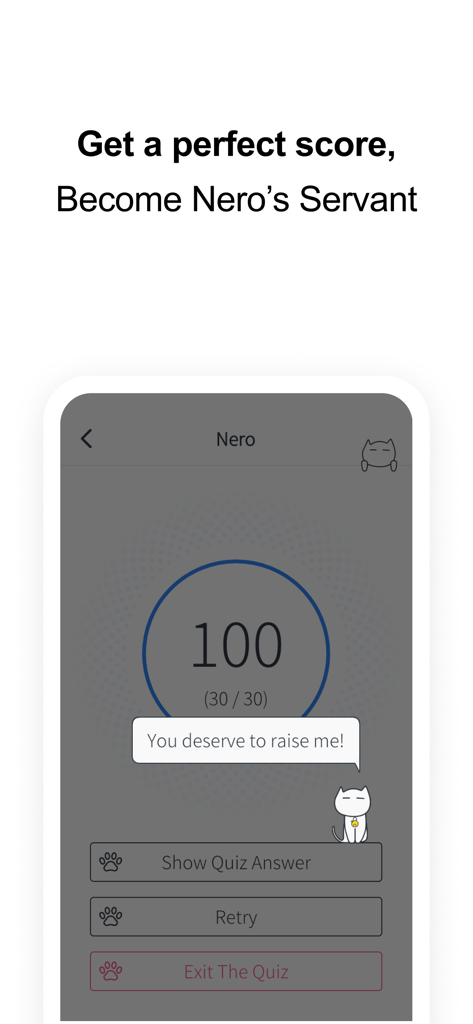
VoCatアプリのクイズ結果画面(Nero the catマスコット付きで100点の満点表示)

VoCatアプリのクイズ結果画面(Nero the catマスコット付きで100点の満点表示)

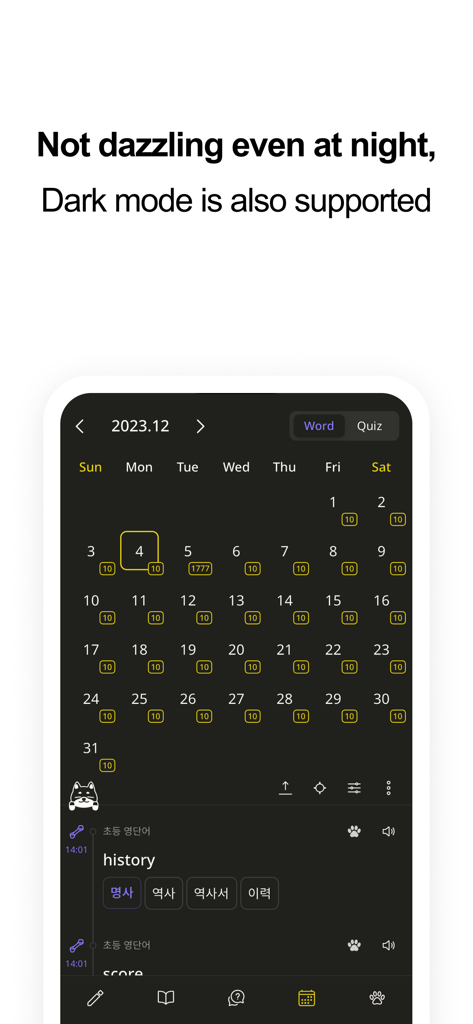
VoCatアプリの暗闇モードの学習追跡カレンダー(猫のマスコットNero featuring)

VoCatアプリの暗闇モードの学習追跡カレンダー(猫のマスコットNero featuring)

より賢く、より楽に学習

このアプリを際立たせるツール、 311K+ 人のユーザーが選択.

あなたの辞書、あなたのルール

手入力は不要。Google翻訳の自動入力機能やCSVファイルのバルクインポートを使用して、数秒であなたの目標に合わせたカスタムリストを作成できます。

📸

成功を視覚化する

単語に個人的な写真を添付して記憶力を向上させましょう。退屈な作業を創造的な趣味に変える、美的でストレスのない環境で学習しましょう。

🧠

アクティブリコールを楽しく

フラッシュカード、多肢選択、書き取りモードで試験を突破しましょう。学習カレンダーで進捗状況を追跡し、スマート通知で一貫性を保ちましょう。

世界中のユーザーに愛されています

Trusted by 311K+ 人がこのアプリを愛用しています.

"

"VoCatはJLPT対策のゲームチェンジャーです!Google翻訳の自動入力機能でリスト作成がとても速くなり、Nero the catが一番かわいいモチベーションです。カレンダーで進捗状況を見るのが大好き—美的と機能性の完璧な組み合わせです。"

Chloe S.
"

"これは医学部にとって究極のツールです。CSV経由で複雑な専門用語をすべてインポートし、フラッシュカードを使って通勤中にアクティブリコールできます。オフラインサポートは、邪魔のない図書館での学習セッションに不可欠です。とにかく最高のカスタマイズ性です。"

Dr. Marcus T.

アプリについて

について知っておくべきこと VoCat - My Own Vocabulary.

説明

You can create your own vocabulary with no limit to the number of words, and use the app even without data :) The cute cat Nero is a bonus. Easily create your own vocabulary • Just enter a word and Google Translator automatically completes the meaning, part of speech, and synonyms. • It is very convenient to use, so you can easily add words. • You can easily find the results of Naver Dictionary and Google Translate with one click of a button. • You can create a vocabulary in Excel or Google Sheets and easily add it to the app in CSV format. Record with images • You can select a photo from the album and record it with words. • You can record by taking pictures with the camera directly. Share it easily • You can share the vocabulary as CSV. • Share the vocabulary with your friends to study together. Back up safely • You can back up your entire data as a file. • Back up your entire data to Google Drive with the click of a button to keep it safe. Use the vocabulary prepared in the bookstore • English • SAT words • Japanese • JLPT • Chinese • HSK • Medicine See what you've studied on the calendar • You can see the words added that day on the calendar. • Quiz history is also displayed on the calendar, so you can review it. Learn by taking quizzes • At the end of the quiz, you can retest by collecting only the wrong words. • Swipe Cards (FlashCard) • Multiple Choice • Dictation • Blinker Get word alerts • It is important to see the words often! • You can receive word notifications at any time you want. Plan your study schedule • You can make a schedule by specifying how many words in the vocabulary to study per day. • According to the learning schedule, you can select only the words you want to learn today and take the quiz. Listen to the words • Words will be read using the built in speech engine (TTS, Text To Speech). • You can listen to words like listening to music. The following languages are supported • Afrikaans • Albanian • Amharic • Arabic • Armenian • Assamese • Aymara • Azerbaijani • Bambara • Basque • Belarusian • Bengali • Bhojpuri • Bosnian • Bulgarian • Catalan • Cebuano • Chinese (Simplified) • Chinese (Traditional) • Corsican • Croatian • Czech • Danish • Dhivehi • Dogri • Dutch • English (US, UK, Ireland, India, Australia) • Esperanto • Estonian • Ewe • Filipino (Tagalog) • Finnish • French • Frisian • Galician • Georgian • German • Greek (Ancient) • Greek (Modern) • Guarani • Gujarati • Haitian Creole • Hausa • Hawaiian • Hebrew (Biblical) • Hebrew (Modern) • Hindi • Hmong • Hungarian • Icelandic • Igbo • Ilocano • Indonesian • Irish • Italian • Japanese • Javanese • Kannada • Kazakh • Khmer • Kinyarwanda • Konkani • Korean • Krio • Kurdish • Kurdish (Sorani) • Kyrgyz • Lao • Latin • Latvian • Lingala • Lithuanian • Luganda • Luxembourgish • Macedonian • Maithili • Malagasy • Malay • Malayalam • Maltese • Maori • Marathi • Meiteilon (Manipuri) • Mizo • Mongolian • Myanmar (Burmese) • Nepali • Norwegian • Nyanja (Chichewa) • Odia (Oriya) • Oromo • Pashto • Persian • Polish • Portuguese (Portugal, Brazil) • Punjabi • Quechua • Romanian • Russian • Samoan • Sanskrit • Scots Gaelic • Sepedi • Serbian • Sesotho • Shona • Sindhi • Sinhala (Sinhalese) • Slovak • Slovenian • Somali • Spanish • Sundanese • Swahili • Swedish • Tagalog (Filipino) • Tajik • Tamil • Tatar • Telugu • Thai • Tigrinya • Tsonga • Turkish • Turkmen • Twi (Akan) • Ukrainian • Urdu • Uyghur • Uzbek • Vietnamese • Welsh • Xhosa • Yiddish • Yoruba • Zulu • Crimean Tatar • Swazi Would you like to make your own vocabulary?

最新バージョン

4.3.17

サイズ

158.2 MB

リリース日

2020年11月10日

Neroと一緒に単語力アップの準備はできましたか?

30万人以上の学習者が自分だけの学習スペースを構築しています。SAT対策、医学部、新しい言語学習のいずれであっても、今日からあなたの美的学習ジャーニーを始めましょう。

ダウンロード: App Store
FAQ

よくある質問

について知っておくべきこと VoCat - My Own Vocabulary

VoCat - My Own Vocabularyアプリとは何ですか?

VoCat - My Own Vocabularyは、無制限の単語で自分だけの単語リストを作成できるアプリケーションです。オフラインアクセスや、クイズ、カレンダー、単語アラートなどの学習ツールも提供します。

VoCat - My Own Vocabularyはインターネット接続なしで使用できますか?

はい、VoCat - My Own Vocabularyはオフライン利用に対応しています。ユーザーはインターネット接続なしで、単語リストにアクセスし、学習することができます。

VoCat - My Own Vocabularyはどのように単語リストの作成を支援しますか?

Google翻訳を使用して、単語の意味、品詞、類義語を自動補完します。また、Naver辞書やGoogle翻訳とも連携しており、参照が容易です。

VoCat - My Own Vocabularyは既存の単語リストのインポートをサポートしていますか?

はい、VoCat - My Own VocabularyではCSV形式の単語リストをインポートできます。ExcelやGoogleスプレッドシートで作成した単語を簡単に追加できます。

VoCat - My Own Vocabularyを使用して、作成した単語リストを他の人と共有できますか?

はい、VoCat - My Own Vocabularyでは、作成した単語リストをCSVファイルとして共有できます。友達とリストを共有して、一緒に学習することができます。

VoCat - My Own Vocabularyではどのような種類のクイズが提供されていますか?

VoCat - My Own Vocabularyでは、スワイプカード(フラッシュカード)、多肢選択、ディクテーション、ブリンカーなど、様々なクイズタイプを提供しています。間違った単語の再テストも可能です。

VoCat - My Own Vocabularyは、あらかじめ作成された単語セットを提供していますか?

はい、VoCat - My Own Vocabularyには、準備済みの単語セットが収められたブックストアがあります。これらには、英語(SAT単語)、日本語(JLPT)、中国語(HSK)、医学などのセットが含まれます。

VoCat - My Own Vocabularyは、単語を学習するようにリマインドしてくれますか?

はい、VoCat - My Own Vocabularyには単語アラート機能があります。ユーザーは、希望する時間に通知を受け取り、頻繁な復習を確実に行うことができます。

VoCat - My Own Vocabularyはダークモードをサポートしていますか?

はい、VoCat - My Own Vocabularyはダークモードをサポートしています。この機能により、夜間の学習も快適に行えます。

VoCat - My Own Vocabularyでデータをバックアップできますか?

はい、VoCat - My Own Vocabularyではバックアップオプションが提供されています。ユーザーは、データ全体をファイルとしてバックアップしたり、Googleドライブにワンクリックで安全にバックアップしたりできます。

VoCat - My Own Vocabularyは、学習のためにどのような言語をサポートしていますか?

VoCat - My Own Vocabularyは、英語、日本語、中国語、韓国語、スペイン語、フランス語、ドイツ語などの主要言語を含む、学習のための豊富な言語リストをサポートしています。

VoCat - My Own Vocabularyで学習の進捗状況をどのように追跡できますか?

VoCat - My Own Vocabularyでは、カレンダーを通じて学習の進捗状況を追跡できます。カレンダーには、毎日追加された単語やクイズの履歴が表示され、復習に役立ちます。

VoCat - My Own Vocabularyは、単語の音声読み上げ(テキスト読み上げ)を提供していますか?

はい、VoCat - My Own Vocabularyは、内蔵の音声エンジン(TTS)を使用して単語を読み上げます。ユーザーは、音楽を聴くように単語を聞くことができます。