WordHolic | DIY Flash Cards!

WordHolic | DIY Flash Cards!

ダウンロード: App Storeダウンロード: Google Play
Spark by MWM logo
ロゴ: WordHolic | DIY Flash Cards!

WordHolic | 本気で学ぶ人のためのDIYフラッシュカード

最も強力でカスタマイズ可能なフラッシュカードアプリで、学習ジャーニーを完全にコントロールしましょう。新しい言語を習得する場合でも、試験の準備をする場合でも、間隔反復とスマートオーディオ機能で記憶を最適化しましょう。

開発元

Langholic Ltd.

カテゴリ

Education

ダウンロード

1M+

ユーザー評価

4.7/5

評価数

141K+

対応言語

2

内部のぞき見

このインターフェースを利用する 1M+ 人のユーザー.

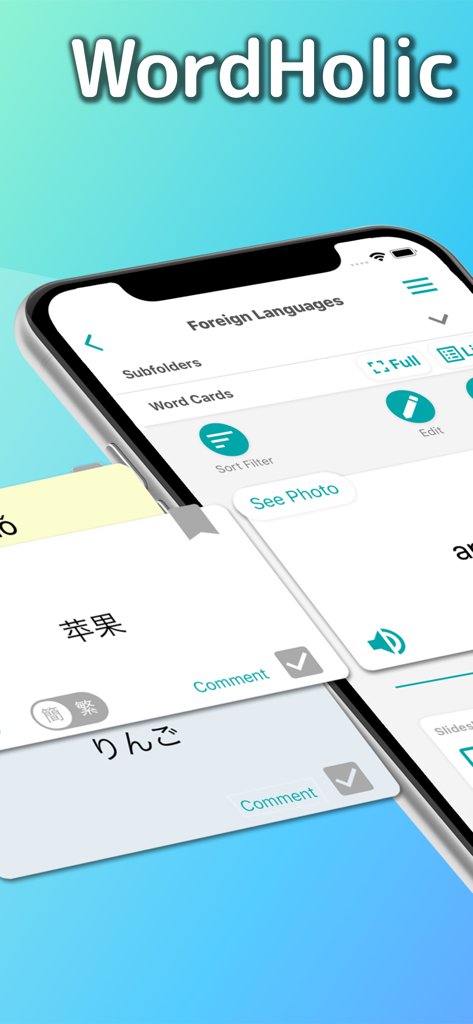
WordHolicモバイルアプリのインターフェイス。中国語と日本語の文字が表示されたDIY言語フラッシュカードが表示されています。

WordHolicモバイルアプリのインターフェイス。中国語と日本語の文字が表示されたDIY言語フラッシュカードが表示されています。

WordHolicアプリのインターフェイス。リンゴの画像と学習再生コントロールが表示されたカスタムフラッシュカードが表示されています。

WordHolicアプリのインターフェイス。リンゴの画像と学習再生コントロールが表示されたカスタムフラッシュカードが表示されています。

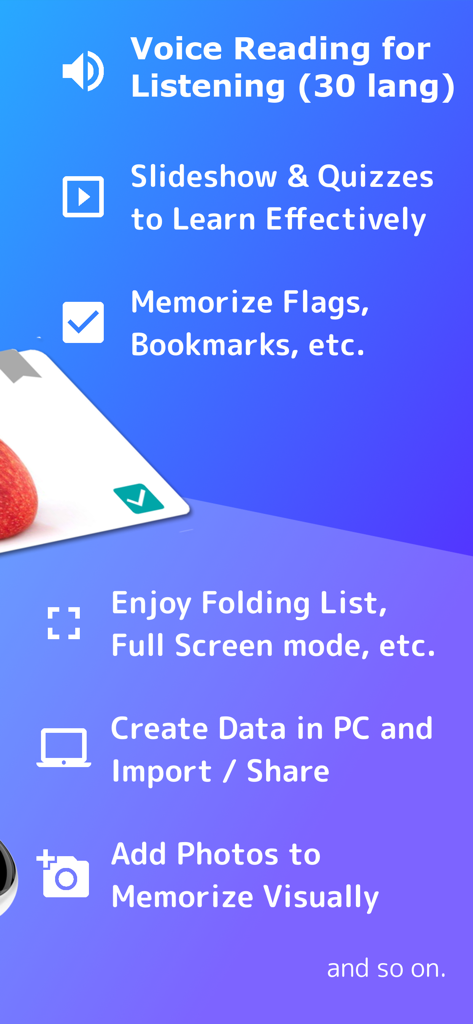
音声読み上げ、クイズ、ブックマーク、PCデータインポートを含むWordHolic学習機能の概要。

音声読み上げ、クイズ、ブックマーク、PCデータインポートを含むWordHolic学習機能の概要。

WordHolicアプリのフォルダリストが表示されたスマートフォンの画面。外国語や試験準備などの整理された学習カテゴリが表示されています。

WordHolicアプリのフォルダリストが表示されたスマートフォンの画面。外国語や試験準備などの整理された学習カテゴリが表示されています。

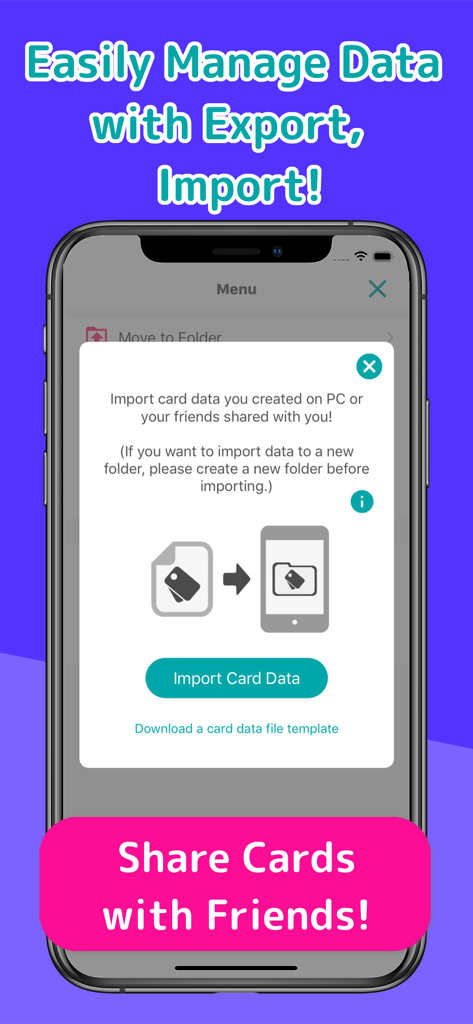
WordHolicアプリのデータインポートおよびカード共有機能を表示するインターフェイス。

WordHolicアプリのデータインポートおよびカード共有機能を表示するインターフェイス。

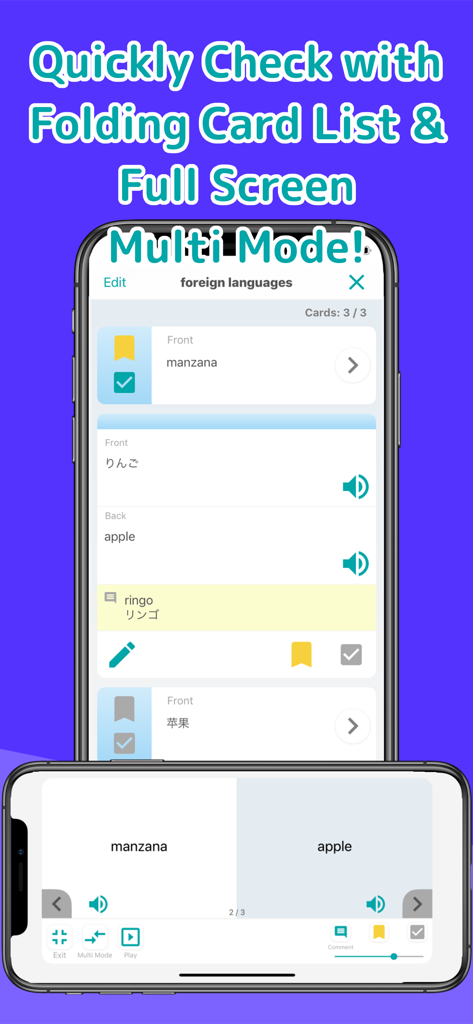
WordHolicアプリの学習カードリストと、言語学習用の分割画面マルチモードが表示されるインターフェイス。

WordHolicアプリの学習カードリストと、言語学習用の分割画面マルチモードが表示されるインターフェイス。

より賢く学び、より楽に

このアプリを際立たせるツール、 1M+ 人のユーザーが選択.

🛠️

完全な創造的自由

自分でカリキュラムをデザインしましょう。PCからバルクデータをインポートし、カスタム画像を追加し、すべてを無限のサブフォルダに整理しましょう。

🧠

記憶を最適化

忘却曲線に基づいた間隔反復を活用し、書き取りや筆記などの多様なクイズモードで自分自身に挑戦しましょう。

🎧

外出先で学習

通勤時間を学習時間にしましょう。30言語の高品質な音声読み上げと自動スライドショーを使用して、ハンズフリーで復習しましょう。

世界中のユーザーに愛されています

Trusted by 1M+ 人がこのアプリを愛用しています.

"

"日本語学習者として、WordHolicは完全にゲームチェンジャーです。ふりがなジェネレーターと中国語カードのピンインサポートにより、他のどのアプリよりもはるかに簡単になりました。PCから自分のリストをインポートし、キャンパスへの通勤中に音声発音を聞くことができるのが気に入っています。学習教材を完全にコントロールしたい人にとって、これは完璧なツールです。"

Chloe R.
"

"このアプリをCPA試験の勉強に使いましたが、整理は最高レベルです。さまざまな科目ごとにサブフォルダを作成できることで、ノートを完璧に整理できました。Excelインポート機能は、手入力の時間を数時間節約してくれ、ナイトモードは夜遅くの詰め込み学習セッションで命綱となりました。試験準備に真剣で、気が散らないDIYツールが必要なら、これが最適です。"

David M.

アプリについて

について知っておくべきこと WordHolic | DIY Flash Cards!.

説明

WordHolic is the free DIY style simple & useful flash card app for any purpose: learning languages, test preparation, etc. ● Easy to operate with easy-to-see design, so you can learn smoothly! ● Simple but sufficient functions, so you can use them conveniently! ● Create as many flash cards as you want for free and learn Chinese, French, Japanese, Korean, Spanish, etc. or prepare for your exams! ◇ Main learning functions ◇ ● Learn effectively by utilizing bookmarks and memorize flags on cards (Front side, back side and tag comment) ● Practice listening with the voice reading function (30 languages) (You can also play voice readings simultaneously while listening to music.) ● Easy to learn with the auto rotate slideshow (You can adjust speeds, reverse front and back sides, shuffle cards etc.) ● Enjoy the card list and the full screen multi mode which shows Front and Back sides at the same time ● Add photos or images on flashcards to memorize visually ● Review repeatedly based on forgetting curve ● Quizzes (Writing, Dictation, etc.) ◇ Main management functions ◇ ● Organize cards in folders (Multiple subfolders can be also provided.) ● Search folders and cards by keywords and so on. ● Export card backup files (You can easily share your card data with your friends!) ● Import data files to create cards (You can create data files in PC and import it!) ◇ Special functions for each language ◇ You can enjoy convenient functions for each language! ● Chinese: Character Converter (Simplified / Traditional), Pinyin Generator ● Japanese: Furigana Generator (Romaji / Hiragana / Katakana) ◇ Other useful functions ◇ ● Set the default reading language. These are set as initial values when you create new cards, so you don’t have to set each time. (This is available from the menu button on the upper right of the app screen > [Preferences] > [New Card Settings].) ● Set the horizontal alignments and text sizes on each side of cards! (This is available from the menu button on the upper right of the app screen > [Preferences] > [Card Basic Display Settings].) ● Enjoy Night Mode to make backgrounds and texts dark when you feel your eyes are tired or at night. (This is available from the menu button on the upper right of the app screen > [Preferences] > [Night Mode].) ◇ How to share cards with your friends ◇ (1) Select the menu button on the upper right of the app screen > [Export Backup] (2) Follow the instructions and export a card data file in the way you like (mail attachment, iCloud, etc.) and share the file with your friends (3) Store the file in a place of a friend’s phone (or iCloud, Google Drive, etc.) where your friend can view it with the file app. (4) Select the menu button on the upper right of the app screen > [Import Card Data] and let the file imported into a folder. ◇ Upgrades (In-App Purchases) ◇ Go to [Menu] > [Upgrades] in the app to purchase the upgrades! ● Premium Plans By upgrading to the premium plan, you will be able to use many features such as data sync, background player, ad free, etc. - 1 year plan (Auto Renewal Subscription)etc. ● Restore Your Purchases You can restore your purchases from: [Menu] > [Upgrades] > [Restore] * Before restoring, log in your device with your Apple ID that you purchased your plan with. ● Current Plan and Cancellation The payments will be charged to your iTunes account. To check your current plans or turn off auto-renewal, go to: Settings App in your device > iTunes & App Store > Apple ID > View Apple ID > Manage ● Auto-Renewal Your iTunes account will be charged for renewal 24 hours prior to the end of the current period. ● Note - To turn off auto-renewal, you have to do so in the iTunes Store and cannot cancel the month that your plan starts from. - Before making a purchase, accept the following Terms of Use. ● Terms of Use https://www.langholic.com/wordholic-terms-of-use-en Enjoy WordHolic!

最新バージョン

3.21.0

サイズ

92.3 MB

リリース日

2018年11月29日

自分のペースでどんな科目もマスター

100万人以上の学生や専門家がWordHolicを使用して、言語、試験、その他のための究極のパーソナライズされた学習ツールを構築しています。

ダウンロード: App Storeダウンロード: Google Play
FAQ

よくある質問

について知っておくべきこと WordHolic | DIY Flash Cards!

WordHolicとは何ですか?

WordHolicは、語学学習や試験準備のために設計された、無料のDIYスタイルのフラッシュカードアプリです。ユーザーは無制限のフラッシュカードを作成でき、様々な学習および管理機能をサポートしています。

WordHolicは新しい言語を学ぶのに役立ちますか?

はい、WordHolicは、中国語、フランス語、日本語、韓国語、スペイン語などの言語をサポートし、語学学習のために特別に設計されています。30言語での音声読み上げなどの機能を提供しています。

WordHolicは無料アプリですか?

はい、WordHolicは無料のフラッシュカードアプリです。ユーザーは無料で好きなだけフラッシュカードを作成できます。プレミアム機能のためのオプションのアプリ内購入も提供しています。

WordHolicアプリにはどのような学習機能が含まれていますか?

WordHolicは、30言語での音声読み上げ、自動回転スライドショー、クイズ(書き込み、ディクテーション)、ブックマーク、記憶フラグ、視覚学習のためのフラッシュカードへの写真追加機能を提供しています。

WordHolicでフラッシュカードを整理できますか?

はい、WordHolicでは、ユーザーはフォルダにカードを整理し、複数のサブフォルダを作成できます。効率的な管理のために、キーワードを使用してフォルダやカードを検索することもできます。

WordHolicは友人とフラッシュカードを共有することをサポートしていますか?

はい、WordHolicでは、ユーザーはカードのバックアップファイルをエクスポートできます。これらのデータファイルを友人と共有でき、友人はそれを自分のWordHolicアプリにインポートできます。

WordHolicのフラッシュカードに画像を追加できますか?

はい、WordHolicでは、ユーザーはフラッシュカードに写真や画像を追加できます。この機能は、ユーザーの視覚的な記憶を助け、学習体験を向上させます。

WordHolicは特定の言語に特別な機能を提供していますか?

はい、WordHolicは特定の言語に特別な機能を提供しています。中国語には、漢字変換機能とピンインジェネレーターがあります。日本語には、ふりがなジェネレーターが含まれています。

WordHolicでナイトモードを有効にするにはどうすればよいですか?

ユーザーは、アプリ画面の右上にあるメニューボタンに移動し、[Preferences] > [Night Mode]を選択することで、WordHolicでナイトモードを有効にできます。

WordHolicはプレミアム機能やプランを提供していますか?

はい、WordHolicはアプリ内購入としてプレミアムプランを提供しています。これらのプランは、データ同期、バックグラウンドプレーヤー、広告なしの体験などの追加機能を提供します。

WordHolicの購入を復元するにはどうすればよいですか?

ユーザーは、アプリ内で[Menu] > [Upgrades] > [Restore]に移動することで、WordHolicの購入を復元できます。元の購入に使用したApple IDでログインしていることを確認してください。

WordHolicの自動更新サブスクリプションをキャンセルするにはどうすればよいですか?

WordHolicの自動更新をキャンセルするには、デバイスの[Settings App]にアクセスし、[iTunes & App Store] > [Apple ID] > [View Apple ID] > [Manage]に移動してください。

WordHolicはフラッシュカードの音声読み上げを提供していますか?

はい、WordHolicにはフラッシュカード用の音声読み上げ機能が含まれており、30の異なる言語をサポートしています。音楽を聴きながら同時に音声読み上げを再生することもできます。

WordHolicは試験準備に使用できますか?

はい、WordHolicは試験準備のために設計されています。ユーザーはカスタムフラッシュカードを作成でき、忘却曲線に基づいた復習やクイズなどの機能が含まれています。

WordHolicは視覚的な記憶にどのように役立ちますか?

WordHolicは、ユーザーがフラッシュカードに直接写真や画像を追加できるようにすることで、視覚的な記憶を助けます。この視覚的な補助は、学習と想起のプロセスを効果的に向上させます。