3d Scanner App™

3d Scanner App™

다운로드: App Store
Spark by MWM logo
로고: 3d Scanner App™

3D 스캐너 앱™: 손안의 전문가급 LiDAR 정밀도

기기를 고성능 3D 스캐너로 변환하세요. 전문가 수준의 정확도로 공간, 객체 및 평면도를 캡처하고 Blender, AutoCAD 또는 3D 프린터로 직접 내보내세요.

다운로드: App Store

개발사

AI Photo Editor Lab SRL

카테고리

Utilities

다운로드

7M+

사용자 평점

4.6/5

총 평가 수

79K+

지원 언어

14

모든 스캔의 정밀도

이 인터페이스를 사용하는 7M+ 명의 사용자.

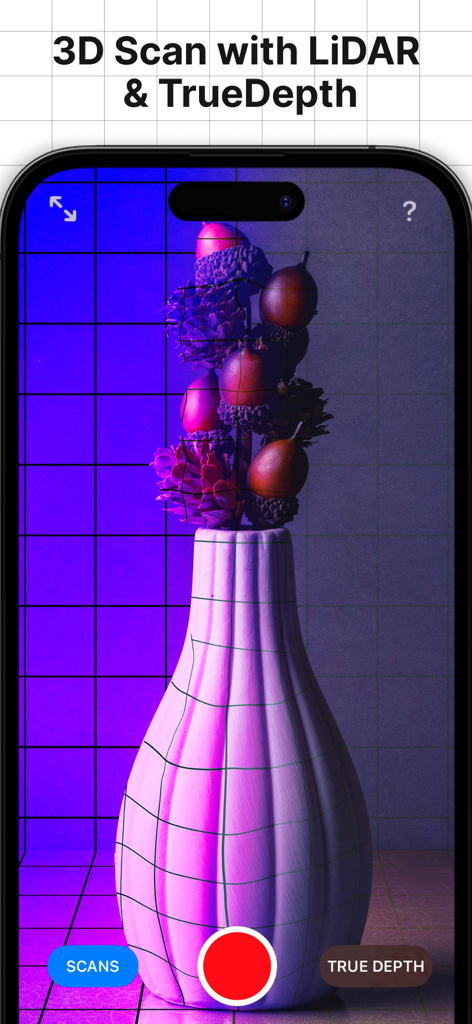
LiDAR 및 TrueDepth 기술로 장식용 꽃병의 3D 스캔을 보여주는 iPhone 인터페이스

LiDAR 및 TrueDepth 기술로 장식용 꽃병의 3D 스캔을 보여주는 iPhone 인터페이스

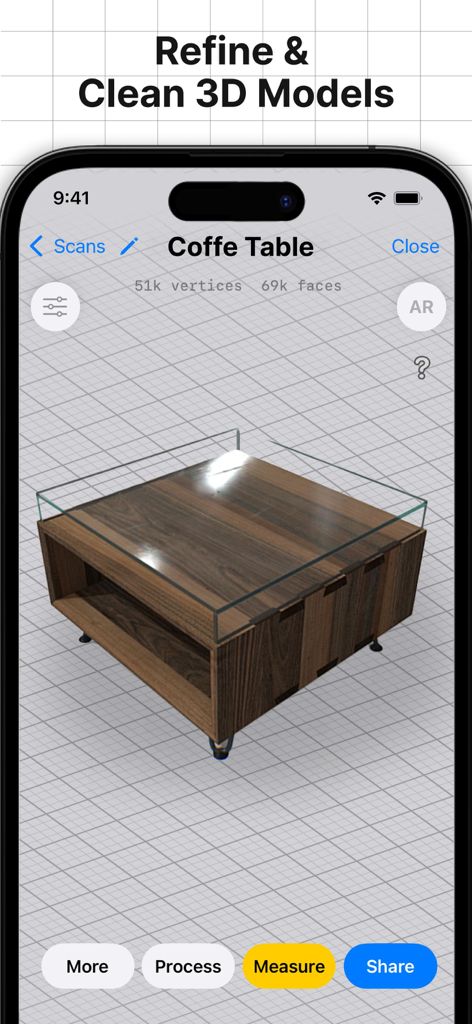
모델을 다듬고 정리하는 도구를 갖춘 3D 스캐너 앱 인터페이스에서 나무 커피 테이블의 3D 스캔

모델을 다듬고 정리하는 도구를 갖춘 3D 스캐너 앱 인터페이스에서 나무 커피 테이블의 3D 스캔

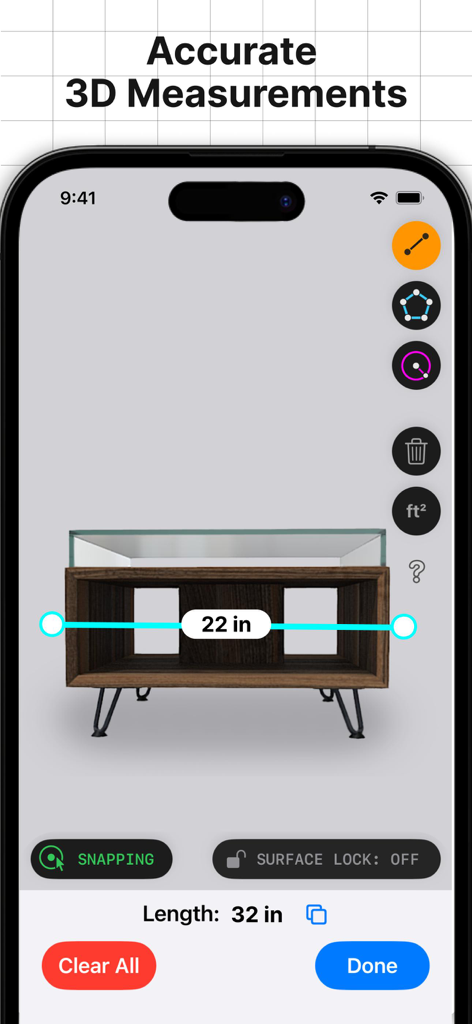
3D 스캐너 앱 인터페이스에서 디지털 방식으로 측정 중인 나무 테이블의 3D 모델. 너비 22인치, 길이 32인치로 표시됨.

3D 스캐너 앱 인터페이스에서 디지털 방식으로 측정 중인 나무 테이블의 3D 모델. 너비 22인치, 길이 32인치로 표시됨.

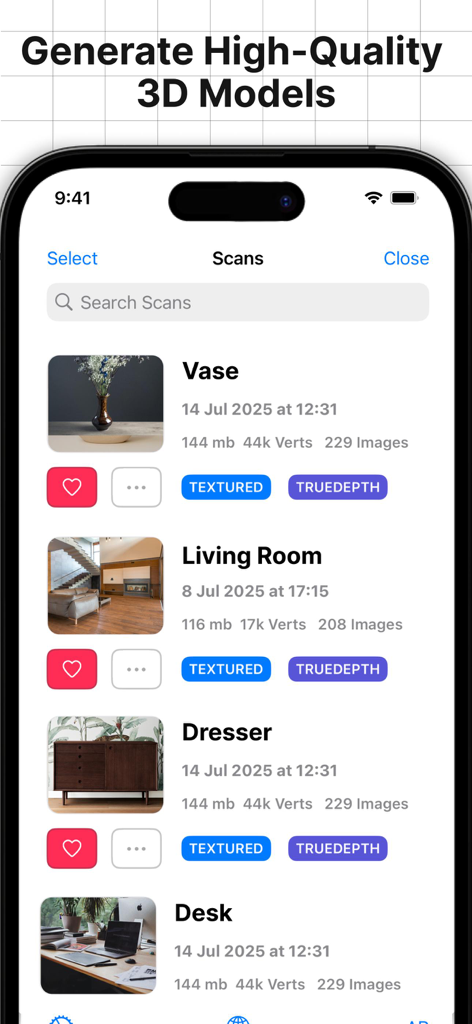
3D 스캐너 앱의 고품질 3D 모델 라이브러리

3D 스캐너 앱의 고품질 3D 모델 라이브러리

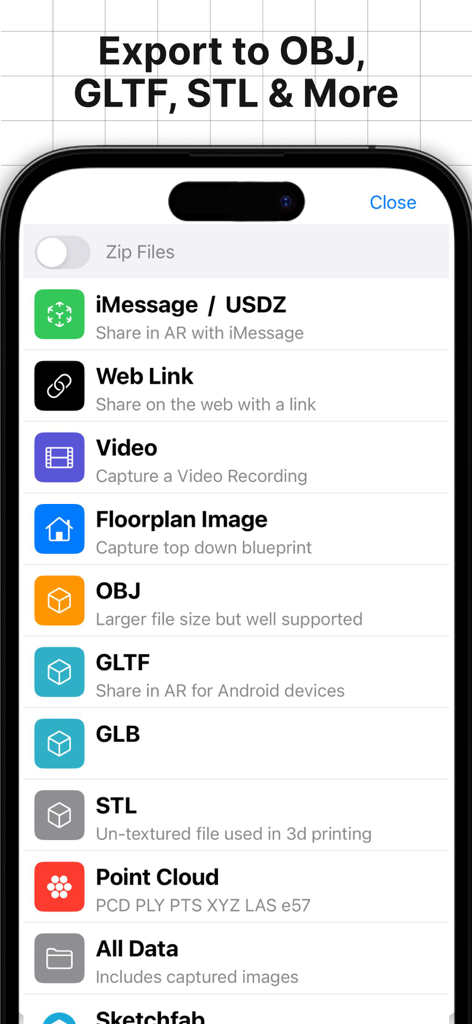
OBJ, GLTF, STL과 같은 다양한 3D 내보내기 형식을 보여주는 메뉴

OBJ, GLTF, STL과 같은 다양한 3D 내보내기 형식을 보여주는 메뉴

주머니 속 전문가급 정밀도

이 앱을 돋보이게 하는 도구, 7M+ 명의 사용자가 선택.

📐

고정밀 LiDAR 캡처

수 시간의 수동 측정을 대체하여 밀리미터 정밀도로 방과 객체를 즉시 상세한 3D 모델로 변환합니다.

📤

전문가급 내보내기

OBJ, STL, DXF 및 LAS로 원활하게 내보내세요. Blender, AutoCAD 및 SketchUp과 완벽하게 호환되어 마찰 없는 워크플로우를 제공합니다.

실시간 AR 시각화

몰입형 증강 현실에서 스캔을 보거나 USDZ를 통해 공유하여 실제 환경에서 디자인과 치수를 미리 확인하세요.

전 세계 사용자들에게 사랑받는 앱

Trusted by 7M+ 명이 이 앱을 사랑합니다.

"

"건축가로서 이 앱은 제 워크플로우를 완전히 바꿔놓았습니다. 클라이언트의 전체 거실을 몇 분 안에 스캔하고 CAD용 DXF 파일로 직접 내보낼 수 있습니다. 수동 측정에 드는 시간을 절약해 주고 현장을 떠나기 전에 신뢰할 수 있는 디지털 참조를 확보할 수 있습니다."

Marcus Chen
"

"3D 프린팅 프로젝트에서 얻을 수 있는 디테일 수준에 완전히 매료되었습니다. 실제 객체를 캡처하여 OBJ 파일로 Blender에 직접 가져올 수 있다는 것은 제 창의적인 과정에 있어 게임 체인저입니다. 지금까지 찾은 LiDAR 센서의 가장 좋은 활용법입니다."

Sarah Jenkins

앱 소개

에 대해 알아야 할 모든 것 3d Scanner App™.

설명

Transform your device into a powerful 3D scanner using LIDAR or TrueDepth technology. 3D Scanner app, downloaded by 11+ Million users, effortlessly makes you capture spaces and objects in full-color 3D and explore them in stunning, high-quality detail. Easily share your 3D scans Share your 3D models via iMessage or AR QuickLook in USDZ format, or export them in popular formats like OBJ, GLTF, GLB, DAE, and STL. Export in advanced formats Beyond standard exports, you can save your models as raw point clouds (PTS, PCD, PLY, XYZ, LAS) or floor plan images in DXF format, giving you full flexibility for professional workflows. Seamless integration with professional software Export geo-referenced LAS point clouds to GIS tools like ArcGIS or transfer raw scan data (including photos) to photogrammetry software such as Pix4D or Reality Capture. Edit directly on your device Refine, crop, and perfect your scans directly on your device for maximum control and precision. Accurate scans for any space or object Capture your home, garden, or any environment in 3D with LIDAR support. Easily import your scans into 3D modeling software like Blender, 3ds Max, SketchUp, Maya, and more. Use RoomPlan mode for quick floor plans, or TrueDepth mode for smaller, detailed objects. Capture ultra-detailed scans with Photo Mode Leverage our advanced "Photo Mode" to create highly detailed models using Apple’s Object Capture photogrammetry API. Intuitive sharing and measuring tools Share your 3D models effortlessly with the new "Share to Web" feature. Measure your scans with a virtual ruler or create bounding boxes to precisely calculate dimensions such as width, length, and height. Discover the power of the LIDAR sensor Transform your device into a real-time LIDAR scanner and unlock next-level accuracy and detail. View your scans in AR Visualize all your saved scans in an immersive augmented reality viewer for a truly interactive experience. 3D Scanner App is the perfect companion to Sweet Home 3D, enabling you to design, capture, and visualize your dream home with precision and ease. Its 3D scanning technology is supported in Sweet Home 3D, as the generated models can be easily imported and integrated into your projects. Subscribe to access to premium app features; subscription details are the following: - Length: weekly, yearly - Your payment will be charged to your iTunes Account as soon as you confirm your purchase - You can manage your subscriptions and turn off auto-renewal from your Account Settings after the purchase - Your subscription will renew automatically, unless you turn off auto-renew at least 24 hours before the end of the current period - The cost of renewal will be charged to your account in the 24 hours prior to the end of the current period - When canceling a subscription, your subscription will stay active until the end of the period. Auto-renewal will be disabled, but the current subscription will not be refunded - Any unused portion of a free trial period, if offered, will be forfeited when purchasing a subscription 3D Scanner App has been developed by Laan Labs Consulting, a company specialized in AR, CV, and ML algorithms. Visit https://labs.laan.com/ to learn more about Laan Labs Consulting. Terms of Use: https://www.apple.com/legal/internet-services/itunes/dev/stdeula/

최신 버전

2.4

크기

232.1 MB

출시일

2020년 7월 20일

3D 워크플로우를 혁신할 준비가 되셨나요?

1,100만 명 이상의 전문가 및 메이커와 함께하세요. LiDAR 스캔을 직접 캡처, 측정 및 내보내어 즐겨 사용하는 3D 소프트웨어로 가져가세요.

다운로드: App Store
FAQ

자주 묻는 질문

에 대해 알아야 할 모든 것 3d Scanner App™

3D 스캐너 앱™의 주요 기능은 무엇인가요?

3D 스캐너 앱™은 기기를 강력한 3D 스캐너로 변환합니다. LIDAR 또는 TrueDepth 기술을 사용하여 공간과 사물을 전체 색상의 3D로 캡처합니다.

3D 스캐너 앱™은 어떤 파일 형식을 내보내기 위해 지원하나요?

네, 3D 스캐너 앱™은 OBJ, GLTF, GLB, DAE 및 STL 형식으로 3D 모델을 내보내는 것을 지원합니다. 또한 원시 포인트 클라우드(PTS, PCD, PLY, XYZ, LAS) 및 DXF 평면도를 내보냅니다.

사용자는 3D 스캐너 앱™ 내에서 3D 스캔을 편집할 수 있나요?

네, 3D 스캐너 앱™을 사용하면 사용자는 기기에서 직접 캡처한 3D 스캔을 수정, 자르기 및 다듬어 최대의 제어와 정확도를 얻을 수 있습니다.

3D 스캐너 앱™은 3D 모델에 대한 측정 도구를 제공하나요?

네, 3D 스캐너 앱™에는 측정 도구가 포함되어 있습니다. 사용자는 가상 자로 스캔을 측정하거나 바운딩 박스를 만들어 너비, 길이, 높이와 같은 치수를 정확하게 계산할 수 있습니다.

3D 스캐너 앱™에서 사용할 수 있는 스캔 모드는 무엇인가요?

3D 스캐너 앱™은 빠른 평면도를 위한 RoomPlan 모드와 작고 섬세한 개체를 위한 TrueDepth 모드를 제공합니다. 또한 매우 상세한 모델을 위한 "사진 모드"도 있습니다.

3D 스캐너 앱™의 프리미엄 기능에 대한 구독은 어떻게 작동하나요?

3D 스캐너 앱™은 프리미엄 기능에 대한 주간 및 연간 구독을 제공합니다. 결제는 iTunes 계정으로 청구되며, 자동 갱신은 계정 설정에서 관리할 수 있습니다.

3D 스캐너 앱™은 전문 GIS 소프트웨어와 통합할 수 있나요?

네, 3D 스캐너 앱™은 원활한 통합을 제공합니다. ArcGIS와 같은 GIS 도구와 호환되는 지리 참조 LAS 포인트 클라우드를 내보냅니다.

3D 스캐너 앱™은 Sweet Home 3D와 호환되나요?

네, 3D 스캐너 앱™은 Sweet Home 3D와 호환됩니다. 생성된 3D 모델은 디자인 및 시각화를 위해 Sweet Home 3D 프로젝트에 쉽게 가져와 통합할 수 있습니다.

3D 스캐너 앱™을 사용하여 증강 현실로 3D 스캔을 볼 수 있나요?

네, 3D 스캐너 앱™을 사용하면 사용자가 저장된 모든 스캔을 시각화할 수 있습니다. 몰입형 증강 현실 뷰어에서 상호 작용적인 경험을 위해 볼 수 있습니다.

3D 스캐너 앱™은 누가 개발했나요?

3D 스캐너 앱™은 Laan Labs Consulting에서 개발했습니다. 이 회사는 AR, 컴퓨터 비전(CV) 및 기계 학습(ML) 알고리즘을 전문으로 합니다.