Adobe Acrobat Reader: Sign PDF

Adobe Acrobat Reader: Sign PDF

다운로드: App Store다운로드: Google Play
Spark by MWM logo
로고: Adobe Acrobat Reader: Sign PDF

Adobe Acrobat Reader: PDF 서명 – AI 기반 문서 도우미

단순히 보는 것을 넘어. AI의 힘을 사용하여 복잡한 파일을 요약하고, 문서와 대화하여 즉각적인 통찰력을 얻고, 어디서든 모든 PDF에 서명하거나 편집하세요.

개발사

Adobe Inc.

카테고리

Business

다운로드

156M+

사용자 평점

4.6/5

총 평가 수

2M+

지원 언어

19

모바일 오피스를 시각화하세요

이 인터페이스를 사용하는 156M+ 명의 사용자.

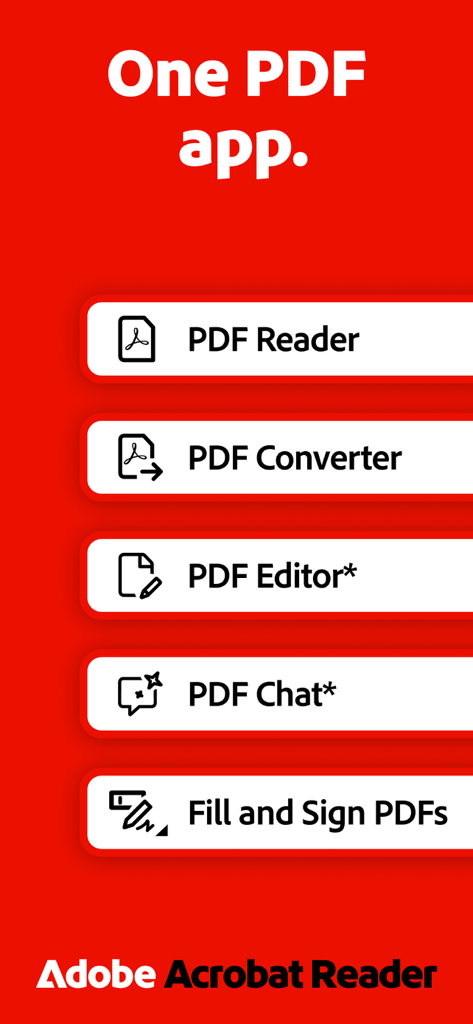
Adobe Acrobat Reader의 올인원 PDF 앱 기능 개요로, PDF 리더, 변환기, 편집기, 채팅 및 작성/서명 도구가 빨간색 배경에 표시됨.

Adobe Acrobat Reader의 올인원 PDF 앱 기능 개요로, PDF 리더, 변환기, 편집기, 채팅 및 작성/서명 도구가 빨간색 배경에 표시됨.

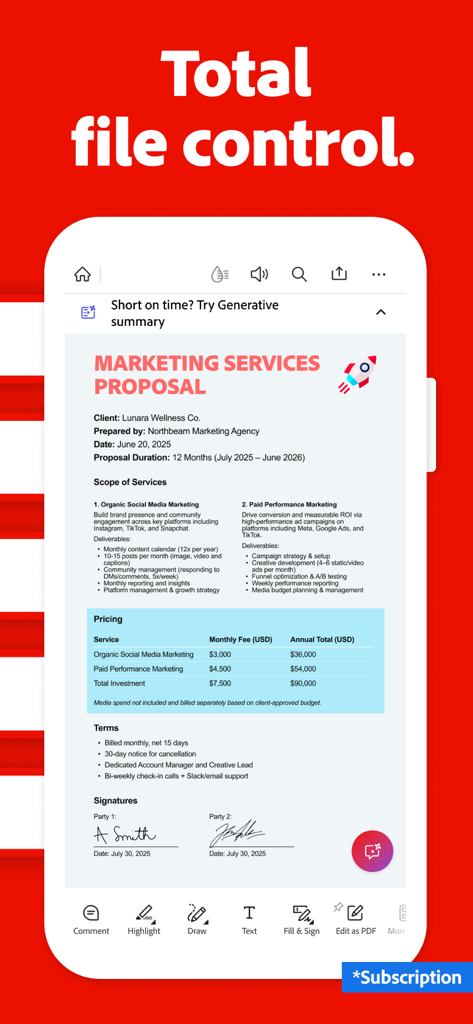
Adobe Acrobat Reader 모바일 앱이 편집 도구 및 AI 도우미 기능이 있는 PDF 마케팅 제안서를 보여줌

Adobe Acrobat Reader 모바일 앱이 편집 도구 및 AI 도우미 기능이 있는 PDF 마케팅 제안서를 보여줌

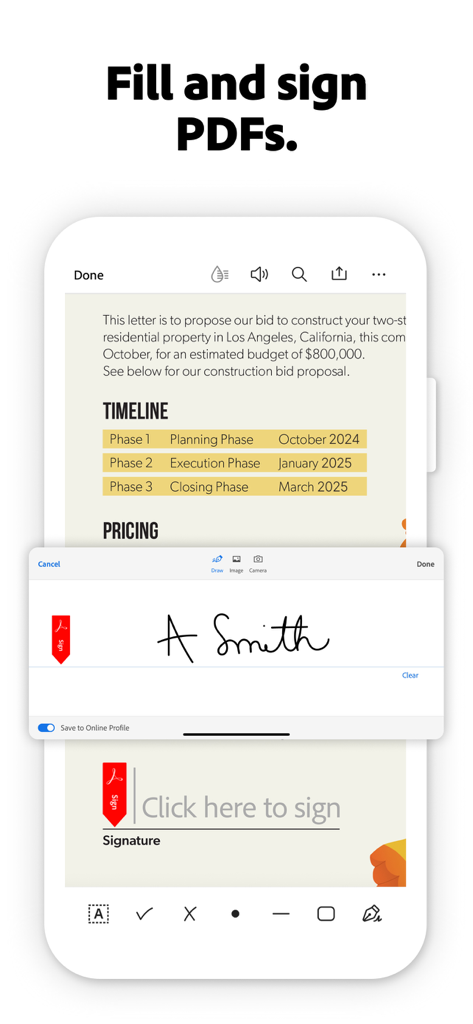
사용자가 문서에 디지털 서명을 추가하는 Adobe Acrobat Reader의 작성 및 서명 기능을 보여주는 모바일 인터페이스.

사용자가 문서에 디지털 서명을 추가하는 Adobe Acrobat Reader의 작성 및 서명 기능을 보여주는 모바일 인터페이스.

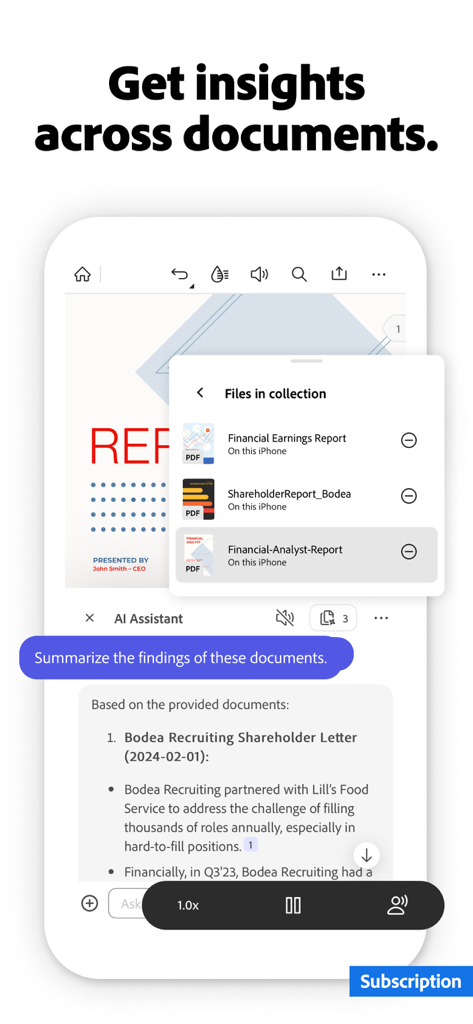
Adobe Acrobat Reader 앱이 여러 비즈니스 문서에 대한 통찰력을 요약하는 AI 도우미를 보여줌

Adobe Acrobat Reader 앱이 여러 비즈니스 문서에 대한 통찰력을 요약하는 AI 도우미를 보여줌

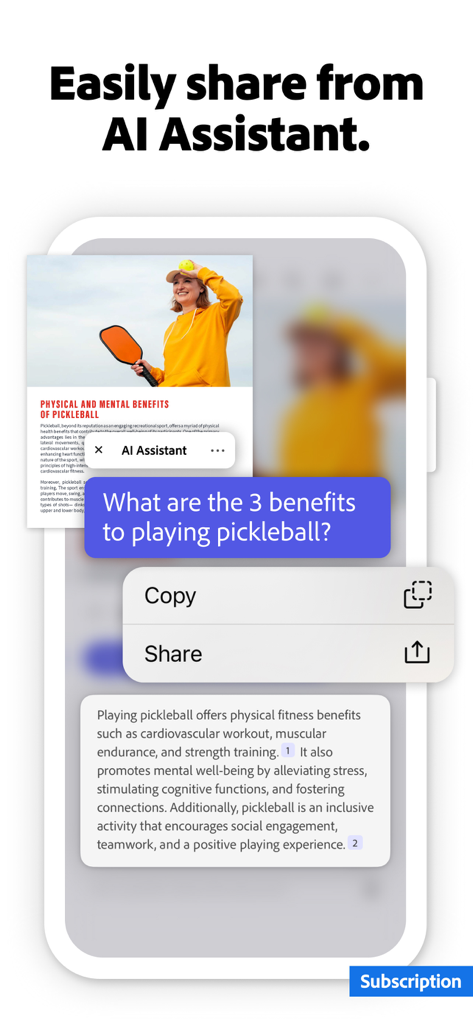
Adobe Acrobat Reader 앱이 PDF를 요약하고 공유 및 복사 옵션을 제공하는 AI 도우미를 보여줌

Adobe Acrobat Reader 앱이 PDF를 요약하고 공유 및 복사 옵션을 제공하는 AI 도우미를 보여줌

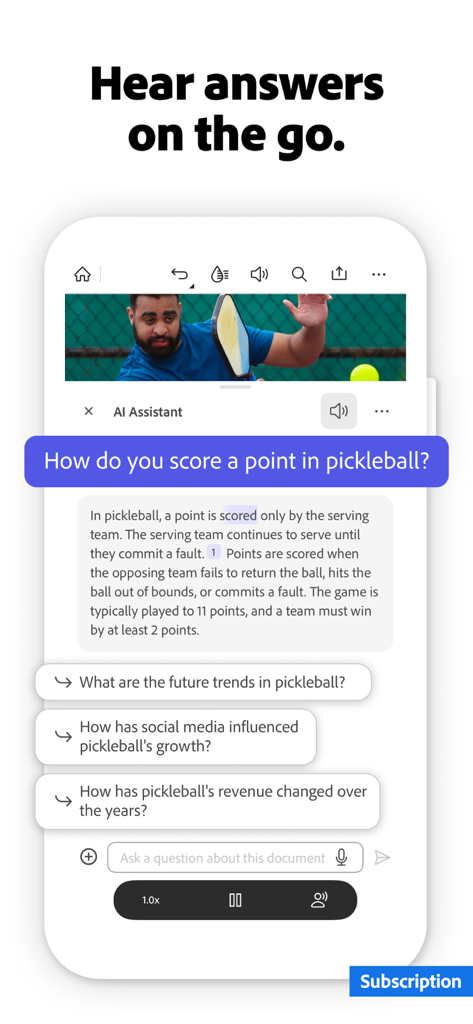
Adobe Acrobat AI 도우미가 모바일 장치의 문서에 대한 질문에 음성으로 답변함

Adobe Acrobat AI 도우미가 모바일 장치의 문서에 대한 질문에 음성으로 답변함

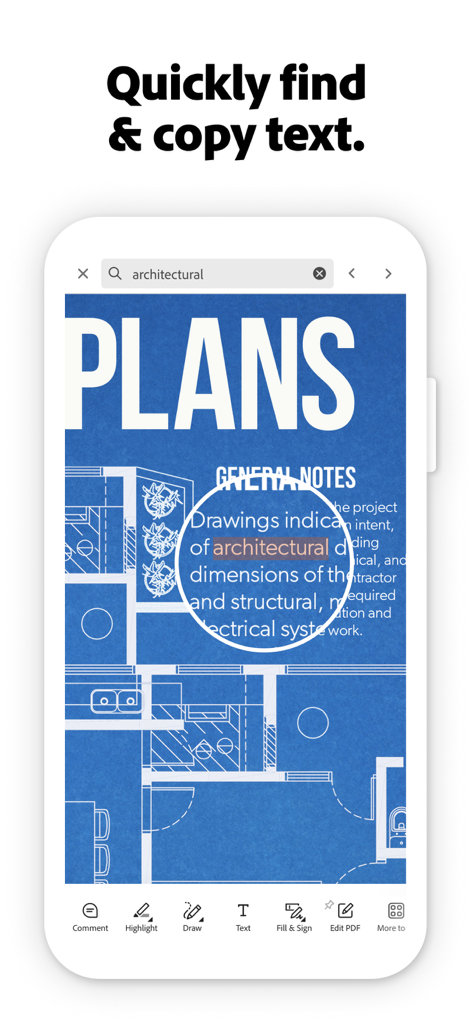
Adobe Acrobat Reader 앱이 건축 평면도 문서에서 텍스트 검색 및 복사 기능을 보여줌

Adobe Acrobat Reader 앱이 건축 평면도 문서에서 텍스트 검색 및 복사 기능을 보여줌

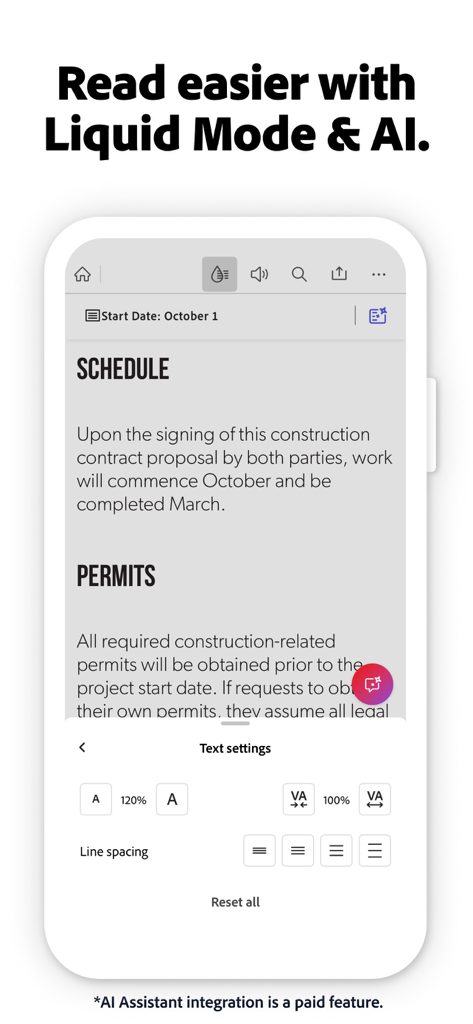
Adobe Acrobat 모바일 앱 화면이 향상된 문서 가독성을 위한 Liquid Mode 및 텍스트 설정을 보여줌

Adobe Acrobat 모바일 앱 화면이 향상된 문서 가독성을 위한 Liquid Mode 및 텍스트 설정을 보여줌

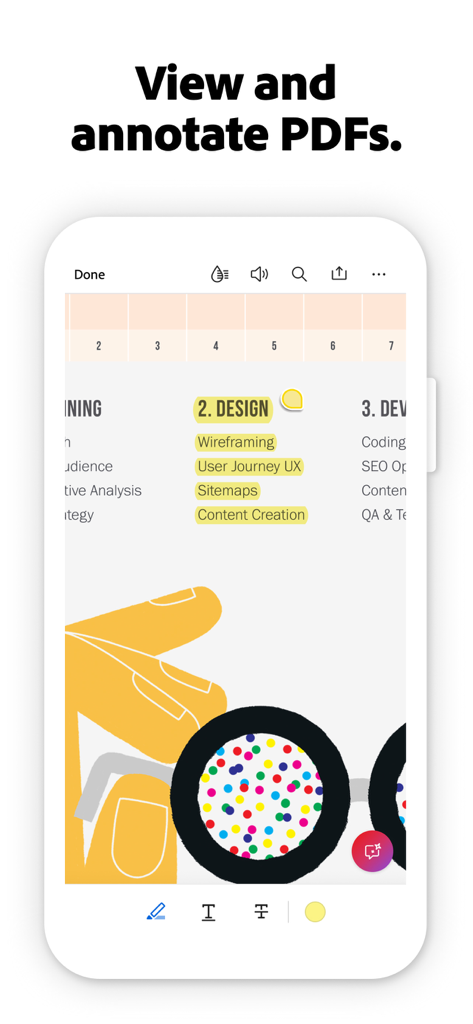
Adobe Acrobat Reader 앱이 스마트폰 화면에서 강조 표시된 텍스트와 주석 도구가 있는 PDF 문서를 보여줌.

Adobe Acrobat Reader 앱이 스마트폰 화면에서 강조 표시된 텍스트와 주석 도구가 있는 PDF 문서를 보여줌.

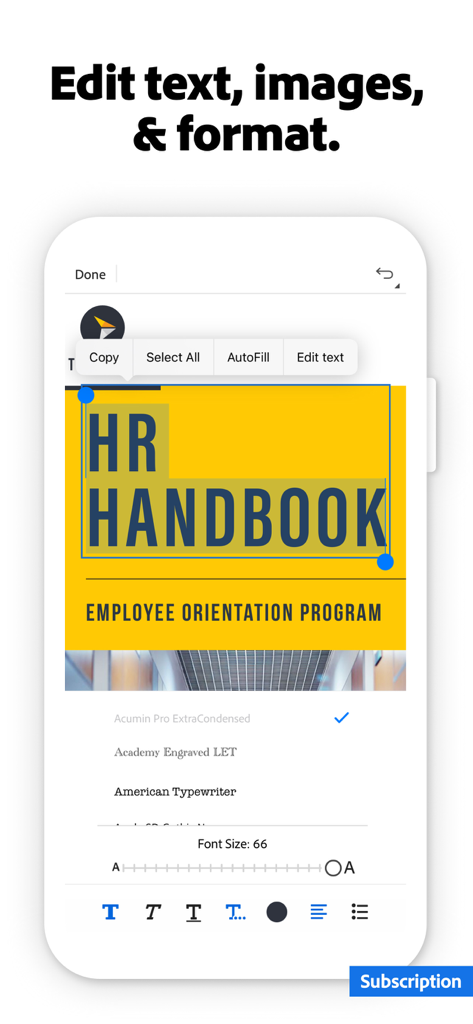
Adobe Acrobat 모바일 앱을 사용하여 PDF 문서에서 텍스트를 편집하고 형식을 지정함.

Adobe Acrobat 모바일 앱을 사용하여 PDF 문서에서 텍스트를 편집하고 형식을 지정함.

지능으로 워크플로를 마스터하세요

이 앱을 돋보이게 하는 도구, 156M+ 명의 사용자가 선택.

🤖

스마트 AI 도우미

복잡한 문서 및 보고서에 대한 질문에 즉각적인 요약 및 출처가 명시된 답변으로 독서 시간을 절약하세요.

✍️

매끄러운 작성 및 서명

인쇄기나 스캐너 없이 몇 번의 탭으로 계약서에 서명하고 양식을 작성하여 이동 중에 거래를 성사시키세요.

📱

최적화된 Liquid Mode

PDF 텍스트를 모바일 화면에 완벽하게 맞도록 재구성하는 AI 기반 보기 경험으로 핀치 앤 줌을 멈추세요.

전 세계 사용자들에게 사랑받는 앱

Trusted by 156M+ 명이 이 앱을 사랑합니다.

"

"새로운 AI 도우미는 제 워크플로에 있어 완전히 판도를 바꾸는 기능입니다. 통근 중에 50페이지 분량의 프로젝트 브리프를 몇 초 만에 요약할 수 있어 매주 수 시간의 수동 독서 시간을 절약합니다. 정말 저의 휴대용 사무실입니다."

Sarah Jenkins
"

"저는 Liquid Mode를 주로 사용합니다. 덕분에 아이폰으로 밀도 높은 연구 논문을 실제로 즐겁게 읽을 수 있습니다. 게다가 클라우드 통합을 통해 즉시 계약서에 서명하고 반환할 수 있다는 점은 인쇄기 없이 비즈니스를 계속 진행할 수 있게 해줍니다."

David Chen

앱 소개

에 대해 알아야 할 모든 것 Adobe Acrobat Reader: Sign PDF.

설명

Major new update: The new Adobe Acrobat AI Assistant makes it easier than ever to do more with PDFs. • Work across multiple files in one place with PDF Spaces. Collaborate, store, and use AI Assistant across files • Use voice or text prompts with AI Assistant chatbot • Ask questions and get cited answers about details in your document, including charts, graphs, and tables with Figures Q&A • Easily share the responses you get • Try voice support to ask queries and have answers read aloud. • Use new Hands-free to keep the conversation flowing with voice only • Instantly generate summaries from your PDFs with Generative AI Summaries • Get content for emails, text, study notes, blogs, and more [Adobe Acrobat AI Assistant is a paid feature*, free for a limited time] The world’s most trusted PDF reader, PDF editor, and PDF maker with more than 635 million installs. View, share, annotate, add comments, and sign documents - all in one app. You can store your files online and read documents anywhere. Get your 7-day free trial and try all the features of Acrobat Reader. Paid features: Edit PDFs • With our PDF editor, edit text and images directly in your PDF (mobile only) • Fix typos or add paragraphs with the PDF editor • Easily add, delete, or rotate any image • Use this PDF signer and PDF viewer to get your docs just right Recognize text • Optical Character Recognition (OCR) turns scanned PDFs into searchable, editable text to use in other formats Merge & organize PDFs with PDF Converter • Split or combine multiple files into one PDF with PDF converter • Use the PDF editor to insert, delete, rotate, crop & reorder pages in your PDF file Create, convert & export PDFs • Easily convert to PDF from any file type including Microsoft, Google Docs, and images • Export and convert PDFs to Microsoft Word, Excel, PowerPoint, or various image files • Convert web pages to PDFs Compress & highly secure PDFs • Compress PDF files for easy saving and sharing • Password Protect PDF documents Have your PDF read aloud • Listen to your PDFs on the go, great for reading support • Choose free voices or upgrade for high-quality options Subscribe now to access all these features and use Acrobat across mobile and web platforms. Free-to-use features: PDF signer: Fill & Sign Adobe Fill & Sign is free & available in Acrobat Reader. A form filler and PDF signer that lets you fill, sign, and send Liquid mode in the optimal PDF viewer • Get the best PDF reading experience with this PDF viewer • Search, navigate & adjust font size or spacing to fit your screen Share PDFs & collaborate • Share files for commenting or viewing, tag others with @mention, and manage all comments in one place • Receive activity notifications for shared files Annotate PDFs • Add sticky notes, comments, and highlight text Store & manage files • Link online storage accounts like Microsoft OneDrive, Dropbox, or Google Drive • Star files to quickly open important documents Connect the PDF viewer and reader to Google Drive • A PDF creator that lets you edit, compress, and export Google Drive files with a subscription Work with scanned documents • Access scanned PDFs from Adobe Scan in Acrobat to fill, sign, and share The Acrobat Reader mobile app is designed to work with customers who have Enterprise Mobility Management (EMM) enabled. *An Adobe Acrobat AI Assistant add-on plan is available to Acrobat Individual customers. iOS 16 or above required. Terms & Conditions: Your use of this application is governed by the Adobe General Terms of Use http://www.adobe.com/go/terms_linkfree_en and the Adobe Privacy Policy http://www.adobe.com/go/privacy_policy_linkfree_en Do not sell or share my personal information www.adobe.com/go/ca-rights-linkfree

최신 버전

25.12.00

크기

448.3 MB

출시일

2011년 10월 17일

더 스마트하게 일할 준비가 되셨나요?

초당 몇 초 만에 문서에 서명, 편집, 요약하는 6억 3,500만 명의 전문가와 함께하세요. Adobe AI의 힘을 주머니에 넣고 오늘 무료 체험을 시작하세요.

다운로드: App Store다운로드: Google Play
FAQ

자주 묻는 질문

에 대해 알아야 할 모든 것 Adobe Acrobat Reader: Sign PDF
Adobe Acrobat Reader: Sign PDF란 무엇인가요?

Adobe Acrobat Reader: Sign PDF는 PDF 문서를 보고, 공유하고, 주석을 달고, 댓글을 달고, 서명하는 데 사용되는 신뢰할 수 있는 모바일 앱입니다. 구독을 통해 고급 편집, 변환 및 AI 기능을 제공하여 파일에 대한 완벽한 제어를 지원합니다.

Adobe Acrobat Reader는 무료 체험판을 제공하나요?

네, Adobe Acrobat Reader는 7일 무료 체험판을 제공합니다. 이 체험판을 통해 모든 프리미엄 기능에 액세스할 수 있으며, 구독 전에 앱의 모든 기능을 경험해 볼 수 있습니다.

Adobe Acrobat Reader로 PDF를 편집할 수 있나요?

네, Adobe Acrobat Reader를 사용하면 모바일 장치에서 PDF의 텍스트와 이미지를 직접 편집할 수 있습니다. 오타 수정 또는 단락 추가와 같은 기능은 유료 구독을 통해 사용할 수 있습니다.

Adobe Acrobat AI Assistant란 무엇인가요?

Adobe Acrobat AI Assistant는 유료 기능입니다. PDF Spaces에서 여러 파일에 걸쳐 AI를 사용하여 질문에 대한 답변, 출처가 명시된 요약, 생성된 요약 및 문서에서 콘텐츠를 생성하는 데 사용됩니다.

Adobe Acrobat AI Assistant는 무료로 사용할 수 있나요?

아니요, Adobe Acrobat AI Assistant는 유료 기능입니다. 현재 제한된 시간 동안 무료로 제공됩니다. Acrobat 개인 고객의 경우 추가 요금제가 필요합니다.

Adobe Acrobat Reader에서 문서를 어떻게 서명하나요?

Adobe Acrobat Reader에는 무료 "채우기 및 서명" 기능이 포함되어 있습니다. 이를 통해 사용자는 구독 없이 애플리케이션 내에서 직접 PDF 문서를 작성, 서명 및 전송할 수 있습니다.

Adobe Acrobat Reader는 스캔된 문서에 대해 OCR을 지원하나요?

네, Adobe Acrobat Reader는 유료 기능으로 광학 문자 인식(OCR)을 지원합니다. OCR은 스캔된 PDF를 검색 및 편집 가능한 텍스트로 변환하여 다른 형식에서 사용할 수 있도록 합니다.

Adobe Acrobat Reader로 PDF 파일을 결합하거나 분할할 수 있나요?

네, Adobe Acrobat Reader의 유료 PDF 변환기 기능을 사용하면 여러 파일을 분할하거나 단일 PDF로 결합할 수 있습니다. 페이지 삽입, 삭제, 회전, 자르기 및 재정렬을 통해 페이지를 구성할 수도 있습니다.

Adobe Acrobat Reader에서 PDF를 다른 형식으로 내보내려면 어떻게 해야 하나요?

Adobe Acrobat Reader를 사용하면 PDF를 Microsoft Word, Excel, PowerPoint 또는 다양한 이미지 파일과 같은 형식으로 변환하고 내보낼 수 있습니다. 이 내보내기 기능은 구독을 통해 액세스할 수 있습니다.

Adobe Acrobat Reader로 PDF 파일을 압축할 수 있나요?

네, Adobe Acrobat Reader에는 PDF 파일을 압축하는 기능이 포함되어 있습니다. 이 기능은 유료 구독의 일부이며 문서를 더 쉽게 저장하고 공유할 수 있습니다.

Adobe Acrobat Reader는 PDF를 읽어주는 기능(read-aloud)을 제공하나요?

네, Adobe Acrobat Reader는 PDF에 대한 읽어주는 기능(read-aloud)을 제공합니다. 사용자는 무료 음성으로 문서를 들을 수 있으며, 구독에 포함된 고품질 음성 옵션으로 업그레이드할 수 있습니다.

Adobe Acrobat Reader는 클라우드 스토리지와 통합되나요?

네, Adobe Acrobat Reader는 클라우드 스토리지 서비스와 통합됩니다. 사용자는 Microsoft OneDrive, Dropbox 또는 Google Drive와 같은 계정을 연결하여 앱 내에서 원활하게 파일을 저장하고 관리할 수 있습니다.

Adobe Acrobat Reader의 Liquid 모드란 무엇인가요?

Adobe Acrobat Reader의 Liquid 모드는 최적화된 PDF 읽기 환경을 제공합니다. 사용자가 화면에 맞게 글꼴 크기나 간격을 조정하면서 검색하고 탐색할 수 있는 무료 기능입니다.

Adobe Acrobat Reader에서 PDF에 주석을 달 수 있나요?

네, Adobe Acrobat Reader는 무료 주석 기능을 제공합니다. 사용자는 검토 및 협업을 위해 PDF 문서 내에 메모, 댓글을 추가하고 텍스트를 강조 표시할 수 있습니다.

Adobe Acrobat Reader의 비용은 얼마인가요?

Adobe Acrobat Reader는 7일 무료 체험판을 제공합니다. 체험판 이후에는 AI Assistant, 고급 편집 및 변환과 같은 프리미엄 기능에 액세스하려면 유료 구독이 필요합니다.