Adobe Express: AI Photo, Video

Adobe Express: AI Photo, Video

다운로드: App Store다운로드: Google Play
Spark by MWM logo
로고: Adobe Express: AI Photo, Video

Adobe Express: AI 기반의 전문적인 콘텐츠 제작

효율적인 크리에이터가 디자인 경험 없이도 단 몇 분 만에 멋진 비디오, 사진, 브랜드 마케팅 자료를 디자인할 수 있는 올인원 도구입니다.

개발사

Adobe Inc.

카테고리

Photo & Video

다운로드

29M+

사용자 평점

4.8/5

총 평가 수

869K+

지원 언어

27

탁월함의 엿보기

이 인터페이스를 사용하는 29M+ 명의 사용자.

소상공인 크리에이터를 위한 사진, 비디오 및 AI 도구와 같은 기능을 보여주는 Adobe Express 모바일 앱 인터페이스

소상공인 크리에이터를 위한 사진, 비디오 및 AI 도구와 같은 기능을 보여주는 Adobe Express 모바일 앱 인터페이스

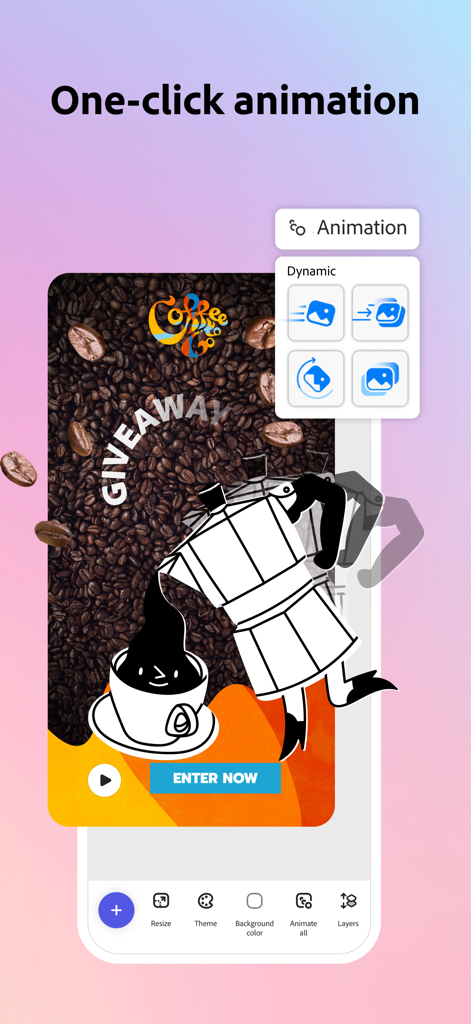
소셜 미디어 그래픽을 위한 원클릭 애니메이션 도구를 보여주는 Adobe Express 모바일 앱 인터페이스

소셜 미디어 그래픽을 위한 원클릭 애니메이션 도구를 보여주는 Adobe Express 모바일 앱 인터페이스

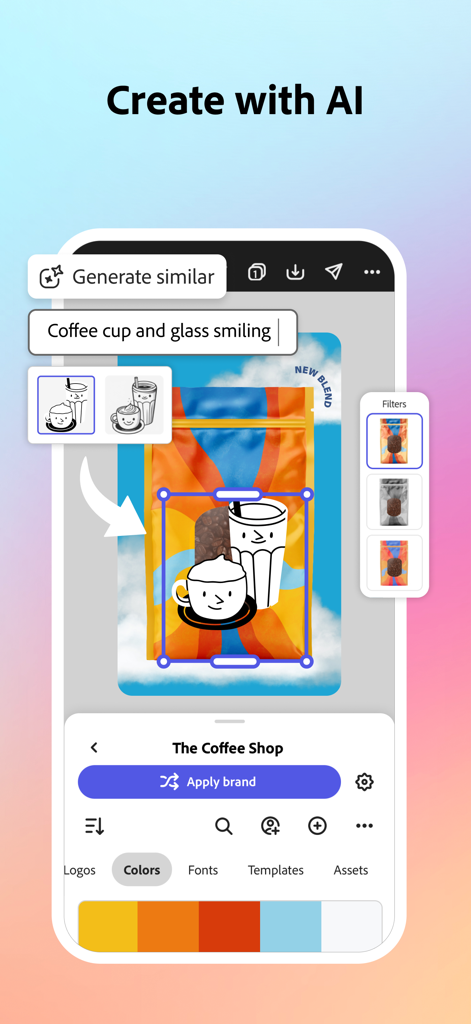
Adobe Express의 AI 기반 그래픽 디자인 및 브랜딩 도구

Adobe Express의 AI 기반 그래픽 디자인 및 브랜딩 도구

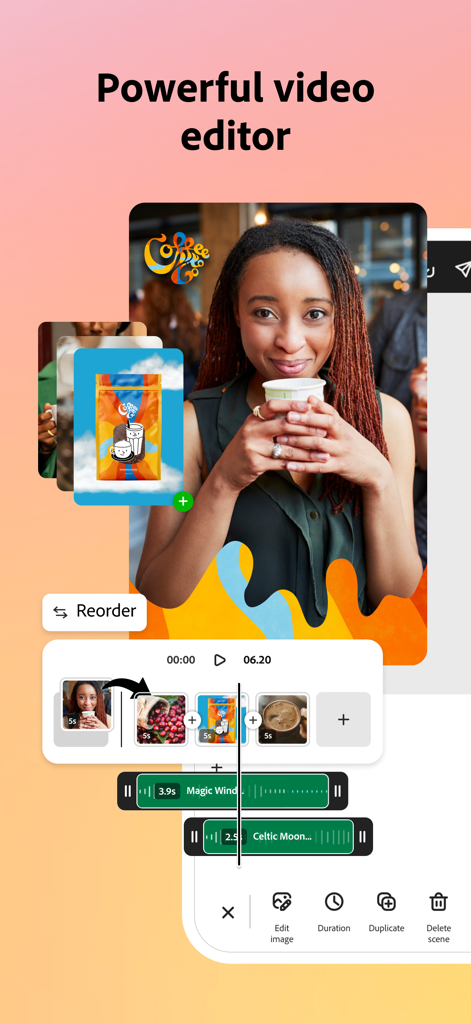
멀티트랙 타임라인과 크리에이티브 에셋이 포함된 비디오 편집 도구를 보여주는 Adobe Express 모바일 앱 인터페이스

멀티트랙 타임라인과 크리에이티브 에셋이 포함된 비디오 편집 도구를 보여주는 Adobe Express 모바일 앱 인터페이스

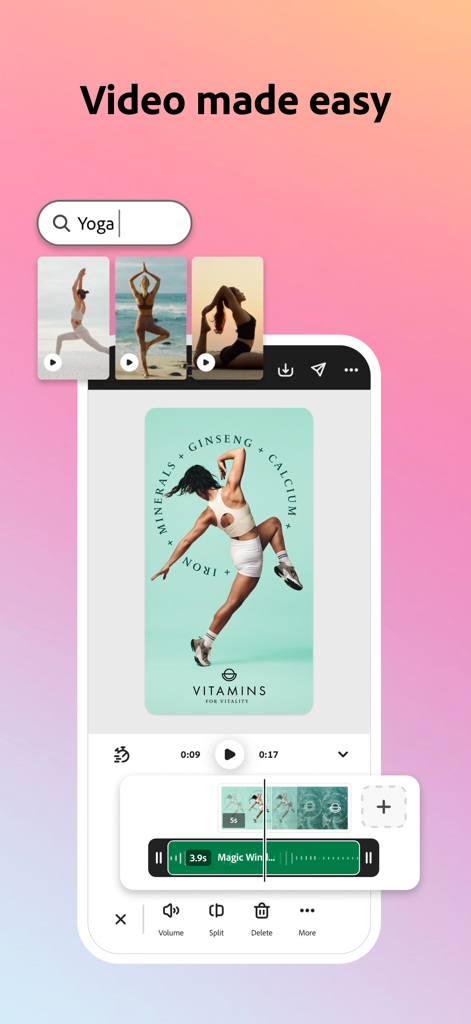
비디오 편집 도구와 요가 마케팅 비디오 템플릿을 보여주는 Adobe Express 모바일 앱 인터페이스

비디오 편집 도구와 요가 마케팅 비디오 템플릿을 보여주는 Adobe Express 모바일 앱 인터페이스

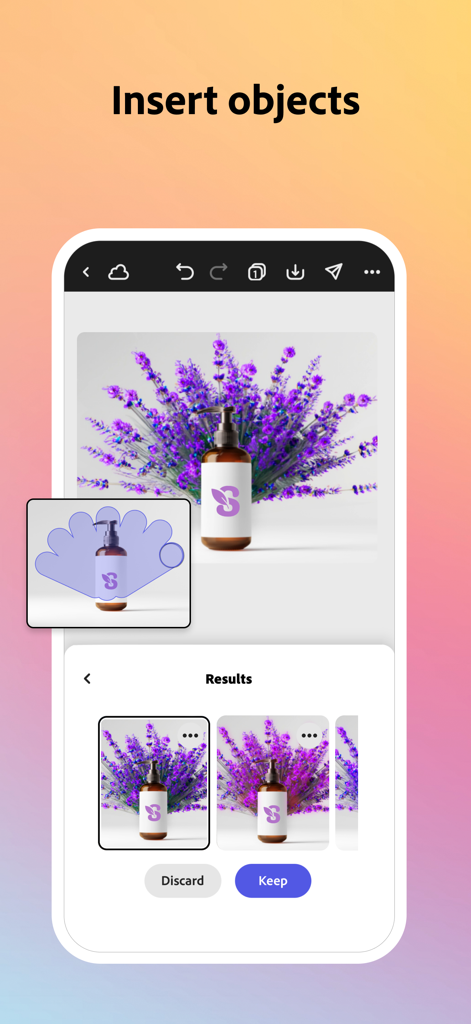
제품 사진에 개체를 삽입하기 위해 AI 생성형 채우기를 시연하는 Adobe Express 모바일 앱 인터페이스

제품 사진에 개체를 삽입하기 위해 AI 생성형 채우기를 시연하는 Adobe Express 모바일 앱 인터페이스

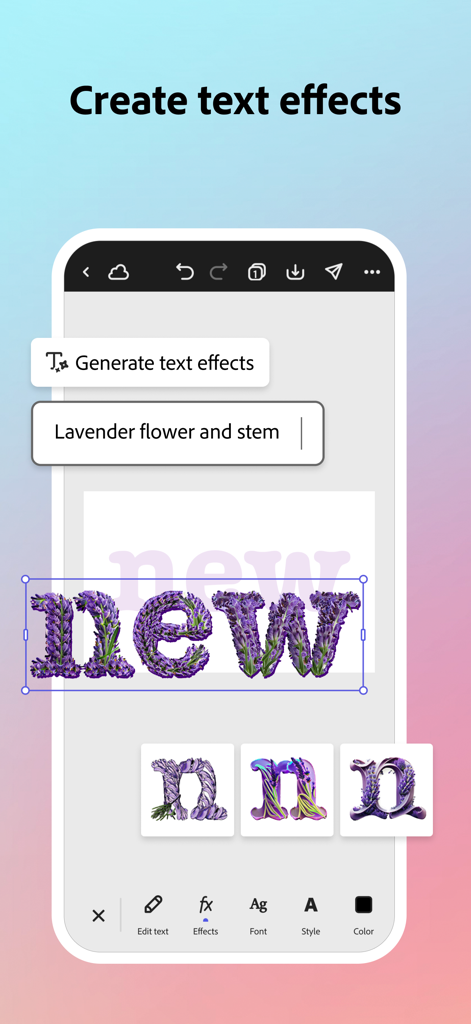
AI를 사용하여 독창적인 텍스트 효과를 생성하는 모습을 보여주는 Adobe Express 앱 인터페이스

AI를 사용하여 독창적인 텍스트 효과를 생성하는 모습을 보여주는 Adobe Express 앱 인터페이스

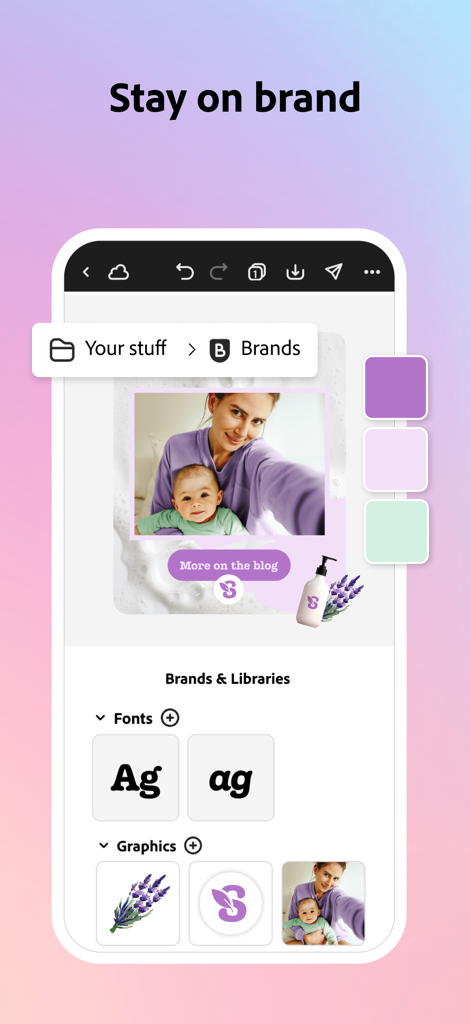
비즈니스 일관성을 위한 글꼴, 색상 및 그래픽과 같은 브랜딩 도구를 보여주는 Adobe Express 앱 화면

비즈니스 일관성을 위한 글꼴, 색상 및 그래픽과 같은 브랜딩 도구를 보여주는 Adobe Express 앱 화면

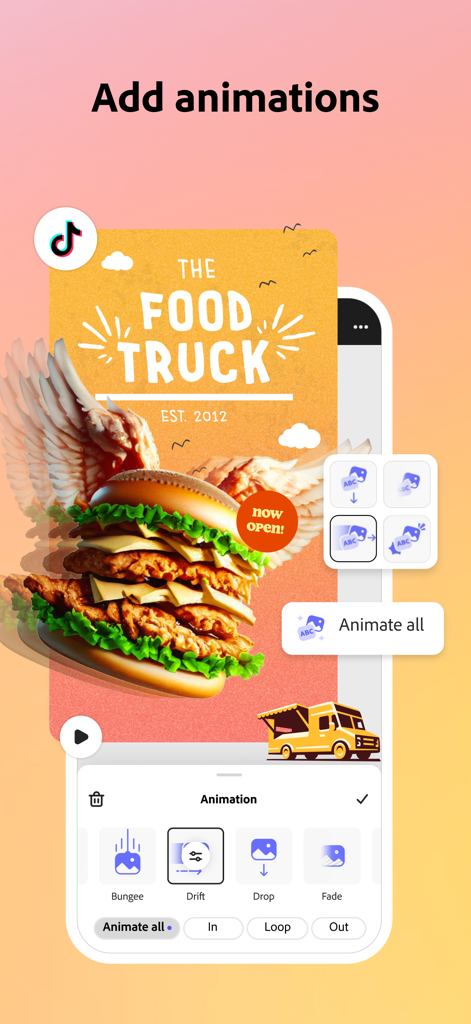
푸드 트럭 소셜 미디어 그래픽에 모션 애니메이션을 추가하는 방법을 보여주는 Adobe Express 모바일 앱 인터페이스

푸드 트럭 소셜 미디어 그래픽에 모션 애니메이션을 추가하는 방법을 보여주는 Adobe Express 모바일 앱 인터페이스

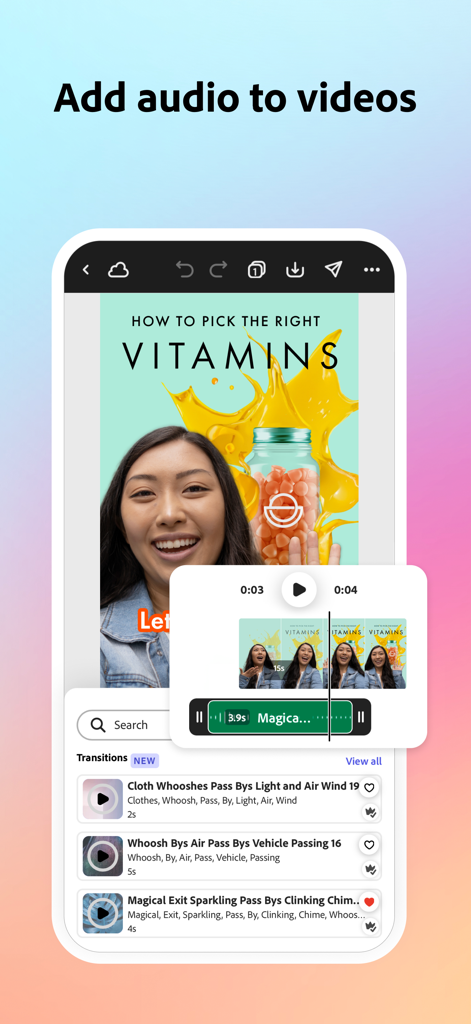
소셜 미디어 비디오에 오디오 트랙과 사운드 효과를 추가하기 위한 도구를 보여주는 Adobe Express 모바일 앱 인터페이스

소셜 미디어 비디오에 오디오 트랙과 사운드 효과를 추가하기 위한 도구를 보여주는 Adobe Express 모바일 앱 인터페이스

더 스마트하고 간편한 디자인

이 앱을 돋보이게 하는 도구, 29M+ 명의 사용자가 선택.

AI 기반의 창의성

Adobe Firefly AI의 마법으로 배경을 즉시 제거하고, 텍스트에서 이미지를 생성하며, 개체를 편집하세요.

🎬

손쉬운 비디오 편집

탭 몇 번만으로 TikTok, Reels, YouTube용 비디오를 자르고, 프레임을 재구성하고, 자동 캡션을 추가하세요.

💎

전문적인 브랜드 키트

모든 디자인에서 로고, 글꼴, 색상을 동기화하여 일관된 브랜드 아이덴티티를 손쉽게 유지하세요.

전 세계 사용자들에게 사랑받는 앱

Trusted by 29M+ 명이 이 앱을 사랑합니다.

"

"Adobe Express는 제 온라인 부티크의 판도를 완전히 바꿔 놓았습니다. 모든 인스타그램 포스트에서 브랜드 색상과 글꼴을 일관되게 유지하는 것이 골칫거리였는데, 브랜드 키트 덕분에 정말 쉬워졌어요. 매장에 있는 동안에도 단 몇 분 만에 전문가 수준의 홍보물을 만들 수 있습니다!"

Sarah Jenkins, 소상공인
"

"이 앱의 AI 도구는 정말 놀랍습니다. 프리랜서 소셜 미디어 작업을 위해 배경 제거기와 비디오 프레임 재구성 기능을 매일 사용합니다. 데스크탑 설정 없이도 고품질의 Adobe 결과물을 얻을 수 있어 제 모바일 워크플로우에 완벽합니다."

Marcus Chen, 디지털 콘텐츠 크리에이터

앱 소개

에 대해 알아야 할 모든 것 Adobe Express: AI Photo, Video.

설명

Adobe Express is the quick and easy app to create on-brand content that helps your business stand out and make an impact. Whether you're a beginner or a seasoned creator, Adobe Express empowers you and your team to make high-quality marketing and business materials while maintaining brand consistency. VIDEO MADE EASY Looking for the best free video editor? Adobe Express makes video editing simple. Use customizable templates, upload clips from your camera roll, trim and combine footage, add text, music, transitions, and sound effects. Automatically add captions, reframe for social channels, and remove background noise -- all in one place. PHOTO EDITING FOR EVERYONE Adobe Express is the best free photo editor for beginners, offering intuitive tools to enhance your images. Use AI to add or remove objects, apply Photoshop-powered filters, and instantly generate stunning photo art with our AI photo generator. BYE-BYE BACKGROUNDS Need the best app to remove photo backgrounds? Adobe Express makes it effortless. With Quick Actions, remove backgrounds from photos or videos in seconds, convert images to GIFs, and resize content with a single tap. QR CODE GENERATION MADE SIMPLE Create stylish, branded QR codes with ease. Adobe Express is your best QR code generator online, offering customizable styles and colors to match your brand. STAYING ON BRAND MADE EASY With brand kits, keep your fonts, colors, and logos ready to drop into any design. Apply your brand across all your content with a tap. Maintain a cohesive look with Generate Similar and refine designs. EDIT PDFs QUICKLY Update content, swap images, refine layouts, or add your brand’s colors, fonts, and visuals, all in just a few clicks. You can even convert files to PDF or export PDFs to share with your team or audience instantly. QUICK ACTION TOOLS · Trim & resize designs for any channel · Crop photos & convert image files · Convert to GIF from images & videos · Animate a character with your voice · Import PDF Some features are not currently supported on all devices, but good things are coming. Support for more devices is rolling out over time. QUESTIONS? Your feedback and engagement will help us make Adobe Express better for everyone. Join our Discord community [https://discord.gg/adobeexpress] to share your thoughts, connect with the community and get involved with creative challenges Visit Uservoice [https://adobeexpress.uservoice.com/forums/951181-adobe-express] to request new features Let us know about any bugs or issues you encounter in our Adobe Community Forum [https://community.adobe.com/t5/adobe-express/ct-p/ct-adobe-express] PREMIUM MEMBERSHIP Your Adobe Express Premium membership unlocks access to Premium features: · Over 200M royalty-free Adobe Stock photos, videos, music tracks, design elements and fonts · 250 generative credits to generate images, videos, templates and more · Remove Video Background, One-click Resize for multiple channels, brand kits and more Use your Adobe Express Premium plan across your desktop browser and mobile phone. Also includes Adobe Photoshop Express on mobile. Please refer to our full terms of service for more details. [http://www.adobe.com/go/terms_linkfree_en] Terms and conditions: Your use of this Adobe application is governed by the Adobe General Terms of Use http://www.adobe.com/go/terms_linkfree_en, and Adobe Privacy Policy http://www.adobe.com/go/privacy_policy_linkfree_en and any successor versions thereto. Do not sell or share my personal information: www.adobe.com/go/ca-rights-linkfree All trademarks are the property of their respective owners.

최신 버전

29.5.0

크기

150.7 MB

출시일

2015년 12월 17일

탭 한 번으로 만나는 올인원 크리에이티브 스튜디오

AI 기반 사진 및 비디오 편집으로 비즈니스의 경쟁력을 높이세요. 2,900만 명 이상의 크리에이터와 함께하고 오늘부터 전문적인 영향력을 발휘해 보세요.

다운로드: App Store다운로드: Google Play
FAQ

자주 묻는 질문

에 대해 알아야 할 모든 것 Adobe Express: AI Photo, Video
Adobe Express는 무엇인가요?

네, Adobe Express는 브랜드에 맞는 콘텐츠를 빠르고 쉽게 만들 수 있는 앱으로 설명됩니다. 사용자는 브랜드 일관성을 유지하면서 고품질의 마케팅 및 비즈니스 자료를 만들 수 있습니다.

Adobe Express로 동영상을 편집할 수 있나요?

네, Adobe Express에는 동영상 편집 기능이 포함되어 있습니다. 사용자는 사용자 정의 가능한 템플릿을 사용하고, 클립을 업로드하고, 푸티지를 자르고, 텍스트, 음악, 전환 효과를 추가하고, 소셜 채널용으로 캡션을 자동으로 추가하거나 리프레임할 수 있습니다.

Adobe Express는 사진 편집 기능을 제공하나요?

네, Adobe Express는 직관적인 사진 편집 도구를 제공합니다. AI 기능을 사용하여 개체를 추가하거나 제거하고, Photoshop 기반 필터를 적용하고, AI 사진 생성기로 사진 아트를 즉시 생성할 수 있습니다.

Adobe Express는 사진 및 동영상에서 배경을 제거할 수 있나요?

네, Adobe Express를 사용하면 사진 및 동영상에서 배경을 쉽게 제거할 수 있습니다. 빠른 작업을 통해 사용자는 몇 초 만에 이미지 또는 동영상의 배경을 제거할 수 있습니다.

Adobe Express에서 QR 코드 생성이 가능한가요?

네, Adobe Express는 QR 코드 생성기로 사용됩니다. 사용자는 스타일리시하고 브랜드에 맞는 QR 코드를 쉽게 만들 수 있으며, 브랜드에 맞게 사용자 정의 가능한 스타일과 색상을 제공합니다.

Adobe Express는 브랜드 일관성을 유지하는 데 어떻게 도움이 되나요?

Adobe Express는 브랜드 키트를 사용하여 브랜드 일관성을 유지하는 데 도움이 됩니다. 이 키트는 글꼴, 색상, 로고를 모든 디자인에 바로 적용할 수 있도록 준비하여 사용자가 탭 한 번으로 모든 콘텐츠에 브랜드를 적용할 수 있도록 합니다.

Adobe Express로 PDF 파일을 편집할 수 있나요?

네, Adobe Express를 사용하면 PDF를 빠르게 편집할 수 있습니다. 몇 번의 클릭만으로 콘텐츠를 업데이트하거나, 이미지를 교체하거나, 레이아웃을 다듬거나, 브랜드 색상, 글꼴 및 비주얼을 추가하는 도구를 제공합니다.

Adobe Express 프리미엄 멤버십에는 어떤 기능이 포함되나요?

Adobe Express 프리미엄 멤버십은 2억 개 이상의 로열티 프리 Adobe Stock 사진, 동영상, 음악, 250개의 생성 크레딧, 동영상 배경 제거, 원클릭 크기 조정, 브랜드 키트를 이용할 수 있습니다.

Adobe Express는 콘텐츠 제작에 생성 AI를 사용하나요?

네, Adobe Express는 생성 AI 기능을 통합합니다. 사용자는 이미지, 동영상, 템플릿을 생성할 수 있으며, 프리미엄 멤버십에는 250개의 생성 크레딧이 포함됩니다.

Adobe Express는 공동 편집 기능을 지원하나요?

네, Adobe Express는 공동 편집을 지원합니다. 이 앱에는 '공동 편집' 버튼이 있어 여러 사용자가 동시에 프로젝트를 협업할 수 있음을 나타냅니다.