Air Manager

Air Manager

다운로드: App Store다운로드: Google Play
Spark by MWM logo
로고: Air Manager

Air Manager: 전문가용 터치스크린 비행 시뮬레이터 콕핏

iPad를 완벽하게 맞춤 설정 가능한 촉각 비행 데크로 변환하여 몰입감을 높이세요. 손끝에서 1,000개 이상의 고정밀 계기를 사용하여 MSFS 2024, X-Plane, Prepar3D에 원활하게 연결하세요.

개발사

Sim Innovations B.V.

카테고리

Games

다운로드

58K+

사용자 평점

3.0/5

총 평가 수

100

지원 언어

1

완성된 당신의 비행 데크

이 인터페이스를 사용하는 58K+ 명의 사용자.

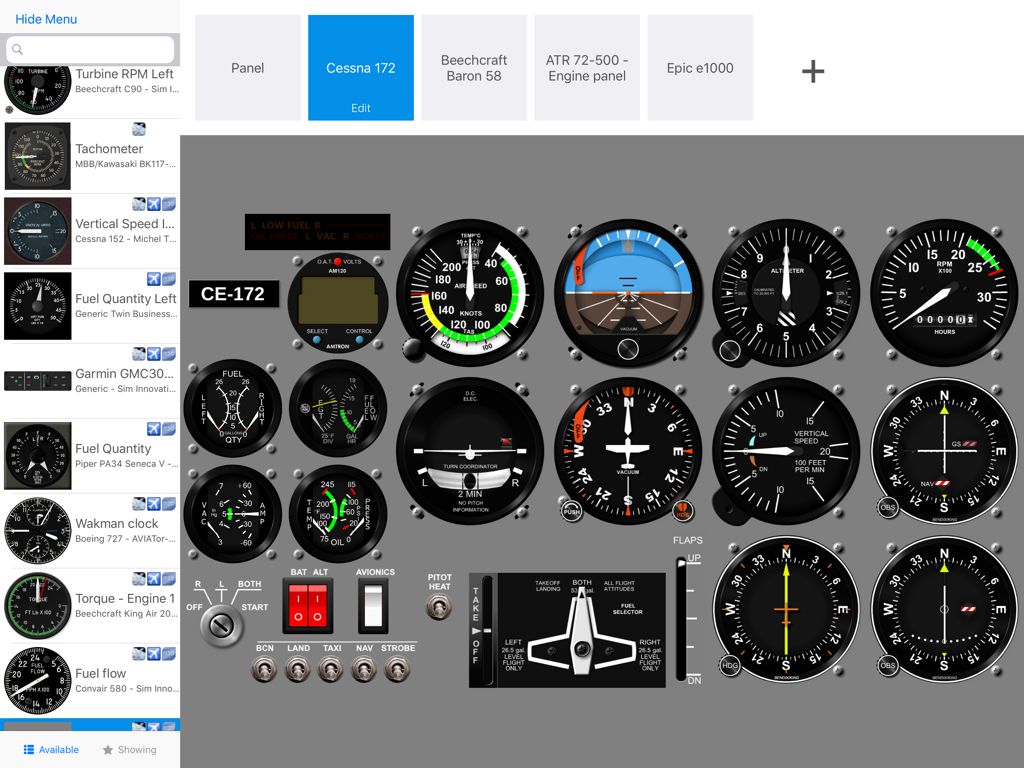
Air Manager 앱의 맞춤형 세스나 172 비행 계기 패널 인터페이스

Air Manager 앱의 맞춤형 세스나 172 비행 계기 패널 인터페이스

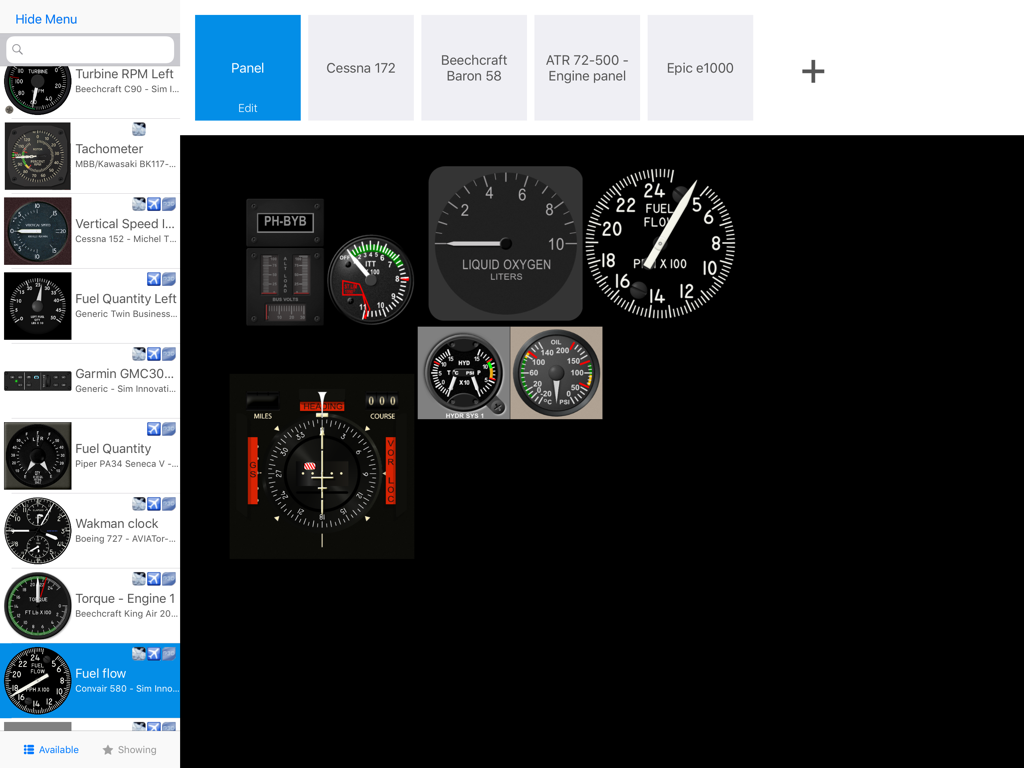
Air Manager에서 비행 시뮬레이터 계기 패널 커스터마이징

Air Manager에서 비행 시뮬레이터 계기 패널 커스터마이징

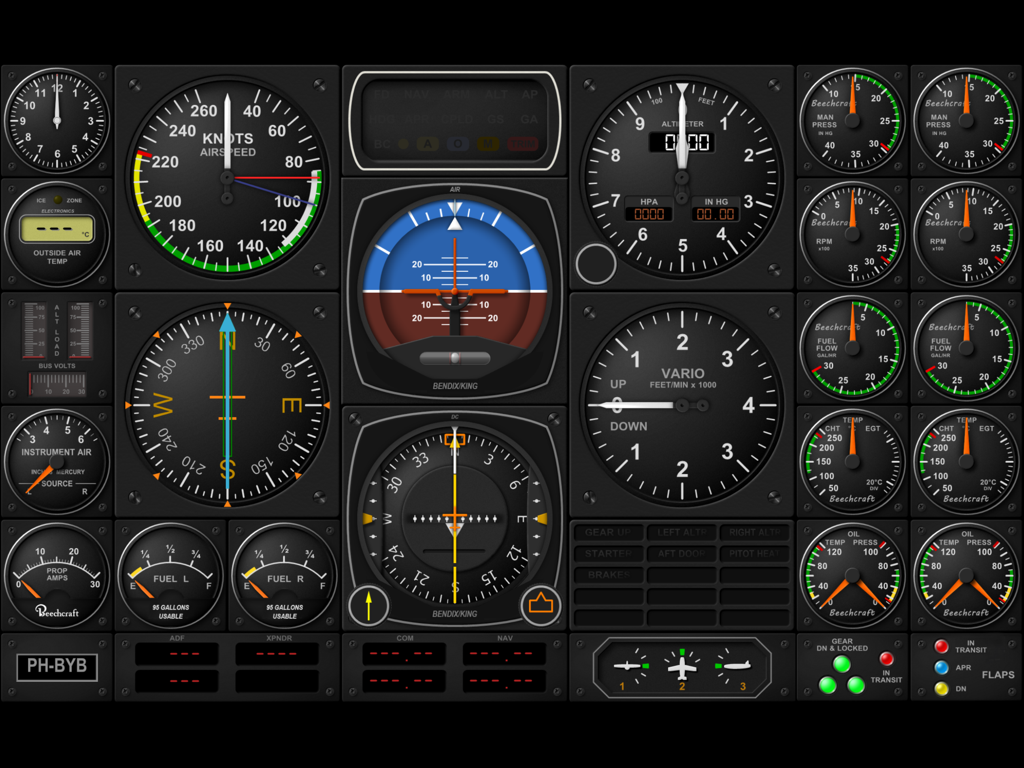
비행 시뮬레이터용 맞춤형 디지털 항공기 콕핏 계기 패널

비행 시뮬레이터용 맞춤형 디지털 항공기 콕핏 계기 패널

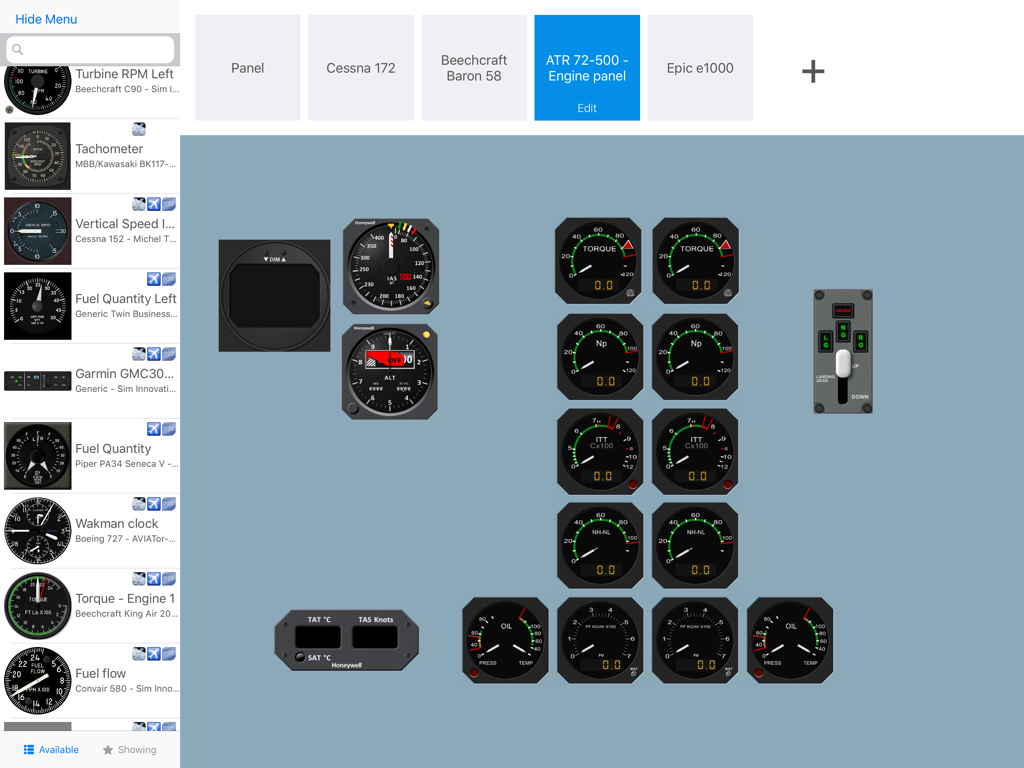
iPad에서 맞춤형 비행 시뮬레이터 계기 패널을 디자인하기 위한 Air Manager 인터페이스

iPad에서 맞춤형 비행 시뮬레이터 계기 패널을 디자인하기 위한 Air Manager 인터페이스

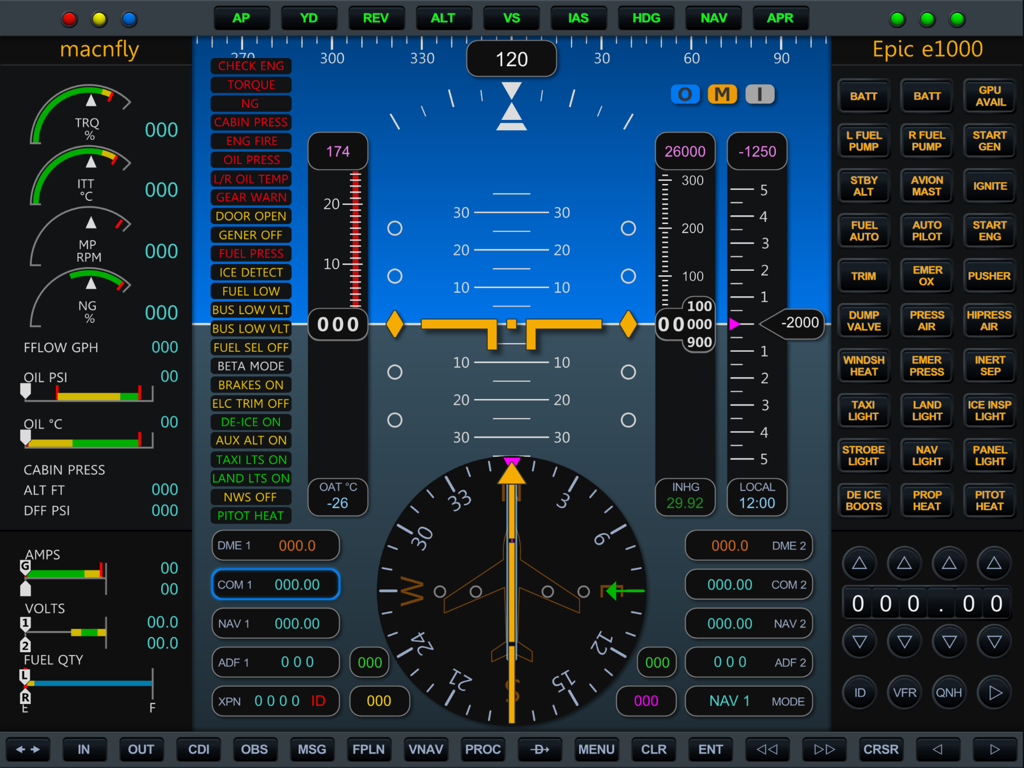
Air Manager 앱에 표시된 비행 계기 및 엔진 게이지가 포함된 정교한 Epic E1000 디지털 콕핏 디스플레이

Air Manager 앱에 표시된 비행 계기 및 엔진 게이지가 포함된 정교한 Epic E1000 디지털 콕핏 디스플레이

궁극의 콕핏 리얼리즘

이 앱을 돋보이게 하는 도구, 58K+ 명의 사용자가 선택.

🏗️

맞춤형 패널 빌더

몇 분 만에 나만의 계기 레이아웃을 디자인하고 크기를 조정하세요. 경비행기부터 대형 제트기까지 가상 격납고의 모든 항공기에 대해 여러 구성을 저장할 수 있습니다.

🖐️

촉각 터치 컨트롤

콕핏과 자연스럽게 상호작용하세요. 몰입감을 방해하는 마우스 클릭 대신 고정밀 터치로 고도계를 조정하고, 라디오 주파수를 맞추고, 스위치를 조작하세요.

🚀

범용 시뮬레이션 통합

MSFS 2024, X-Plane, Prepar3D와 원활하게 동기화하세요. 가상 비행 데이터를 완벽한 조화로 유지하는 초고응답 성능을 경험하세요.

전 세계 사용자들에게 사랑받는 앱

Trusted by 58K+ 명이 이 앱을 사랑합니다.

"

"Air Manager는 제 홈 콕핏 설정을 완전히 바꿔놓았습니다. 물리적인 라디오 스택에 수천 달러를 쓰는 대신, 이제 필요한 모든 것을 iPad에 담았습니다. 터치 반응성이 놀라워서 바쁜 접근 비행 중에 주파수를 변경하는 것이 완전히 자연스럽게 느껴집니다. 비행 시뮬레이터의 현실감과 몰입감을 극대화하려는 사람에게는 반드시 필요한 앱입니다."

데이비드 리처드슨(David Richardson)
"

"시스템 엔지니어이자 오랜 비행 시뮬레이션 사용자로서, 저는 커스터마이징 수준에 깜짝 놀랐습니다. 1,000개 이상의 방대한 계기 라이브러리 덕분에 다양한 항공기용 고유 패널을 설정하는 데 몇 분밖에 걸리지 않습니다. 중요한 비행 데이터나 컨트롤을 놓치지 않으면서 메인 모니터를 전체 외부 보기 전용으로 비울 수 있는 가장 사용자 친화적인 방법입니다."

마크 톰슨(Mark Thompson)

앱 소개

에 대해 알아야 할 모든 것 Air Manager.

설명

Air Manager lets you design custom flight simulator instrument panels on your iPad. Panels can connect to X-plane, FS2020, FS2024, Prepar3d and FSX. Use your iPad as a primary instrument panel and have your computer monitor for outside view only, or use your iPad as a secondary com stack to easily set frequencies through the iPad touch screen. Air Manager comes with more than 1000 free instruments. Add, drag, scale, build your instrument panel in only a matter of minutes. Save your created panels, and switch between them quickly. User friendly No difficult settings or downloading and configuring of third party applications. You can download the necessary plugins from our website for free. We offer a complete solution! Place instruments anywhere you like Tap an instrument to add it to the canvas, hold and drag to rearrange, and pinch to scale, it’s as easy as that. Loads of free instruments The application comes with more than 1000 free instruments, and this collection keeps growing. Buttons, Switches and Knobs Controls like Buttons, Switches, and Knobs let you control the simulator from your 2D panels, so your Flight Simulation is super realistic. Setting a radio frequency or the altimeter setting, moving electrical switches, and controlling the autopilot are just a few examples of what you can do without directly accessing the flight simulator. Multiplatform and multi simulator The Air Manager plugin runs on Microsoft Window, Mac OSX, and Linux, both 32 bits and 64 bits, and is compatible with Laminar Research X-Plane 9, 10 and 11, Microsoft FSX and Lockheed Martin Prepar3D.

최신 버전

5.0.0

크기

896.8 MB

출시일

2016년 2월 16일

지금 바로 전문가 수준의 홈 콕핏을 완성하세요

촉각적인 터치 컨트롤과 전문가 수준의 몰입감을 느껴보세요. 지금 Air Manager를 다운로드하고 MSFS 2024, X-Plane, Prepar3D를 위한 1,000개 이상의 계기 중에서 선택하세요.

다운로드: App Store다운로드: Google Play