Arduino Bluetooth Pro

Arduino Bluetooth Pro

다운로드: App Store
Spark by MWM logo
로고: Arduino Bluetooth Pro
Arduino Bluetooth Pro: 메이커 프로젝트를 위한 전문가급 블루투스 제어

맞춤형 인터페이스 구축을 멈추고 제어를 시작하세요. 강력한 시리얼 모니터, 사용자 정의 가능한 D-pad 및 통합 음성 명령을 통해 iPhone과 하드웨어 간의 격차를 해소하세요.

다운로드: App Store

개발사

Brian McIntosh

카테고리

Developer Tools

다운로드

5K+

사용자 평점

4.5/5

총 평가 수

0

지원 언어

1

콘솔 엿보기

이 인터페이스를 사용하는 5K+ 명의 사용자.

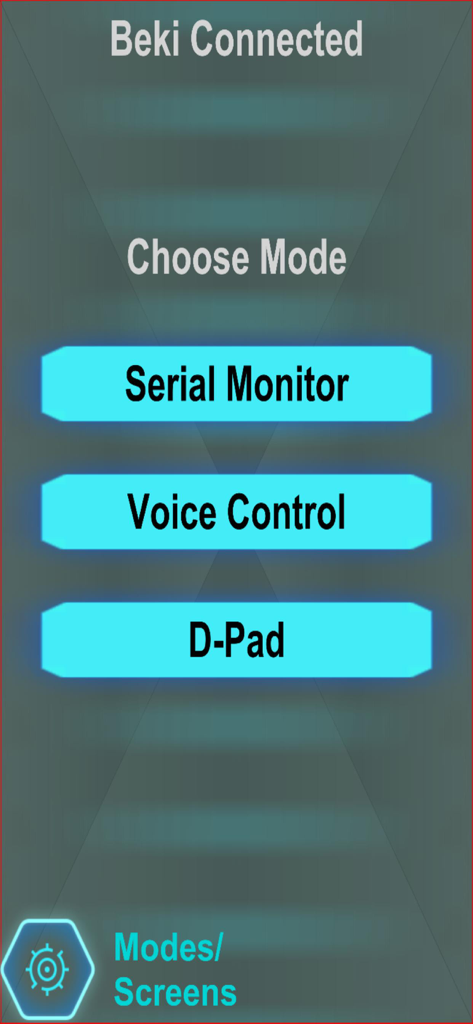
시리얼 모니터, 음성 제어 및 D-Pad 선택 버튼이 표시된 Arduino Bluetooth Pro 앱의 메인 메뉴 화면

시리얼 모니터, 음성 제어 및 D-Pad 선택 버튼이 표시된 Arduino Bluetooth Pro 앱의 메인 메뉴 화면

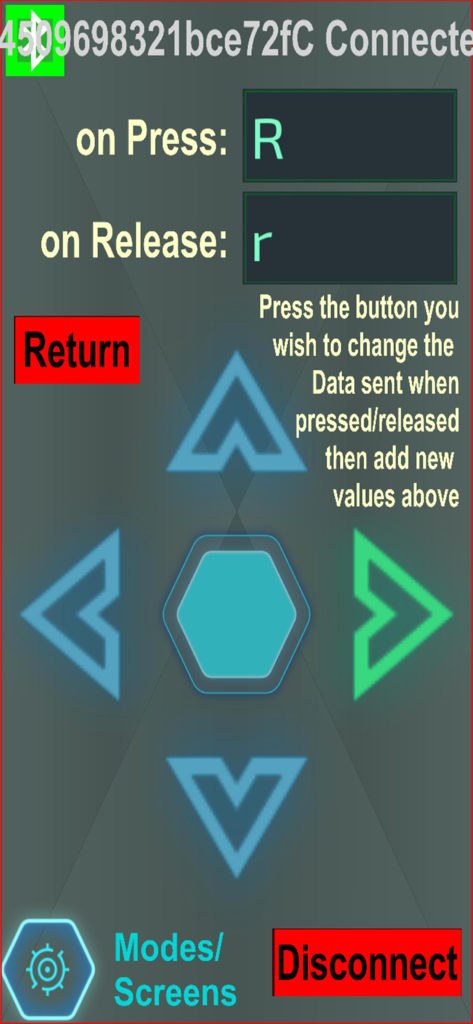
D-Pad 버튼 명령 구성 화면이 표시된 Arduino Bluetooth Pro 앱 인터페이스.

D-Pad 버튼 명령 구성 화면이 표시된 Arduino Bluetooth Pro 앱 인터페이스.

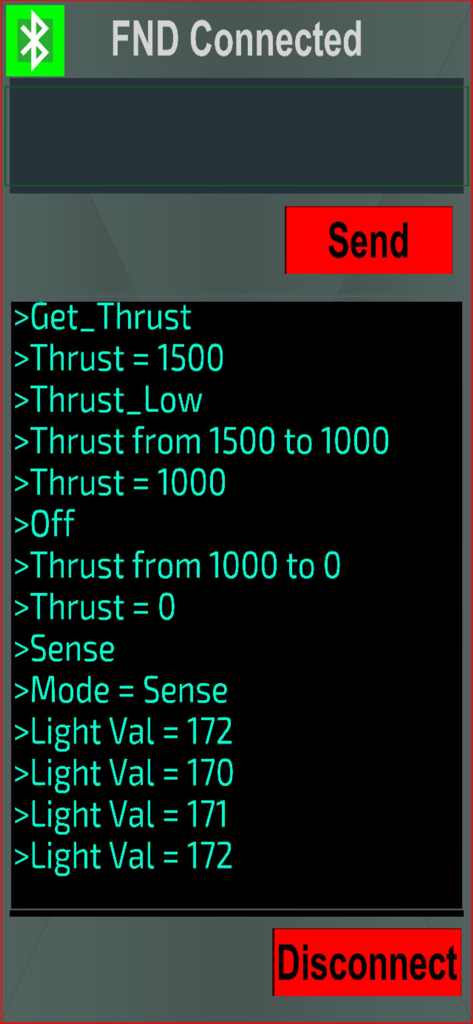
추력 및 조도 센서의 터미널 데이터가 표시된 Arduino Bluetooth Pro 앱 인터페이스

추력 및 조도 센서의 터미널 데이터가 표시된 Arduino Bluetooth Pro 앱 인터페이스

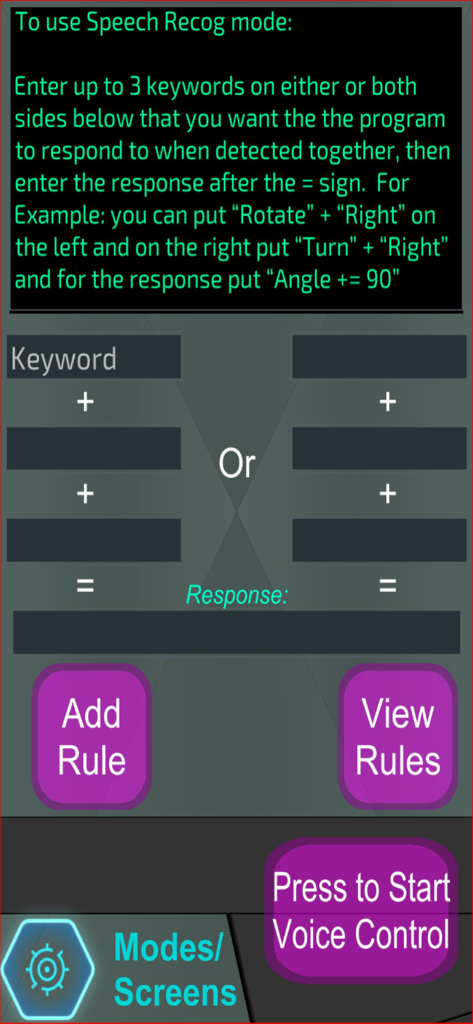
사용자 정의 음성 명령 키워드 및 응답 설정을 위한 Arduino Bluetooth Pro 음성 인식 인터페이스

사용자 정의 음성 명령 키워드 및 응답 설정을 위한 Arduino Bluetooth Pro 음성 인식 인터페이스

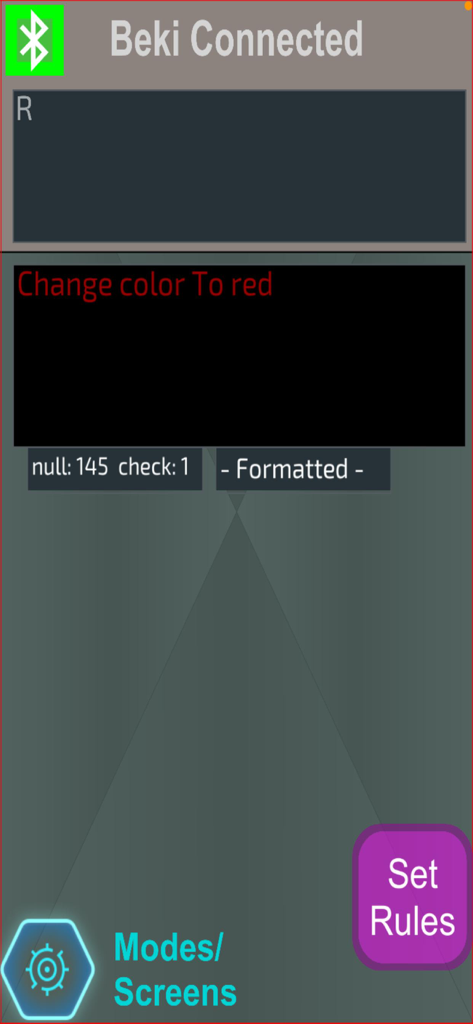
색상을 빨간색으로 변경하는 음성 명령과 모드 및 규칙 탐색 버튼이 표시된 Arduino Bluetooth Pro 앱 인터페이스

색상을 빨간색으로 변경하는 음성 명령과 모드 및 규칙 탐색 버튼이 표시된 Arduino Bluetooth Pro 앱 인터페이스

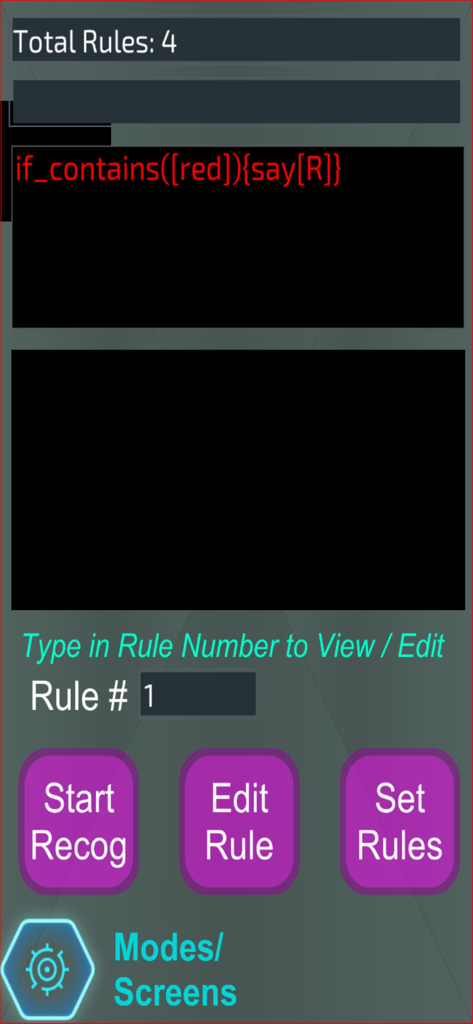
Arduino Bluetooth Pro 앱에서 사용자 정의 음성 명령 규칙을 구성하기 위한 인터페이스

Arduino Bluetooth Pro 앱에서 사용자 정의 음성 명령 규칙을 구성하기 위한 인터페이스

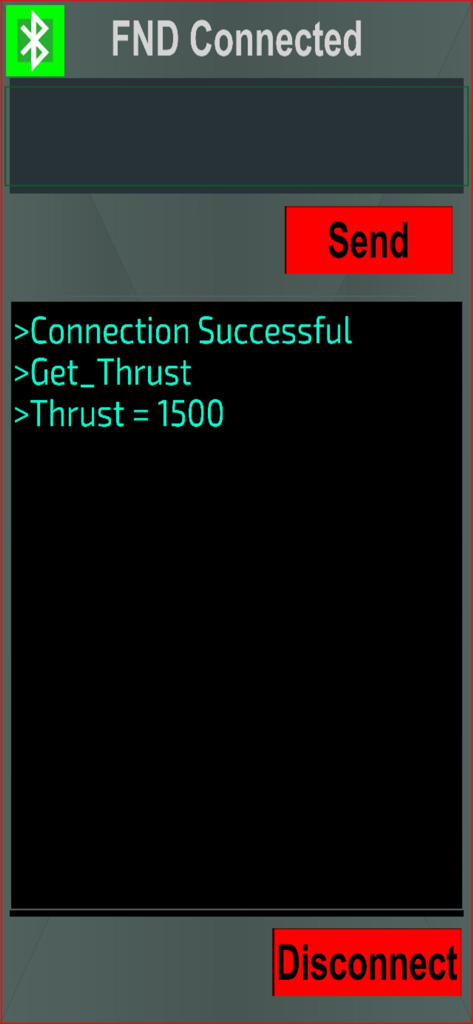
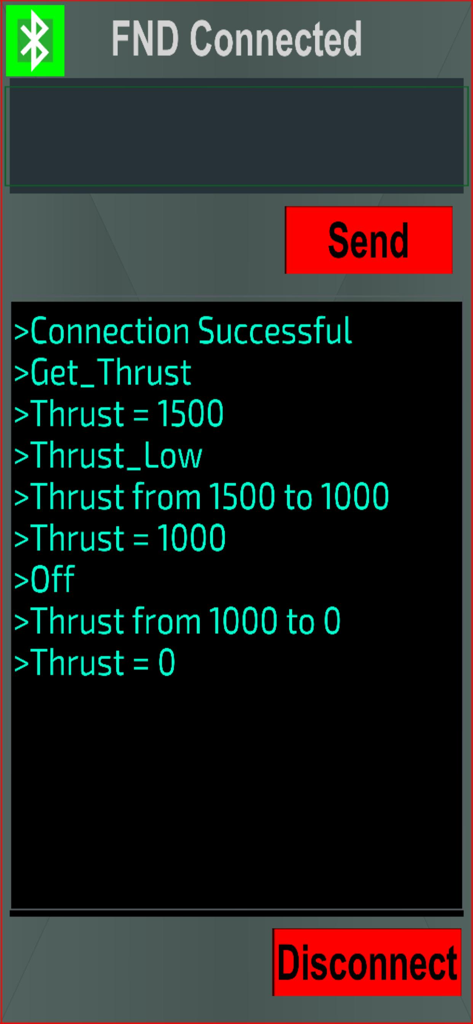
Arduino Bluetooth Pro 앱에서 성공적인 연결 및 추력 데이터 교환을 보여주는 시리얼 모니터 인터페이스

Arduino Bluetooth Pro 앱에서 성공적인 연결 및 추력 데이터 교환을 보여주는 시리얼 모니터 인터페이스

명령 입력 및 데이터 로그가 있는 Arduino Bluetooth Pro 앱 시리얼 모니터 인터페이스

명령 입력 및 데이터 로그가 있는 Arduino Bluetooth Pro 앱 시리얼 모니터 인터페이스

추력 제어 로그를 표시하는 Arduino Bluetooth Pro 시리얼 모니터 화면

추력 제어 로그를 표시하는 Arduino Bluetooth Pro 시리얼 모니터 화면

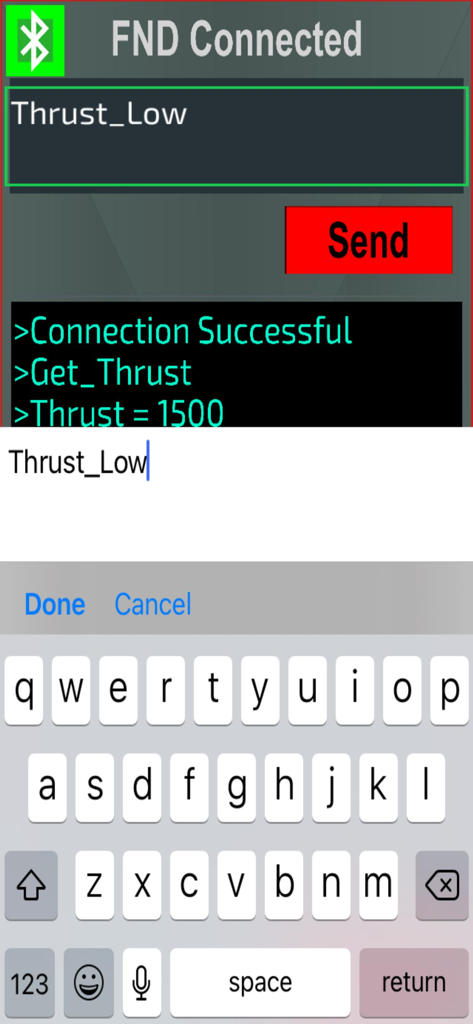
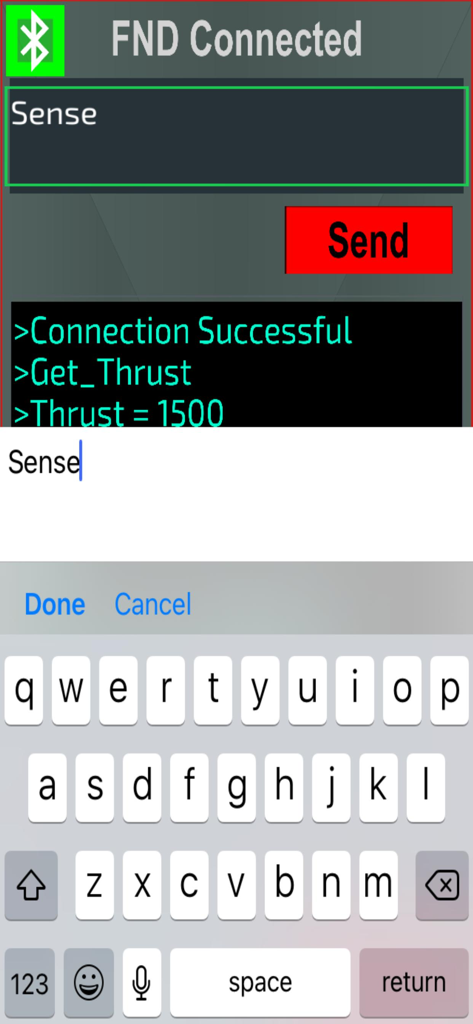
명령 전송을 위한 시리얼 터미널과 iOS 키보드가 표시된 Arduino Bluetooth Pro 앱 인터페이스.

명령 전송을 위한 시리얼 터미널과 iOS 키보드가 표시된 Arduino Bluetooth Pro 앱 인터페이스.

현대 메이커를 위해 설계됨

이 앱을 돋보이게 하는 도구, 5K+ 명의 사용자가 선택.

🎮

사용자 정의 가능한 제어 GUI

모바일 앱 개발 단계를 건너뛰고 정밀하게 드론, 로봇 또는 스마트 홈 장치를 제어할 수 있는 기성 고급 인터페이스를 사용하세요.

🎙️

음성 인식 엔진

사용자 정의 음성 명령으로 프로젝트를 미래로 이끄세요. 사용자 정의 키워드를 사용하여 핸즈프리로 특정 Arduino 작업을 트리거하십시오.

📟

전문적인 시리얼 모니터

실시간 터미널을 통해 코드의 불확실성을 제거하세요. 데이터 문자열을 즉시 주고받으며 센서 출력을 모니터링하고 즉시 디버깅할 수 있습니다.

전 세계 사용자들에게 사랑받는 앱

Trusted by 5K+ 명이 이 앱을 사랑합니다.

"

"이 앱은 제 졸업 설계 프로젝트에 큰 도움이 되었습니다. 로봇을 제어하기 위해 몇 주 동안 맞춤형 iOS 앱을 만드는 대신, 단 몇 분 만에 D-pad와 음성 명령을 설정할 수 있었습니다. 내장된 시리얼 모니터 덕분에 즉석 디버깅이 훨씬 쉬워졌습니다."

Alex Chen
"

"여러 블루투스 컨트롤러를 사용해 봤지만, 제 DIY 스마트 홈 설정에는 이것이 가장 안정적입니다. 사용자 정의 가능한 음성 트리거를 통해 맞춤형 LED 스트립을 핸즈프리로 제어할 수 있습니다. Arduino를 사용하는 진지한 메이커라면 반드시 갖춰야 할 도구입니다."

Sarah Miller

앱 소개

에 대해 알아야 할 모든 것 Arduino Bluetooth Pro.

설명

High-end, customizable, Bluetooth control for Arduino Projects Connect to and control your Arduino project with this easy-to-use Bluetooth Serial Monitor + Controller Send/Recieve Data - now even with custom voice commands utilizing speech recognition for keywords set by the user Great for any IOT project Command your Drones to take off Tell your Smart Lights to Dance Ask your Robot to bring you a drink Or keep it simple and turn an LED on with nothing but your voice Very easy-to-use GUI Automatically searches for Bluetooth Devices and Bluetooth-enabled Arduino boards or boards with a bluetooth module attached Send data as String format to your boards with whatever you programmed your Arduino to recognize and Receive data back in the Serial Monitor below New features continually added, newest feature is Speech Recognition For D-Pad: Set what Data string sends when each button is Pressed/Released (you can also leave onRelease() blank to send null) Suggestions on next features to add are welcome. Next in line are accelerometer control and if-statement controlled Data-sends for received response from the Arduino Device being controlled. If you have an idea leave it below or contact us.

최신 버전

2.2.1

크기

105.3 MB

출시일

2022년 10월 30일

다음 대규모 빌드를 지시할 준비가 되셨나요?

수동 코딩 대신 전문적인 블루투스 제어를 선택한 5,000명 이상의 메이커 및 엔지니어와 함께하세요. Arduino, 로보틱스 및 IoT 프로젝트를 위한 최고의 툴킷을 지금 다운로드하십시오.

다운로드: App Store