Camera M - Pro Manual Controls

Camera M - Pro Manual Controls

다운로드: App Store
Spark by MWM logo
로고: Camera M - Pro Manual Controls
Camera M - 사진 순수주의자를 위한 전문가 수준의 수동 제어

DSLR 수준의 정밀도로 iPhone의 모든 잠재력을 발휘하세요. 제로 프로세스 RAW, 포커스 피킹, 모든 샷에 대한 완전한 창의적 권한을 요구하는 사용자를 위해 설계된 유연한 수동 제어를 경험해 보세요.

개발사

bxb, LLC

카테고리

Photo & Video

다운로드

255K+

사용자 평점

4.5/5

총 평가 수

3K+

지원 언어

5

제어 인터페이스

이 인터페이스를 사용하는 255K+ 명의 사용자.

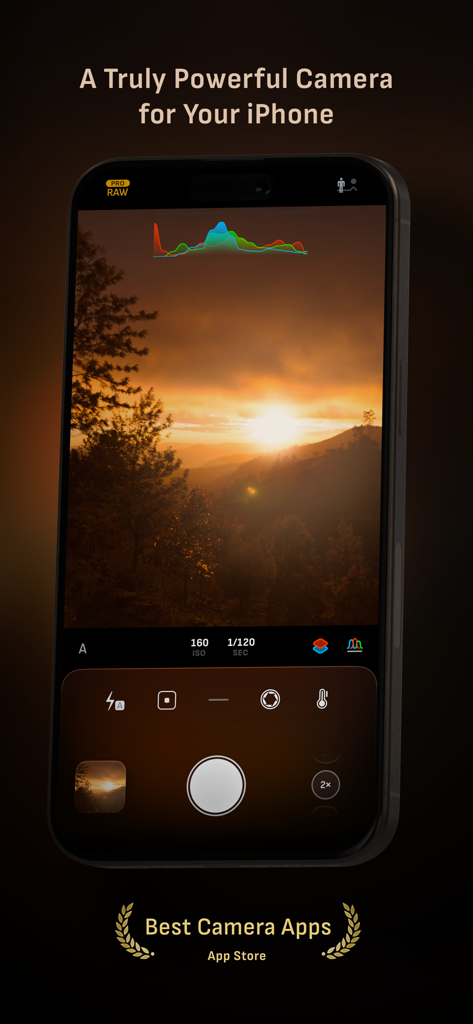
Camera M 앱 인터페이스는 석양 풍경을 캡처하는 동안 전문가 수준의 수동 제어 및 라이브 히스토그램을 보여줍니다.

Camera M 앱 인터페이스는 석양 풍경을 캡처하는 동안 전문가 수준의 수동 제어 및 라이브 히스토그램을 보여줍니다.

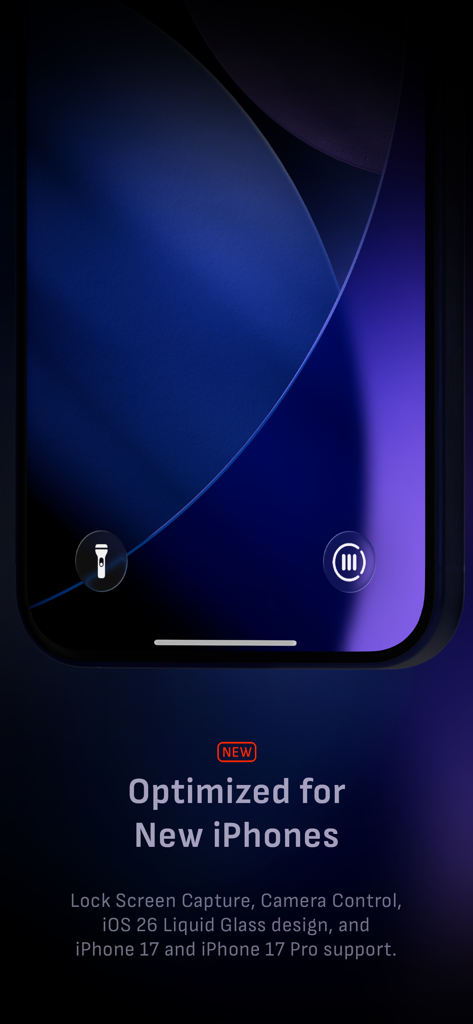
Camera M 앱 인터페이스는 iPhone 17에 최적화된 잠금 화면 캡처 및 수동 제어를 보여줍니다.

Camera M 앱 인터페이스는 iPhone 17에 최적화된 잠금 화면 캡처 및 수동 제어를 보여줍니다.

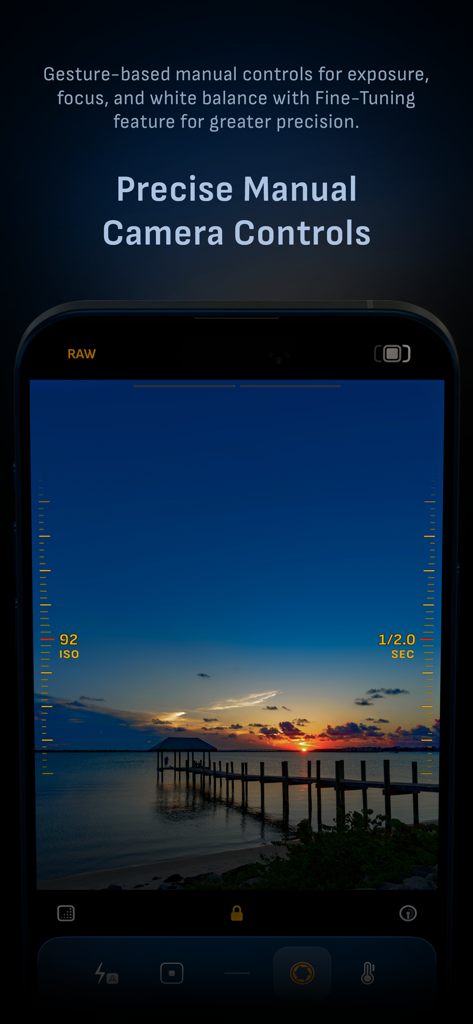
Camera M 앱 인터페이스는 석양 촬영 중 ISO 및 셔터 속도에 대한 정밀한 수동 제어를 보여줍니다.

Camera M 앱 인터페이스는 석양 촬영 중 ISO 및 셔터 속도에 대한 정밀한 수동 제어를 보여줍니다.

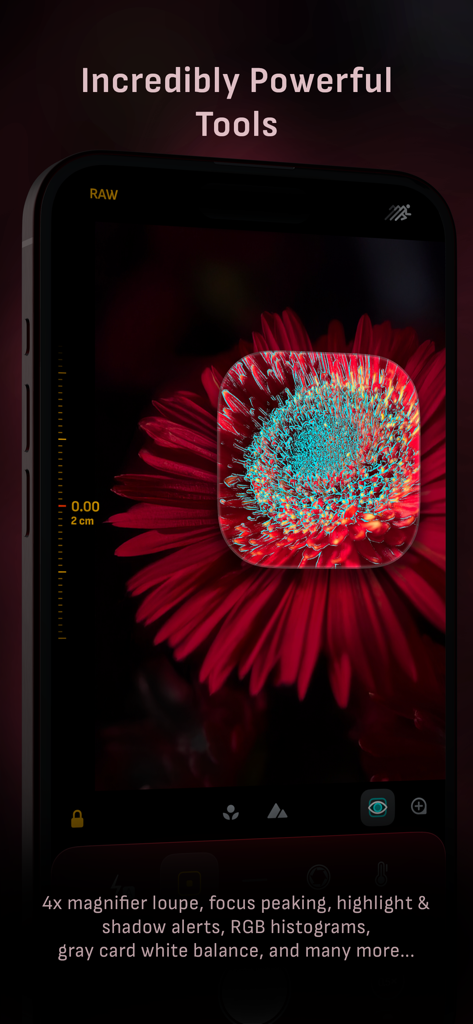
Camera M 앱 인터페이스는 빨간색 꽃 접사 사진에서 4배 확대경 및 포커스 피킹을 보여줍니다.

Camera M 앱 인터페이스는 빨간색 꽃 접사 사진에서 4배 확대경 및 포커스 피킹을 보여줍니다.

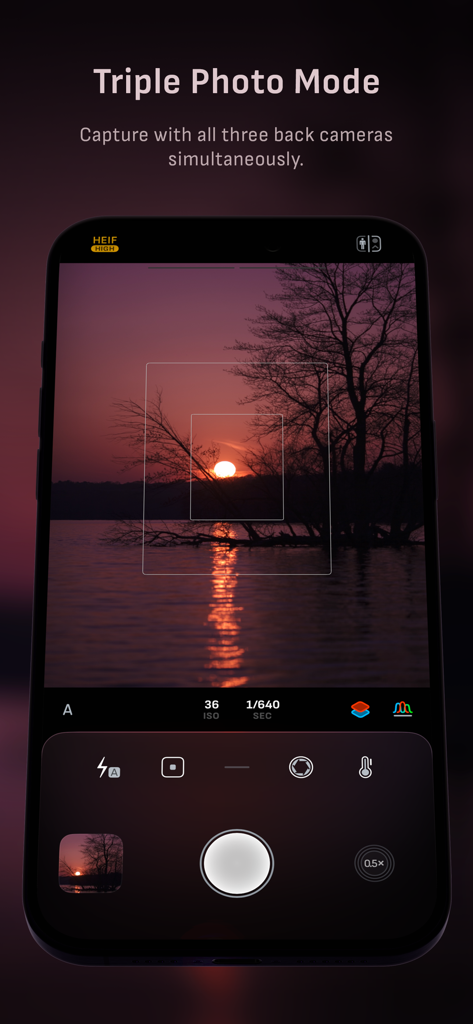
Camera M 인터페이스는 세 개의 iPhone 카메라 렌즈를 모두 사용하여 동시에 캡처하는 트리플 사진 모드를 표시합니다.

Camera M 인터페이스는 세 개의 iPhone 카메라 렌즈를 모두 사용하여 동시에 캡처하는 트리플 사진 모드를 표시합니다.

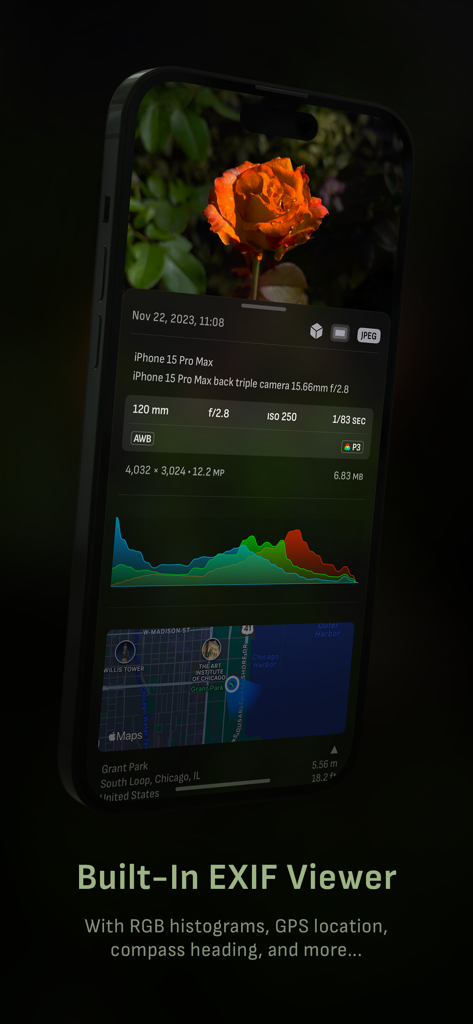
Camera M 앱 인터페이스는 사진에 대한 자세한 EXIF 메타데이터 및 GPS 위치를 보여줍니다.

Camera M 앱 인터페이스는 사진에 대한 자세한 EXIF 메타데이터 및 GPS 위치를 보여줍니다.

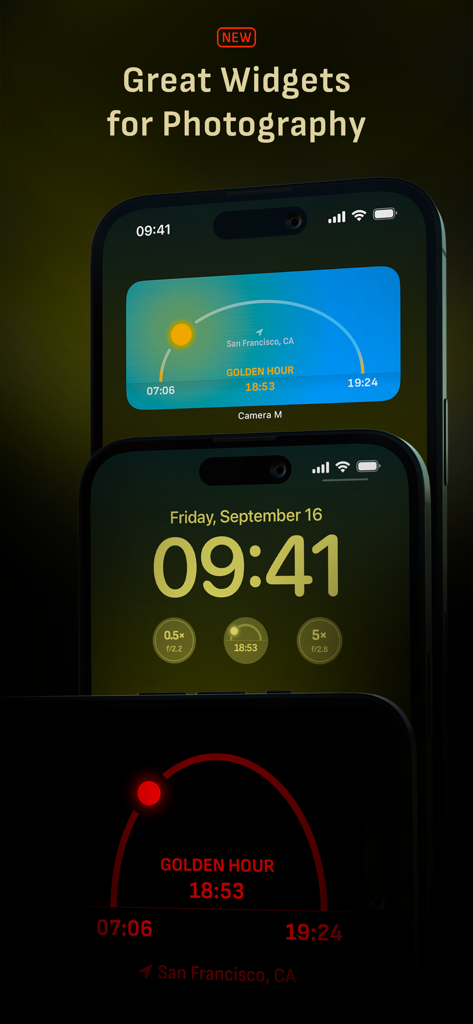
골든 아워 추적 및 렌즈 정보를 표시하는 Camera M의 iPhone 홈 화면 및 잠금 화면 위젯

골든 아워 추적 및 렌즈 정보를 표시하는 Camera M의 iPhone 홈 화면 및 잠금 화면 위젯

Camera M 앱 인터페이스는 ProRAW, RAW, TIFF, HEIF를 포함한 전문가 이미지 형식 옵션을 보여줍니다.

Camera M 앱 인터페이스는 ProRAW, RAW, TIFF, HEIF를 포함한 전문가 이미지 형식 옵션을 보여줍니다.

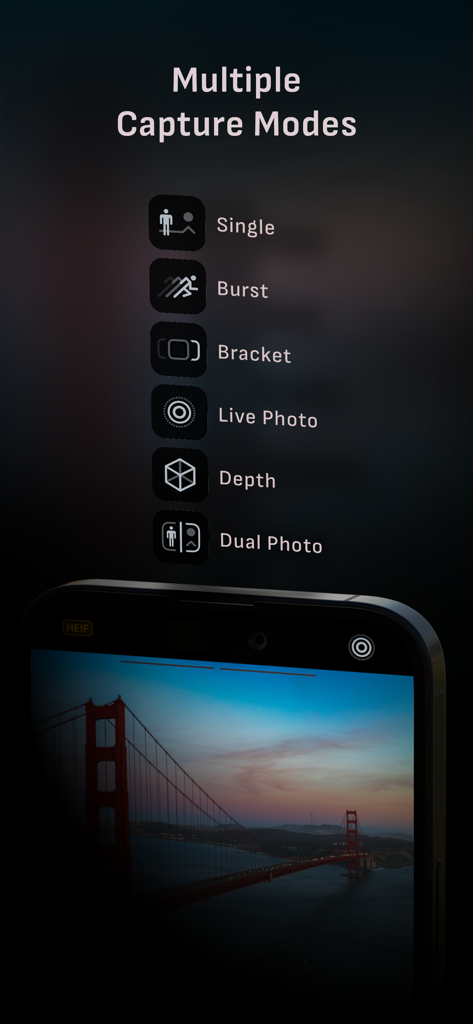
스마트폰 화면은 단일, 버스트, 브라켓, 라이브 포토, 심도, 듀얼 포토를 포함한 Camera M의 다양한 캡처 모드를 표시합니다.

스마트폰 화면은 단일, 버스트, 브라켓, 라이브 포토, 심도, 듀얼 포토를 포함한 Camera M의 다양한 캡처 모드를 표시합니다.

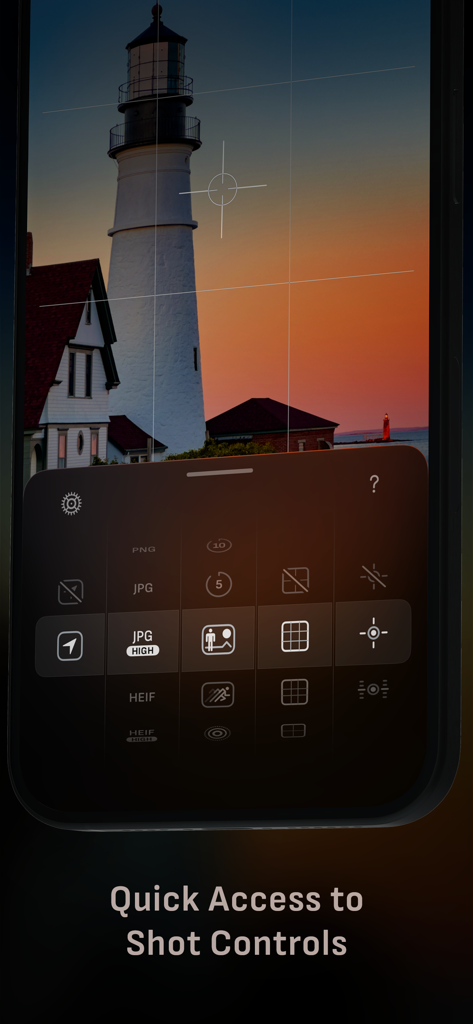
Camera M 앱 인터페이스는 수동 촬영 제어와 석양 속 등대 사진을 특징으로 합니다.

Camera M 앱 인터페이스는 수동 촬영 제어와 석양 속 등대 사진을 특징으로 합니다.

전문가급 제어. 타협은 없습니다.

이 앱을 돋보이게 하는 도구, 255K+ 명의 사용자가 선택.

🎛️

정밀한 수동 제어

ISO, 셔터 속도, 화이트 밸런스를 위한 유연한 제스처 기반 제어로 다시 제어권을 되찾으세요. 한 손 사용에 최적화된 전문가용 카메라의 촉각적 느낌을 경험하세요.

💎

진정한 제로 프로세스 RAW

스마트폰의 공격적인 선명도 및 과도한 처리를 우회하세요. 편집 워크플로우에서 궁극적인 창의적 자유를 위해 제로 프로세스 RAW 또는 ProRAW로 순수하고 손상되지 않은 데이터를 캡처하세요.

📊

전문가 모니터링 도구

라이브 RGB 히스토그램, 포커스 피킹, 회색 카드 보정으로 기술적 완벽함을 보장하세요. 노출과 초점을 매번 완벽하게 맞추는 데 필요한 모든 전문가 도구입니다.

전 세계 사용자들에게 사랑받는 앱

Trusted by 255K+ 명이 이 앱을 사랑합니다.

"

"드디어 제 iPhone을 진짜 렌즈처럼 다루는 카메라 앱입니다. 기본 앱의 과도하게 선명해진 AI 룩이 지겨웠습니다. Camera M의 제로 프로세스 RAW는 전문 편집에 필요한 유기적이고 깨끗한 파일을 제공합니다. 제스처 기반 수동 초점은 놀라울 정도로 유연합니다."

Julian Vance
"

"소셜 미디어 디렉터로서 속도와 정밀도가 필요합니다. 촬영 시 한 손 조작은 신의 한 수이며, 라이브 히스토그램 덕분에 노출을 놓치지 않습니다. 길거리 사진 촬영을 위해 DSLR을 완전히 대체했습니다. 제 창의적 도구 키트 중 가장 강력한 도구입니다."

Sarah Chen

앱 소개

에 대해 알아야 할 모든 것 Camera M - Pro Manual Controls.

설명

Camera M is a professional manual camera designed to do one thing exceptionally well – to help you capture beautiful photos in the highest possible quality with powerful and precise manual camera controls akin to a DSLR. HIGHLIGHTS • Fluid gesture-based native manual controls with Fine-Tuning feature • iOS 26 optimization with Liquid Glass design • Minimum focus distance display for macro photography • Intelligent Focus Tracking • Focus Peaking and 4x magnifier loupe with panning function • Live RGB and RGB luminance histograms • Manual gray card calibration • Max Image Processing to ensure the absolute best image quality • Zero-process RAW support • ProRAW*, RAW, HEIF, JPEG, TIFF, and PNG image formats • Single, Burst, Timer, Live, Depth*, Dual Photo*, and Bracket shooting modes • Triple Photo mode with simultaneous ultra-wide, wide-angle, and telephoto camera capture* • Darkroom integration • Great widgets for photography • App Shortcuts CAMERA CONTROLS – Manual focus – Macro and Scene focus presets – Exposure bias – Manual ISO & exposure duration adjustments – ISO & exposure duration semi-priority modes – Manual white balance temperature and tint – White balance presets – Gray card white balance calibration – Auto, on, and off flash modes – Manual torch brightness level – Manual switching between Ultra Wide, Wide, and Telephoto cameras* – Digital pinch zoom with 10x range – Camera Control support for all manual controls – Lock Screen camera capture support IMAGE FORMATS – Apple ProRAW* – RAW with stabilization* – HEIF with optional minimum compression* – JPEG with optional minimum compression – TIFF – PNG – Live Photo* – P3 wide color support* SHOOTING MODES – Single – Burst – Timer – Depth* – Dual/Triple Photo* – Live Photo* – Bracket TOOLS – Exposure offset gauge – Intelligent Focus Tracking – Live focus peaking assistant – 4x magnifier loupe with panning function – Minimum focus distance display – Live RGB and RGB luminance histograms – Highlight & shadow alert display – Horizon level with available pitch tracking and flat options – Rule of Thirds, Golden Ratio, Quadrant, and Square grids – Siri Shortcuts and App Shortcuts – Detailed camera specifications display with PDF export MAX IMAGE PROCESSING – Deep Fusion and Smart HDR support for iPhone 11 and later. – Ensures maximum image quality with better noise reduction, image stabilization, and additional processing for all other iPhones and iPads ZERO-PROCESS RAW – Capture standard RAW files with absolutely no processing PHOTO LIBRARY – Summarized and full EXIF metadata display – Location data display with compass and elevation – RGB and RGB luminance histogram displays – Access to all photo albums and folders WIDGETS – Home Screen: Golden Hour, EXIF, and Cameras – Lock Screen: Cameras and Golden Hour – Control Center: Focus, exposure, and white balance APPLE WATCH SUPPORT – Shutter button control – Sunrise, sunset, and Golden Hour display with sun position indicator ERGONOMICS – True one-handed control on all iPhones – An uncompromising approach to user experience in landscape orientation ACCESSIBILITY – Dynamic Type and Bold Text support – Increase Contrast support TECHNOLOGY Camera M is powered exclusively by native APIs and frameworks. There are absolutely no dependencies on any outside sources. This makes Camera M responsive and efficient — from its small download size down to its quick app launch times. We hope you enjoy taking amazing photos with Camera M! Website: www.camera-m.com User manual: www.camera-m.com/manual Get in touch: contact@camera-m.com Follow us: @CameraMApp #CameraM * These features are available on supported devices only. * Depth capture requires iPhone X, or later. * Depth capture for selfies requires an iPhone or an iPad with a TrueDepth camera system. * Apple ProRAW capture requires iPhone 12 Pro or later. * For more information on device and feature compatibility: www.camera-m.com/compatibility

최신 버전

9.0.3

크기

25.3 MB

출시일

2017년 8월 3일

사진 촬영에 대한 절대적인 제어권을 가지세요

'자동' 모드를 버리고 전문가 수준의 수동 정밀도를 선택하는 엘리트 크리에이터 대열에 합류하세요. Camera M을 다운로드하고 오늘 iPhone Pro의 진정한 잠재력을 발휘하세요.

다운로드: App Store