CASIO ClassPad

CASIO ClassPad

다운로드: App Store다운로드: Google Play
Spark by MWM logo
로고: CASIO ClassPad

CASIO ClassPad: STEM 성공을 위한 전문가용 CAS 그래프 제품군

컴퓨터 대수 시스템(CAS)의 모든 기능을 활용하여 학업 여정에 힘을 실어주세요. AP 미적분부터 공학까지, 우수한 학생들이 사용하는 세계적으로 신뢰받는 도구로 복잡한 방정식과 시각적 기하학을 마스터하세요.

개발사

CASIO COMPUTER CO., LTD.

카테고리

Education

다운로드

133K+

사용자 평점

1.9/5

총 평가 수

100

지원 언어

5

화면 속 CAS의 강력한 기능

이 인터페이스를 사용하는 133K+ 명의 사용자.

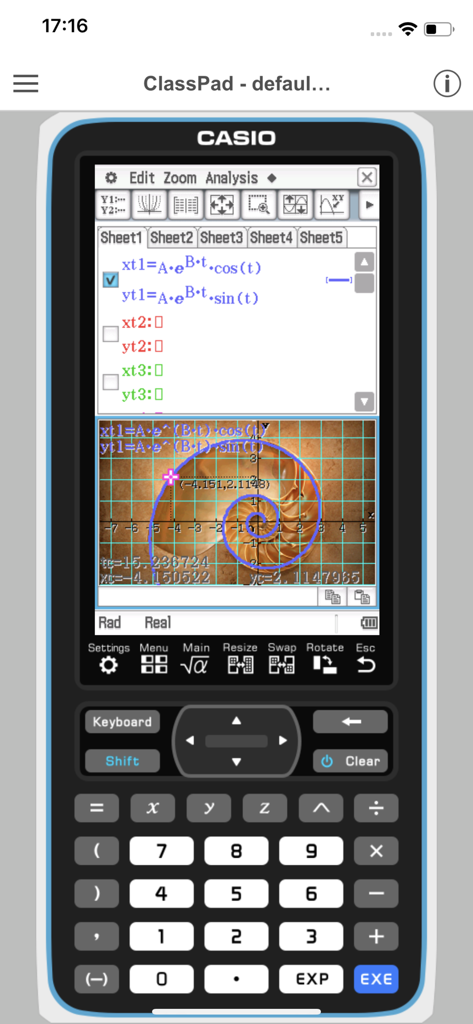
복잡한 방정식과 로그 나선 그래프가 있는 CASIO ClassPad 앱을 보여주는 스마트폰 화면.

복잡한 방정식과 로그 나선 그래프가 있는 CASIO ClassPad 앱을 보여주는 스마트폰 화면.

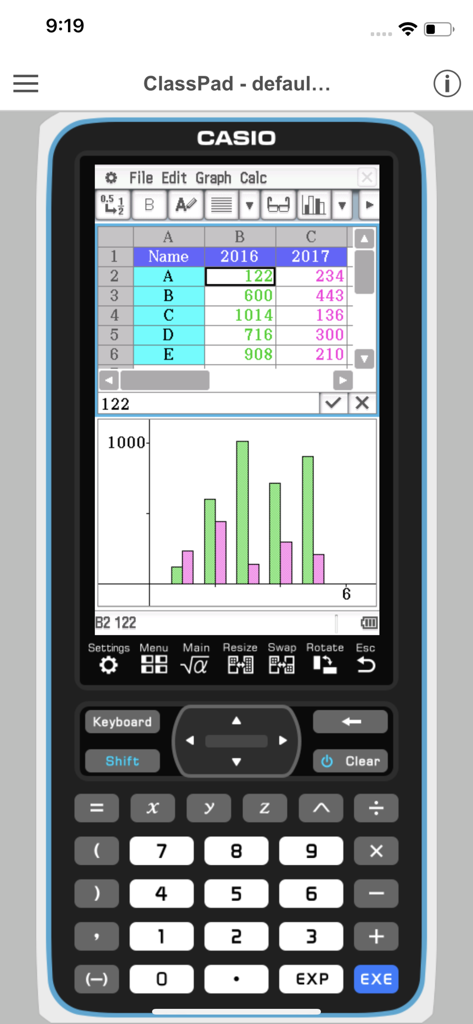
가상 그래프 계산기 인터페이스에 스프레드시트 데이터와 통계 막대 그래프를 표시하는 CASIO ClassPad 앱.

가상 그래프 계산기 인터페이스에 스프레드시트 데이터와 통계 막대 그래프를 표시하는 CASIO ClassPad 앱.

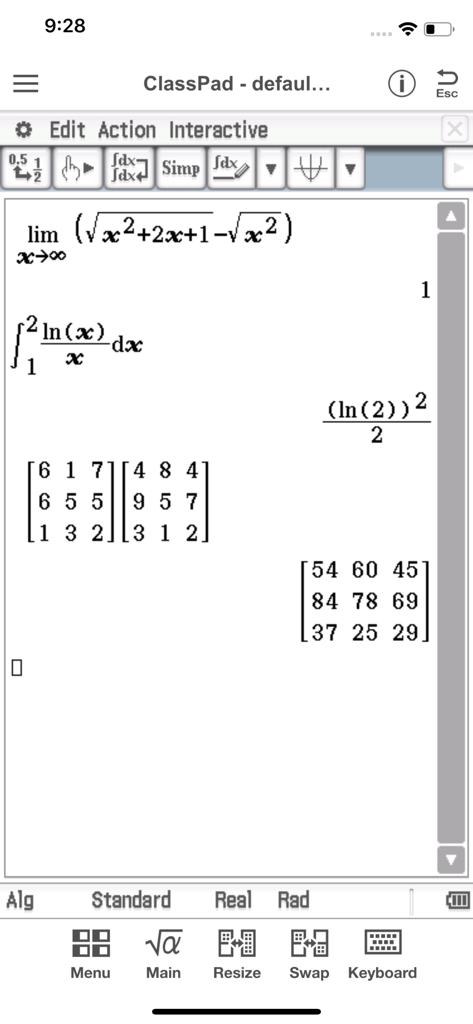
고급 미적분 적분 및 행렬 곱셈을 표시하는 Casio ClassPad 모바일 애플리케이션.

고급 미적분 적분 및 행렬 곱셈을 표시하는 Casio ClassPad 모바일 애플리케이션.

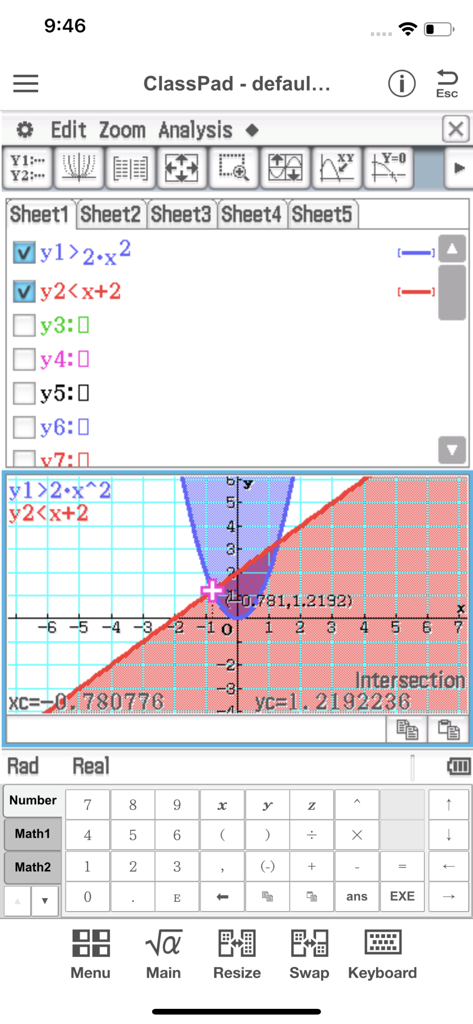
음영 처리된 영역과 교점 계산이 포함된 부등식 그래프를 보여주는 CASIO ClassPad 앱 인터페이스.

음영 처리된 영역과 교점 계산이 포함된 부등식 그래프를 보여주는 CASIO ClassPad 앱 인터페이스.

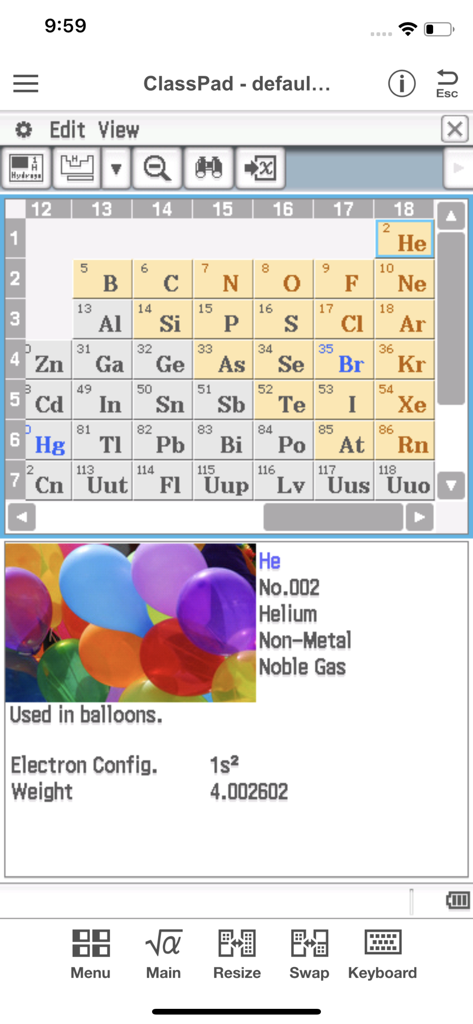
주기율표와 헬륨 원소에 대한 상세 정보를 표시하는 CASIO ClassPad 앱.

주기율표와 헬륨 원소에 대한 상세 정보를 표시하는 CASIO ClassPad 앱.

주머니 속의 전문가 수준 수학

이 앱을 돋보이게 하는 도구, 133K+ 명의 사용자가 선택.

♾️

상징적 CAS 인텔리전스

고성능 컴퓨터 대수 시스템으로 복잡한 대수 방정식을 손쉽게 풀고, 인수분해하고, 적분하세요.

📉

역동적인 3D 시각화

추상적인 함수를 대화형 그래프와 기하학적 애니메이션으로 변환하여 어려운 AP 및 공학 개념을 마스터하세요.

📝

통합 학습 워크플로우

eActivity를 사용하여 수식과 텍스트를 결합하고, 완벽한 디지털 실험 보고서와 시험 대비 학습 가이드를 만드세요.

전 세계 사용자들에게 사랑받는 앱

Trusted by 133K+ 명이 이 앱을 사랑합니다.

"

"공대 2학년 학생으로서 부피가 큰 그래프 계산기를 어디든 들고 다니는 것은 고역이었습니다. 이 앱은 제 iPad에 혁신적인 변화를 주었습니다. 컴퓨터 대수 시스템(CAS)은 실제 ClassPad와 똑같이 작동하여 학습 중에 복잡한 미적분과 기호 조작을 아주 쉽게 만들어 줍니다. 디지털 실험 보고서를 위한 완벽한 동반자입니다."

Alex R., 공대 학부생
"

"AP 미적분과 화학 수업을 위해 CAS 기능이 있는 계산기가 필요했지만, 하드웨어에 150달러를 쓰고 싶지는 않았습니다. 월 1.99달러로 이 앱은 제게 필요한 모든 것을 제공합니다. Physium 도구는 주기율표 상수를 찾는 데 매우 유용하며, eActivity 워크시트는 학습 노트를 체계적으로 관리해 줍니다. 수준 높은 STEM 학생들에게는 정말 거저나 다름없는 기회입니다."

Maya L., AP 우수 학생

앱 소개

에 대해 알아야 할 모든 것 CASIO ClassPad.

설명

●App Overview ClassPad comes equipped to perform complex calculations, draw graphs, and to use a computer algebra system (CAS) to investigate mathematics and solve problems. It has a user interface in the style of the handheld ClassPad, a tool used in classrooms worldwide. This app will be beneficial for both new and experienced ClassPad users. ClassPad in combination with the free activities available from CASIO can help to take your study of mathematics to the next level. ●Trial Version vs Monthly Subscription Version After you register for a ClassPad Subscription, you will be provided access to a variety of different apps and functions that are essential for math and natural science learning and calculation. ・Applications You get access to a selection of more than 10 new apps that allow you to perform calculations using dynamic visual representations of math and natural science concepts. Four typical applications, each of which is essential for math and natural science learning and calculations, are described below. -eActivity eActivity lets you input math expressions and textual explanations in files that can then be used as worksheets. -Spreadsheet In addition to standard spreadsheet calculations, this app also provides statistical chart analysis and statistical calculation capabilities. -Geometry Geometry makes it possible for students to grasp relationships between figures using number tables and animations. -Physium Physium provides access to a periodic table and scientific constants for calculations. ・Functions You get additional access to more than 300 middle and higher grade math functions, including calculus, complex numbers, probability distribution, and more. ●Monthly Subscription ・Subscription Fee and Period A subscription costs $1.99 per month (calculated from your date of purchase), automatically renewed each month until you cancel your subscription. Billing is through your iTunes account. ・Automatic Renewal Details Subscriptions are renewed automatically as long as the subscriber does not cancel the subscription at least 24 hours before the end of the current subscription period. Billing for an automatically renewed subscription will be performed within 24 hours after the auto renewal. ・Checking Your Current Subscription Status and Canceling a Subscription (by Stopping Auto Renewal) You can check your current subscription status by navigating to the applicable page as shown below. [Settings > iTunes & App Store > Tap your Apple ID. > View Apple ID > Subscriptions] On the page that appears, you can check your next auto renewal date, and cancel or reconfigure your auto renewal. *You can also use iTunes to check your next auto renewal date, and cancel or reconfigure your auto renewal. ・Partial Month Cancellation Cancellation of a subscription partway through a month is not allowed. ●Terms of use http://edu.casio.com/software_app/app/termsofuse/en.html ●Privacy Policy http://world.casio.com/privacy/

최신 버전

1.0.14

크기

54.0 MB

출시일

2017년 7월 3일

CASIO의 강력한 기능으로 고급 수학을 마스터하세요

AP 미적분부터 공학 학위까지—사용자의 기기를 전문가 수준의 컴퓨터 대수 시스템으로 바꿔보세요. 모든 강의와 실험에서 탁월한 성과를 내는 데 필요한 정밀도와 도구를 갖추세요.

다운로드: App Store다운로드: Google Play