CineStream-Effortless Import

CineStream-Effortless Import

다운로드: App Store
Spark by MWM logo
로고: CineStream-Effortless Import

CineStream-손쉬운 가져오기: 궁극의 4K 재생 및 관리 허브

원클릭 가져오기 및 지능형 구성을 통해 미디어 라이브러리를 제어하세요. 시네마 품질의 4K 재생 및 파워 유저를 위해 설계된 깔끔한 작업 공간을 경험하세요.

개발사

KRM SERAMIK SANAYI VE TICARET LIMITED SIRKETI

카테고리

Utilities

다운로드

296K+

사용자 평점

2.8/5

총 평가 수

200

지원 언어

1

선명도를 경험하세요

이 인터페이스를 사용하는 296K+ 명의 사용자.

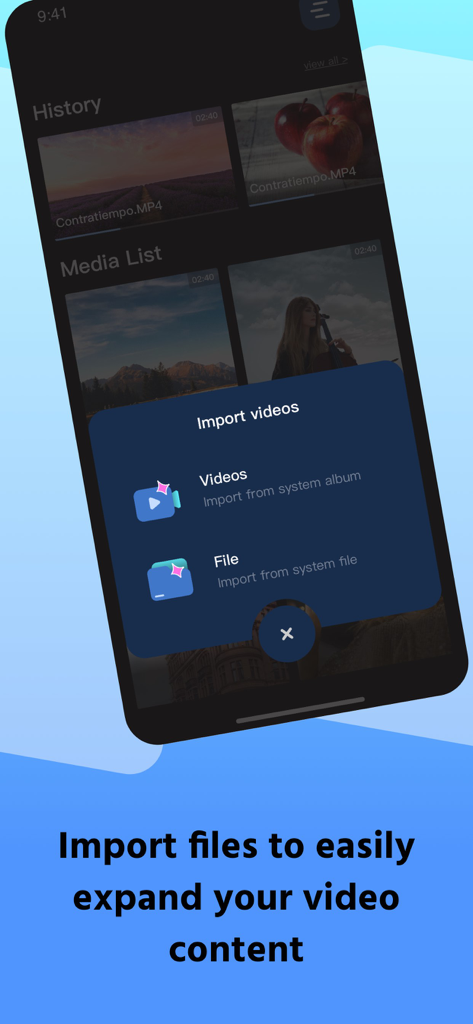
CineStream 앱 인터페이스에 시스템 앨범 또는 파일에서 선택하는 옵션이 있는 비디오 가져오기 메뉴가 표시됩니다.

CineStream 앱 인터페이스에 시스템 앨범 또는 파일에서 선택하는 옵션이 있는 비디오 가져오기 메뉴가 표시됩니다.

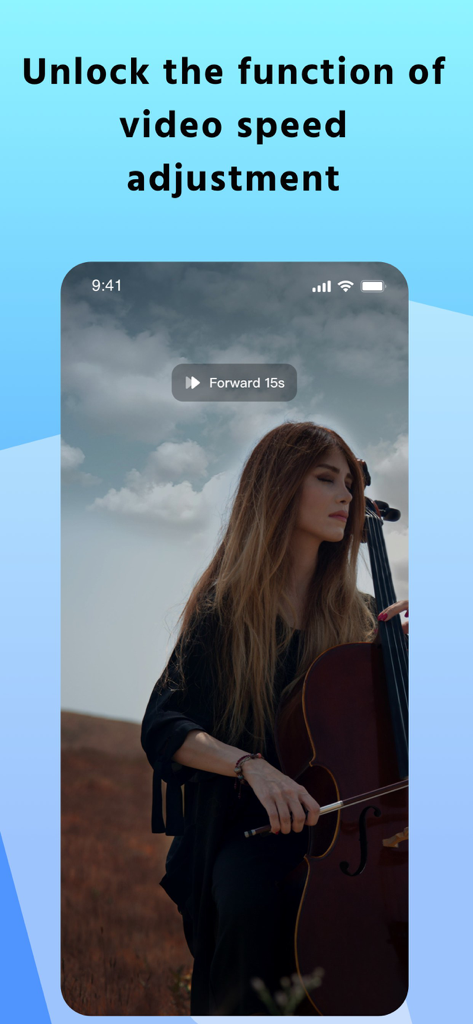
CineStream 앱 인터페이스에 속도 조절 및 15초 앞으로 건너뛰기 컨트롤이 있는 고화질 비디오 재생이 표시됩니다.

CineStream 앱 인터페이스에 속도 조절 및 15초 앞으로 건너뛰기 컨트롤이 있는 고화질 비디오 재생이 표시됩니다.

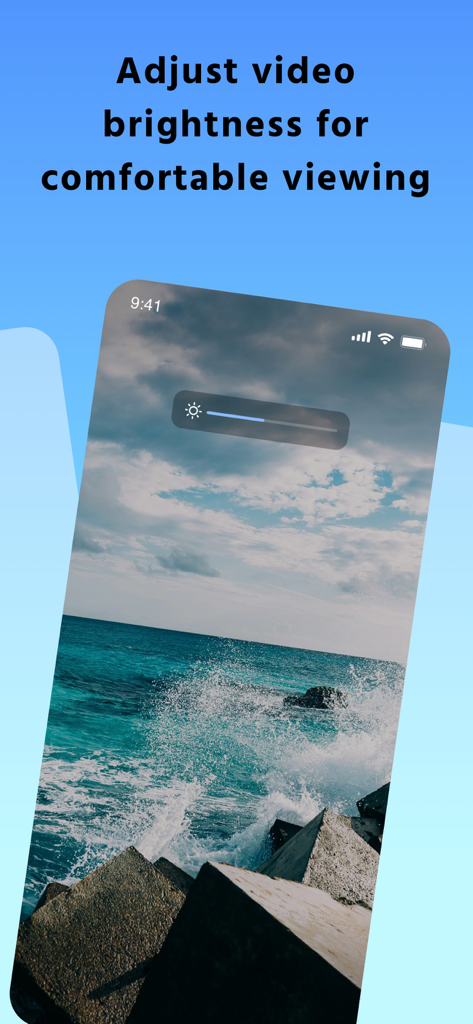
CineStream 앱 인터페이스에 재생 중인 비디오에 밝기 조절 슬라이더 오버레이가 표시됩니다.

CineStream 앱 인터페이스에 재생 중인 비디오에 밝기 조절 슬라이더 오버레이가 표시됩니다.

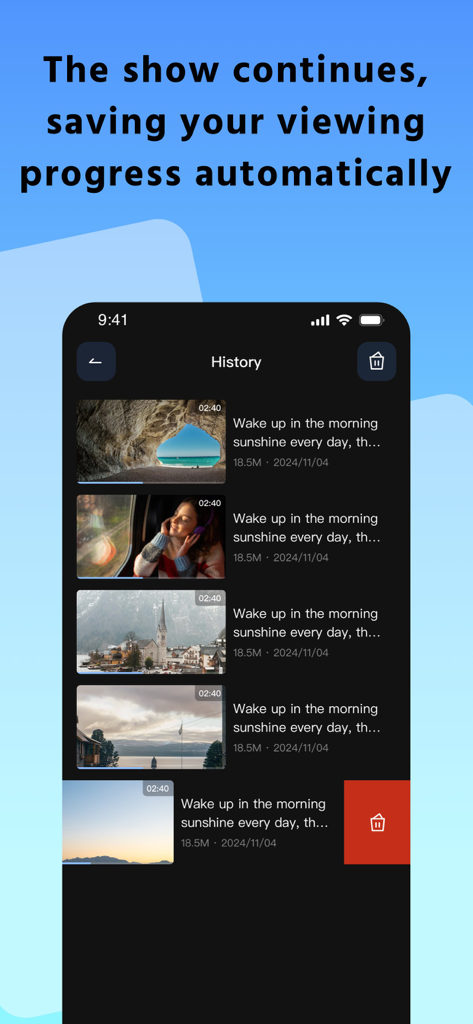
CineStream 앱 기록 화면에 비디오 썸네일과 자동 진행률 추적이 표시됩니다.

CineStream 앱 기록 화면에 비디오 썸네일과 자동 진행률 추적이 표시됩니다.

모바일 시네마 관리하기

이 앱을 돋보이게 하는 도구, 296K+ 명의 사용자가 선택.

번개처럼 빠른 가져오기

대용량 파일을 장치에서 라이브러리로 즉시 전송하도록 설계된 원클릭 가져오기 메커니즘으로 기다림을 건너뛰세요.

🎞️

전문가 수준의 4K 재생

고화질 4K 형식, 고비트 전송률 비디오 및 몰입감 있는 사운드 품질에 최적화된 고급 플레이어로 모든 세부 사항을 경험하세요.

📂

지능형 비디오 관리

맞춤 이름 지정, 스마트 정렬 및 완전한 제어를 통해 개인 공간에 비디오를 구성하여 카메라 롤의 복잡함을 없애세요.

전 세계 사용자들에게 사랑받는 앱

Trusted by 296K+ 명이 이 앱을 사랑합니다.

"

"프리랜서 콘텐츠 제작자로서 저는 빠른 편집을 위해 4K 클립을 휴대폰으로 계속 옮깁니다. CineStream의 원클릭 가져오기는 생명의 은인이며 재생 품질은 절대적으로 완벽합니다. 마침내 제 작업 흐름에 부족했던 전문적인 구성을 제공했습니다."

Marcus Thompson
"

"수천 장의 사진 속에서 개인 동영상이 길을 잃는 것이 싫었습니다. 이 앱을 통해 라이브러리를 쉽게 가져오고 더 나은 구성을 위해 모든 파일의 이름을 변경할 수 있었습니다. 4K 플레이어는 부드럽고 인터페이스는 놀랍도록 직관적입니다."

Sarah Jenkins

앱 소개

에 대해 알아야 할 모든 것 CineStream-Effortless Import.

설명

Video Import and Playback Efficient Import Mechanism: This app supports fast import of video files from local devices. The streamlined and efficient workflow allows users to easily select the desired video and import it with one click, significantly enhancing user convenience. HD Playback Experience: A built-in advanced player compatible with high-definition 4K video formats ensures detailed image quality and immersive sound, creating an exceptional, high-quality viewing experience. It also supports practical functions like fast forward and rewind, precisely meeting users' diverse viewing needs, optimizing the viewing process, and enhancing the viewing experience. Video Management Intelligent Classification System: Imported videos are automatically categorized into a video library, enhancing the user experience. Users have full control and can freely rename and delete videos, allowing them to flexibly manage their personal library and create a personalized space. Download CineStream now to embark on a journey of HD video playback and enjoy the ultimate viewing experience! Premium Version Content Weekly Subscription Once activated, your weekly subscription automatically renews. 24 hours before the end of each billing cycle, your subscription will be automatically debited from your linked account to extend your subscription benefits. To cancel auto-renewal, you must do so at least 24 hours before your next renewal date. There is no time limit for cancellation, so you can cancel at any time. Yearly Subscription Once activated, your annual subscription automatically renews by default. 24 hours before the end of each billing cycle, your subscription will be automatically debited from your linked account to ensure uninterrupted subscription benefits. There are time constraints for canceling auto-renewal: you must do so at least 24 hours before your next renewal date. There are no time limits for cancellation, so you can cancel at any time. Lifetime Subscription A lifetime subscription is a standalone subscription plan that does not participate in the auto-renewal process. Once your subscription is activated, your benefits remain valid for an extended period. User Agreement: https://cinestreamapp.com/terms/ Privacy Policy: https://cinestreamapp.com/privacy/ Customer Service Email: nevzat@kdvsloeberke.com

최신 버전

1.3.6

크기

104.1 MB

출시일

2025년 9월 25일

4K 비디오 라이브러리 관리 시작하기

더 깔끔하고 빠르며 몰입감 있는 시청 경험으로 업그레이드한 296,000명 이상의 파워 유저들과 함께하세요. 궁극의 모바일 시네마가 단 한 번의 클릭으로 여러분을 기다립니다.

다운로드: App Store
FAQ

자주 묻는 질문

에 대해 알아야 할 모든 것 CineStream-Effortless Import

CineStream-Effortless Import에 동영상을 어떻게 가져오나요?

CineStream-Effortless Import는 로컬 장치에서 빠른 동영상 가져오기를 지원합니다. 사용자는 원하는 동영상을 선택하고 한 번의 클릭으로 가져올 수 있습니다. 시스템 앨범이나 파일에서 가져오기가 가능합니다.

CineStream-Effortless Import는 4K 동영상 재생을 지원하나요?

네, CineStream-Effortless Import에는 고화질 4K 동영상 형식과 호환되는 고급 내장 플레이어가 포함되어 있습니다. 이를 통해 상세한 화질과 뛰어난 시청 경험을 보장합니다.

CineStream-Effortless Import는 어떤 동영상 관리 기능을 제공하나요?

CineStream-Effortless Import는 가져온 동영상을 라이브러리로 자동 분류합니다. 사용자는 동영상 이름을 바꾸거나 삭제할 수 있어 개인 동영상 컬렉션을 유연하게 관리할 수 있습니다.

CineStream-Effortless Import에서 동영상 밝기를 조절할 수 있나요?

네, CineStream-Effortless Import는 사용자가 동영상 밝기를 조절할 수 있도록 합니다. 이 기능은 최적의 경험을 위해 개인화된 디스플레이 설정을 가능하게 하여 편안한 시청을 보장합니다.

CineStream-Effortless Import는 시청 진행 상황을 자동으로 저장하나요?

네, CineStream-Effortless Import는 시청 진행 상황을 자동으로 저장합니다. 앱은 재생 기록을 유지하여 사용자가 중단했던 부분부터 동영상을 계속 시청할 수 있도록 합니다.

CineStream-Effortless Import는 어떤 구독 요금제를 제공하나요?

CineStream-Effortless Import는 주간, 연간, 평생 구독 요금제를 제공합니다. 주간 및 연간 요금제는 자동 갱신되며, 평생 요금제는 자동 갱신 없이 일회성으로 구매할 수 있습니다.

CineStream-Effortless Import 구독의 자동 갱신을 취소하려면 어떻게 해야 하나요?

CineStream-Effortless Import의 주간 또는 연간 구독의 자동 갱신을 취소하려면 사용자는 다음 갱신일 최소 24시간 전에 취소해야 합니다. 취소에 대한 전체 시간 제한은 없습니다.

CineStream-Effortless Import는 빨리 감기 및 되감기 기능을 지원하나요?

네, CineStream-Effortless Import는 빨리 감기 및 되감기와 같은 실용적인 기능을 지원합니다. 이 기능은 사용자의 다양한 시청 요구를 정확하게 충족시켜 전반적인 시청 경험을 향상시킵니다.