Clip Studio Paint for iPhone

Clip Studio Paint for iPhone

다운로드: App Store다운로드: Google Play
Spark by MWM logo
로고: Clip Studio Paint for iPhone

Clip Studio Paint: 주머니 속 전문 아트 & 코믹 스튜디오

3D 모델로 해부학을 마스터하고, 수천 개의 전문가용 브러시에 액세스하고, 이동 중에도 업계 표준 일러스트레이션을 만드세요. 무료로 시작하고 모든 기기에서 명작을 동기화하세요.

개발사

CELSYS,Inc.

카테고리

Graphics & Design

다운로드

2M+

사용자 평점

4.2/5

총 평가 수

8K+

지원 언어

11

어디서든 즐기는 스튜디오

이 인터페이스를 사용하는 2M+ 명의 사용자.

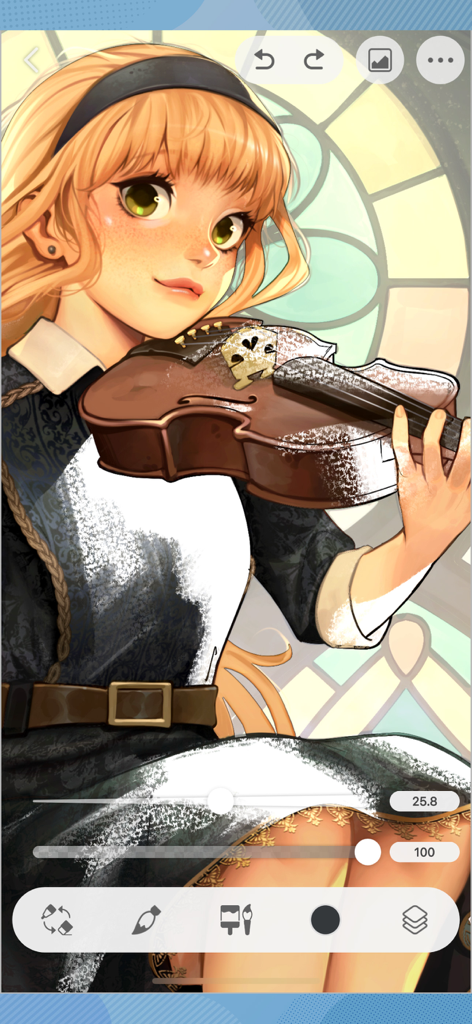
Clip Studio Paint iPhone 앱 인터페이스에서 바이올린을 든 애니메이션 소녀의 디지털 일러스트레이션.

Clip Studio Paint iPhone 앱 인터페이스에서 바이올린을 든 애니메이션 소녀의 디지털 일러스트레이션.

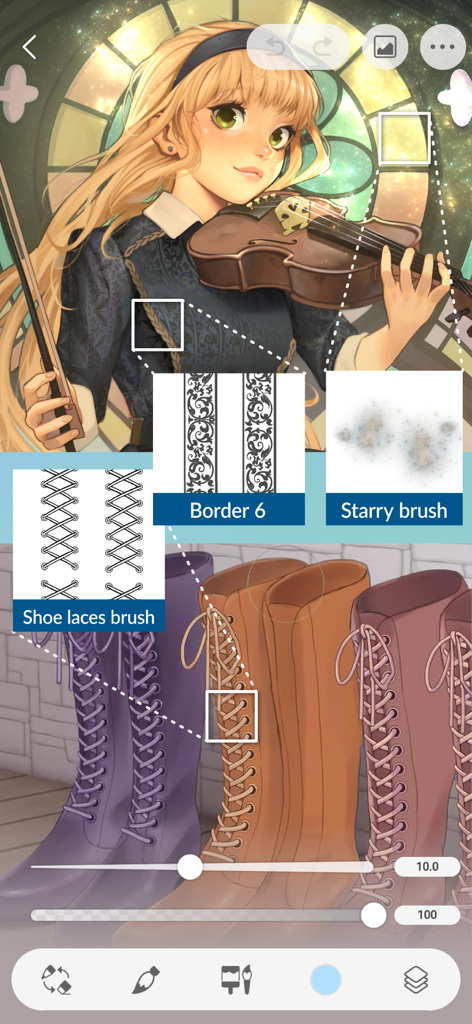
커스텀 신발 끈 테두리 및 별 모양 브러시 사용을 보여주는 Clip Studio Paint for iPhone의 디지털 일러스트레이션

커스텀 신발 끈 테두리 및 별 모양 브러시 사용을 보여주는 Clip Studio Paint for iPhone의 디지털 일러스트레이션

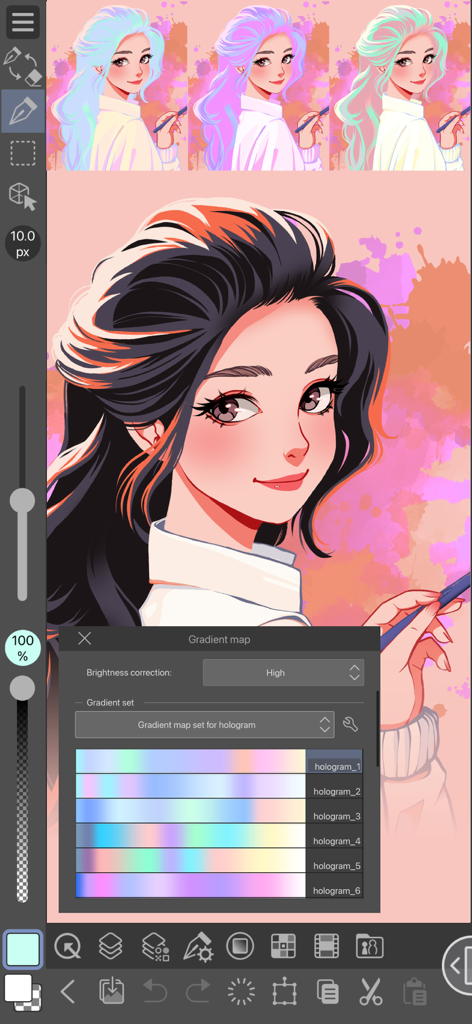
다양한 홀로그램 색상 세트를 보여주는 그라디언트 맵 도구가 열려 있는 Clip Studio Paint for iPhone의 소녀 디지털 일러스트레이션

다양한 홀로그램 색상 세트를 보여주는 그라디언트 맵 도구가 열려 있는 Clip Studio Paint for iPhone의 소녀 디지털 일러스트레이션

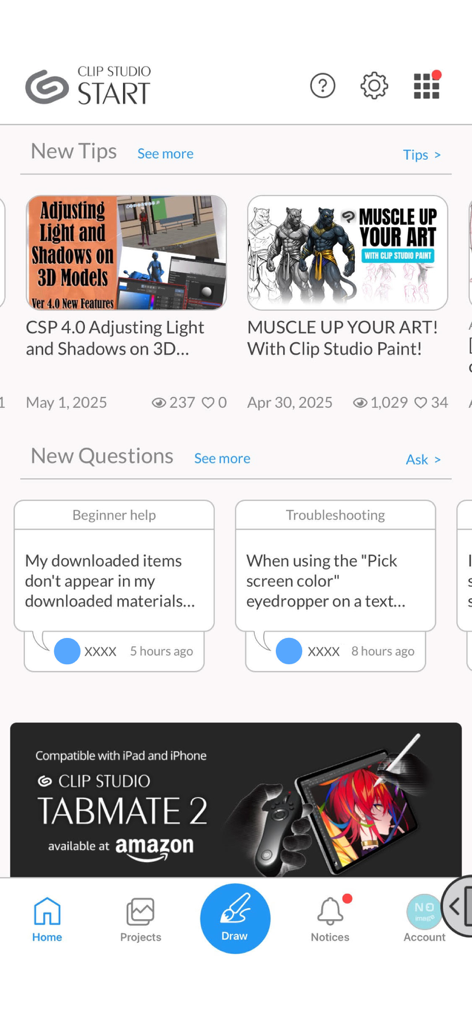
아트 튜토리얼, 커뮤니티 Q&A 및 탐색 메뉴를 표시하는 Clip Studio Start 홈 화면

아트 튜토리얼, 커뮤니티 Q&A 및 탐색 메뉴를 표시하는 Clip Studio Start 홈 화면

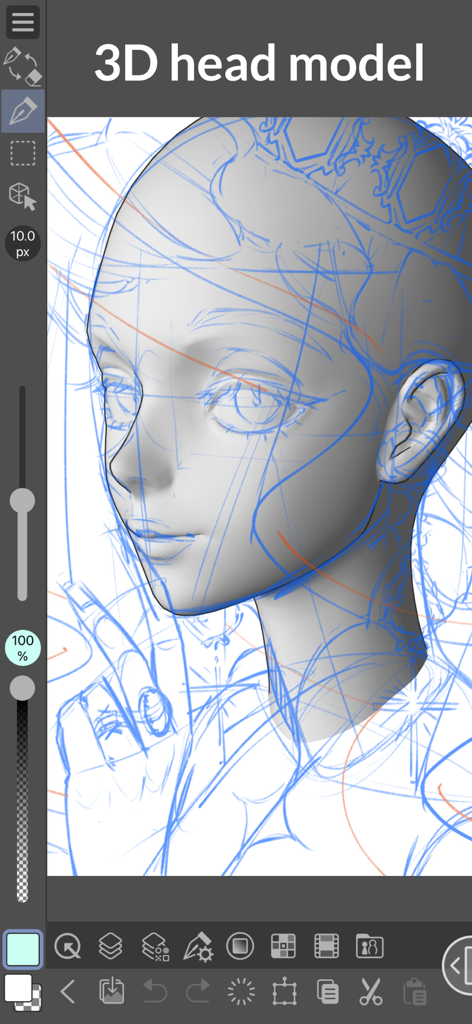
iPhone에서 Clip Studio Paint로 그림 그리기 위한 3D 머리 모델 참조

iPhone에서 Clip Studio Paint로 그림 그리기 위한 3D 머리 모델 참조

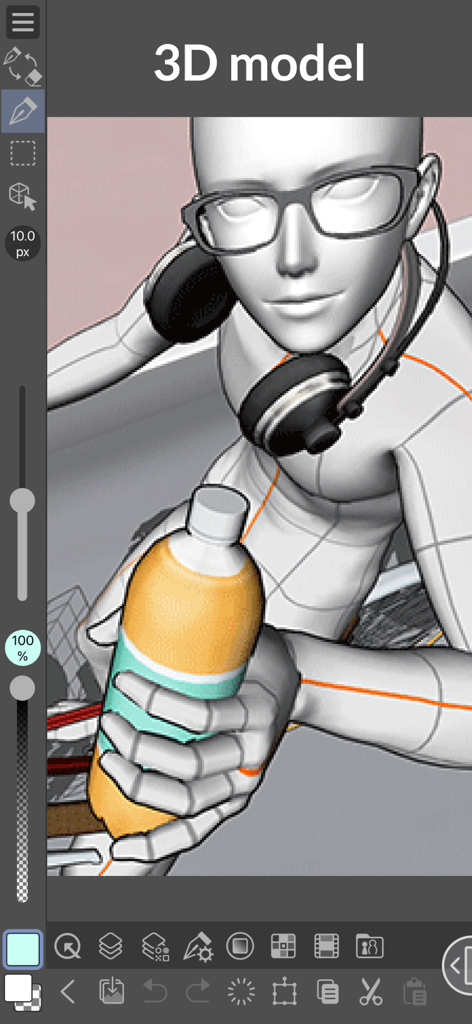
iPhone용 Clip Studio Paint에서 안경과 헤드폰을 끼고 병을 들고 있는 3D 캐릭터 모델

iPhone용 Clip Studio Paint에서 안경과 헤드폰을 끼고 병을 들고 있는 3D 캐릭터 모델

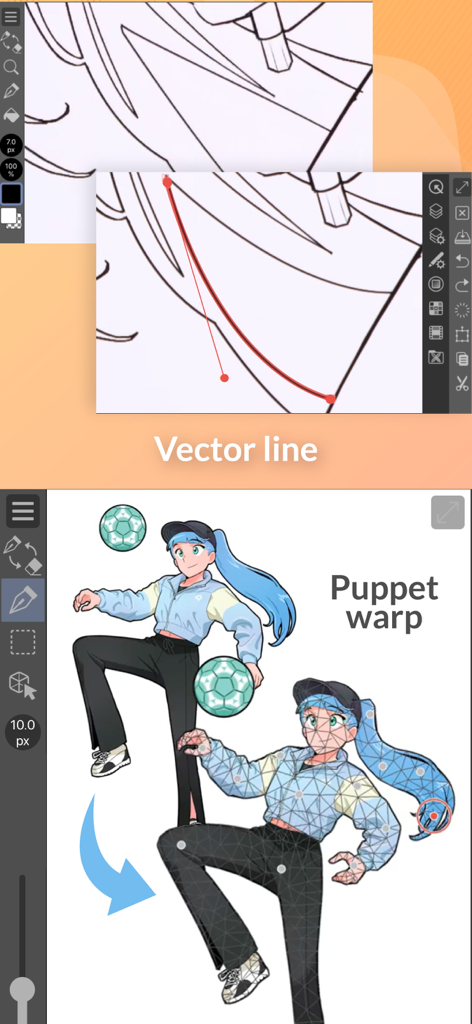
iPhone용 Clip Studio Paint에서 벡터 선 편집 및 퍼펫 워프 포즈 기능 시연

iPhone용 Clip Studio Paint에서 벡터 선 편집 및 퍼펫 워프 포즈 기능 시연

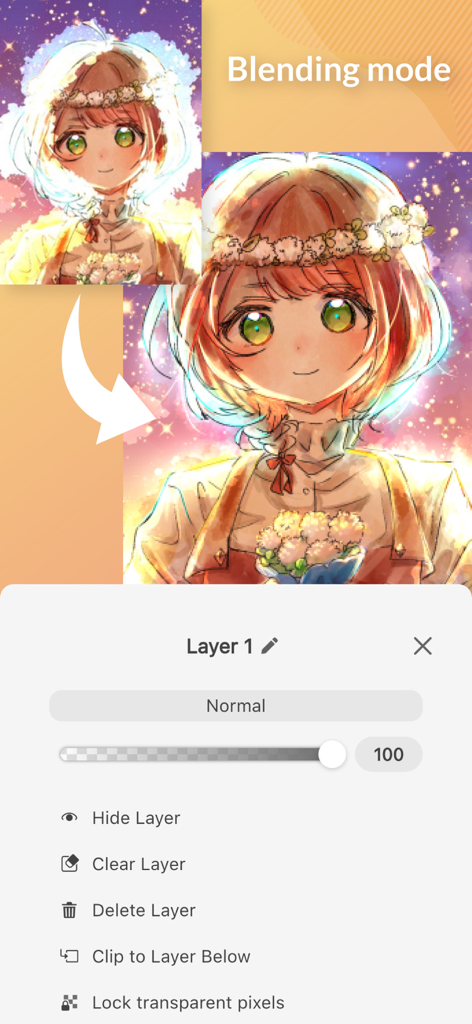
레이어 블렌딩 모드 설정과 애니메이션 캐릭터 아트를 보여주는 iPhone용 Clip Studio Paint 인터페이스

레이어 블렌딩 모드 설정과 애니메이션 캐릭터 아트를 보여주는 iPhone용 Clip Studio Paint 인터페이스

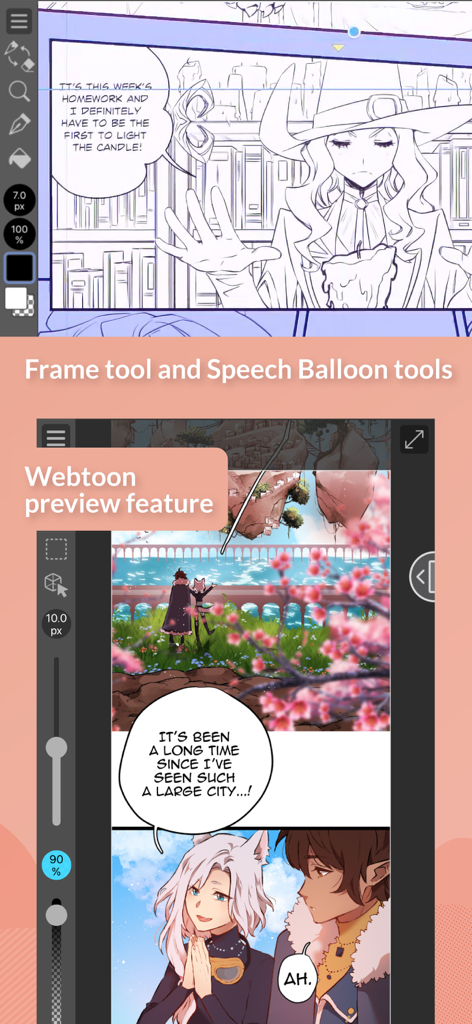
만화 틀 도구와 웹툰 미리보기 모드를 보여주는 iPhone용 Clip Studio Paint

만화 틀 도구와 웹툰 미리보기 모드를 보여주는 iPhone용 Clip Studio Paint

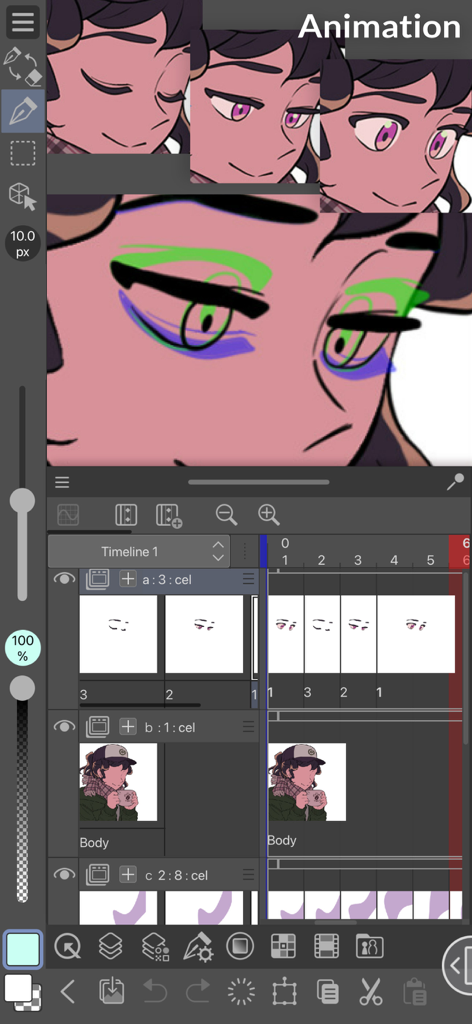
캐릭터와 타임라인을 보여주는 iPhone용 Clip Studio Paint 애니메이션 인터페이스

캐릭터와 타임라인을 보여주는 iPhone용 Clip Studio Paint 애니메이션 인터페이스

휴대 가능한 전문 스튜디오

이 앱을 돋보이게 하는 도구, 2M+ 명의 사용자가 선택.

👤

3D 모델로 완벽한 해부학

해부학적 어려움은 잊으세요. 사용자 정의 가능한 3D 인물을 포즈하여 캔버스에서 바로 구도와 비례를 항상 올바르게 잡으세요.

🎨

무한한 브러시 & 애셋 라이브러리

커뮤니티에서 만든 수천 개의 브러시와 재료에 액세스하세요. 전문적인 질감으로 실제 유화, 잉크 또는 수채화의 느낌을 재현하세요.

📖

완벽한 웹툰 & 만화 툴킷

만화 제작자를 위한 글로벌 표준. 스케치를 출판된 시리즈로 만들기 위해 즉시 칸 틀, 말풍선, 스크린 톤을 추가하세요.

전 세계 사용자들에게 사랑받는 앱

Trusted by 2M+ 명이 이 앱을 사랑합니다.

"

"프리랜서 일러스트레이터로서 책상에서 떨어져 있을 때도 전문가 수준의 도구가 필요합니다. iPhone 앱의 3D 드로잉 인물은 이동 중에 해부학을 올바르게 잡는 데 큰 도움이 되며, 클라우드 동기화를 통해 나중에 PC에서 커미션을 쉽게 완료할 수 있습니다. 주머니 속의 완전한 데스크톱 경험입니다."

Maya R., 프리랜서 아티스트
"

"현재 첫 웹 코믹을 출시 중인데, 이 앱이 제 워크플로우를 완전히 바꿔놓았습니다. 출퇴근 시간에 특수 만화 도구를 사용하여 칸을 스케치하고 말풍선을 추가할 수 있습니다. 매월 30시간 무료 사용 덕분에 구독을 결정하기 전에 기능에 완전히 반했습니다."

Jordan T., 웹툰 크리에이터

앱 소개

에 대해 알아야 할 모든 것 Clip Studio Paint for iPhone.

설명

Draw with unlimited features for free for 30 hours monthly with no ads! Now with new, powerful features! Clip Studio Paint makes drawing a piece of cake, in any style! Whether you are a beginner or a pro, Clip Studio Paint will improve every aspect of your art experience, while helping you grow as an artist. Unlimited amount of brushes at your fingertips to recreate any style - Use brushes with the same textures as real art materials - Adjust details such as brush shape and paper quality to your liking - Make unique colors with realistic color mixing, like traditional paints - Draw with transparency to erase, so no need to switch brushes Countless artist-made materials - Level up your art with free materials, for backgrounds and more - Discover community-made brushes from creators worldwide - Add details with materials like frills and more Coloring made easy - Easily color even with line gaps using the magnetic lasso tool - Lock transparency to paint over layers without affecting other areas - Set light source and shadow position with Shading Assist - Instantly reference and apply colors from an image to your art using Color Match - Enhance your art with filters like Chromatic Aberration, Retro Film, Pencil, and more Learn alongside other creators - Loads of official tutorials and creator tips available - Watch tutorials on the Clip Studio Paint YouTube channel, for step-by-step advice - Ask questions on the Clip Studio Ask community Create the perfect reference with 3D models - Use 3D drawing figures to help out your anatomy - Customize character face and body models with beginner-friendly tools - Attach 3D objects like hats and shoes to characters for more specific references - Use 3D shapes to draw perspective - Use snap to quickly place objects on your canvas Adjust after you draw - Liquify to make adjustments to the balance of your illustrations - Mesh Transformation allows you to transform to different shapes - Change up the poses of your character drawings with Puppet warp - Non-destructive color adjustment layers to get your art just right - Gradient maps give color to your grayscale illustrations Stress-free layer features - Assign colors and make multiple columns of layers to browse them at a glance - Enjoy the freedom of masking and clipping on multiple layers to edit and move your work - Add various effects to apply to the layer in a non-destructive way The ultimate comic creation app - All the tools you need for comic creation, from sketches to finishing touches - Panel frames, speech balloons, text, effect lines, and screen tones in an instant - Make high-resolution print data (6 GB+ memory recommended) - Manage multi-page projects Professional animation, on any device - Use all the same tools as animation studios - Unique features allow you to draw your frames as you like - Enjoy a pencil and paper look and feel, but digitally - Expand your drawings to 4K resolution without losing quality by saving it as vector data ●Grade features ・FREE: 30 hours/month ・PRO: All the tools you need to create stunning illustrations & short animations ・EX: All the above + multi-page functionality for comic/manga artists and unlimited animation frames *Clip Studio account needed to buy a plan. ● Target Devices and Specifications ・Minimum free storage space: 3GB, 4GB recommended ・Recommended display size: 5.5"+ Please see the following for supported devices. https://support.clip-studio.com/en-us/faq/articles/20200154 You can use the app fully for free for up to 30 hours each month. After this free period has ended, please purchase a plan to: - Save your canvas - Export your data in various file formats on iPhone and more Smartphone plan: PRO: US$0.99 per month, get an annual plan for up to 5 months' worth of savings! EX: US$2.49 per month, get an annual plan for up to 5 months' worth of savings! Clip Studio Paint End User License Agreement https://www.celsys.com/en/information/csp/

최신 버전

4.2.5

크기

539.8 MB

출시일

2019년 12월 4일

어디서든 즐기는 전문 스튜디오

2백만 명 이상의 크리에이터와 함께 세계 최고의 아트 도구를 매월 30시간 무료로 사용하세요. 광고 없이, iPhone에서 순수한 창의력을 발휘하세요.

다운로드: App Store다운로드: Google Play
FAQ

자주 묻는 질문

에 대해 알아야 할 모든 것 Clip Studio Paint for iPhone

Clip Studio Paint for iPhone은 무료로 사용할 수 있나요?

네, Clip Studio Paint for iPhone은 광고 없이 월 30시간 무료로 사용할 수 있습니다. 이 기간이 지나면 캔버스를 저장하거나 데이터를 내보내려면 플랜이 필요합니다.

Clip Studio Paint for iPhone에서 어떤 기능을 사용할 수 있나요?

Clip Studio Paint for iPhone은 광범위한 드로잉 도구, 무제한 브러시, 음영 지원과 같은 채색 기능, 3D 모델 참조, 애니메이션 도구 및 포괄적인 만화 제작 기능을 제공합니다.

Clip Studio Paint for iPhone으로 만화를 만들 수 있나요?

네, Clip Studio Paint for iPhone은 궁극의 만화 제작 앱입니다. 패널 프레임, 말풍선, 텍스트, 효과선, 스크린톤 및 다중 페이지 프로젝트 관리가 포함되어 있습니다.

Clip Studio Paint for iPhone의 다양한 플랜은 무엇인가요?

Clip Studio Paint for iPhone은 FREE(월 30시간), PRO(일러스트레이션 및 단편 애니메이션), EX 플랜(PRO 기능 및 다중 페이지 만화, 무제한 애니메이션 프레임)을 제공합니다.

Clip Studio Paint PRO for iPhone의 가격은 얼마인가요?

Clip Studio Paint PRO for iPhone 플랜은 월 $0.99입니다. 연간 플랜을 이용하면 최대 5개월치에 해당하는 할인을 받을 수 있습니다.

Clip Studio Paint for iPhone은 드로잉을 위한 3D 모델을 지원하나요?

네, Clip Studio Paint for iPhone은 3D 모델을 지원합니다. 사용자는 해부학적 구조를 위한 3D 드로잉 피규어를 활용하고, 캐릭터 모델을 사용자 정의하고, 개체를 첨부하고, 원근감을 위한 3D 모양을 사용할 수 있습니다.

Clip Studio Paint for iPhone의 무료 사용 기간이 지나면 어떻게 되나요?

Clip Studio Paint for iPhone의 월 30시간 무료 기간이 지나면 사용자는 캔버스를 저장하거나 다양한 파일 형식으로 데이터를 내보내려면 플랜을 구매해야 합니다.

Clip Studio Paint for iPhone은 제 그림 채색에 도움이 되나요?

네, Clip Studio Paint for iPhone은 채색을 쉽게 만들어 줍니다. 기능에는 선 간격에 대한 마그네틱 라쏘, 투명도 잠금, 음영 지원, 이미지에서 색상 일치 및 다양한 향상 필터가 포함됩니다.

Clip Studio Paint for iPhone의 최소 저장 공간 요구 사항은 무엇인가요?

Clip Studio Paint for iPhone은 최소 3GB의 무료 저장 공간이 필요하며, 최적의 성능을 위해 4GB를 권장합니다.

Clip Studio Paint for iPhone을 사용하여 애니메이션을 만들 수 있나요?

네, Clip Studio Paint for iPhone은 전문적인 애니메이션 제작을 지원합니다. 애니메이션 스튜디오와 유사한 도구, 고유한 프레임 드로잉 기능, 벡터 데이터로 4K 해상도까지 내보내기 기능을 제공합니다.