Compass 55. Map & GPS kit.

Compass 55. Map & GPS kit.

다운로드: App Store
Spark by MWM logo
로고: Compass 55. Map & GPS kit.

Compass 55. 전문가 수준의 GPS, 매핑 및 내비게이션 키트.

고정밀 MGRS 좌표, 오프라인 지도, 기술적 추적 도구로 모든 지형을 정복하세요. 완전한 제어와 데이터 공유 제로를 요구하는 모험가와 전문가를 위해 구축된 강력하고 프라이버시 우선인 내비게이션 제품군입니다.

개발사

Kalimex-Consulting s.r.o.

카테고리

Navigation

다운로드

987K+

사용자 평점

4.7/5

총 평가 수

5K+

지원 언어

7

기술적 우위

이 인터페이스를 사용하는 987K+ 명의 사용자.

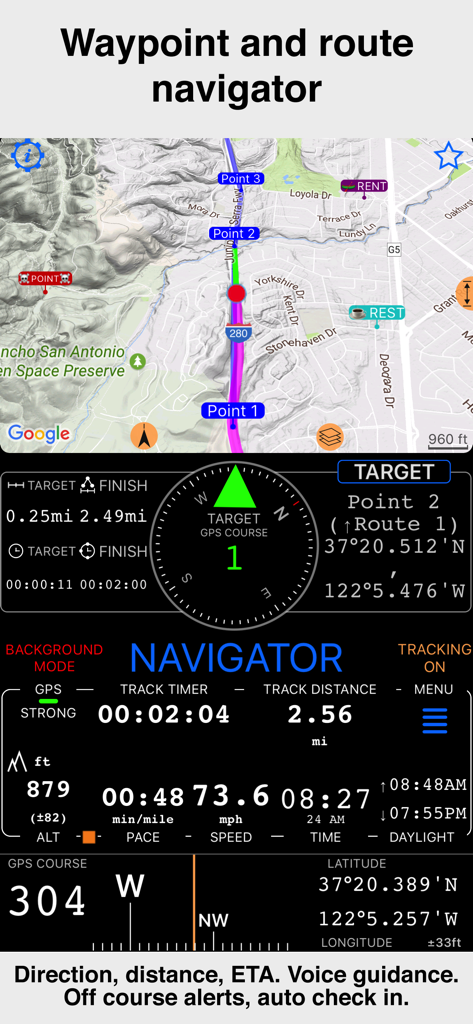
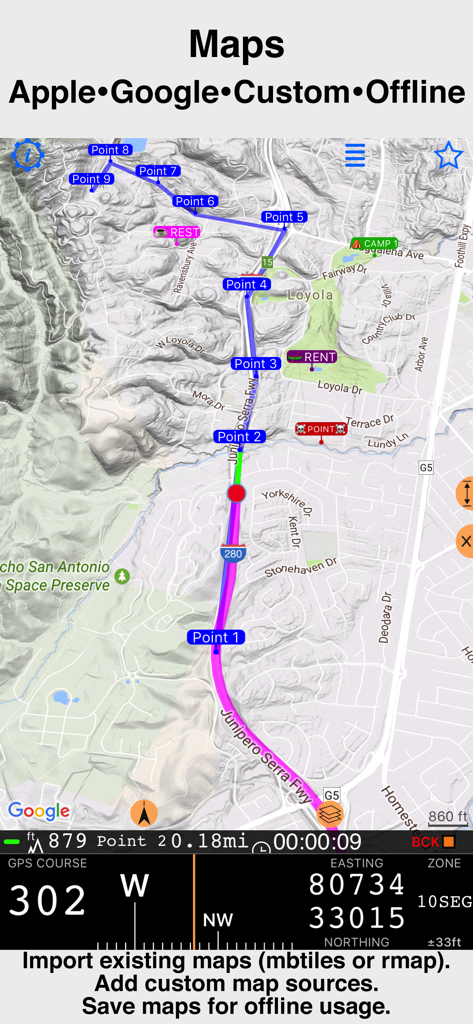
속도 및 고도 데이터와 함께 경유지 및 경로 내비게이션을 보여주는 Compass 55 인터페이스

속도 및 고도 데이터와 함께 경유지 및 경로 내비게이션을 보여주는 Compass 55 인터페이스

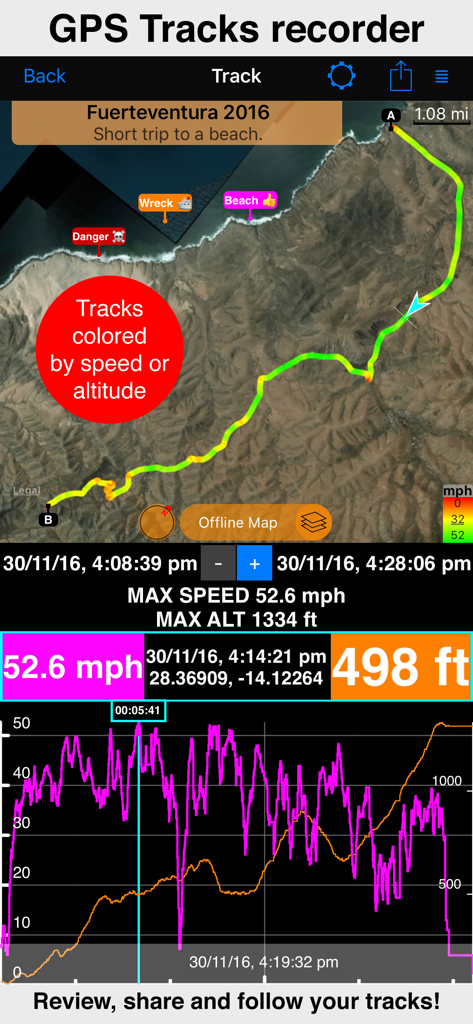
지도 속도 및 고도 통계를 보여주는 GPS 트랙 기록 화면

지도 속도 및 고도 통계를 보여주는 GPS 트랙 기록 화면

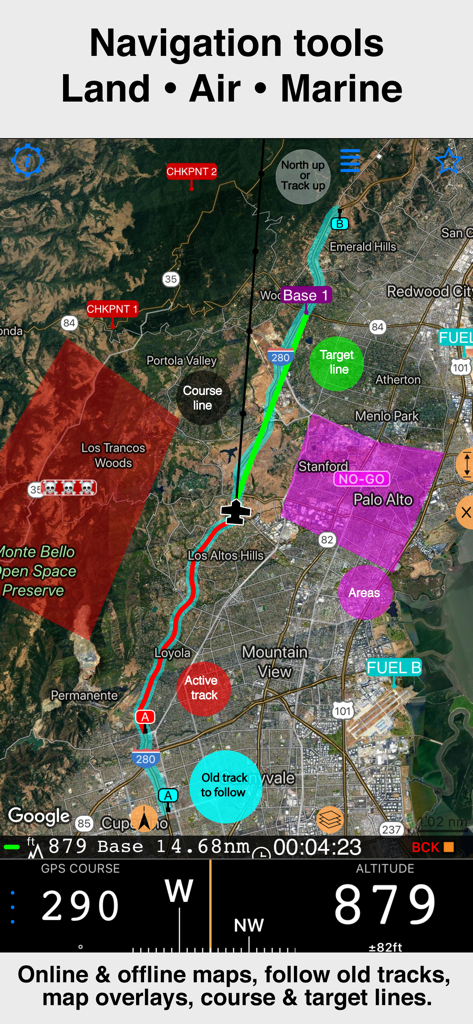
트랙 오버레이 및 고도 데이터가 포함된 위성 지도를 보여주는 Compass 55 전문 내비게이션 인터페이스

트랙 오버레이 및 고도 데이터가 포함된 위성 지도를 보여주는 Compass 55 전문 내비게이션 인터페이스

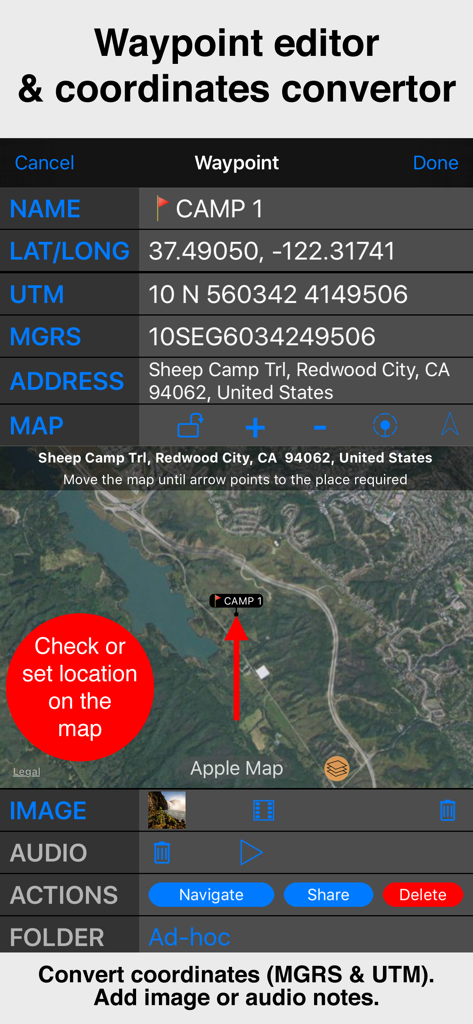
위성 지도 보기와 함께 MGRS 및 UTM 좌표를 보여주는 Compass 55 경유지 편집기 인터페이스.

위성 지도 보기와 함께 MGRS 및 UTM 좌표를 보여주는 Compass 55 경유지 편집기 인터페이스.

기술적 GPS 좌표가 포함된 Compass 55 전문 내비게이션 지도

기술적 GPS 좌표가 포함된 Compass 55 전문 내비게이션 지도

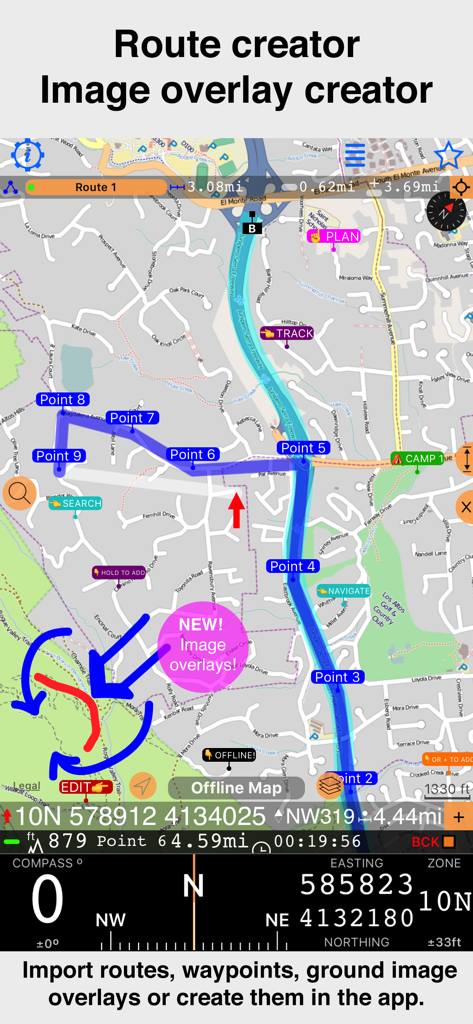
지형도에서 경유지와 새로운 이미지 오버레이 기능을 사용한 경로 생성을 보여주는 Compass 55 앱 인터페이스.

지형도에서 경유지와 새로운 이미지 오버레이 기능을 사용한 경로 생성을 보여주는 Compass 55 앱 인터페이스.

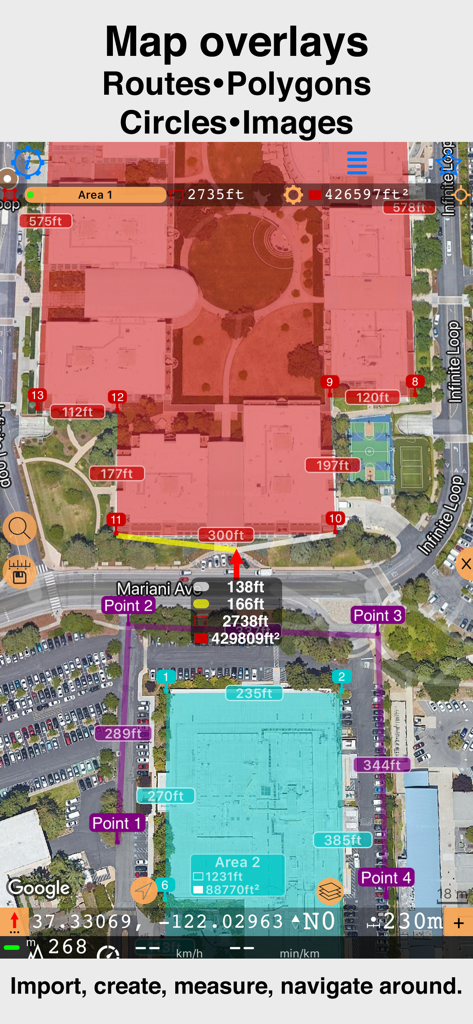
Compass 55에서 맞춤형 다각형 및 거리 측정을 보여주는 위성 지도 인터페이스

Compass 55에서 맞춤형 다각형 및 거리 측정을 보여주는 위성 지도 인터페이스

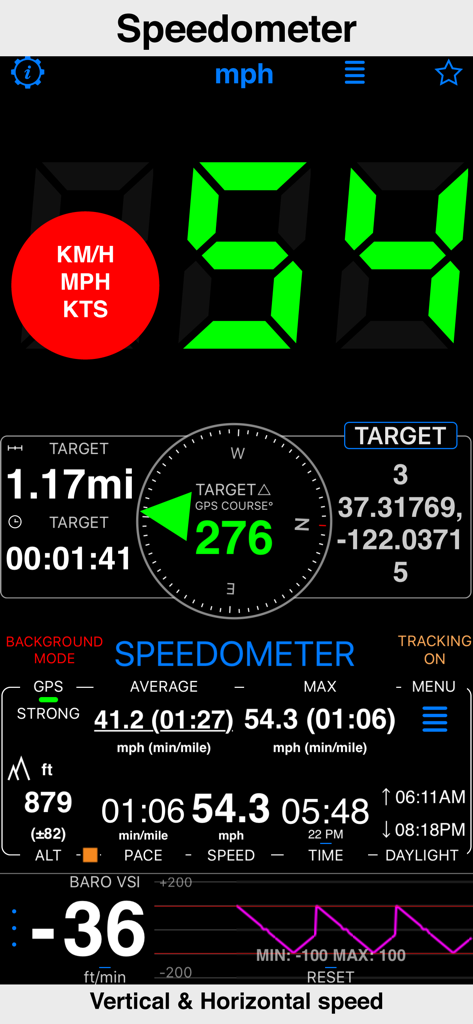
GPS 데이터와 함께 수평 및 수직 속도를 보여주는 Compass 55 앱 속도계 인터페이스

GPS 데이터와 함께 수평 및 수직 속도를 보여주는 Compass 55 앱 속도계 인터페이스

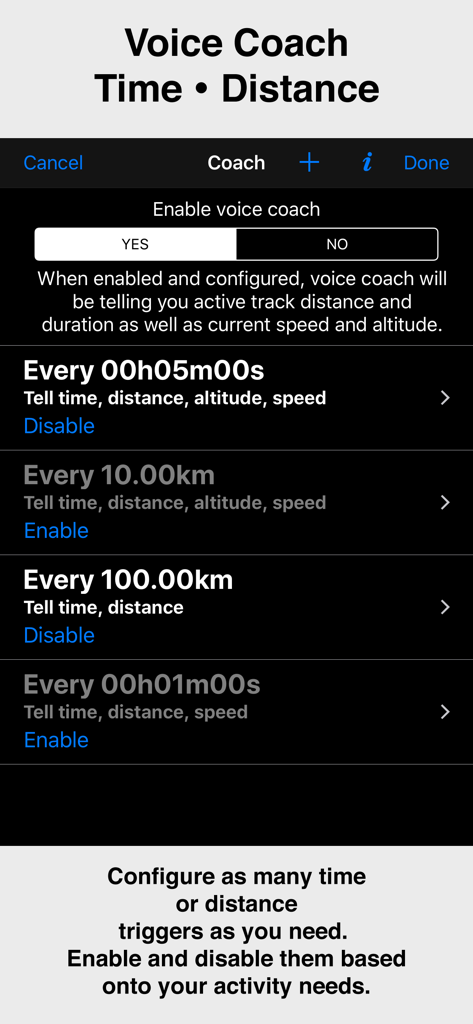
시간 및 거리 트리거를 보여주는 Compass 55 앱의 보이스 코치 기능 설정 화면

시간 및 거리 트리거를 보여주는 Compass 55 앱의 보이스 코치 기능 설정 화면

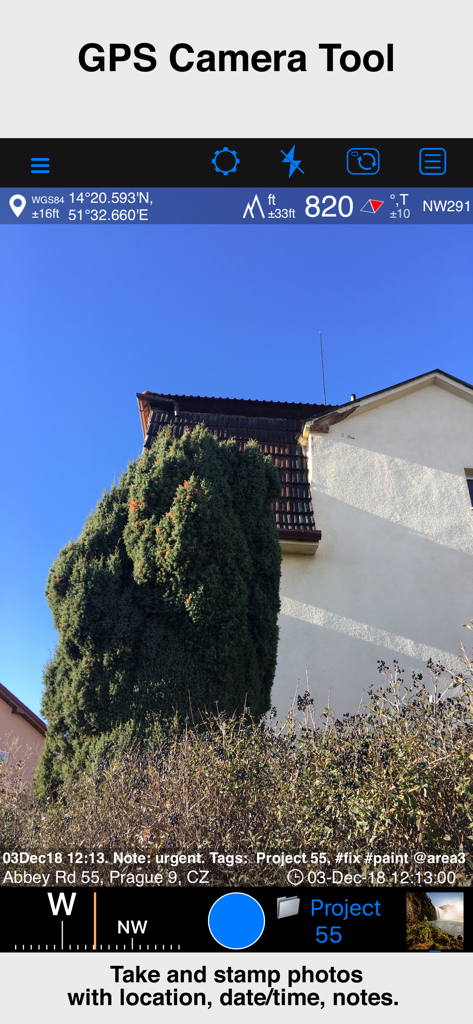
위치 좌표, 고도, 날짜 및 메모 오버레이가 포함된 사진을 보여주는 Compass 55 앱 GPS 카메라 도구

위치 좌표, 고도, 날짜 및 메모 오버레이가 포함된 사진을 보여주는 Compass 55 앱 GPS 카메라 도구

기술적 모험가를 위해 제작되었습니다

이 앱을 돋보이게 하는 도구, 987K+ 명의 사용자가 선택.

🧭

전문가 수준의 정밀도

MGRS, UTM 및 위도/경도 좌표로 사용자의 위치를 완벽하게 파악하세요. 군사 등급의 정확도로 경유지를 변환, 편집 및 공유할 수 있습니다.

🗺️

네트워크의 한계를 넘어서

오프라인 지도를 다운로드하고 커스텀 타일 서버를 가져오세요. 셀룰러 신호가 없는 외딴 오지나 먼 바다에서도 항해할 수 있습니다.

🔒

신뢰할 수 있는 프라이버시

사용자의 위치 데이터는 기기에만 머뭅니다. 저희는 귀하의 트랙이나 좌표를 제3자와 절대 공유하지 않으며, 순수하고 안전한 내비게이션만을 제공합니다.

전 세계 사용자들에게 사랑받는 앱

Trusted by 987K+ 명이 이 앱을 사랑합니다.

"

"백컨트리에서 몇 주를 보내는 오버랜더로서, Compass 55는 제가 가장 신뢰하는 도구입니다. 셀룰러 서비스가 끊겼을 때 오프라인 지도 지원과 MGRS 좌표 정밀도는 생명줄과 같습니다. 이처럼 강력하면서도 사용자의 프라이버시를 존중하는 앱은 찾기 드뭅니다."

Mark S., 기술적 모험가
"

"저는 정확성이 필수적인 수색 및 구조 작업에 Compass 55를 사용합니다. KML 파일 내보내기 기능과 기압 VSI는 보통 고가의 하드웨어에서만 볼 수 있는 기능입니다. 이것은 기본적으로 제 주머니 속의 전문가용 GPS 장치입니다."

Sarah J., SAR 자원봉사자

앱 소개

에 대해 알아야 할 모든 것 Compass 55. Map & GPS kit..

설명

All-in-one assistant with a map, compass, GPS coordinates to view and share in 6 formats, altitude, distance, sunset/sunrise, speedometer with top and average speed, navigator to your target or along the route and a whole lot more! + Advanced target/waypoint editor. Can be also used as a coordinates converter. You can use map to check or set waypoint location and add photo or audio note. + Share your location via email, text message, Facebook or Twitter. This includes UTM, MGRS and Latitude/Longitude (MENU>Share my location). + You can use UTM, MGRS or Lat/Long, just pick your preference in settings (Coordinate Format). + Speedometer. Shows you the speed and pace. Speedometer also gives you options to control average and max speed and pace counters (MENU > RESET and PAUSE/RESUME counters). + Compass. Instant reaction compass, no delays. Automatically pickups the direction based on magnetic or GPS course. If you mostly walk or drive, you can change this automatic mode in app settings > Compass or GPS course. NATO mils? Same place in settings to set. + Magnetic declination δ for the current location and any location on the map (via World Magnetic Model, WMM, no need for data/internet). + Sunset and sunrise. So you can plan your travel better. + Arrow pointing to your target waypoint. Distance and bearing to it. + Create/measure routes and areas. + Barometric Vertical Speed Indicator (VSI, IVSI) in both scale and graph forms. + Integration of bluetooth sensors: Cycling cadence, Heart rate, Cycling speed. All above belong to a basic version. PRO Pack upgrade will add following capabilities: + Recording and sharing GPS tracks. + Moving waypoints between folders. + Showing ETA to a target as this requires GPS tracking. + Native Google map with fantastic terrain map, amazing 3D and real night mode. + Adding own/custom tile map servers. + Downloading offline maps. Offline maps import in .sqlitedb, rmaps, mbtiles formats. Support for overzoom and underzoom - offline map is shown even for zoom levels that are not downloaded. + GPX import and export for waypoints, tracks and routes. + Google Earth KML support for waypoints and tracks import/export. KMZ support for waypoints and tracks export, waypoints import. + Ground overlays. Import KMZ ground overlay or draw your own on the map in the app and share as kmz files! + CSV import/export for waypoints. + Voice coach to tell you active track distance and duration, current speed and altitude without need to open the app. + Support for Siri shortcuts in IOS 12 for starting and stopping GPS tracks. + From version 4.2 - support for OSGB (including grid shifts) and SK 42 in the coordinates converter. + BACKGROUND MODE. App will work in background automatically when tracking. You can use other apps while Compass 55 does its job in the background! + PRIVACY. Compass 55 never shares your location data with 3rd parties or ad agencies. Location data is used solely for telling you direction to a target and recording GPS tracks and never leave the app unless you decide to share by means of a track export. It always lets you know when background mode is on and never runs in background unless the track is being recorded. ! You can use this app on your iPhone as well as on any cellular iPad. **App will not work properly on iPods and wifi only iPads as they don't have GPS (external GPS module is required). As quite a lot of us are using external GPS modules, app is available for wifi only iPads and iPods. ! Please note that as with all GPS apps, continued use of GPS running in the background can dramatically decrease battery life. Terms of Use: https://www.apple.com/legal/internet-services/itunes/dev/stdeula/

최신 버전

5.2.3

크기

70.2 MB

출시일

2016년 9월 23일

다음 오프그리드 미션을 위한 준비가 되셨나요?

987,000명 이상의 기술적 모험가들과 함께하세요. 전문 내비게이션, 오프라인 매핑, 완전한 데이터 프라이버시를 위한 최고의 GPS 툴킷을 다운로드하세요.

다운로드: App Store