DJM-REC: DJ live/recording app

DJM-REC: DJ live/recording app

다운로드: App Store
Spark by MWM logo
로고: DJM-REC: DJ live/recording app
DJM-REC: 프로 수준의 DJ 녹음 및 라이브 스트리밍을 간편하게

단일 케이블로 Pioneer DJ 믹서에 연결하여 고음질 세트를 녹음하세요. 트랙 목록을 자동화하고 클럽 수준의 믹스를 SoundCloud, Mixcloud 및 Twitch에 직접 공유하세요.

개발사

AlphaTheta Corporation

카테고리

Entertainment

다운로드

66K+

사용자 평점

3.2/5

총 평가 수

1000

지원 언어

12

주머니 크기의 프로 부스

이 인터페이스를 사용하는 66K+ 명의 사용자.

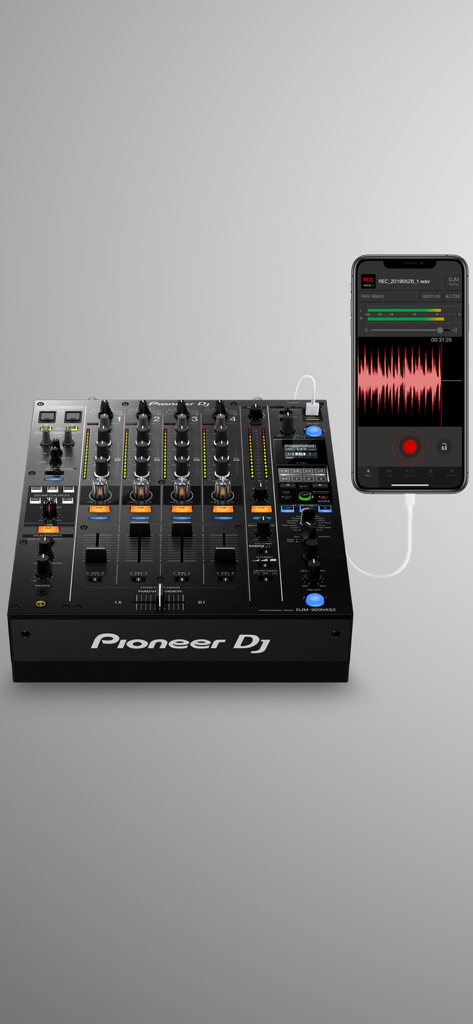
Pioneer DJ 믹서에 연결된 iPhone이 녹음 중인 DJM-REC 앱 인터페이스를 보여주는 모습

Pioneer DJ 믹서에 연결된 iPhone이 녹음 중인 DJM-REC 앱 인터페이스를 보여주는 모습

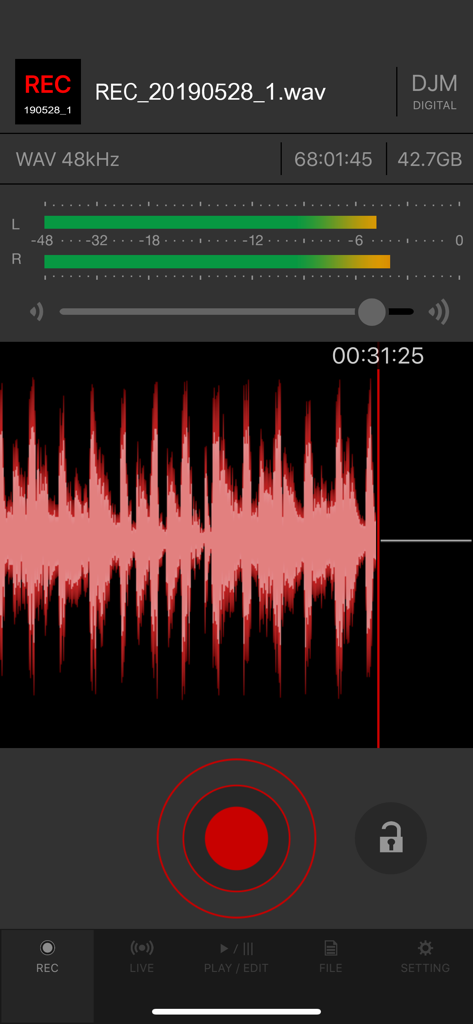
빨간색 파형과 오디오 레벨 미터를 보여주는 DJM-REC 앱의 녹음 화면

빨간색 파형과 오디오 레벨 미터를 보여주는 DJM-REC 앱의 녹음 화면

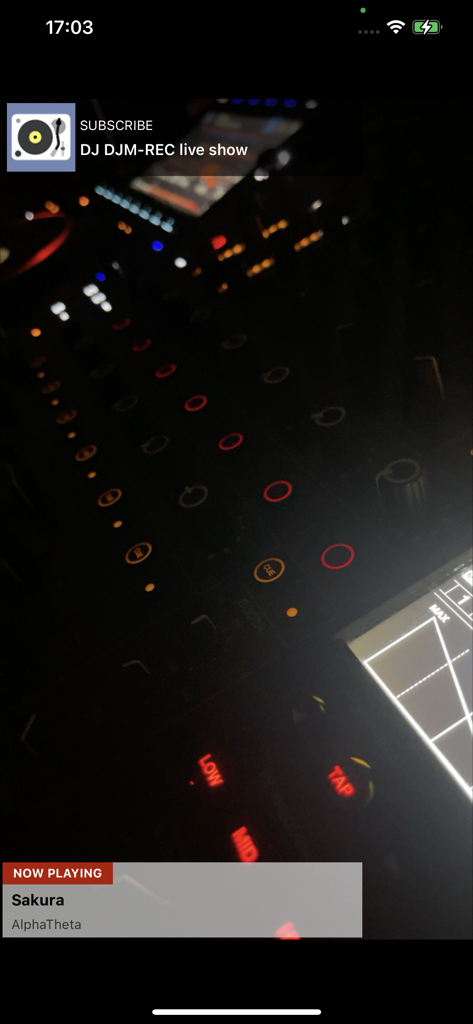
트랙 정보와 전문 DJ 믹서를 표시하는 DJM-REC 앱의 라이브 쇼 인터페이스

트랙 정보와 전문 DJ 믹서를 표시하는 DJM-REC 앱의 라이브 쇼 인터페이스

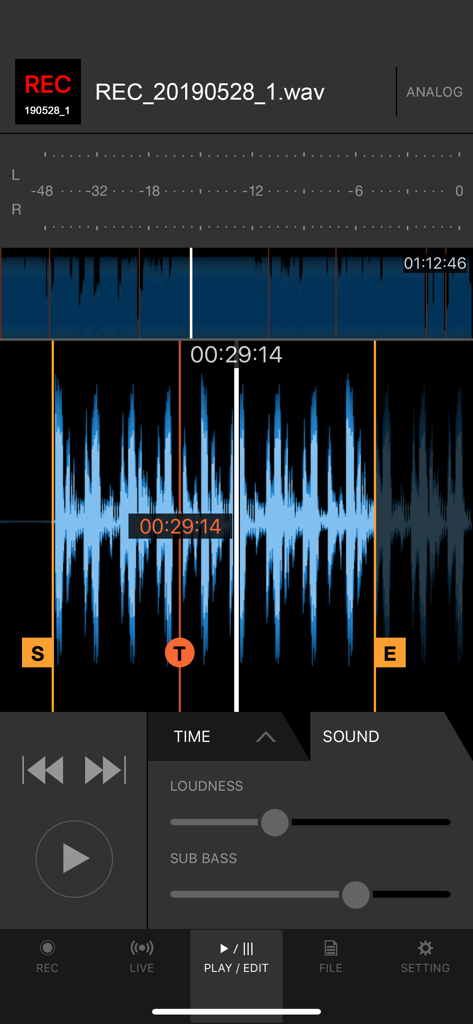
녹음 편집을 위한 음량 및 서브 베이스 슬라이더가 있는 오디오 파형을 표시하는 DJM-REC 앱 인터페이스

녹음 편집을 위한 음량 및 서브 베이스 슬라이더가 있는 오디오 파형을 표시하는 DJM-REC 앱 인터페이스

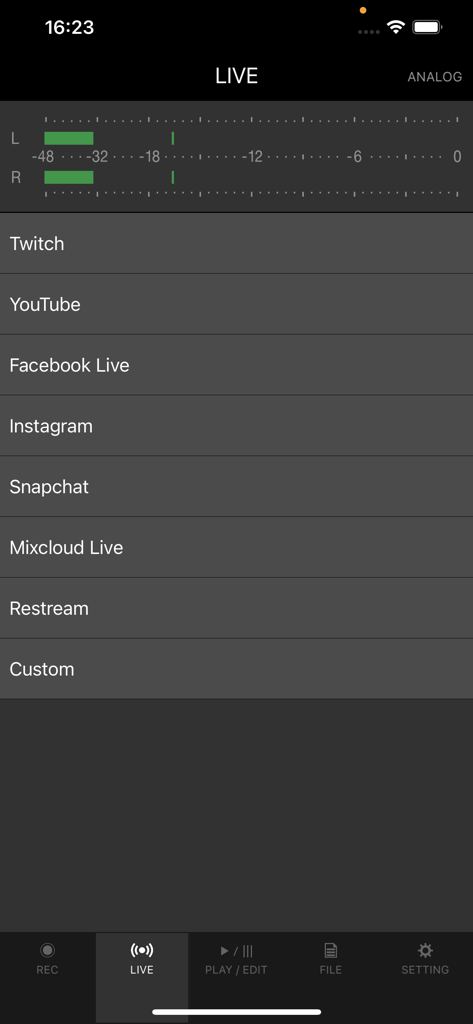
라이브 스트리밍 플랫폼 옵션과 오디오 레벨 미터를 보여주는 DJM-REC 앱 인터페이스

라이브 스트리밍 플랫폼 옵션과 오디오 레벨 미터를 보여주는 DJM-REC 앱 인터페이스

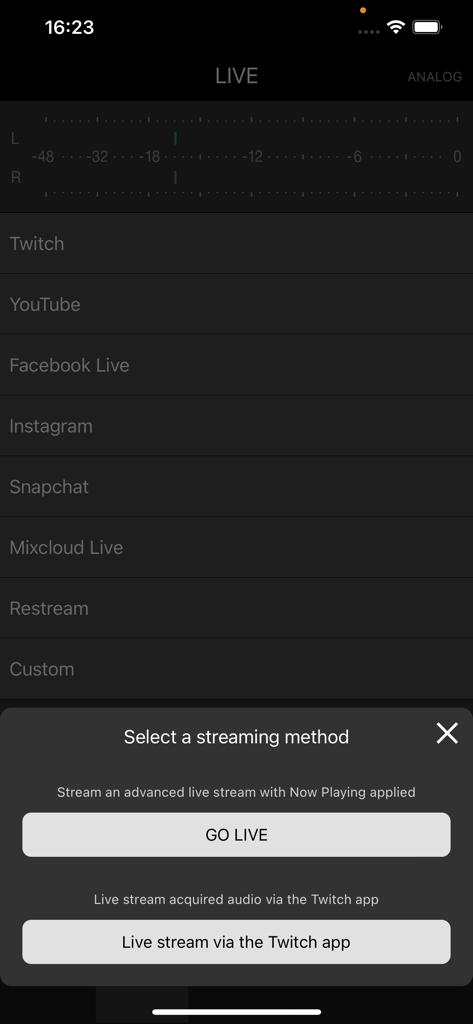
Twitch 및 YouTube와 같은 플랫폼으로 라이브 스트리밍 방법을 선택하는 DJM-REC 앱 화면

Twitch 및 YouTube와 같은 플랫폼으로 라이브 스트리밍 방법을 선택하는 DJM-REC 앱 화면

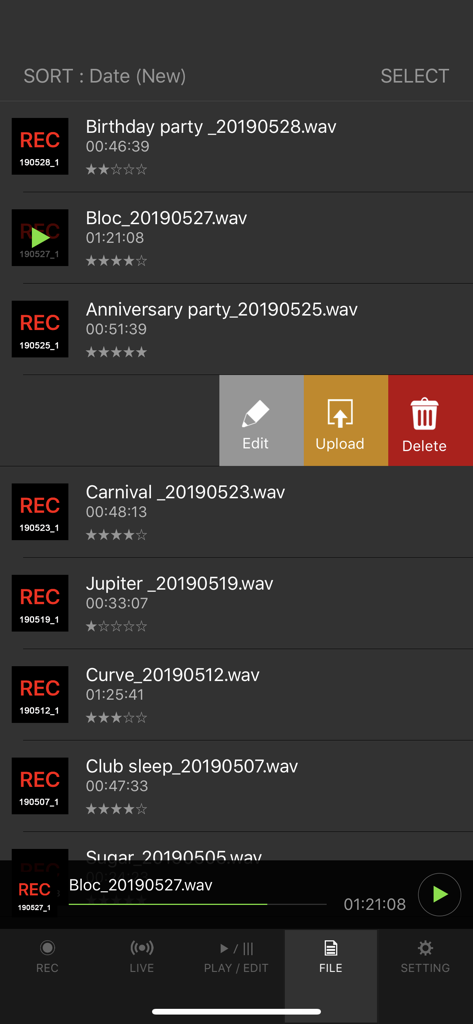
편집, 업로드 또는 삭제 옵션이 있는 DJM-REC 앱 인터페이스의 녹음된 DJ 세트 목록.

편집, 업로드 또는 삭제 옵션이 있는 DJM-REC 앱 인터페이스의 녹음된 DJ 세트 목록.

사운드를 포착하고 브랜드를 구축하세요

이 앱을 돋보이게 하는 도구, 66K+ 명의 사용자가 선택.

🎚️

스튜디오 품질 녹음

단일 USB 케이블로 깨끗한 디지털 대 디지털 오디오를 얻으세요. 내장된 리미터와 음량 처리를 통해 세트가 모든 스피커에서 전문적으로 들리도록 보장합니다.

📝

자동 트랙 목록 지정

믹스에 집중하세요, 서류 작업은 잊으세요. 앱은 트랙 변경을 자동으로 감지하고 타임스탬프가 찍힌 목록을 생성하여 팬들이 모든 트랙을 식별할 수 있도록 합니다.

🚀

즉시 글로벌 배포

완벽한 레벨로 Twitch 및 Instagram에서 라이브로 방송하거나, 중지 버튼을 누르자마자 완성된 세트를 SoundCloud 및 Mixcloud에 직접 업로드하세요.

전 세계 사용자들에게 사랑받는 앱

Trusted by 66K+ 명이 이 앱을 사랑합니다.

"

"팔로워를 늘리고 싶어하는 방구석 DJ로서 이 앱은 생명의 은인입니다. 단일 케이블 설정이 매우 간단하며 음질은 다른 모바일 녹음 솔루션보다 훨씬 뛰어납니다. 또한 자동 트랙 목록 지정 기능으로 매번 세션 후 몇 시간씩 작업하는 시간을 절약할 수 있습니다."

Alex Rivera
"

"전문가를 위한 놀라운 도구입니다. DJM-REC을 사용하여 라이브 세트를 Twitch로 직접 스트리밍합니다. 내장된 리미터는 오디오가 절대 피크되지 않도록 보장하며, DJM-V10과의 직접 연결은 제 청중이 기대하는 깨끗한 디지털 사운드를 제공합니다."

Sarah Jenkins

리뷰 분석

사용자 리뷰 인사이트.

감정 점수

32%
부정적

요약

The mobile app receives predominantly negative feedback from recent users, largely due to critical bugs following updates to iOS 26 (including versions like 26.1 and 26.2). Users frequently report issues with recordings being sped up, slowed down, distorted, or containing unwanted external noise, often rendering sets unusable; additional complaints include problems with SoundCloud uploads and file corruption. While the app is praised for its user-friendly interface and previously reliable recording functionality on older iOS versions (like iOS 17), many users express frustration over paying for an app that no longer works as intended and urgently request necessary updates and bug fixes.

주요 테마

Recording Quality(9)
User Interface(3)
App Stability(2)
Streaming & Uploads(2)
iOS Compatibility(2)
Value for Money(2)

앱 소개

에 대해 알아야 할 모든 것 DJM-REC: DJ live/recording app.

설명

Share your DJ sets in high quality with people around the world. DJM-REC makes live streaming and recording easy – simply download the app and connect your device to a DJ mixer via one cable to get started. All features are free for 30 days. ◇High-quality live streaming and DJ mix recording made simple ・Connect your iPhone/iPad and DJ mixer with a single USB cable. ・High-quality sound comes from the direct connection. ・Easily create great-sounding mixes with the limiter function, which prevents distortion, and a loudness processing function that improves sound pressure after you’ve finished recording. ◇Live streaming on various social networks ・Directly live stream to services such as Mixcloud Live and Restream from DJM-REC. ・Seamless integration with popular apps such as Twitch, YouTube, Facebook Live, Instagram and Snapchat. ・If you’re using supported DJ equipment, you can display track information (Artist/Title) on-screen in real time while you stream. ◇Share your mix right after recording it ・Just press the [Upload] button after you finish recording and your mix will be immediately uploaded to your chosen cloud service, such as Mixcloud, SoundCloud, or Dropbox. ・Make a tracklist effortlessly. DJM-REC automatically detects when you switch songs according to the fader position and records the timing of the track changeover in the description section. All you need to do then is enter the track names. ・If you’re using compatible DJ equipment that supports track info. DJM-REC can generate complete tracklists automatically timestamps and track names included, no manual input is required. ◇Try all features free now ・Use all the app’s features free for 30 days. ・You can buy the app anytime if you like it. ◇Other handy uses ・Use the recording function to convert analog records to digital files. ・Live stream and record with the built-in (or externally connected) microphone of an iPhone or iPad. ・Connect to an audio interface and live stream or record from a DJ controller. ◇Compatible with Pioneer DJ mixers The following DJ mixers are supported by DJM-REC. ・DJM-V10 ・DJM-V10-LF ・DJM-TOUR1 ・DJM-A9 ・DJM-900NXS2 ・DJM-750MK2 ・DJM-450 *Make sure the mixer’s firmware has been updated to the latest version before use. https://www.pioneerdj.com/support/software/ ◇Supported DJ equipment combinations for track info (Artist/Title): DJ Players: ・CDJ-3000X ・CDJ-3000 DJ Mixers: ・DJM-V10 ・DJM-V10-LF ・DJM-A9 ◇ Supported Audio Formats for Recording ・WAV 44.1kHz ・WAV 48kHz ・AAC 64kbps ・AAC 128kbps ・AAC 192kbps ・AAC 256kbps ・AAC 320kbps For WAV files, the maximum recording time is approximately 6 hours. Please use AAC for recordings longer than 6 hours. Pioneer DJ website [https://www.pioneerdj.com/]. DJM-REC web page [https://www.pioneerdj.com/product/software/djm-rec/dj-app/overview/].

최신 버전

1.5.8

크기

66.2 MB

출시일

2018년 1월 11일

최고의 세트를 프로 수준의 릴리스로 만드세요

왜곡된 부스 녹음에 만족하지 마세요. Pioneer DJ 믹서를 연결하고 30일 무료 평가판을 시작하여 전 세계와 즉시 고음질 사운드를 공유하세요.

다운로드: App Store