Docusign - Upload & Sign Docs

Docusign - Upload & Sign Docs

다운로드: App Store다운로드: Google Play
Spark by MWM logo
로고: Docusign - Upload & Sign Docs

Docusign: 어디서든 문서에 서명하고 발송하는 세계 1위 방식

안전하고 법적 효력이 있는 전자 서명을 위해 Docusign을 신뢰하는 수백만 명의 전문가와 함께하세요. 무료로 서명하고, 실시간으로 진행 상황을 추적하고, 모바일 기기에서 바로 거래를 더 빠르게 성사시키세요.

다운로드: App Store

개발사

Docusign

카테고리

Productivity

다운로드

20M+

사용자 평점

4.9/5

총 평가 수

1M+

지원 언어

12

효율성을 실제로 확인하세요

이 인터페이스를 사용하는 20M+ 명의 사용자.

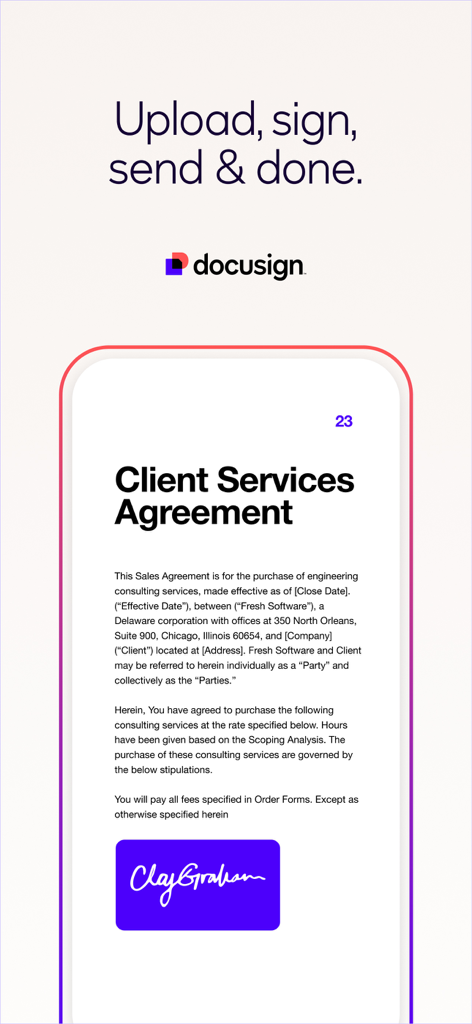
스마트폰에서 서명된 고객 서비스 계약서를 보여주는 Docusign 모바일 앱 인터페이스

스마트폰에서 서명된 고객 서비스 계약서를 보여주는 Docusign 모바일 앱 인터페이스

연결된 계약서 텍스트와 겹치는 원형 그래픽이 있는 Docusign 앱 소개 화면

연결된 계약서 텍스트와 겹치는 원형 그래픽이 있는 Docusign 앱 소개 화면

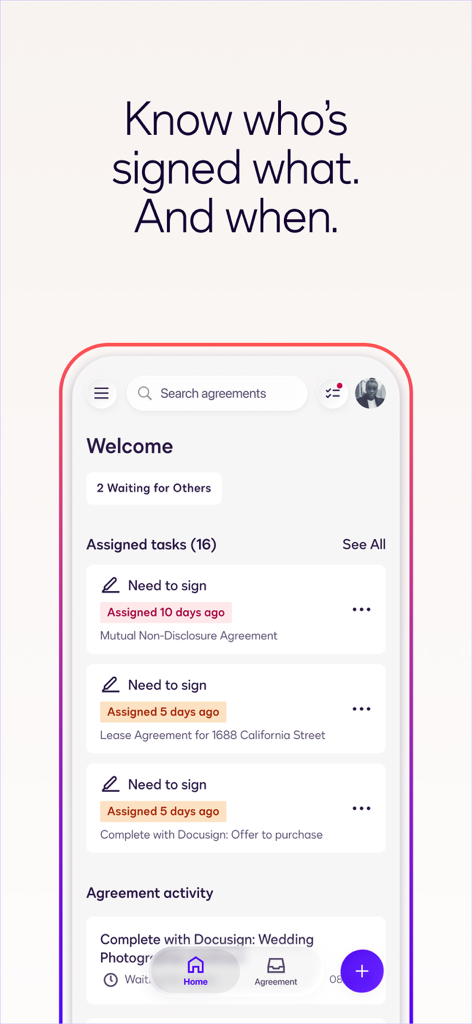
문서 서명 상태 및 할당된 작업 추적을 보여주는 대시보드가 있는 Docusign 모바일 앱 인터페이스

문서 서명 상태 및 할당된 작업 추적을 보여주는 대시보드가 있는 Docusign 모바일 앱 인터페이스

스타일화된 흰색 서명이 보라색 배경에 있는 전자 서명 문구 Sign electronically Keep it real이 포함된 Docusign 모바일 앱 화면

스타일화된 흰색 서명이 보라색 배경에 있는 전자 서명 문구 Sign electronically Keep it real이 포함된 Docusign 모바일 앱 화면

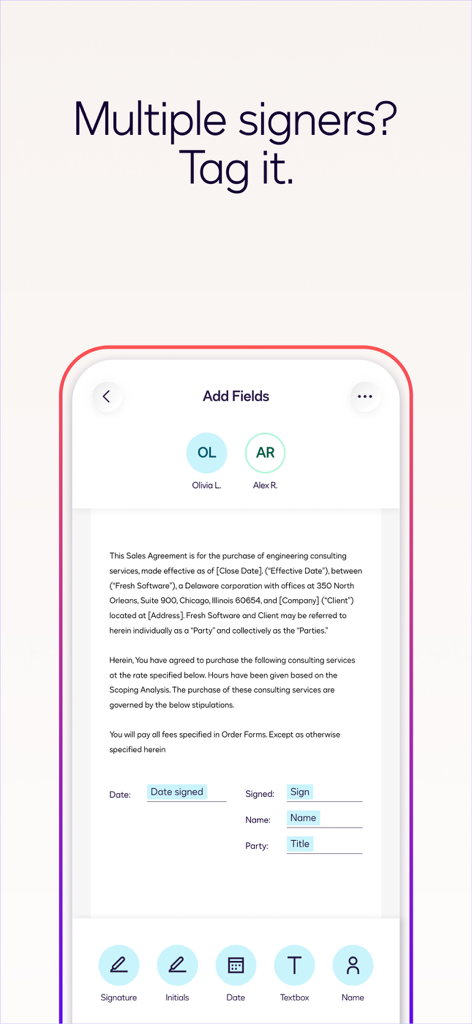
여러 서명자를 위한 서명 및 날짜와 같은 필드가 있는 판매 계약서를 보여주는 Docusign 모바일 앱 인터페이스

여러 서명자를 위한 서명 및 날짜와 같은 필드가 있는 판매 계약서를 보여주는 Docusign 모바일 앱 인터페이스

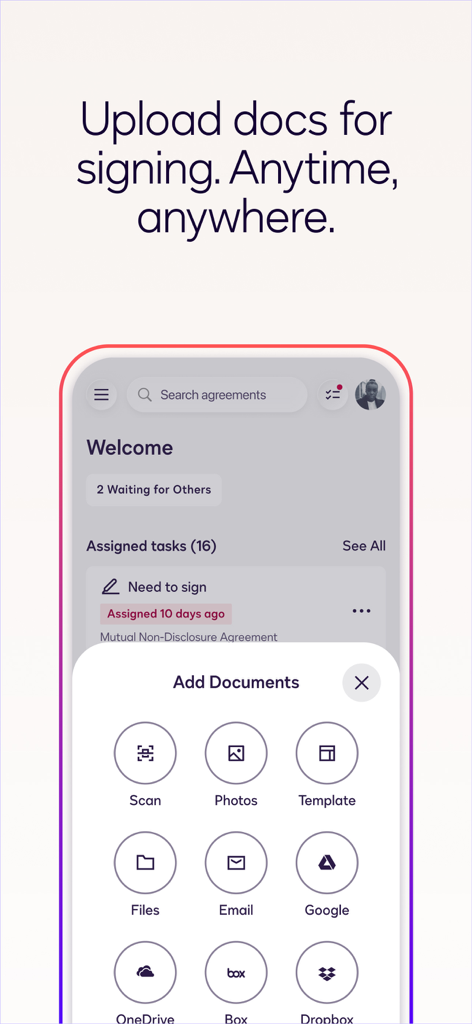
클라우드 저장소 및 사진 스캔과 같은 다양한 소스에서 문서를 추가하는 옵션을 보여주는 Docusign 모바일 앱 인터페이스

클라우드 저장소 및 사진 스캔과 같은 다양한 소스에서 문서를 추가하는 옵션을 보여주는 Docusign 모바일 앱 인터페이스

번거로움 없는 계약, 어디서든

이 앱을 돋보이게 하는 도구, 20M+ 명의 사용자가 선택.

📱

언제 어디서든 서명하세요

프린터가 없으신가요? 문제없습니다. 이동 중에도 모바일 기기에서 즉시 PDF, 계약서, 양식에 전자 서명하세요.

🔒

법적 효력 및 보안

은행 등급 암호화 및 전체 감사 추적으로 안심하세요. 모든 서명은 최고의 법적 보호를 위해 eSign Act를 준수합니다.

🔔

실시간 추적

거래가 지연되었는지 궁금해하지 마세요. 고객이 문서를 보거나 서명하는 즉시 푸시 알림을 받으세요.

전 세계 사용자들에게 사랑받는 앱

Trusted by 20M+ 명이 이 앱을 사랑합니다.

"

"이 앱은 제 부동산 사업에 정말 큰 도움이 됩니다. 매물을 보여주는 동안 iPad에서 계약서를 준비하고, 발송하고, 추적할 수 있습니다. 고객들은 휴대폰에서 서명하는 것이 얼마나 쉬운지 좋아하며, 전체 계약 완료 과정을 훨씬 빠르고 전문적으로 만들어 줍니다."

Sarah Jenkins, 공인 중개사
"

"Docusign을 사용하기 전에는 고객과의 계약 관리가 큰 골칫거리였습니다. Google Drive와의 통합은 완벽하며, 안전한 감사 추적은 저에게 완전한 마음의 평화를 줍니다. 덕분에 제 작은 컨설팅 회사가 매우 확고하고 신뢰할 수 있는 회사처럼 보입니다."

Marcus Thorne, 독립 컨설턴트

앱 소개

에 대해 알아야 할 모든 것 Docusign - Upload & Sign Docs.

설명

Docusign eSignature is the world’s #1 way for businesses and individuals to securely send and sign agreements from practically anywhere, at any time, from almost any device. The Docusign app is easy to use, includes unlimited free signing for all parties, and is trusted by millions of people worldwide. HOW DOCUSIGN WORKS | e-Sign PDFs, forms, and contracts on the go. • Step 1: Create your customized digital signature directly on your device. • Step 2: Upload documents easily via email, Google Drive, DropBox, Box, Evernote, Salesforce, or photo scanning. • Step 3: E-sign your documents for free with no monthly limit. STREAMLINED, SIMPLIFIED MANAGEMENT | Send and monitor agreements straight from your device. • Step 1: Import files to prepare and send them out for signature. • Step 2: Prepare your document with “Sign Here” tags that show precisely where to sign, initial, or add additional information and invite others to sign. • You can set the signing order and workflow for multiple signers. • Docusign supports both in-person and remote signing. • Responsive signing functionality automatically adapts documents for mobile to the size and orientation of the signer’s device. • Step 3: Remind signers to sign with a single tap or void a document that has already been sent for signature. • Step 4: Receive real-time push notifications when a document has been signed. E-SIGNATURE THROUGH DOCUSIGN IS LEGAL AND SECURE. Docusign’s complies with the eSign Act, which means: • Agreements are legally binding. • There is a complete audit trail to track who signed when and where. • Documents are encrypted; this is safer and more secure than paper. • Docusign is ISO 27001 SSAE16 compliant. Docusign’s free eSignature app supports multiple document types and formats, including: • PDF • Word • Excel • Images (JPEG, PNG, TIFF) • Text-Based Files Common documents to digitally sign with Docusign: • Non-disclosure agreements (NDAs) • Sales contracts and proposals • Health care documents • Financial agreements • Waivers • Permission slips • Lease agreements PREMIUM PLANS In addition to the free signing experience, Docusign offers advanced features through subscription plans: Business Pro Plan • Send documents out for signature. • Add logic and advanced fields to your most critical documents. • Automate your agreement process with bulk send, powerforms, comments and personalized branding. Standard Plan • Send documents out for signature. • Access to advanced fields including Docusign’s most popular. • Manage signing on-the-go. Remind, void, in-person signing, and reusable templates. Real Estate Plan • Send documents out for signature. • Powerful real estate features including zipForm Plus integration and web branding. • Managing signing on-the-go. Remind, void, in-person signing, and reusable templates. Personal Plan • Limited document sending. Send up to 5 documents monthly. • Access to essential fields. Request signature, date, and name. • Reusable templates so you can standardize your documents. Email your questions or feedback to: mobilefeedback@docusign.com Find out more about Docusign and electronic signatures: https://www.docusign.com/products/electronic-signature/how-docusign-works Subscription Plan Information: • Payment is charged to iTunes Account at the time a user confirms purchase. • Subscriptions automatically renew unless auto-renew is turned off at least 24 hours before the end of the current period. Account will be charged for renewal within 24-hours prior to the end of the current period, and identify the cost of the renewal. • Subscriptions may be managed by the user and auto-renewal may be turned off by going to the user's account settings after purchase. • Cancellation of the current subscription is not allowed during the active subscription period. Privacy Policy: https://www.docusign.com/privacy/ Agreements and Terms: https://www.docusign.com/legal/agreements/

최신 버전

3.41.1

크기

89.1 MB

출시일

2011년 11월 1일

더 스마트하게 서명하고 더 빠르게 거래를 성사시킬 준비가 되셨나요?

이동 중에도 안전하고 법적 효력이 있는 계약을 위해 전 세계 1위 전자 서명 앱을 신뢰하는 2천만 명 이상의 전문가와 함께하세요.

다운로드: App Store다운로드: Google Play
FAQ

자주 묻는 질문

에 대해 알아야 할 모든 것 Docusign - Upload & Sign Docs
How do I create a digital signature with the Docusign app?

네, Docusign을 사용하면 기기에서 직접 맞춤 디지털 서명을 만들 수 있습니다. 이는 Docusign 앱 내에서 문서를 전자 서명하는 첫 번째 단계입니다.

What types of documents can Docusign eSignature support?

Docusign의 무료 전자 서명 앱은 PDF, Word, Excel, 다양한 이미지 형식(JPEG, PNG, TIFF) 및 텍스트 기반 파일을 지원합니다. 일반적인 문서에는 NDA, 판매 계약 및 의료 문서가 포함됩니다.

Is Docusign eSignature legally binding?

네, Docusign 전자 서명은 법적 구속력이 있습니다. Docusign은 eSign Act를 준수하므로 플랫폼을 통해 서명된 계약은 완전한 법적 유효성과 집행 가능성을 갖습니다.

Can I send documents for signature using the Docusign app?

네, Docusign 앱을 사용하여 서명을 위해 문서를 보낼 수 있습니다. 사용자는 파일을 가져오고 "Sign Here" 태그로 준비한 다음 수신자에게 전자 서명을 위해 기기에서 보냅니다.

Does Docusign provide real-time notifications for signed documents?

네, Docusign은 실시간 푸시 알림을 제공합니다. 서명을 위해 보낸 문서가 수신자에 의해 성공적으로 서명되었을 때 이러한 알림을 즉시 받습니다.

What security measures does Docusign use for electronic signatures?

Docusign은 문서를 암호화하고 완전한 감사 추적을 유지하며 ISO 27001 SSAE16 표준을 준수하여 전자 서명을 보호하며 종이보다 안전한 프로세스를 제공합니다.

How much does Docusign cost? Are there free options?

Docusign은 문서를 받는 모든 당사자에게 무제한 무료 서명을 제공합니다. 보내는 기능 및 고급 기능의 경우 월 5개의 문서를 최대 5개까지 사용할 수 있는 Personal Plan을 포함한 프리미엄 구독 플랜을 사용할 수 있습니다.

Can I upload documents from cloud storage services to Docusign?

네, Docusign에 다양한 클라우드 스토리지 서비스의 문서를 업로드할 수 있습니다. 지원되는 서비스에는 이메일 및 사진 스캔 외에도 Google Drive, DropBox, Box, Evernote 및 Salesforce가 포함됩니다.

Does Docusign allow setting a signing order for multiple signers?

네, Docusign을 사용하면 특정 서명 순서를 설정할 수 있습니다. 이 기능을 통해 여러 서명자가 있는 문서가 미리 정의된 워크플로를 따르고 올바른 순서로 서명을 수집하도록 합니다.

What is the Docusign Personal Plan?

Docusign Personal Plan은 월 최대 5개의 문서를 보내기 위한 프리미엄 구독입니다. 서명, 날짜, 이름과 같은 필수 필드에 대한 액세스와 문서 표준화를 위한 재사용 가능한 템플릿이 포함됩니다.