Drafts

Drafts

다운로드: App Store
Spark by MWM logo
로고: Drafts

Drafts: 텍스트가 시작되고 행동이 시작되는 곳

당신의 뇌를 위한 수상 경력에 빛나는 초고속 받은 편지함. iPhone, Mac 또는 Apple Watch에서 아이디어를 즉시 캡처하고 마찰 없이 이메일, 작업 또는 AI 기반 통찰력으로 변환하세요.

개발사

Agile Tortoise

카테고리

Productivity

다운로드

707K+

사용자 평점

4.8/5

총 평가 수

12K+

지원 언어

1

속도를 실제로 확인하세요

이 인터페이스를 사용하는 707K+ 명의 사용자.

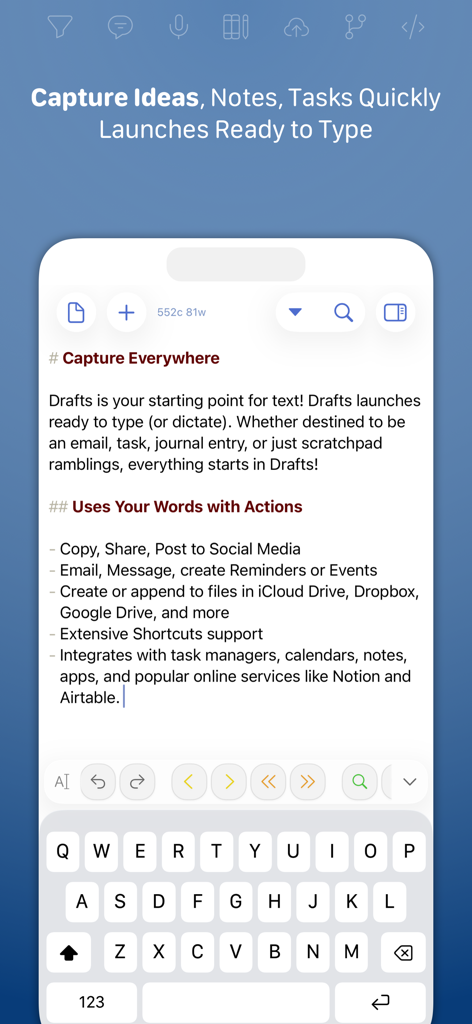
키보드가 입력 준비 상태인 빠른 캡처 화면을 보여주는 Drafts 앱 인터페이스.

키보드가 입력 준비 상태인 빠른 캡처 화면을 보여주는 Drafts 앱 인터페이스.

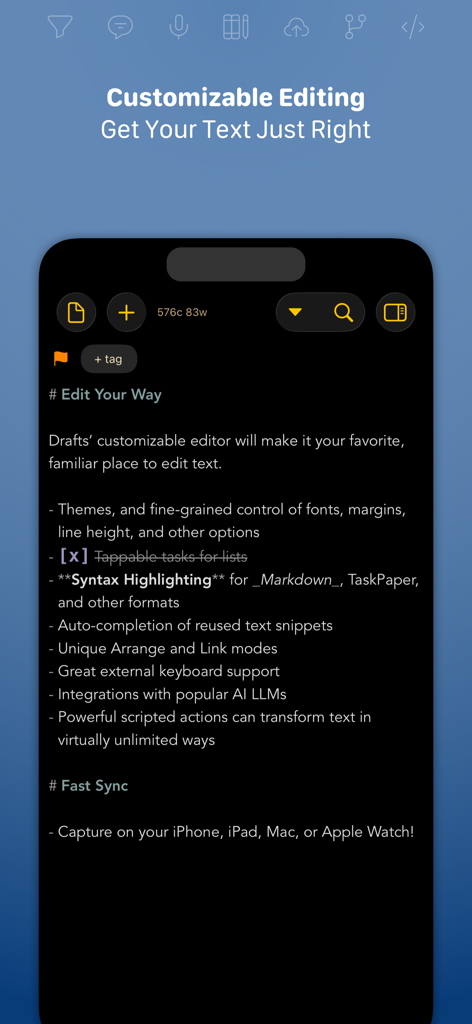
Markdown 구문 강조 및 자동화 기능이 있는 사용자 지정 가능한 텍스트 편집기를 보여주는 Drafts 앱의 스크린샷.

Markdown 구문 강조 및 자동화 기능이 있는 사용자 지정 가능한 텍스트 편집기를 보여주는 Drafts 앱의 스크린샷.

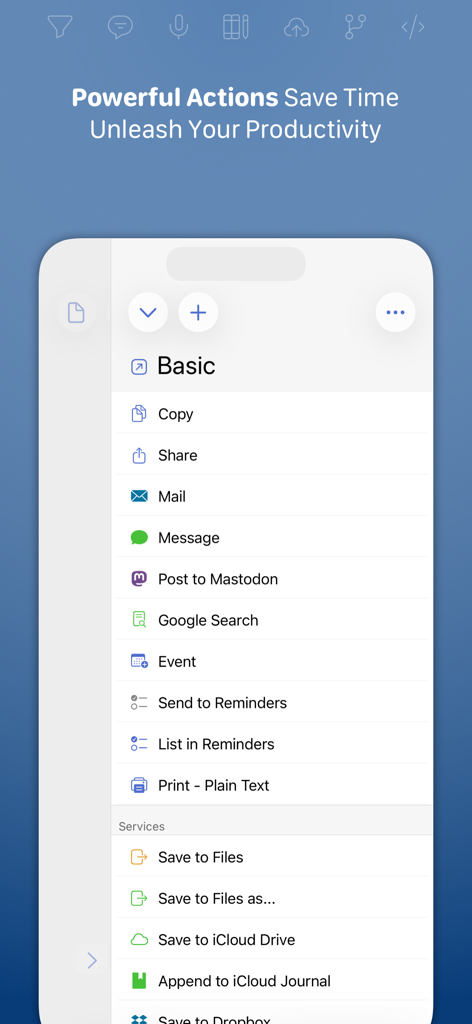
텍스트를 다른 앱 및 서비스로 내보내는 작업 목록을 보여주는 Drafts 앱의 스크린샷.

텍스트를 다른 앱 및 서비스로 내보내는 작업 목록을 보여주는 Drafts 앱의 스크린샷.

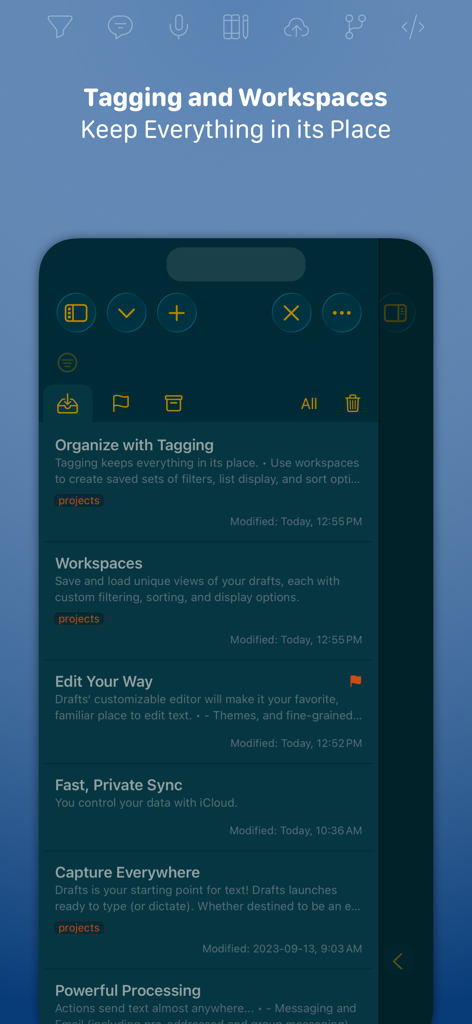
노트 구성을 위한 태그 지정 및 작업 공간을 표시하는 Drafts 앱 인터페이스

노트 구성을 위한 태그 지정 및 작업 공간을 표시하는 Drafts 앱 인터페이스

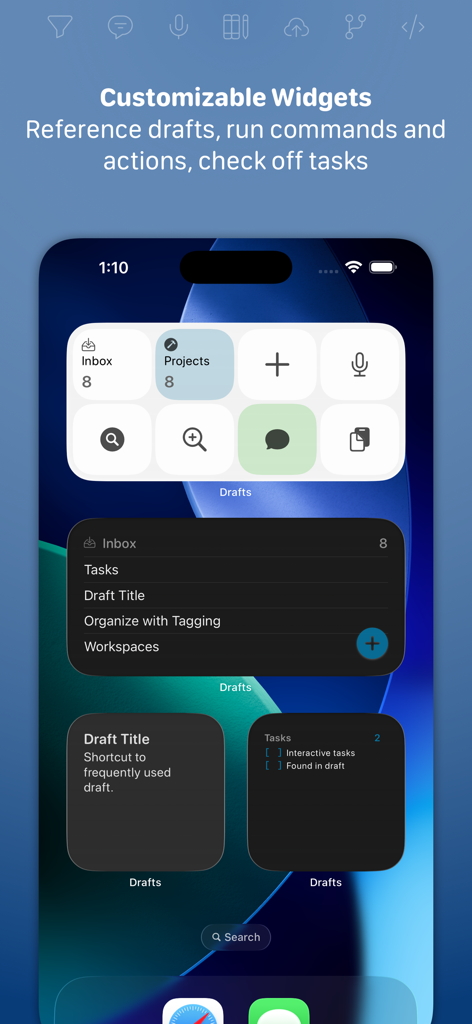
빠른 캡처 및 작업 관리 도구를 표시하는 iPhone 홈 화면의 Drafts 앱 사용자 지정 가능한 위젯

빠른 캡처 및 작업 관리 도구를 표시하는 iPhone 홈 화면의 Drafts 앱 사용자 지정 가능한 위젯

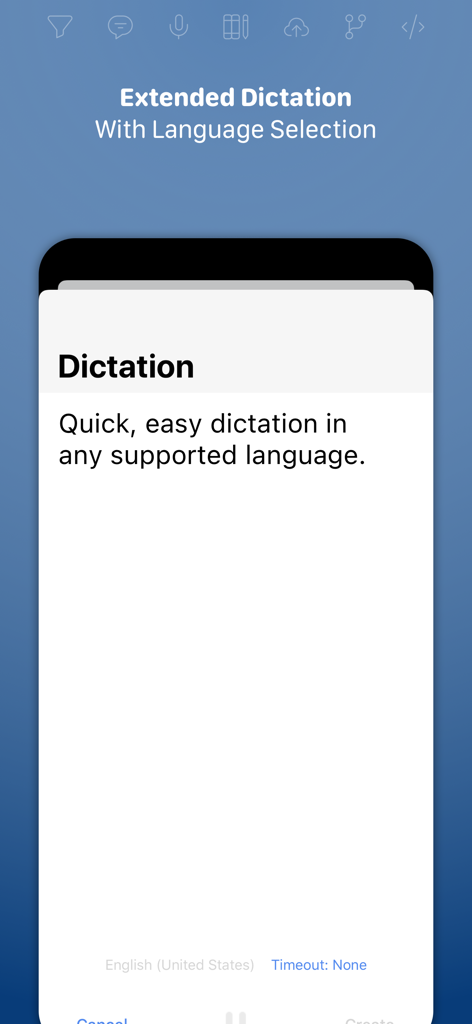
다국어 지원을 포함한 확장 받아쓰기 기능을 보여주는 Drafts 앱의 스크린샷.

다국어 지원을 포함한 확장 받아쓰기 기능을 보여주는 Drafts 앱의 스크린샷.

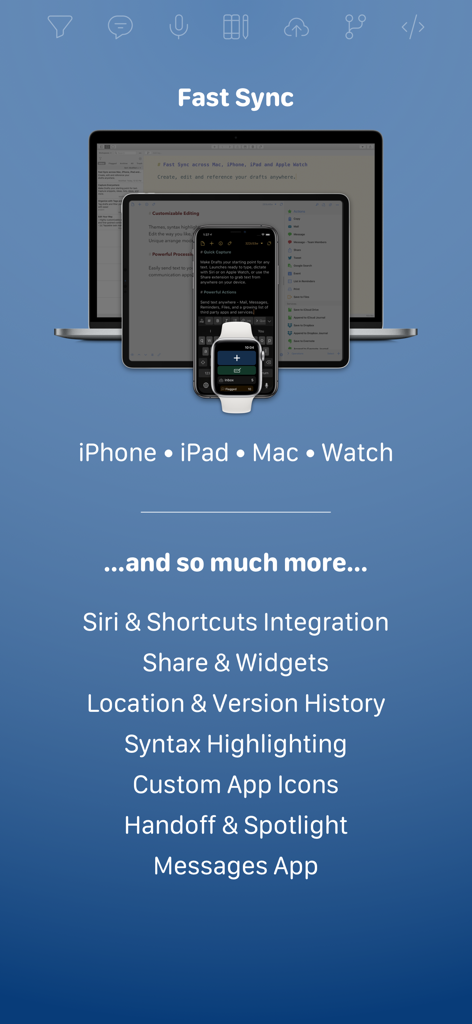
빠른 동기화 및 주요 생산성 기능을 보여주는 iPhone, iPad, Mac 및 Apple Watch에서 동기화된 Drafts 앱 인터페이스

빠른 동기화 및 주요 생산성 기능을 보여주는 iPhone, iPad, Mac 및 Apple Watch에서 동기화된 Drafts 앱 인터페이스

두뇌 받은 편지함 마스터하기

이 앱을 돋보이게 하는 도구, 707K+ 명의 사용자가 선택.

쓰기를 위해 실행

앱이 즉시 빈 페이지로 열리고 키보드가 준비됩니다. 폴더나 메뉴를 뒤지지 않고도 수십억 달러짜리 아이디어가 사라지기 전에 캡처하세요.

🚀

원탭 자동화

복사 및 붙여넣기를 중지하세요. 강력한 작업을 사용하여 Notion, Slack, Obsidian 또는 이메일로 직접 텍스트를 보냅니다. 한 번 작성하고 모든 곳에 게시하세요.

항상 손이 닿는 곳에

Apple Watch의 핸즈프리 받아쓰기부터 Mac의 심층 작업 편집까지, 생각은 전체 전문 생태계에서 완벽하게 동기화됩니다.

전 세계 사용자들에게 사랑받는 앱

Trusted by 707K+ 명이 이 앱을 사랑합니다.

"

"Drafts는 창의적인 아이디어를 갖는 것과 그것을 캡처하는 것 사이의 마찰을 완전히 제거했습니다. 탐색 때문에 생각을 잃지 않도록 즉시 빈 페이지로 열리는 것이 좋습니다. 사용자 지정 작업을 통해 내 글을 CMS 또는 소셜 미디어로 직접 푸시하는 기능은 전체 게시 워크플로를 변환했습니다."

Elena Vance, 선임 콘텐츠 전략가
"

"'두 번째 뇌 구축' 방법론의 신봉자로서 Drafts는 제 필수적인 범용 받은 편지함입니다. Apple Watch 통합은 세계 최고 수준입니다. 이동 중에 작업을 받아쓰면 심층 작업 세션을 시작할 때쯤 Mac 및 iPad에서 완벽하게 동기화됩니다. 고속 생산성을 위한 최고의 도구입니다."

Marcus Thorne, 기술 프로젝트 관리자

앱 소개

에 대해 알아야 할 모든 것 Drafts.

설명

Drafts is where text starts. Quickly capture text and send it almost anywhere! Drafts turns text into action with almost limitless possibilities – it’s a quick notebook, handy editor, and writing automation tool, all in one. Capture all of your text in Drafts and send it to other apps without the extra taps. Just open it and start typing! **Drafts is a multi-award winner!** - App of the Day, TIME Magazine’s Best Apps - MacStories “Lifetime Acheivement” and “Reader’s Choice” Awards ## WHY YOU’LL LOVE DRAFTS ## CAPTURE EVERYWHERE: Drafts opens to a new page with the keyboard ready — just waiting for your words. Alternatively, go hands-free with dictation. Drafts helps you write ideas down before you can forget them so and they’ll always be there, ready and waiting. Capture on iPhone, iPad, Mac, and Apple Watch, and Drafts’ fast sync will make your text available everywhere. USE YOUR WORDS: Drafts is a jumping-off point for text — use actions to copy it, share it, or deep-link into other apps and services. Compose a tweet, draft a message, create a file in Dropbox, send a task off to Reminders – Drafts works with tons of your favorite apps and services. Hone your text through integrations with popular AI LLMs. REMEMBER IT NOW – OR LATER: New entries go into the Inbox. Once there, you can Tag them for organization, Flag them for importance, or Archive them for long-term storage. TAKE TEXT TO A NEW LEVEL: Customize Drafts to look and work the way you want with tons of interface adjustments — custom fonts and control over spacing, line height, and margins. Use the customizable buttons above the keyboard to convert, manipulate, and transform your writing quickly. Using Drafts as a global inbox for all of your text? Process everything quickly using unique features like Link Mode, Arrange Mode, and text manipulation actions. LEVERAGE THE POWER OF YOUR WRIST COMPUTER: Use your Apple Watch to quickly capture text using nothing more than your voice — and your ideas will be waiting on your iPhone, iPad, and Mac ready to be fleshed out. GETTING WORDS DOWN HAS NEVER BEEN EASIER: Drafts opens lightning fast and with support for capture via Siri, the widget, share extension, file import, and dictation - Drafts is like post-its updated for the smartphone era. ## JOIN THE COMMUNITY ## Check out our Directory (actions.getdrafts.com) for ready-to-use actions and themes. Join the Drafts Community (forums.getdrafts.com) to get help, integration guides, and a regular flow of tips & tricks. ## DRAFTS PRO ## Drafts is always free to use, but you can get more out of Drafts with a Drafts Pro subscription: • Create and Edit Actions • Themes and Icons - suit the experience to your tastes with themes, custom app icons, and more • Workspaces - Apply preferred tag, query, and sort settings for your drafts list with Workspaces • Extra widgets and better share extension options • Enhanced Automation We are always working hard to expand the capabilities of Drafts and keep it up-to-date with the latest technologies. Your support helps keep the app growing – thank you to Drafts Pro subscribers! ## SUBSCRIPTION DETAILS ## • Monthly and annual subscriptions are available • Payment will be charged to your iTunes account at confirmation of purchase • Your subscription will automatically renew unless auto-renew is disabled at least 24 hours before the end of the current subscription period • Automatic renewals will be charged at the same price you were originally charged for the subscription • Subscriptions can be managed or canceled by going to Account Settings on the App Store after purchase Have questions? Contact us on Twitter at @draftsapp or email support@getdrafts.com. Terms: https://getdrafts.com/support/terms Privacy Policy: https://getdrafts.com/support/privacy

최신 버전

50.0.2

크기

70.5 MB

출시일

2018년 4월 22일

당신의 최고의 작업이 시작되는 곳

마찰로 인해 아이디어를 잃지 마세요. 즉시 캡처하고 모든 것을 자동화하는 수천 명의 성과가 뛰어난 지식 근로자에 합류하세요. 지금 바로 iPhone, iPad, Mac 및 Apple Watch용 Drafts를 다운로드하세요.

다운로드: App Store