Dreamehome

Dreamehome

다운로드: App Store다운로드: Google Play
Spark by MWM logo
로고: Dreamehome

Dreamehome: 지능형 정밀함으로 집안 청결을 마스터하세요

고급 매핑, 맞춤형 예약 및 원격 액세스로 청소 로봇을 완벽하게 제어하세요. 시간을 되찾고 집안을 손쉽게 깨끗하게 유지하세요.

개발사

Dreame Innovation Technology (Suzhou) Co., Ltd.

카테고리

Utilities

다운로드

5M+

사용자 평점

4.8/5

총 평가 수

164K+

지원 언어

32

더 스마트한 보기

이 인터페이스를 사용하는 5M+ 명의 사용자.

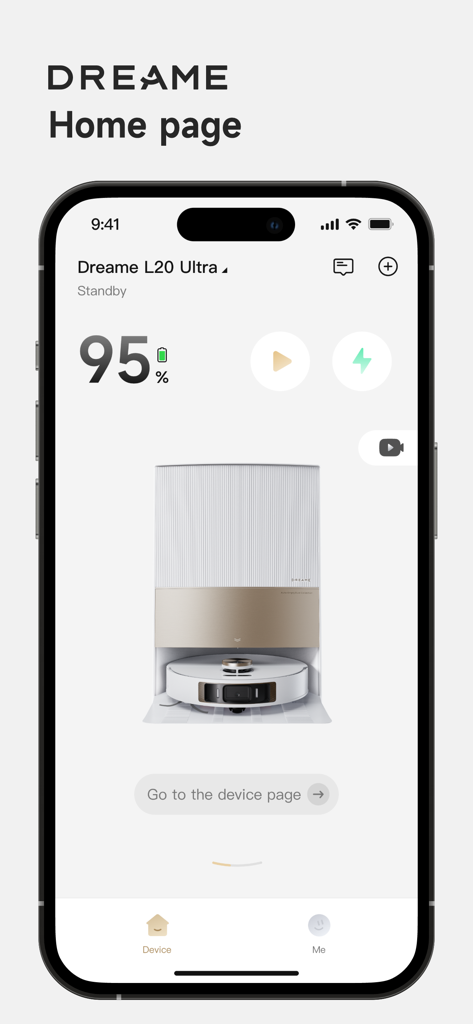
Dreamehome 앱 홈 페이지에 Dreame L20 Ultra 로봇 진공 청소기 상태 및 원격 제어가 표시됨

Dreamehome 앱 홈 페이지에 Dreame L20 Ultra 로봇 진공 청소기 상태 및 원격 제어가 표시됨

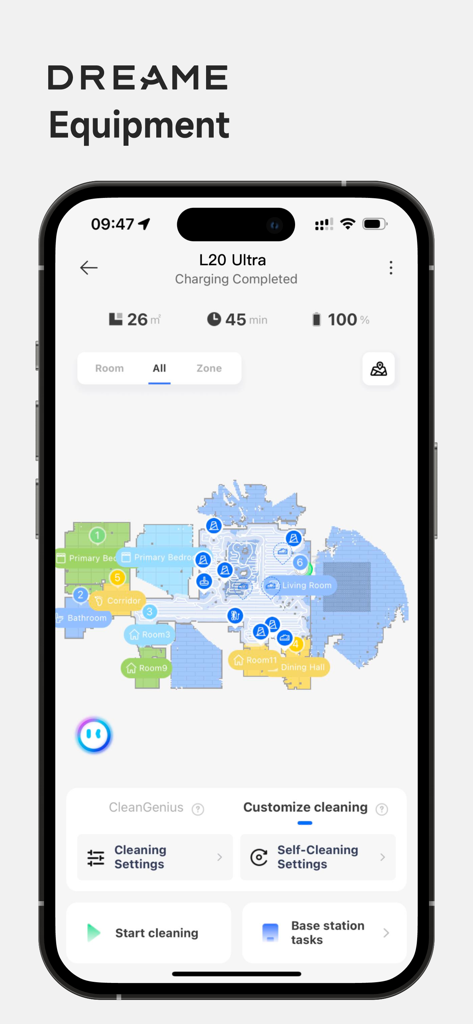
Dreamehome 앱 인터페이스에 상세한 집 지도와 로봇 진공 청소기 청소 제어가 표시됨

Dreamehome 앱 인터페이스에 상세한 집 지도와 로봇 진공 청소기 청소 제어가 표시됨

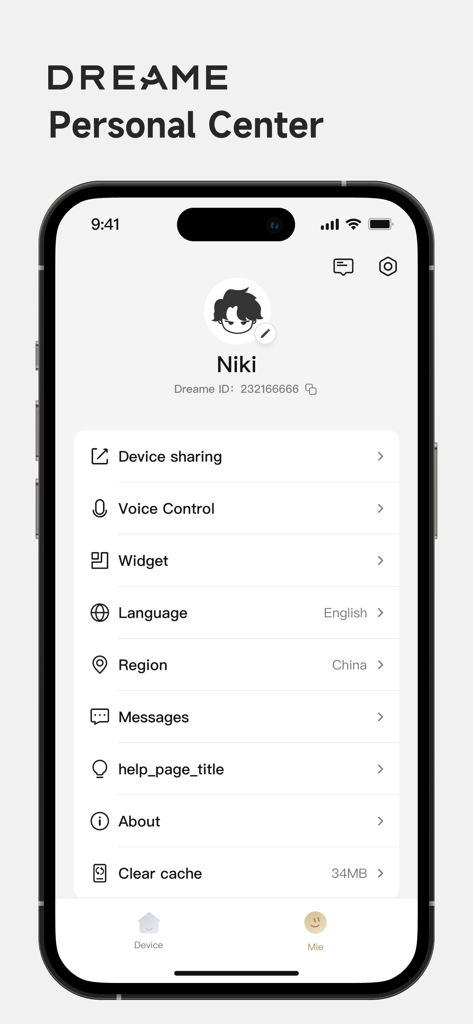
Dreamehome 앱 개인 센터 프로필 설정 화면에 기기 공유 및 음성 제어 옵션이 표시됨

Dreamehome 앱 개인 센터 프로필 설정 화면에 기기 공유 및 음성 제어 옵션이 표시됨

집안 청결을 완벽하게 제어하세요

이 앱을 돋보이게 하는 도구, 5M+ 명의 사용자가 선택.

📍

정밀 매핑 및 금지 구역

디지털 트윈으로 집을 시각화하세요. 특정 청소 구역을 설정하거나 반려동물 그릇 및 놀이 구역 주변에 경계를 그려 걱정 없이 맞춤형 청소를 하세요.

설정 후 잊어버리는 예약

특정 시간과 방을 선택하여 일상 루틴을 자동화하면 손가락 하나 까딱하지 않고 항상 깨끗한 집으로 돌아올 수 있습니다.

📱

원격 명령 및 음성 동기화

헬스장에서 Apple Watch로 청소 세션을 시작하거나 Alexa 및 Google Assistant를 사용하여 전 세계 어디에서나 집 생태계를 관리하세요.

전 세계 사용자들에게 사랑받는 앱

Trusted by 5M+ 명이 이 앱을 사랑합니다.

"

"두 명의 어린 자녀와 골든 리트리버를 키우는 집을 관리하는 것은 예전에는 전업과 같았습니다. Dreamehome을 사용하면서 일주일에 몇 시간씩 시간을 되찾았습니다. 금지 구역의 정밀함 덕분에 로봇이 아이들 놀이방을 방해하지 않으며, 매핑도 매우 정확합니다. 제가 사용해 본 스마트 홈 앱 중 가장 신뢰할 수 있습니다."

Sarah Jenkins, 마케팅 이사
"

"기술 애호가로서 저는 이 앱이 제공하는 제어 수준을 좋아합니다. 헬스장에 있는 동안 Apple Watch에서 주방을 빠르게 청소하도록 트리거할 수 있다는 것은 정말 대단한 일입니다. OTA 업데이트는 계속해서 가치를 더하고 있으며 Alexa 통합은 매우 매끄럽습니다. 진정으로 자동화된 집을 구축하려는 모든 사람에게 필수품입니다."

Marcus Thorne, 소프트웨어 엔지니어

앱 소개

에 대해 알아야 할 모든 것 Dreamehome.

설명

Dreamehome App is to manage Dreame Bot cleaning robots to do your home floor cleaning. Through the App , you may not only access to advanced functions of your robot for your daily home floor cleaning, but also set up preferred cleaning zones and time as you like. Now you could do your home floor cleaning at your hand with the help of Dreamehome. Remote Control: You could control and operate the robot like the machine staying with you, once the robot is connected to App. Whether you are outside home or far away from the robot at home, you would locate the robot in the map, adjust the parameters, check out the cleaning schedule etc. Device Information: With the App, you could explore the full functions of your robot, learn about the working status, get error or task messages, check the usage data of accessories etc. House Map: A cleaning map of your house will help your robot learn and understand the space of your home. By mapping, you could set up the cleaning task with the right rooms or areas for each cleaning task by Dreame robot. Cleaning by special area: When only a special small area needs a quick cleaning right away, the function cleaning by special area is exactly the right thing for you. No-Go Zone: If there is any area not to go for cleaning, a simple frame mark could give you a safe cleaning area. Cleaning Schedule: Set up the cleaning day and time, even the zones as you preferred so that your robot works at the right time for the right zone. Firmware OTA: OTA (Over The Air) technology will help you upgrade your robot software to the latest version. You would not miss any update from our continuous improvement and new function release. Voice control: After you finishing signing up the App and adding your robot, your device may work with Amazon Alexa and Google Assistant by an connecting operation. User Manual: You could find the electronic user manual as well as the FAQ for your robot. Device Sharing: One robot could be controlled among our family members by Device Sharing function via the App. Contact us: Email: aftersales@dreame.tech Website: www.dreametech.com

최신 버전

2.4.10

크기

262.9 MB

출시일

2021년 10월 21일

시간을 되찾을 준비가 되셨나요?

지금 Dreamehome 앱을 다운로드하여 청소를 자동화하고, 지도를 관리하고, 손가락 하나 까딱하지 않고 완벽한 집을 경험하세요.

다운로드: App Store다운로드: Google Play
FAQ

자주 묻는 질문

에 대해 알아야 할 모든 것 Dreamehome

Dreamehome 앱은 무엇에 사용되나요?

Dreamehome 앱은 Dreame Bot 청소 로봇을 관리합니다. 사용자는 선호하는 청소 구역 및 시간을 설정하는 것을 포함하여 홈 바닥 청소를 위한 고급 기능에 액세스할 수 있습니다.

Dreamehome 앱은 Dreame 로봇을 원격 제어할 수 있나요?

예, Dreamehome 앱은 원격 제어 기능을 제공합니다. 사용자는 로봇을 작동시키고, 지도상에서 위치를 파악하고, 매개변수를 조정하고, 어디서든 청소 일정을 확인할 수 있습니다.

Dreamehome 앱을 통해 Dreame 로봇에 음성 제어가 가능한가요?

예, Dreamehome 앱은 음성 제어를 지원합니다. 설정을 완료하면 Dreame 로봇이 Amazon Alexa 및 Google Assistant와 통합되어 음성 명령을 사용할 수 있습니다.

Dreamehome 앱은 특정 영역 청소를 어떻게 지원하나요?

Dreamehome 앱은 사용자가 집 지도를 만들어 특정 방이나 청소 작업을 위한 영역을 정의할 수 있도록 지원합니다. 또한 "특정 영역 청소" 기능도 있습니다.

Dreamehome 앱을 사용하여 Dreame 로봇에 금지 구역을 설정할 수 있나요?

예, Dreamehome 앱에는 "금지 구역" 기능이 포함되어 있습니다. 사용자는 지도상에 간단한 프레임으로 영역을 표시하여 Dreame Bot이 해당 영역에 진입하거나 청소하는 것을 방지할 수 있습니다.

한 명 이상의 사람이 Dreamehome 앱으로 Dreame 로봇을 제어할 수 있나요?

예, Dreamehome 앱은 "기기 공유" 기능을 제공합니다. 이 기능을 통해 여러 가족 구성원이 각자의 앱 계정을 통해 하나의 Dreame 로봇을 제어할 수 있습니다.

Dreamehome 앱은 Dreame 로봇의 소프트웨어 업데이트를 어떻게 처리하나요?

Dreamehome 앱은 펌웨어 OTA(Over The Air) 기술을 통해 로봇 소프트웨어 업데이트를 관리합니다. 이를 통해 로봇은 항상 최신 소프트웨어 버전과 새로운 기능을 유지할 수 있습니다.

Dreamehome 앱으로 청소 작업을 예약할 수 있나요?

예, Dreamehome 앱을 통해 사용자는 청소 예약을 설정할 수 있습니다. Dreame 로봇이 자동으로 작동하도록 청소 요일, 시간 및 특정 영역을 지정할 수 있습니다.

Dreamehome 앱은 내 로봇에 대한 어떤 기기 정보를 제공하나요?

Dreamehome 앱은 로봇의 작동 상태, 오류 메시지, 작업 메시지 및 액세서리 사용 데이터를 표시합니다. 또한 배터리 잔량 및 청소 시간도 표시합니다.