ES File Explorer

ES File Explorer

다운로드: App Store
Spark by MWM logo
로고: ES File Explorer

ES 파일 탐색기: 파일 관리를 위한 궁극의 파워 유저 명령 센터

클라우드 저장소, 원격 서버 및 로컬 파일을 한 곳에서 통합하세요. 코드 편집, 다중 형식 압축 및 원활한 크로스 플랫폼 전송을 위한 전문 도구로 기본 제한을 넘어서세요.

개발사

Beijing Xiaoxiong Bowang Technology Co., Ltd.

카테고리

Productivity

다운로드

15M+

사용자 평점

4.8/5

총 평가 수

282K+

지원 언어

24

완전한 제어의 엿보기

이 인터페이스를 사용하는 15M+ 명의 사용자.

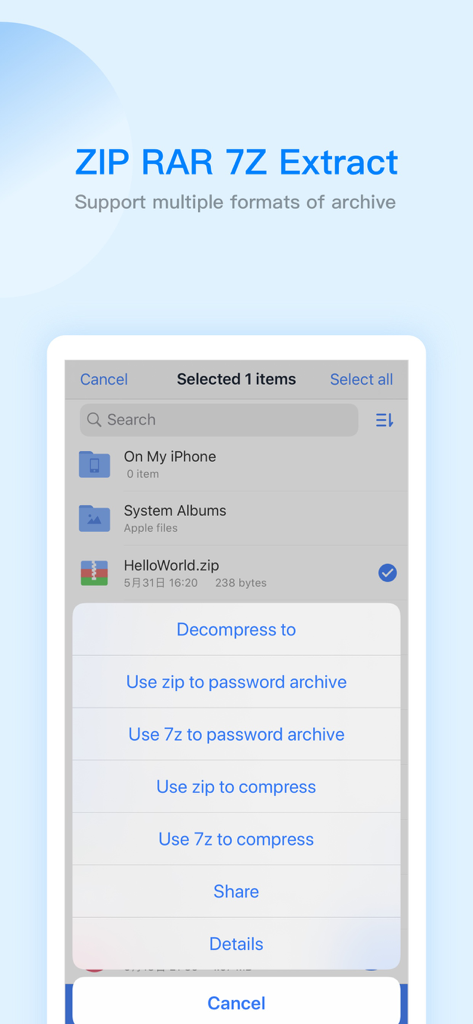
ES 파일 탐색기 인터페이스는 zip 및 7z 파일에 대한 압축 및 추출 옵션을 보여줍니다.

ES 파일 탐색기 인터페이스는 zip 및 7z 파일에 대한 압축 및 추출 옵션을 보여줍니다.

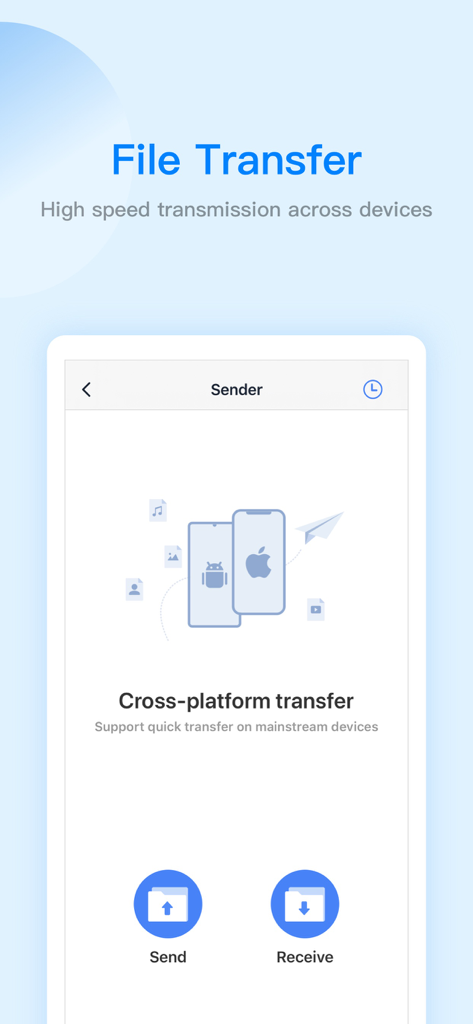
ES 파일 탐색기 앱 인터페이스는 iOS 및 Android에 대한 크로스 플랫폼 파일 전송 기능을 보여줍니다.

ES 파일 탐색기 앱 인터페이스는 iOS 및 Android에 대한 크로스 플랫폼 파일 전송 기능을 보여줍니다.

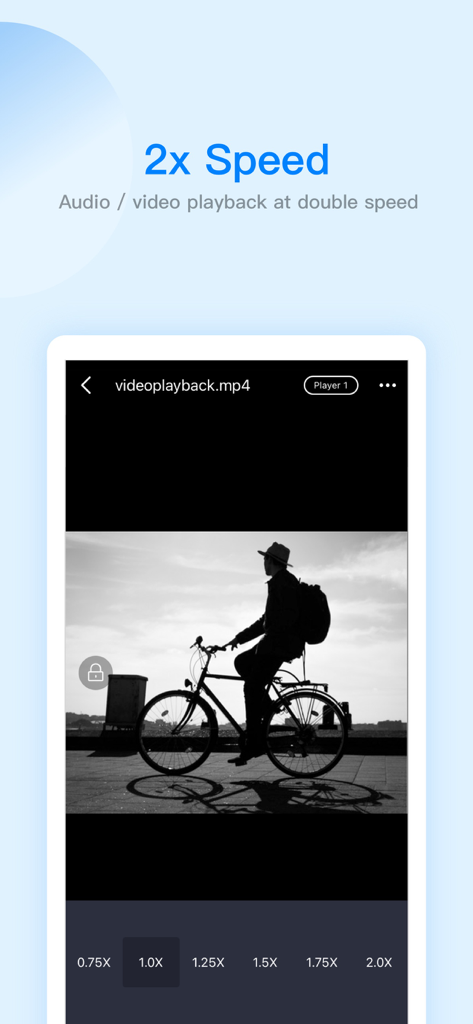
ES 파일 탐색기 인터페이스는 배속 옵션이 있는 비디오 재생을 보여줍니다.

ES 파일 탐색기 인터페이스는 배속 옵션이 있는 비디오 재생을 보여줍니다.

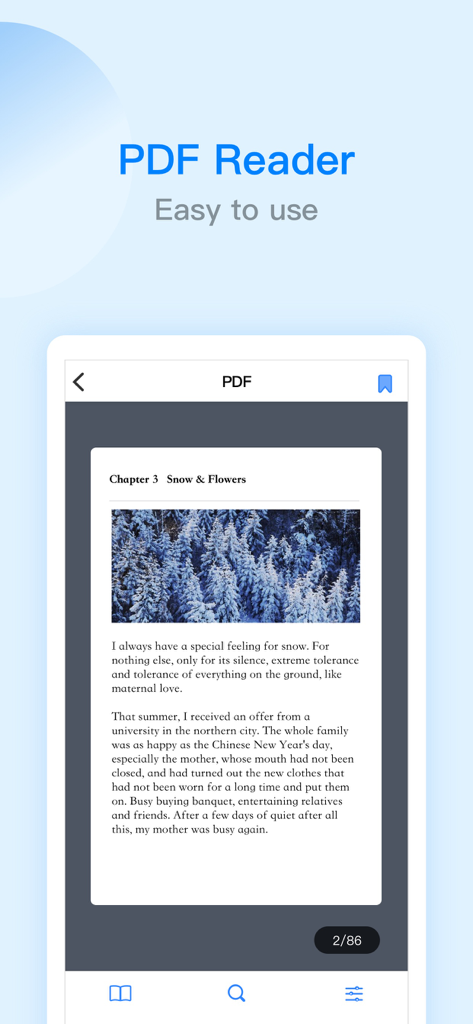
ES 파일 탐색기 모바일 앱 스크린샷은 텍스트와 눈 덮인 나무 이미지가 포함된 문서가 있는 사용하기 쉬운 PDF 리더 인터페이스를 보여줍니다.

ES 파일 탐색기 모바일 앱 스크린샷은 텍스트와 눈 덮인 나무 이미지가 포함된 문서가 있는 사용하기 쉬운 PDF 리더 인터페이스를 보여줍니다.

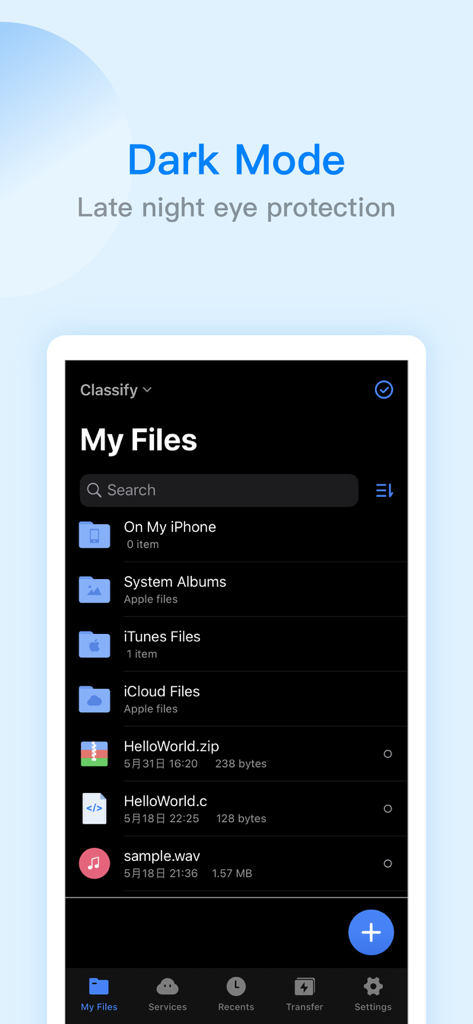
ES 파일 탐색기 iPhone 앱 인터페이스는 다크 모드로 내 파일 목록을 보여줍니다.

ES 파일 탐색기 iPhone 앱 인터페이스는 다크 모드로 내 파일 목록을 보여줍니다.

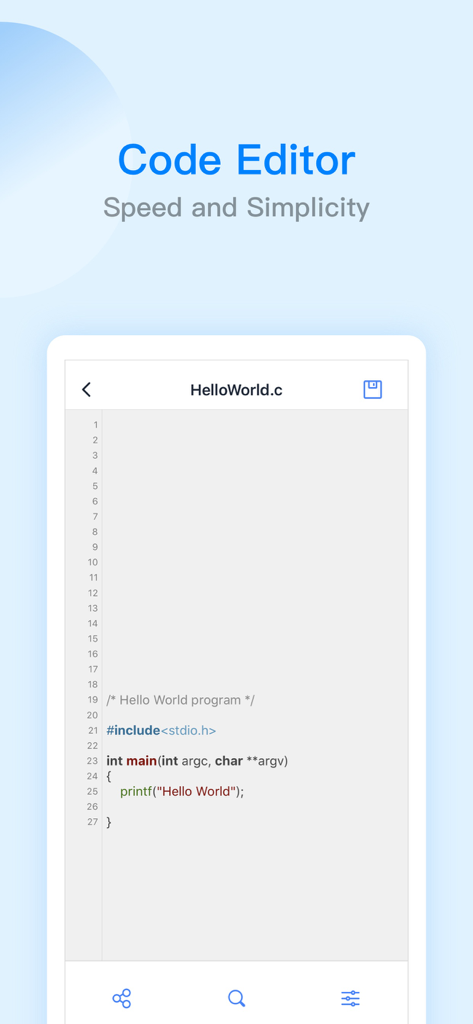
ES 파일 탐색기 앱 코드 편집기 인터페이스는 C 언어 hello world 프로그램을 표시합니다.

ES 파일 탐색기 앱 코드 편집기 인터페이스는 C 언어 hello world 프로그램을 표시합니다.

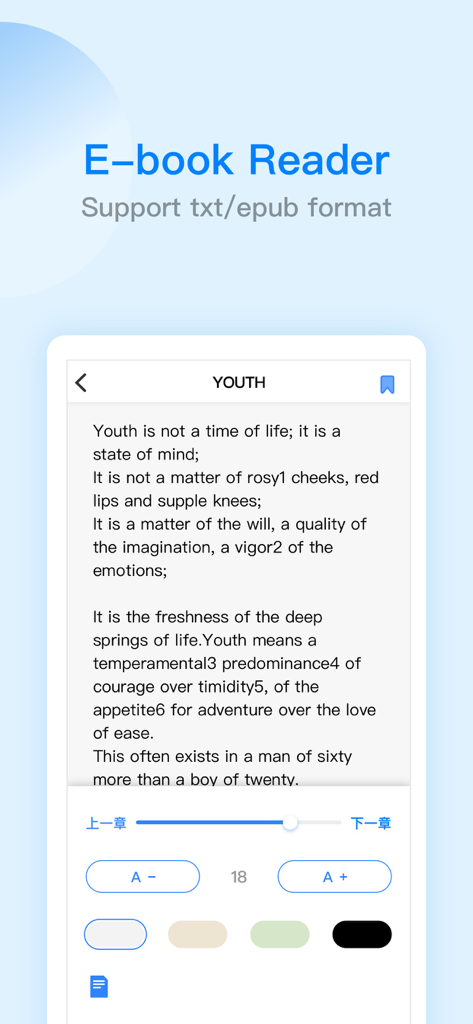
ES 파일 탐색기 전자책 리더 인터페이스는 txt 및 epub 형식을 지원합니다.

ES 파일 탐색기 전자책 리더 인터페이스는 txt 및 epub 형식을 지원합니다.

디지털 우주를 마스터하세요

이 앱을 돋보이게 하는 도구, 15M+ 명의 사용자가 선택.

☁️

통합 클라우드 & 원격 액세스

Google Drive, Dropbox, OneDrive를 가정용 SMB/FTP 서버와 함께 원활하고 전문적인 인터페이스에 통합하세요.

🛠️

프로급 생산성 스위트

47가지 코드 형식의 내장 편집기, 전체 PDF 주석 도구 및 고급 ZIP/RAR/7Z 아카이브 지원으로 저장 공간을 뛰어넘으세요.

고속 크로스 플랫폼 전송

iOS와 Windows 간의 격차를 즉시 해소하세요. AirDrop의 제한 없이 WiFi 또는 얼굴 간 전송을 통해 대용량 파일을 이동하세요.

전 세계 사용자들에게 사랑받는 앱

Trusted by 15M+ 명이 이 앱을 사랑합니다.

"

"ES 파일 탐색기는 제 크로스 플랫폼 워크플로우에 필요한 연결고리입니다. SMB를 통해 홈 서버에 액세스하고 단일 인터페이스에서 Google Drive 및 Dropbox를 관리할 수 있다는 것은 제 생산성에 있어 판도를 바꾸는 요소입니다. iPad가 진정한 데스크톱급 기기처럼 느껴지게 합니다."

Mark Sutherland, 프리랜서 개발자
"

"iOS에서 찾은 최고의 올인원 유틸리티입니다. 이동 중에 7Z 아카이브 압축 해제부터 코드 스니펫 편집까지 모든 것에 사용합니다. PDF 편집기 및 WiFi 전송 기능은 매우 안정적이어서 일상적인 연구 및 구성에 필수적인 도구입니다."

Elena Rodriguez, 대학원 연구원

앱 소개

에 대해 알아야 할 모든 것 ES File Explorer.

설명

ES File Explorer is a local and network file management tool that can help you manage files easily. 【The main function】 -File management You can create new directories, rename, move, delete files, etc. Support file sorting by name, date, size The iPad version supports features such as split screen, picture-in-picture, and drag-and-drop operations between apps - file transfer WiFi transmission function: support the transfer of files between the mobile terminal and the computer terminal Face-to-face fast transfer function: support for transferring files between mobile phones -Compress and decompress Support the compression and decompression of ZIP, RAR, 7Z format files Support Chinese password -Built-in audio and video player Support functions: double-speed playback (0.5~2.0), background playback, small window playback, etc. Can directly play audio and video resources in the network disk, local area, and local area network -Netdisk aggregation No need to download, you can access and use the files in the network disk Support simultaneous login with multiple accounts on the same network disk Support mainstream network disks such as Baidu network disk, google drive, OneDrive, dropbox, etc. -Remote service access: SMB, FTP, WebDAV -Built-in PDF editor Support PDF file browsing PDF file editing: supports highlight, underline, strikethrough, pen and other functions -Built-in novel reader Support TXT, EPUB format, continuous optimization -Built-in code editor Supports browsing and editing of 47 code formats such as json, js, log, java, php, swift, xml, net, etc. Support code theme switching, font size adjustment, encoding format adjustment -Other functions Automatic backup function: support incremental backup of system albums and ES local files to Baidu network disk, SMB, FTP, WebDAV Recycle bin function: support ES local files to be temporarily stored in the ES recycle bin after deletion to prevent file loss Browser: Support web browsing Application lock: protect user privacy and safety ES PRO - When you purchase ES PRO, you will Unlock all premium features. - ES PRO is billed monthly or annually at the rate corresponding to the selected plan. - Payment will be charged to your iTunes account at confirmation of purchase. - According to the Apple Store policy, your subscription will be automatically renewed after the free trial ends. - Subscriptions will automatically renew unless auto-renew is turned off at least 24 hours before the end of current period. - Your account will be charged according to your plan for renewal within 24 hours prior to the end of the current period. You can manage or turn off auto-renew in your Apple ID account settings at any time after purchase. Terms of Service: http://esfile.do-global.com/h5/user_manual.html Privacy Policy: http://www.estrongs.com/privacyStatement/en/index.htm Email: esfileexplorerfeedback@outlook.com Facebook: https://www.facebook.com/OfficialESFileExplorer/ YouTube: https://goo.gl/YVXXV3

최신 버전

2.8.5

크기

261.6 MB

출시일

2019년 3월 23일

파일을 완벽하게 제어할 준비가 되셨나요?

1,500만 명이 넘는 파워 유저와 함께 디지털 워크플로우를 간소화하세요. 전문 명령 센터 하나에서 모든 클라우드 및 서버 간 파일을 관리, 편집 및 전송하세요.

다운로드: App Store
FAQ

자주 묻는 질문

에 대해 알아야 할 모든 것 ES File Explorer

ES File Explorer란 무엇인가요?

ES File Explorer는 다재다능한 로컬 및 네트워크 파일 관리 도구입니다. 사용자는 파일을 관리, 전송, 압축, 압축 해제하고 클라우드 저장소에 액세스할 수 있습니다. 또한 플레이어, 편집기 및 기타 유틸리티 기능도 통합합니다.

ES File Explorer는 어떻게 파일 전송을 지원하나요?

ES File Explorer는 두 가지 주요 방법으로 파일 전송을 지원합니다. 모바일 장치와 컴퓨터 간의 WiFi 전송과 모바일 전화 간의 얼굴 대면 빠른 전송입니다.

ES File Explorer는 어떤 압축 아카이브 형식을 지원하나요?

ES File Explorer는 ZIP, RAR, 7Z 아카이브 형식의 압축 및 압축 해제를 지원합니다. 또한 암호화된 아카이브에 대한 중국어 암호를 지원하는 기능도 포함합니다.

ES File Explorer에서 두 배 속도 재생으로 동영상을 시청할 수 있나요?

네, ES File Explorer에는 내장 오디오 및 비디오 플레이어가 있습니다. 이 플레이어는 두 배 속도 재생(0.5배 ~ 2.0배), 백그라운드 재생 및 미디어 파일의 작은 창 재생을 지원합니다.

어떤 클라우드 스토리지 서비스가 ES File Explorer와 통합되나요?

ES File Explorer는 네트워크 디스크 집계를 제공하여 Baidu 네트워크 디스크, Google Drive, OneDrive 및 Dropbox의 파일에 액세스할 수 있습니다. 사용자는 편의를 위해 여러 계정에 동시에 로그인할 수 있습니다.

ES PRO는 ES File Explorer에서 어떤 프리미엄 기능을 잠금 해제하나요?

ES File Explorer에서 ES PRO를 구매하면 모든 프리미엄 기능이 잠금 해제됩니다. 월별 또는 연간으로 청구되는 구독 서비스로, 표준 제공 기능을 넘어선 향상된 기능에 액세스할 수 있습니다.

ES File Explorer PRO 구독 자동 갱신은 어떻게 관리하나요?

Apple ID 계정 설정을 통해 ES File Explorer PRO 구독의 자동 갱신을 관리하거나 비활성화할 수 있습니다. 현재 기간이 종료되기 최소 24시간 전에 자동 갱신이 꺼져 있는지 확인하세요.

ES File Explorer에 다크 모드 기능이 포함되어 있나요?

네, ES File Explorer에는 다크 모드 기능이 포함되어 있습니다. 이 기능은 야간 눈 보호 기능을 제공하여 어두운 환경에서 장시간 사용할 때 사용자 편의성을 향상시킵니다.

ES File Explorer에서 PDF 문서를 편집할 수 있나요?

네, ES File Explorer에는 내장 PDF 편집기가 있습니다. PDF 파일 브라우징을 지원하며 하이라이트, 밑줄, 취소선, 펜 도구 사용과 같은 편집 기능을 지원합니다.

ES File Explorer 코드 편집기는 어떤 프로그래밍 언어를 지원하나요?

ES File Explorer 내장 코드 편집기는 47가지 코드 형식을 탐색하고 편집하는 것을 지원합니다. 여기에는 JSON, JS, LOG, JAVA, PHP, SWIFT, XML, NET과 같은 인기 있는 언어 및 파일 유형이 포함됩니다.