FAir for FlashAir

FAir for FlashAir

다운로드: App Store
Spark by MWM logo
로고: FAir for FlashAir

FAir for FlashAir: 전문 사진작가를 위한 최고의 무선 브리지

카메라에서 iOS 기기로 RAW 및 JPG 사진을 즉시 전송하고, 탐색하고, 일괄 다운로드하세요. 전체 EXIF 데이터와 자동 동기화로 모든 세부 정보를 보존하여 더 빠른 모바일 워크플로를 제공합니다.

개발사

杨 李

카테고리

Entertainment

다운로드

139K+

사용자 평점

4.5/5

총 평가 수

800

지원 언어

3

모든 픽셀의 정밀함

이 인터페이스를 사용하는 139K+ 명의 사용자.

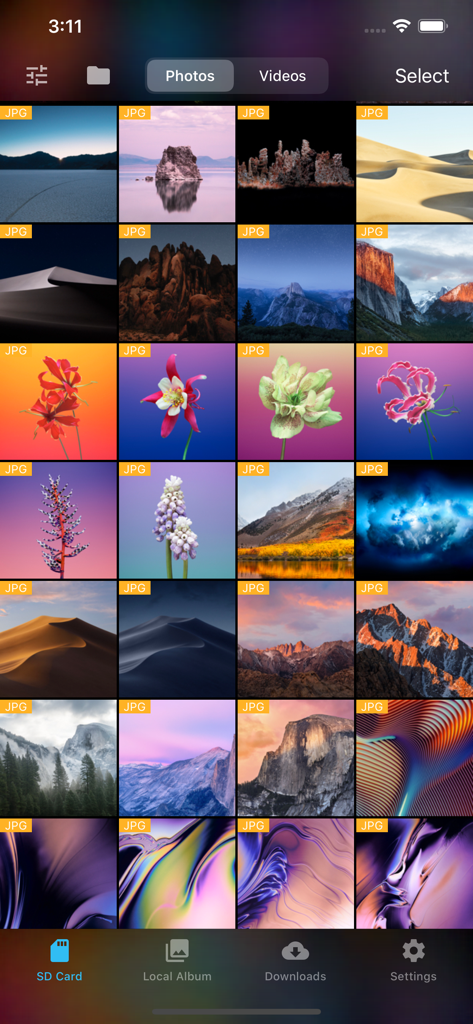
FAir for FlashAir 앱에서 SD 카드에 저장된 JPG 사진 그리드를 보여줍니다.

FAir for FlashAir 앱에서 SD 카드에 저장된 JPG 사진 그리드를 보여줍니다.

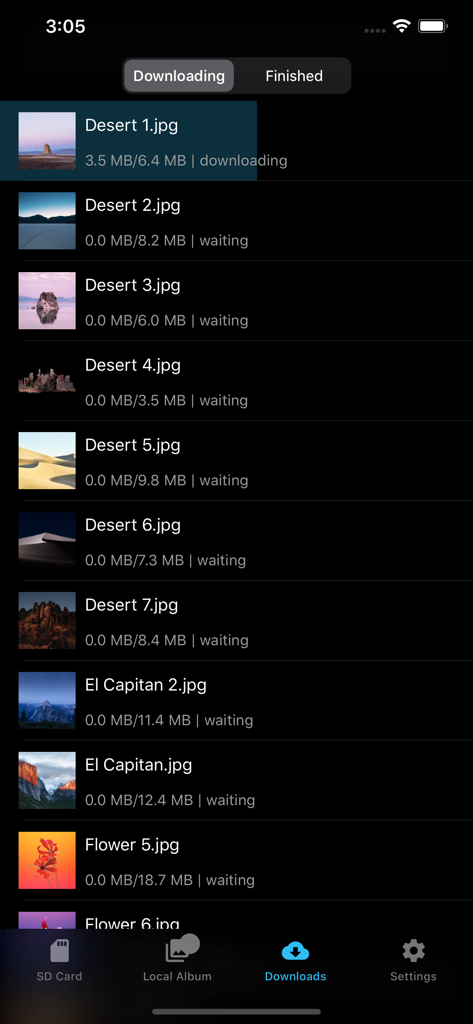
FAir for FlashAir 앱 다운로드 화면에서 다크 모드로 사진 전송 진행 상황을 보여줍니다.

FAir for FlashAir 앱 다운로드 화면에서 다크 모드로 사진 전송 진행 상황을 보여줍니다.

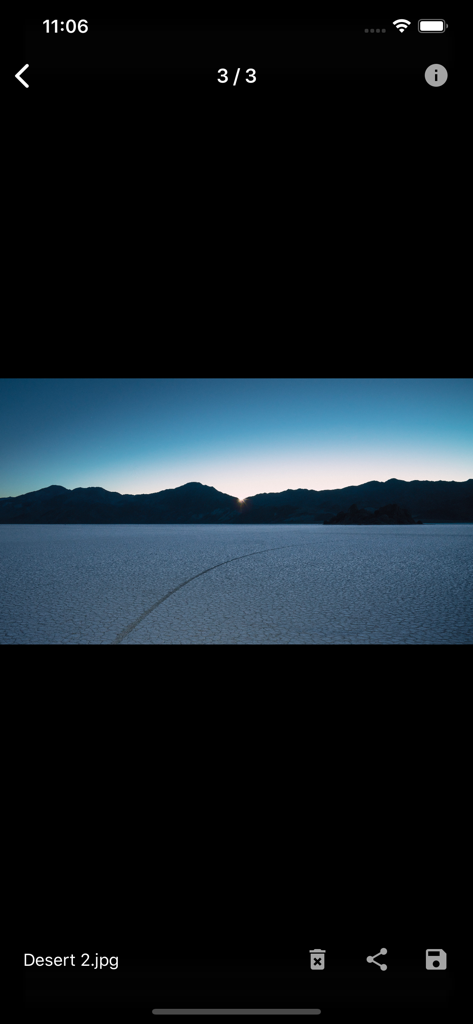
FAir for FlashAir 앱에서 사막 풍경의 전체 화면 사진 미리보기

FAir for FlashAir 앱에서 사막 풍경의 전체 화면 사진 미리보기

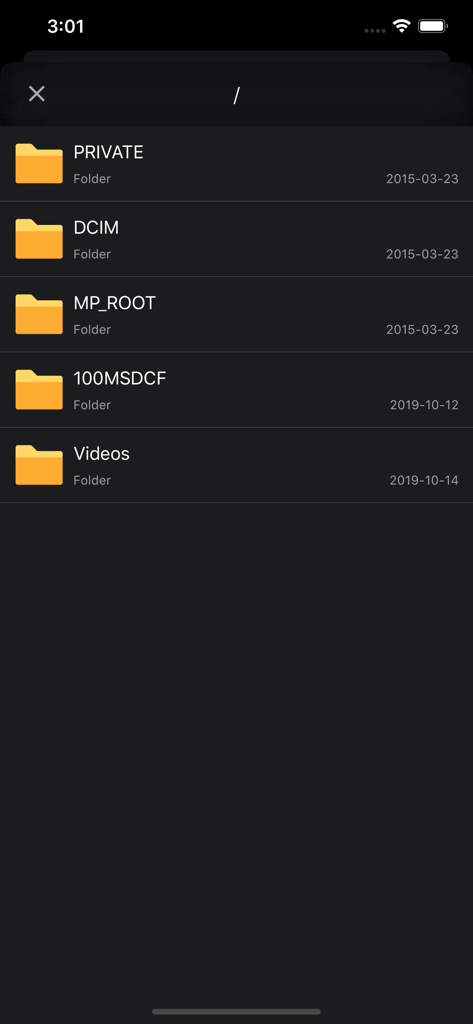
FAir 앱 인터페이스에서 다크 모드로 DCIM 및 비디오와 같은 폴더가 있는 SD 카드 파일 디렉토리를 보여줍니다.

FAir 앱 인터페이스에서 다크 모드로 DCIM 및 비디오와 같은 폴더가 있는 SD 카드 파일 디렉토리를 보여줍니다.

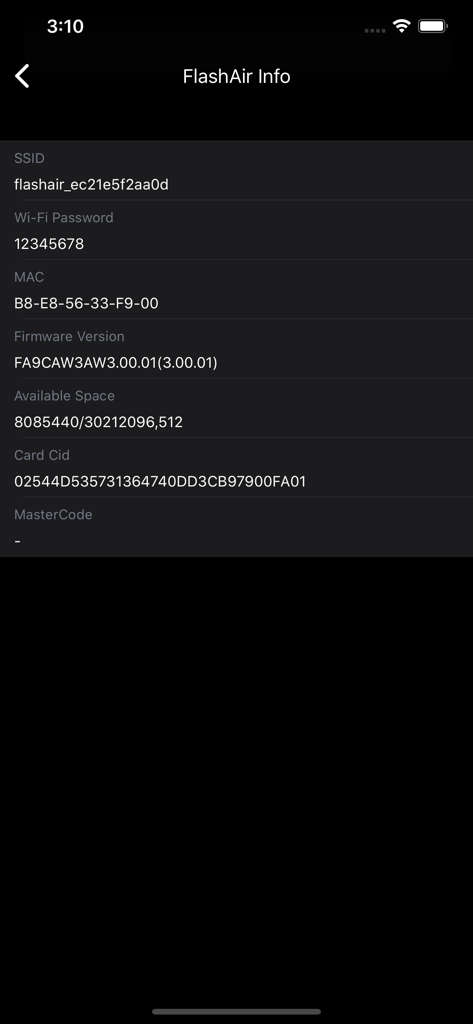
FAir 앱에서 SSID 및 펌웨어 세부 정보를 보여주는 FlashAir SD 카드 정보 화면

FAir 앱에서 SSID 및 펌웨어 세부 정보를 보여주는 FlashAir SD 카드 정보 화면

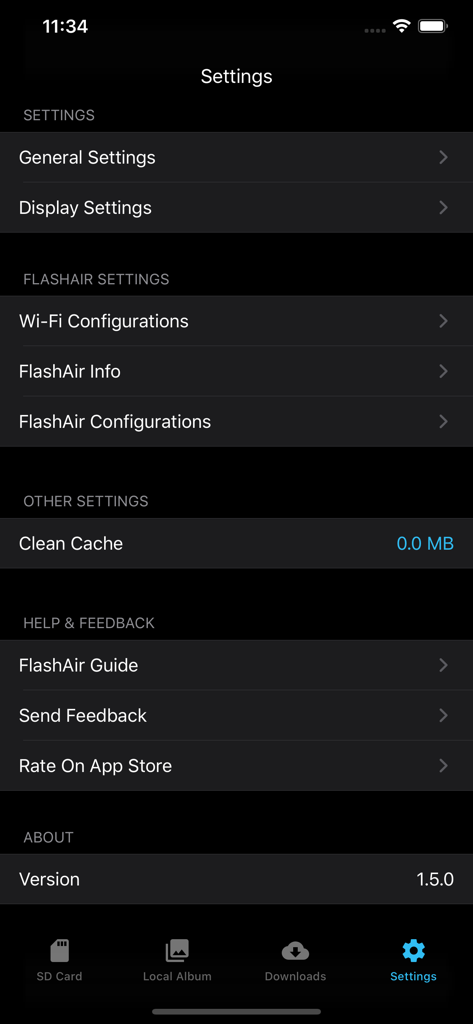
FAir for FlashAir 앱 설정 메뉴에서 다크 모드로 Wi-Fi 및 디스플레이 구성 옵션을 보여줍니다.

FAir for FlashAir 앱 설정 메뉴에서 다크 모드로 Wi-Fi 및 디스플레이 구성 옵션을 보여줍니다.

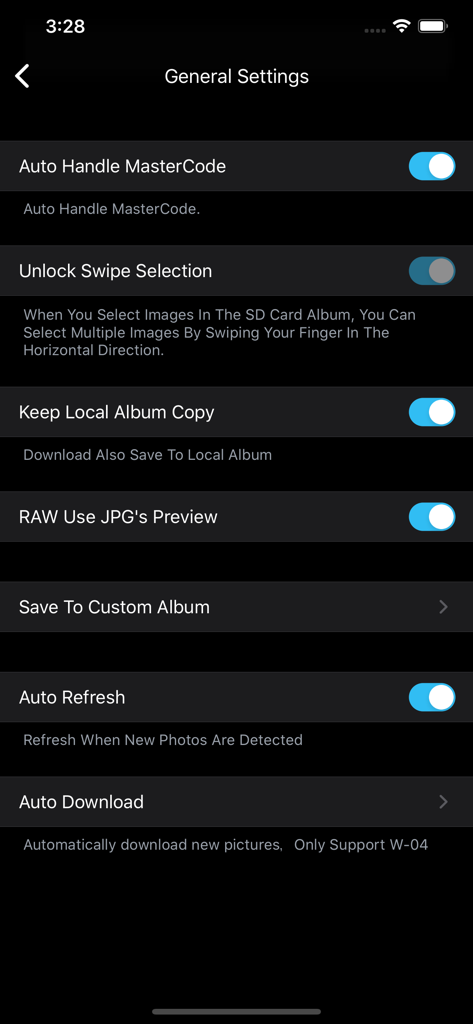
FAir for FlashAir 앱의 일반 설정 화면에서 다크 모드로 자동화 및 RAW 미리보기 옵션을 보여줍니다.

FAir for FlashAir 앱의 일반 설정 화면에서 다크 모드로 자동화 및 RAW 미리보기 옵션을 보여줍니다.

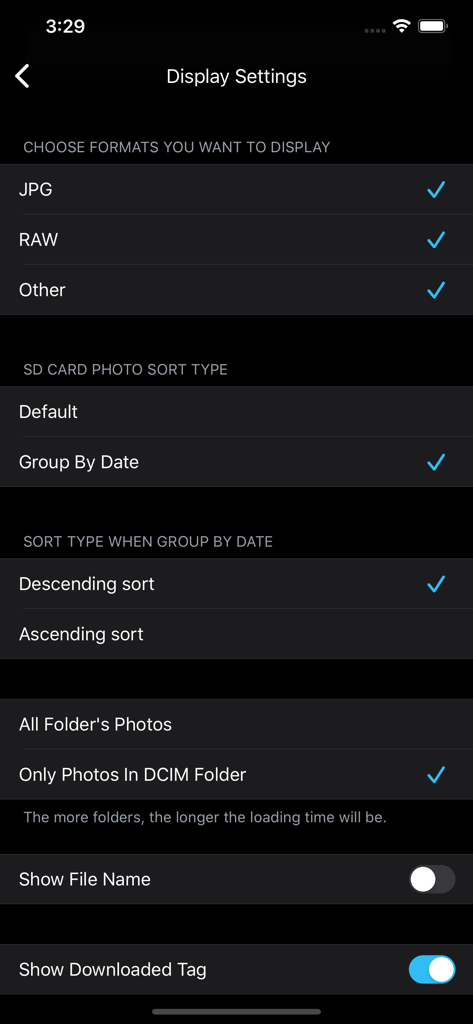
FAir for FlashAir 앱 디스플레이 설정 화면에서 RAW 및 JPG와 같은 파일 형식을 선택하고 사진 정렬 방법을 선택합니다.

FAir for FlashAir 앱 디스플레이 설정 화면에서 RAW 및 JPG와 같은 파일 형식을 선택하고 사진 정렬 방법을 선택합니다.

무선 사진 촬영을 위한 전문가급 도구

이 앱을 돋보이게 하는 도구, 139K+ 명의 사용자가 선택.

즉각적인 일괄 다운로드

카메라에서 SD 카드를 제거하지 않고도 수백 장의 고해상도 사진과 4K 비디오를 동시에 전송하세요.

📸

RAW 미리보기 및 EXIF 데이터

모바일 장치에서 직접 전문가용 파일 형식과 전체 메타데이터를 검토하여 편집할 최고의 사진을 선택하세요.

🔄

설정 후 자동화

자동 연결 및 백그라운드 동기화를 활성화하여 촬영 즉시 최신 사진을 소셜 미디어 또는 Lightroom에서 사용할 수 있도록 준비하세요.

전 세계 사용자들에게 사랑받는 앱

Trusted by 139K+ 명이 이 앱을 사랑합니다.

"

"저는 고급 미러리스 설정을 사용하며 품질에 타협하지 않습니다. FAir를 사용하면 원본 이미지를 전체 EXIF 데이터와 함께 iPhone으로 직접 전송하여 즉시 소셜 공유할 수 있습니다. 다크 모드는 멋지고 연결은 매우 안정적입니다."

Julian Rivera
"

"이동 중 파일 관리는 골치 아픈 일이었습니다. 이 앱은 일괄 다운로드 및 백그라운드 작업을 완벽하게 처리하여 사진이 동기화되는 동안 계속 촬영할 수 있습니다. 오늘날 FlashAir 카드를 사용하는 모든 사람에게 가장 신뢰할 수 있는 도구입니다."

Elena Rossi

앱 소개

에 대해 알아야 할 모든 것 FAir for FlashAir.

설명

With Fair for Flashair, you can quickly browse and download all pictures and files on your wireless Flashair SD card. Supported hardware Flashair W-02, w-03, W-04 The following is a list of main functions: System - Fully compatible with IOS 13 - Perfect for dark mode Download - Independent download process management, your download record will not be lost - Batch download, display download speed, delete, edit download tasks and other functions - It can be downloaded to the local folder of APP first, and then saved after further filtering. - You can configure to save to a separate album and configure the album file name - You can choose to generate HD thumbnails after downloading - Keep the photo information completely, download the original image, which is exactly the same as the camera image. - When selecting photos, you can select all, slide multiple, and select all by time group. - Auto refresh - Auto Download new photos/videos - Automatic connection You can connect FlashAir Wi-Fi inside the app - Config download order Display - Pictures on Flashair can be displayed in the default view or grouped by date - Format filtering, you can select the file format you want to see, only display JPG, raw, etc. - You can sort pictures in ascending or descending order - You can choose to load only the pictures in DCIM or display all the pictures in the card. - You can show or hide picture file names - You can choose to display the no download flag - You can configure the number of pictures displayed per line - You can view the picture in thumbnail or full size - Preview video smoothly - You can view the complete EXIF information of the picture - You can view the full file system of flashair and operate on files - Raw preview can be displayed (using JPG preview with the same name) Flashair settings - Flashair SSID and Wi Fi password can be configured - Flashair mastercode can be set and managed automatically - You can view the complete information of flashair SSID, password, remaining space, MAC address, etc. - Flashair and cellular network can be used together Other - You can open files in flashair through other apps - Mastercode can be processed automatically - Can be set to prevent locking during download - Slide multiple pictures to improve efficiency - Can clear the picture cache to prevent the app from taking up too much space - Complete operation guide and problem feedback channel

최신 버전

1.6.2

크기

11.5 MB

출시일

2018년 4월 5일

모바일 워크플로를 간소화할 준비가 되셨나요?

즉각적인 원본 품질 전송을 위해 FAir를 신뢰하는 139,000명 이상의 사진작가와 함께하세요. 지금 다운로드하여 전문 장비와 iPhone 또는 iPad 간의 격차를 해소하세요.

다운로드: App Store