FAX from iPhone: Send Doc App

FAX from iPhone: Send Doc App

다운로드: App Store다운로드: Google Play
Spark by MWM logo
로고: FAX from iPhone: Send Doc App

iPhone에서 팩스 보내기: 문서 전송 앱 – 어디서든 전문적으로 팩스를 보내는 방법

iPhone을 강력하고 안전한 팩스 기기로 바꾸세요. 하드웨어나 사무실 방문 없이 몇 초 만에 문서를 전 세계로 스캔, 전송, 추적하세요.

다운로드: App Store

개발사

Municorn Limited

카테고리

Business

다운로드

6M+

사용자 평점

4.8/5

총 평가 수

379K+

지원 언어

8

당신의 사무실, 어디든

이 인터페이스를 사용하는 6M+ 명의 사용자.

iPhone에서 팩스 보내기 앱 홈 화면, HIPAA 준수 및 250,000개의 별점 5개 표시

iPhone에서 팩스 보내기 앱 홈 화면, HIPAA 준수 및 250,000개의 별점 5개 표시

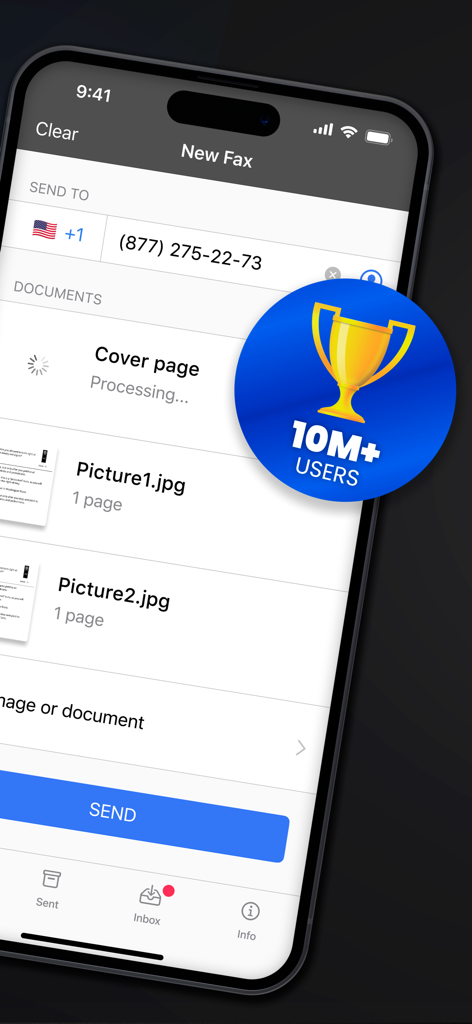
첨부된 이미지와 1천만 사용자 배지가 있는 새 팩스 설정을 보여주는 모바일 앱 인터페이스

첨부된 이미지와 1천만 사용자 배지가 있는 새 팩스 설정을 보여주는 모바일 앱 인터페이스

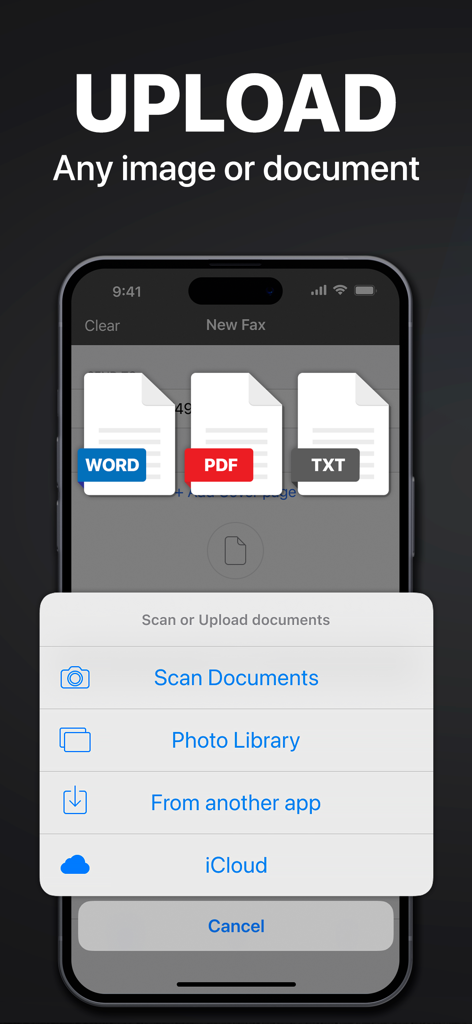
iPhone에서 팩스를 보내기 위해 Word, PDF 및 텍스트 문서를 업로드하는 옵션을 보여주는 인터페이스

iPhone에서 팩스를 보내기 위해 Word, PDF 및 텍스트 문서를 업로드하는 옵션을 보여주는 인터페이스

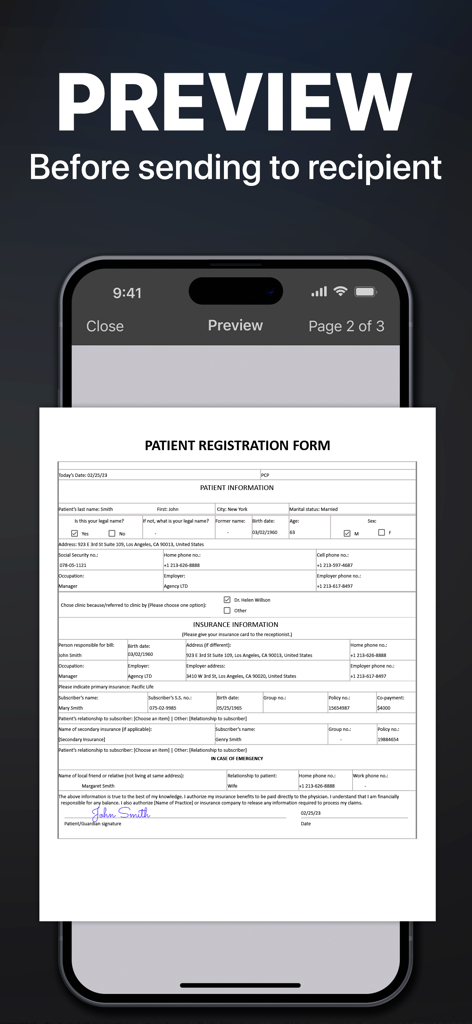
iPhone에서 팩스 앱 인터페이스에서 보내기 전에 미리 볼 의료 환자 등록 양식

iPhone에서 팩스 앱 인터페이스에서 보내기 전에 미리 볼 의료 환자 등록 양식

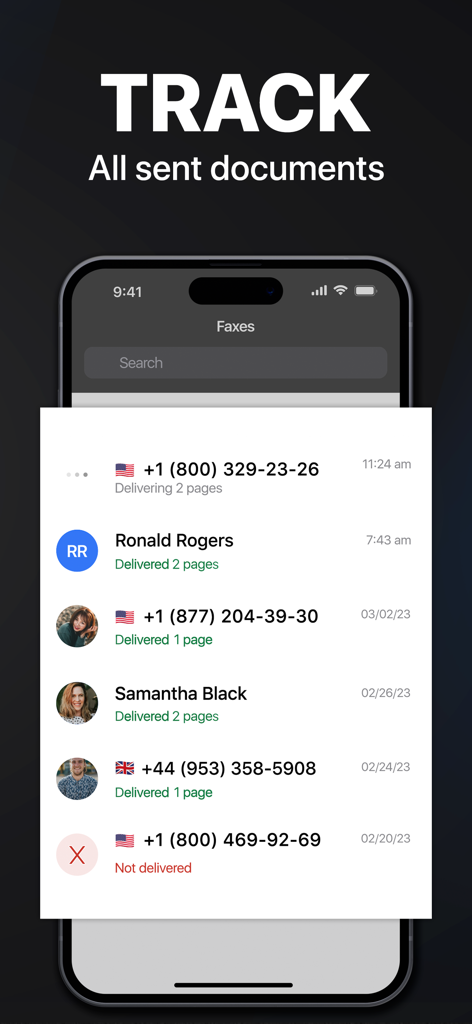
보낸 팩스 문서의 추적 상태 및 배달 기록을 보여주는 스마트폰 화면

보낸 팩스 문서의 추적 상태 및 배달 기록을 보여주는 스마트폰 화면

현대 전문가를 위한 최고의 도구 모음

이 앱을 돋보이게 하는 도구, 6M+ 명의 사용자가 선택.

📱

주머니 속 팩스 기기

집이나 사무실을 떠나지 않고도 90개국 이상에 계약서 또는 의료 기록을 스캔, 서명, 전송하세요.

🛡️

인증된 보안 배달

모든 문서에 대해 실시간 추적 및 배달 확인을 받아 민감한 파일이 안전하게 목적지에 도착했는지 확인하세요.

☁️

원활한 워크플로우 통합

Google Drive, Dropbox 또는 iCloud에서 문서를 쉽게 가져오고 여러 파일을 하나의 전문 팩스로 결합하세요.

전 세계 사용자들에게 사랑받는 앱

Trusted by 6M+ 명이 이 앱을 사랑합니다.

"

"부동산 중개업자로서 저는 책상에 앉아 있는 경우가 거의 없습니다. 이 앱은 제 iPhone을 모바일 사무실로 바꿔주었습니다. 계약서를 스캔하여 즉시 등기 회사에 팩스로 보낼 수 있습니다. 문서 품질이 매우 선명하고 상태 추적 기능은 제 업무 흐름에 매우 중요합니다."

Sarah J., Realtor
"

"사업 허가를 팩스로 보내야 할 때마다 지역 배송 센터까지 운전하는 것이 지겨웠습니다. 이 앱은 첫 주에 본전을 뽑았습니다. Google Drive에서 문서를 쉽게 가져와 전 세계로 보낼 수 있습니다. 하드웨어 없이 번거로움이 없습니다."

Michael R., Small Business Owner

앱 소개

에 대해 알아야 할 모든 것 FAX from iPhone: Send Doc App.

설명

Send & receive faxes from iPhone or iPad on the go. Fast and easy! No Fax Machine Required! Send any document everywhere. NO need to use an old school fax machine or go to a fax office. Key Features: Powerful fax app: - Fax from iPhone in 90+ international countries; - Advanced document scanner & image processing; - Best possible quality achieved no matter what types of documents you use; - Combine multiple documents into a ​single fax; - Preview any document before sending; Receiving faxes: - Dedicated number to receive faxes; - Receive faxes from anywhere in the world; Upload any types of documents: - Send just about any file type as a fax (PDF, DOC, JPG, PNG & TIFF, HTML); - Create new documents with images as you go (Photo Gallery, Camera); - Import any types of documents (Dropbox, iCloud, Google Drive, Box or any other source). Try powerful tracking: - Track sent documents status via fax app. Note, please: ------------------ For free: 1. Download for free and streamline your faxing without ads; 2. Prepare and process documents at no charge; 3. Try it out by sending a demo fax to any number for free. Ongoing fax services require an Active subscription. *Opt for an annual subscription and save up to 52% compared to weekly payments. ------------------ Information about the auto-renewal of subscription: - Payment will be charged to iTunes Account at confirmation of purchase; - Subscription automatically renews unless auto-renew is turned off at least 24-hours before the end of the current period; - The account will be charged for renewal within 24-hours before the end of the current period. The cost depends on the selected plan; - Subscriptions may be managed by the user and auto-renewal may be turned off by going to the user’s Account Settings after purchase; Privacy Policy: https://comfax.com/privacy/ Terms of Use: https://comfax.com/terms/ For any questions or inquiries, please get in touch: support@comfax.com * iPhone and iPad are trademarks of Apple Inc.

최신 버전

2.13.17

크기

100.7 MB

출시일

2015년 5월 20일

사무실 방문 없이 다음 팩스를 보낼 준비가 되셨나요?

팩스 기기를 버린 6백만 명 이상의 전문가들과 함께하세요. 지금 바로 iPhone에서 안전한 문서를 직접 보내고, 받고, 추적하세요.

다운로드: App Store다운로드: Google Play
FAQ

자주 묻는 질문

에 대해 알아야 할 모든 것 FAX from iPhone: Send Doc App

Is the FAX from iPhone: Send Doc App HIPAA compliant?

네, FAX from iPhone: Send Doc App은 HIPAA를 준수합니다. 이는 팩스를 보낼 때 민감한 건강 정보의 안전한 처리를 보장합니다.

Can I send faxes to international numbers using the FAX from iPhone app?

네, FAX from iPhone 앱을 사용하여 90개 이상의 국가로 팩스를 보낼 수 있습니다. 이 앱은 전 세계 팩스 기능을 지원합니다.

Can I receive faxes with the FAX from iPhone: Send Doc App?

네, FAX from iPhone: Send Doc App은 전 세계 어디에서나 기기로 직접 팩스를 받을 수 있는 전용 번호를 제공합니다.

What file types does the FAX from iPhone: Send Doc App support for sending faxes?

FAX from iPhone: Send Doc App은 PDF, DOC, JPG, PNG, TIFF, HTML 등 다양한 파일 형식을 팩스로 보내는 것을 지원합니다.

Does the FAX from iPhone: Send Doc App allow tracking of sent fax documents?

네, FAX from iPhone: Send Doc App은 강력한 추적 기능을 제공하여 사용자가 앱 내에서 모든 전송 문서의 상태를 직접 모니터링할 수 있습니다.

Is the FAX from iPhone: Send Doc App free to use?

이 앱은 무료로 다운로드할 수 있으며 문서 준비 및 데모 팩스를 무료로 제공합니다. 지속적인 팩스 서비스에는 활성 구독이 필요합니다.

How does the subscription renewal work for the FAX from iPhone app?

현재 기간이 종료되기 최소 24시간 전에 자동 갱신을 해제하지 않는 한 구독은 자동으로 갱신됩니다. 결제는 iTunes 계정으로 청구됩니다.

Can I preview documents before sending them as a fax with the FAX from iPhone app?

네, FAX from iPhone: Send Doc App을 사용하면 수신자에게 보내기 전에 모든 문서를 미리 볼 수 있어 정확성을 보장할 수 있습니다.

How can I upload documents to the FAX from iPhone: Send Doc App for faxing?

사진 앨범, 카메라, Dropbox, iCloud, Google Drive, Box 또는 기타 소스에서 문서를 업로드할 수 있으며, 새로운 문서를 스캔할 수도 있습니다.

How many users does the FAX from iPhone: Send Doc App have?

FAX from iPhone: Send Doc App은 전 세계 1,000만 명 이상의 사용자를 확보했습니다.