FileBrowser for Education

FileBrowser for Education

다운로드: App Store
Spark by MWM logo
로고: FileBrowser for Education

교육용 FileBrowser: 모든 학생과 교사를 위한 안전한 관리형 파일 액세스

원활한 네트워크 서버 통합, 중앙 집중식 MDM 제어, 학교 데이터에 대한 전문가 수준의 보안으로 1:1 iPad 프로그램을 강화하세요.

다운로드: App Store

개발사

Stratospherix

카테고리

Education

다운로드

1K+

사용자 평점

1.0/5

총 평가 수

0

지원 언어

9

실행 중인 제어 기능

이 인터페이스를 사용하는 1K+ 명의 사용자.

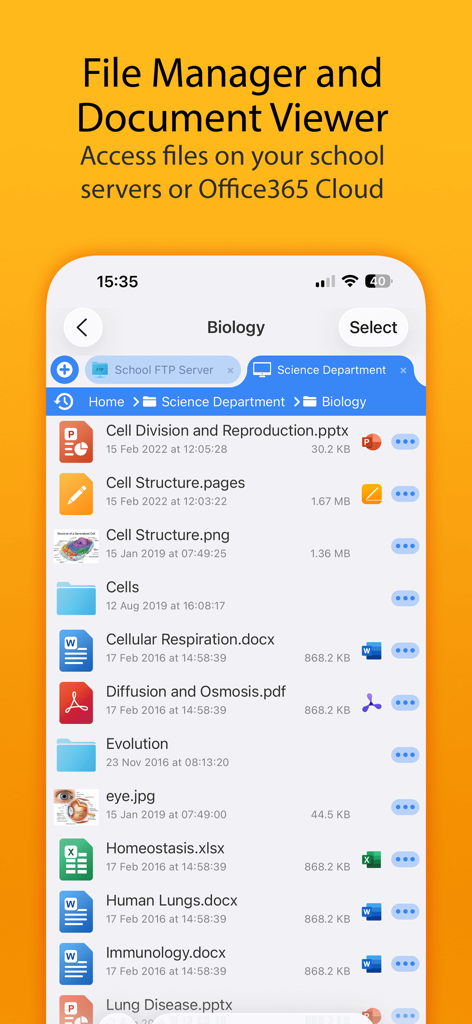
학교 서버의 생물학 수업 파일을 보여주는 교육용 FileBrowser 모바일 인터페이스

학교 서버의 생물학 수업 파일을 보여주는 교육용 FileBrowser 모바일 인터페이스

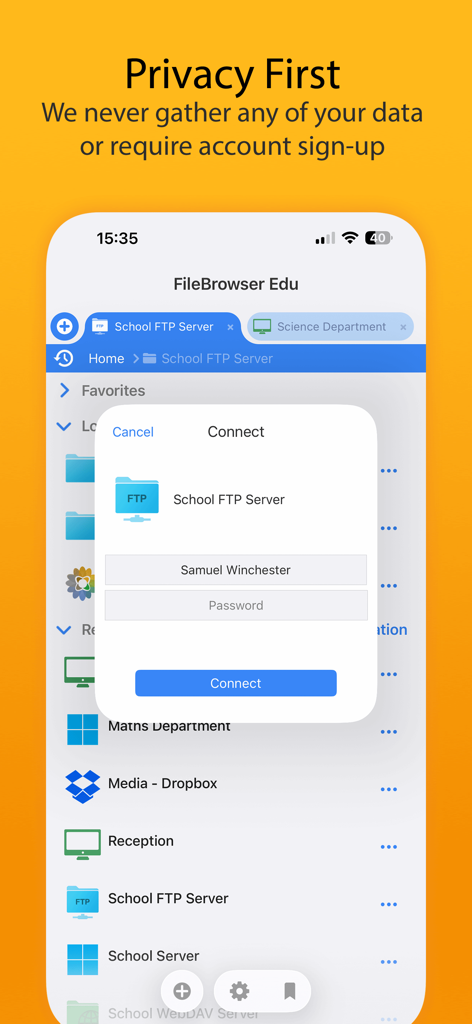
개인 정보 보호 우선 약속 메시지와 함께 보안 서버 로그인 프롬프트를 보여주는 교육용 FileBrowser 앱 인터페이스

개인 정보 보호 우선 약속 메시지와 함께 보안 서버 로그인 프롬프트를 보여주는 교육용 FileBrowser 앱 인터페이스

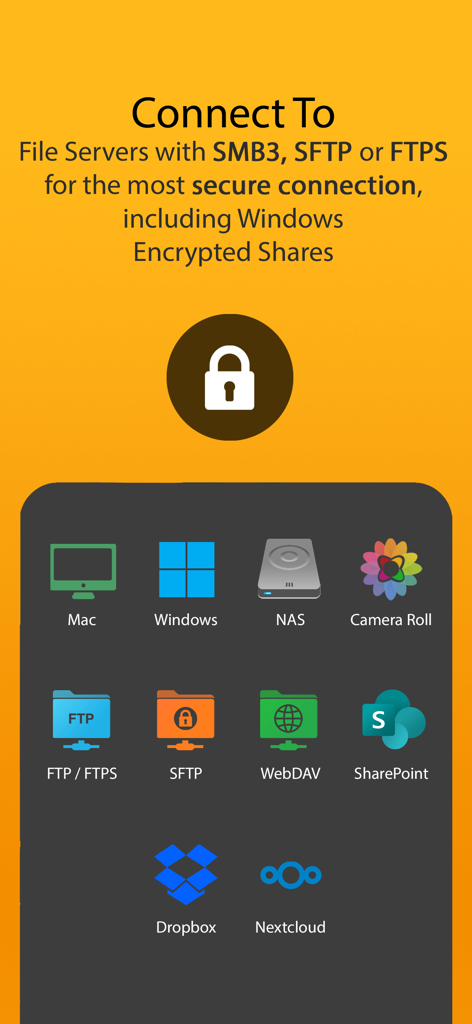
파일 서버 및 클라우드 스토리지 제공업체에 대한 보안 연결 옵션을 표시하는 교육용 FileBrowser 인터페이스

파일 서버 및 클라우드 스토리지 제공업체에 대한 보안 연결 옵션을 표시하는 교육용 FileBrowser 인터페이스

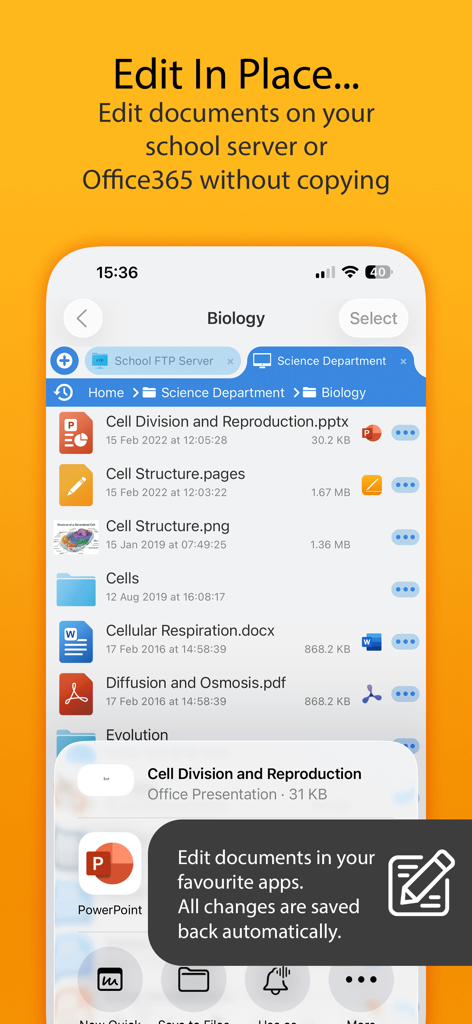
학교 서버에 있는 문서의 즉석 편집 기능을 보여주는 교육용 FileBrowser 앱 인터페이스

학교 서버에 있는 문서의 즉석 편집 기능을 보여주는 교육용 FileBrowser 앱 인터페이스

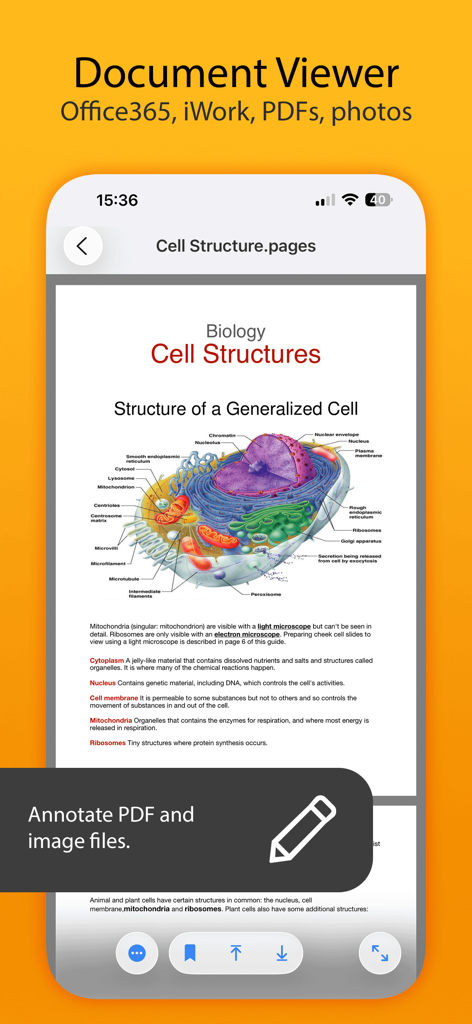
주석 도구가 포함된 세포 구조에 관한 생물학 문서를 보여주는 모바일 앱 화면

주석 도구가 포함된 세포 구조에 관한 생물학 문서를 보여주는 모바일 앱 화면

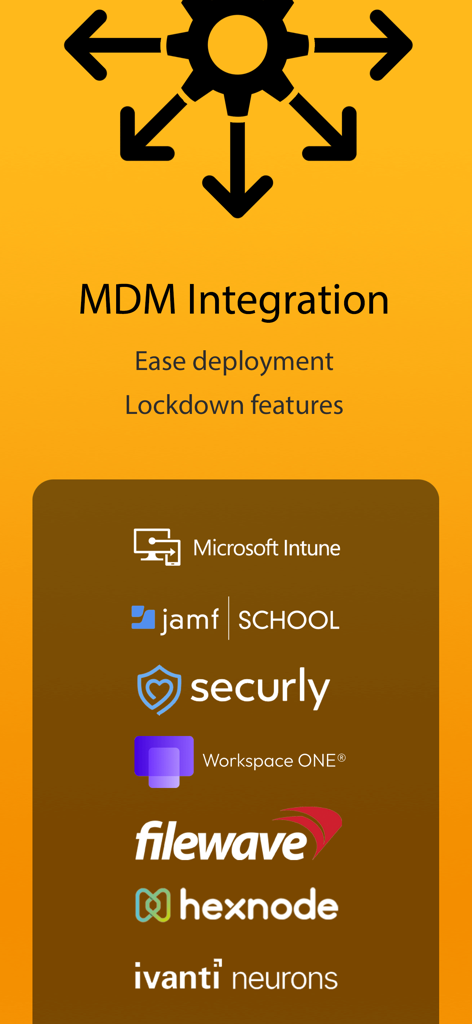
Microsoft Intune, Jamf School 및 Securly 지원을 포함한 교육용 FileBrowser의 MDM 통합 기능을 보여주는 인포그래픽

Microsoft Intune, Jamf School 및 Securly 지원을 포함한 교육용 FileBrowser의 MDM 통합 기능을 보여주는 인포그래픽

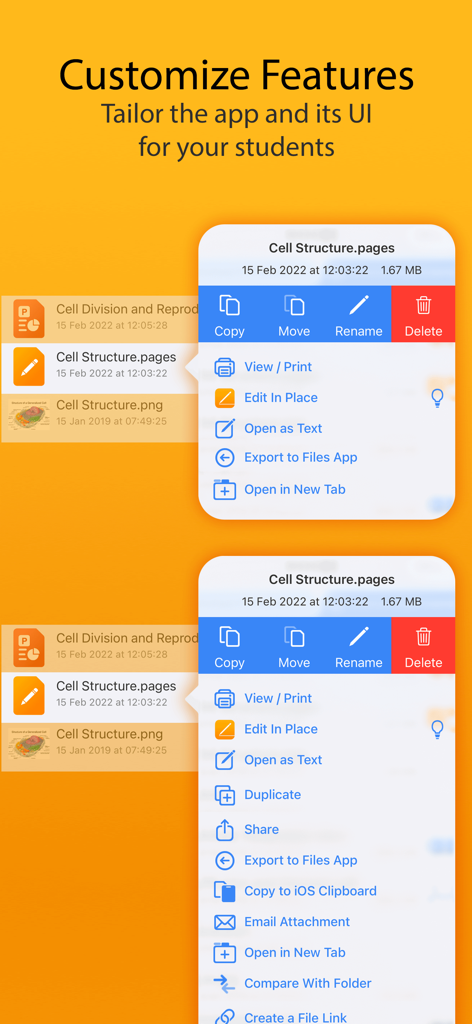
교육용 FileBrowser에서 학생을 위해 앱 기능을 맞춤 설정하고 조정하는 방법을 보여주는 인터페이스

교육용 FileBrowser에서 학생을 위해 앱 기능을 맞춤 설정하고 조정하는 방법을 보여주는 인터페이스

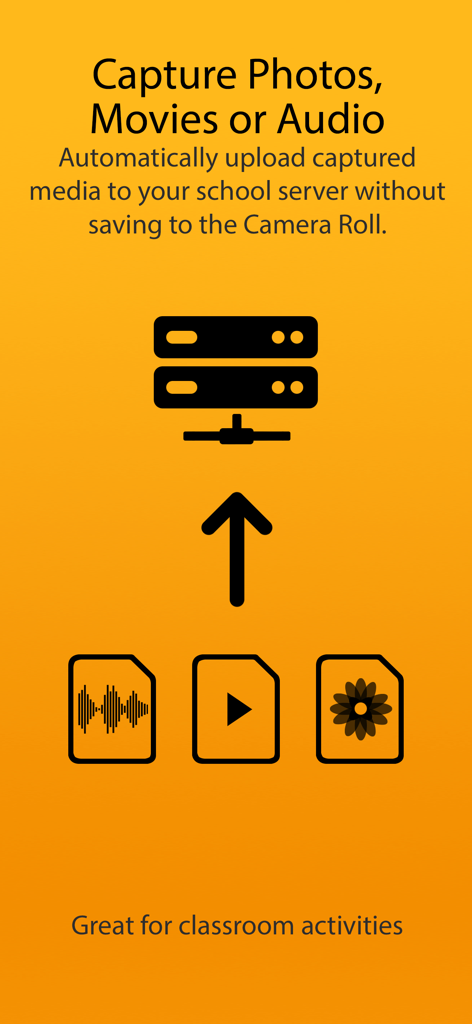
카메라 롤을 사용하지 않고 캡처한 미디어를 학교 서버로 자동 업로드하는 과정을 설명하는 그래픽

카메라 롤을 사용하지 않고 캡처한 미디어를 학교 서버로 자동 업로드하는 과정을 설명하는 그래픽

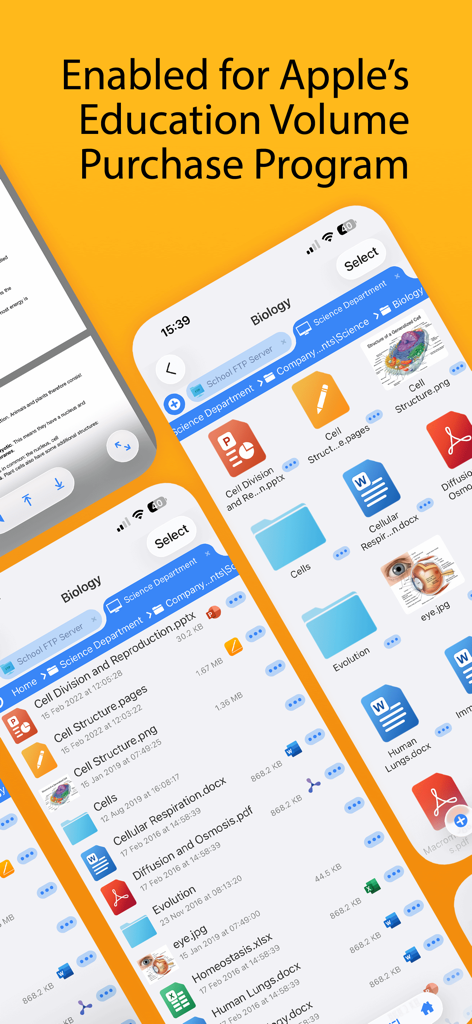
파일 관리 기능과 Apple 교육용 대량 구매 프로그램(VPP) 호환성을 보여주는 교육용 FileBrowser 앱 인터페이스

파일 관리 기능과 Apple 교육용 대량 구매 프로그램(VPP) 호환성을 보여주는 교육용 FileBrowser 앱 인터페이스

학교를 위해 구축된 보안 파일 관리

이 앱을 돋보이게 하는 도구, 1K+ 명의 사용자가 선택.

📲

제로 터치 MDM 배포

Jamf 또는 Mosyle과 같은 기존 MDM 인프라를 사용하여 수천 대의 기기에 서버 구성 및 보안 정책을 즉시 배포하세요.

🔒

세분화된 잠금 제어

엄격한 보안 정책을 시행하고, 로컬 설정을 비활성화하며, '키오스크' 모드를 사용하여 학생들의 집중력을 유지하고 데이터가 FERPA/COPPA를 준수하도록 보장하세요.

📂

네이티브 Office 365 워크플로

학생들이 원활한 자동 저장 기능과 로컬 파일 중복 없이 MS Word나 PowerPoint에서 서버에 호스팅된 문서를 직접 편집할 수 있도록 지원하세요.

전 세계 사용자들에게 사랑받는 앱

Trusted by 1K+ 명이 이 앱을 사랑합니다.

"

"교육구의 iPad 5,000대에 MDM을 통해 교육용 FileBrowser를 배포하는 과정은 매우 원활했습니다. 이 앱은 보안 설정을 완벽하게 제어하면서 학생들에게 Windows 파일 서버에 대한 안전하고 직접적인 액세스를 제공함으로써 우리의 가장 큰 난관을 해결해 주었습니다. 이는 모든 1:1 iPad 프로그램에 꼭 필요한 연결 고리입니다."

마커스 톰슨(Marcus Thompson), IT 디렉터
"

"이 앱은 제 학생들이 과제를 처리하는 방식을 변화시켰습니다. 이제 학생들은 복잡한 해결 방법 없이 학교 네트워크에서 프로젝트 파일을 직접 열고 Office 365에서 편집한 후 다시 저장할 수 있습니다. 덕분에 iPad가 처음으로 전문적인 워크스테이션처럼 느껴집니다."

엘레나 로드리게스(Dr. Elena Rodriguez) 박사, 대학교수

앱 소개

에 대해 알아야 할 모든 것 FileBrowser for Education.

설명

FileBrowser for Education is an extended version of FileBrowser with enhanced security and control features for schools, colleges and universities. == Bulk purchase discount available via an Apple School Manager account == With FileBrowser for Education, users can benefit from direct and secure file access to servers, workstations and other storage devices on the network. No additional configuration of IT systems is necessary. Office Apps Integration - Use the document picker in MS Office apps to open files from network file servers, edit them and automatically save back. Core Features - Access file servers and iCloud storage - View documents and optionally store them for offline viewing - Show a video, PowerPoint or Keynote direct from the server - Copy and move between any type of storage, from single files to whole directories - Integrates with other apps allowing you to edit, save and share files - Integrates with your existing infrastructure, including Active Directory - Integrates with iOS data protection, utilising hardware-based encryption to secure content - VPN on-demand support for third-party VPN clients - Supports Microsoft Distributed File System (DFS) - Requires no additional software on file servers MDM Integration - Centralised distribution of FileBrowser configuration settings - Enforced security lockdown - Confirm to your Mobile Security Policies - Prevent users from changing local settings - Selectively override any local configuration setting - Distribute file server connection details - Control whether offline viewing/storage is permitted - Control whether content can be emailed as attachments - ‘Kiosk’ mode for highly directed read-only file access FileBrowser uses the SMB1, SMB2 & SMB3 network access protocols (also known as CIFS or Windows File Sharing). This enables access to Macs, PCs, NAS drives, & Windows File Servers. It can also connect to the following types of server: - Microsoft SharePoint - Microsoft OneDrive for Business (as part of Office365) - WebDAV servers - FTP servers - SFTP servers - Dropbox cloud storage For fast friendly support please email support@stratospherix.com. Please note that we are only able to provide support in English.

최신 버전

26.0

크기

65.0 MB

출시일

2016년 1월 6일

교육구의 iPad 파일 액세스를 간소화할 준비가 되셨나요?

전체 MDM 제어를 통해 학생과 교직원을 네트워크 서버에 안전하게 연결하세요. 지금 교육용 FileBrowser를 다운로드하고 Apple School Manager를 통한 대량 할인 혜택을 누리세요.

다운로드: App Store