Files Transfer - Quick share

Files Transfer - Quick share

다운로드: App Store
Spark by MWM logo
로고: Files Transfer - Quick share

Files Transfer: 초고속 공유, 품질 손실 제로

블루투스보다 100배 빠른 속도로 4K 동영상 및 대용량 파일을 전송하세요. 로컬 연결 또는 암호화된 원격 링크를 통해 완벽한 개인 정보 보호로 원본 품질 콘텐츠를 즉시 공유하세요.

개발사

梦洋 崔

카테고리

Utilities

다운로드

147K+

사용자 평점

4.6/5

총 평가 수

200

지원 언어

1

제한 없는 공유

이 인터페이스를 사용하는 147K+ 명의 사용자.

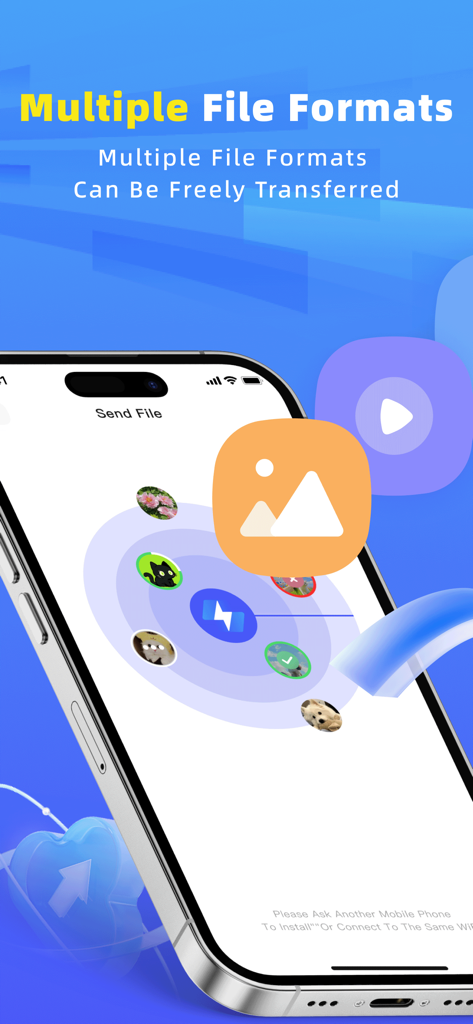
Files Transfer 앱 인터페이스가 iPhone에서 다양한 파일 형식의 고속 공유를 보여줍니다.

Files Transfer 앱 인터페이스가 iPhone에서 다양한 파일 형식의 고속 공유를 보여줍니다.

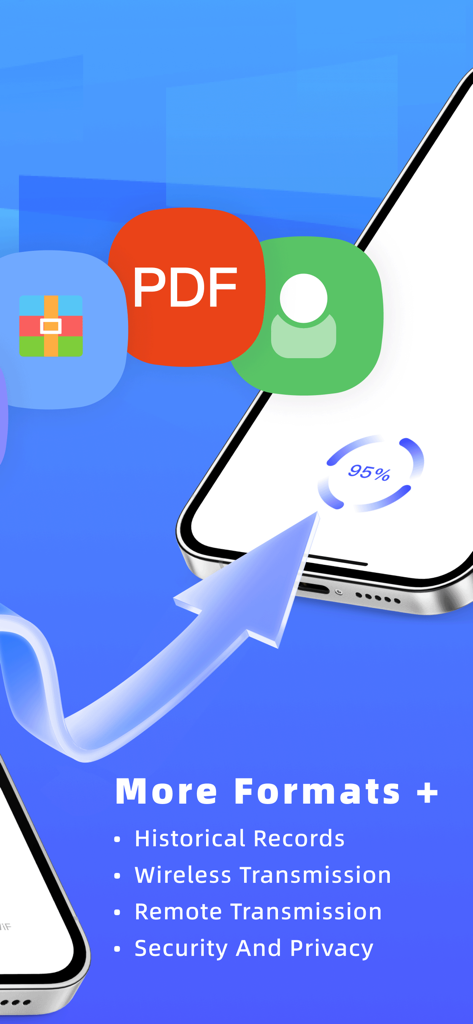
Files Transfer 앱 인터페이스가 다양한 파일 형식을 지원하는 무선 및 원격 전송 진행 상황을 보여줍니다.

Files Transfer 앱 인터페이스가 다양한 파일 형식을 지원하는 무선 및 원격 전송 진행 상황을 보여줍니다.

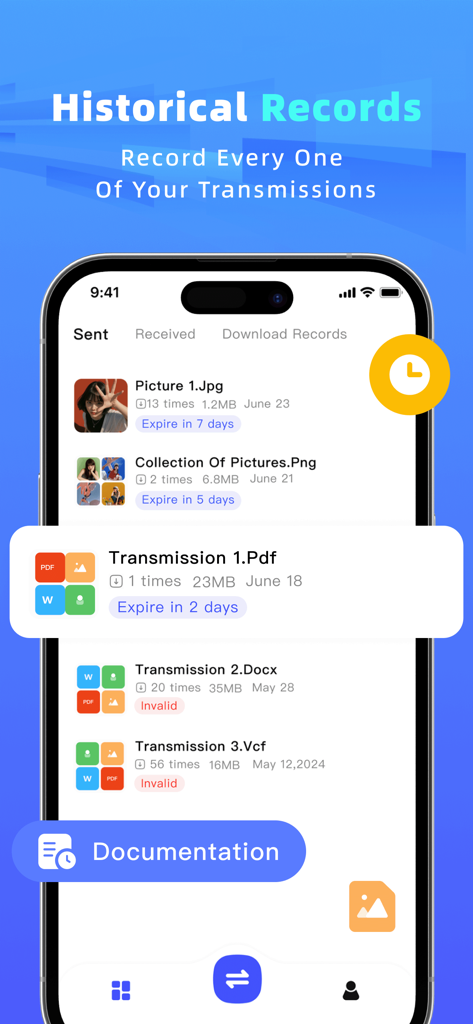
파일 공유 앱의 기록 화면이 만료 상태와 함께 보내고 받은 파일 목록을 보여줍니다.

파일 공유 앱의 기록 화면이 만료 상태와 함께 보내고 받은 파일 목록을 보여줍니다.

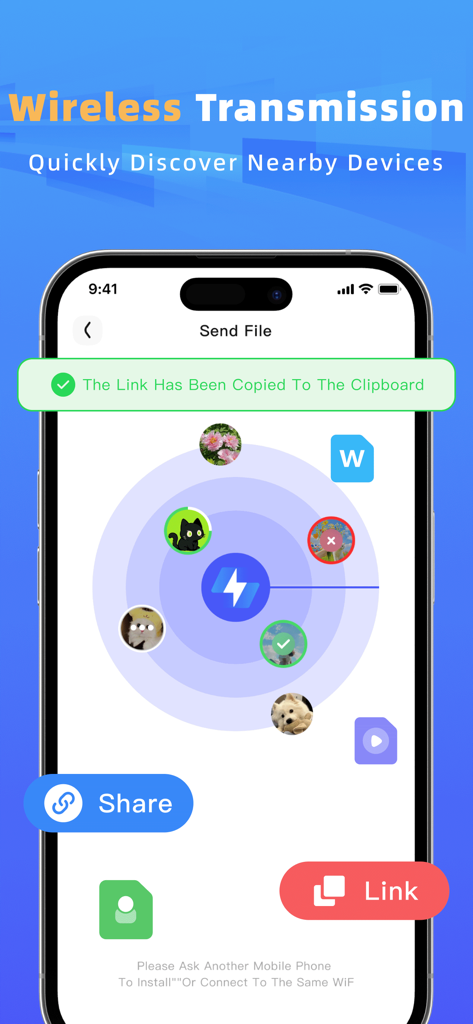
무선 파일 전송을 위해 주변 장치를 검색하는 레이더 보기를 보여주는 인터페이스

무선 파일 전송을 위해 주변 장치를 검색하는 레이더 보기를 보여주는 인터페이스

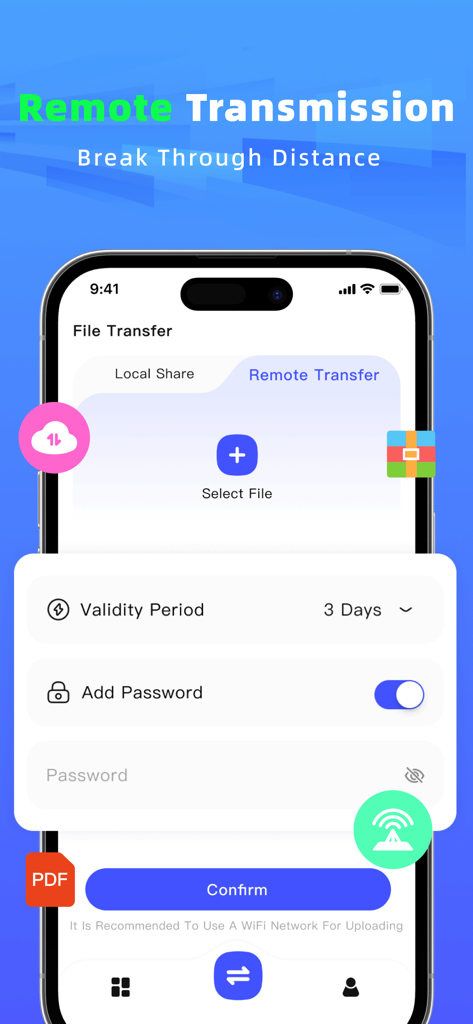
암호 보호 및 사용자 정의 링크 유효성 설정을 특징으로 하는 모바일 앱의 원격 파일 공유 인터페이스

암호 보호 및 사용자 정의 링크 유효성 설정을 특징으로 하는 모바일 앱의 원격 파일 공유 인터페이스

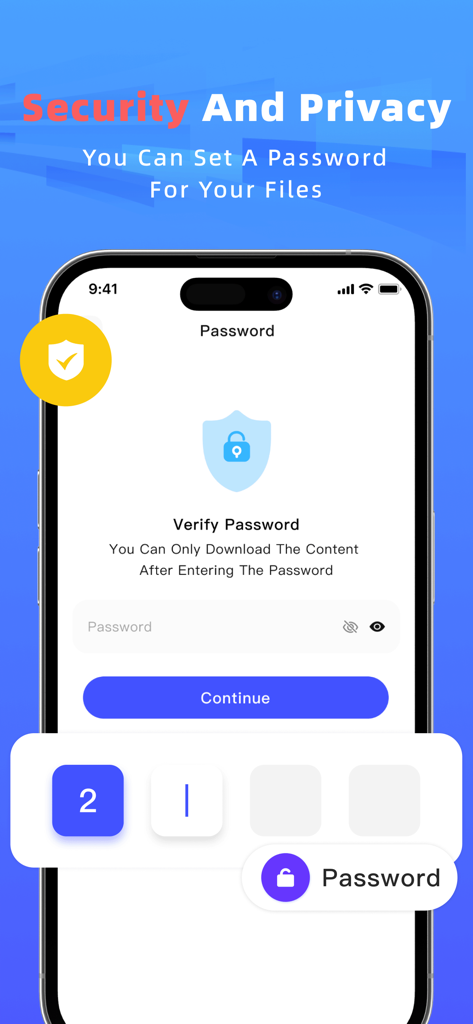
Files Transfer 앱에서 안전한 파일 공유를 위한 암호 보호 기능을 보여주는 스마트폰 화면

Files Transfer 앱에서 안전한 파일 공유를 위한 암호 보호 기능을 보여주는 스마트폰 화면

모든 것을 공유하고, 아무것도 희생하지 마세요

이 앱을 돋보이게 하는 도구, 147K+ 명의 사용자가 선택.

번개처럼 빠른 로컬 공유

셀룰러 데이터 또는 Wi-Fi 연결을 사용하지 않고도 블루투스보다 100배 빠른 속도로 4K 동영상 및 대용량 문서를 전송하세요.

💎

무압축 품질

고해상도 콘텐츠의 모든 픽셀을 그대로 유지하세요. 메시징 앱의 압축 없이 원본 품질 사진과 무손실 오디오를 보내세요.

🔒

보안 암호화 링크

암호로 보호된 다운로드 링크를 생성하여 원격으로 협업하세요. 개인 작업은 계속 사용자의 통제하에 있습니다.

전 세계 사용자들에게 사랑받는 앱

Trusted by 147K+ 명이 이 앱을 사랑합니다.

"

"프리랜서 영상 제작자로서 4K 푸티지의 원본 품질을 유지하는 것은 필수적입니다. 이 앱은 제가 시도해 본 다른 어떤 것보다 훨씬 빠른 무압축 전송을 제공하기 때문에 게임 체인저입니다. 데이터 사용 없이 대용량 파일을 직접 보낼 수 있다는 점은 현장 워크플로우를 완전히 최적화했습니다."

Marcus Thorne
"

"저는 캠퍼스에서 강의 녹화본과 프로젝트 폴더를 친구들과 공유하기 위해 이 앱을 계속 사용합니다. 도서관 Wi-Fi가 불안정할 때도 네트워크 없이 전송되기 때문에 완벽하게 작동합니다. 암호화된 링크 기능은 팀에 개인 문서를 안전하게 보내는 데에도 큰 도움이 됩니다."

Elena Rodriguez

앱 소개

에 대해 알아야 할 모든 것 Files Transfer - Quick share.

설명

【Files Transfer】is an efficient file transfer tool dedicated to making sharing simpler and more efficient than ever before. Whether your friends are nearby or far away, you can easily achieve instant file sharing, completely saying goodbye to the troubles of data cables, email attachments, and complicated settings. 【Core Feature Highlights】 1.Ultra-Fast Face-to-Face Transfer * No data usage, no network required! Achieve ultra-high-speed file transfer by establishing a direct connection with nearby devices. * The transfer speed is a hundred times faster than Bluetooth. Sharing photos, videos, and large documents can be completed in the blink of an eye. * Complete privacy protection: All data is transmitted only between devices and will not be uploaded to the cloud, ensuring security and peace of mind. 2.Remote Link Generation for Sharing * Is the recipient not around? Generate an encrypted download link with one click, and share it with friends or colleagues far away through any means. * Customizable link validity period and password to ensure the security and controllability of your private files, preventing malicious downloads by others. * Supports files in any format—work PPTs, design drafts, video collections, etc. One link handles it all. 3.All-Round and Convenient * Zero-compression transfer: Original quality videos, lossless audio files, and original documents are transmitted as they are, guaranteeing quality. * Simple interface: An intuitive operation interface that requires no learning; you can use the app easily as soon as you open it. Say goodbye to transfer limitations and embrace efficient sharing.【Files Transfer】redefines the way of file transfer and is an indispensable efficiency tool in your daily life. Download now and experience the smoothness of seamless sharing! -Payment will be charged to iTunes Account at confirmation of purchase. -Subscriptions automatically renew unless auto-renew is turned off at least 24-hours before the end of the current period. -Account will be charged for renewal within 24-hours prior to the end of the current period, and identify the cost of the renewal. Privacy Policy: https://apdeus.com/file/privacy.html Terms of User: https://apdeus.com/file/terms.html

최신 버전

2.3

크기

68.1 MB

출시일

2025년 8월 26일

최고의 작업을 빛의 속도로 공유할 준비가 되셨나요?

압축 없이 4K 동영상 및 대용량 파일을 전송하는 147,000명 이상의 크리에이터 및 전문가와 함께하세요. 케이블, 클라우드, 제한 없이 즉각적이고 안전한 공유가 가능합니다.

다운로드: App Store
FAQ

자주 묻는 질문

에 대해 알아야 할 모든 것 Files Transfer - Quick share

Files Transfer - Quick share란 무엇인가요?

Files Transfer - Quick share는 간단하고 효과적인 공유를 위해 설계된 효율적인 파일 전송 도구입니다. 데이터 케이블, 이메일 첨부 파일, 복잡한 설정 없이도 파일 전송 방식을 재정의합니다.

Files Transfer - Quick share는 대면 전송 시 인터넷 연결이 필요한가요?

아니요, Files Transfer - Quick share는 대면 전송 시 데이터 사용이나 네트워크가 필요하지 않습니다. 매우 빠른 공유를 위해 주변 장치와 직접 연결을 설정합니다.

Files Transfer - Quick share의 대면 전송 속도는 얼마나 빠른가요?

Files Transfer - Quick share의 대면 전송 속도는 블루투스보다 백 배 빠릅니다. 이를 통해 사진, 비디오 및 대용량 문서를 빠르게 공유할 수 있습니다.

Files Transfer - Quick share를 사용하여 대면 전송 시 데이터 보안이 유지되나요?

예, Files Transfer - Quick share는 대면 전송 시 완벽한 개인 정보 보호 기능을 제공합니다. 모든 데이터는 장치 간에만 전송되며 클라우드에 업로드되지 않아 안전합니다.

Files Transfer - Quick share를 사용하여 원격으로 파일을 공유할 수 있나요?

예, Files Transfer - Quick share는 암호화된 다운로드 링크를 생성하여 원격 파일 공유를 허용합니다. 이 링크는 멀리 떨어진 친구나 동료와 공유할 수 있습니다.

Files Transfer - Quick share에서 원격 공유 링크에 비밀번호와 만료일을 설정할 수 있나요?

예, Files Transfer - Quick share를 사용하면 비밀번호로 원격 공유 링크를 사용자 정의하고 유효 기간을 설정할 수 있습니다. 이를 통해 개인 파일의 보안 및 제어 가능성을 보장합니다.

Files Transfer - Quick share는 어떤 파일 형식을 지원하나요?

Files Transfer - Quick share는 작업 PPT, 디자인 초안, 비디오 컬렉션, 사진, PDF 문서 등 모든 형식의 파일을 지원합니다. 제한 없이 모든 유형을 처리합니다.

Files Transfer - Quick share는 전송 중에 파일을 압축하나요?

아니요, Files Transfer - Quick share는 무압축 전송을 수행합니다. 원본 품질 비디오, 무손실 오디오 파일 및 원본 문서는 그대로 전송되어 품질을 보장합니다.

Files Transfer - Quick share는 과거 전송 기록을 유지하나요?

예, Files Transfer - Quick share는 모든 전송을 기록합니다. 이 앱은 "기록" 섹션에 전송, 수신 및 다운로드된 파일과 만료 세부 정보를 표시합니다.

Files Transfer - Quick share는 구독 갱신을 어떻게 처리하나요?

Files Transfer - Quick share의 구독은 현재 기간이 종료되기 최소 24시간 전에 자동 갱신을 비활성화하지 않는 한 자동으로 갱신됩니다. 결제는 iTunes 계정으로 청구됩니다.