Fitbit Sync to Apple Health

Fitbit Sync to Apple Health

다운로드: App Store
Spark by MWM logo
로고: Fitbit Sync to Apple Health
Fitbit을 Apple Health로 동기화: 건강 데이터의 궁극적인 연결고리

24가지 주요 건강 지표를 Fitbit에서 Apple Health로 손쉽게 자동 전송하세요. 수동 입력을 중단하고, 과거 데이터를 보존하며, 간단한 설정으로 iPhone에서 건강 여정을 중앙 집중화하세요.

개발사

MPR MEDIA INC

카테고리

Health & Fitness

다운로드

130K+

사용자 평점

4.6/5

총 평가 수

10K+

지원 언어

1

데이터 조화가 작동하는 모습

이 인터페이스를 사용하는 130K+ 명의 사용자.

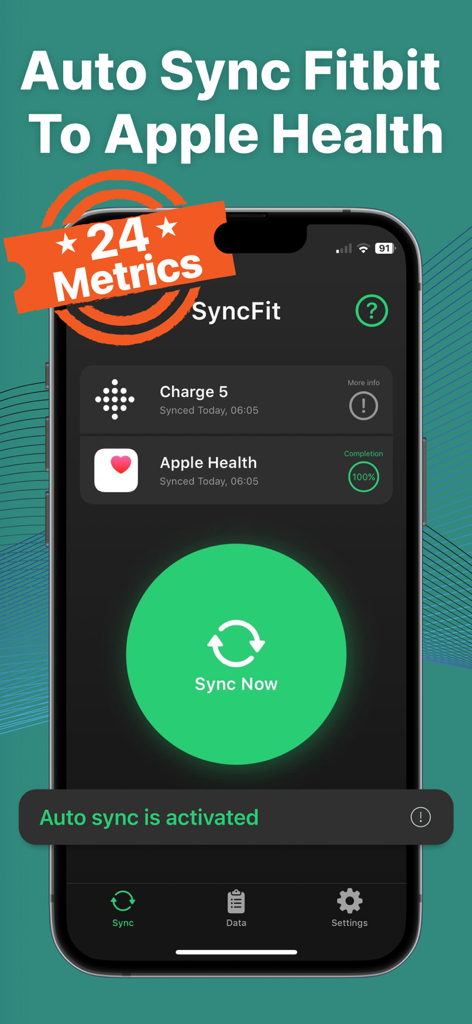
자동 동기화가 활성화된 Fitbit Charge 5와 Apple Health 간의 성공적인 동기화를 보여주는 SyncFit 앱 대시보드

자동 동기화가 활성화된 Fitbit Charge 5와 Apple Health 간의 성공적인 동기화를 보여주는 SyncFit 앱 대시보드

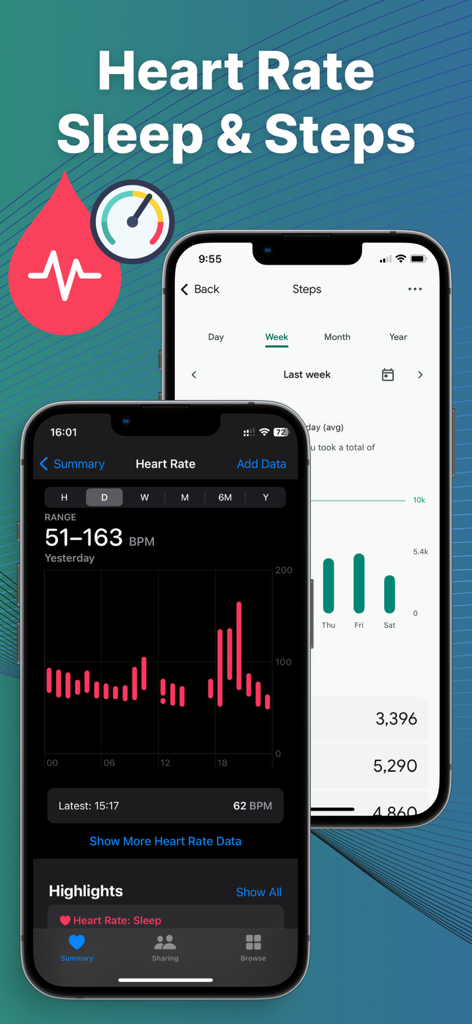
iPhone의 Apple Health로 동기화된 Fitbit 심박수 및 걸음 수 데이터

iPhone의 Apple Health로 동기화된 Fitbit 심박수 및 걸음 수 데이터

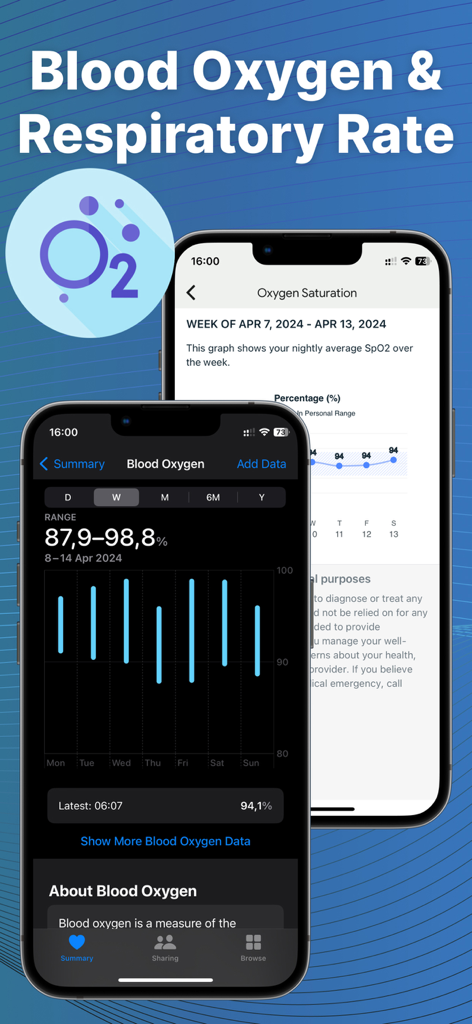
Syncfit 앱 인터페이스에 혈중 산소 및 호흡률 데이터 시각화 표시

Syncfit 앱 인터페이스에 혈중 산소 및 호흡률 데이터 시각화 표시

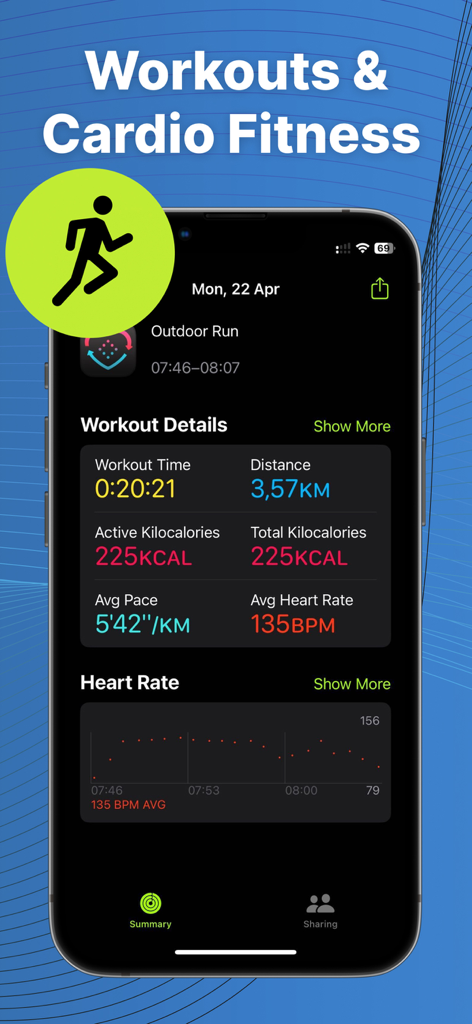
Apple Health로 동기화된 상세 운동 요약 및 심박수 데이터

Apple Health로 동기화된 상세 운동 요약 및 심박수 데이터

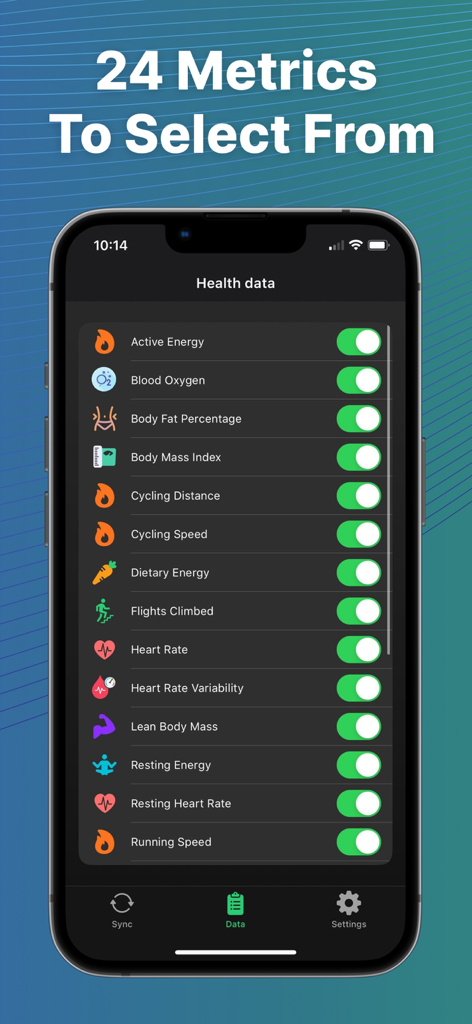
iPhone 화면에서 Fitbit에서 Apple Health로 동기화할 수 있는 24가지 건강 지표 목록.

iPhone 화면에서 Fitbit에서 Apple Health로 동기화할 수 있는 24가지 건강 지표 목록.

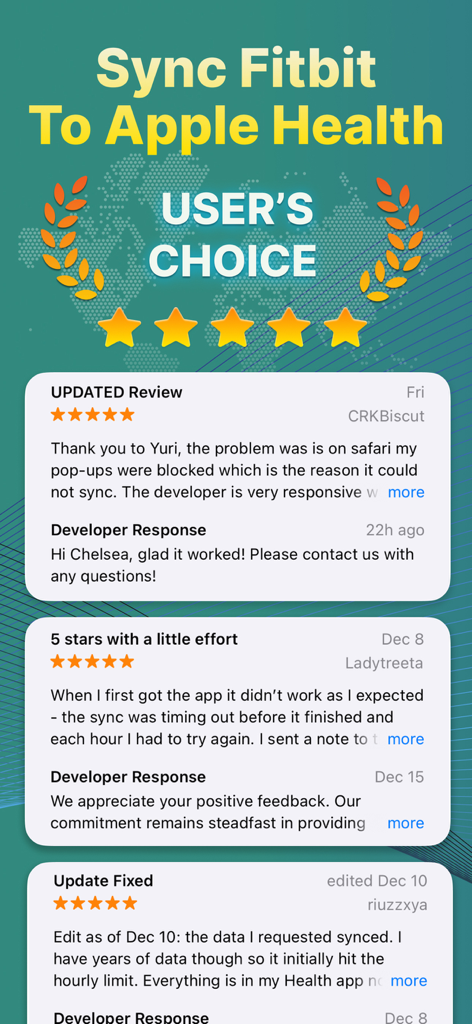
Fitbit을 Apple Health 앱으로 동기화에 대한 사용자 리뷰 및 별점 5개

Fitbit을 Apple Health 앱으로 동기화에 대한 사용자 리뷰 및 별점 5개

건강 생태계를 연결하세요

이 앱을 돋보이게 하는 도구, 130K+ 명의 사용자가 선택.

🔄

설정하고 잊어버리세요

백그라운드에서 데이터를 전송하는 프리미엄 자동 동기화를 활성화하세요. 수동 입력을 중단하고 목표에 집중하는 동안 통계가 손쉽게 업데이트되도록 하세요.

📅

전체 기록을 동기화하세요

수년간의 Fitbit 과거 데이터를 가져와 진행 상황을 보존하세요. 장기적인 추세를 그대로 유지하고 수년간 얼마나 발전했는지 확인하세요.

📊

24가지 정확한 데이터 포인트

걸음 수 이상의 수면, 심박수, 체지방 등에 대한 세분화된 추적을 하세요. Apple Health 대시보드가 완벽하게 최적화되도록 모든 세부 정보를 동기화합니다.

전 세계 사용자들에게 사랑받는 앱

Trusted by 130K+ 명이 이 앱을 사랑합니다.

"

"저는 수년간 Fitbit을 사용해 왔으며 iPhone으로 전환할 때 모든 과거 데이터를 잃을 생각에 견딜 수 없었습니다. Syncfit은 전환을 원활하게 만들었습니다! 자동 동기화는 백그라운드에서 완벽하게 작동하며, 이제 제 수면 및 걸음 수 데이터가 모두 제가 생각하지 않아도 Apple Health에 표시됩니다. Apple 생태계에 머물고 싶지만 Fitbit을 사랑하는 모든 사람에게 진정한 생명의 은인입니다."

Sarah M.
"

"혈중 산소부터 제지방량까지 모든 것을 추적하는 사람으로서 수동 데이터 입력은 가장 큰 골칫거리였습니다. 이 앱은 매우 효율적이며 배터리를 소모하지 않습니다. 24가지 데이터 포인트를 매번 정확하게 가져옵니다. Fitbit 하드웨어와 Apple Health 데이터를 요구하는 건강 보험 보상 프로그램 사이의 완벽한 연결고리입니다. 프리미엄 버전에 대한 가치가 충분합니다!"

David K.

앱 소개

에 대해 알아야 할 모든 것 Fitbit Sync to Apple Health.

설명

Auto Sync Fitbit to Health App or Syncfit is designed to seamlessly transfer your health and fitness data from your Fitbit account to the Apple Health app. With this app you can easily sync your Fitbit data listed below: Active Energy Blood Oxygen Body Fat Percentage Body Mass Index Cardio Fitness Score Cycling Distance Cycling Speed Dietary Energy Flights Climbed Heart Rate Lean Body Mass Respiratory Rate Resting Energy Resting Heart Rate Running Speed Sleep Steps Swimming Distance Walking + Running Distance Walking Speed Water Weight Workouts Using the app is straightforward and user-friendly. After downloading the app, you simply connect your Fitbit account to the app and authorize the data transfer. Once you've done that, the app will automatically sync your data to the Apple Health app in the background, so you don't have to worry about manually entering your data into both apps. FAQs: Fitbit to Apple Health Sync Made Easy with Syncfit Q: What's the deal with Fitbit to Apple Health sync using Syncfit? A: Syncfit makes it easy to get your Fitbit data into Apple Health. Simplifies tracking of 24 data points of your fitness journey. Q: Why should I bother syncing Fitbit with Apple Health through Syncfit? A: Syncfit creates a one-stop shop for all your health data. No more app-hopping to check your stats. Q: Is Syncfit the best app for Fitbit to Apple Health sync? A: Yep, Syncfit's my go-to. It's user-friendly and gets the job done without fuss. Q: How often should I use Syncfit to sync my Fitbit data? A: Syncfit works on autopilot or manually. Q: Will using Syncfit to sync drain my battery? A: Nah, Syncfit's pretty efficient. You won't notice much difference. Q: How to sync Fitbit with Apple Health using Syncfit? A: Download Syncfit, connect your Fitbit account, link to Apple Health, and hit Sync Now. Easy peasy. Q: Can I sync old Fitbit data to Apple Health with Syncfit? A: Sure can. Syncfit lets you pull in all historical data! Q: Is my data safe when syncing with Syncfit? A: Syncfit takes privacy seriously. Your data's safe, no worries. Q: How to sync Fitbit to Health app automatically with Syncfit? A: Auto-sync turn on right with premium plan. It'll keep your data fresh without you lifting a finger. Q: Can I pick which data to sync using Syncfit? A: Absolutely. Syncfit lets you choose what to sync out of 24 data points. Steps, sleep, workouts - you name it. Q: Will syncing with Syncfit mess up my existing Apple Health data? A: Nope, Syncfit just adds to it. Your Apple Health data stays put. Q: How accurate is the data synced by Syncfit? A: Pretty spot on. Syncfit transfers data as is from Fitbit. Q: How much does Syncfit cost for Fitbit to Apple Health sync? A: Syncfit has a free version, but the paid one's got more features. Worth every penny if you ask me. Subscription terms: Subscription unlocks all activities and auto-sync feature Information about the auto-renewable nature of the subscription: • Payment will be charged to iTunes Account at confirmation of purchase • Subscription automatically renews unless auto-renew is turned off at least 24-hours before the end of the current period • Promotional subscriptions do not have trial period. • 3-day free trial, after that payment will be charged to iTunes Account • Account will be charged for renewal within 24-hours prior to the end of the current period, and identify the cost of the renewal • Subscriptions may be managed by the user and auto-renewal may be turned off by going to the user's Account Settings after purchase • Any unused portion of a free trial period, if offered, will be forfeited when the user purchases a subscription to that publication, where applicable Privacy Policy: http://mprapps.com/privacy.html Terms of service: http://mprapps.com/syncfit_tos.html

최신 버전

1.0.58

크기

56.4 MB

출시일

2023년 5월 30일

건강 데이터를 통합할 준비가 되셨나요?

앱 간 전환을 멈추고 Fitbit과 Apple Health의 격차를 연결하세요. 130,000명 이상의 사용자와 함께 기록과 일일 통계를 자동 조종으로 동기화하세요.

다운로드: App Store
FAQ

자주 묻는 질문

에 대해 알아야 할 모든 것 Fitbit Sync to Apple Health

Fitbit Sync to Apple Health를 위한 Syncfit은 무엇인가요?

Syncfit은 Fitbit 계정의 건강 및 피트니스 데이터를 Apple Health 앱으로 원활하게 전송하도록 설계된 앱입니다. 24가지의 다양한 데이터 포인트 동기화를 지원합니다.

Syncfit은 Fitbit에서 Apple Health로 어떤 데이터 포인트를 전송할 수 있나요?

Syncfit은 활동 에너지, 혈중 산소, 심박수, 수면, 걸음 수, 체중, 운동 등 24가지 데이터 포인트를 전송합니다. 사용자는 Apple Health로 동기화할 특정 메트릭을 선택할 수 있습니다.

Syncfit을 사용하여 Fitbit 데이터를 Apple Health로 동기화하는 방법은 무엇인가요?

예, Syncfit을 사용하여 Fitbit 데이터를 동기화하는 것은 간단합니다. 앱을 다운로드하고, Fitbit 계정을 연결하고, Apple Health와 연결한 다음, 데이터 전송을 승인하세요. 그런 다음 앱이 백그라운드에서 자동으로 동기화할 수 있습니다.

Syncfit은 자동 데이터 동기화를 지원하나요?

예, Syncfit은 자동 데이터 동기화를 지원합니다. 프리미엄 구독을 통해 자동 동기화 기능이 활성화되어 Fitbit 데이터가 수동 개입 없이 Apple Health에서 최신 상태로 유지됩니다.

Syncfit은 오래된 Fitbit 데이터를 Apple Health로 동기화할 수 있나요?

예, Syncfit을 사용하면 모든 과거 Fitbit 데이터를 가져올 수 있습니다. 이 기능은 Apple Health 앱 내에서 과거 피트니스 및 건강 메트릭의 전체 기록을 보장합니다.

Syncfit 앱으로 동기화할 때 사용자 데이터가 안전한가요?

예, Syncfit은 사용자 데이터의 안전을 보장합니다. 이 앱은 Fitbit에서 Apple Health로 건강 및 피트니스 정보를 전송하는 동안 개인 정보를 우선시합니다. 자세한 내용은 개인 정보 보호 정책을 참조하세요.

Fitbit에서 Apple Health로 동기화하는 Syncfit 앱의 비용은 얼마인가요?

Syncfit은 무료 버전을 제공하며, 유료 프리미엄 구독은 모든 활동과 자동 동기화 기능을 잠금 해제합니다. 프리미엄 플랜에 대한 3일 무료 평가판을 사용할 수 있습니다.

Syncfit은 프리미엄 기능에 대한 무료 평가판을 제공하나요?

예, Syncfit은 프리미엄 구독에 대해 3일 무료 평가판을 제공합니다. 이를 통해 사용자는 구매하기 전에 모든 잠금 해제된 활동과 자동 동기화 기능을 경험할 수 있습니다.

Syncfit은 데이터 동기화 중에 기기 배터리를 소모하나요?

아니요, Syncfit은 효율적이며 기기 배터리를 크게 소모하지 않습니다. 앱의 백그라운드 동기화 프로세스는 배터리 수명에 미미한 영향을 미칩니다.

사용자는 Syncfit 구독 설정을 관리할 수 있나요?

예, 사용자는 Syncfit 구독을 직접 관리할 수 있습니다. iTunes에서 구매 후 사용자 계정 설정에 액세스하여 자동 갱신을 해제할 수 있습니다.

Syncfit은 Fitbit에서 동기화할 특정 데이터를 선택할 수 있나요?

예, Syncfit은 사용자가 동기화할 데이터 포인트를 선택할 수 있도록 합니다. 사용 가능한 24가지 메트릭 중에서 사용자는 걸음 수, 수면 또는 운동과 같은 특정 메트릭을 선택적으로 동기화할 수 있습니다.

Syncfit은 Apple Health 앱의 기존 데이터를 수정하나요?

아니요, Syncfit은 Apple Health 앱에 새 데이터만 추가합니다. Apple Health에 이미 있는 기존 건강 데이터를 수정하거나 엉망으로 만들지 않습니다.