Freenotes: AI Notes Taking

Freenotes: AI Notes Taking

다운로드: App Store
Spark by MWM logo
로고: Freenotes: AI Notes Taking
Freenotes: 차세대 디지털 학자를 위한 AI 노트 필기

AI 기반 요약, 자연스러운 필기, 대화형 PDF 주석으로 시험과 직업 목표를 마스터하세요. 모두 하나의 심미적이고 디지털화된 작업 공간에서 제공됩니다.

개발사

Hangzhou Free Notes Technology Co., Ltd

카테고리

Productivity

다운로드

8M+

사용자 평점

4.8/5

총 평가 수

553K+

지원 언어

27

진정한 디지털화된 파워를 경험하세요

이 인터페이스를 사용하는 8M+ 명의 사용자.

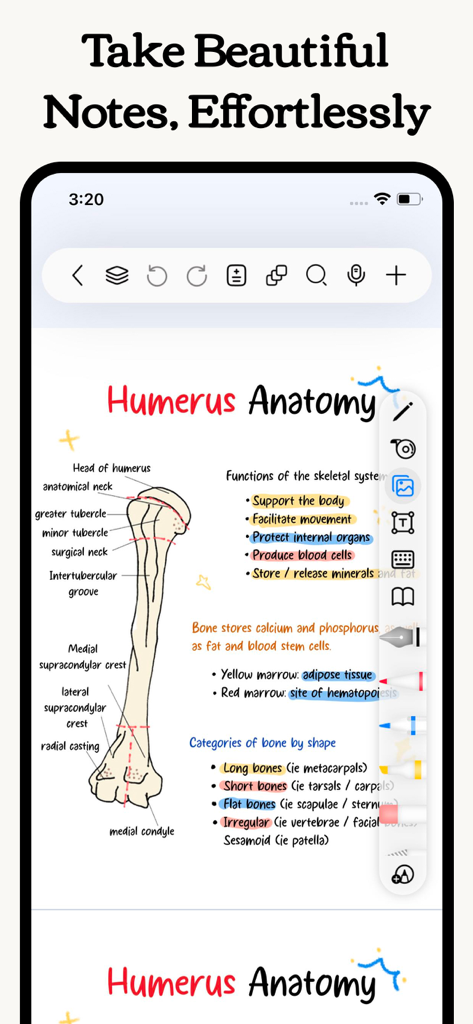
인체 해부학의 상완골에 대한 심미적인 손글씨 의학 해부학 노트, 화려한 하이라이트 및 다이어그램 포함

인체 해부학의 상완골에 대한 심미적인 손글씨 의학 해부학 노트, 화려한 하이라이트 및 다이어그램 포함

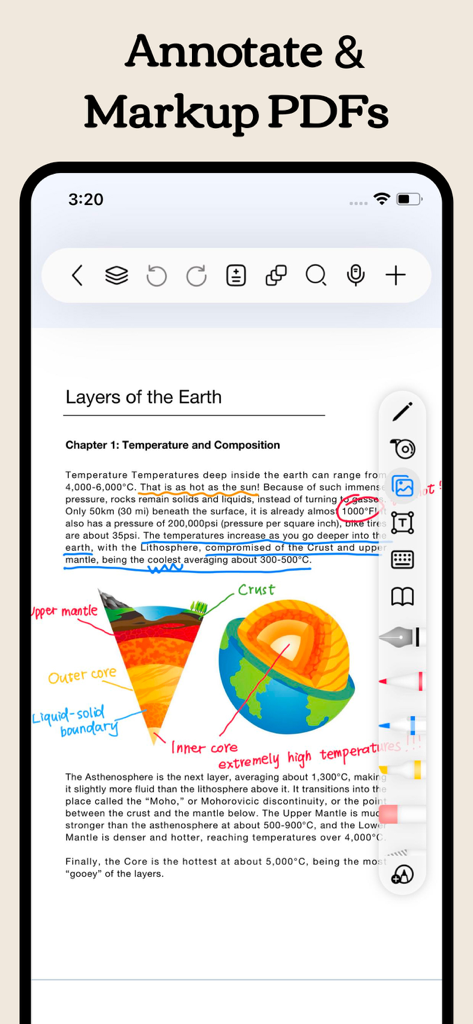
Freenotes 앱 화면으로, 손글씨 노트 및 하이라이트로 주석이 달린 과학 PDF를 보여줍니다

Freenotes 앱 화면으로, 손글씨 노트 및 하이라이트로 주석이 달린 과학 PDF를 보여줍니다

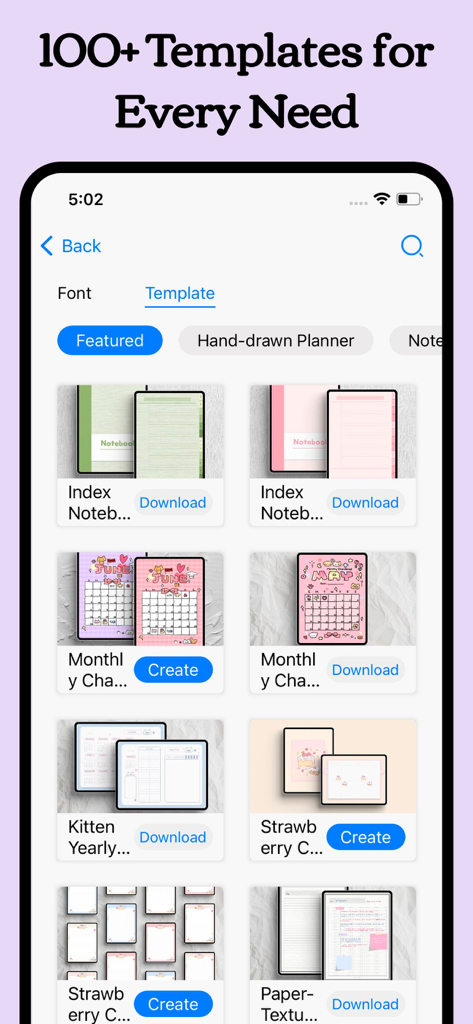
Freenotes 앱 인터페이스 내에 다양한 심미적인 디지털 플래너 및 노트북 템플릿을 보여주는 라이브러리

Freenotes 앱 인터페이스 내에 다양한 심미적인 디지털 플래너 및 노트북 템플릿을 보여주는 라이브러리

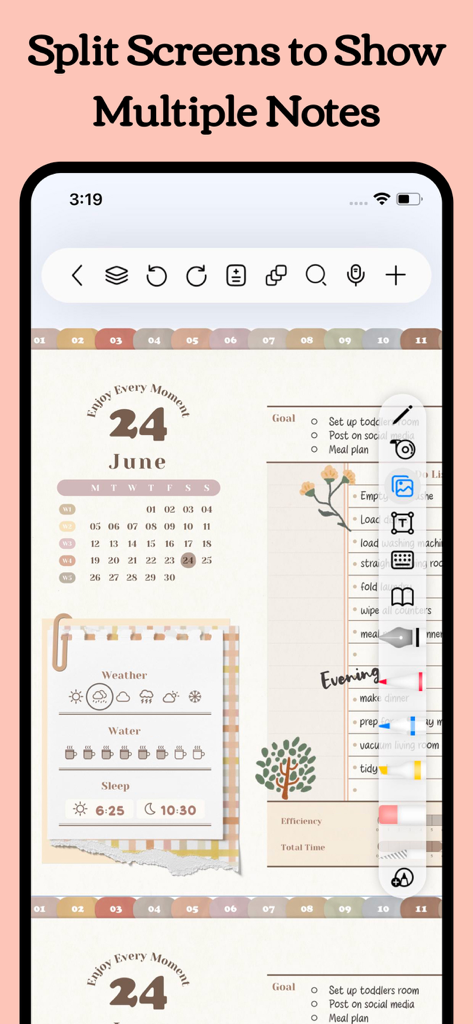
디지털 플래너 및 작업 목록과 함께 분할 화면 기능을 표시하는 Freenotes 앱 인터페이스

디지털 플래너 및 작업 목록과 함께 분할 화면 기능을 표시하는 Freenotes 앱 인터페이스

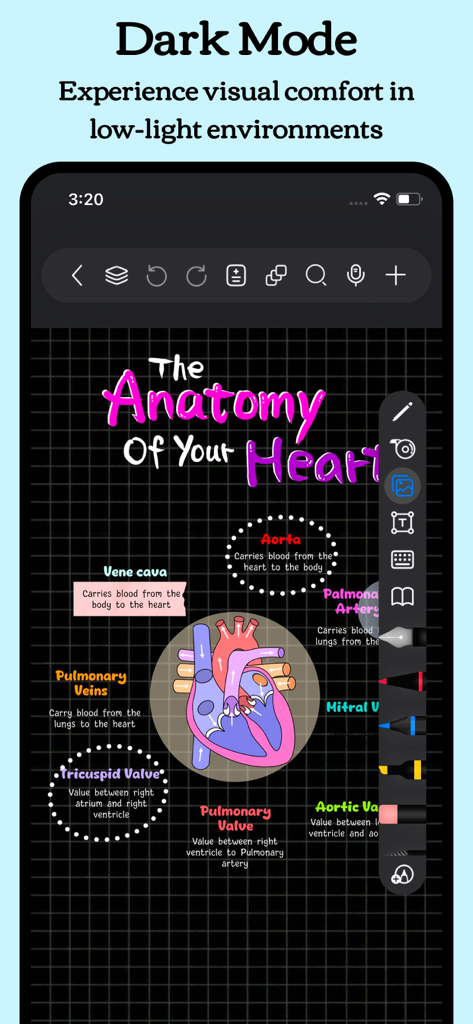
어두운 격자 배경에 화려한 심장 해부학 다이어그램이 손글씨로 작성된 Freenotes 앱 다크 모드

어두운 격자 배경에 화려한 심장 해부학 다이어그램이 손글씨로 작성된 Freenotes 앱 다크 모드

AI로 생산성을 극대화하세요

이 앱을 돋보이게 하는 도구, 8M+ 명의 사용자가 선택.

🪄

AI 기반 인텔리전스

고급 AI 어시스턴트를 사용하여 긴 문서를 즉각적인 요약으로 변환하고 질문에 대한 실시간 답변을 받으세요.

📺

통합 비디오 학습

노트 필기 중 Picture-in-Picture 모드로 강의를 시청하세요. 앱 전환 없이 스크린샷을 캡처하고 지식 기반을 구축하세요.

🧠

능동적 회상을 위해 제작됨

테이프 도구와 특화된 학습 모드를 사용하여 시험을 잘 치르세요. 더 빠르게 암기하고 더 많은 정보를 기억하는 데 도움이 되도록 설계되었습니다.

전 세계 사용자들에게 사랑받는 앱

Trusted by 8M+ 명이 이 앱을 사랑합니다.

"

"간호 학생으로서 Freenotes는 제 공부 방식을 완전히 바꿔놓았습니다. AI 요약 기능은 긴 연구 논문에 필수적이며, 능동적 회상 테이프 도구는 해부학 암기를 훨씬 빠르게 만들어 줍니다. Picture-in-Picture로 강의를 시청하면서 동시에 노트 필기를 하는 것이 좋습니다. 이것이 최고의 학습 환경입니다!"

Sarah J., 의대생
"

"드디어 전문적이고 스마트한 느낌의 노트 필기 앱을 찾았습니다. OCR 검색이 놀라울 정도로 정확합니다. 몇 달 전의 특정 회의 내용을 몇 초 안에 찾을 수 있습니다. 또한, 하이퍼링크가 포함된 디지털 플래너를 프로젝트 추적에 사용함으로써 제 작업 흐름이 그 어느 때보다 간소화되었습니다. iPad Pro를 위한 가장 정교한 도구입니다."

David L., 수석 프로젝트 관리자

앱 소개

에 대해 알아야 할 모든 것 Freenotes: AI Notes Taking.

설명

Freenotes: The Ultimate Digital Note-Taking Solution for Study and Work Freenotes lets you experience true paperless learning, combining the pleasure of realistic handwriting with features that boost your study and work efficiency. Whether you're a college student needing PDF annotation or a professional seeking a high-efficiency meeting note tool, Freenotes is the best GoodNotes alternative for a seamless, productive experience across all your devices. AI Integration: Your Smart Study Assistant A handwriting app with built-in AI to summarize long notes or check grammar/spelling in handwritten text? Freenotes is equipped with a powerful AI Assistant designed to optimize your learning and reviewing process: Instant Summaries & Answers: Take a screenshot or upload a document (PDF or photo) to instantly get answers to questions and AI-generated summaries of content. Perfect for quickly understanding long documents or creating study outlines for exams. AI Study Companion: Use the assistant to clarify concepts, define terms, and check your handwritten notes for accuracy, turning passive review into active recall. High-Efficiency Note-Taking & Organization What's a high-quality app to handwrite meeting notes and convert them into searchable text? We focus on helping you solve the pain point of messy, unsearchable notes: Organized and Neat: The folder feature allows you to categorize and organize your notes by projects, courses, or topics, automating the organization of your note library. Quick Search via OCR: No more wasting time searching! Our advanced handwriting OCR (Optical Character Recognition) means you can easily find the specific note or keyword you need, even if it was handwritten. Academic Powerhouse: PDF Annotation & Learning Tools Best iPad note-taking app for college students? Recommend an aesthetic digital planner app for tablets that works with hyperlinked PDFs? Freenotes offers features essential for college students and professionals working with documents: Interactive PDF Annotation: Annotate, mark up, and highlight large PDF files. Select text to translate and look up words directly for more convenient and engaging learning. Hyperlink Support: Create hyperlinked digital planners or study guides that jump to different pages within your notes or to external web pages for easy access to related information. Multitasking & Focus: Master Video Learning "Take notes while watching videos," "Split-screen for courses." Maximize productivity by taking notes while consuming content: Seamless Video Learning: Use Picture-in-Picture (PiP) to take notes while watching online videos (YouTube, lecture recordings), and instantly capture relevant screenshots directly into your notes. Dedicated Course Learning View: Display your handwritten notes or mind maps alongside course content in a specialized split-screen setup for deeper understanding and quick review. Review & Memorization for Active Recall "Helps with active recall," "Exam preparation tool." We provide specific tools proven to aid memory: Active Recall Tape Tool: Use the tape tool to mark key information for memorization and quickly test yourself by toggling visibility—a powerful technique for active recall and exam preparation. Exam Prep Center: Access built-in exam materials, timers, and use in-app layers and split-screen to practice and simulate exams without re-importing files. A True Paper Feel: Natural & Customizable Writing What app has the most natural and lowest-latency writing feel on a tablet? Realistic Pen Strokes: Experience lifelike, low-latency pen strokes on electronic devices by combining handwriting pens, providing the most natural feel for writing on digital platforms. Customization: Create and save custom brushes for quick access. Freenotes now supports the latest features of Apple Pencil Pro. Privacy Policy: https://www.freenotetech.com/policy/ Terms of Service: https://www.freenotetech.com/terms/

최신 버전

3.18.0

크기

481.5 MB

출시일

2023년 9월 5일

AI로 생산성을 마스터할 준비가 되셨나요?

800만 명 이상의 디지털 학자 및 전문가들과 함께 공부하고 일하는 방식을 혁신하세요. 더 스마트하고 디지털화된 필기 경험을 위해 지금 Freenotes를 다운로드하세요.

다운로드: App Store
FAQ

자주 묻는 질문

에 대해 알아야 할 모든 것 Freenotes: AI Notes Taking

Freenotes®: AI Notes Taking이란 무엇인가요?

Freenotes®: AI Notes Taking은 현실적인 필기와 AI 기능을 결합하여 학습 및 업무에 활용할 수 있는 디지털 노트 솔루션입니다. PDF 주석, 정리, 효율적인 학습 도구를 다양한 기기에서 제공합니다.

Freenotes AI는 메모를 요약할 수 있나요?

네, Freenotes AI는 콘텐츠를 즉시 요약해 줍니다. 사용자는 스크린샷을 찍거나 PDF 또는 사진과 같은 문서를 업로드하여 AI가 생성한 요약 및 질문에 대한 답변을 받을 수 있습니다.

Freenotes는 필기 노트를 검색 가능한 텍스트로 변환하나요?

네, Freenotes는 필기 노트를 검색 가능한 텍스트로 변환합니다. 고급 필기 OCR(광학 문자 인식) 기능을 통해 사용자는 필기 콘텐츠 내에서 특정 메모나 키워드를 빠르게 찾을 수 있습니다.

Freenotes에서 PDF에 주석을 달 수 있나요?

네, Freenotes는 PDF 파일에 주석을 다는 것을 지원합니다. 사용자는 대용량 PDF 파일에 주석을 달고, 표시하고, 강조 표시할 수 있으며, 앱 내에서 직접 번역이나 단어 조회를 위해 텍스트를 선택할 수 있습니다.

Freenotes를 사용하여 동영상을 보면서 메모할 수 있나요?

네, Freenotes를 사용하면 동영상을 시청하면서 메모할 수 있습니다. YouTube와 같은 온라인 동영상을 위해 Picture-in-Picture(PiP) 기능을 활용하여 관련 스크린샷을 메모에 직접 캡처할 수 있습니다.

Freenotes에는 다크 모드가 있나요?

네, Freenotes는 다크 모드 기능을 제공합니다. 이 모드는 저조도 환경에 맞게 인터페이스를 최적화하여 사용자에게 시각적인 편안함을 제공합니다.

Freenotes는 능동적 회상에 어떻게 도움이 되나요?

Freenotes는 테이프 도구를 사용하여 능동적 회상을 돕습니다. 이 도구를 사용하면 사용자가 암기를 위해 핵심 정보를 표시한 다음, 표시된 콘텐츠의 가시성을 전환하여 스스로 테스트할 수 있습니다.