
FUJIFILM WPS Photo Transfer



가장 좋아하는 사진을 FUJIFILM Wonder Print Station 키오스크에 빠르고 무선으로 전송하여 번거로운 케이블 연결 없이 즉석에서 고품질 인화를 즐기세요.
개발사
카테고리
Photo & Video다운로드
4M+사용자 평점
총 평가 수
800지원 언어
2이 인터페이스를 사용하는 4M+ 명의 사용자.
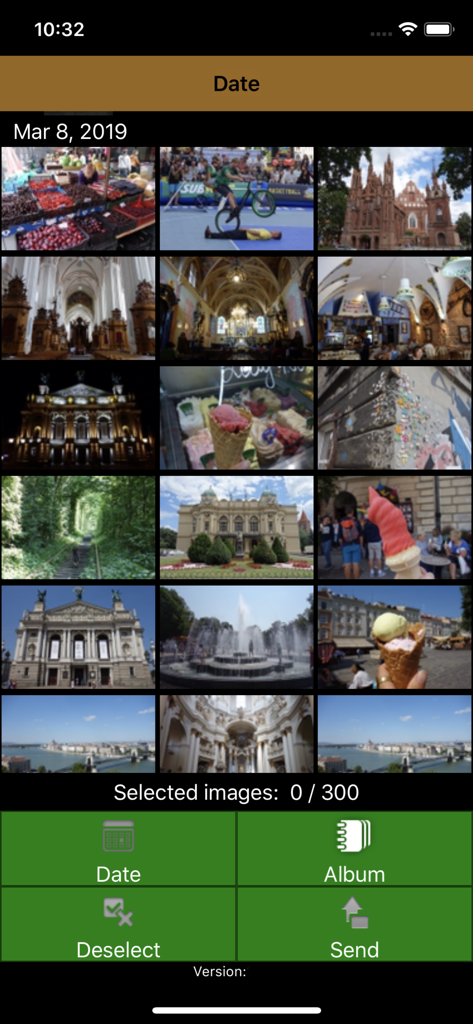
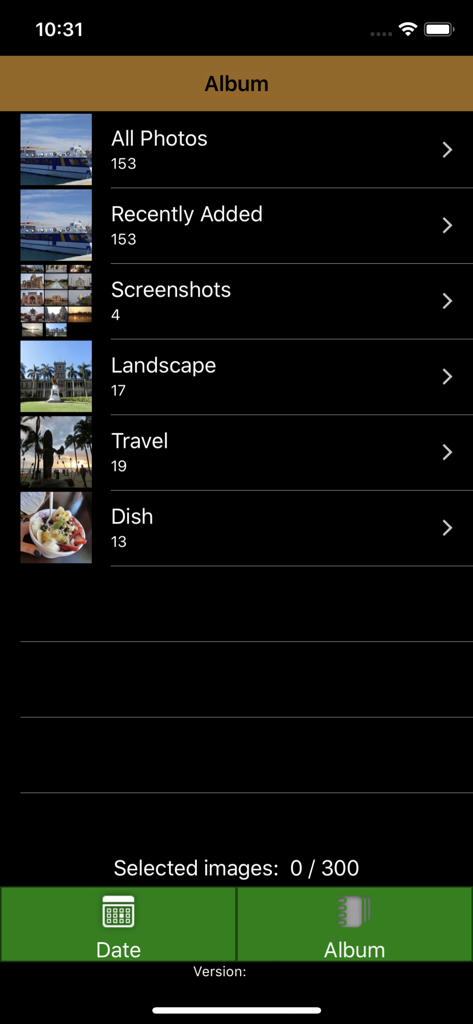
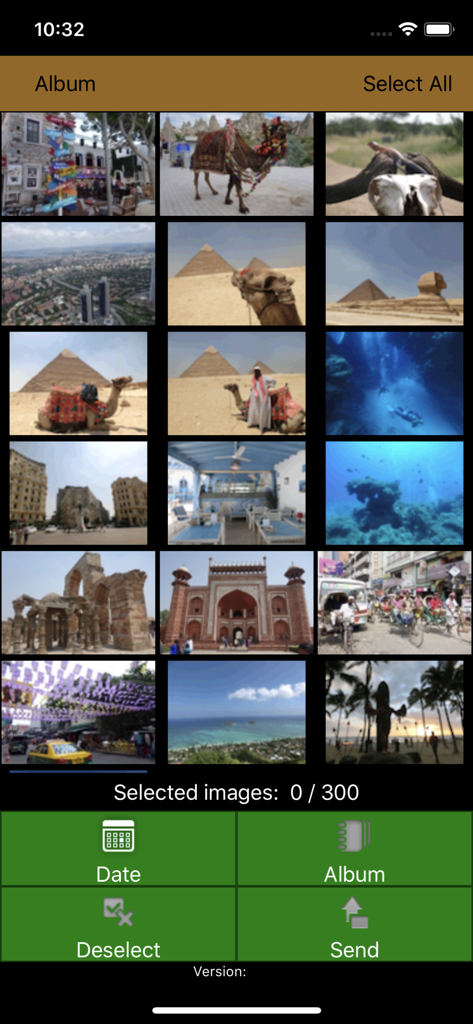
이 앱을 돋보이게 하는 도구, 4M+ 명의 사용자가 선택.
복잡한 케이블은 잊으세요. Wi-Fi를 통해 iPhone을 키오스크에 직접 연결하여 몇 초 안에 빠르고 코드 없는 전송을 경험하세요.
집에서 편안하게 좋아하는 사진을 선택하세요. 키오스크에서 보내는 시간을 줄이고 하루를 더 즐기세요.
휴대폰 갤러리를 아름다운 실물 사진으로 변환하세요. 가족 앨범, 홈 데코 또는 마음을 담은 선물에 완벽합니다.
Trusted by 4M+ 명이 이 앱을 사랑합니다.
"바쁜 엄마로서 집에서 좋아하는 사진을 선택하고 약국에 있을 때 키오스크로 빠르게 전송할 수 있다는 점이 정말 좋습니다. 케이블을 사용하는 것보다 가족 앨범에 실물 사진을 넣는 것이 훨씬 쉽고 빠릅니다."
"딸의 졸업 선물로 사진을 인화할 방법을 찾고 있었는데 이 앱 덕분에 과정이 매우 원활했습니다. Wonder Print Station과의 연결이 간단했고 몇 분 만에 고품질 인화물을 가지고 나왔습니다."
사용자 리뷰 인사이트.
감정 점수
요약
The mobile app receives overwhelmingly negative feedback from users, with many reporting it to be completely unusable. Common complaints include frequent app crashes and freezing, persistent Wi-Fi and cable connectivity issues, and extremely slow performance, often leading to wasted time and inability to complete photo printing, especially with large photo libraries. While a small number of users found the app easy to use and efficient when it successfully connected, the vast majority experienced significant frustrations with its reliability and user interface. One user also noted difficulty printing after updating to iOS 17.1.1, though this was not a widespread complaint.
주요 테마
에 대해 알아야 할 모든 것 FUJIFILM WPS Photo Transfer.
설명
최신 버전
2.3.12
크기
7.5 MB
출시일
2015년 3월 12일
앱을 다운로드하여 집에서 편안하게 최고의 사진을 미리 선택하고, FUJIFILM Wonder Print Station을 방문할 때 원활한 무선 인화를 즐기세요.
에 대해 알아야 할 모든 것 FUJIFILM WPS Photo Transfer
FUJIFILM WPS Photo Transfer는 Wi-Fi 연결을 통해 iOS 기기에서 FUJIFILM "Wonder Print Station" 키오스크로 이미지를 보내 인쇄하도록 설계된 iOS 애플리케이션입니다.
FUJIFILM WPS Photo Transfer 앱을 사용하면 사용자는 iOS 기기에서 사진을 선택할 수 있습니다. 선택 후 스마트폰이 Wonder Print Station 주문 터미널에 연결되어 인쇄용 이미지를 전송합니다.
FUJIFILM WPS Photo Transfer는 FUJIFILM "Wonder Print Station" 키오스크와만 작동합니다. 다른 키오스크 시스템과는 작동하지 않습니다.
FUJIFILM WPS Photo Transfer 애플리케이션은 iPhone 7 이상 기기가 필요합니다. 전체 호환성 및 기능을 보장하기 위해 iOS 15 이상 버전에서 작동합니다.
설치 시 "모두 액세스 허용"을 누르라는 메시지가 표시됩니다. 액세스가 거부된 경우 설정, 개인 정보 보호 및 보안, 사진을 선택하고 "WPS Photo Transfer"를 "모두 액세스"로 설정하십시오.
예, 사용자는 키오스크로 전송하기 위해 FUJIFILM WPS Photo Transfer 애플리케이션 내에서 최대 300개의 이미지를 선택할 수 있습니다.
유사한 기능과 사용자 경험을 가진 앱

PlusMinusOne, Inc.

Princh ApS
FUJIFILM Business Innovation Corp.

KOPIKS, OOO

Sharp Corporation

FamilyMart Co.,Ltd.

VISIONOTS Co.,Ltd

WEPA Inc.

Xerox Corporation