Grafio 4 - Diagram Maker

Grafio 4 - Diagram Maker

다운로드: App Store
Spark by MWM logo
로고: Grafio 4 - Diagram Maker

Grafio 4 - 손으로 그린 스케치를 즉시 전문 다이어그램으로 변환

순서도, 마인드맵, 기술 다이어그램을 위한 최고의 도구입니다. 한 번의 구매로 구독 없이 마법 같은 도형 인식 기능을 경험하세요.

개발사

Ten Touch Ltd.

카테고리

Productivity

다운로드

403K+

사용자 평점

4.3/5

총 평가 수

4K+

지원 언어

5

당신의 brilliance를 시각화하세요

이 인터페이스를 사용하는 403K+ 명의 사용자.

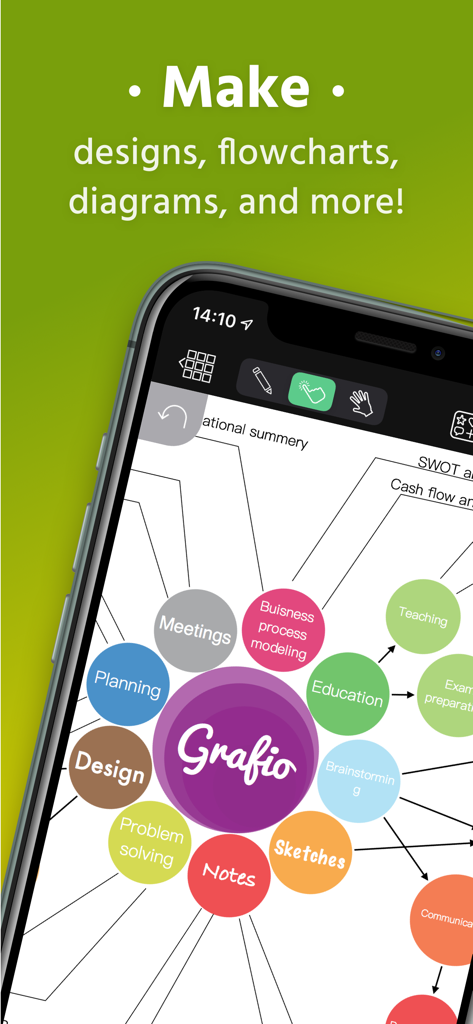
Grafio 4 다이어그램 제작 앱을 사용하여 생성된 다양한 범주의 화려한 마인드맵을 보여주는 휴대폰 화면

Grafio 4 다이어그램 제작 앱을 사용하여 생성된 다양한 범주의 화려한 마인드맵을 보여주는 휴대폰 화면

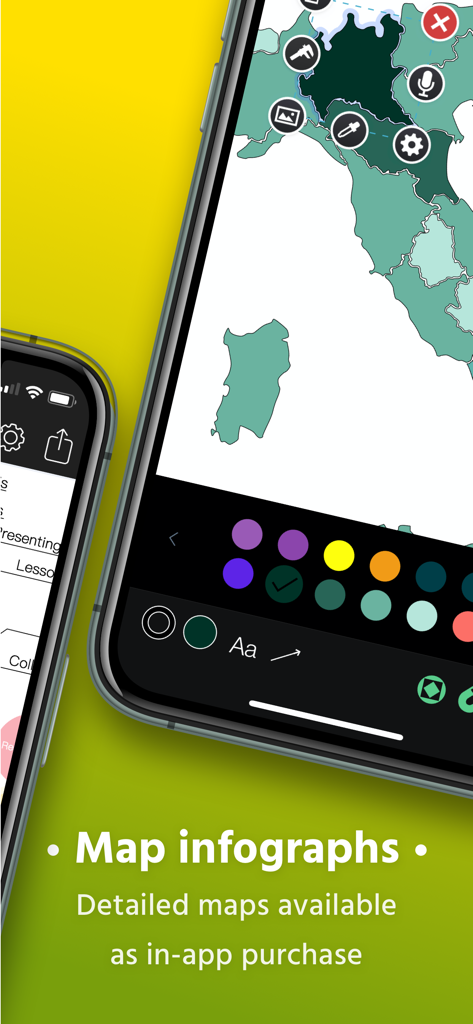
Grafio 4 모바일 앱 인터페이스를 사용하여 지도 인포그래픽을 만드는 중.

Grafio 4 모바일 앱 인터페이스를 사용하여 지도 인포그래픽을 만드는 중.

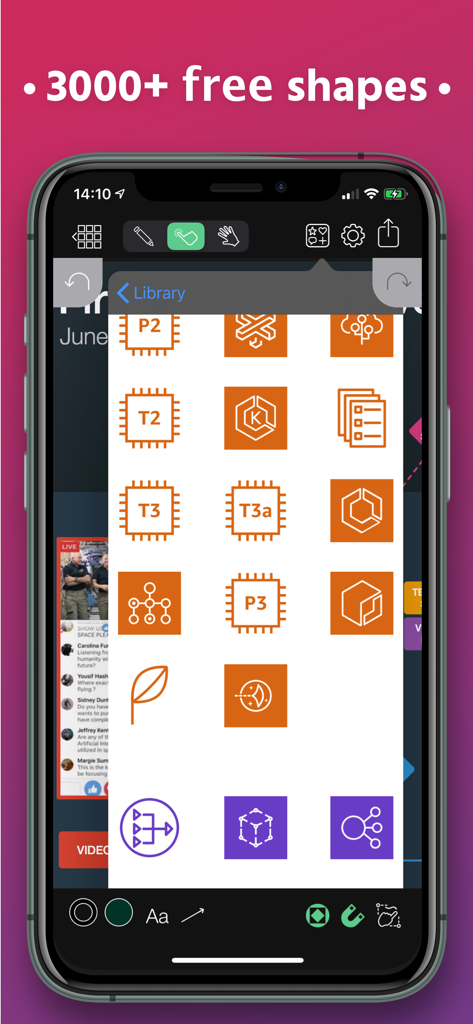
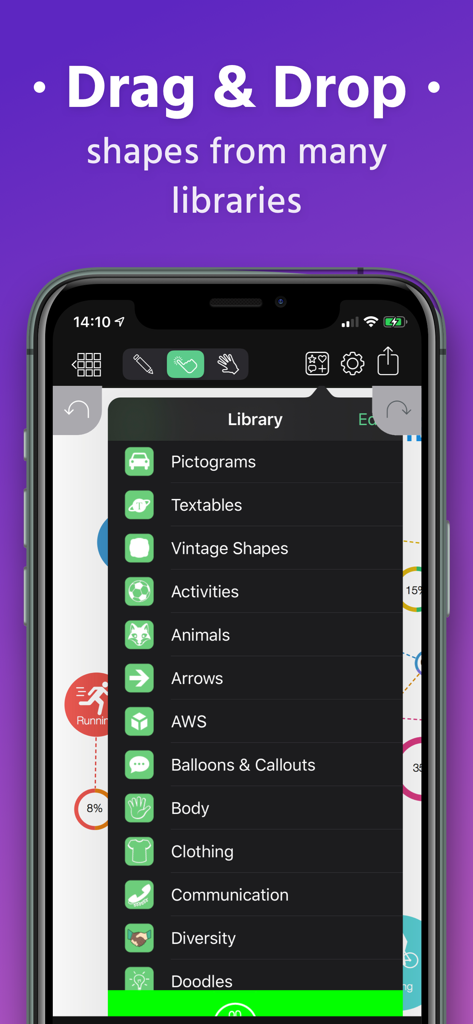
전문 다이어그램을 위한 도형 및 스텐실 라이브러리를 보여주는 Grafio 4 앱 인터페이스

전문 다이어그램을 위한 도형 및 스텐실 라이브러리를 보여주는 Grafio 4 앱 인터페이스

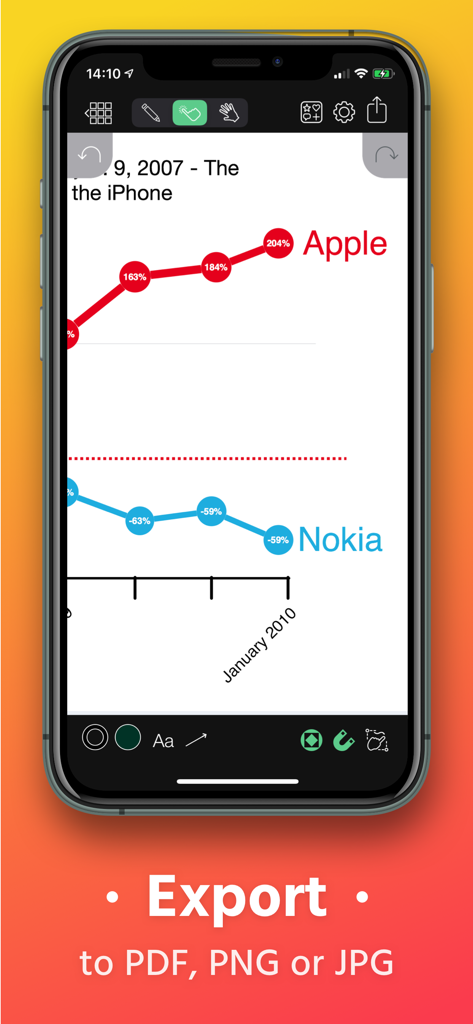
Grafio 4에서 PDF, PNG 및 JPG로 내보낼 수 있는 옵션이 있는 Apple과 Nokia를 비교하는 선 그래프

Grafio 4에서 PDF, PNG 및 JPG로 내보낼 수 있는 옵션이 있는 Apple과 Nokia를 비교하는 선 그래프

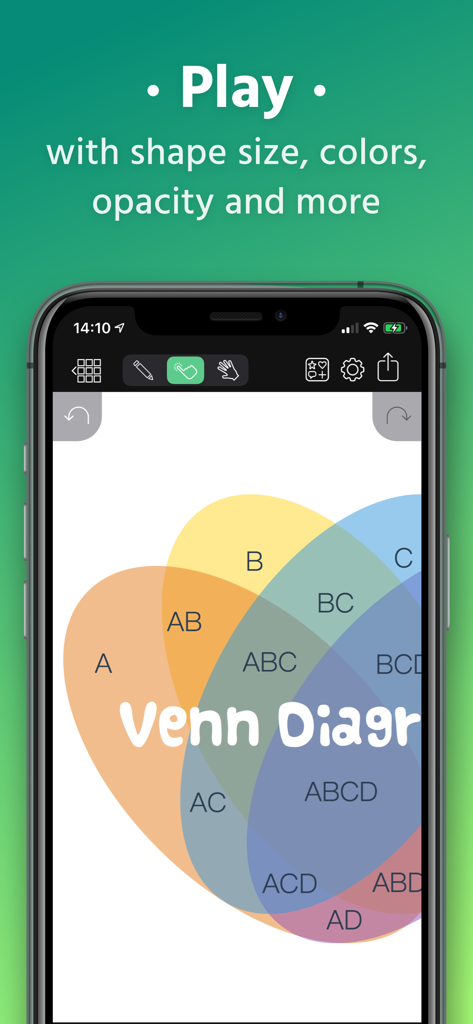
Grafio 4 앱에서 편집 중인 겹치는 원과 텍스트 레이블이 있는 화려한 벤 다이어그램.

Grafio 4 앱에서 편집 중인 겹치는 원과 텍스트 레이블이 있는 화려한 벤 다이어그램.

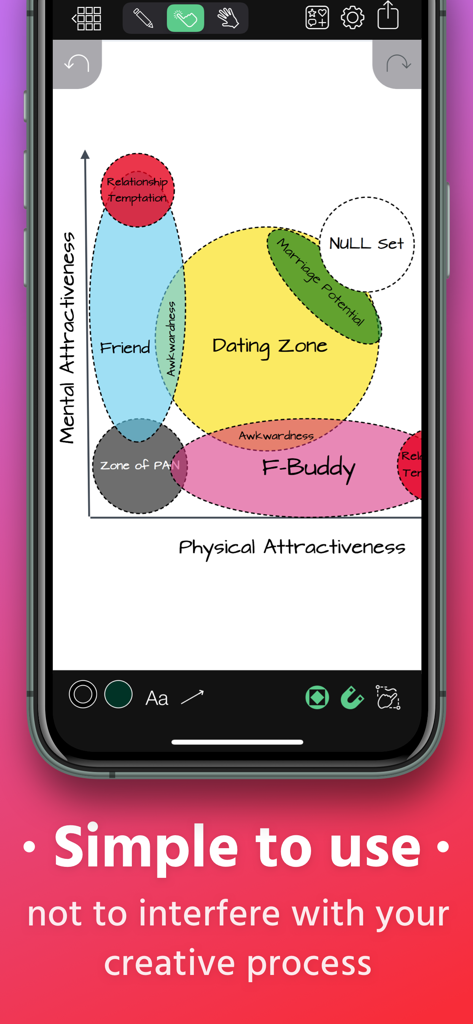
도형 인식 기능이 있는 손으로 그린 벤 다이어그램을 보여주는 Grafio 4 모바일 앱 인터페이스

도형 인식 기능이 있는 손으로 그린 벤 다이어그램을 보여주는 Grafio 4 모바일 앱 인터페이스

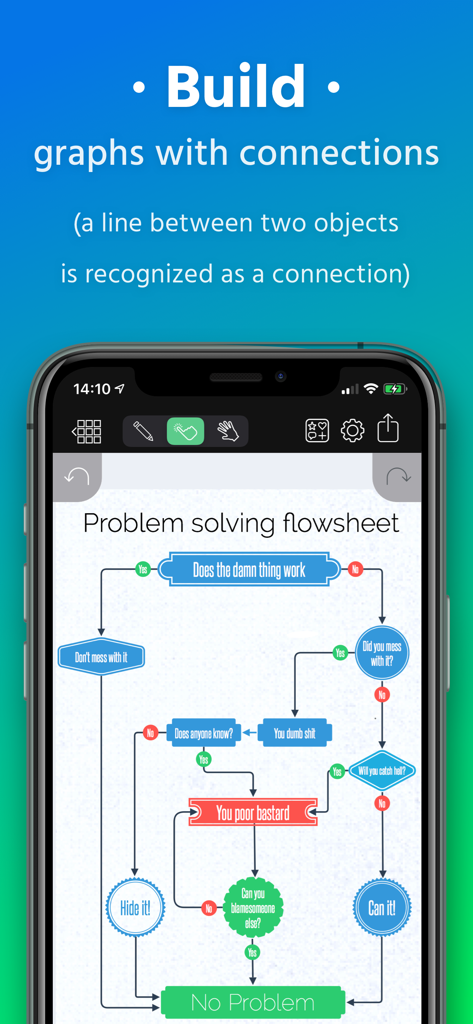
Grafio 4 앱에서 자동 도형 연결로 생성된 복잡한 문제 해결 흐름도를 보여주는 스마트폰 화면

Grafio 4 앱에서 자동 도형 연결로 생성된 복잡한 문제 해결 흐름도를 보여주는 스마트폰 화면

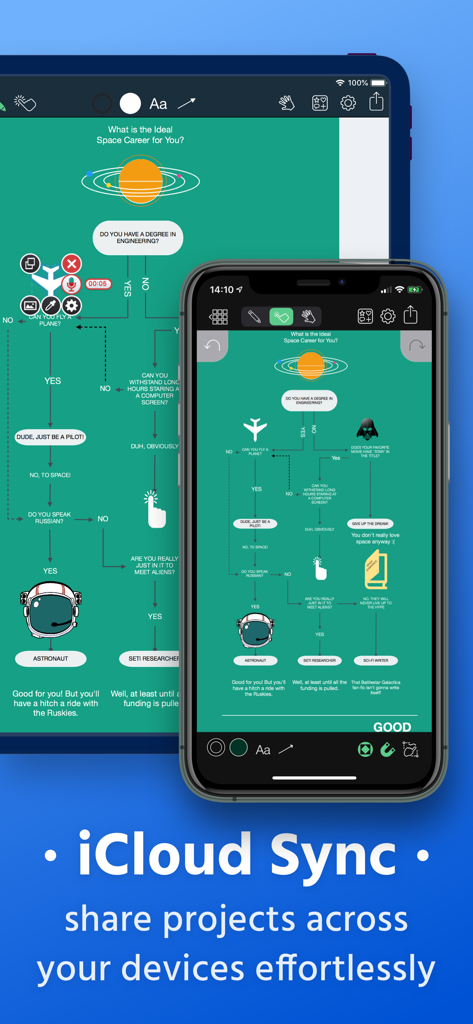
Grafio 4 다이어그램 제작자가 iPad 및 iPhone 장치에서 iCloud 동기화를 보여줌

Grafio 4 다이어그램 제작자가 iPad 및 iPhone 장치에서 iCloud 동기화를 보여줌

Grafio 4 앱의 방대한 도형 및 스텐실 라이브러리 메뉴를 보여주는 스마트폰 화면

Grafio 4 앱의 방대한 도형 및 스텐실 라이브러리 메뉴를 보여주는 스마트폰 화면

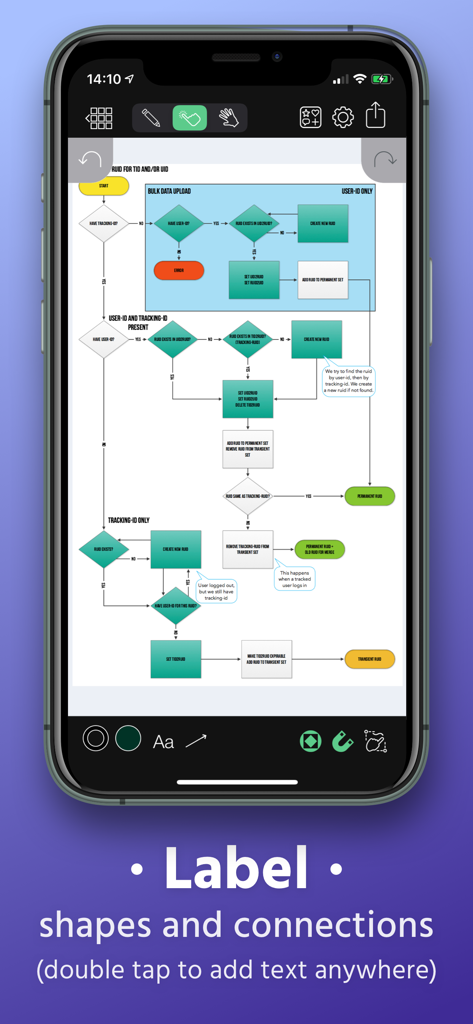
Grafio 4 앱 인터페이스에서 도형 및 연결에 레이블을 지정할 수 있는 복잡한 순서도를 보여줌

Grafio 4 앱 인터페이스에서 도형 및 연결에 레이블을 지정할 수 있는 복잡한 순서도를 보여줌

전문적인 정확도로 아이디어를 시각화하세요

이 앱을 돋보이게 하는 도구, 403K+ 명의 사용자가 선택.

🪄

즉각적인 도형 인식

Apple Pencil로 자연스럽게 스케치하면 Grafio가 손으로 그린 선을 세련되고 전문적인 다이어그램으로 자동 변환합니다.

🏗️

방대한 전문 스텐실 라이브러리

AWS, UML, UX 디자인을 위한 수천 개의 업계 표준 기호를 즉시 액세스하여 복잡한 기술 청사진을 몇 분 안에 만드세요.

🎙️

멀티미디어 시각적 메모

오디오 녹음 및 포함된 이미지로 순서도를 향상시켜 도형 이상의 아이디어 전체 맥락을 캡처할 수 있습니다.

전 세계 사용자들에게 사랑받는 앱

Trusted by 403K+ 명이 이 앱을 사랑합니다.

"

"마침내 월별 요금으로 나를 파산시키지 않는 다이어그램 도구를 찾았습니다! 저는 iPad Pro에서 Grafio를 사용하여 고객 통화 중에 복잡한 AWS 아키텍처를 스케치합니다. 도형 인식 기능은 마법과 같습니다. 몇 초 만에 어수선한 손 그림을 전문적인 등급의 다이어그램으로 바꿀 수 있습니다. 신뢰할 수 있고 매우 효율적이기 때문에 오랫동안 사용해 왔습니다."

Marcus Thorne, Senior Solutions Architect
"

"저는 시각적 사고가이며 Grafio는 제 두뇌를 따라갈 수 있는 유일한 앱입니다. 새로운 UX 흐름을 매핑하든 마인드맵을 브레인스토밍하든 인터페이스는 직관적이고 마찰이 없습니다. 특히 모양에 직접 오디오 메모를 녹음하여 즉석에서 아이디어를 캡처하는 것을 좋아합니다. 냅킨 스케치와 완성된 PDF 사이의 완벽한 다리입니다."

Sarah Jenkins, Creative Project Lead

앱 소개

에 대해 알아야 할 모든 것 Grafio 4 - Diagram Maker.

설명

Grafio turns 10. It's been around for a decade already - polished, efficient and with more features than ever before. Grafio is not a tool for professionals only. Its smooth learning curve allows everyone to convey their ideas visually and with ease. Hundreds of thousands use Grafio worldwide, due to its simplicity and affordability. There are no ongoing subscription costs or upgrade charges. Once you purchase it, you have access to an ongoing number of libraries (shapes and symbols) and a multitude of new features with every update. Since Grafio was released 10 years ago, there have been 3 major upgrades, including dozens of new object libraries and a fresh new look to the layout. To begin, simply draw a rectangle, circle or an ellipse and see what makes drawing with Grafio so easy and fun.  Grafio can recognize and replace any of the shapes mentioned with a perfectly looking one for your diagram or schematic, ready to be used over and over. Drag and drop objects on the canvas for more complex diagrams. Make connections, add text labels and images. SHAPE RECOGNITION The shapes you draw are automatically closed and straightened, all basic shapes are instantly recognized. The lines you draw between shapes are automatically turned into connections thanks to our shape recognition magic. STENCILS Some diagrams require more advanced objects. Grafio provides thousands of shapes that you can easily drag in from the library. In addition, you can embed images from your Camera Roll into shapes and connect them to your other shapes. AUDIO RECORDINGS Recording audio notes to your shapes can be a way for you to collect your thoughts and include them in the finishing product, or as a reference. - Video tutorials on Grafio can be found on YouTube: http://bit.ly/grafiovideo +++ FEATURE SET +++ • Shape recognition - recognizes hand drawn basic shapes • Drag & drop shapes from many libraries • Insert, embed, or paste images • Precise drawing with Apple Pencil • Build diagrams and graphs through connections • Label shapes and connections • Select, move, rotate and scale everything (even scribbles) • Change size, color, opacity and other properties of your shapes • Have a favorite font? Import your font from popular websites • 10 Different connection types with adjustable radius • Precision toolbar for nudging, rotation and resizing • Flip, align and distribute shapes with a single tap • AirPlay and video output for presentations • Export to PDF, PNG or JPG • Record audio notes with each object • Export videos with how your design reaches the final product • iCloud and Files integration +++ THE POSSIBILITIES +++ • Make Designs • Take Visual Notes • Vector Sketches • Flowcharts and network diagrams • Any diagram type that has a name: ArchiMate, Audit, Block, Cabling, Data Flow, Electrical, Gantt, P&ID, Sankey, SDL, TQM, UML, Use Case, Venn, Wireframe, Workflow, etc. • Industrial Processes • Organizational Charts • Basic Charts and Graphs • Mind Mapping (Brainstorming Diagram) • Web Site Maps • Road Plans • Military operational and tactical plans and many more... +++ STENCILS +++ FREE: • Amazon Web Services (AWS) • Arrows • AV Connectors • Azure Services • Balloons & callouts • Basic Flowchart • Basic 2D & 3D Shapes • Doodles • Electrical symbols • Gantt Chart • Google Cloud Platform (GCP) • Hazard & GHS symbols • JoyPixels (formerly EmojiOne) • Kubernetes • Memes • NATO Joint Military Symbology (APP-6) • Pictograms • Piping & Instrumentation • Pneumatic & Hydraulic • Sankey Diagrams • Textables • UML Diagram • US Road Signs • Vintage shapes PAID: • FULL ACCESS - Get all libraries at a discount • Audit Diagram • BPMN • Concept Map • Cross-Functional Flowchart • Data Flow Diagram • ESL "Energese" • Event-driven process chain (EPC) • iOS UI Kit • Marketing Diagrams • Maps & Flags • Network Diagram • SDL Diagram • TQM Diagram • UX Flowchart cards (sitemap) • Venn Diagrams • Wireframe • Workflow Diagram

최신 버전

4.3.28

크기

224.9 MB

출시일

2010년 7월 30일

월별 요금 없이 전문가처럼 다이어그램을 만드세요

초당 전문 차트로 스케치를 변환하는 400,000명 이상의 시각적 사고가와 함께하세요. 일회성 구매, 평생 기능 – 구독이 필요 없습니다.

다운로드: App Store