HACK for Hacker News YC Reader

HACK for Hacker News YC Reader

다운로드: App Store
Spark by MWM logo
로고: HACK for Hacker News YC Reader
HACK for Hacker News YC Reader: 재창조된 신호 우선 접근

기술 및 스타트업 세계를 탐색하는 가장 강력하고 광고 없으며 사용자 정의 가능한 방법입니다. iPhone, iPad 및 Mac 전반에 걸쳐 효율성을 요구하는 파워 유저를 위해 설계되었습니다.

다운로드: App Store

개발사

Pranoy Chowdhury

카테고리

News

다운로드

389K+

사용자 평점

4.7/5

총 평가 수

2K+

지원 언어

1

신호 대 노이즈

이 인터페이스를 사용하는 389K+ 명의 사용자.

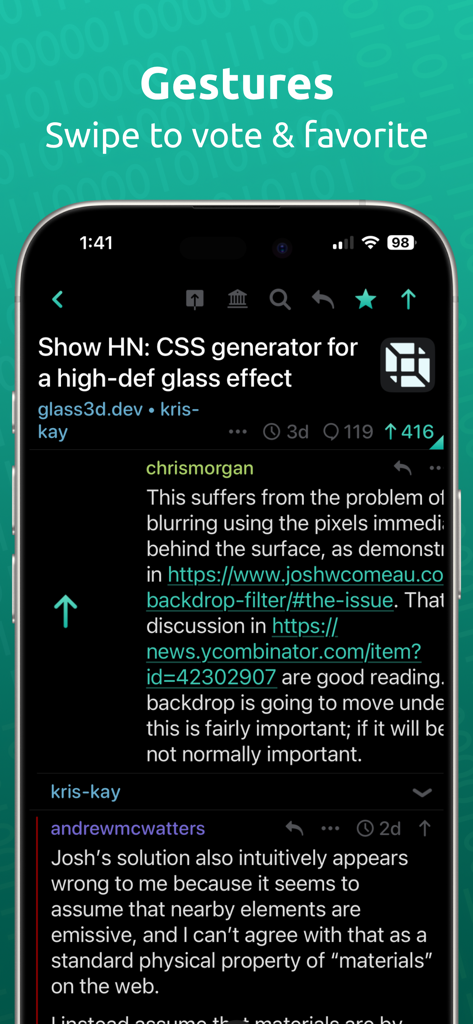
HACK for Hacker News 앱 인터페이스가 어두운 모드의 iPhone 화면에서 투표 및 즐겨찾기 스와이프 제스처를 보여줍니다.

HACK for Hacker News 앱 인터페이스가 어두운 모드의 iPhone 화면에서 투표 및 즐겨찾기 스와이프 제스처를 보여줍니다.

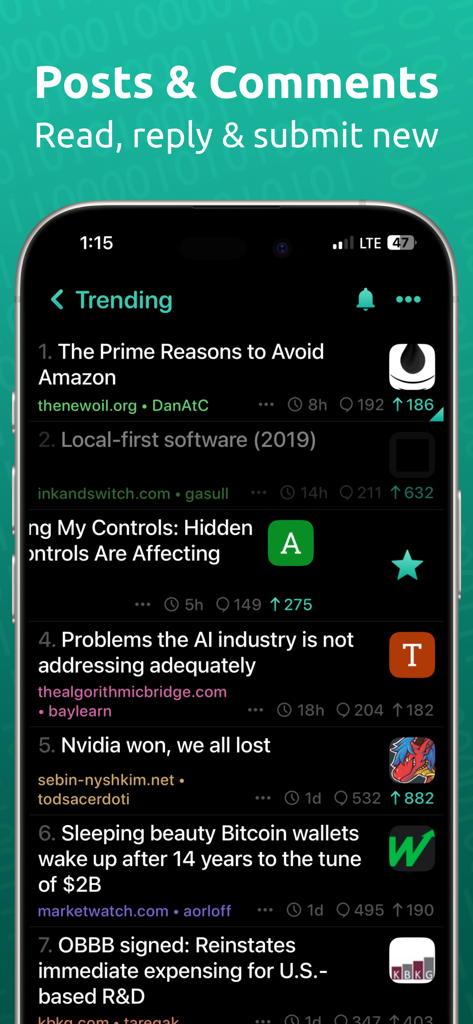
어두운 모드의 HACK for Hacker News 앱에서 인기 뉴스 피드

어두운 모드의 HACK for Hacker News 앱에서 인기 뉴스 피드

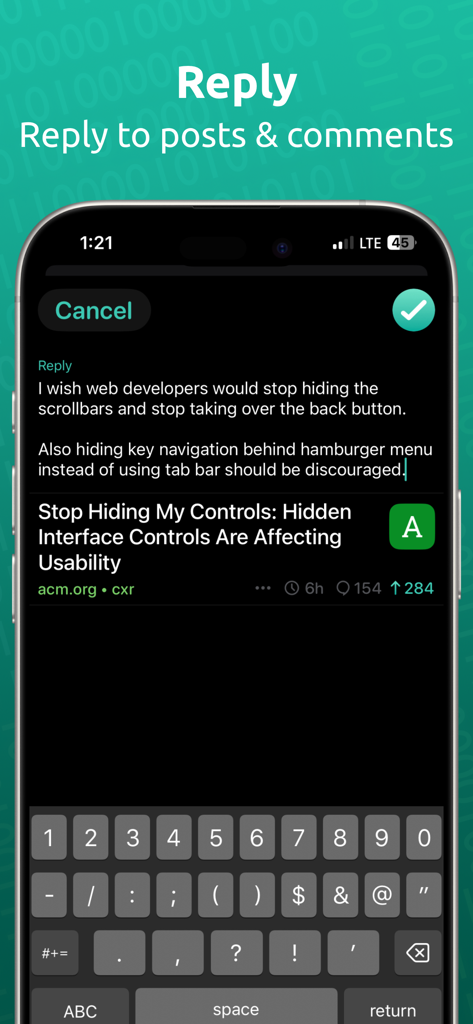
HACK for Hacker News 앱의 답장 화면 및 어두운 모드의 키보드를 보여주는 스크린샷.

HACK for Hacker News 앱의 답장 화면 및 어두운 모드의 키보드를 보여주는 스크린샷.

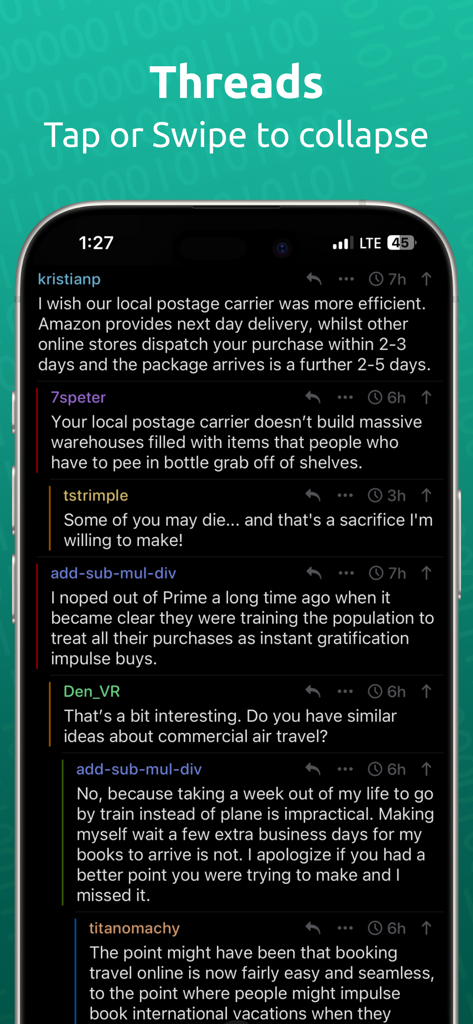
Hacker News 리더 앱이 어두운 모드에서 중첩된 댓글 스레드를 표시합니다.

Hacker News 리더 앱이 어두운 모드에서 중첩된 댓글 스레드를 표시합니다.

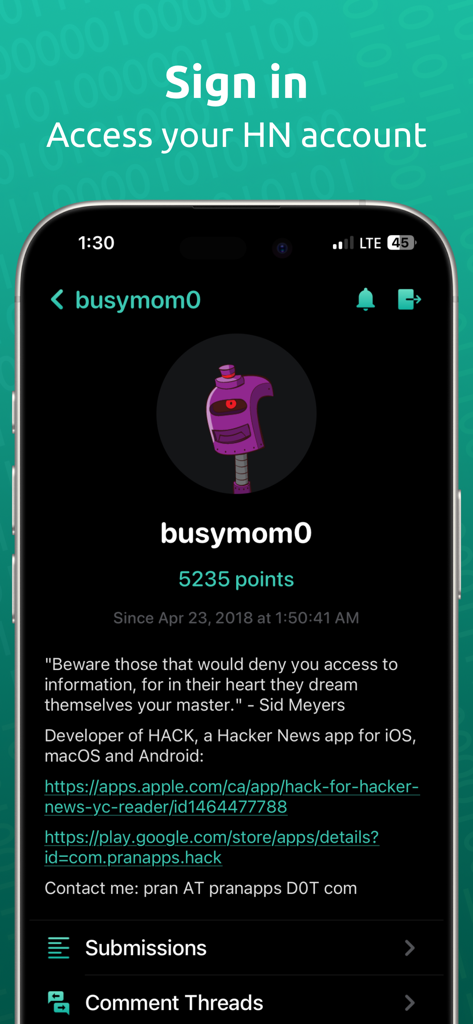
HACK 앱의 사용자 프로필 화면으로 포인트와 계정 세부 정보가 표시됩니다.

HACK 앱의 사용자 프로필 화면으로 포인트와 계정 세부 정보가 표시됩니다.

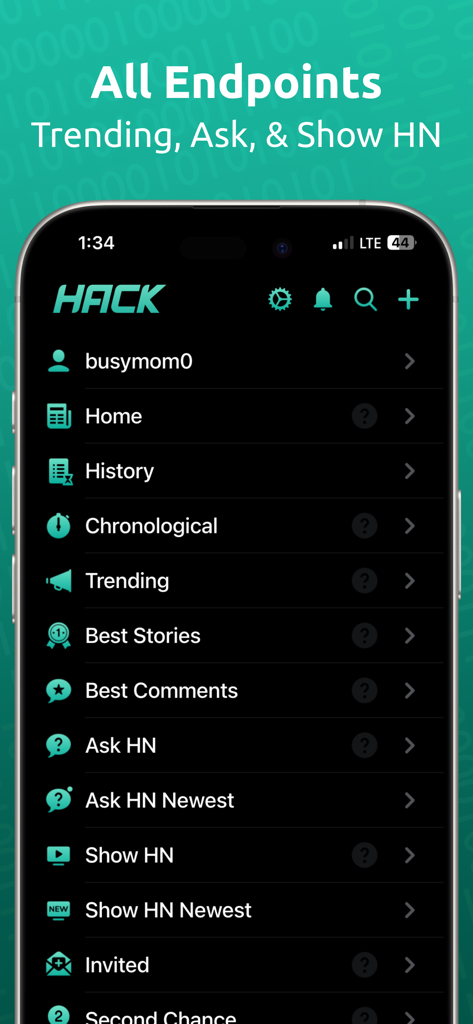
인기, Ask HN, Show HN과 같은 탐색 카테고리를 어두운 테마로 보여주는 HACK for Hacker News 앱의 메인 메뉴

인기, Ask HN, Show HN과 같은 탐색 카테고리를 어두운 테마로 보여주는 HACK for Hacker News 앱의 메인 메뉴

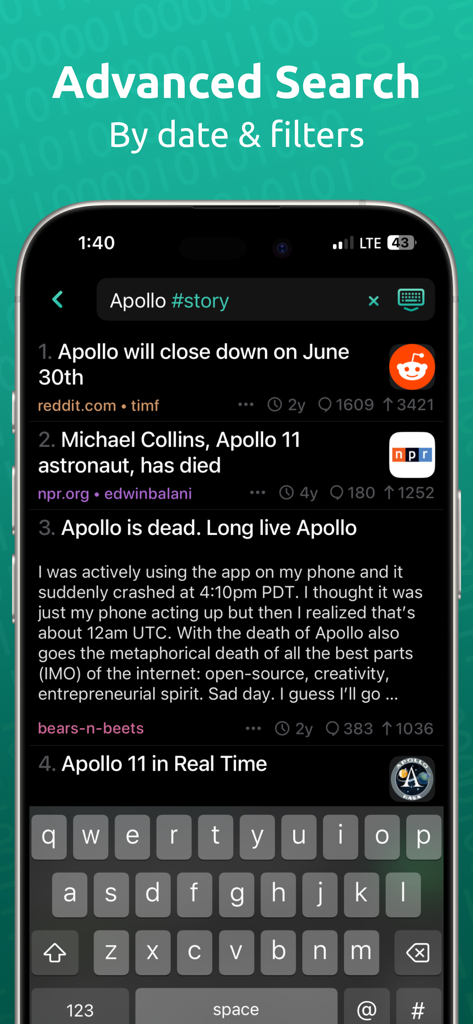
특정 태그 필터가 있는 Apollo 스토리 결과를 보여주는 HACK 앱의 고급 검색 화면

특정 태그 필터가 있는 Apollo 스토리 결과를 보여주는 HACK 앱의 고급 검색 화면

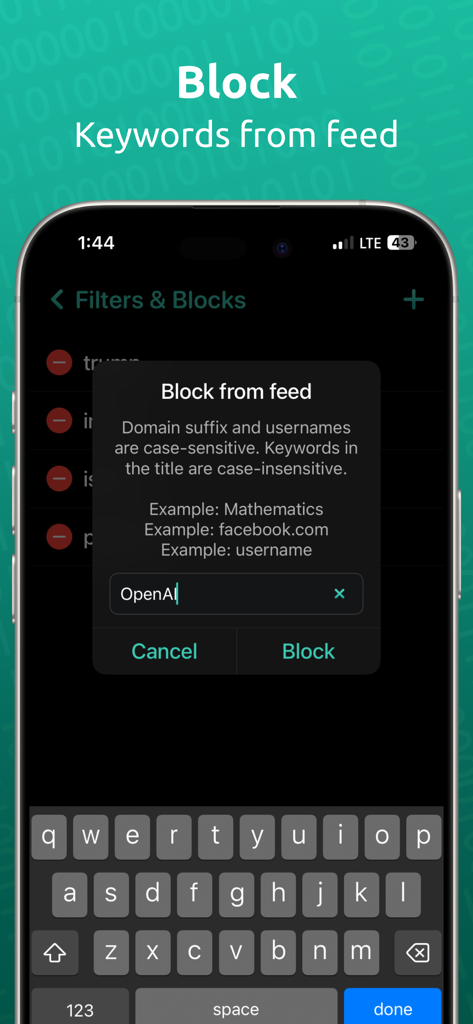
HACK 앱 인터페이스가 뉴스 피드에 대한 키워드 차단 기능을 보여줍니다.

HACK 앱 인터페이스가 뉴스 피드에 대한 키워드 차단 기능을 보여줍니다.

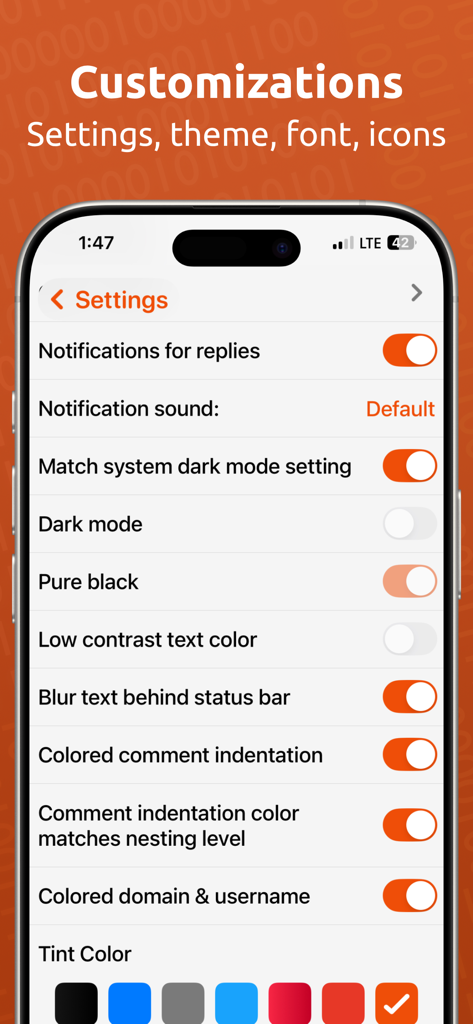
iPhone의 HACK 앱 사용자 정의 설정 메뉴로 어두운 모드, 순수한 검은색 테마 및 UI 색상 선택 옵션이 표시됩니다.

iPhone의 HACK 앱 사용자 정의 설정 메뉴로 어두운 모드, 순수한 검은색 테마 및 UI 색상 선택 옵션이 표시됩니다.

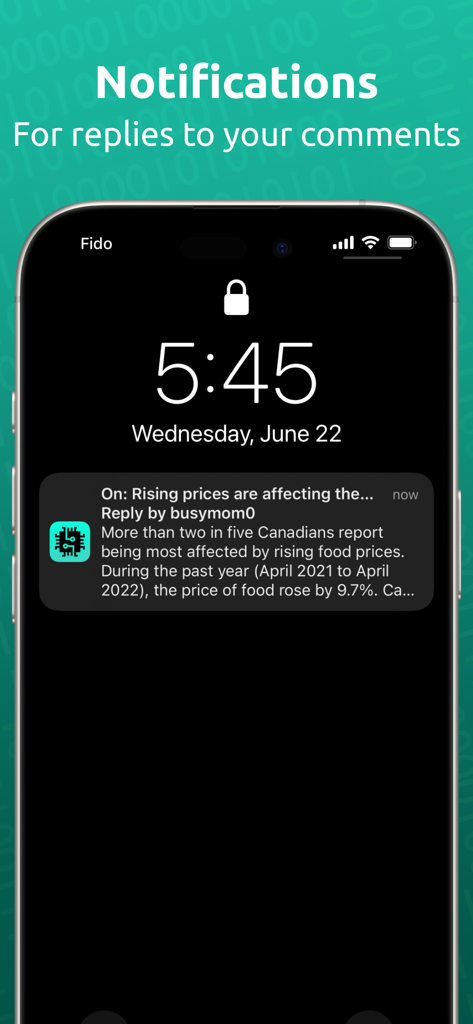
iPhone 잠금 화면에 HACK for Hacker News 앱의 댓글에 대한 답장에 대한 푸시 알림이 표시됩니다.

iPhone 잠금 화면에 HACK for Hacker News 앱의 댓글에 대한 답장에 대한 푸시 알림이 표시됩니다.

기술 커뮤니티를 위한 엔지니어링

이 앱을 돋보이게 하는 도구, 389K+ 명의 사용자가 선택.

정밀 탐색

직관적인 스와이프 제스처로 투표하고, 중첩된 댓글 스레드를 탐색하고, 한 번의 탭으로 다음 루트 댓글로 이동하여 복잡한 토론을 마스터하세요.

🎨

심층 사용자 정의

'순수한 검정' 다크 모드, 조절 가능한 글꼴 밀도 및 최대 정보 밀도를 위한 레이아웃 패딩으로 독서 경험을 최적화하세요.

🛠️

파워 유저 도구 세트

고급 Algolia 검색, 실시간 답장 알림 및 Google 캐시 또는 Wayback Machine을 통한 즉각적인 아카이브 액세스를 활용하여 유료 월을 우회하세요.

전 세계 사용자들에게 사랑받는 앱

Trusted by 389K+ 명이 이 앱을 사랑합니다.

"

"HACK의 사용자 정의 수준은 믿을 수 없을 정도입니다. 글꼴 크기와 패딩을 정확한 독서 스타일에 맞게 조정했으며, 색상 코드로 구분된 중첩 스레드를 통해 복잡한 기술 토론을 쉽게 따라갈 수 있습니다. 광고나 추적 없이 STEM 뉴스에 대한 최신 정보를 얻는 가장 좋은 방법입니다."

Alex Rivers, 수석 소프트웨어 엔지니어
"

"새로운 스타트업과 업계 동향을 조사하면서 멀티태스킹을 위한 iPad 분할 보기 지원이 마음에 듭니다. 아카이브 링크는 원본 자료에 액세스하는 데 큰 도움이 되며, 개인 정보를 보호하는 독립 앱이라는 사실은 일상 업무에 필수적입니다."

Sarah Chen, 기술 창업가

앱 소개

에 대해 알아야 할 모든 것 HACK for Hacker News YC Reader.

설명

HACK for YC's Hacker News is the most beautiful and easy way to read about the latest tech, startup and STEM news. - No Ads. No subscriptions. - Login or Register your Hacker News account - PUSH NOTIFICATIONS for Hacker News replies to comment or post - Supported on iPhone, iPad, and Mac - Comments are presented in nested threads - Tap a comment to collapse that thread - Swipe left or right on stories and comments to upvote and favorite - Ability to submit new posts including drafts - Long press a story, link or comment to share - iPad supports split view - On iPads, you can drag a story / comment / story's image (link) to open it in safari in split view. This is useful for when you are viewing the app in split view / multitasking and like opening the link / story / comment in a browser side by side. - Landscape and Portrait support - 3D touch for peek, pop support - Home screen 3D touch shortcuts - Hide posts from the feed - Tap the bottom button to scroll to the next root comment in the thread. Long press it to go to the previous one - All known hacker news endpoints - News, front page, Ask HN, Show HN, Show HN Newest, classic, active, best stories, best comments, new stories, new comments, noob stories, noob comments, jobs, over 100-500 points - Submit posts, reply, comment using your HN account - Browse top 100 leader accounts - Browse stories from a specific site, user or date - Search in comments and usernames! Search is case and diacritic insensitive and ignores punctuations. Search uses an CONTAINS, OR operation if multiple words are typed. - Can select / highlight the comment/post title text for lookup/copy/translate etc iOS native operations. - Powerful search (powered by Algolia API) - use @date to sort by date, #story to filter for stories, #comments to filter for comments, #author_username to filter by user etc. These tags can be separated by commas. Refer to https://hn.algolia.com/api for more tags. - Dark mode - both pure black and gray mode - Low contrast text mode to make the text not be pure white - Many color choices & color picker for customization - App icons in variety of colours for light and dark mode - Font choices - Ability to change font sizes, padding etc to make the layout as compact as you like! - Threaded comments with color bar to maintain visual orientation - Articles open in Safari view with setting to automatically open in "readability" mode - Tap the domain in a story to see all stories from that site - Tap the username in a story or comment to go to the user profile - Browse your submitted stories and comments, favorited stories and comments, upvoted stories and comments - Archive: View an archive of the post website. archive.is, archive.org & google cache. - Share comment as image - Articles can be opened in built in safari or 3rd party browsers. Supports Brave, Firefox, Firefox Focus, Orion, Opera Touch, Dolphin, DuckDuckGo, iCab Mobile, Microsoft Edge and Chrome. Go to settings > Disable the "Use in-app Safari" setting > tap that row to change the default browser. All stories and comments are via Algolia API and Hacker News API: https://news.ycombinator.com/ https://hn.algolia.com/api https://github.com/HackerNews/API Profile picture robots lovingly delivered by Robohash.org I offer an ad and analytics free and beautiful app for the absolute best experience for my users. I need to run my own server for caching high quality favicons shown in the app plus for push notifications for replies to hacker news posts. Small indie developers like me benefit from support from you. If you can afford it, please support me by purchasing a tip and one time only in app purchase. You can also leave a review on the app store. Send me feedback at: pran@pranapps.com

최신 버전

146

크기

31.4 MB

출시일

2019년 5월 26일

HACK으로 메인 페이지를 마스터하세요

Hacker News를 위한 가장 강력하고 광고 없는 리더를 사용하는 389,000명 이상의 기술 전문가 및 스타트업 창업자와 함께하세요. iPhone, iPad 및 Mac에서 요구하는 개인 정보 보호 및 사용자 정의 기능으로 높은 신호의 기술 뉴스를 경험하세요.

다운로드: App Store
FAQ

자주 묻는 질문

에 대해 알아야 할 모든 것 HACK for Hacker News YC Reader

Does the HACK for Hacker News YC Reader app contain ads or require subscriptions?

아니요, HACK 앱에는 광고가 없으며 사용을 위해 유료 구독이 필요하지 않습니다. 광고 및 분석 없는 경험을 제공합니다.

Can users log in to their Hacker News account within the HACK for Hacker News YC Reader app?

예, 사용자는 HACK 앱 내에서 직접 Hacker News 계정에 로그인하거나 기존 계정을 등록할 수 있습니다. 이를 통해 계정별 기능에 완전히 액세스할 수 있습니다.

Does the HACK app provide push notifications for Hacker News activities?

예, HACK for Hacker News YC Reader 앱은 Hacker News에 게시하거나 댓글을 단 내용에 대한 답글에 대한 푸시 알림을 제공합니다.

Which Apple devices support the HACK for Hacker News YC Reader app?

HACK 앱은 iPhone, iPad, Mac 등 다양한 Apple 기기를 지원하여 플랫폼 전반에 걸쳐 일관된 경험을 제공합니다.

How are comments displayed and interacted with in the HACK for Hacker News YC Reader app?

댓글은 시각적 안내를 위해 색상 막대가 있는 중첩된 스레드로 표시됩니다. 사용자는 댓글을 탭하여 스레드를 축소하거나 스 와이프하여 업보트 및 즐겨찾기에 추가할 수 있습니다.

Can I submit new posts to Hacker News using the HACK app?

예, HACK for Hacker News YC Reader 앱을 사용하면 사용자가 계정에서 직접 초안을 포함한 새 게시물을 제출할 수 있습니다.

Does the HACK for Hacker News YC Reader app support iPad split view?

예, HACK 앱은 iPad 분할 보기를 완벽하게 지원합니다. 사용자는 스플릿 뷰에서 스토리를 열려면 스토리를 드래그하거나 Safari에서 열 수 있습니다.

Is it possible to hide posts from the feed in the HACK for Hacker News YC Reader app?

예, HACK 앱은 피드에서 특정 게시물을 숨기는 기능을 제공하여 맞춤형 검색 환경을 제공합니다.

Which Hacker News endpoints are available in the HACK app?

HACK 앱은 뉴스, 메인 페이지, Ask HN, Show HN, 최고의 스토리, 새 댓글, 채용 정보 등 알려진 모든 Hacker News 엔드포인트를 지원합니다.

Does the HACK for Hacker News YC Reader app offer advanced search capabilities?

예, HACK 앱은 Algolia API로 구동되는 강력한 검색 기능을 제공합니다. 필터링을 위해 @date, #story, #comments, #author_username와 같은 특정 태그를 지원합니다.

What dark mode options are available in the HACK for Hacker News YC Reader app?

HACK 앱은 순수한 검정 모드와 회색 모드를 모두 포함한 포괄적인 다크 모드 옵션을 제공합니다. 또한 저대비 텍스트 모드도 포함되어 있습니다.

What customization options does the HACK for Hacker News YC Reader app provide?

HACK 앱은 여러 색상 선택, 색상 선택기, 다양한 앱 아이콘, 글꼴 선택, 글꼴 크기 및 패딩 조정 등 광범위한 사용자 정의를 제공합니다.

Can articles be opened in third-party browsers from the HACK for Hacker News YC Reader app?

예, HACK 앱의 기사는 기본 Safari 또는 Brave, Firefox, Chrome, DuckDuckGo를 포함한 다양한 타사 브라우저에서 열 수 있습니다. 사용자는 기본 브라우저를 선택할 수 있습니다.

How does the HACK for Hacker News YC Reader app generate revenue?

HACK 앱은 광고나 구독 없이 운영됩니다. 파비콘 및 푸시 알림에 대한 서버 비용을 충당하기 위해 선택적 일회성 인앱 구매(팁)를 통해 사용자 지원에 의존합니다.

Does the HACK for Hacker News YC Reader app allow viewing archived versions of linked websites?

예, HACK 앱은 아카이브 기능을 제공하여 사용자가 archive.is, archive.org, Google Cache와 같은 서비스를 사용하여 게시물의 웹사이트를 볼 수 있도록 합니다.