Hearing Aid - Sound Amplifier

Hearing Aid - Sound Amplifier

다운로드: App Store
Spark by MWM logo
로고: Hearing Aid - Sound Amplifier
보청기 - 소리 증폭기: 모든 대화를 위한 크리스털처럼 선명한 청력

수천 달러의 비용과 낙인을 피하세요. 고급 소음 감소 및 놓친 내용을 다시 재생하는 고유한 '다시 듣기' 기능으로 iPhone을 눈에 띄지 않는 전문적인 수준의 청력 솔루션으로 바꾸세요.

개발사

晓溪 张

카테고리

Medical

다운로드

382K+

사용자 평점

3.6/5

총 평가 수

600

지원 언어

4

선명함의 엿보기

이 인터페이스를 사용하는 382K+ 명의 사용자.

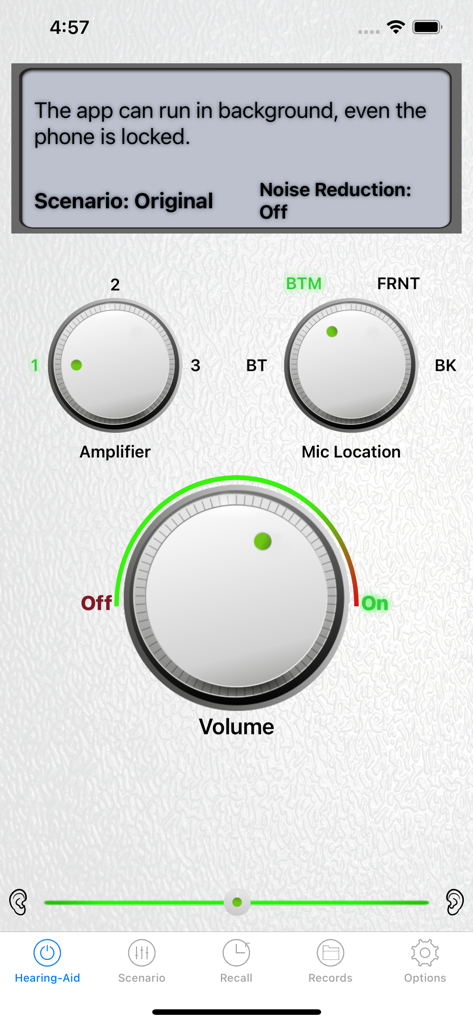
볼륨, 증폭기 레벨, 마이크 위치 다이얼이 있는 보청기 앱 인터페이스.

볼륨, 증폭기 레벨, 마이크 위치 다이얼이 있는 보청기 앱 인터페이스.

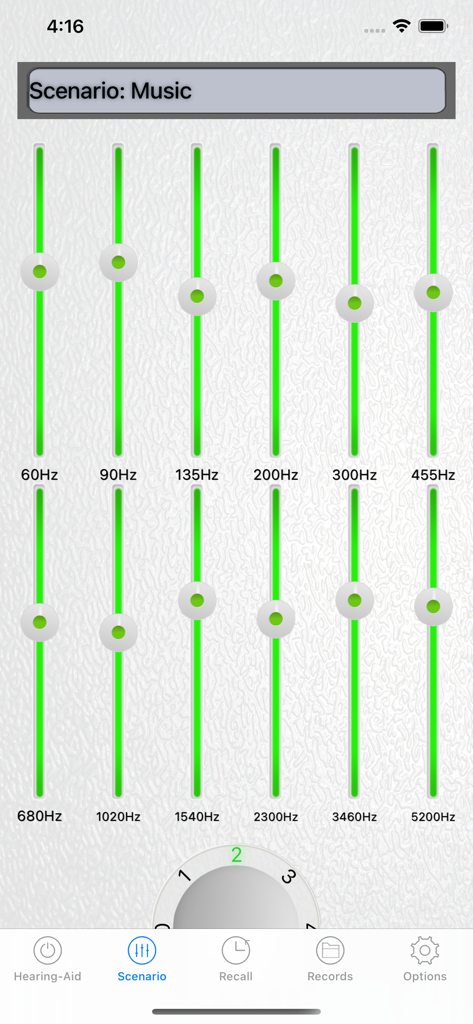
보청기 소리 증폭기 앱에서 음악 시나리오를 위한 12밴드 오디오 이퀄라이저 인터페이스

보청기 소리 증폭기 앱에서 음악 시나리오를 위한 12밴드 오디오 이퀄라이저 인터페이스

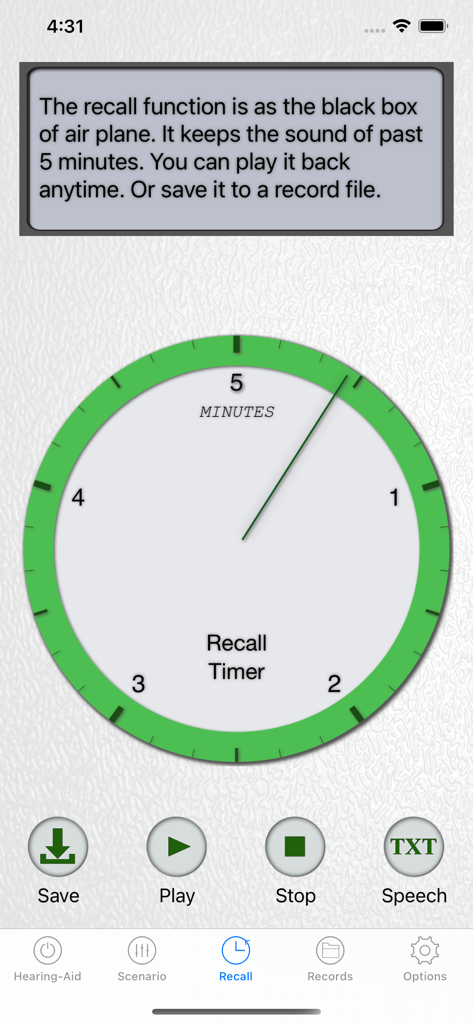
5분 오디오 타이머가 있는 다시 듣기 기능을 보여주는 보청기 앱 인터페이스

5분 오디오 타이머가 있는 다시 듣기 기능을 보여주는 보청기 앱 인터페이스

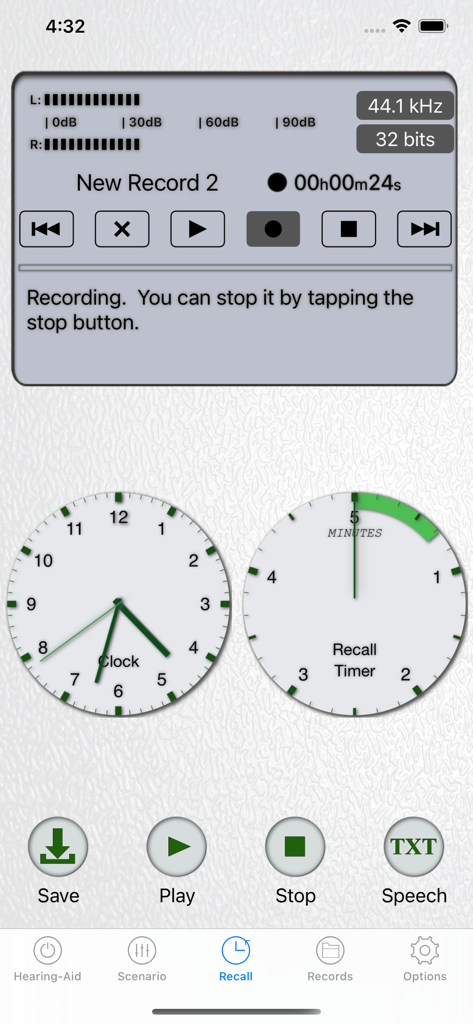
5분 오디오 다시 듣기 버퍼 및 녹음 컨트롤을 보여주는 보청기 앱 인터페이스

5분 오디오 다시 듣기 버퍼 및 녹음 컨트롤을 보여주는 보청기 앱 인터페이스

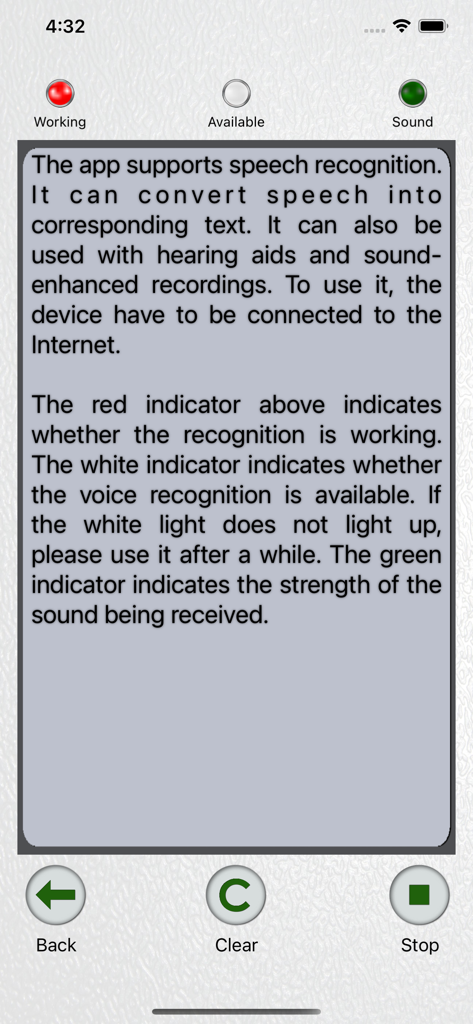
보청기 앱의 음성 인식 및 음성을 텍스트로 변환 기능 표시 인터페이스

보청기 앱의 음성 인식 및 음성을 텍스트로 변환 기능 표시 인터페이스

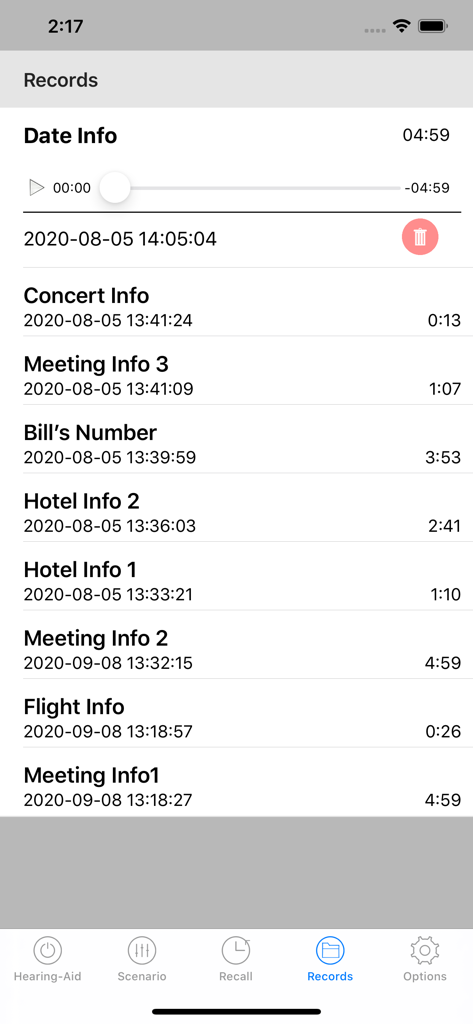
회의, 콘서트, 개인 대화를 위한 파일을 보여주는 보청기 앱의 저장된 오디오 녹음 목록.

회의, 콘서트, 개인 대화를 위한 파일을 보여주는 보청기 앱의 저장된 오디오 녹음 목록.

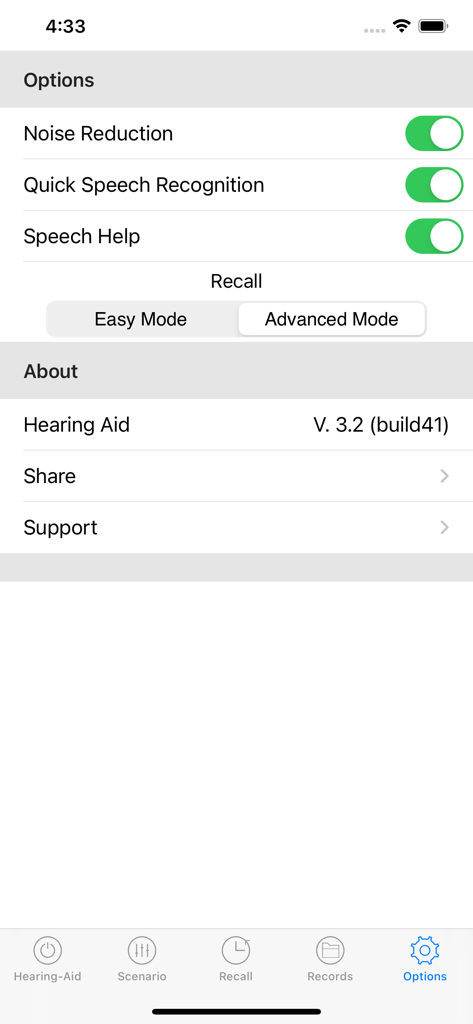
소음 감소 및 음성 인식 설정을 보여주는 보청기 소리 증폭기 앱의 옵션 메뉴.

소음 감소 및 음성 인식 설정을 보여주는 보청기 소리 증폭기 앱의 옵션 메뉴.

손끝에서 펼쳐지는 크리스털처럼 선명한 청력

이 앱을 돋보이게 하는 도구, 382K+ 명의 사용자가 선택.

🔄

다시는 한마디도 놓치지 마세요

고유한 '다시 듣기' 기능을 사용하여 지난 5분간의 대화를 다시 재생하세요. 마치 사회적 상호 작용을 위한 안전망과 같습니다.

🛡️

스마트 청력 보호

고급 알고리즘이 작은 목소리는 증폭하고 갑작스러운 큰 소음은 즉시 억제하여 귀를 편안하고 안전하게 보호합니다.

🎧

눈에 띄지 않고 개인에게 맞춤 설정

의료 기기의 낙인을 피하세요. TV, 레스토랑, 대화를 위한 사용자 지정 설정으로 좋아하는 Bluetooth 헤드폰을 사용하세요.

전 세계 사용자들에게 사랑받는 앱

Trusted by 382K+ 명이 이 앱을 사랑합니다.

"

"저는 3,000달러 이상을 들여 의료용 보청기를 구입했지만 솔직히 착용하고 싶지 않았습니다. 이 앱은 정말 획기적입니다. 가족 식사 시간에 AirPods와 함께 사용하고 '대화' 시나리오를 선택하면 배경 소음 없이도 손주들의 목소리를 들을 수 있습니다. 눈에 띄지 않고 전문적이며 비용을 많이 절약했습니다."

Robert H., 은퇴 엔지니어
"

"'다시 듣기' 기능은 실제 대화를 위한 되감기 버튼과 같습니다! 회의나 의사 진료 중에 세부 사항을 놓치면 마지막 몇 분을 다시 재생할 수 있습니다. 12밴드 이퀄라이저도 마음에 듭니다. 왼쪽 귀의 특정 요구에 맞게 소리를 완벽하게 사용자 지정할 수 있었습니다. iPhone에서 최고의 유틸리티 앱입니다."

Linda S., 소규모 사업체 소유주

리뷰 분석

사용자 리뷰 인사이트.

감정 점수

29%
부정적

요약

This app receives mixed to largely negative feedback, with users often praising its potential for sound enhancement, background noise reduction, and overall ease of use for hearing assistance. However, a pervasive and critical issue revolves around subscription management, with numerous reports of payments not being recognized, unexpected charges during free trials, and significant difficulties with cancellations and refunds. Users also frequently report problems with app performance, including noticeable audio delays, poor sound quality, and paid features failing to function as expected, leading to widespread frustration and distrust.

주요 테마

Subscription Problems(14)
Sound Enhancement(9)
Cancellation & Refunds(9)
App Performance(5)
Pricing(4)
Customer Service(4)
Ease of Use(2)

앱 소개

에 대해 알아야 할 모든 것 Hearing Aid - Sound Amplifier.

설명

Features: 1. 3 classes of Amplifier with noise reduction. Users can choose their own volume amplification level, comfortable listening. 2. Hearing Protection: Amplifying the volume can hear minute sound details, but if you enlarge any sound without limit, the loud sound can cause ear pain, dizziness, and even permanent hearing damage. This app uses advanced algorithms to enhance the lower sound while suppressing strong sound to protect your hearing. 3. Multiple Scenarios Selection: This app has a 12-band audio equalizer designed specifically for hearing aids, and provides preset six kinds of listening scenarios for conversational, music, video, and high, medium and low hearing loss. Users can also set their own scenario. 4. Microphone Selection. Currently, different models of iPhones provide 3 to 4 microphones. They are located below the phone, next to the front camera and next to the back camera. The user can select the microphone towards the sound source to get a clearer sound. 5. Recall function. It buffers the past five minutes sound for recall. The function is like the black box of air plane. You can get back the past conversation if it is necessary. Or save it to an audio file as a keeper. 6. A professional sound recorder is attached. 7. Voice to Text. You can use hearing aids. At the same time, record audio files and convert speech to text. 8 Support Bluetooth and wire headphone. 9. Can run parallel with music or game apps. Even if you listen to music, watch videos, play games, you can listen to the sound of environment. 10. High-quality sample rate. Use the sample rate of the CD quality to make the sound details perfectly present. 11. Support sound balance. Users can adjust the volume for 2 ears individually. 12. Can run in the background and very low energy consumption. Even if the screen is locked, the software can be used normally. 13. 7-day free trial Legal: Please see Hearing Aid - Sound Amplifier’s “Terms of Services” and “Privacy Policy” Terms of Use: http://www.dawnstreamsoft.com/tou_en.html Privacy Policy: http://www.dawnstreamsoft.com/privacy.html Subscriptions Hearing Aid - Sound Amplifier is available for free download. All users are invited to take 7 days free trial. If you want to continue using the service, we offer you auto-renewing 1 month Subscription: $4.99 monthly In addition to this subscription, we also offer two other subscriptions: 3 Months Subscription: $13.49 ($4.49 / month), auto-renewing quarterly 1 Year Subscription: $35.99 ($2.99 / month), auto-renewing yearly - Payment will be charged to iTunes Account at confirmation of purchase - Subscription automatically renews unless auto-renew is turned off at least 24-hours before the end of the current period - Account will be charged for renewal within 24-hours prior to the end of the renewal - Subscriptions may be managed by the user and auto-renewal may be turned off by going to the user's Account Setting after purchase - No cancellation of the current subscription is allowed during active subscription period Contact Us: If you have any questions or suggestions, feel free and send them to support@dawnstreamsoft.com. Or visit our website http://www.dawnstreamsoft.com for more information. We'd love to hear from you :)

최신 버전

3.3.6

크기

9.9 MB

출시일

2018년 6월 4일

대화의 한마디도 놓치지 마세요

다시 선명하게 듣는 저렴하고 눈에 띄지 않는 방법을 찾은 382,000명 이상의 사용자와 함께하세요. 오늘 7일 무료 평가판을 시작하고 iPhone에서 전문적인 수준의 증폭을 경험하세요.

다운로드: App Store