LadderTouch

LadderTouch

다운로드: App Store
Spark by MWM logo
로고: LadderTouch

LadderTouch: 래더 로직 및 PLC 프로그래밍 마스터

어디서든 산업 자동화를 연습하세요. 엔지니어 및 기술자를 위해 설계된 직관적인 터치 인터페이스로 래더 로직 회로를 만들고, 테스트하고, 마스터하세요.

개발사

Motonari Hibi

카테고리

Developer Tools

다운로드

58K+

사용자 평점

4.5/5

총 평가 수

300

지원 언어

2

움직이는 로직

이 인터페이스를 사용하는 58K+ 명의 사용자.

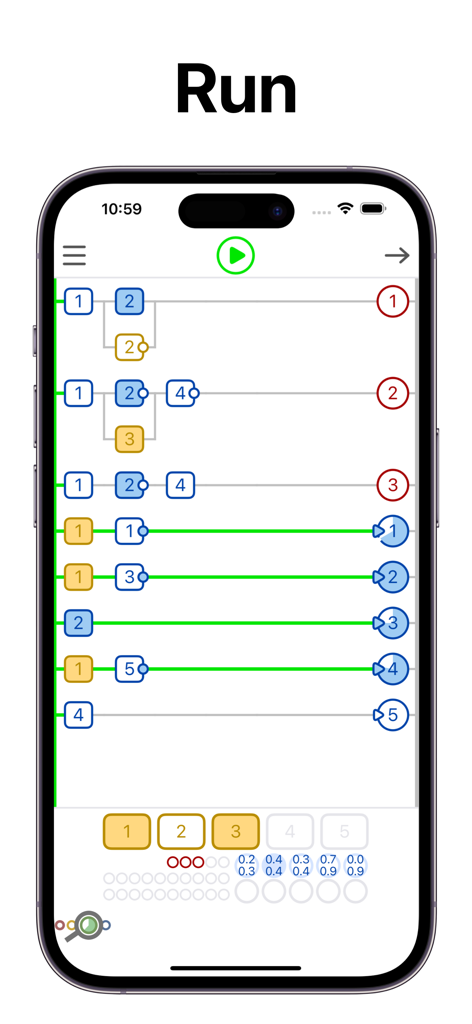
실행 중인 PLC 래더 로직 시뮬레이션을 보여주는 LadderTouch 앱 스크린샷

실행 중인 PLC 래더 로직 시뮬레이션을 보여주는 LadderTouch 앱 스크린샷

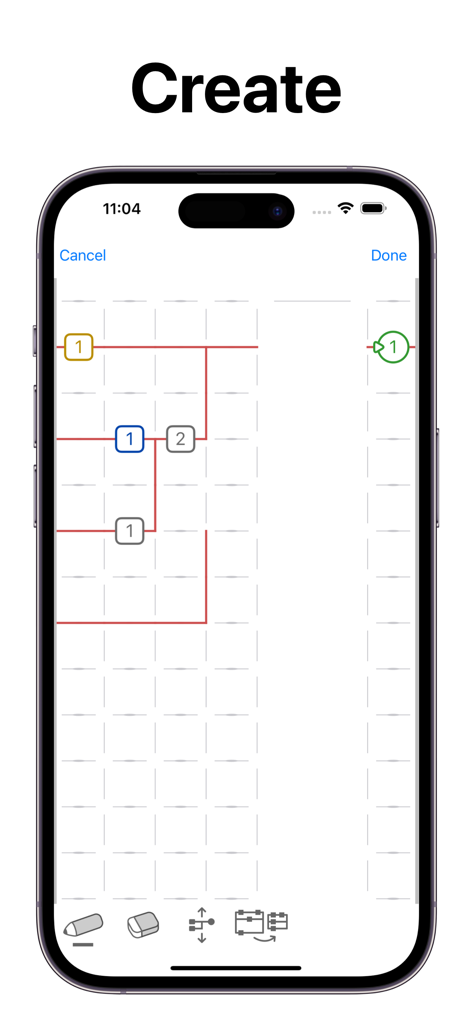
모바일 장치에서 래더 로직 다이어그램이 생성되는 것을 보여주는 LadderTouch 앱 인터페이스

모바일 장치에서 래더 로직 다이어그램이 생성되는 것을 보여주는 LadderTouch 앱 인터페이스

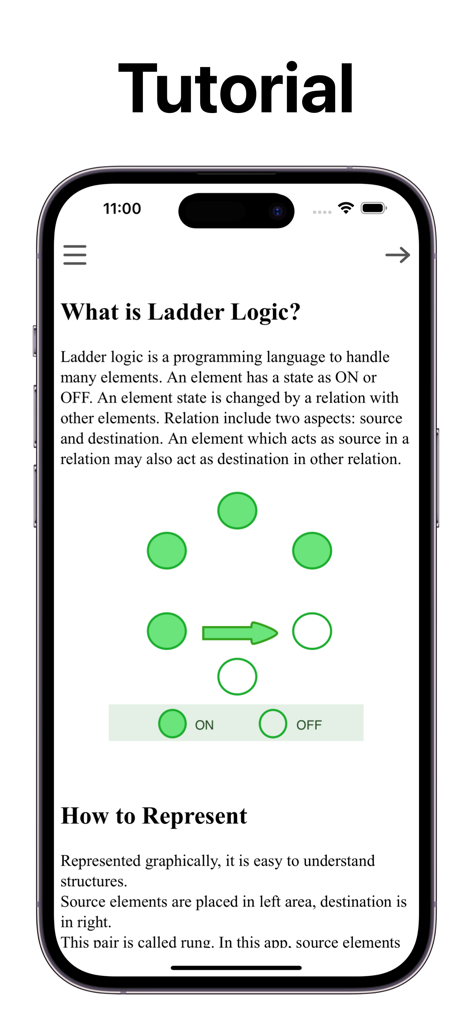
래더 로직의 기본과 ON 및 OFF 상태의 그래픽 표현을 설명하는 LadderTouch 앱 튜토리얼 스크린샷

래더 로직의 기본과 ON 및 OFF 상태의 그래픽 표현을 설명하는 LadderTouch 앱 튜토리얼 스크린샷

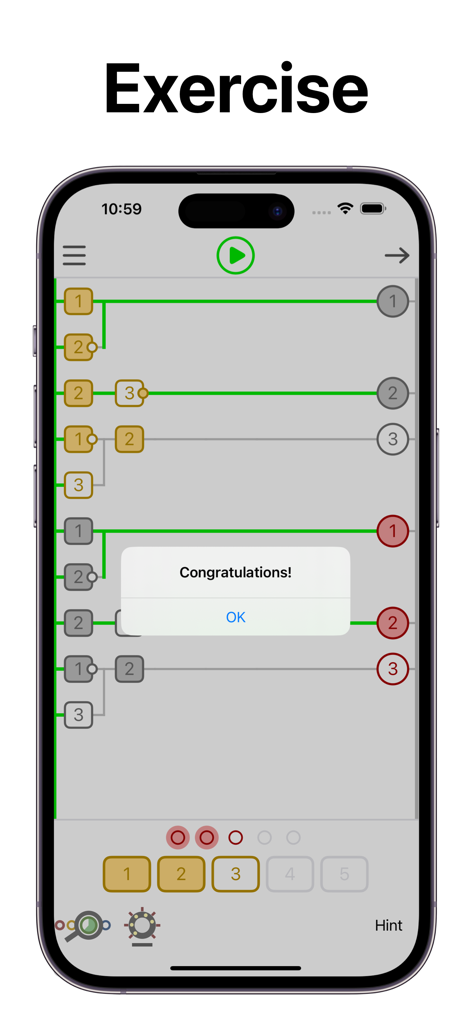
LadderTouch 앱 내에서 성공적으로 완료된 래더 로직 연습에 대한 축하 메시지

LadderTouch 앱 내에서 성공적으로 완료된 래더 로직 연습에 대한 축하 메시지

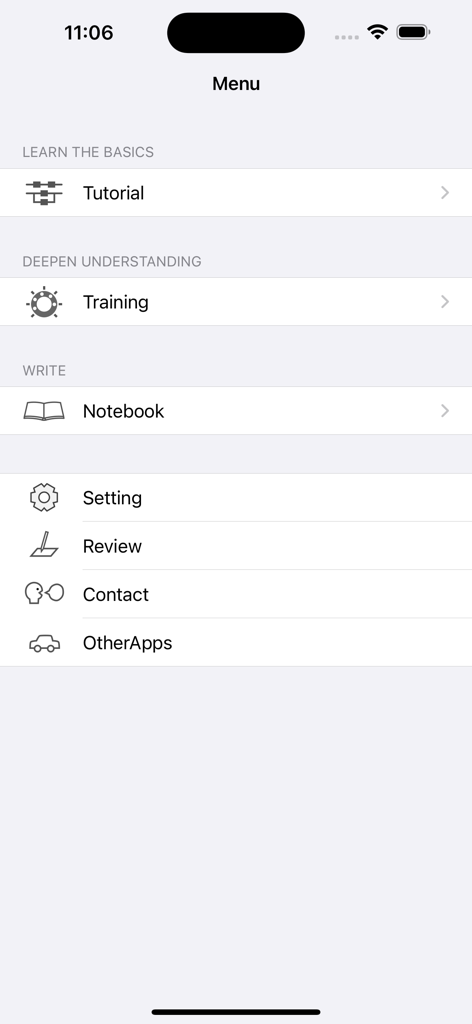
래더 로직 학습을 위한 튜토리얼 교육 및 노트북 옵션을 보여주는 LadderTouch 앱의 메인 메뉴

래더 로직 학습을 위한 튜토리얼 교육 및 노트북 옵션을 보여주는 LadderTouch 앱의 메인 메뉴

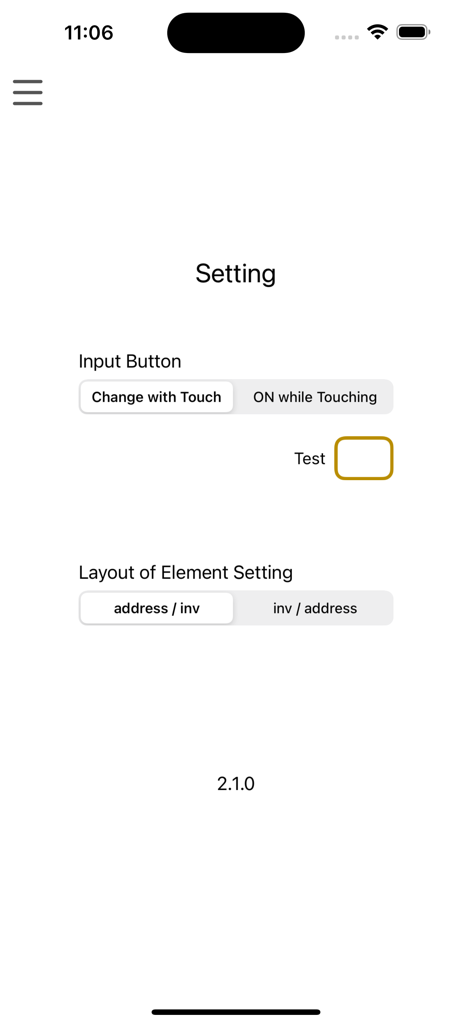
입력 버튼 및 요소 레이아웃 구성을 보여주는 LadderTouch PLC 로직 시뮬레이터 앱의 설정 메뉴

입력 버튼 및 요소 레이아웃 구성을 보여주는 LadderTouch PLC 로직 시뮬레이터 앱의 설정 메뉴

자동화 언어 마스터하기

이 앱을 돋보이게 하는 도구, 58K+ 명의 사용자가 선택.

✍️

촉각적 로직 디자인

가장 직관적인 방식으로 회로를 구축하세요. 선을 추적하고 셀을 탭하여 요소를 추가하여 복잡한 산업 프로그래밍을 직접 체험하는 제스처 기반 경험으로 전환하세요.

실시간 시각적 피드백

추측은 그만하고 학습을 시작하세요. 색상 코드로 구분된 시스템은 완료되면 녹색, 잘못되면 빨간색으로 논리 경로를 강조 표시하여 즉시 논리를 디버깅하고 개선할 수 있습니다.

🏭

전문가 수준의 시뮬레이션

On-Delay 타이머, 카운터 및 내부 메모리를 포함한 필수 산업 구성 요소로 연습하여 iPad 또는 iPhone에서 실제 제조 논리를 시뮬레이션하세요.

전 세계 사용자들에게 사랑받는 앱

Trusted by 58K+ 명이 이 앱을 사랑합니다.

"

"이 앱은 제 메카트로닉스 수업에 혁신을 가져왔습니다. 값비싼 데스크톱 소프트웨어 없이 이동 중에 래더 로직을 연습할 수 있다는 점이 자격증 취득에 도움이 되었습니다. 선을 그리는 촉각 인터페이스는 학습 과정을 매우 자연스럽게 만듭니다."

Ethan Reynolds
"

"현장 유지보수 전기 기술자로서 저는 LadderTouch를 사용하여 공장 현장에 적용하기 전에 논리 체인을 빠르게 시각화합니다. 깔끔하고 반응이 빠르며 타이머/카운터 시뮬레이션도 정확합니다. 모든 자동화 전문가를 위한 완벽한 휴대용 도구입니다."

Marcus Thompson

앱 소개

에 대해 알아야 할 모든 것 LadderTouch.

설명

LadderTouch is an app to learn the basics of ladder logic, which is a graphical programming language. This app has three functions. You can learn about that mechanism by executing some of the prepared samples. You can check your understanding with questions. In addition, you can create and execute your own ladder. Ladder functions of the timer, counter, and logical inverse are provided. The user interface is designed to be easy to operate. The lines are written by tracing the screen. You can set an element by tapping a cell at which you want to add it. ---------------ELEMENTS--------------- Input(yellow) Up to 5 elements. You can control the input signal by tapping the buttons at the bottom of the display. Virtual output(red) Up to 5 elements. Internal memory(gray) Up to 20 elements. Virtual output(red) and internal memory(gray) are the same for logical behavior. But the difference is in usage. The virtual output is the last element in the ladder logic chain. The Internal memory is for the processing element of the ladder logic chain. These are an imitation of the actual ladder logic with the output devices. Timer(blue) Up to 5 elements. The timer can be set from 0.1 seconds to 10.0 seconds. The setting unit is 0.1 second. The timer works only 'on delay'. This app does not include 'off delay'. On Delay. ---++++++++++ source -------++++++ destination Off Delay. +++---------- source ++++++++----- destination + ON - OFF Time flows from left to right Counter(green) Up to 5 elements. You can set from 1 to 50. There is no counter reset element in this app. Many other ladder logic software has it. The way to reset the counter is to stop running the ladder. All elements can be inverse in the source area. However, timers and counters cannot do it in the destination area. It is difficult to understand the inverse logic of a timer and counter in the destination area. ---------------EDIT--------------- You can edit ladders only with the paid version. How to write elements or lines Select the pencil icon. To add an element: Tap where you want to set the element and select the element. To draw a line: Draw where you want to write a line. How to delete elements or lines Select the eraser icon. Tap where you want to delete the element. How to scroll Select the scroll icon, then you can scroll. How to remove useless spaces Select the order icon. Tap order icon to remove useless spaces. Line color Green with complete ladder logic. Red with something wrong. --------------Other-------------- There is no function that connects to outer devices.

최신 버전

2.1.4

크기

6.2 MB

출시일

2010년 10월 30일

PLC 프로그래밍 마스터할 준비가 되셨나요?

58,000명 이상의 엔지니어 및 학생들과 함께하세요. 기기를 휴대용 시뮬레이션 실험실로 바꾸고 언제 어디서든 산업 자동화 기술을 구축하세요.

다운로드: App Store