Lightme - Lightmeter

Lightme - Lightmeter

다운로드: App Store
Spark by MWM logo
로고: Lightme - Lightmeter
Lightme - 노출계: 아날로그 여정을 위한 전문적인 정밀도

필름 사진가를 위해 설계된 강력한 한 손 노출계로 모든 노출을 완벽하게 제어하세요. 스팟 측광부터 자동 상호작용 실패 보정까지, 500달러의 가격표 없이 빈티지 장비에 대한 전문가 수준의 정확도를 얻으세요.

개발사

Giuseppe Bertolini

카테고리

Photo & Video

다운로드

143K+

사용자 평점

4.9/5

총 평가 수

1K+

지원 언어

4

완벽한 노출, 시각화

이 인터페이스를 사용하는 143K+ 명의 사용자.

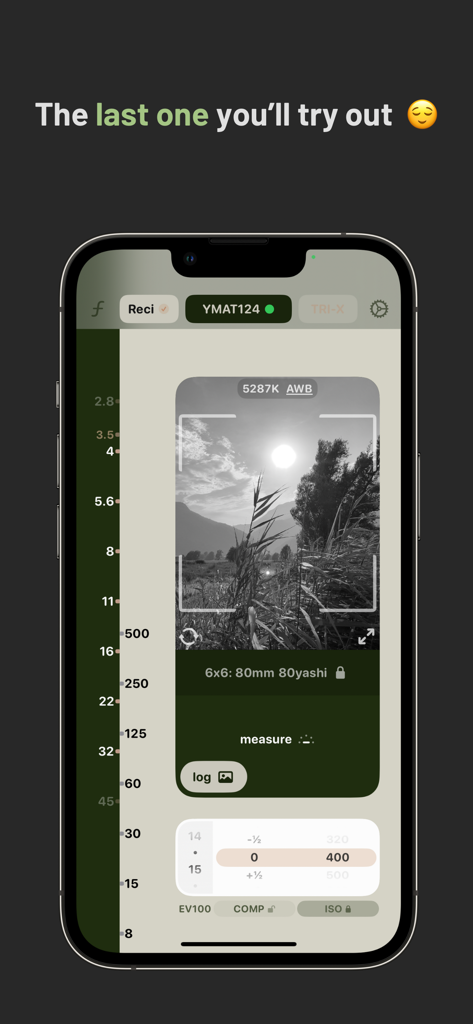
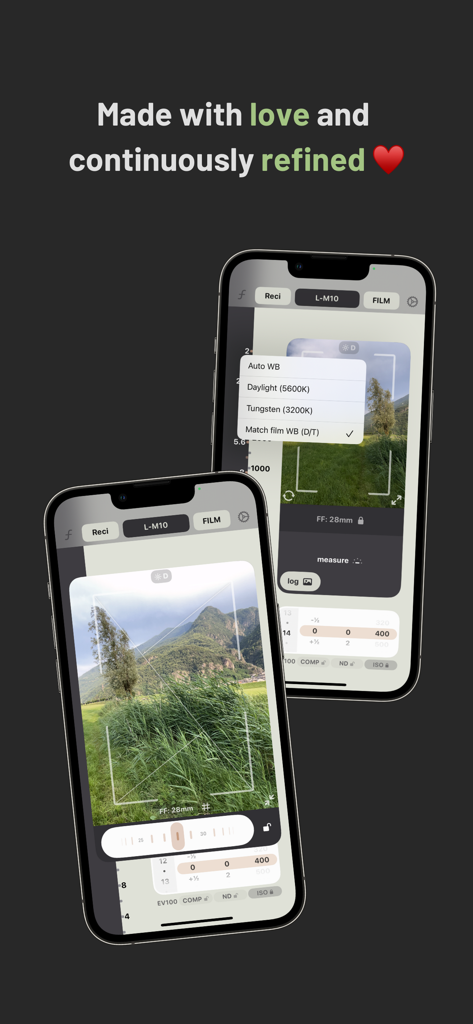
아날로그 스타일 노출 제어와 흑백 풍경 미리보기가 있는 Lightme 앱 인터페이스를 보여주는 스마트폰

아날로그 스타일 노출 제어와 흑백 풍경 미리보기가 있는 Lightme 앱 인터페이스를 보여주는 스마트폰

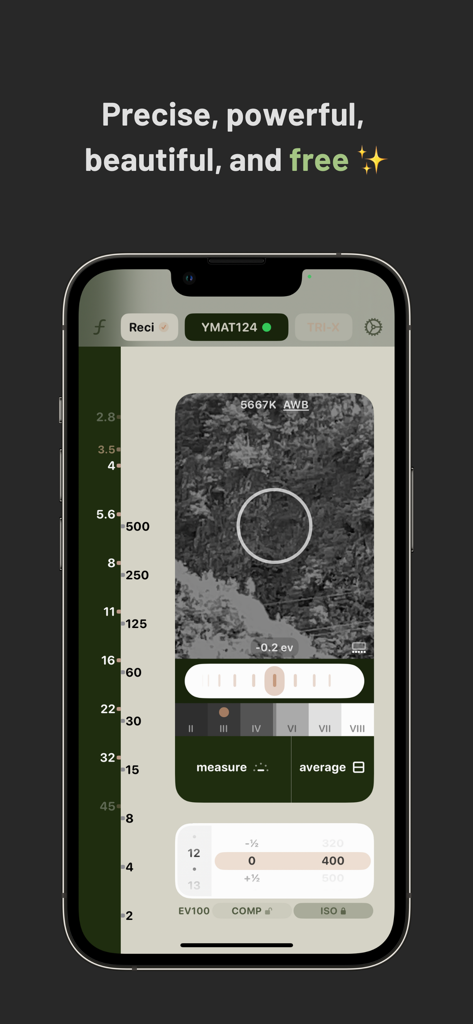
필름 사진용 스팟 측광 및 노출 설정을 보여주는 Lightme 앱 인터페이스

필름 사진용 스팟 측광 및 노출 설정을 보여주는 Lightme 앱 인터페이스

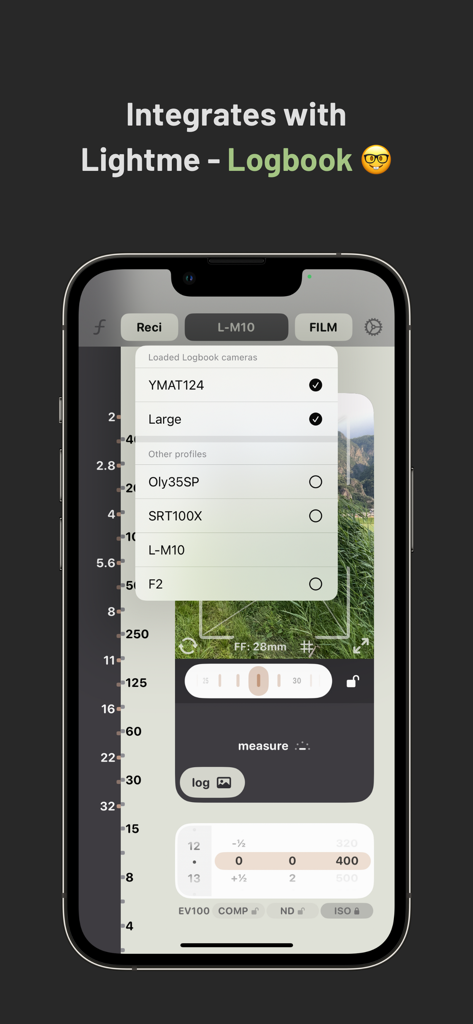
빈티지 카메라 프로필 및 로그북 통합 목록을 보여주는 Lightme Lightmeter 앱 인터페이스.

빈티지 카메라 프로필 및 로그북 통합 목록을 보여주는 Lightme Lightmeter 앱 인터페이스.

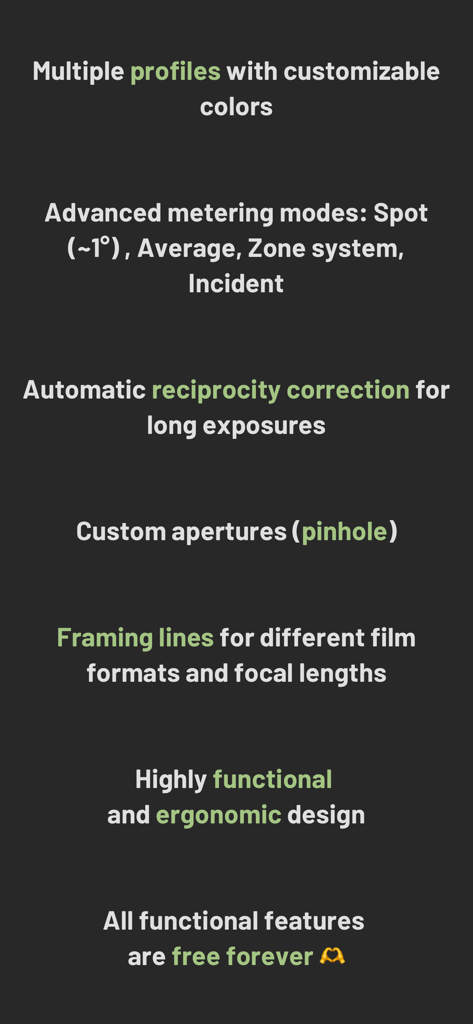
고급 측광 및 상호작용 보정을 포함한 Lightme Lightmeter 앱의 전문가 기능 목록

고급 측광 및 상호작용 보정을 포함한 Lightme Lightmeter 앱의 전문가 기능 목록

필름 사진용 노출 설정 및 화이트 밸런스 옵션을 보여주는 iPhone의 Lightme 앱 인터페이스

필름 사진용 노출 설정 및 화이트 밸런스 옵션을 보여주는 iPhone의 Lightme 앱 인터페이스

전문가 수준의 정밀도로 모든 필름 프레임을 마스터하세요

이 앱을 돋보이게 하는 도구, 143K+ 명의 사용자가 선택.

🤳

현장 촬영을 위해 설계됨

한 손 사용에 최적화되어 있어 엄지손가락으로 설정을 조작할 수 있으므로 화면이 아닌 카메라에 집중할 수 있습니다.

🎞️

70개 이상의 필름 프로필

Portra 400부터 HP5까지, 즐겨 사용하는 필름에 맞춤 제작된 상호작용 실패 보정 및 사용자 정의 사전 설정을 제공합니다.

🎯

전문적인 스팟 측광

가변 줌 스팟 측광 및 내장 존 시스템으로 노출을 정확하게 측정하여 하이라이트와 그림자에 대한 완벽한 창의적 제어를 제공합니다.

전 세계 사용자들에게 사랑받는 앱

Trusted by 143K+ 명이 이 앱을 사랑합니다.

"

"빈티지 라이카로 스트리트 사진을 촬영하는 사람으로서, 한 손 조작 인터페이스는 정말 혁신적입니다. 빠르고 매우 정확하며, 상호작용 실패 보정 덕분에 필름 낭비를 줄여 많은 비용을 절약했습니다. 사용자 경험을 존중하는 이토록 강력한 앱을 찾기란 드뭅니다."

Julian Rivera
"

"존 시스템과 스팟 측광 구현은 어떤 플랫폼에서도 본 것 중 최고입니다. 대형 포맷 풍경 사진 작업에 사용하며, 그 정밀도는 비싼 전용 장비에 필적합니다. 핀홀 및 장노출 필름 사진 모두에 제 키트의 필수품이 되었습니다."

Sarah Middleton

앱 소개

에 대해 알아야 할 모든 것 Lightme - Lightmeter.

설명

Lightme - Lightmeter is a clean, simple to use yet very powerful lightmeter. It is optimised for an easy one-handed use, both for left-handed and right-handed users, with the main controls within your thumb's reach, without the fatiguing juggling of your precious smartphone. A core distinguishing feature of Lightme - Lightmeter is that - differently from most of the other apps - it can show multiple combinations of valid settings for aperture and shutterspeed at the same time by working like a - stretched out - old needle and wheel lightmeter. This allows the user to quickly pick the desired settings without having to scroll on a tiny wheel picker. The app is designed to be welcoming to people who are just starting out, with a simple one-button use. But it offers many useful and advanced features for the more experienced shooters/users: Continuous metering (by pressing and holding or double tapping the measure button) Spot metering with a variable zoom (for more precision) which also supports average metering, and a very intuitive implementation of the zone system Automatic reciprocity failure compensation (for 25+ films, if you see exposure times in red, they are being compensated) A dedicated pinhole mode with precise exposure times for user defined apertures (multiple apertures at a time), with the possibility of setting a timer (through a shortcut) Incident light metering with calibration when using the front facing camera And more ... It also includes some other features that are enjoyable by any kind of user: Black and white preview The ability to use any of the cameras on your smartphone (swipe left/right on the preview) Multiple presets for your different camera/film/lens setups Framelines for previewing your shot, before setting up your tripod etc. A searchable list of useful tips to make better use of the application's potential A searchable list of more than 70 films to choose from with the possibility of selecting a few favourites Dark mode support and a useful level of customisation You can find even more info in the tips inside the app or you can have a look at full user manual by tapping on manual (in the settings) The app is free in all its many functionalities, but it offers In-App-Purchases in order to support the project. The only minor perk you can enable only via certain IAPs is the replacement of the Ad button with a label containing the name of your current preset, check under settings -> coffee for more info. Don't panic though, even if there's an Ad button it doesn't mean I'm going to show you ads. In fact unless you decide to tap on that button I'm never going to show you any. But if you have a few minutes to spare, watching a few of them sure helps keeping this project alive :) Try it, and, if you like it, share it with your friends and consider writing a (mini) review ;) Have a nice day, and good light!

최신 버전

3.0.9

크기

4.5 MB

출시일

2020년 5월 16일

모든 필름 프레임을 마스터하세요

전문가 수준의 정밀도를 위해 Lightme를 신뢰하는 143,000명 이상의 사진작가들과 함께하세요. 지금 다운로드하여 빈티지 카메라에 걸맞은 동반자를 무료로, 원치 않는 광고 없이 만나보세요.
다운로드: App Store