ListenMe - Text to Speech

ListenMe - Text to Speech

다운로드: App Store
Spark by MWM logo
로고: ListenMe - Text to Speech

ListenMe: 모든 문서를 자연스럽고 사람과 같은 오디오 경험으로 변환

생산성을 높이고 화면 피로에서 벗어나세요. PDF, 기사, 메모를 고품질 오디오로 변환하여 통근, 운동 또는 멀티태스킹 중에 들으세요.

개발사

SCALEUP YAZILIM HIZMETLERI ANONIM SIRKETI

카테고리

Productivity

다운로드

148K+

사용자 평점

4.6/5

총 평가 수

1K+

지원 언어

9

내부 엿보기

이 인터페이스를 사용하는 148K+ 명의 사용자.

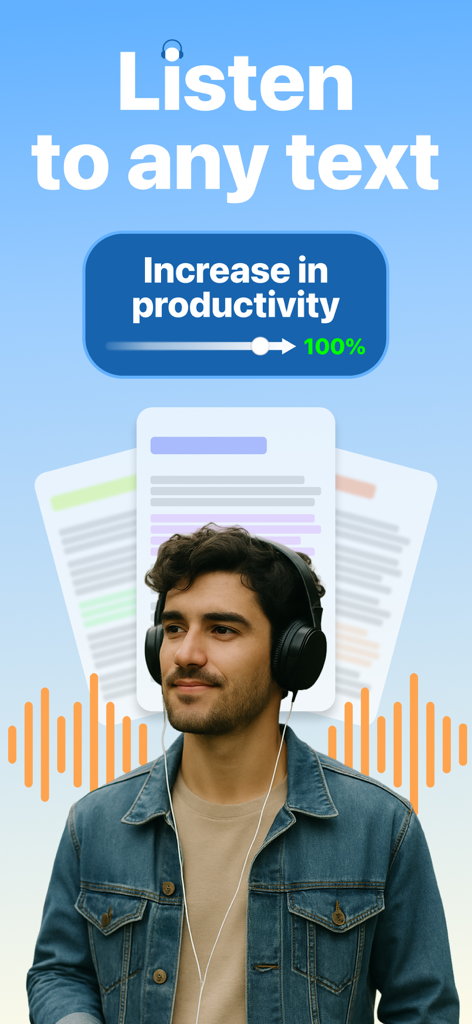
헤드폰을 착용한 남자가 텍스트를 들으며 생산성을 향상시키는 모습

헤드폰을 착용한 남자가 텍스트를 들으며 생산성을 향상시키는 모습

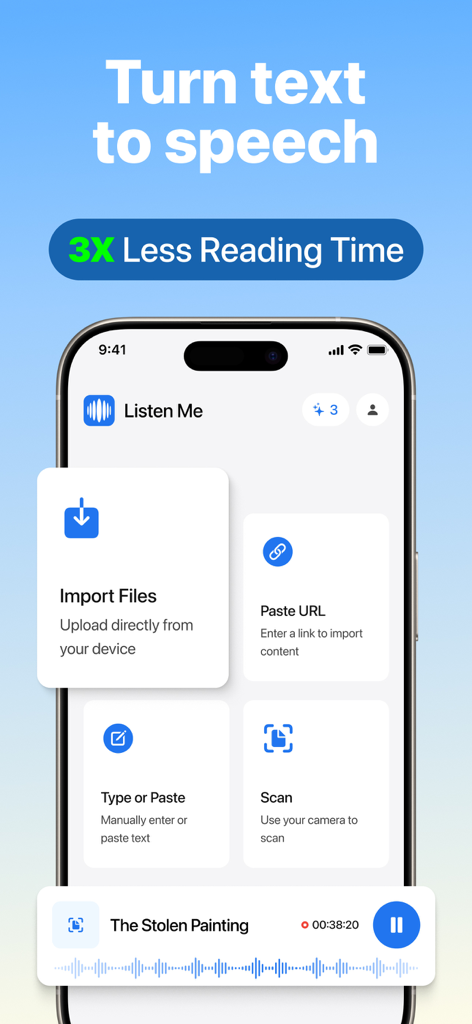
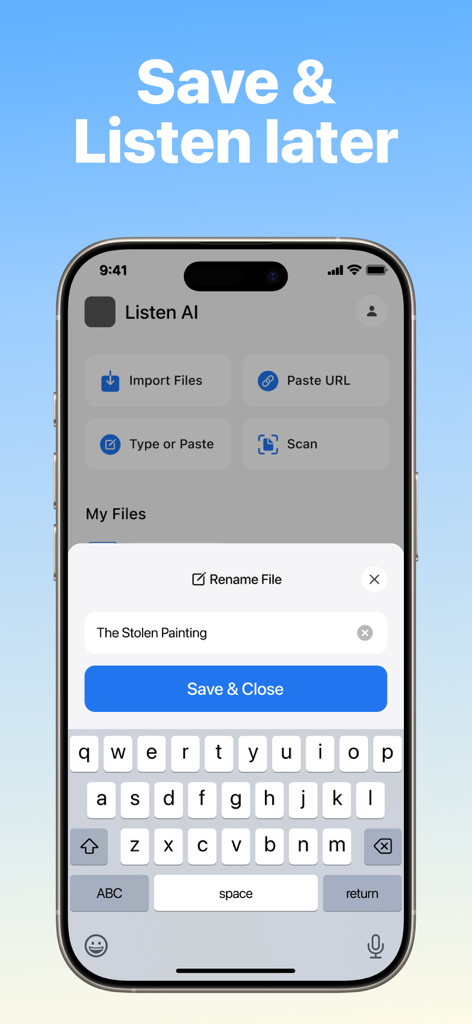
ListenMe 앱 인터페이스에서 파일 가져오기, URL 붙여넣기, 문서 스캔 옵션을 보여주며 텍스트를 음성으로 변환

ListenMe 앱 인터페이스에서 파일 가져오기, URL 붙여넣기, 문서 스캔 옵션을 보여주며 텍스트를 음성으로 변환

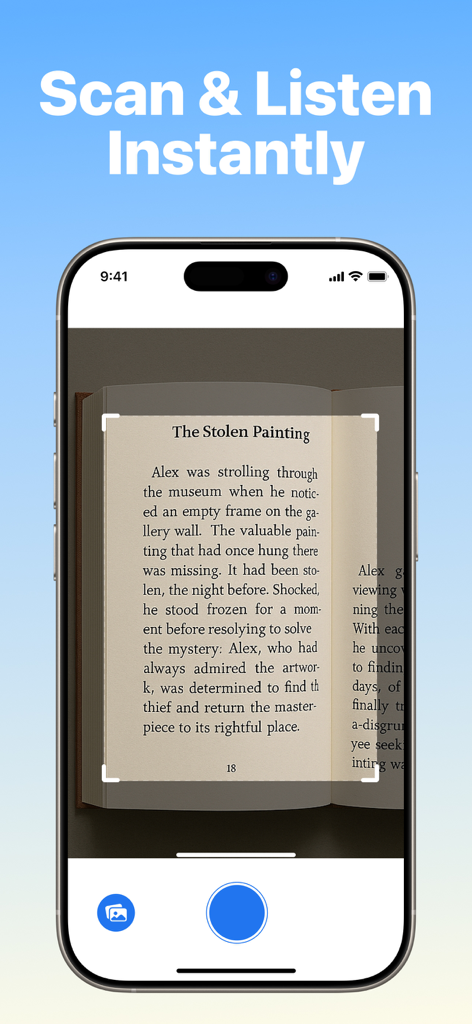
ListenMe 앱이 책 페이지를 스캔하여 텍스트를 즉시 오디오로 변환하는 것을 보여주는 스마트폰 화면

ListenMe 앱이 책 페이지를 스캔하여 텍스트를 즉시 오디오로 변환하는 것을 보여주는 스마트폰 화면

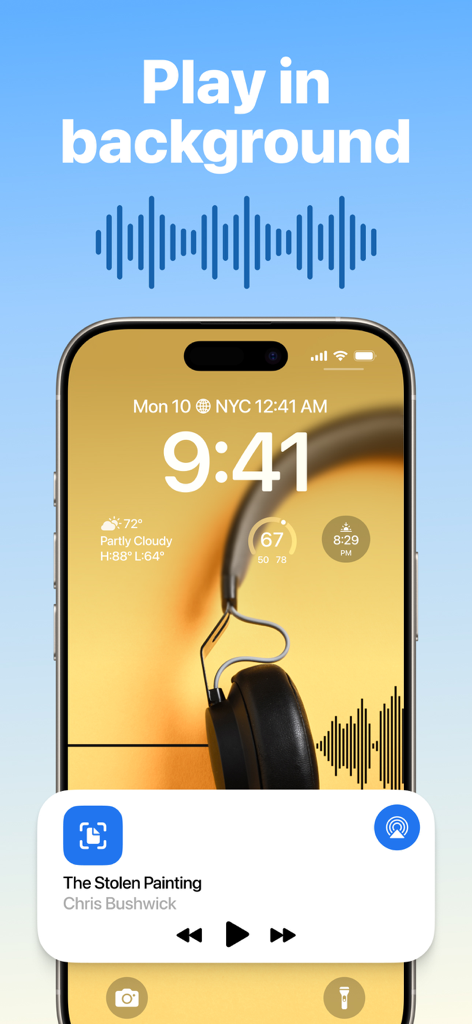
아이폰 잠금 화면에서 텍스트 음성 변환 오디오를 백그라운드에서 재생하는 ListenMe 앱

아이폰 잠금 화면에서 텍스트 음성 변환 오디오를 백그라운드에서 재생하는 ListenMe 앱

ListenMe 앱 인터페이스에서 파일 가져오기, URL 붙여넣기, 문서 스캔 옵션을 보여주며 텍스트를 음성으로 변환.

ListenMe 앱 인터페이스에서 파일 가져오기, URL 붙여넣기, 문서 스캔 옵션을 보여주며 텍스트를 음성으로 변환.

핸즈프리 읽기로 생산성을 높이세요

이 앱을 돋보이게 하는 도구, 148K+ 명의 사용자가 선택.

📄

즉석 문서 변환

모든 PDF, 웹 기사 또는 스캔된 문서를 고품질 오디오북으로 변환하세요. 화면을 보지 않고도 '나중에 읽을 자료' 더미를 손쉽게 처리하세요.

최적화된 학습 속도

조절 가능한 재생 속도로 시간을 제어하세요. 업계 보고서나 학습 자료를 최대 3배 빠르게 읽어 효율성을 극대화하세요.

🎧

최고의 통근 동반자

'죽은 시간'을 능동적인 학습 시간으로 바꾸세요. 운전 중이든 체육관에 있든 가장 중요한 문서를 핸즈프리로 오프라인에서 들으세요.

전 세계 사용자들에게 사랑받는 앱

Trusted by 148K+ 명이 이 앱을 사랑합니다.

"

"ListenMe는 제 아침 통근 시간을 완전히 바꿔 놓았습니다. '나중에 저장한' 기사들과 업계 보고서들 때문에 부담감을 느꼈었는데, 이제는 앱에 URL이나 PDF만 공유하면 운전하면서 들을 수 있습니다. 목소리가 믿을 수 없을 정도로 자연스럽고 재생 속도를 조절할 수 있어서 매주 몇 시간씩 절약했습니다. 바쁜 전문가에게는 최고의 생산성 해킹 도구입니다."

Sarah Miller
"

"ADHD를 가진 학생으로서 긴 연구 논문에 집중하는 것은 어려움이었습니다. ListenMe는 제 공부에 게임 체인저입니다. 교과서나 PDF를 스캔하면 앱이 실제로 제 관심을 유지하는 방식으로 읽어줍니다. 일반적인 눈의 피로나 디지털 피로 없이 정보를 훨씬 빠르게 처리할 수 있도록 도와줍니다. 오디오를 통해 더 잘 배우는 사람이라면 누구나 강력 추천합니다."

David Chen

리뷰 분석

사용자 리뷰 인사이트.

감정 점수

30%
부정적

요약

User feedback for this app is overwhelmingly negative, with many reviews labeling it a "scam" due to misleading subscription practices, unexpected charges, and difficulties canceling. Core functionalities like file uploading (particularly for PDFs and ePubs) and text-to-speech playback are widely reported as non-functional, buggy, or having poor quality with issues like lagging and skipping words. Users also frequently criticize restrictive file size limits (3-5MB) and the app's overall unreliability. A specific bug on ListenMe v.1.0.7 on iPadOS'26.2 notes issues with the playback button and editing stored text titles.

주요 테마

Subscription & Pricing(24)
Voice & Playback Quality(14)
File Upload & Compatibility(13)
General Performance & Reliability(11)
File Size Restrictions(4)
Customer Support & Refunds(3)
User Interface(1)

앱 소개

에 대해 알아야 할 모든 것 ListenMe - Text to Speech.

설명

ListenMe – Convert Text to Speech & Listen Anywhere ListenMe is your all-in-one text-to-speech (TTS) solution that transforms any written content into natural, high-quality voice. Whether you're tired of endless reading, want to save time, or just prefer to listen while doing other tasks, ListenMey helps you turn text into smart, accessible audio. With offline playback, translation, note-taking, and customizable voice settings, you can enjoy a hands-free reading experience anytime, anywhere. Top Features of ListenMe • Text to Speech (TTS) – Turn any text into clear, human-like audio. • Import Text Easily – Add content by typing, uploading files (PDF, DOC, TXT), scanning documents, or sharing URLs. • Audio Speed Control – Slow down or speed up the audio to suit your pace and focus. • Accessibility-Friendly – Designed to support users with visual impairments, dyslexia, ADHD, and other reading difficulties. Who is ListenMe for? • Professionals who need to process large documents quickly • Students who prefer listening to studying • Language learners looking to improve comprehension • People with dyslexia, ADHD, or low vision • Anyone who wants to multitask while consuming content • Anyone tired of screen fatigue or long reading sessions Use ListenMe to: • Convert blog posts, emails, PDFs, notes, and articles into voice • Create MP3 versions of your reading list for mobile access • Improve focus by listening instead of reading • Turn written lectures and study materials into audio • Learn new languages with text to speech content Enjoy screen-free reading during workouts, chores, or commutes ListenMe gives you the freedom to listen rather than read, making content consumption more flexible and efficient. Whether you need a voice reader, a text to speech converter, or just an easy way to multitask with audio, ListenMe is the app you can rely on. With ListenMe, enjoy the most seamless text to speech experience tailored to your daily needs. Whether you’re looking for a reliable text reader to read text from articles, emails, or books, or you simply want a smart way to turn long documents into audio, ListenMe is your perfect companion. The app supports advanced text-to-speech technology to ensure every word sounds natural and clear. Easily transform your notes, webpages, or PDF files into engaging audio content — perfect for turning any PDF to audiobook in seconds. ListenMe is not just another text to speech tool; it’s your go-to text reader for multitasking, learning, or relaxation. Use it to read text aloud while commuting, or let it serve as a PDF to audiobook converter for your study sessions. With multiple text-to-speech voices and customizable reading speeds, you’re always in control. From quick reads to full-length documents, ListenMe makes every text to speech interaction smooth, smart, and efficient.No more staring at screens. No more lost time. Just open ListenMe, import your content, and hit play. ListenMe offers a powerful text to speech engine that makes it easy to listen to your favorite content anytime. Use it as your daily text reader to read text from books, notes, and websites with natural-sounding voices. Whether you're studying, commuting, or relaxing, ListenMe turns your routine into an audiobook experience. Instantly convert any PDF to audiobook and enjoy hands-free reading. The app’s smart text-to-speech features ensure smooth playback, even for long documents. With multiple voices, reading speeds, and offline support, ListenMe is more than just a text to speech app — it’s your all-in-one text reader and PDF to audiobook converter. Privacy Policy: https://listenme.co/privacy Terms of Service: https://listenme.co/terms Do you have a question for us? support@listenme.co

최신 버전

1.0.7

크기

136.3 MB

출시일

2025년 6월 17일

읽을거리 목록을 일일 재생 목록으로 바꾸세요

모든 PDF, 기사 또는 문서를 고품질 오디오로 변환하세요. 이미 시간을 확보하고 집중력을 되찾은 148,000명 이상의 뛰어난 성과를 내는 사람들과 함께하세요.

다운로드: App Store
FAQ

자주 묻는 질문

에 대해 알아야 할 모든 것 ListenMe - Text to Speech

ListenMe는 무엇인가요?

ListenMe는 모든 종류의 텍스트 콘텐츠를 자연스럽고 고품질의 오디오로 변환하는 올인원 텍스트 음성 변환(TTS) 솔루션입니다. 다양한 유형의 콘텐츠에 대해 핸즈프리 읽기 경험을 제공합니다.

ListenMe는 텍스트를 음성으로 어떻게 변환하나요?

ListenMe는 사용자가 타이핑, 파일 업로드(PDF, DOC, TXT), 문서 스캔 또는 URL 공유를 통해 콘텐츠를 가져올 수 있도록 하여 텍스트를 음성으로 변환합니다. 명확하고 자연스러운 사운드를 위해 고급 TTS 기술을 사용합니다.

ListenMe는 물리적 문서를 스캔하는 것을 지원하나요?

예, ListenMe는 문서 스캔을 지원합니다. 사용자는 기기의 카메라를 사용하여 물리적 문서나 책에서 직접 텍스트를 스캔하고 앱 내에서 즉시 음성으로 변환할 수 있습니다.

나중에 들을 수 있도록 ListenMe에 콘텐츠를 저장할 수 있나요?

예, ListenMe를 사용하면 변환된 오디오 콘텐츠를 저장할 수 있습니다. 사용자는 앱 내에서 파일을 관리하고 나중에 들을 수 있으므로 콘텐츠 소비에 대한 유연성을 제공합니다.

ListenMe는 독서 장애가 있는 사람들에게 적합한가요?

ListenMe는 접근성을 고려하여 설계되었습니다. 텍스트를 들을 수 있는 형식으로 변환하여 이해력과 집중력을 돕기 때문에 시각 장애, 난독증, ADHD 및 기타 독서 장애가 있는 사용자를 지원합니다.

ListenMe에서 오디오 속도를 조절할 수 있나요?

예, ListenMe는 사용자가 오디오 속도를 조절할 수 있도록 합니다. 재생 속도를 늦추거나 빠르게 하여 개인의 속도와 집중력에 맞출 수 있으며, 이는 청취 경험을 향상시킵니다.

ListenMe는 백그라운드 재생을 지원하나요?

예, ListenMe는 백그라운드 재생을 지원합니다. 다른 앱을 사용 중이거나 기기 화면이 잠겨 있을 때도 콘텐츠를 들을 수 있어 멀티태스킹과 연속적인 청취가 가능합니다.

ListenMe는 PDF를 오디오북으로 변환하나요?

예, ListenMe는 PDF를 오디오북으로 변환합니다. 이 앱은 PDF 파일을 몰입감 있는 오디오 콘텐츠로 변환하여 문서, 기사 및 책을 핸즈프리로 쉽게 들을 수 있도록 합니다.

ListenMe는 오프라인에서 오디오를 재생할 수 있나요?

예, ListenMe는 오프라인 재생을 제공합니다. 이 기능을 사용하면 인터넷 연결 없이도 언제 어디서나 핸즈프리 읽기 경험을 즐길 수 있습니다.