Live Home 3D Pro: House Design

Live Home 3D Pro: House Design

다운로드: App Store
Spark by MWM logo
로고: Live Home 3D Pro: House Design
Live Home 3D Pro: 주택 디자인 — 꿈꾸던 집을 시각화하는 전문적인 방법

LiDAR 룸 스캐닝, 정밀한 2D 평면도, 몰입형 AR 둘러보기를 통해 리모델링을 완벽하게 마스터하세요. 비전 있는 DIY 사용자 및 전문 디자이너를 위해 설계되어, 건축적 아이디어를 놀라운 3D 리얼리즘으로 구현합니다.

개발사

Belight Software, ltd

카테고리

Lifestyle

다운로드

225K+

사용자 평점

4.6/5

총 평가 수

2K+

지원 언어

10

3D로 구현된 당신의 비전

이 인터페이스를 사용하는 225K+ 명의 사용자.

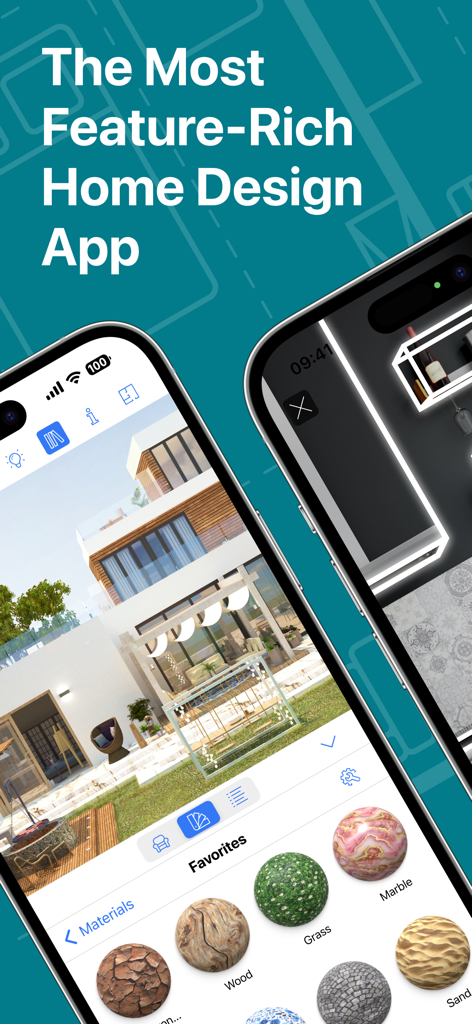
현대적인 주택 렌더링 및 재질 선택 메뉴가 있는 Live Home 3D Pro 앱을 보여주는 iPhone 화면

현대적인 주택 렌더링 및 재질 선택 메뉴가 있는 Live Home 3D Pro 앱을 보여주는 iPhone 화면

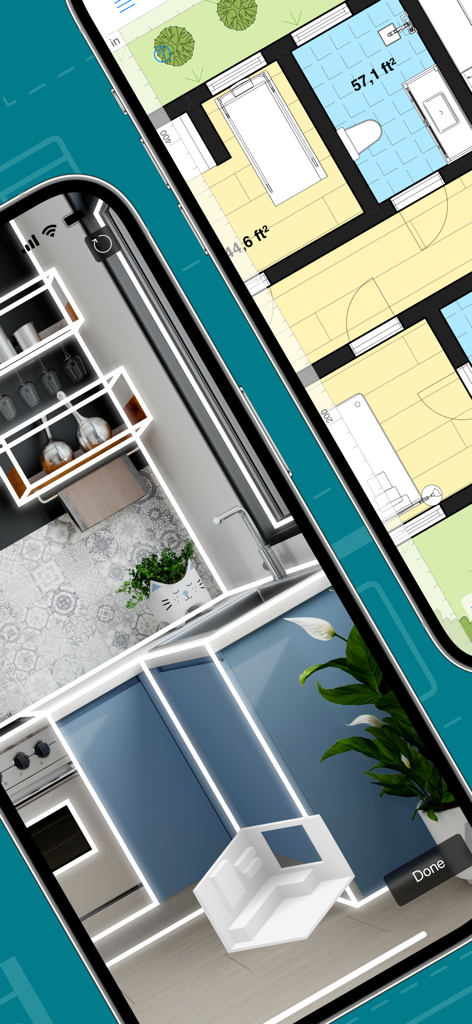
두 대의 iPhone에서 2D 평면도와 3D LiDAR 룸 스캔을 보여주는 Live Home 3D Pro 앱

두 대의 iPhone에서 2D 평면도와 3D LiDAR 룸 스캔을 보여주는 Live Home 3D Pro 앱

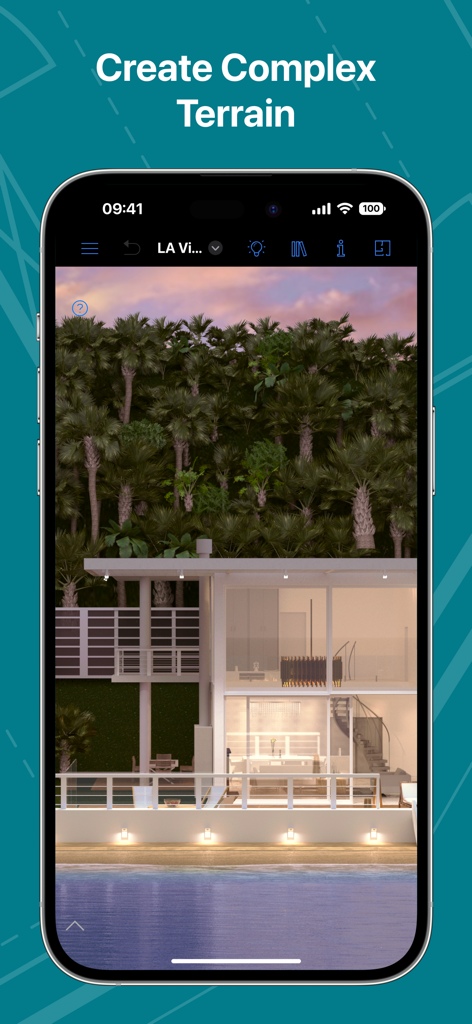
복잡한 지형 편집을 보여주는 무성한 야자수와 수경 시설이 있는 현대적인 유리 주택의 3D 건축 시각화

복잡한 지형 편집을 보여주는 무성한 야자수와 수경 시설이 있는 현대적인 유리 주택의 3D 건축 시각화

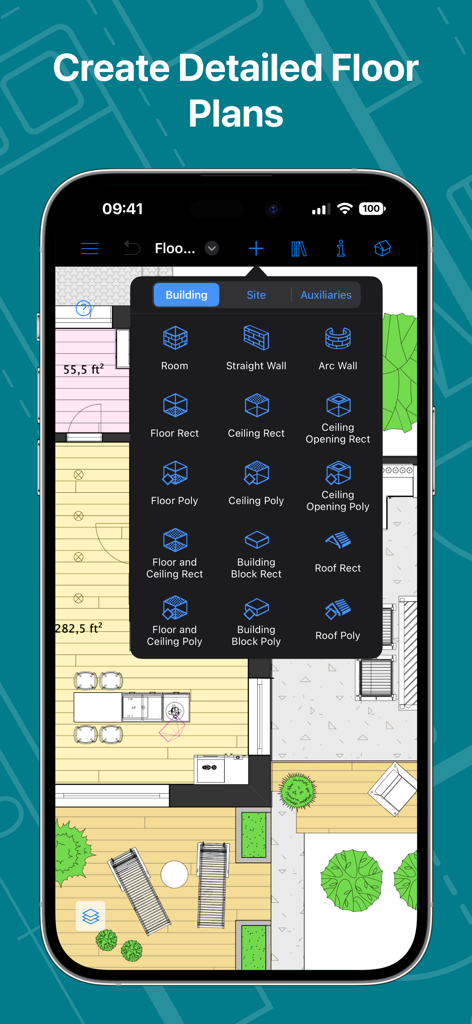
구조적 건축 도구로 상세한 2D 평면도를 작성하기 위한 Live Home 3D Pro iPhone 앱 인터페이스

구조적 건축 도구로 상세한 2D 평면도를 작성하기 위한 Live Home 3D Pro iPhone 앱 인터페이스

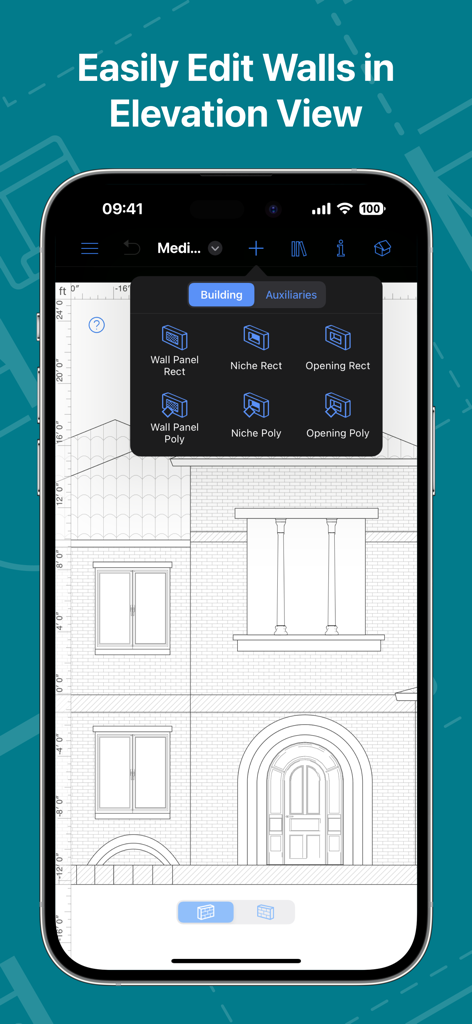
2D 입면도 보기에서 주택 벽면과 건축적 세부 사항을 편집하기 위한 Live Home 3D Pro 앱 인터페이스를 보여주는 스마트폰 화면

2D 입면도 보기에서 주택 벽면과 건축적 세부 사항을 편집하기 위한 Live Home 3D Pro 앱 인터페이스를 보여주는 스마트폰 화면

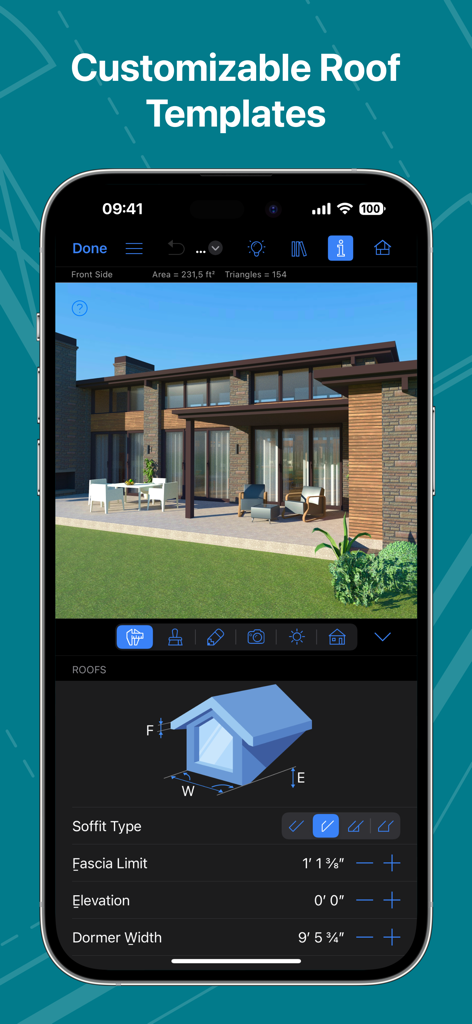
iPhone에서 맞춤형 지붕 템플릿과 건축 설정을 보여주는 Live Home 3D Pro 인터페이스

iPhone에서 맞춤형 지붕 템플릿과 건축 설정을 보여주는 Live Home 3D Pro 인터페이스

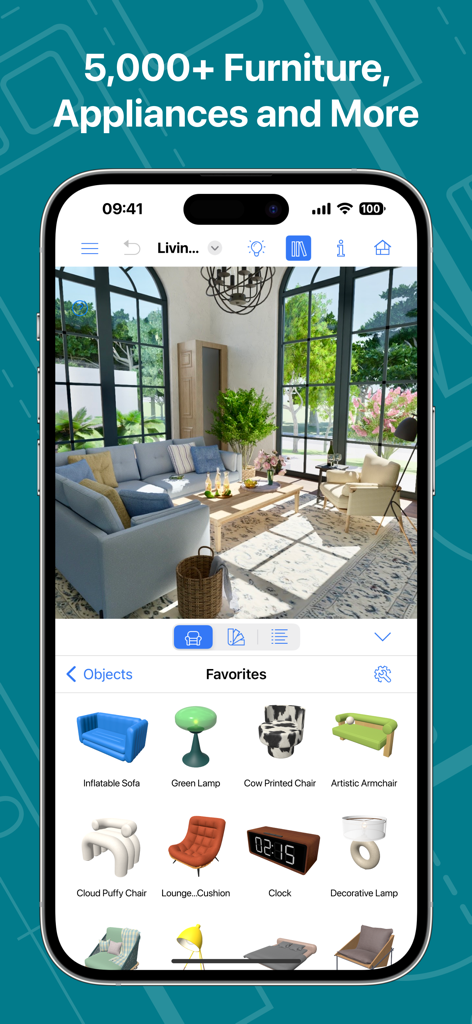
3D 거실 디자인과 방대한 가구 카탈로그를 보여주는 Live Home 3D Pro 앱 인터페이스

3D 거실 디자인과 방대한 가구 카탈로그를 보여주는 Live Home 3D Pro 앱 인터페이스

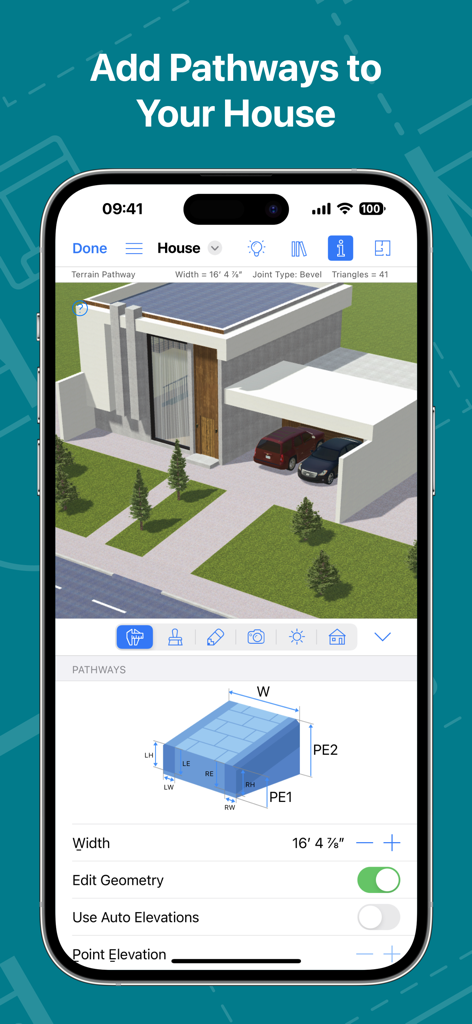
조경 경로 편집 도구를 보여주는 3D 주택 디자인 앱 인터페이스

조경 경로 편집 도구를 보여주는 3D 주택 디자인 앱 인터페이스

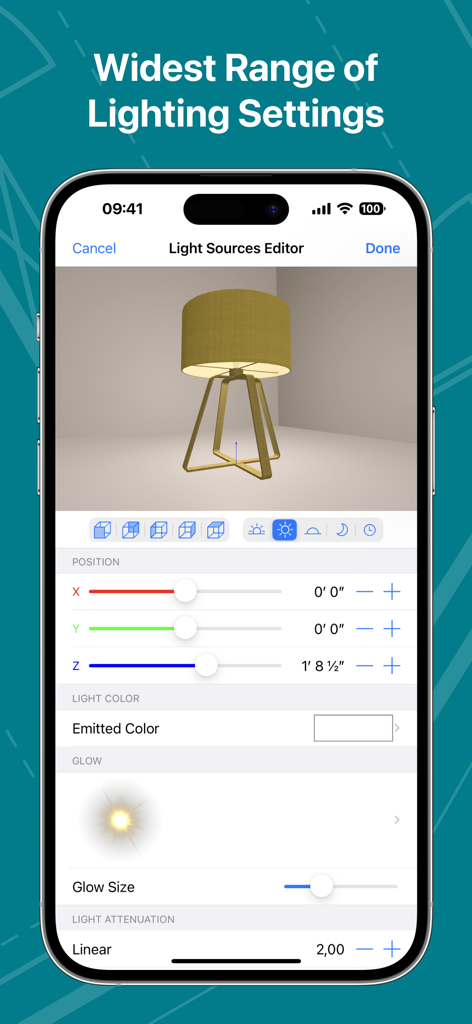
Live Home 3D Pro 앱의 광원 편집기 인터페이스

Live Home 3D Pro 앱의 광원 편집기 인터페이스

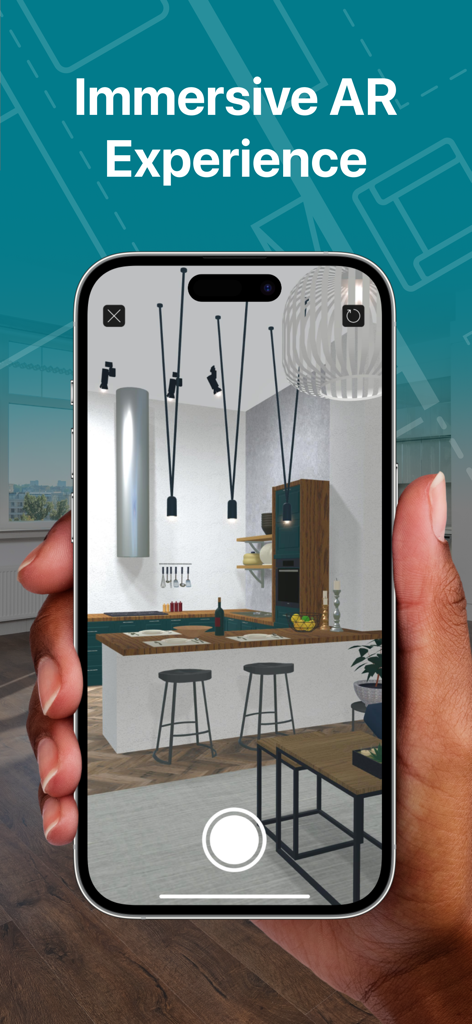
증강 현실에서 몰입형 3D 주방 모델을 보여주는 스마트폰을 든 손

증강 현실에서 몰입형 3D 주방 모델을 보여주는 스마트폰을 든 손

전문가처럼 디자인하고 선구자처럼 시각화하세요

이 앱을 돋보이게 하는 도구, 225K+ 명의 사용자가 선택.

📏

스마트 룸 스캐닝

LiDAR 기술을 활용하여 방을 걷는 것만으로 정확한 2D 평면도와 3D 모델을 즉시 생성합니다.

🎨

무한한 디자인 가능성

5,000개 이상의 오브젝트와 3,000개 이상의 재질에 액세스하거나 사용자 지정 3D 모델을 가져와 나만의 독특한 스타일을 반영한 공간을 만드세요.

🚀

건축 전 현실을 경험하세요

고급 AR 및 Apple Vision Pro 통합 기능을 사용하여 디자인 내부로 들어가 모든 세부 사항을 1:1 스케일로 살펴보세요.

전 세계 사용자들에게 사랑받는 앱

Trusted by 225K+ 명이 이 앱을 사랑합니다.

"

"룸 스캐너 기능은 그야말로 혁신적입니다. LiDAR를 사용하여 10분 만에 1층 전체 도면을 그렸고, 시공업체가 도착하기 전에 AR로 리모델링 현장을 둘러본 덕분에 주방 아일랜드 배치에서 발생할 뻔한 값비싼 실수를 방지할 수 있었습니다. 전문적인 기능을 믿을 수 없을 만큼 간단하게 구현했습니다."

Sarah Jenkins, 주택 소유자
"

"부동산 컨설턴트로서 고객에게 Apple Vision Pro로 1:1 스케일 둘러보기를 보여줄 수 있다는 점은 타의 추종을 불허합니다. 조명 엔진과 재질 편집기 덕분에 전문 사진처럼 보이는 고해상도 렌더링을 제작할 수 있습니다. 빠른 스케치와 하이엔드 CAD 소프트웨어 사이의 간극을 완벽하게 메워줍니다."

Marcus Thorne, 부동산 컨설턴트

앱 소개

에 대해 알아야 할 모든 것 Live Home 3D Pro: House Design.

설명

An outstanding home design app that can turn anyone into a designer. Create detailed floor plan layouts, 3D home design visualizations, plan a garden and work with the surrounding landscape—everything is possible with Live Home 3D Pro. Floor Plans, Building and Terrain: • Сreate detailed 2D floor plan layouts. • View real-time dimensions for walls, ceilings and floors when drawing in the 2D Plan view. • Get unlimited floor levels: you will be able to create multi-story buildings and even skyscrapers. • Design from scratch or rely on ready-made house and interior design samples (e.g., kitchens, bathrooms, living rooms, etc). • Work with terrain editing tools for landscape design: create elaborate terrain around your house, lay paths and driveways and plan out your garden or backyard. • Choose from the ready-made roof templates (12 roofs and 16 dormers) or customize the roof by editing its segments to create roofs of any form and complexity. • Work in 2D Elevation view that displays the side view on walls and roof, a perfect tool for working with openings, niches and wall panels. • Scan your room or house using the Room Scanner feature based on LiDAR technology to recreate its digital copy (only for devices with LiDAR sensors built-in). • Use a multi-purpose Building Block tool to create porches, custom columns, beams or even furniture. • Bosch laser measure integration: take accurate measurements with a laser measure, and easily transfer and apply them to objects. Objects and Materials: • Add and move furniture and other objects (5,000+ items), and apply physically based materials (3,000+ supplied materials). • Access thousands of free models that can be imported from the Trimble 3D Warehouse. • Import 3D models from other applications in most popular formats (COLLADA, FBX, OBJ, USDZ, 3DS, etc.) • Create sophisticated custom materials, and control their texture and light emissive properties using the Material Editor. Lighting Settings: • Work with natural lighting by setting up true geolocation, time of day and cloudiness. • Adjust light fixtures throughout the house to achieve a realistic lighting scene. • Create custom lamps or achieve the best lighting for your projects with Light Source Editor. Viewing and Sharing Your Project: • Walk through your 3D interior designs. • Project your 3D home into real-world surroundings, and even walk around or inside the house using View in the AR option. • Create flyover videos and 3D renderings of your projects from different angles. • Seamlessly share your projects among iOS, iPadOS, visionOS, macOS or Windows devices. Export: • Export 2D floor plans as PDF and 3D views of your projects as high-resolution images. • Export the entire house design or several objects to USDZ, glTF, SCN, SCNZ, FBX or OBJ format. • Get Ultra HD export quality for movies and 360° Panoramas and Hi-res (16,000 x 16,000) for still shots. • Create Stereo 3D Video, 360° Video, Stereo 3D 360° Video and 360° Panorama JPEG images. Note: In-app purchases made in the app for Phone/iPad/Apple Vision do not apply or transfer to the version for the Mac or other platforms.

최신 버전

4.11.2

크기

436.0 MB

출시일

2018년 10월 23일

전문적인 정밀함으로 꿈꾸던 집을 실현하세요

멋진 3D 시각화를 제작하는 수만 명의 디자이너 및 주택 소유자와 함께하세요. 지금 Live Home 3D Pro를 다운로드하고 iPhone, iPad 및 Apple Vision Pro에서 미래의 홈 디자인을 경험해 보세요.

다운로드: App Store