MBH Bank App

MBH Bank App

다운로드: App Store
Spark by MWM logo
로고: MBH Bank App

MBH Bank 앱: 전 세계 어디서나 안전한 헝가리 뱅킹

글로벌 시민을 위한 최고의 금융 가교. 생체 인증 보안과 함께 영어 또는 헝가리어로 계좌 관리, HUF 송금, 카드 제어를 모두 수행하세요.

개발사

MKB Bank Zrt.

카테고리

Finance

다운로드

299K+

사용자 평점

4.2/5

총 평가 수

48K+

지원 언어

2

원활한 제어를 경험하세요

이 인터페이스를 사용하는 299K+ 명의 사용자.

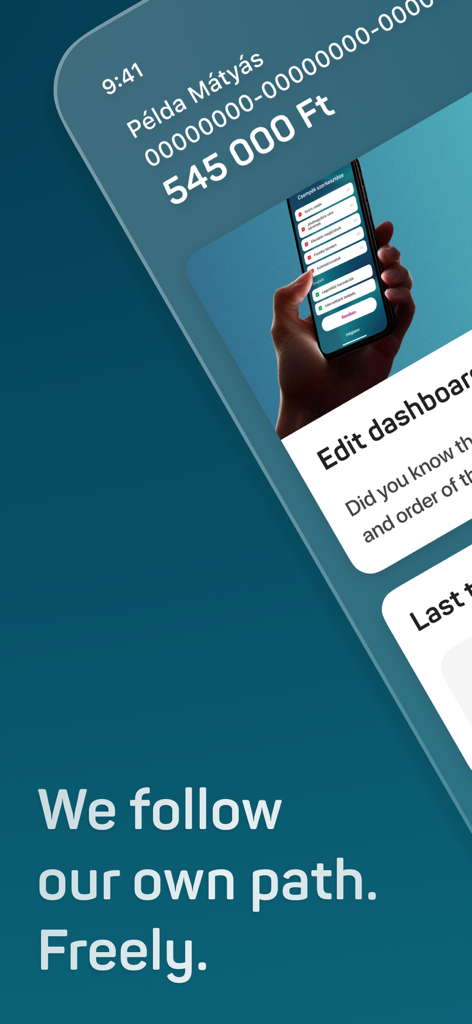
계좌 잔액 및 대시보드 사용자 정의 옵션을 보여주는 MBH Bank 모바일 앱 홈 화면

계좌 잔액 및 대시보드 사용자 정의 옵션을 보여주는 MBH Bank 모바일 앱 홈 화면

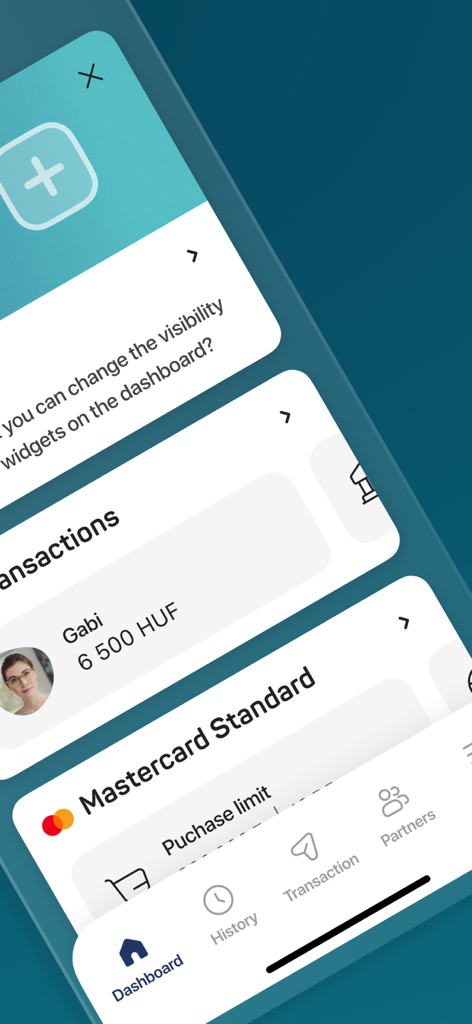
대시보드 위젯, HUF 거래 내역 및 마스터카드 결제 한도를 표시하는 MBH Bank 앱 인터페이스.

대시보드 위젯, HUF 거래 내역 및 마스터카드 결제 한도를 표시하는 MBH Bank 앱 인터페이스.

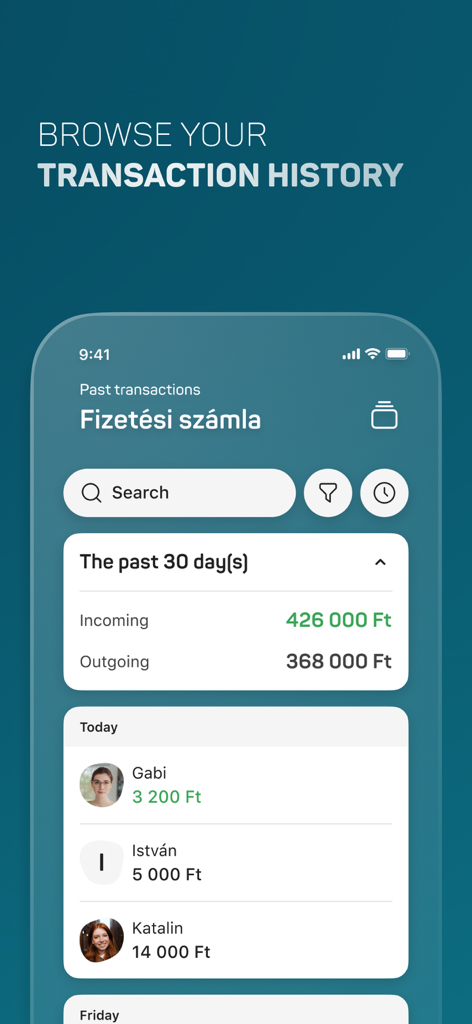
최근 결제 내역 및 계좌 요약 정보를 보여주는 MBH Bank 앱의 거래 내역 화면.

최근 결제 내역 및 계좌 요약 정보를 보여주는 MBH Bank 앱의 거래 내역 화면.

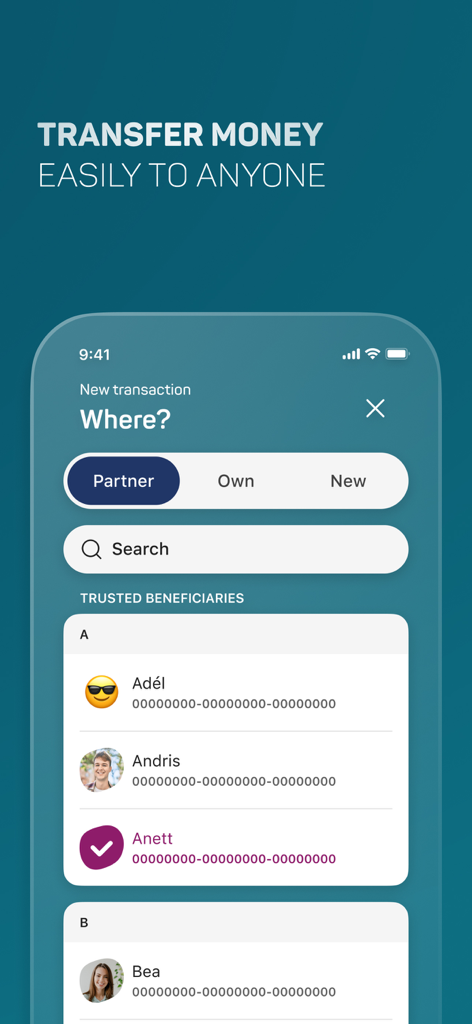
신뢰할 수 있는 수취인 목록이 포함된 송금 화면을 보여주는 MBH Bank 앱 모바일 인터페이스

신뢰할 수 있는 수취인 목록이 포함된 송금 화면을 보여주는 MBH Bank 앱 모바일 인터페이스

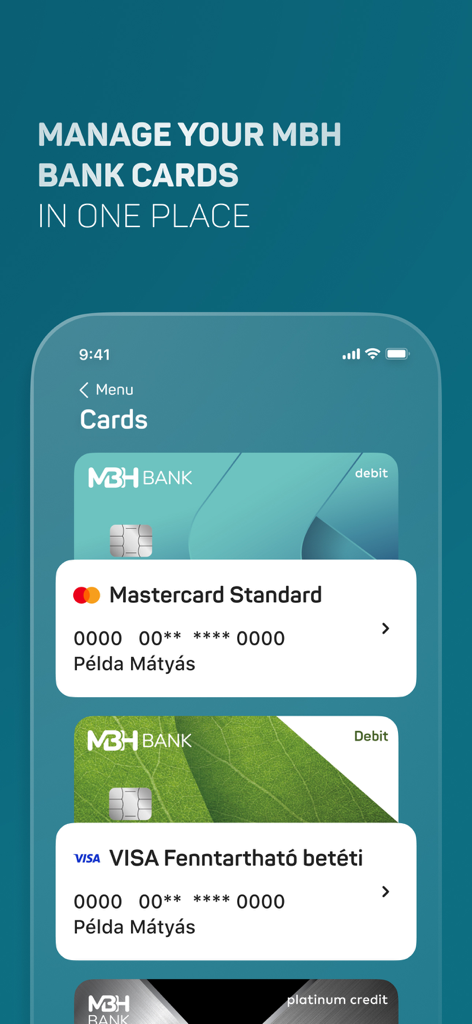
관리 중인 체크카드 및 신용카드 목록을 보여주는 MBH Bank 앱 인터페이스

관리 중인 체크카드 및 신용카드 목록을 보여주는 MBH Bank 앱 인터페이스

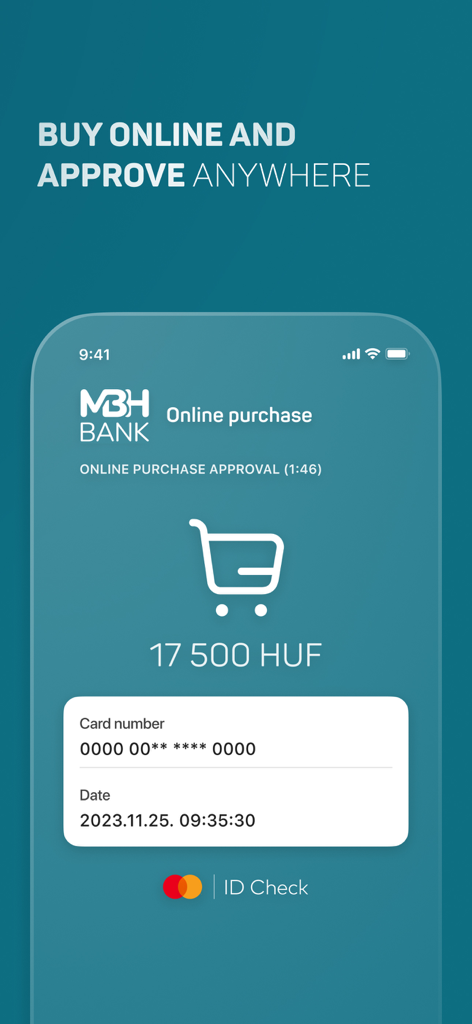
17,500 HUF 결제 상세 내역을 보여주는 3DSecure 온라인 구매 승인용 MBH Bank 앱 모바일 인터페이스

17,500 HUF 결제 상세 내역을 보여주는 3DSecure 온라인 구매 승인용 MBH Bank 앱 모바일 인터페이스

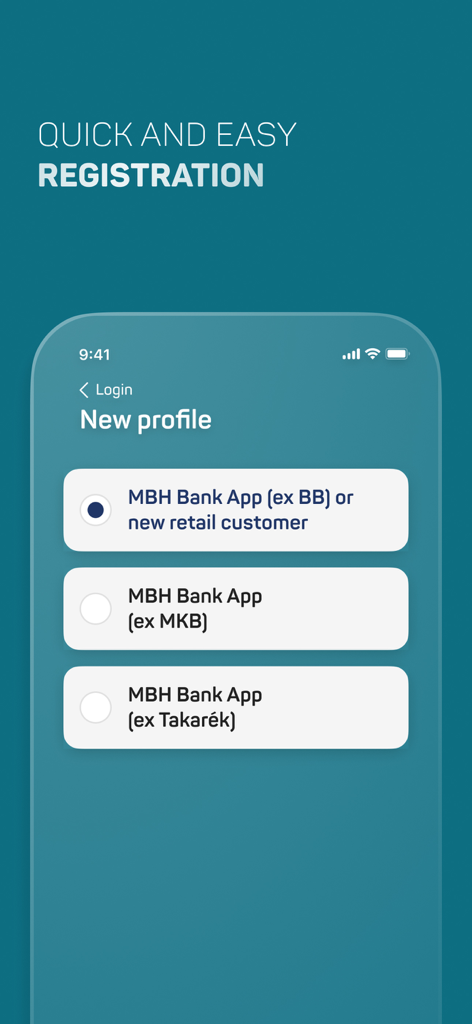
신규 및 기존 고객을 위한 프로필 선택을 보여주는 MBH Bank 앱 등록 화면

신규 및 기존 고객을 위한 프로필 선택을 보여주는 MBH Bank 앱 등록 화면

미국에서 관리하는 헝가리 자산

이 앱을 돋보이게 하는 도구, 299K+ 명의 사용자가 선택.

💸

원활한 해외 송금

파트너나 본인 계좌 간의 HUF 송금을 즉시 실행하세요. 시차 걱정 없이 실시간으로 잔액을 모니터링하고 내역을 확인하세요.

🛡️

즉각적인 카드 및 보안 제어

국제 전화는 필요 없습니다. 출금 한도 조정, 카드 활성화 또는 즉시 정지가 가능합니다. 3DSecure 푸시 알림으로 모든 거래를 안전하게 보호하세요.

📲

현대적인 모바일 통합

Face ID 또는 Touch ID를 사용하여 간편하게 뱅킹 서비스를 이용하세요. Apple Wallet에 카드를 추가하여 원활하게 결제하고, QR 코드를 사용하여 빠르고 안전하게 인터넷 뱅킹에 로그인하세요.

전 세계 사용자들에게 사랑받는 앱

Trusted by 299K+ 명이 이 앱을 사랑합니다.

"

"뉴욕에서 헝가리 계좌를 관리하는 것은 시차 때문에 정말 골치 아픈 일이었지만, 이 앱은 그 과정을 매끄럽게 만들어 주었습니다. 지점에 전화할 필요 없이 즉시 자금을 송금하고, 잔액을 확인하고, 카드 한도까지 조정할 수 있습니다."

라슬로 코바치(László Kovács)
"

"미국과 유럽을 자주 오가는 여행자로서 통합 여행 보험과 Apple Wallet 지원은 혁신적입니다. 생체 인증 로그인은 빠르고 안전하며, 이동 중에도 재정을 관리할 때 완전한 안심을 줍니다."

엘레나 사보(Elena Szabó)

앱 소개

에 대해 알아야 할 모든 것 MBH Bank App.

설명

If you have any predecessor MBH Netbank contract, manage your daily finances from anywhere, at any time, comfortably on the unified mobile application service, the MBH Bank App. Please never share your bank login details and passwords with anyone, and never access the netbank via a link or from an internet search engine. Main functions: • Add Customers and switch between them • View account balance • HUF transfer to partners and new partners • Transfer between HUF accounts • Biometric authentication • Travel insurance • Add card to Apple Wallet • View account history (with history filter) • Account information • Hidden account balances • Change of account user • Credit and debit card information, activation and suspension • Adjustment of credit and debit card cash withdrawal limits, purchases limits and online limits • Set of online payment password • Change of language (English, Hungarian) • List of direct debits and standing orders • Login to the internetbank with QR code or Push • Manage secondary account identifiers • Account statements • Cancellation of future HUF transfers • Third parties (OpenAPI) Mobil App push notifications: • Internetbank transactions, • Online purchases (3DSecure), • Transfers received from third parties (OpenAPI) Important! The availability of the listed features is different in the customer profiles. You can view the grouping of the functions in our user manual, which is available from our website. ----------------------- How to activate the application? • Download and launch the application. • As a first step, please provide the first 8 digits of your card or account number to identify which customer you would like to log into the application • Next, please provide your ID and password used in the MBH Netbank. • You will receive a one-time password to your phone number set in the MBH Netbank. You will need this password when the application requires you to provide the password sent in text message. 101 Bank ID: if you are a new user and have not loged in the Internetbank before, you will need to change your initial password on the next screen. • When logging in to the application, please provide a unique ID (mPIN) consisting of six digits. You will use this mPIN to access the application thereafter. • The activation of the application ends upon the confirmation of your mPIN and you will enter the application for the first time. • During the sign in process, you have the option to enable the Touch ID / Face ID authentication. ------------------------ Your opinion is important to us. We will constantly extend the available services based on the received feedback. Please help us and share your opinion and suggestions at app@mbhbank.hu. Please note that the maximum amount of HUF transfer per day in the appliaction for retail customers differs from which Customer you use in the application, for details, please check the user manual, which is available from our website. We here by inform you, that the comments written in the Apple Store are not handled as official complaints. In case of complaints, please contact us at app@mbhbank.hu e-mail address or call our customer support on + 36-1-373-3399 phone number. ------------------------ Technical conditions: • At least iOS 13.0 version • The use of the application on devices with Jailbreaked operating systems is not supported in order to protect our clients, as, in this case, the risks of accessing data regarding their bank accounts escalate. • The existence of one of MBH Netbank service is a prerequisite for the use of MBH Bank App.

최신 버전

3.8.0

크기

234.8 MB

출시일

2017년 2월 8일

미국 어디서나 언제든 헝가리 자산을 관리하세요

iPhone 하나로 생체 인증 로그인, 즉시 HUF 송금, 완벽한 카드 제어를 통해 글로벌 라이프스타일을 보호하세요.

다운로드: App Store