Microsoft OneDrive

Microsoft OneDrive

다운로드: App Store다운로드: Google Play
Spark by MWM logo
로고: Microsoft OneDrive

Microsoft OneDrive: 모든 기기에서 안전하게 동기화되는 디지털 라이프

자동 사진 백업부터 전문적인 문서 협업까지, 세상을 체계적으로 정리하고 보호하세요. Microsoft 365의 강력한 기능으로 iPhone, iPad, PC를 원활하게 연결하세요.

다운로드: App Store

개발사

Microsoft Corporation

카테고리

Productivity

다운로드

111M+

사용자 평점

4.6/5

총 평가 수

2M+

지원 언어

33

시각화된 당신의 생산성

이 인터페이스를 사용하는 111M+ 명의 사용자.

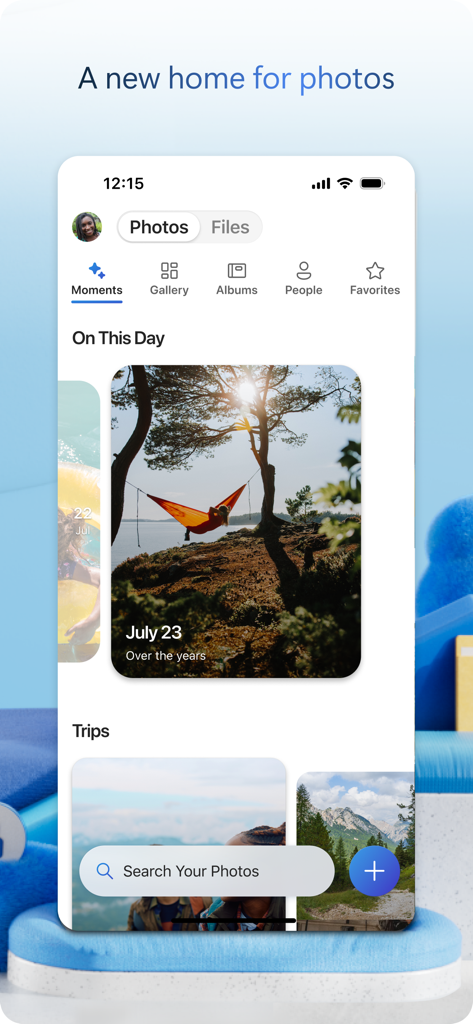
자동 추억 및 검색 기능이 있는 사진 갤러리 인터페이스를 표시하는 Microsoft OneDrive 모바일 앱

자동 추억 및 검색 기능이 있는 사진 갤러리 인터페이스를 표시하는 Microsoft OneDrive 모바일 앱

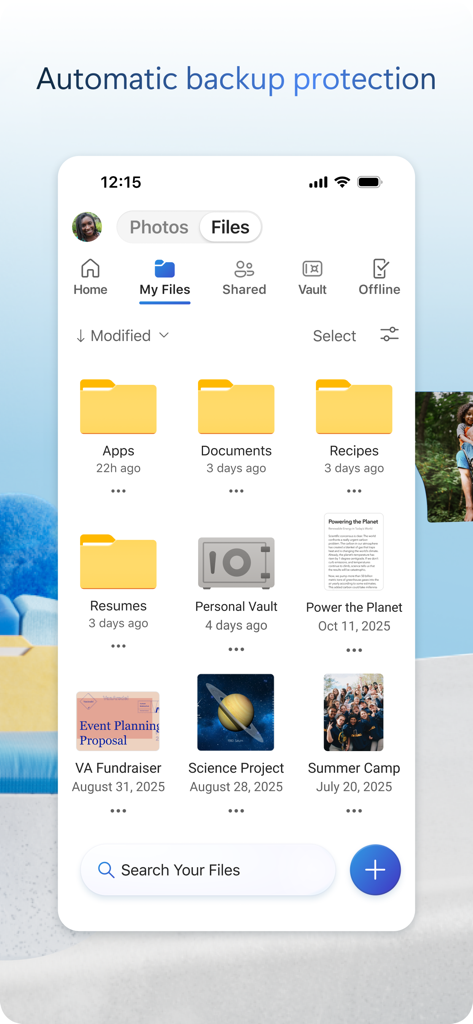
다양한 폴더와 문서가 있는 내 파일 인터페이스를 보여주는 Microsoft OneDrive 모바일 앱

다양한 폴더와 문서가 있는 내 파일 인터페이스를 보여주는 Microsoft OneDrive 모바일 앱

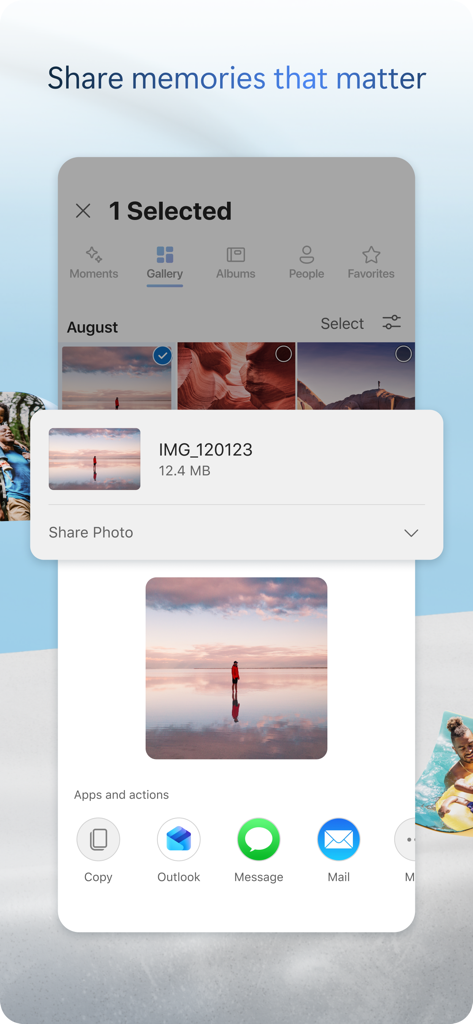
Outlook, 메시지 및 메일을 통해 공유할 수 있는 옵션과 함께 선택한 사진을 보여주는 Microsoft OneDrive 모바일 앱 인터페이스

Outlook, 메시지 및 메일을 통해 공유할 수 있는 옵션과 함께 선택한 사진을 보여주는 Microsoft OneDrive 모바일 앱 인터페이스

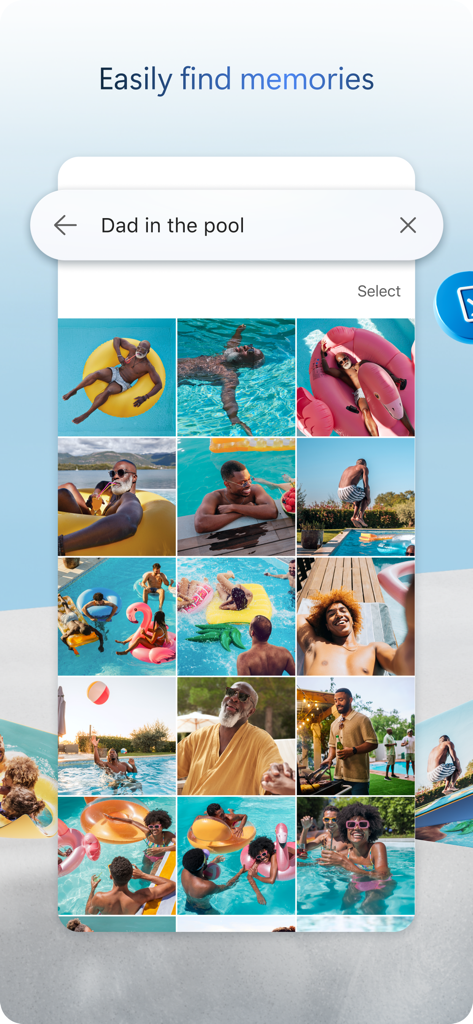
물 속에서 아빠를 검색한 Microsoft OneDrive 모바일 앱 인터페이스, 사진 그리드 표시

물 속에서 아빠를 검색한 Microsoft OneDrive 모바일 앱 인터페이스, 사진 그리드 표시

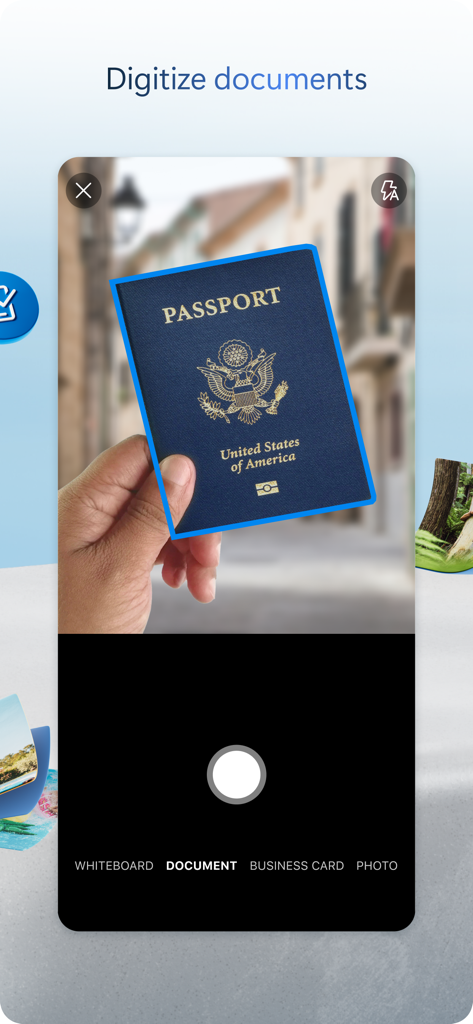
Microsoft OneDrive 앱에서 디지털화된 문서 기능을 사용하여 미국 여권 스캔

Microsoft OneDrive 앱에서 디지털화된 문서 기능을 사용하여 미국 여권 스캔

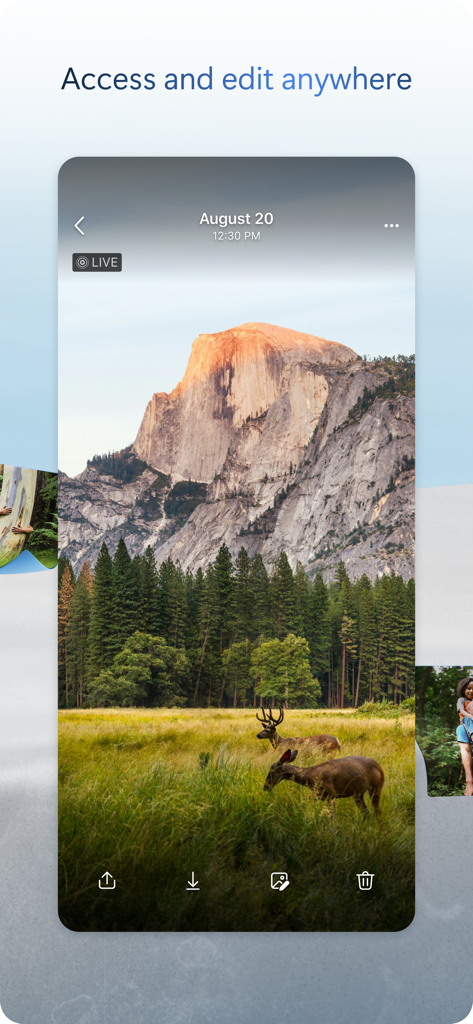
Microsoft OneDrive 앱에서 무리의 사슴이 있는 풍경 사진을 보여주는 스마트폰 화면

Microsoft OneDrive 앱에서 무리의 사슴이 있는 풍경 사진을 보여주는 스마트폰 화면

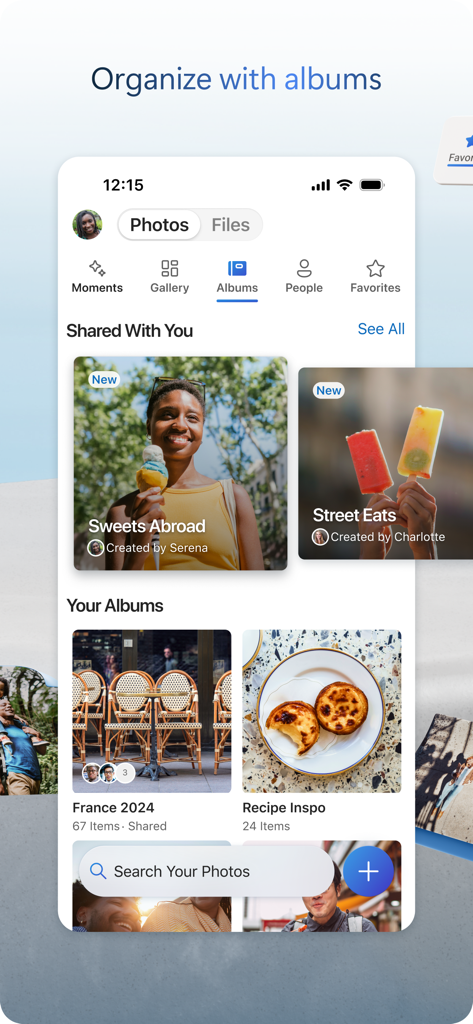
정리된 사진 앨범과 공유 컬렉션을 보여주는 Microsoft OneDrive 모바일 앱 스크린샷

정리된 사진 앨범과 공유 컬렉션을 보여주는 Microsoft OneDrive 모바일 앱 스크린샷

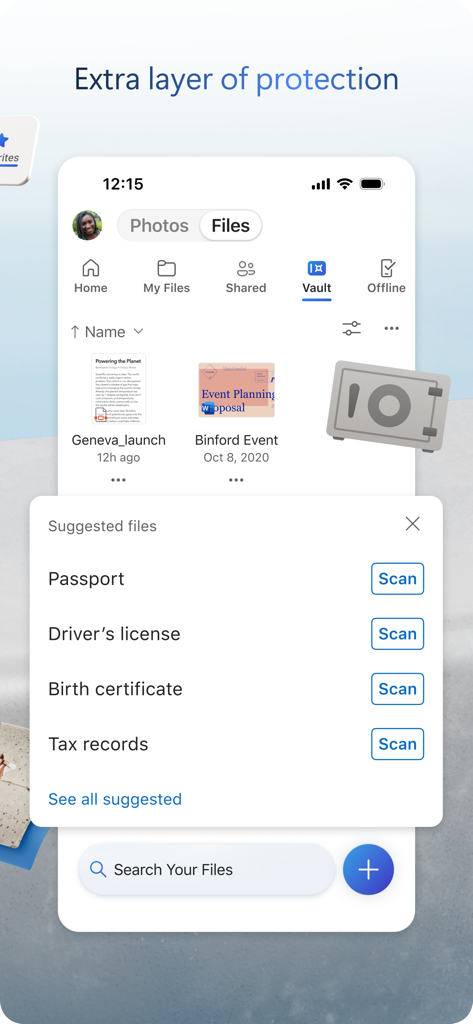
보안 문서 저장 및 스캔을 위한 개인 보관소를 선보이는 OneDrive 모바일 앱 인터페이스

보안 문서 저장 및 스캔을 위한 개인 보관소를 선보이는 OneDrive 모바일 앱 인터페이스

완벽하게 동기화되는 당신의 모든 디지털 라이프

이 앱을 돋보이게 하는 도구, 111M+ 명의 사용자가 선택.

🔄

궁극의 Windows-to-iOS 연결

모든 파일을 PC에서 iPhone 또는 iPad로 원활하게 액세스하세요. 책상에서 프로젝트를 시작하고 이동 중에 중단 없이 완료하세요.

🛡️

신원 보호 보안

다단계 신원 확인 및 랜섬웨어 복구로 보호되는 개인 보관소에 ID, 세금 기록, 가족 사진과 같은 민감한 문서를 안전하게 보관하세요.

✍️

스캔, 서명, 협업

내장 스캐너로 실제 계약서를 디지털화하고 오프라인에서도 Word 또는 Excel 파일에서 실시간으로 협업하세요.

전 세계 사용자들에게 사랑받는 앱

Trusted by 111M+ 명이 이 앱을 사랑합니다.

"

"Windows 노트북과 iPhone을 사용하는 프로젝트 관리자로서 OneDrive는 완벽한 연결입니다. 문서 스캐너는 이동 중에 계약서에 서명하는 데 매우 유용하며, 즉각적인 동기화 덕분에 더 이상 파일을 이메일로 자신에게 보낼 필요가 없습니다."

Sarah Jenkins
"

"1TB의 저장 공간은 우리 가족에게 엄청난 가치입니다. 모든 휴대폰 사진이 자동으로 백업된다는 것을 알 수 있고, 개인 보관소는 출생 증명서 및 세금 신고서와 같은 가장 중요한 문서에 추가적인 보안 계층을 제공합니다."

Marcus Thompson

앱 소개

에 대해 알아야 할 모든 것 Microsoft OneDrive.

설명

Microsoft OneDrive keeps your photos, videos, and files backed up, protected, synced, and accessible on all your devices. The OneDrive app lets you view and share OneDrive files, photos, and videos with friends and family. You can use the app to automatically back up your phone's photos and videos. Start with 5 GB of free cloud storage or upgrade to a Microsoft 365 subscription to get up to 1 TB. Microsoft OneDrive Features: Back up photos and videos • Automatic photo and video backup when you turn on Camera Upload • View photos and videos on your phone, computer, and web browser File sharing and management • Share files, photos, videos, and albums with friends and family • Get notifications when a shared document is edited • Set password-protected or expiring sharing links* • Access entire folders on the app even when there is no internet connection* Scan • Scan and save documents, business cards, receipts, whiteboards, and more • Mark up, sign, and send docs right from the OneDrive mobile app Search • Search docs by name or content Security • Personal Vault lets you protect your important files with identity verification • Restore documents with version history on all files • Ransomware detection and recovery* Works with Microsoft Word, Excel, PowerPoint, OneNote, Outlook • Back up, view, and save your Office documents. • Use Microsoft Office apps to edit and collaborate in real time on Word, Excel, PowerPoint, and OneNote files stored in OneDrive. • Edit documents offline and save them once you are back online Upgrade to a Microsoft 365 Personal or Family subscription: • 1TB of storage (1TB of storage per person for up to 6 people with the Family subscription) • Access OneDrive premium features • Get access to Word, Excel, PowerPoint, Outlook, and OneNote on iPad, iPhone, and iPod touch • Install Word, Excel, PowerPoint, and Outlook on PCs or Macs. • Bigger personal vault • Keep your shared files, folders and photos more secure by giving others access for a limited period of time • Ransomware detection and recovery • Offline Folders: Stay productive and access entire folders even when there is no internet connection • Increase your sharing limit and share 10x content per day with friends and family You can also purchase additional cloud storage only, with a Microsoft 365 Basic subscription. This is enough cloud storage for 32,000 photos (9 MP JPEG photos) or 132,000 documents (.7 MB Office files). To make an in-app purchase of a Microsoft 365 Basic, Microsoft 365 Personal, Microsoft 365 Family subscription: open the app, tap the Me tab, then tap Get More Storage or the Go Premium diamond icon. Subscriptions begin at $1.99 a month in the US, and can vary by region. Microsoft 365 subscriptions purchased from the app will be charged to your Apple ID and will automatically renew within 24 hours prior to the end of the current subscription period, unless auto-renewal is disabled beforehand. To manage your subscriptions or to disable auto-renewal, after purchase, go to your Apple ID account settings. A subscription cannot be cancelled or refunded during the active subscription period. Using this OneDrive app for work or school For you to sign into your work or school account on OneDrive, your organization needs to have a qualifying OneDrive, SharePoint Online or Microsoft 365 business subscription plan. Privacy This app is provided by Microsoft. Data provided through the use of this store and this app may be accessible to Microsoft and transferred to, stored, and processed in the United States or any other country where Microsoft or its affiliates maintain facilities. Privacy Policy: https://go.microsoft.com/fwlink/?LinkID=507539. Terms of Use: https://go.microsoft.com/fwlink/p/?LinkID=246338. Consumer Health Data Privacy Policy: https://go.microsoft.com/fwlink/?linkid=2259814. *Requires Microsoft 365 Personal or Family subscription

최신 버전

16.30.6

크기

307.6 MB

출시일

2011년 12월 13일

동기화되고 안전한 당신의 라이프

사진을 보호하고 이동 중에도 생산성을 유지하기 위해 OneDrive를 신뢰하는 1억 명 이상의 사용자와 함께하세요. 5GB의 무료 저장 공간으로 시작하거나 궁극의 1TB 안심을 위해 업그레이드하세요.

다운로드: App Store다운로드: Google Play
FAQ

자주 묻는 질문

에 대해 알아야 할 모든 것 Microsoft OneDrive

Microsoft OneDrive는 사진과 동영상을 자동으로 백업하나요?

네, Microsoft OneDrive는 카메라 업로드 기능을 활성화하면 사진과 동영상을 자동으로 백업할 수 있습니다. 이를 통해 미디어가 보호되고 여러 장치에서 액세스할 수 있습니다.

Microsoft OneDrive에서 무료 저장 공간을 사용할 수 있나요?

Microsoft OneDrive는 모든 사용자에게 시작 시 5GB의 무료 클라우드 저장 공간을 제공합니다. 추가 저장 공간은 다양한 Microsoft 365 구독을 통해 사용할 수 있습니다.

Microsoft OneDrive의 개인 보관함 기능은 무엇인가요?

Microsoft OneDrive의 개인 보관함 기능은 신원 확인을 통해 중요한 파일을 보호합니다. 앱 내 민감한 문서에 대한 추가 보안 계층을 제공합니다.

Microsoft OneDrive를 사용하여 파일과 사진을 공유할 수 있나요?

네, Microsoft OneDrive를 사용하면 친구 및 가족과 파일, 사진, 동영상, 앨범을 공유할 수 있습니다. Microsoft 365 구독을 통해 고급 공유 옵션도 제공합니다.

Microsoft OneDrive 앱으로 어떤 종류의 문서를 스캔할 수 있나요?

Microsoft OneDrive 앱을 사용하면 문서, 명함, 영수증, 화이트보드를 직접 스캔하여 저장할 수 있습니다. 또한 사용자는 스캔한 문서에 마크업하고, 서명하고, 보낼 수 있습니다.

Microsoft 365 구독에는 OneDrive에 얼마만큼의 저장 공간이 포함되나요?

Microsoft 365 Personal 또는 Family 구독은 1TB의 저장 공간을 제공합니다. Family 구독은 최대 6명까지 각 사용자에게 1TB를 제공합니다.

Microsoft OneDrive 내에서 Microsoft Office 문서를 편집할 수 있나요?

네, Microsoft OneDrive는 Word, Excel, PowerPoint, OneNote, Outlook과 통합됩니다. 사용자는 이러한 파일을 실시간으로 백업, 보기, 저장, 편집 및 공동 작업할 수 있습니다.

Microsoft OneDrive는 파일에 대한 오프라인 액세스를 지원하나요?

네, Microsoft OneDrive를 사용하면 인터넷 연결 없이도 앱 내의 전체 폴더에 액세스할 수 있습니다. 이 기능은 Microsoft 365 Personal 또는 Family 구독이 필요합니다.

Microsoft OneDrive 앱에서 저장 공간 요금제를 업그레이드하려면 어떻게 해야 하나요?

Microsoft OneDrive 앱에서 저장 공간을 업그레이드하려면 '나' 탭을 탭한 다음 '더 많은 저장 공간 확보' 또는 '프리미엄으로 이동' 다이아몬드 아이콘을 선택합니다. 구독은 월 $1.99부터 시작합니다.

Microsoft OneDrive는 랜섬웨어로부터 보호하나요?

네, Microsoft OneDrive는 프리미엄 기능으로 랜섬웨어 탐지 및 복구를 제공합니다. 이 기능은 Microsoft 365 Personal 또는 Family 구독에 포함되어 있습니다.