Microsoft Teams

Microsoft Teams

다운로드: App Store다운로드: Google Play
Spark by MWM logo
로고: Microsoft Teams

Microsoft Teams: 업무, 커뮤니티 및 연결을 위한 올인원 허브

채팅, 회의, 작업 및 파일을 하나의 보안된 장소에 모아주는 유일한 앱으로 하이브리드 라이프를 강화하세요. 전문가, 학생 및 조직자 모두를 위해 구축되었습니다.

개발사

Microsoft Corporation

카테고리

Business

다운로드

334M+

사용자 평점

4.7/5

총 평가 수

11M+

지원 언어

48

실제 작동 중인 허브

이 인터페이스를 사용하는 334M+ 명의 사용자.

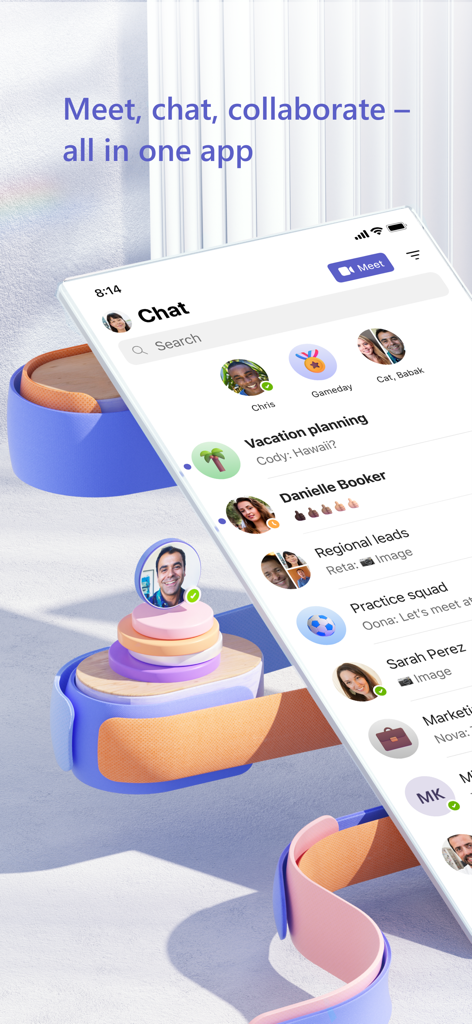
연락처 목록과 그룹 메시지가 있는 Microsoft Teams 채팅 인터페이스를 표시하는 모바일 스마트폰

연락처 목록과 그룹 메시지가 있는 Microsoft Teams 채팅 인터페이스를 표시하는 모바일 스마트폰

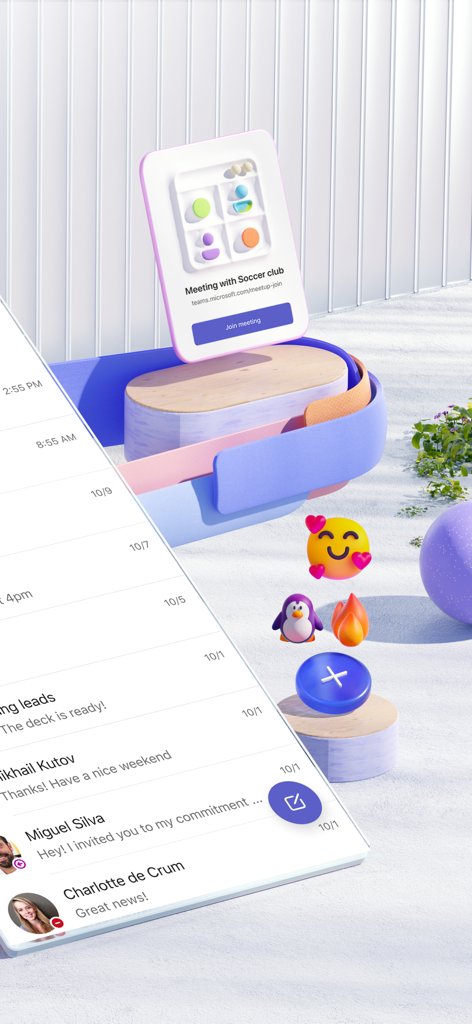
커뮤니티 그룹을 위한 플로팅 회의 알림과 함께 Microsoft Teams 채팅 메시지를 표시하는 모바일 기기.

커뮤니티 그룹을 위한 플로팅 회의 알림과 함께 Microsoft Teams 채팅 메시지를 표시하는 모바일 기기.

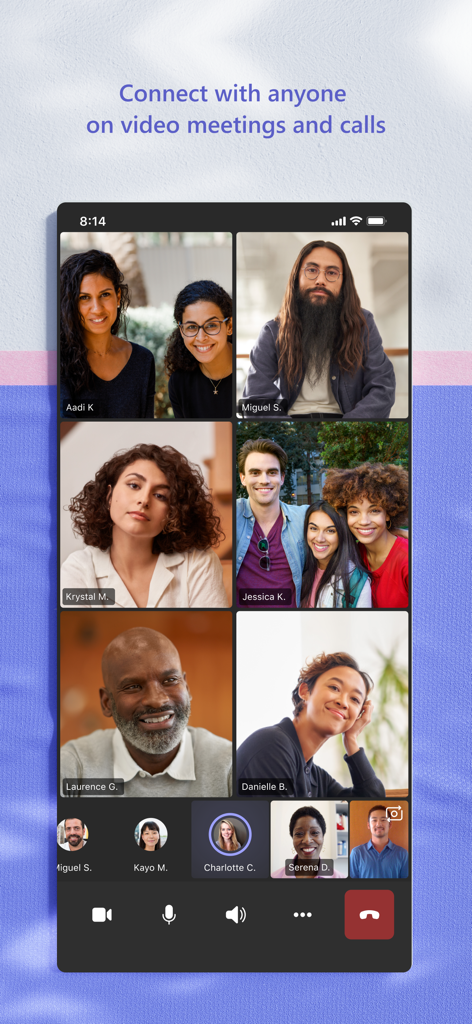
Microsoft Teams 모바일 앱의 그룹 비디오 통화

Microsoft Teams 모바일 앱의 그룹 비디오 통화

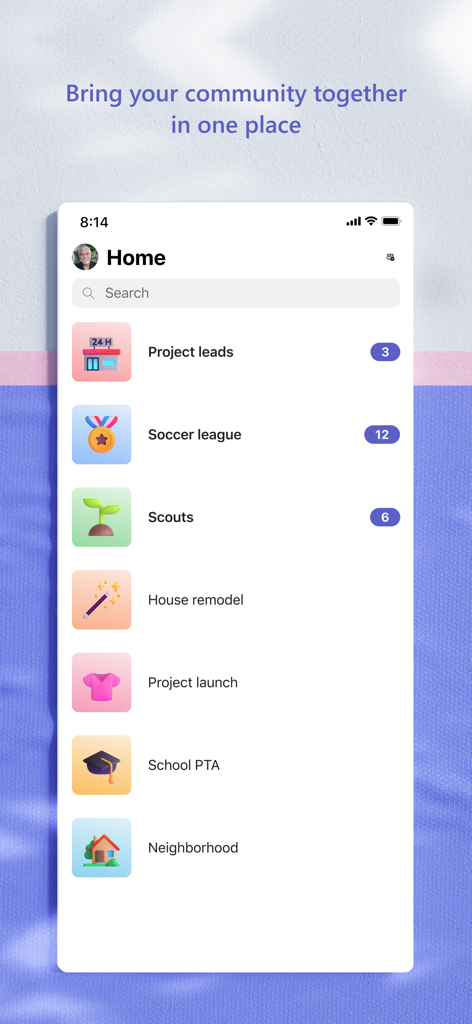
다양한 커뮤니티 그룹 및 프로젝트 폴더 목록이 표시된 Microsoft Teams 모바일 앱 홈 화면

다양한 커뮤니티 그룹 및 프로젝트 폴더 목록이 표시된 Microsoft Teams 모바일 앱 홈 화면

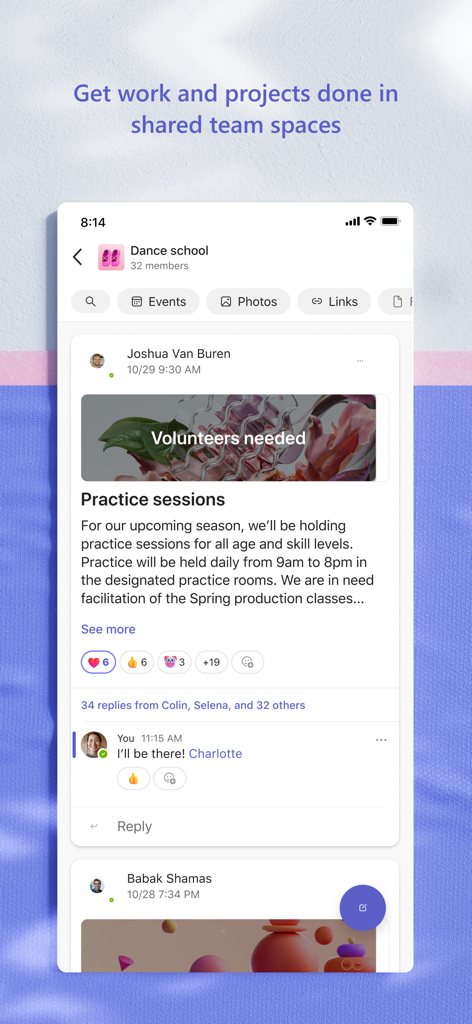
연습 세션 및 공동 작업 기능에 대한 게시물이 포함된 댄스 학교 커뮤니티 페이지를 보여주는 Microsoft Teams 앱 인터페이스.

연습 세션 및 공동 작업 기능에 대한 게시물이 포함된 댄스 학교 커뮤니티 페이지를 보여주는 Microsoft Teams 앱 인터페이스.

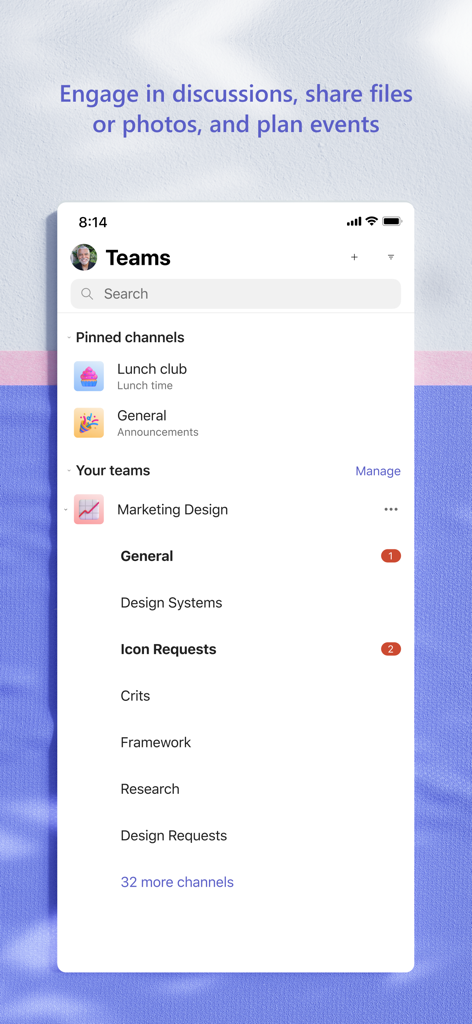
전문적인 공동 작업을 위해 정리된 고정 채널 및 팀 워크스페이스를 보여주는 Microsoft Teams 모바일 앱 인터페이스.

전문적인 공동 작업을 위해 정리된 고정 채널 및 팀 워크스페이스를 보여주는 Microsoft Teams 모바일 앱 인터페이스.

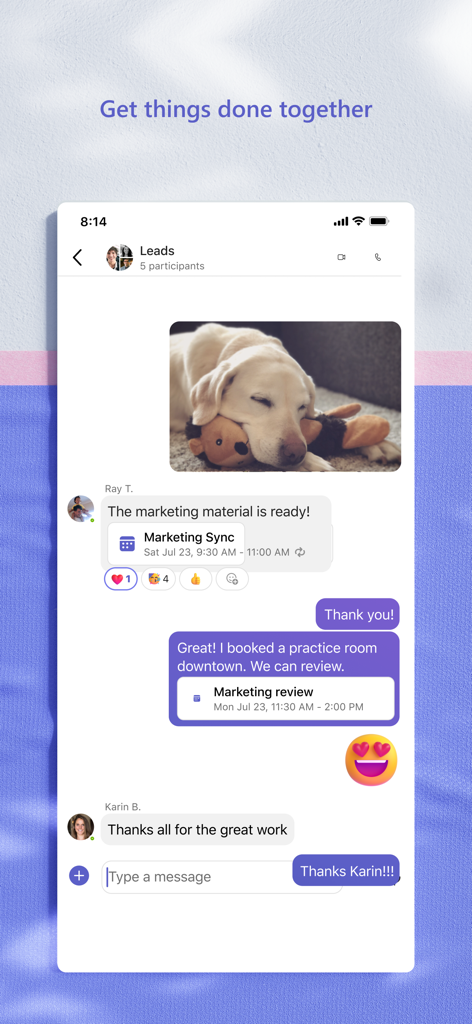
메시지, 공유 사진 및 캘린더 회의 초대를 보여주는 Microsoft Teams 그룹 채팅의 모바일 뷰

메시지, 공유 사진 및 캘린더 회의 초대를 보여주는 Microsoft Teams 그룹 채팅의 모바일 뷰

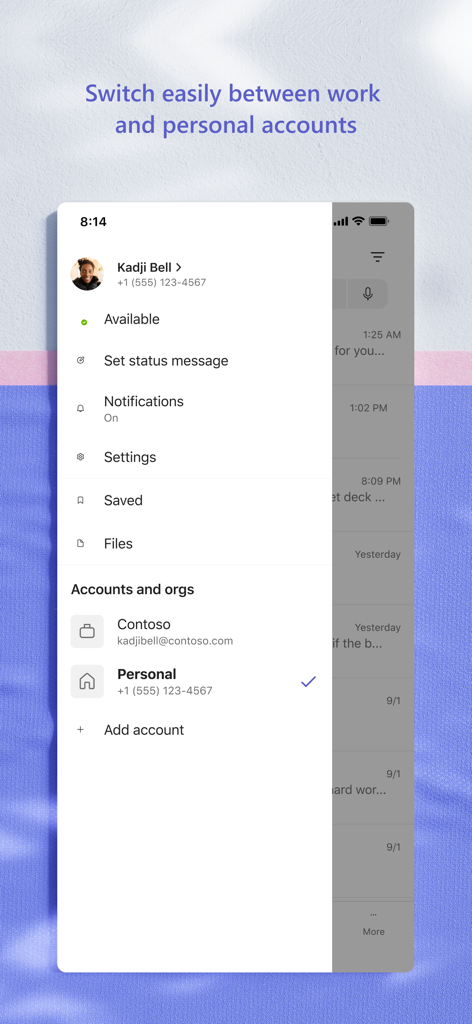
회사 계정과 개인 계정 간에 전환하는 메뉴를 표시하는 Microsoft Teams 모바일 앱 인터페이스

회사 계정과 개인 계정 간에 전환하는 메뉴를 표시하는 Microsoft Teams 모바일 앱 인터페이스

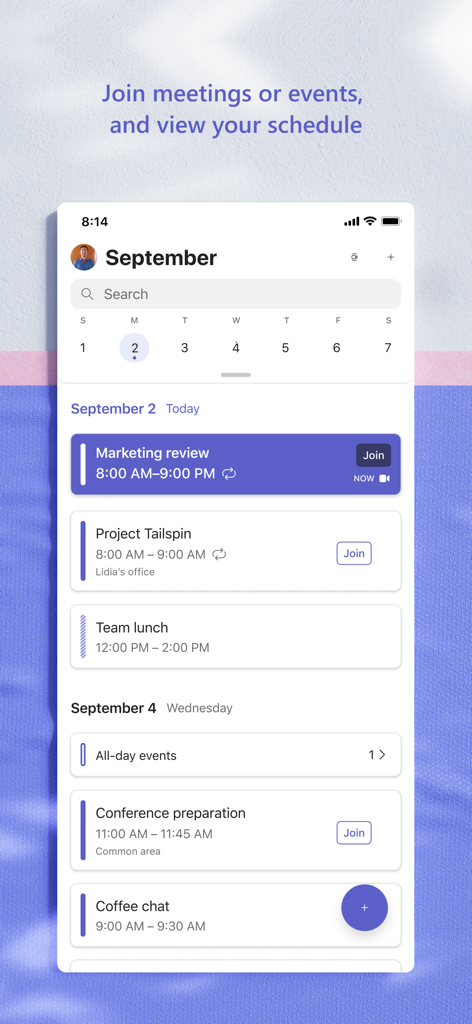
예약된 회의 및 이벤트 참여 옵션이 포함된 일일 일정을 보여주는 Microsoft Teams 모바일 앱의 스크린샷.

예약된 회의 및 이벤트 참여 옵션이 포함된 일일 일정을 보여주는 Microsoft Teams 모바일 앱의 스크린샷.

올인원 협업 허브

이 앱을 돋보이게 하는 도구, 334M+ 명의 사용자가 선택.

🤝

원활한 연결성

어떤 기기에서든 팀이나 커뮤니티를 연결된 상태로 유지하면서 그룹 채팅에서 고화질 비디오 통화로 즉시 이동할 수 있습니다.

📊

통합된 워크플로

서로 다른 애플리케이션 간에 전환할 필요 없이 실시간으로 Microsoft 365 문서를 액세스하고 공유하며 공동 작성할 수 있습니다.

🛡️

엔터프라이즈급 보안

Microsoft 에코시스템의 강력한 보안 및 규정 준수 기능을 바탕으로 프로젝트와 민감한 데이터를 안심하고 관리하세요.

전 세계 사용자들에게 사랑받는 앱

Trusted by 334M+ 명이 이 앱을 사랑합니다.

"

"세 개의 표준 시간대에 걸쳐 있는 하이브리드 팀을 관리하는 것은 앱 간의 전환으로 인해 악몽과 같았습니다. Teams를 통해 비디오 통화, 공유 스프레드시트 및 작업 목록을 단일 뷰로 볼 수 있습니다. 우리 프로젝트가 제대로 진행되도록 해주는 최고의 생산성 허브입니다."

Elena Rodriguez, 수석 프로젝트 리드
"

"처음에는 업무용으로 Teams를 사용하기 시작했지만, 지금은 비영리 이사회에서도 사용하고 있습니다. 안전한 파일 저장소와 전용 채널 덕분에 끝없는 이메일 체인보다 연례 모금 행사를 훨씬 쉽게 조직할 수 있습니다. 신뢰할 수 있고 전문적이며 내 삶을 체계적으로 유지해 줍니다."

Marcus Thompson, 커뮤니티 디렉터

리뷰 분석

사용자 리뷰 인사이트.

감정 점수

23%
부정적

요약

The mobile app receives overwhelmingly negative feedback, primarily stemming from persistent login and authentication issues, which often involve complex loops with authenticator apps and frequent logouts, especially after recent updates. Users widely criticize the app's poor performance, describing it as consistently slow to load, download, and generally sluggish, leading to battery drain. Additionally, numerous critical bugs impact core functionalities such as calls ending abruptly, messages and media failing to display, notifications not clearing, and assignments being inaccessible. Specific version-related bugs, like login failures and inability to create meetings after the 2025-10-28/29 and 2025-11-21 updates, are frequently mentioned. Despite these widespread issues, some users still find the app functional for work and educational settings, expressing desire for more reaction options and community management features.

주요 테마

Communication Features Bugs(12)
Login and Account Access(10)
Performance and Responsiveness(7)
Assignment and Media Display Issues(7)
Positive Feedback / Feature Suggestions(7)
User Interface and Audio Experience(4)

앱 소개

에 대해 알아야 할 모든 것 Microsoft Teams.

설명

Whether you’re connecting with your community for an upcoming activity or working with teammates on a project, Microsoft Teams helps bring people together so that they can get things done. It’s the only app that has communities, events, chats, channels, meetings, storage, tasks, and calendars in one place—so you can easily connect and manage access to information. Get your community, family, friends, or workmates together to accomplish tasks, share ideas, and make plans. Join audio and video calls in a secure setting, collaborate in documents, and store files and photos with built-in cloud storage. You can do it all in Microsoft Teams. Easily connect with anyone: • Skype is now part of Teams. Continue where you left off with your chats, calls and contacts in Microsoft Teams Free. • Meet securely with communities, teammates, family, or friends. • Set up a meeting within seconds and invite anyone by sharing a link or calendar invite. • Chat 1-1 or to your entire community, @mention people in chats to get their attention. • Create a dedicated community to discuss specific topics and make plans*. • Work closely and collaborate by keeping conversations organized by specific topics and projects with teams and channels. • Video or audio call anyone directly in Teams or instantly convert a group chat to a call. • Use GIFs, emojis, and message animations to express yourself when words aren’t enough. Accomplish plans and projects together: • Send photos and videos in chats to quickly and easily share important moments. • Use cloud storage to access shared documents and files on the go. • Organize shared content in a community — events, photos, links, files —so you don’t have to waste time searching*. • Get the most out of your meetings by using screen share, whiteboard, or breakout in virtual rooms. • Manage access to information and ensure the right people have access to the right info, even when people join and leave projects. • Use task lists to stay on top of projects and plans - assign tasks, set due dates, and cross off items to keep everyone on the same page. Designed to give you peace of mind: • Securely collaborate with others while maintaining control over your data. • Keep communities safe by allowing owners to remove inappropriate content or members*. • Enterprise-level security and compliance you expect from Microsoft 365**. *Available when using Microsoft Teams with your Microsoft account. **Commercial features of this app require a paid Microsoft 365 commercial subscription or a trial subscription of Microsoft Teams for work. If you’re not sure about your company’s subscription or the services you have access to, visit Office.com/Teams to learn more or contact your IT department. By downloading Teams, you agree to the license (see aka.ms/eulateamsmobile) and privacy terms (see aka.ms/privacy). For support or feedback, email us at mtiosapp@microsoft.com. EU Contract Summary: aka.ms/EUContractSummary Consumer Health Data Privacy Policy   https://go.microsoft.com/fwlink/?linkid=2259814

최신 버전

7.22.2

크기

435.9 MB

출시일

2016년 11월 2일

업무 방식과 연결 방식을 간소화할 준비가 되셨나요?

보안이 철저한 올인원 공동 작업을 위해 Microsoft Teams를 신뢰하는 수백만 명의 전문가와 함께하세요. 지금 다운로드하여 프로젝트, 채팅 및 커뮤니티를 동기화 상태로 유지하세요.

다운로드: App Store다운로드: Google Play
FAQ

자주 묻는 질문

에 대해 알아야 할 모든 것 Microsoft Teams

Microsoft Teams란 무엇인가요?

Microsoft Teams는 커뮤니케이션과 협업을 위해 사람들을 하나로 모으는 포괄적인 애플리케이션입니다. 커뮤니티, 이벤트, 채팅, 채널, 모임, 저장소, 작업 및 달력을 단일 플랫폼으로 통합합니다.

Microsoft Teams에는 어떤 커뮤니케이션 기능이 포함되어 있나요?

Microsoft Teams는 보안 오디오 및 비디오 통화, 1:1 또는 그룹 채팅, @멘션, Skype 채팅 및 연락처와 같은 통합 기능을 제공합니다. 사용자는 GIF, 이모티콘 및 메시지 애니메이션으로 자신을 표현할 수 있습니다.

Microsoft Teams 내에서 문서를 공동 작업할 수 있나요?

예, Microsoft Teams를 사용하면 사용자가 문서를 공동 작업하고 내장된 클라우드 스토리지를 사용하여 파일과 사진을 저장할 수 있습니다. 공유 콘텐츠는 커뮤니티 내에서 구성할 수 있으며, 모임에는 화면 공유 및 화이트보드가 포함됩니다.

Microsoft Teams는 비디오 모임 및 통화를 지원하나요?

예, Microsoft Teams는 비디오 모임 및 통화를 지원합니다. 사용자는 누구와도 안전하게 연결하고, 즉시 모임을 설정하고, 링크 또는 일정 초대를 통해 참가자를 초대할 수 있습니다. 앱은 그리드 보기에 여러 참가자를 표시합니다.

Microsoft Teams에서 직접 작업 및 프로젝트를 관리할 수 있나요?

예, Microsoft Teams를 사용하면 프로젝트 및 계획을 관리할 수 있습니다. 작업을 할당하고, 마감일을 설정하고, 완료를 추적하는 작업 목록이 포함되어 있어 모든 사람이 프로젝트 진행 상황에 대해 동기화 상태를 유지할 수 있습니다.

Microsoft Teams는 어떤 보안 및 개인 정보 보호 기능을 제공하나요?

Microsoft Teams는 안전한 협업, 데이터에 대한 사용자 제어, 부적절한 콘텐츠 또는 구성원을 제거하는 커뮤니티 소유자를 위한 도구를 제공합니다. Microsoft 365의 엔터프라이즈급 보안 및 규정 준수를 통합합니다.

Microsoft Teams는 무료로 사용할 수 있나요?

예, Microsoft Teams의 기본 기능은 무료로 사용할 수 있습니다. 그러나 상업용 기능에는 유료 Microsoft 365 상업용 구독 또는 Microsoft Teams for work 평가판 구독이 필요합니다.

Microsoft Teams에서 작업 계정과 개인 계정 간에 전환할 수 있나요?

예, Microsoft Teams는 작업 계정과 개인 계정 간의 쉬운 전환을 지원합니다. 앱은 전용 메뉴에서 다른 조직 또는 개인 프로필을 선택하거나 추가할 수 있는 인터페이스를 제공합니다.

Microsoft Teams는 커뮤니티 이벤트 구성에 어떻게 도움이 되나요?

Microsoft Teams는 사진, 링크 및 파일과 함께 커뮤니티 이벤트를 구성할 수 있는 전용 공간을 제공합니다. 사용자는 앱 인터페이스 내 일정에서 직접 예정된 이벤트를 보고 참여할 수 있습니다.

Microsoft Teams는 Skype와 통합되나요?

예, Skype는 이제 Microsoft Teams의 일부입니다. 사용자는 Microsoft Teams Free 내에서 Skype의 채팅, 통화 및 연락처에 직접 액세스하여 커뮤니케이션 노력을 통합할 수 있습니다.