Mileage Tracker by Driversnote

Mileage Tracker by Driversnote

다운로드: App Store다운로드: Google Play
Spark by MWM logo
로고: Mileage Tracker by Driversnote

Driversnote의 주행 거리 추적기: 전문가를 위한 자동 IRS 규정 준수 로그

수동 서류 작업에 시간을 낭비하는 것을 멈추세요. 비즈니스 마일을 자동으로 추적하고, 세금 공제를 극대화하며, 탭 한 번으로 전문적인 상환 보고서를 생성하세요.

개발사

Driversnote ApS

카테고리

Finance

다운로드

2M+

사용자 평점

4.7/5

총 평가 수

96K+

지원 언어

11

여러분의 마일, 시각화됨

이 인터페이스를 사용하는 2M+ 명의 사용자.

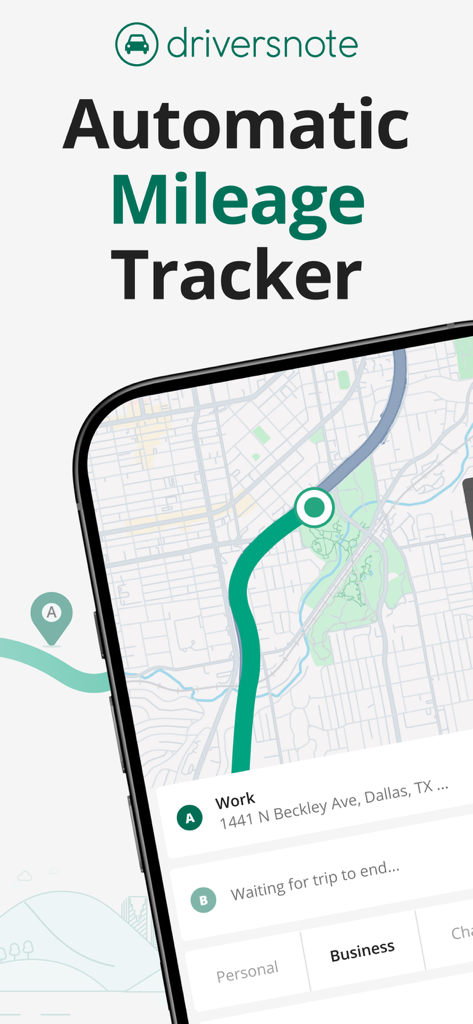
Driversnote 모바일 앱 인터페이스에 비즈니스 및 개인 여정 분류 옵션이 있는 자동 주행 거리 추적이 표시됩니다.

Driversnote 모바일 앱 인터페이스에 비즈니스 및 개인 여정 분류 옵션이 있는 자동 주행 거리 추적이 표시됩니다.

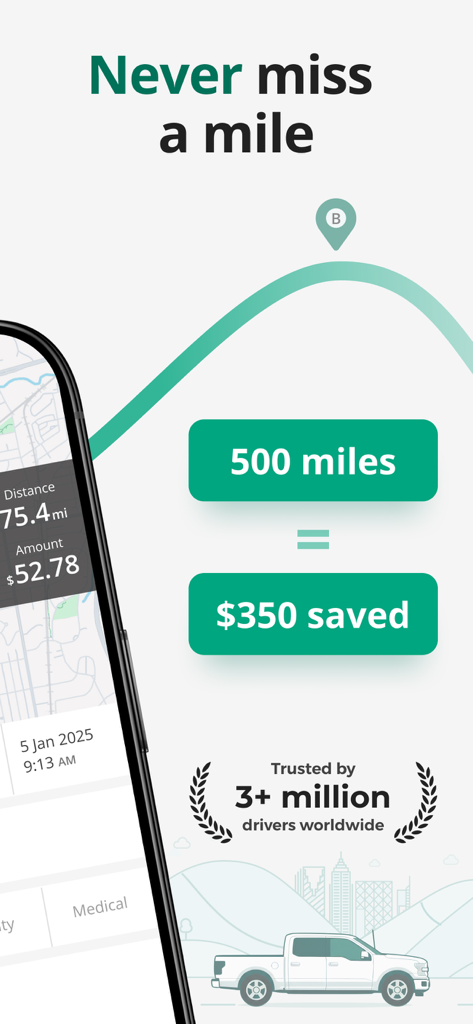
Driversnote 앱 화면에 자동 주행 거리 로깅으로 350달러가 절약된 500마일 추적이 표시됩니다.

Driversnote 앱 화면에 자동 주행 거리 로깅으로 350달러가 절약된 500마일 추적이 표시됩니다.

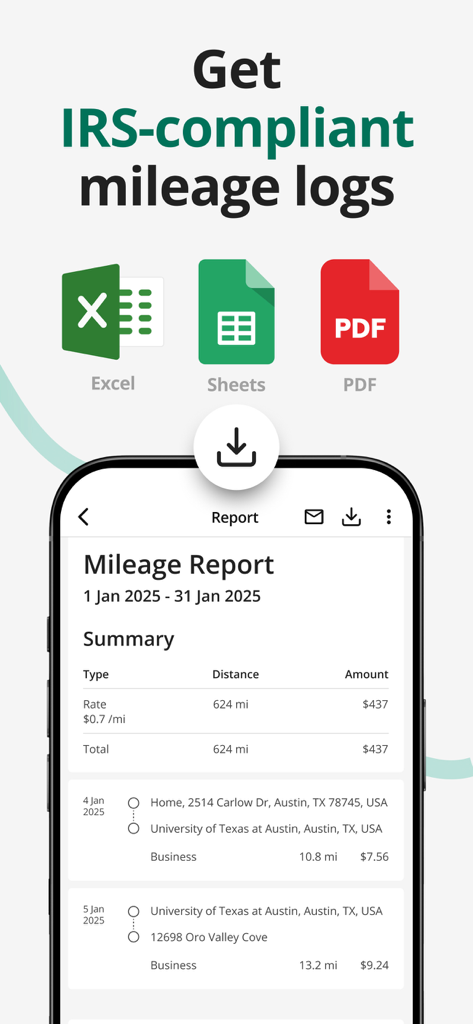
Driversnote 모바일 앱 인터페이스에 Excel 및 PDF 내보내기 옵션이 있는 비즈니스 주행 거리 보고서가 표시됩니다.

Driversnote 모바일 앱 인터페이스에 Excel 및 PDF 내보내기 옵션이 있는 비즈니스 주행 거리 보고서가 표시됩니다.

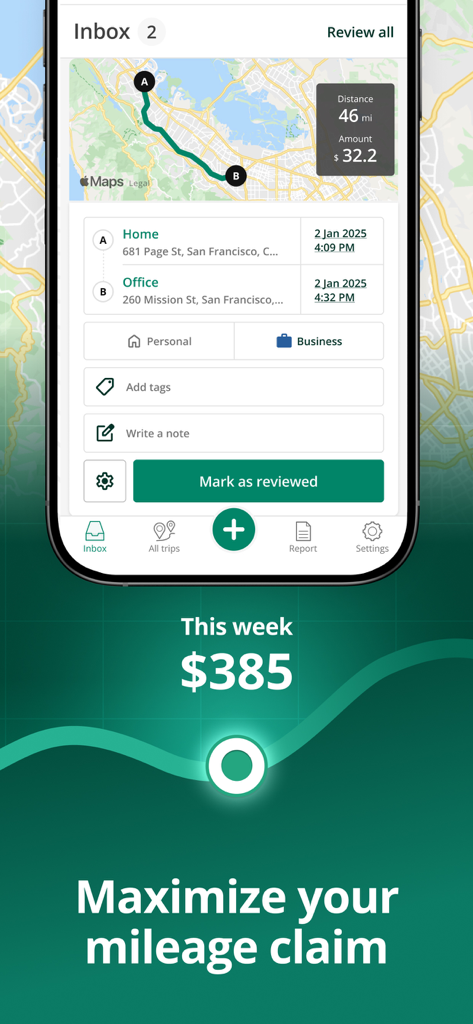
Driversnote 앱 스크린샷에 지도와 마일리지 청구 금액이 있는 비즈니스 여정 로그가 표시됩니다.

Driversnote 앱 스크린샷에 지도와 마일리지 청구 금액이 있는 비즈니스 여정 로그가 표시됩니다.

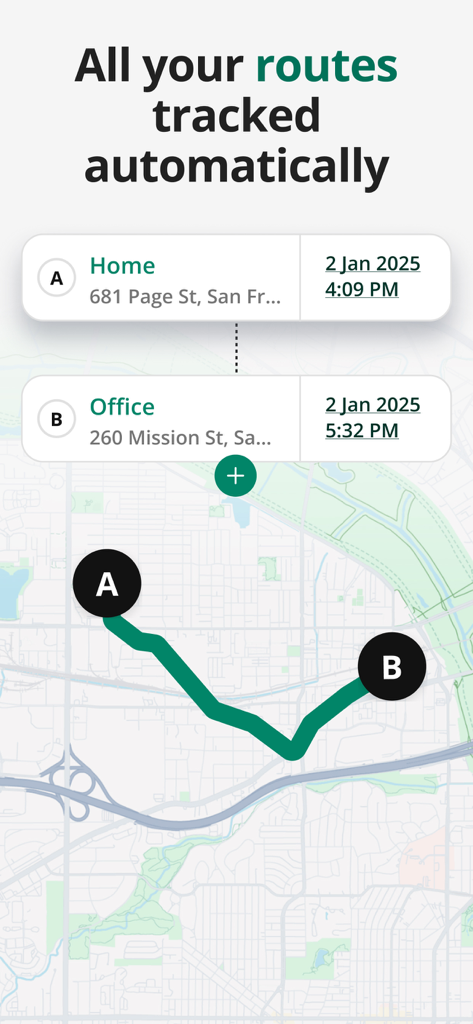
Driversnote 앱 인터페이스에 집과 사무실 간 자동으로 추적된 운전 경로가 있는 지도가 표시됩니다.

Driversnote 앱 인터페이스에 집과 사무실 간 자동으로 추적된 운전 경로가 있는 지도가 표시됩니다.

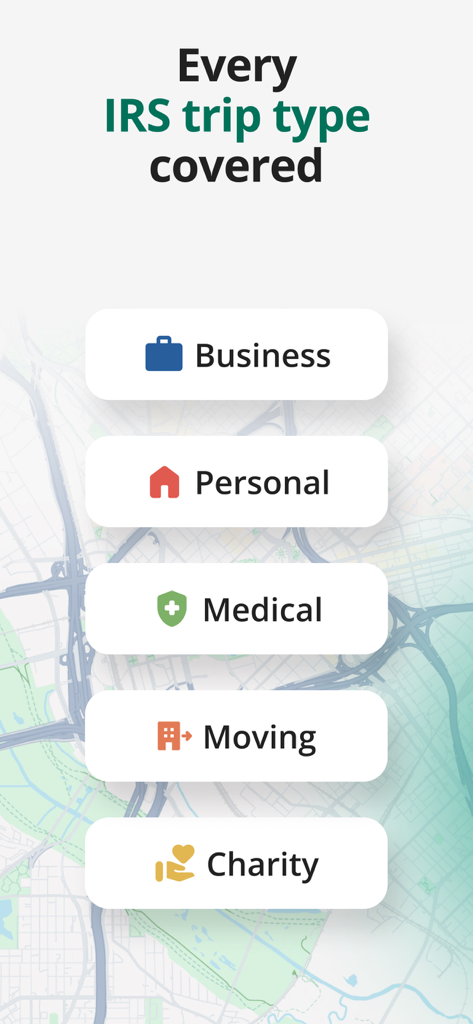
비즈니스, 개인, 의료, 이사, 자선 활동 등 IRS 규정 준수 여정 분류를 보여주는 인터페이스

비즈니스, 개인, 의료, 이사, 자선 활동 등 IRS 규정 준수 여정 분류를 보여주는 인터페이스

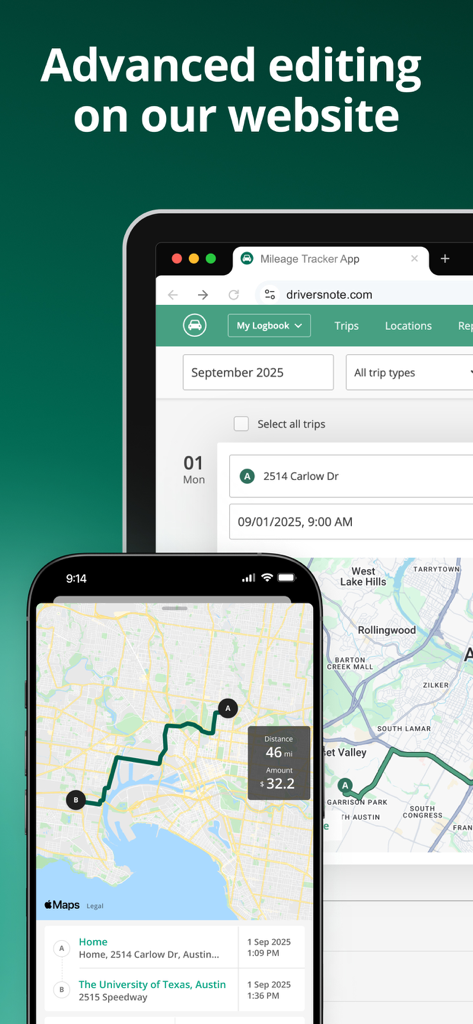
Driversnote 주행 거리 추적기 앱 및 웹사이트에 동기화된 여정 로그 및 지도가 표시됩니다.

Driversnote 주행 거리 추적기 앱 및 웹사이트에 동기화된 여정 로그 및 지도가 표시됩니다.

수입 극대화, 서류 작업 최소화

이 앱을 돋보이게 하는 도구, 2M+ 명의 사용자가 선택.

🚀

설정하고 잊어버리세요

저희의 스마트 GPS 추적기는 여러분이 도로에 나서는 순간 자동으로 여러분의 여정을 기록합니다. 더 이상 수동 로그나 잊어버린 마일은 없습니다.

몇 초 만에 IRS 준비 완료

감사 대비 보고서로 마음의 평화를 얻으세요. 회계사나 고용주에게 완벽하게 형식화된 규정 준수 PDF 또는 Excel 로그를 내보내세요.

🛡️

완전한 개인 정보 보호

한 번의 스와이프로 여정을 비즈니스 또는 개인으로 쉽게 분류하세요. 저희는 여러분의 데이터를 보호하며 제3자에게 절대 판매하지 않습니다.

전 세계 사용자들에게 사랑받는 앱

Trusted by 2M+ 명이 이 앱을 사랑합니다.

"

"Driversnote는 프리랜서 컨설턴트로서 세금 처리를 하는 방식을 완전히 바꿔놓았습니다. 예전에는 매달 여행 기록을 재구성하기 위해 몇 시간을 보냈지만, 이제는 자동 추적이 모든 것을 처리해 줍니다. 공제액 한 푼도 놓치지 않도록 보장하는 가장 확실한 방법입니다."

Jessica Miller, 독립 컨설턴트
"

"저희 영업팀에게 완벽합니다. iBeacon 설정으로 완전히 핸즈프리가 되어 계기판 대신 고객에게 집중할 수 있습니다. 월별 상환 보고서 생성이 이제는 탭 한 번으로 가능하며, 저희 사무실에서는 깔끔하고 전문적인 형식을 높이 평가합니다."

David Thompson, 지역 영업 관리자

앱 소개

에 대해 알아야 할 모든 것 Mileage Tracker by Driversnote.

설명

Say goodbye to tedious paper mileage logs with the most accurate automatic mileage tracker. Accurately track business mileage and create IRS-compliant logs at the touch of a button. With Driversnote, you get all the reimbursement or deductions you’re entitled to. Join millions of drivers and simplify miles tracking to just 3 steps: Track, Classify and Report! ◉ CLAIM YOUR TIME BACK Our mile tracker saves you hours of manually logging journeys. The app records all the information you need in real time. ◉ TAX TIME ISN’T A HEADACHE ANYMORE Effortlessly get tax-compliant mileage logs of your work-related driving for reporting to the IRS. ◉ BE THE MOST ORGANIZED EMPLOYEE Create and send your trip logs to your employer in a matter of seconds. ◉ TAX AUDIT COMING UP? Access your previous and current logs anytime, anywhere. ◉ WORLD-CLASS SUPPORT Simply send an email to our brilliant Support team with any questions and they’ll get back to you. The only mileage tracker you need as a business, sole trader, employee, employer, or just about anyone who drives! ► 1. TRACK ※ Track trips completely automatically - the car mile tracker will start tracking once you reach a certain speed. ※ Want to track an individual trip? Just tap START and STOP and leave the rest to our smart GPS automatic mile tracker. ※ Effortless odometer tracking. ※ Forgot to track travel during the day? Enter the start and end addresses of your drives and the app will do the rest for you. ► IBEACON: Further Improve Automatic Miles Tracking Place an iBeacon in your car and Driversnote will track only your preferred vehicle's miles every time you enter or leave your car. Get a free iBeacon when you sign up for the annual Pro subscription on our website. ► 2. CLASSIFY ※ Categorize each trip as Business, Personal, Medical or Charity for a compliant driving log ※ Set your working hours for automatic classification of trips as Business and Personal ※ Add notes to your recorded journeys ※ Review your trips at a glance and easily edit details ► 3. REPORT ※ IRS-compliant reports for your employee reimbursement or car expenses tax claim ※ Claiming deductions by the actual expenses method? Use the percentage split to report the percentage of miles you traveled for work ※ Create separate logs for separate vehicles and workplaces ※ Choose if you want to show odometer readings ※ Have your reports include the total miles, start and end dates, distance, reimbursement amount or % split between business and personal driving ※ Get your vehicle log books in PDF or Excel, or send them directly through the app ► DRIVERSNOTE FOR WEB: Bring All the Functionality to Your Desktop ※ Review your logs and edit details easily ※ Add trips you forgot to record ※ Generate your mileage reports ► KEEP ON TOP OF YOUR LOGBOOK ※ Customize your reimbursement rate if it’s different from the one the IRS sets ※ Set reporting reminders so you never forget to report your miles ※ Save addresses you visit often ► DRIVERSNOTE FOR TEAMS: Perfect for Business Reimbursement Programs ※ Invite and remove users ※ Employees use the automatic mileage tracker ※ Employees create & share consistent logbooks with their managers ※ Managers review and approve reimbursement expense claims in one simple overview ※ Privacy - managers can only see the trips employees report ► PRIVACY BY DESIGN ※ We never sell data ※ We will never provide your information to other parties for marketing purposes ※ See more in our Privacy Policy ► SUPPORT ※ Looking for a quick answer to your question? Visit our comprehensive Help Center straight from the app. ※ Our efficient and effective Support team is ready to assist you at any time at support@driversnote.com ※ Privacy Policy: https://www.driversnote.com/privacy-policy ※ Terms of Service: https://www.driversnote.com/terms-of-service ※ Terms of Use (EULA): https://www.apple.com/legal/internet-services/itunes/dev/stdeula/

최신 버전

4.26.0

크기

85.7 MB

출시일

2014년 11월 18일

도로 위의 돈을 놓치지 마세요

IRS 규정을 준수하는 자동 주행 거리 로그를 사용하는 2백만 명 이상의 전문가들과 함께하세요. 지금 Driversnote를 다운로드하고 모든 비즈니스 마일을 확실한 공제로 바꾸세요.

다운로드: App Store다운로드: Google Play
FAQ

자주 묻는 질문

에 대해 알아야 할 모든 것 Mileage Tracker by Driversnote

Driversnote는 무엇이며 어떻게 주행 거리를 추적하나요?

Driversnote는 IRS 규정을 준수하는 로그를 생성하는 자동 주행 거리 추적기입니다. 속도에 기반하여 자동으로 통행을 추적하거나, 수동으로 시작/중지, 주행 거리계 추적, 주소 수동 입력 등을 통해 추적합니다.

Driversnote는 IRS 규정을 준수하는 보고서를 생성하나요?

예, Driversnote는 직원 상환 또는 차량 비용 세금 신고를 위해 IRS 규정을 준수하는 보고서를 생성합니다. 보고서는 PDF 또는 Excel 형식으로 제공되며 앱을 통해 직접 보낼 수 있습니다.

Driversnote 앱에서 어떤 유형의 통행을 분류할 수 있나요?

Driversnote는 통행을 비즈니스, 개인, 의료, 이사 또는 자선 목적으로 분류할 수 있습니다. 사용자는 근무 시간을 설정하여 통행을 자동으로 분류할 수도 있습니다.

Driversnote 웹 인터페이스가 있나요?

예, Driversnote for Web는 데스크톱에 모든 기능을 제공합니다. 사용자는 브라우저에서 로그를 검토하고, 통행 세부 정보를 편집하고, 누락된 통행을 추가하고, 주행 거리 보고서를 생성할 수 있습니다.

Driversnote는 사용자 개인 정보와 데이터를 보호하나요?

예, Driversnote는 개인 정보 보호를 염두에 두고 운영됩니다. 사용자 데이터를 절대 판매하지 않으며 마케팅 목적으로 다른 당사자에게 개인 정보를 제공하지 않는다고 명시하고 있습니다.

Driversnote에서 주행 거리 상환율을 사용자 지정할 수 있나요?

예, Driversnote는 사용자가 상환율을 사용자 지정할 수 있도록 허용합니다. 이 기능은 IRS에서 설정한 표준 금액과 다른 경우 정확한 보고를 보장합니다.

직장에서 팀 주행 거리 추적을 위해 Driversnote를 사용할 수 있나요?

예, Driversnote for Teams는 비즈니스 상환 프로그램을 지원합니다. 직원은 사용자를 초대할 수 있으며, 관리자는 개인 정보 보호 기능을 통해 직원 상환 비용 청구를 효율적으로 검토하고 승인할 수 있습니다.