MixEffect Pro - Paid Up-Front

MixEffect Pro - Paid Up-Front

다운로드: App Store
Spark by MWM logo
로고: MixEffect Pro - Paid Up-Front
MixEffect Pro: ATEM 스위처를 위한 궁극의 전문가용 컨트롤러

사용자 지정 가능한 레이아웃, 애니메이션 SuperSource 전환, 강력한 Shortcuts 자동화 기능을 iPhone, iPad, Mac에서 사용하여 라이브 비디오 프로덕션을 완벽하게 제어하세요.

개발사

Adam Tow

카테고리

Photo & Video

다운로드

23K+

사용자 평점

4.5/5

총 평가 수

0

지원 언어

5

한눈에 보는 프로덕션

이 인터페이스를 사용하는 23K+ 명의 사용자.

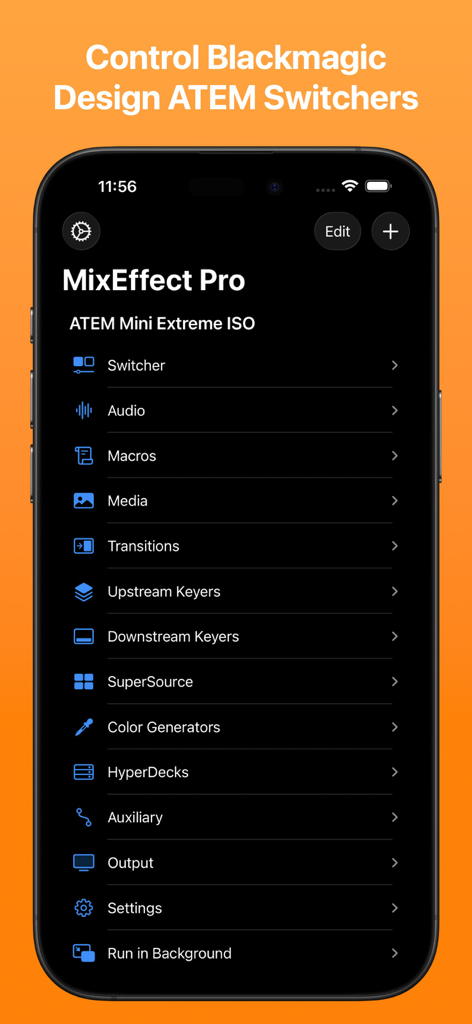
MixEffect Pro iPhone 앱 메인 메뉴. 오디오, 매크로, 전환을 포함한 Blackmagic Design ATEM 스위처 제어 옵션을 보여줍니다.

MixEffect Pro iPhone 앱 메인 메뉴. 오디오, 매크로, 전환을 포함한 Blackmagic Design ATEM 스위처 제어 옵션을 보여줍니다.

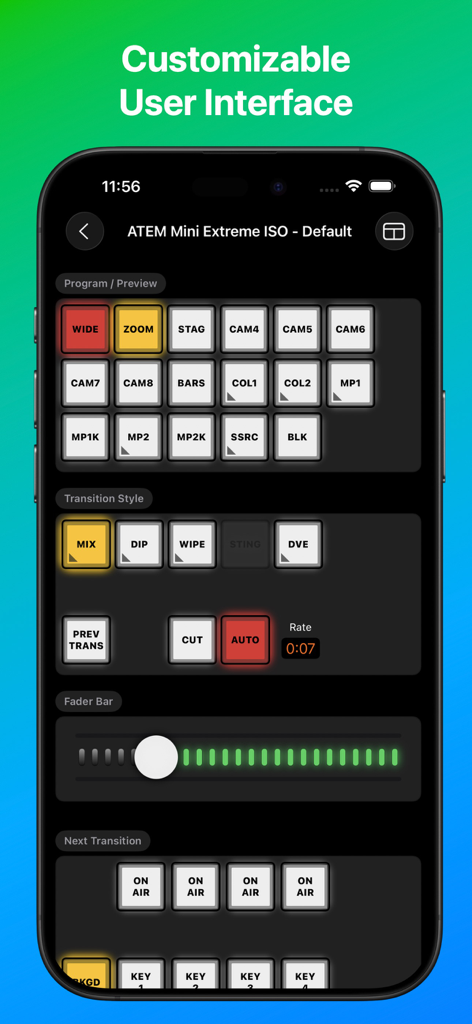
ATEM Mini Extreme ISO 스위처 제어를 위한 MixEffect Pro 앱 인터페이스

ATEM Mini Extreme ISO 스위처 제어를 위한 MixEffect Pro 앱 인터페이스

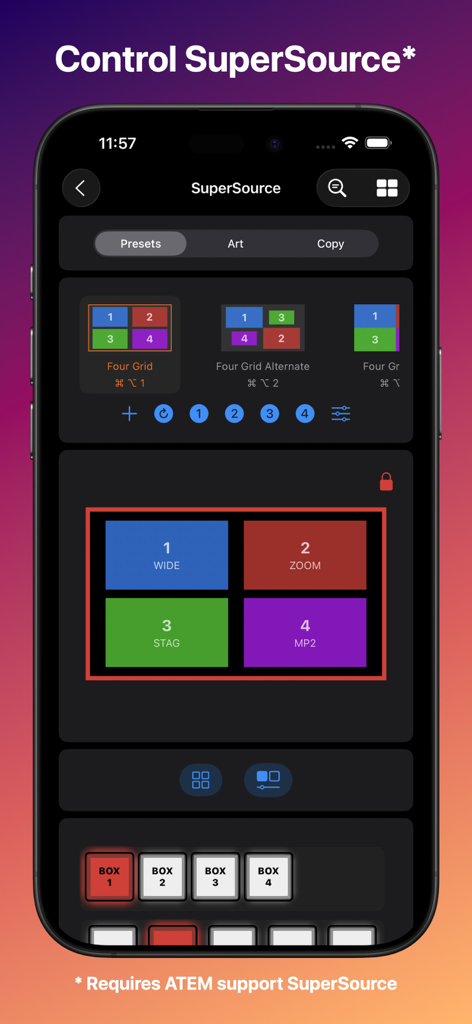
라이브 비디오 프로덕션에서 SuperSource 레이아웃 프리셋을 제어하기 위한 MixEffect Pro iPhone 인터페이스

라이브 비디오 프로덕션에서 SuperSource 레이아웃 프리셋을 제어하기 위한 MixEffect Pro iPhone 인터페이스

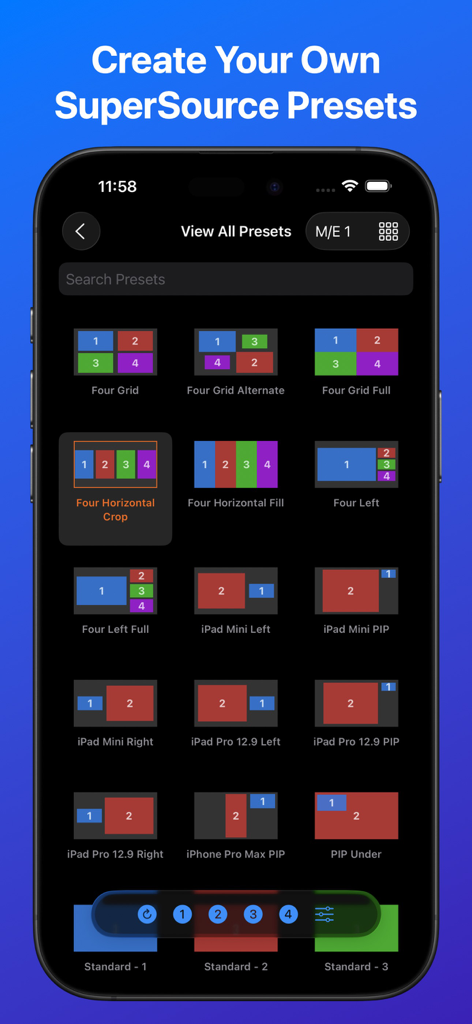
ATEM 비디오 스위처용 다양한 SuperSource 레이아웃 프리셋 그리드를 보여주는 MixEffect Pro 앱 인터페이스

ATEM 비디오 스위처용 다양한 SuperSource 레이아웃 프리셋 그리드를 보여주는 MixEffect Pro 앱 인터페이스

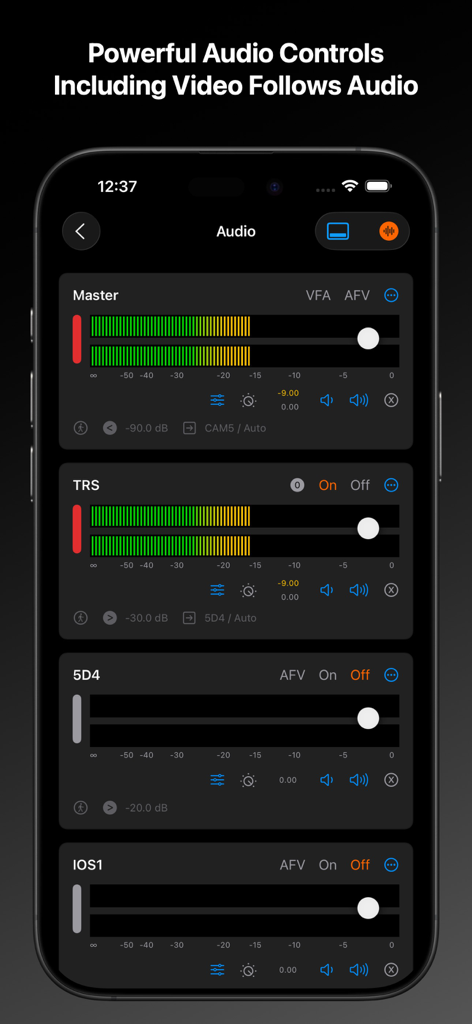
iPhone에서 마스터 및 개별 채널 레벨 슬라이더를 보여주는 MixEffect Pro 앱 오디오 믹서 인터페이스

iPhone에서 마스터 및 개별 채널 레벨 슬라이더를 보여주는 MixEffect Pro 앱 오디오 믹서 인터페이스

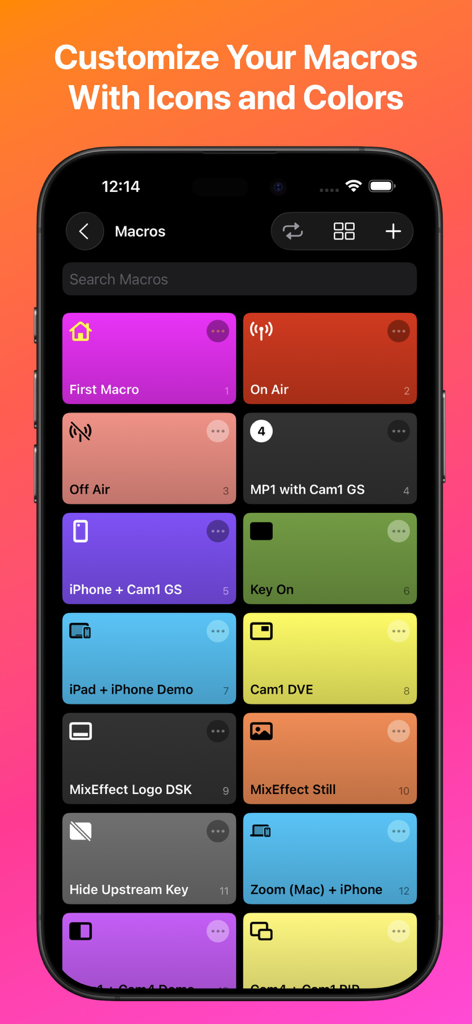
iPhone 화면에 사용자 지정 아이콘이 있는 다채로운 매크로 버튼 그리드를 보여주는 MixEffect Pro 앱 인터페이스

iPhone 화면에 사용자 지정 아이콘이 있는 다채로운 매크로 버튼 그리드를 보여주는 MixEffect Pro 앱 인터페이스

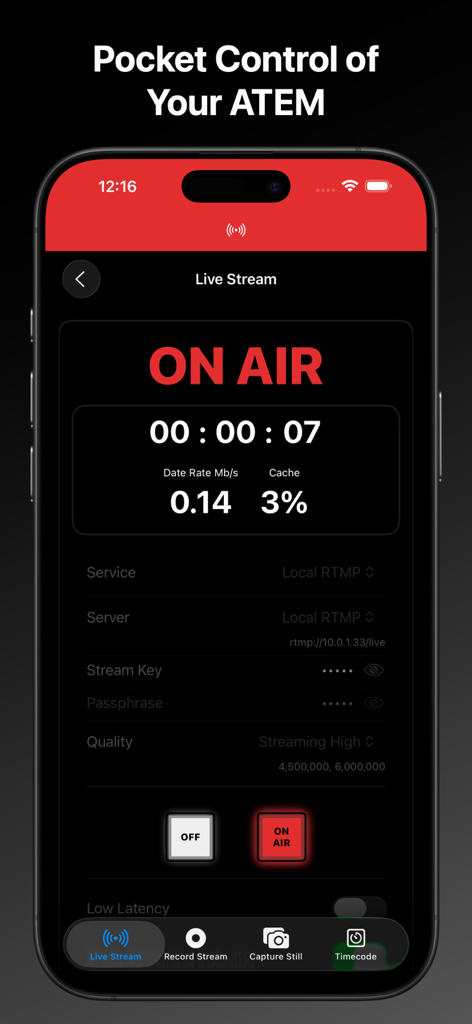
ATEM 스위처용 라이브 스트림 온에어 상태 및 스트리밍 데이터를 보여주는 MixEffect Pro iPhone 앱 인터페이스

ATEM 스위처용 라이브 스트림 온에어 상태 및 스트리밍 데이터를 보여주는 MixEffect Pro iPhone 앱 인터페이스

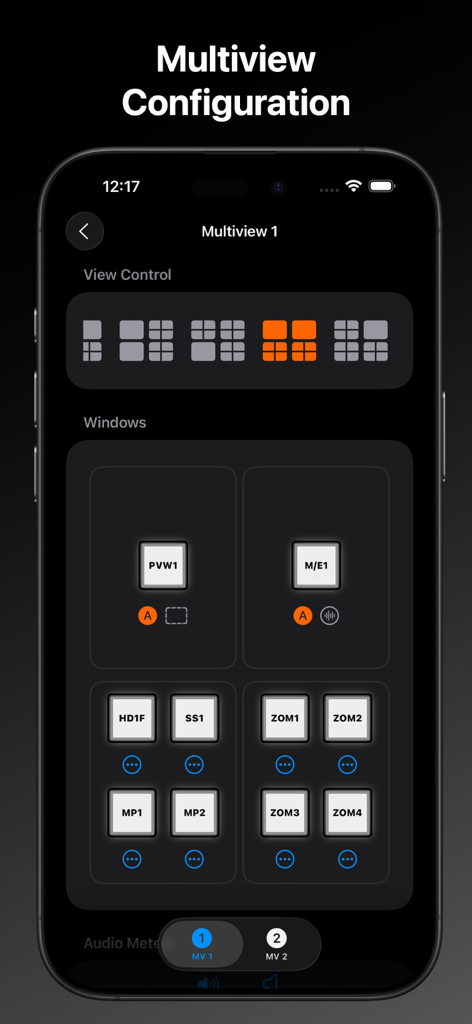
비디오 스위처 레이아웃 제어를 위한 멀티뷰 구성 설정을 보여주는 MixEffect Pro 인터페이스

비디오 스위처 레이아웃 제어를 위한 멀티뷰 구성 설정을 보여주는 MixEffect Pro 인터페이스

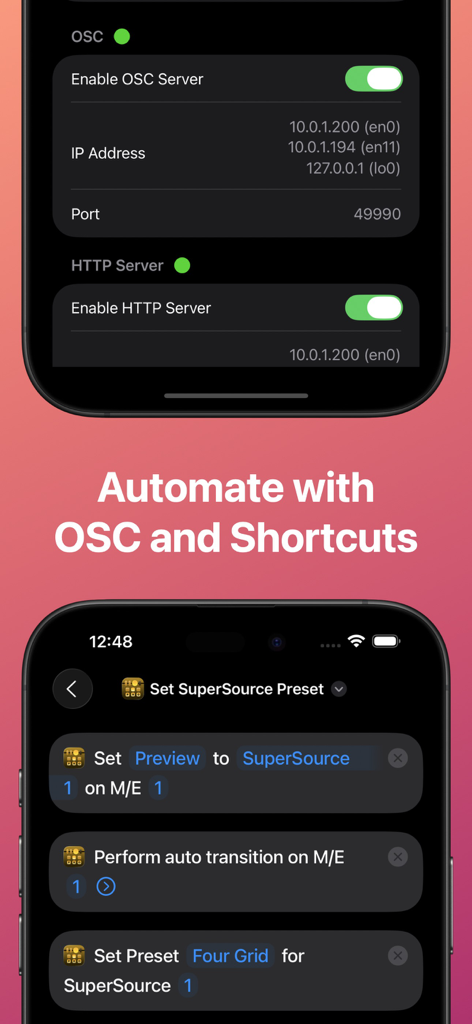
ATEM 스위처 자동화를 위한 OSC 서버 설정 및 iOS Shortcuts를 보여주는 MixEffect Pro 앱 인터페이스.

ATEM 스위처 자동화를 위한 OSC 서버 설정 및 iOS Shortcuts를 보여주는 MixEffect Pro 앱 인터페이스.

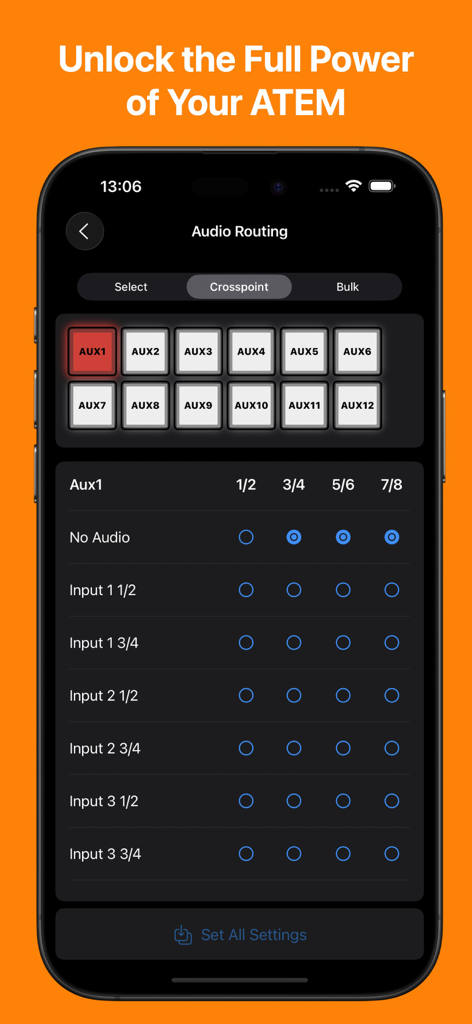
iPhone에서 ATEM 스위처의 오디오 라우팅 및 크로스포인트 관리 인터페이스를 보여주는 MixEffect Pro 앱

iPhone에서 ATEM 스위처의 오디오 라우팅 및 크로스포인트 관리 인터페이스를 보여주는 MixEffect Pro 앱

전문가 수준의 제어로 라이브 방송을 마스터하세요

이 앱을 돋보이게 하는 도구, 23K+ 명의 사용자가 선택.

💎

시각적 SuperSource 관리

표준 하드웨어의 한계를 뛰어넘는 드래그 앤 드롭 도구를 사용하여 복잡한 멀티박스 레이아웃을 손쉽게 만들고 애니메이션하세요.

🚀

강력한 워크플로 자동화

iOS Shortcuts 및 Siri를 활용하여 실시간 오디오 레벨에 따라 매크로를 트리거하고, 레이아웃을 변경하고, 프로덕션을 자동화하세요.

📡

통합 모니터 및 제어

iPad를 고해상도 Multiview 모니터이자 터치 반응형 스위처로 전환하여 어디서든 전체 쇼를 관리하세요.

전 세계 사용자들에게 사랑받는 앱

Trusted by 23K+ 명이 이 앱을 사랑합니다.

"

"MixEffect Pro는 저희 교회의 라이브 스트림에 혁신을 가져왔습니다. 애니메이션 SuperSource 전환과 직관적인 터치 인터페이스 덕분에 자원봉사자들이 복잡한 학습 곡선 없이도 전문적인 방송을 훨씬 쉽게 제작할 수 있습니다. 제가 ATEM 설정을 위해 사용해 본 컨트롤러 중 가장 안정적이고 기능이 풍부합니다."

David Miller, House of Worship Technical Director
"

"1인 콘텐츠 제작자로서 워크플로를 단순화해주는 도구가 필요합니다. MixEffect Pro의 Shortcuts 통합 및 Video Follows Audio 기능을 통해 카메라에 집중하면서 멀티캠 쇼를 운영할 수 있습니다. 단순한 리모컨 그 이상입니다. 마치 iPad 안에 전담 테크니컬 디렉터가 있는 것과 같습니다."

Elena Rodriguez, Professional Streamer

앱 소개

에 대해 알아야 할 모든 것 MixEffect Pro - Paid Up-Front.

설명

If you want to try out MixEffect Pro's features for 30-days, please visit the MixEffect app listing here on the App Store and activate the 30-day trial. MixEffect Pro shares the same database as MixEffect, so you have access to the same switchers, SuperSource presets, and streaming services. === MixEffect Pro’s familiar interface gives you quick access to virtually everything you need to run your video productions: switcher control, macros, audio, media, editing palettes, recording and streaming. MixEffect Pro then turns the dial past ten with animated SuperSource transitions, Video Follows Audio, customizable layouts, and Shortcuts support. Manage your live productions confidently with MixEffect Pro! # FEATURES MixEffect Pro is packed full of features to control your ATEM switchers. ## SWITCHER MANAGEMENT Control multiple ATEM switchers. Sync your switcher settings between all of your iCloud-connected devices. ## EXTERNAL CAMERA See and interact with the Multiview from your ATEM switcher directly in MixEffect. Change inputs, perform cut and auto transitions, set SuperSource presets, and more. Requires iPadOS 17 and an HDMI/SDI to USB adapter to connect your device with your ATEM switcher to view the Multiview. ## PANELS / BUTTONS Customize the look of your switcher interface with separate iPhone, Landscape, and iPad-optimized layouts. Choose from 20 panels to include in your layouts. ## SUPERSOURCE Become a SuperSource master on. Automatically animate transitions when switching between SuperSource layouts! Use drag and drop to rearrange your boxes. Save your favorite preset layouts and share them with others. Requires an ATEM switcher that supports SuperSource. ## AUDIO Control audio on ATEM switchers. Adjust each audio source’s input gain, fader gain, frames delay, and pan settings. ## MACROS Give your macros the gift of icons, colors, filtering, and sorting. Choose from three different display layouts: Grid, Buttons, and List. Access all of your macros from the virtual switcher interface. ## MEDIA Upload still images from your Photo Library into your switcher’s Media Pool. ## TRANSITIONS Access all the transitions supported by your switcher such as Mix, Dip, Wipe, and DVE, not just the ones wired to hardware buttons. ## DOWNSTREAM KEYERS Missing that DSK On Air button on your ATEM Mini? It's there in MixEffect Pro! ## UPSTREAM KEYERS Adjust your Luma, Chroma, Pattern, and DVE settings for your upstream keyers. Use touch to easily set the chroma sample and change the position of your DVE frame. ## AUTOMATIONS Control your ATEM switcher with your voice and Shortcuts. Automatically switch inputs, change SuperSource layouts, and run macros when your audio levels rise or fall below a certain threshold. Enjoy extensive keyboard shortcuts throughout the app. ## COLOR GENERATORS Change your color sources without having to dig through palettes. ## HYPERDECK Control HyperDecks from MixEffect Pro. ## AUX Set the sources for all of your auxiliary outputs. ## STREAMING Add streaming services, servers, and profiles without having to know XML. Set a default profile and server for each of your streaming services. Import and export the Streaming.xml files supported by the ATEM Mini Pro, Pro ISO, Mini Extreme, and Mini Extreme ISO line of switchers. ## RECORDING Control your disk recordings from your iPhone or iPad. Switch disks with a tap and see how much time is available for recording. ## SECURITY Prevent unwanted access to MixEffect Pro with Face ID (or device passcode lock). Activate View Only Mode so people can see what’s happening on the switcher without the ability to change anything. ## SWITCHER SETTINGS Set your switcher’s video mode, change the labels of sources, configure Multiview, and save your switcher's startup settings. ## SIMULATOR MixEffect Pro features a simulated ATEM 1 M/E Production 4K switcher for testing purposes.

최신 버전

2.4.0

크기

113.1 MB

출시일

2022년 4월 17일

ATEM 스위처 마스터할 준비가 되셨나요?

iPad와 iPhone을 궁극의 프로덕션 제어 표면으로 변신시킨 수천 명의 테크니컬 디렉터 및 전문 스트리머와 함께하세요. 구독 없이 전문가 수준의 자동화 및 SuperSource 레이아웃의 강력함을 경험해 보세요.

다운로드: App Store