My Feed・Grid Preview & Planner

My Feed・Grid Preview & Planner

다운로드: App Store
Spark by MWM logo
로고: My Feed・Grid Preview & Planner

My Feed: Design the Flawless Instagram Aesthetic Your Brand Deserves

The all-in-one planner to preview your grid, style aesthetic captions, and schedule posts with ease. Drag, drop, and curate a professional presence that turns visitors into followers.

개발사

Bigrowth OU

카테고리

Photo & Video

다운로드

3M+

사용자 평점

4.7/5

총 평가 수

29K+

지원 언어

10

Curate Your Aesthetic

이 인터페이스를 사용하는 3M+ 명의 사용자.

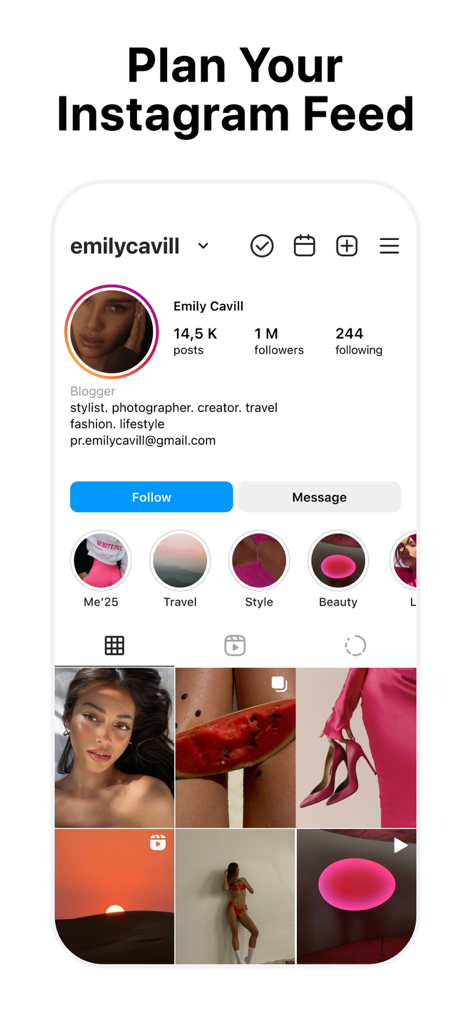
A preview of the My Feed app showing a curated Instagram grid layout with professional aesthetic planning tools

A preview of the My Feed app showing a curated Instagram grid layout with professional aesthetic planning tools

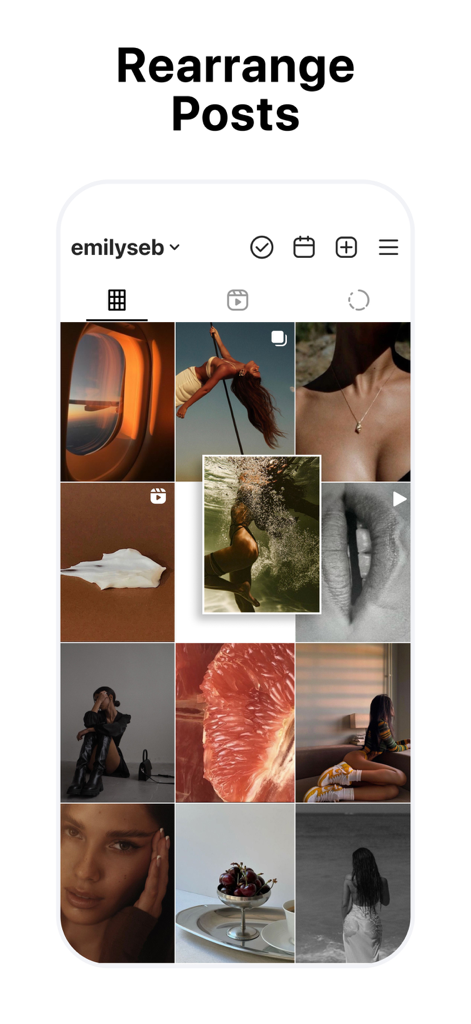
Rearranging Instagram posts in a grid preview using drag and drop

Rearranging Instagram posts in a grid preview using drag and drop

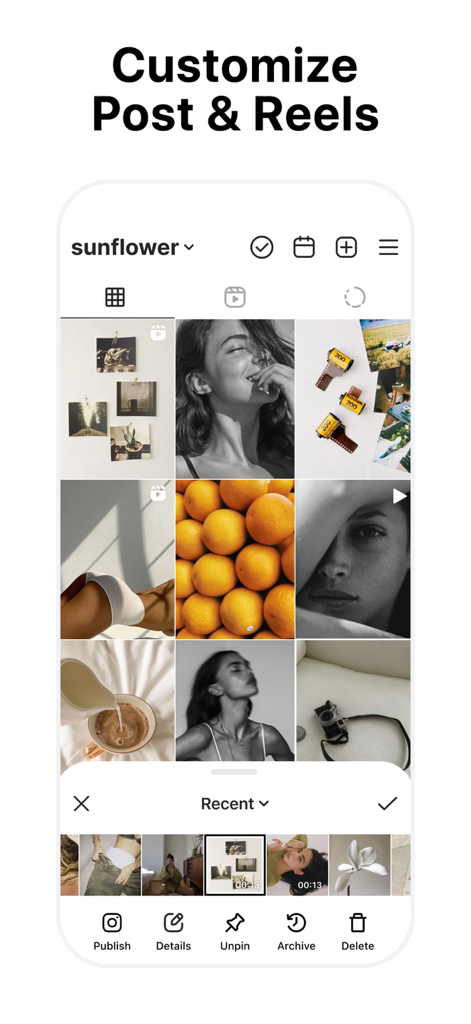
Interface showing an Instagram grid preview with options to customize posts and reels

Interface showing an Instagram grid preview with options to customize posts and reels

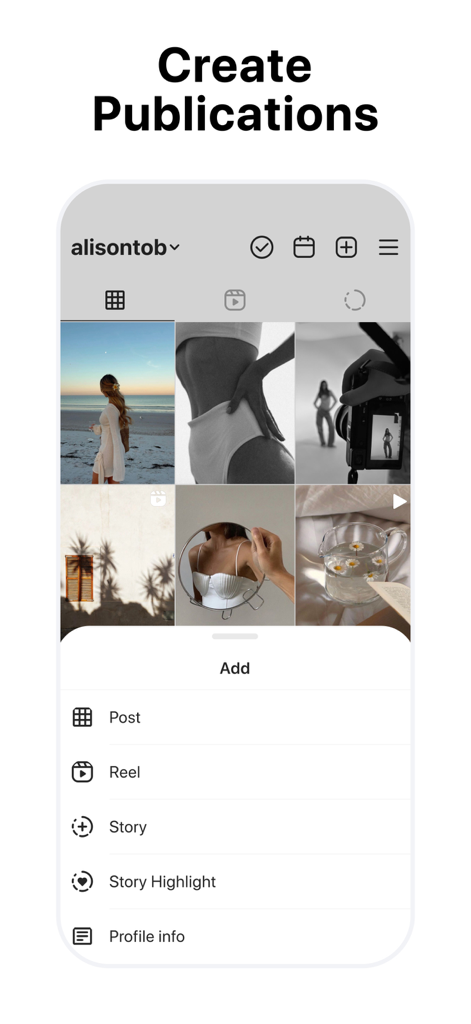
Mobile app screen showing the create publications menu for an Instagram grid planner

Mobile app screen showing the create publications menu for an Instagram grid planner

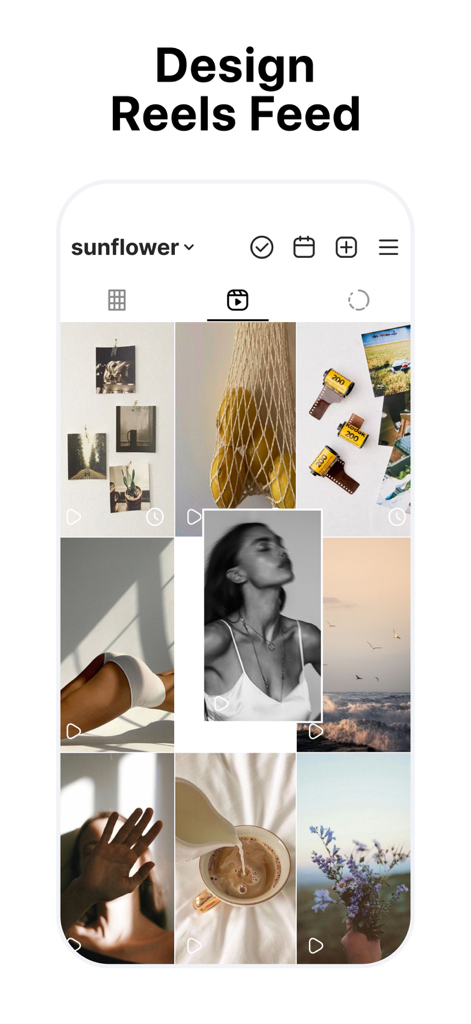
A mobile app interface showing a curated Instagram Reels feed planner with drag and drop functionality

A mobile app interface showing a curated Instagram Reels feed planner with drag and drop functionality

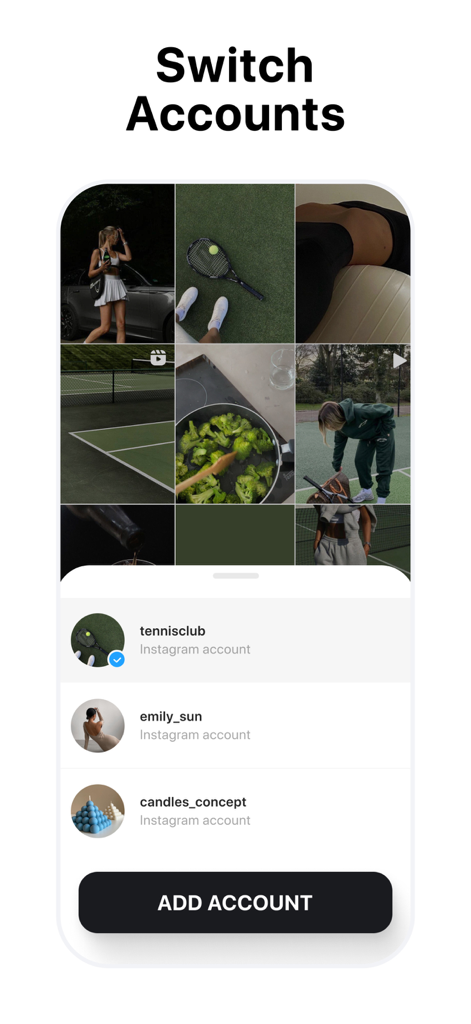
Interface of the app showing the multi-account management feature to switch between different Instagram profiles for grid planning

Interface of the app showing the multi-account management feature to switch between different Instagram profiles for grid planning

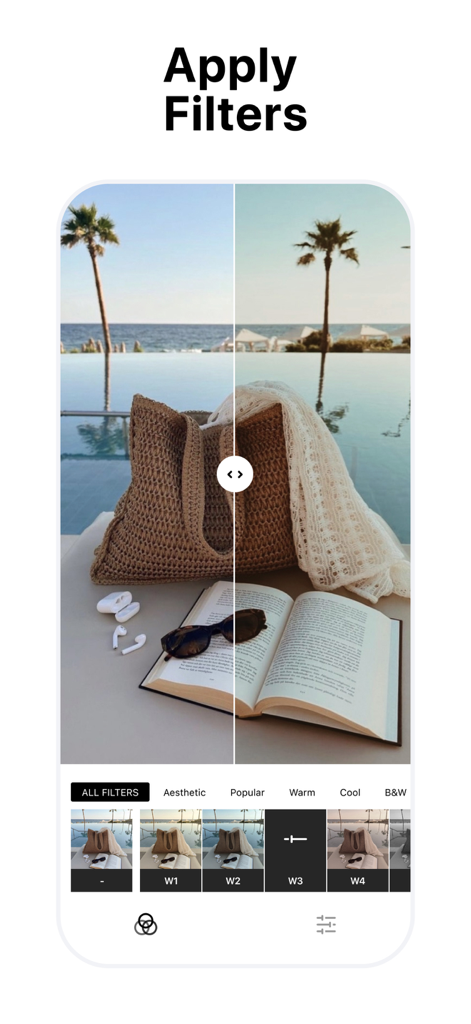
A split-screen view in the My Feed app showing a photo of a beach bag and book before and after applying an aesthetic filter.

A split-screen view in the My Feed app showing a photo of a beach bag and book before and after applying an aesthetic filter.

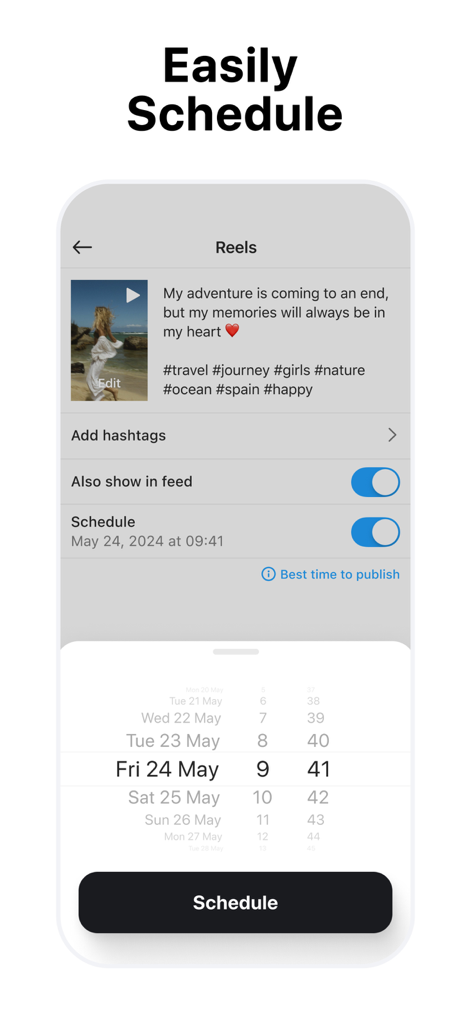
Interface for scheduling Instagram Reels and posts with a date picker

Interface for scheduling Instagram Reels and posts with a date picker

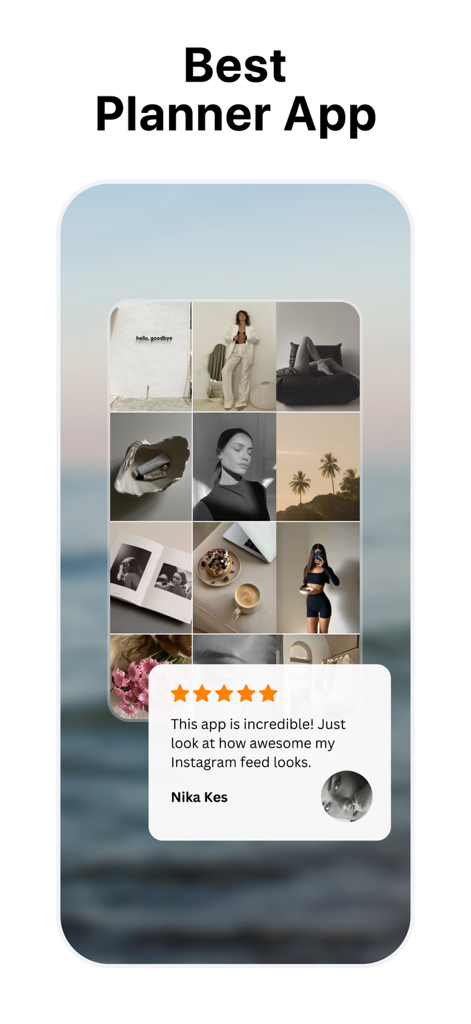
My Feed app interface showing an aesthetic Instagram grid preview with a five star user testimonial.

My Feed app interface showing an aesthetic Instagram grid preview with a five star user testimonial.

Master Your Instagram Aesthetic

이 앱을 돋보이게 하는 도구, 3M+ 명의 사용자가 선택.

🎨

Visual Grid Planning

Perfect your 'vibe' before you post. Use drag-and-drop to preview how new photos, reels, and carousels fit into your existing feed.

Professional Caption Styling

Stop fighting with Instagram's formatting. Add clean line breaks, use aesthetic fonts, and save hashtag groups for maximum engagement.

🚀

Multi-Account Management

Switch between personal and business profiles effortlessly. Schedule all your content in advance to stay consistent and save hours every week.

전 세계 사용자들에게 사랑받는 앱

Trusted by 3M+ 명이 이 앱을 사랑합니다.

"

"As a social media manager for three different brands, this app is an absolute lifesaver. The ability to manage unlimited accounts and drag-and-drop posts to see how the grid looks before I go live has completely removed my posting anxiety. The caption spacing tool and hashtag groups make my workflow so much faster!"

Sarah J., Freelance Digital Strategist
"

"I'm obsessed with the aesthetic fonts and the grid preview feature. My boutique's Instagram finally looks professional and cohesive rather than a random mess of photos. Being able to plan out my Reels and carousels ahead of time allows me to focus on running my business while keeping my feed looking stunning."

Chloe M., Lifestyle Influencer & Boutique Owner

앱 소개

에 대해 알아야 할 모든 것 My Feed・Grid Preview & Planner.

설명

Quickly map out your Instagram content, effortlessly finding the perfect combination of posts to arrange your feed in a matter of moments. Planner for Instagram. Sync with your accounts: displays the visual combination of future posts alongside published ones. Compatible with various types of publications: posts, stories, reels, carousels, grids, highlights. Feed arrangement: drag & drop, hide & unhide, pin & unpin etc. Planning ahead of time: schedule all types of publications. Edit profile header: change profile photo, bio, links etc. Tools. Unlimited accounts: enables managing multiple projects and generating various options for comparison. Backup: ensures the secure storage of your data. Calendar: assists in gauging interaction frequency and provides a fresh perspective on the content plan. Direct publication: export new images, including captions, for seamless posting on Instagram. Caption editing. Aesthetic fonts: enhance your text content with trendy fonts. Instagram space: enables in creating readable and expressive text for publications. Hashtag groups: simplify the process of working with hashtags. Photo & video editing. Filters: enhance media effortlessly with wide range of filters. Color correction: exposure, contrast, saturation, vignette, blur and more. Graphics: placeholders, icons for stories highlights. Disclaimer. My Feed is not affiliated, associated, sponsored, endorsed by, or in any way officially connected with Instagram and Meta. Wishing you success in your Instagram ventures! We're committed to supporting you at every turn. Feel free to share your ideas and suggestions with us at support@bigrowth.io Unlock exclusive benefits by subscribing to our Premium plan. Privacy Policy: https://bigrowth.io/privacy.pdf Terms of Use: https://bigrowth.io/terms.pdf

최신 버전

13.0

크기

80.7 MB

출시일

2020년 11월 27일

Master Your Grid. Own Your Aesthetic.

Join 3 million+ creators and start curating a professional Instagram presence that converts followers into fans. Download now and start planning for free.

다운로드: App Store
FAQ

자주 묻는 질문

에 대해 알아야 할 모든 것 My Feed・Grid Preview & Planner

My Feed・Grid Preview & Planner란 무엇인가요?

My Feed는 사용자가 Instagram 콘텐츠를 계획하고 배열하며, 미래 게시물을 계획하고 피드 레이아웃을 시각화하는 데 도움이 되는 앱입니다.

My Feed는 Instagram 피드를 계획하는 데 어떻게 도움이 되나요?

My Feed는 계정과 동기화되어 게시된 게시물과 함께 미래 게시물을 표시합니다. 피드 배열을 위한 드래그 앤 드롭, 숨기기 및 숨기기 취소, 고정 및 고정 취소와 같은 도구를 제공합니다.

My Feed는 어떤 종류의 Instagram 콘텐츠를 계획하고 관리할 수 있나요?

My Feed는 다양한 게시 유형과 호환됩니다. 게시물, 스토리, 릴, 캐러셀, 그리드 및 하이라이트를 계획하여 Instagram에 대한 포괄적인 콘텐츠 관리를 제공합니다.

My Feed를 사용하여 Instagram 게시물을 재정렬할 수 있나요?

네, My Feed를 사용하면 Instagram 게시물을 재정렬할 수 있습니다. 드래그 앤 드롭 기능을 제공하여 게시하기 전에 피드를 시각적으로 구성할 수 있습니다.

My Feed는 사용자가 Instagram 게시물과 릴을 예약할 수 있도록 허용하나요?

네, My Feed는 모든 게시 유형의 예약을 지원합니다. 사용자는 앱 내에서 미리 게시물, 스토리, 릴, 캐러셀, 그리드 및 하이라이트를 계획할 수 있습니다.

My Feed로 여러 Instagram 계정을 관리할 수 있나요?

네, My Feed는 무제한 계정을 지원합니다. 이 기능을 통해 사용자는 여러 Instagram 프로젝트를 관리하고 다양한 콘텐츠 계획 옵션을 효과적으로 비교할 수 있습니다.

My Feed에는 Instagram 콘텐츠를 위한 사진 및 동영상 편집 도구가 포함되어 있나요?

네, My Feed는 사진 및 동영상 편집 도구를 제공합니다. 기능에는 필터, 색상 보정(노출, 대비, 채도), 그래픽, 자리 표시자 및 스토리 하이라이트용 아이콘이 포함됩니다.

My Feed에서 사용할 수 있는 캡션 편집 기능은 무엇인가요?

My Feed는 캡션 편집 기능을 제공합니다. 여기에는 미적 글꼴, 읽기 쉬운 텍스트를 위한 Instagram 공간, 게시물을 위한 해시태그 관리를 단순화하는 해시태그 그룹이 포함됩니다.

My Feed・Grid Preview & Planner는 무료 앱인가요?

아니요, My Feed는 프리미엄 요금제 구독을 통해 독점적인 혜택을 제공합니다. 앱 설명에 따르면 사용자는 구독을 통해 이러한 혜택을 잠금 해제합니다.

My Feed는 Instagram 또는 Meta와 제휴되어 있나요?

아니요, My Feed는 Instagram 및 Meta와 어떤 식으로든 제휴, 관련, 후원, 보증 또는 공식적으로 연결되어 있지 않습니다. 이는 면책 조항에 명시되어 있습니다.

My Feed는 Instagram으로 직접 게시를 제공하나요?

네, My Feed는 직접 게시를 지원합니다. 사용자는 캡션을 포함한 새 이미지를 내보내 Instagram에 직접 원활하게 게시할 수 있습니다.

My Feed를 사용하여 Instagram 프로필 정보를 편집할 수 있나요?

네, My Feed를 사용하면 프로필 헤더를 편집할 수 있습니다. 여기에는 앱 내에서 프로필 사진, 자기소개 및 링크 변경이 포함됩니다.

My Feed는 데이터 백업 기능을 제공하나요?

네, My Feed는 백업 기능을 통해 사용자 데이터의 안전한 저장을 보장합니다. 이 도구는 앱 내에서 콘텐츠와 계획 진행 상황을 보호합니다.

My Feed의 개인 정보 보호 정책은 어디에서 찾을 수 있나요?

My Feed의 개인 정보 보호 정책은 온라인에서 확인할 수 있습니다. 앱 설명에 명시된 대로 https://bigrowth.io/privacy.pdf에서 전체 문서를 액세스할 수 있습니다.