Newsify: RSS Reader

Newsify: RSS Reader

다운로드: App Store
Spark by MWM logo
로고: Newsify: RSS Reader

Newsify: 당신의 개인화된 일일 신문, 재탄생하다

정보를 제어하세요. AI 기반 요약 및 원활한 다중 장치 동기화로 좋아하는 블로그와 뉴스를 아름답고 방해 없는 레이아웃으로 통합하세요.

개발사

Ben Alexander

카테고리

News

다운로드

754K+

사용자 평점

4.6/5

총 평가 수

35K+

지원 언어

1

당신의 뉴스, 완벽하게 구성되다

이 인터페이스를 사용하는 754K+ 명의 사용자.

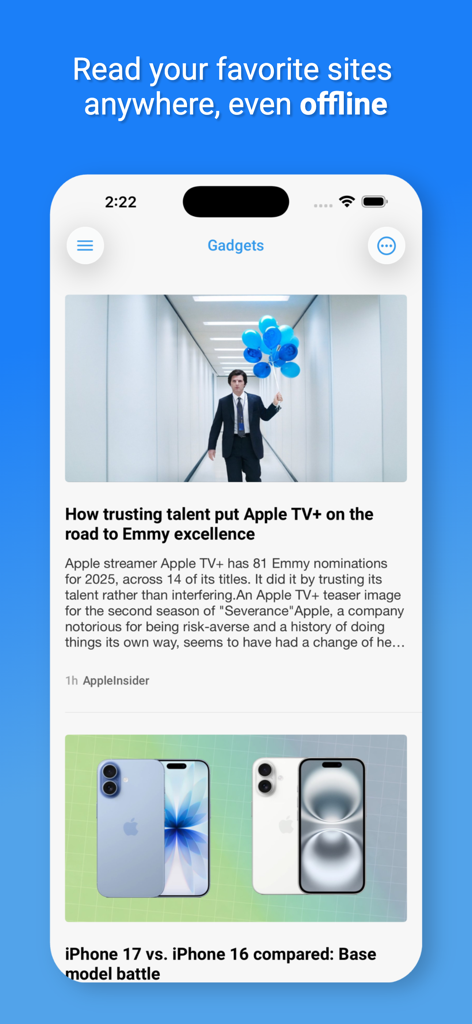
오프라인 읽기에 대한 헤드라인과 함께 가젯 기사의 깔끔한 뉴스 피드를 보여주는 Newsify RSS 리더 앱이 있는 스마트폰 화면.

오프라인 읽기에 대한 헤드라인과 함께 가젯 기사의 깔끔한 뉴스 피드를 보여주는 Newsify RSS 리더 앱이 있는 스마트폰 화면.

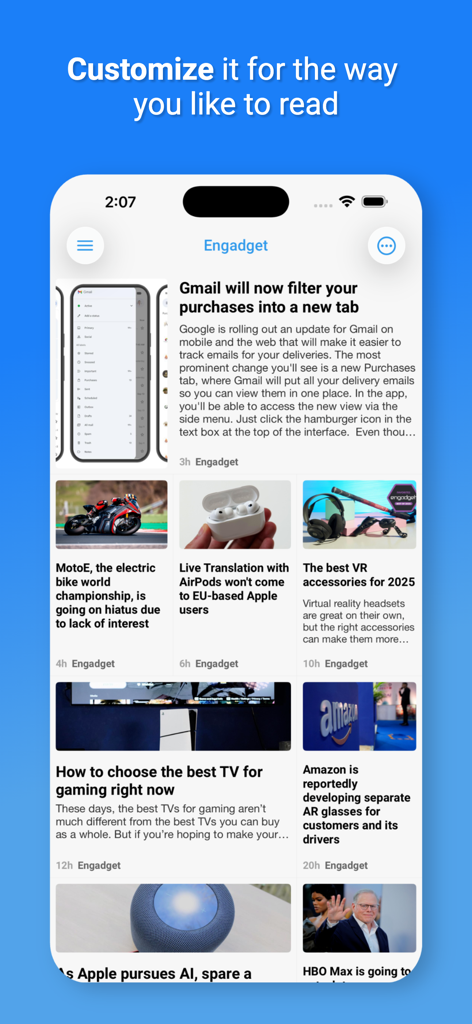
기술 뉴스 기사가 있는 사용자 지정 가능한 신문 레이아웃을 보여주는 Newsify 앱의 스크린샷

기술 뉴스 기사가 있는 사용자 지정 가능한 신문 레이아웃을 보여주는 Newsify 앱의 스크린샷

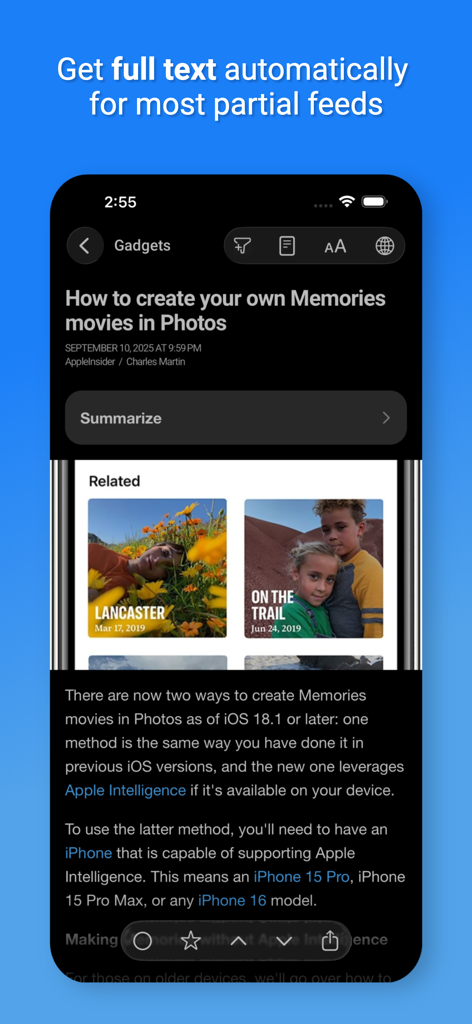
자동 전체 텍스트 및 AI 요약 옵션이 있는 야간 모드에서 기사를 표시하는 Newsify 앱

자동 전체 텍스트 및 AI 요약 옵션이 있는 야간 모드에서 기사를 표시하는 Newsify 앱

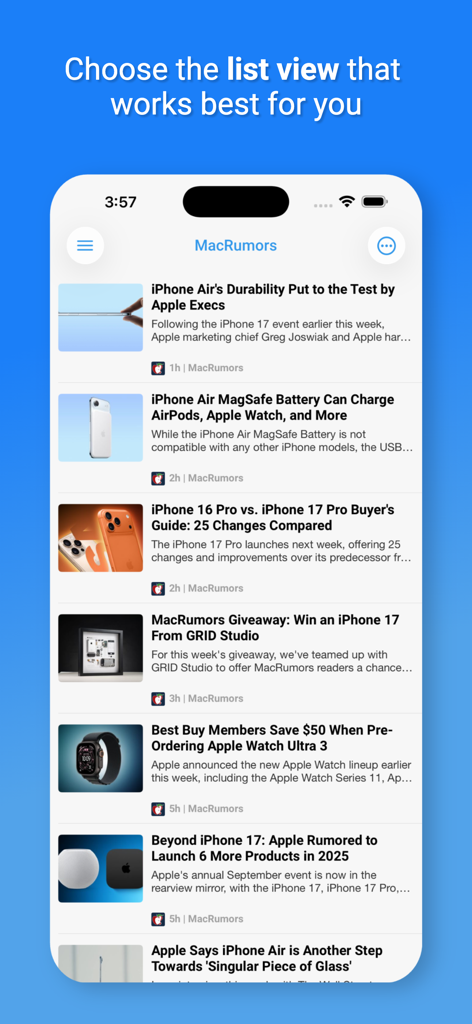
iPhone에서 MacRumors 기술 뉴스 기사의 사용자 지정 가능한 목록 보기인 Newsify 앱 표시

iPhone에서 MacRumors 기술 뉴스 기사의 사용자 지정 가능한 목록 보기인 Newsify 앱 표시

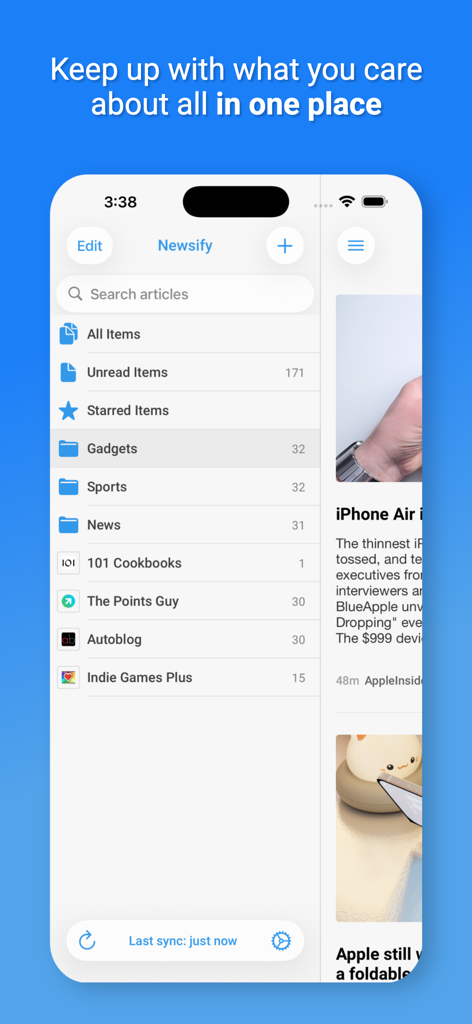
깔끔한 메뉴 레이아웃으로 뉴스 카테고리 목록과 읽지 않은 기사를 보여주는 Newsify RSS 리더 앱 인터페이스.

깔끔한 메뉴 레이아웃으로 뉴스 카테고리 목록과 읽지 않은 기사를 보여주는 Newsify RSS 리더 앱 인터페이스.

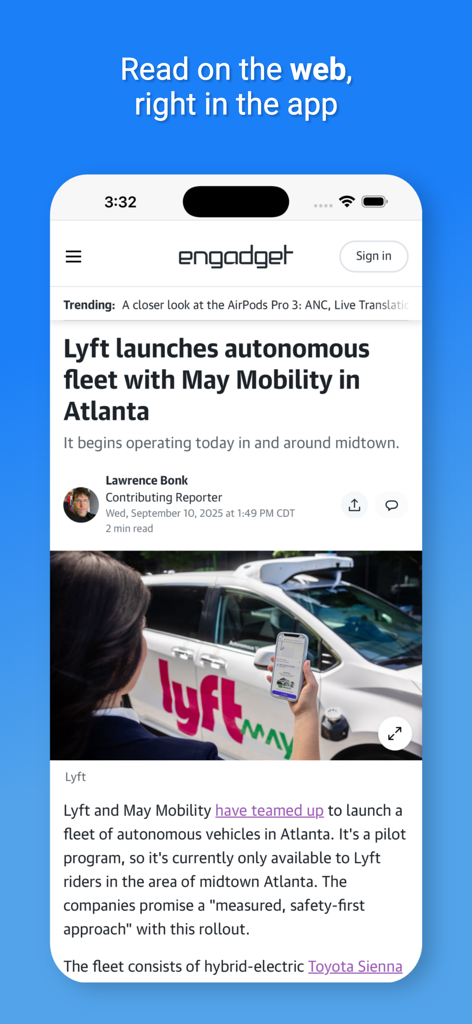
Newsify 앱이 내장 웹 브라우저에서 Engadget의 뉴스 기사를 표시하고 있습니다.

Newsify 앱이 내장 웹 브라우저에서 Engadget의 뉴스 기사를 표시하고 있습니다.

정보 흐름을 제어하세요

이 앱을 돋보이게 하는 도구, 754K+ 명의 사용자가 선택.

📰

우아한 신문 레이아웃

집중과 미적 즐거움을 위해 디자인된 멋진 고가독성 보기로 좋아하는 콘텐츠를 경험하세요.

AI 기반 기사 요약

바쁜 전문가에게 완벽한 스마트 요약으로 즉시 핵심 통찰력을 얻어 생산성을 극대화하세요.

☁️

원활한 크로스 디바이스 동기화

iCloud 동기화와 통근을 위한 완벽한 오프라인 지원으로 Mac에서 읽기를 시작하고 iPhone에서 완료하세요.

전 세계 사용자들에게 사랑받는 앱

Trusted by 754K+ 명이 이 앱을 사랑합니다.

"

"지금까지 모든 RSS 리더를 사용해 봤지만 Newsify는 프리미엄 아침 신문처럼 느껴지는 유일한 앱입니다. AI 요약 기능은 통근 시간을 완전히 바꾸어 놓았습니다. 수십 개의 헤드라인을 훑어보고 긴 기사의 핵심 내용을 몇 초 만에 파악할 수 있습니다. 제 하루 중 가장 생산적인 부분입니다."

Sarah Jensen
"

"Newsify는 소셜 미디어 알고리즘의 노이즈에서 벗어나 제 정보 피드에 대한 완전한 제어권을 돌려줍니다. iPad와 Mac 간의 동기화는 완벽하며, 신문 보기 기능은 기술 블로그를 시각적으로 즐겁게 읽을 수 있도록 합니다. 전문가 수준의 큐레이션을 위한 필수 도구입니다."

Marcus Thorne

앱 소개

에 대해 알아야 할 모든 것 Newsify: RSS Reader.

설명

Read and share your favorite websites and blogs with an amazing newspaper-like layout. Featured by Apple as "New and Noteworthy" and "What's Hot" in over 100 countries! FEATURES • All of your news, blogs and RSS feeds in one free reader app! • Sync with Feedly or Newsify or use without an account and sync with iCloud • Access Newsify on your computer at newsify.co (requires Newsify account) • Multiple article list layouts: Large View, Newspaper View, Table View, Split View on iPad (thumbnails displayed when available) • Background syncing with notifications • Offline reading including image caching • Unread articles widget • View and save images by tapping-and-holding image • Night mode (automatic/manual, enabled in settings) • Themes (light, sepia, gray, dark) • In-app Safari view (see Open Links setting) • Full-text view (pinch out in the article view or enable swipe in Article Browser settings) • Article search (pull down subscription list for search bar) • Multiple accounts • Full screen article reading (tap text to toggle) • Full screen original web page browser (two finger tap to toggle) • Pull to move between articles • Pull to refresh article list • Show only unread folders/subscriptions or all • Show all articles or just unread • Sort by newest or oldest first • Mark previous & all as read • Tap-and-hold to mark read and toggle starred • Option to mark read while scrolling & pull up to mark all as read (enable in settings) • Landscape view • Fully customizable sync • Add and edit subscriptions • Add custom feed URLs (enter URLs in feed search box and tap Search) • Automatically sync on start • Share articles with many popular services: Facebook, Twitter, Buffer, Evernote, Instapaper, LinkedIn, Pinboard, Pinterest, Pocket and Tumblr • Email articles or links, copy links or open the original web page in the app or in Safari or Chrome • View original articles with Google mobilizer • Browse individual subscriptions contained in a folder (tap-and-hold folders or tap gray circle icon on right side of folder entry) GET MORE WITH NEWSIFY PREMIUM Newsify is free to download and use. Newsify Premium unlocks these amazing features. Try it free for 7 days! • Automatic Full Text: Get full text automatically for most partial feeds and save for offline reading • AI Article Summaries: Summarize articles with Apple Intelligence (beta feature, requires iOS/iPadOS 26) • More Images: Get more high-res images for feeds with small or no images • Search Full Text: Search the full text of partial feeds not just the preview • Priority Support: Be first in line to get all of your questions answered • Remove Ads: Enjoy your list of articles with no ads • Newsify Account Plus: Add mute filters, get new items up to 10x faster and keep more feed history. – To start your trial: Select Premium in settings and tap "Start free trial" Newsify Premium is $2.99 USD per month or $29.99 USD per year and may vary depending on your location. If you choose to purchase Newsify Premium, payment will be charged to your iTunes account, and your account will be charged for renewal 24 hours prior to the end of the current period. Auto-renewal may be turned off at any time by going to your settings in the iTunes Store after purchase. Any free trial period remaining will be forfeited when purchasing Newsify Premium. Newsify's privacy policy: https://newsify.co/privacy-policy/ Newsify's terms of use: https://newsify.co/terms-and-conditions/

최신 버전

8.0.4

크기

111.9 MB

출시일

2012년 4월 22일

일일 독서 경험을 향상시키세요

알고리즘 노이즈를 버리고 아름답고 선별된 AI 기반 뉴스 피드를 선택한 750,000명 이상의 전문가들과 함께하세요. 오늘 Newsify를 다운로드하고 정보를 제어하세요.

다운로드: App Store
FAQ

자주 묻는 질문

에 대해 알아야 할 모든 것 Newsify: RSS Reader

Newsify: RSS Reader는 무엇인가요?

Newsify는 신문과 유사한 레이아웃으로 사용자가 좋아하는 웹사이트와 블로그를 읽고 공유할 수 있는 무료 RSS 리더 앱입니다. 뉴스, 블로그, RSS 피드를 한곳에 모아줍니다.

Newsify는 무료 앱인가요?

네, Newsify는 무료로 다운로드하고 사용할 수 있습니다. 추가 기능에 대한 프리미엄 구독인 Newsify Premium을 제공하며, 7일 동안 무료로 체험할 수 있습니다.

Newsify는 어떤 동기화 옵션을 제공하나요?

Newsify는 Feedly 또는 Newsify 계정과 동기화할 수 있습니다. 사용자는 계정 없이 앱을 사용하고 iCloud와 동기화할 수도 있습니다. Newsify 계정을 사용하면 newsify.co에서 액세스할 수 있습니다.

Newsify는 오프라인 읽기를 지원하나요?

네, Newsify는 오프라인 읽기를 지원합니다. 이 기능은 이미지 캐싱을 포함하여 인터넷 연결 없이도 기사와 이미지에 액세스할 수 있습니다.

Newsify에 야간 모드나 테마가 있나요?

네, Newsify에는 야간 모드가 포함되어 있으며, 자동 또는 수동으로 설정할 수 있고 설정에서 활성화할 수 있습니다. 또한 밝음, 세피아, 회색, 어두움 등 여러 가지 테마를 제공합니다.

Newsify Premium의 가격은 얼마인가요?

Newsify Premium은 월 $2.99 USD 또는 연 $29.99 USD입니다. 가격은 지역에 따라 다를 수 있습니다. 결제는 iTunes 계정으로 청구되며, 기간 종료 24시간 전에 자동 갱신됩니다.

Newsify Premium은 기사의 자동 전체 텍스트를 제공하나요?

네, Newsify Premium은 대부분의 부분 피드에 대해 자동으로 전체 텍스트를 제공합니다. 이 기능을 통해 사용자는 기사를 오프라인 읽기용으로 저장하여 콘텐츠 접근성을 높일 수 있습니다.

Newsify는 AI 기사 요약을 제공하나요?

네, Newsify Premium에는 AI 기사 요약 기능이 포함되어 있습니다. 이 베타 기능은 iOS/iPadOS 26이 필요하며 Apple Intelligence를 활용하여 기사를 요약합니다.

Newsify 앱에서 광고를 제거할 수 있나요?

네, 사용자는 Newsify Premium을 구독하여 광고를 제거할 수 있습니다. 프리미엄 구독은 기사 보기 시 광고 없는 경험을 제공합니다.

Newsify의 개인정보 처리방침은 어디에서 찾을 수 있나요?

Newsify의 개인정보 처리방침은 웹사이트에서 확인할 수 있습니다. 사용자는 https://newsify.co/privacy-policy/에서 전체 정책에 액세스할 수 있습니다.