Object Removal AI Retouch

Object Removal AI Retouch

다운로드: App Store다운로드: Google Play
Spark by MWM logo
로고: Object Removal AI Retouch

Object Removal AI Retouch: 완벽한 사진을 몇 초 만에 완성하세요

현대 크리에이터를 위한 최고의 AI 기반 도구. 사진을 망치는 사람들을 즉시 지우고, FaceHD로 피부를 깨끗하게 만들고, 한 번의 스와이프로 카메라 롤을 전문적인 콘텐츠로 바꿔보세요.

개발사

煦慧 蒙

카테고리

Graphics & Design

다운로드

16M+

사용자 평점

4.6/5

총 평가 수

293K+

지원 언어

21

실제 마법 보기

이 인터페이스를 사용하는 16M+ 명의 사용자.

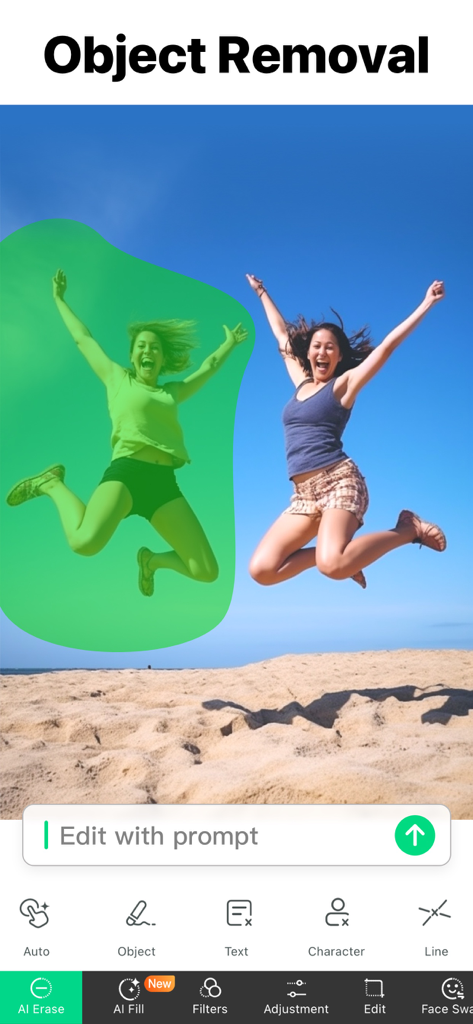
AI 도구를 사용하여 해변 사진에서 제거를 위해 녹색 마스크로 선택된 사람을 보여주는 모바일 앱 인터페이스

AI 도구를 사용하여 해변 사진에서 제거를 위해 녹색 마스크로 선택된 사람을 보여주는 모바일 앱 인터페이스

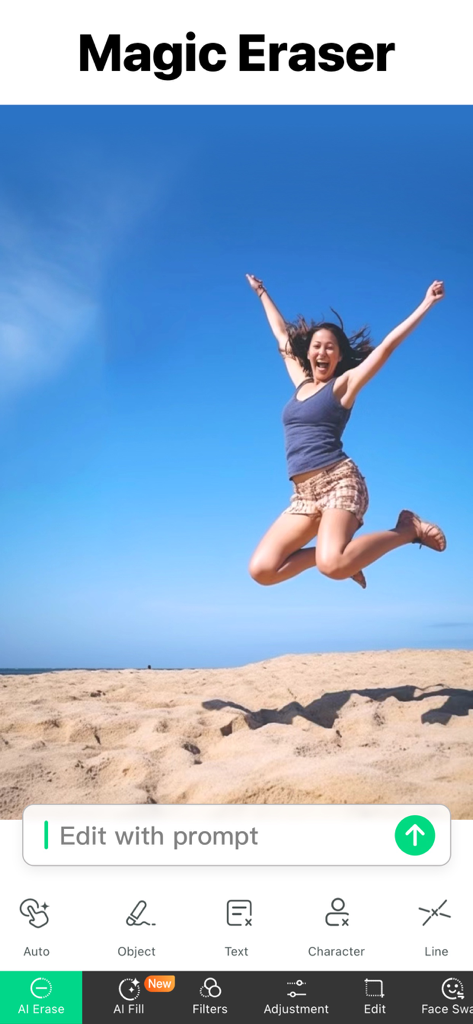
여성이 해변에서 뛰어오르는 모습과 함께 매직 지우개 도구를 보여주는 Object Removal AI Retouch 앱 스크린샷

여성이 해변에서 뛰어오르는 모습과 함께 매직 지우개 도구를 보여주는 Object Removal AI Retouch 앱 스크린샷

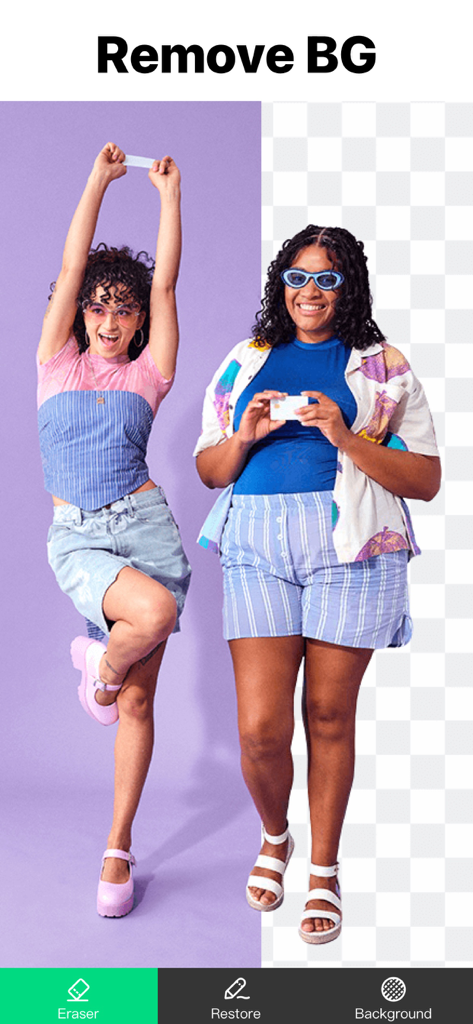
두 여성 사진에서 배경 제거 도구의 이전 및 이후 비교를 보여주는 Object Removal AI Retouch 앱 인터페이스

두 여성 사진에서 배경 제거 도구의 이전 및 이후 비교를 보여주는 Object Removal AI Retouch 앱 인터페이스

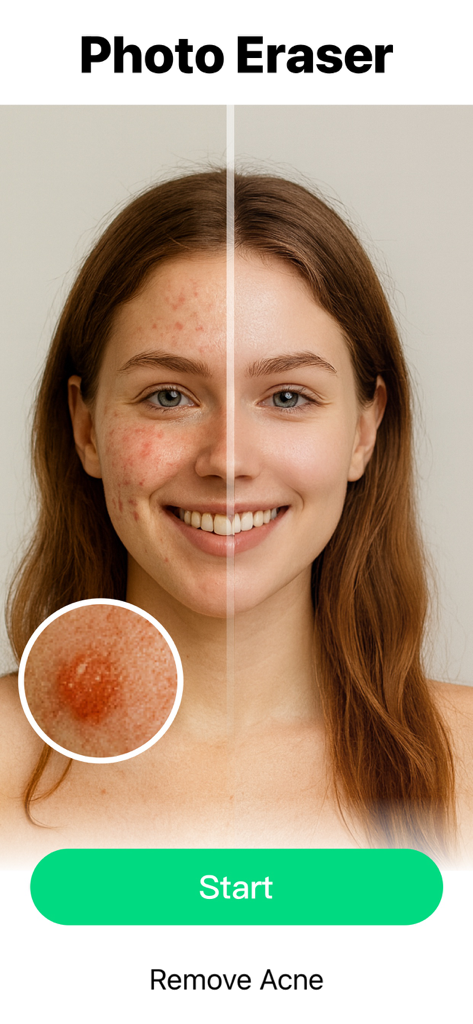
AI를 사용하여 여성 얼굴의 여드름 제거에 대한 이전 및 이후 비교

AI를 사용하여 여성 얼굴의 여드름 제거에 대한 이전 및 이후 비교

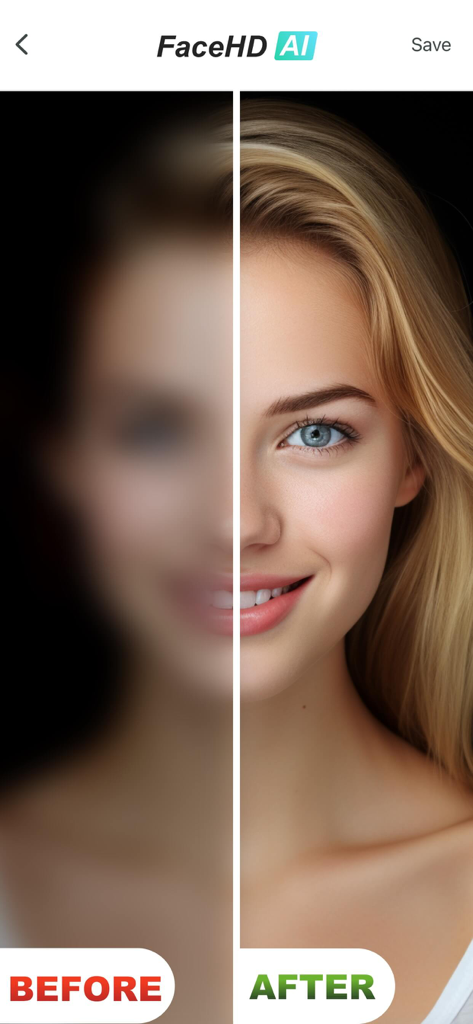
AI 보정을 사용하여 흐릿한 얼굴 이전과 선명한 고화질 얼굴을 보여주는 비교

AI 보정을 사용하여 흐릿한 얼굴 이전과 선명한 고화질 얼굴을 보여주는 비교

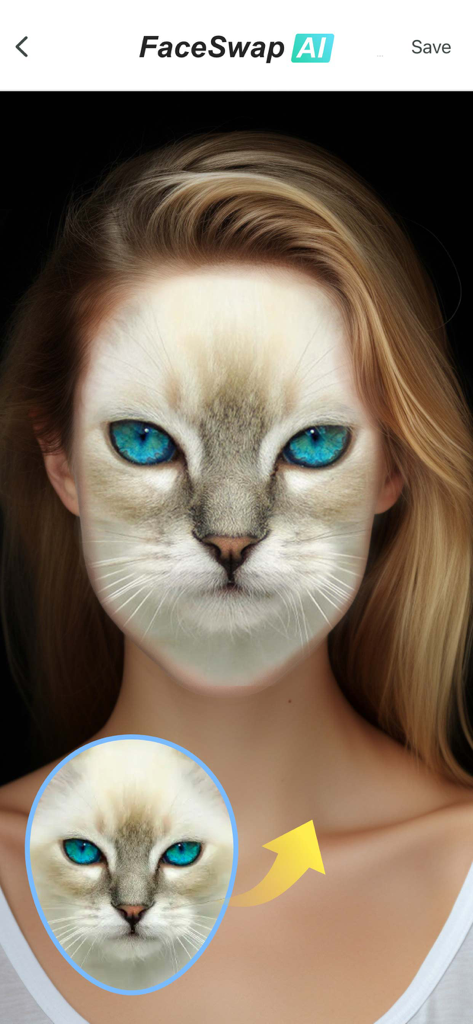
AI FaceSwap 기능이 인간 초상화에 고양이 얼굴을 합성하는 모습

AI FaceSwap 기능이 인간 초상화에 고양이 얼굴을 합성하는 모습

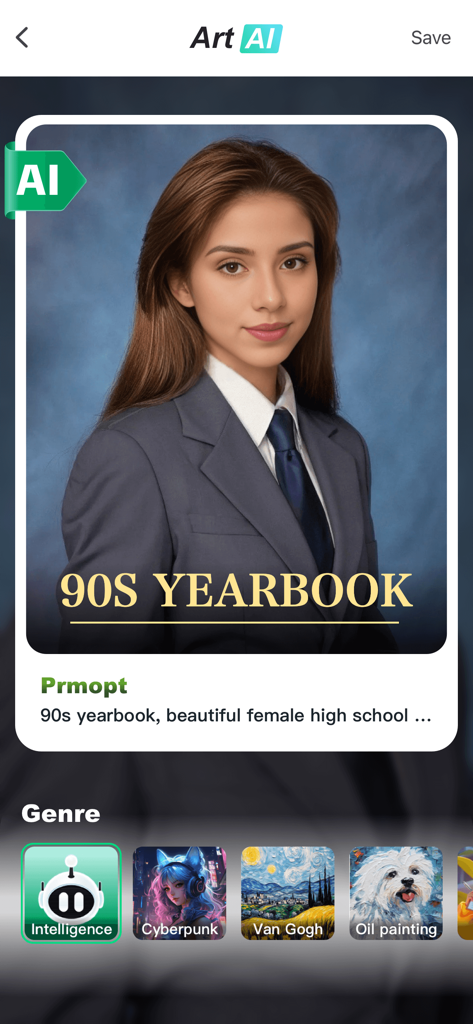
Object Removal AI Retouch 앱 인터페이스가 90년대 졸업 앨범 스타일 초상화를 생성하는 모습

Object Removal AI Retouch 앱 인터페이스가 90년대 졸업 앨범 스타일 초상화를 생성하는 모습

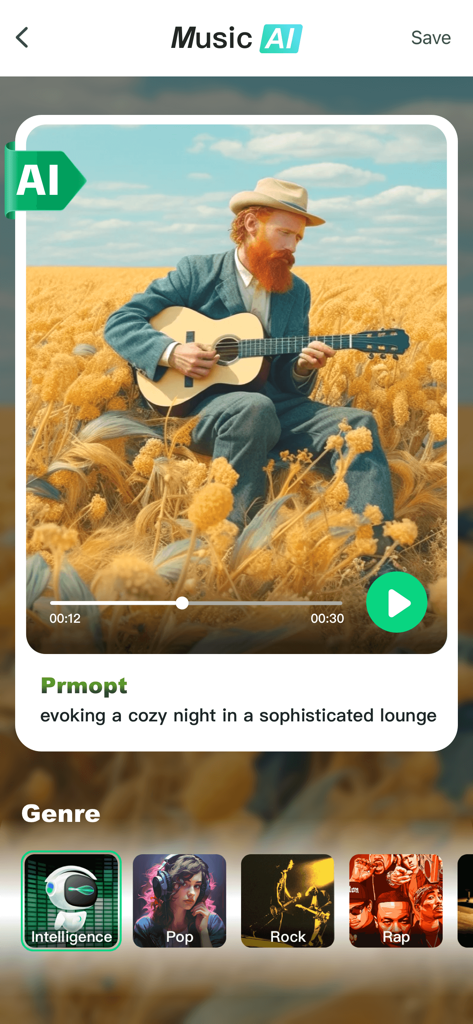
생성된 노래 재생 화면과 음악 장르 선택 옵션을 보여주는 Music AI 기능 인터페이스

생성된 노래 재생 화면과 음악 장르 선택 옵션을 보여주는 Music AI 기능 인터페이스

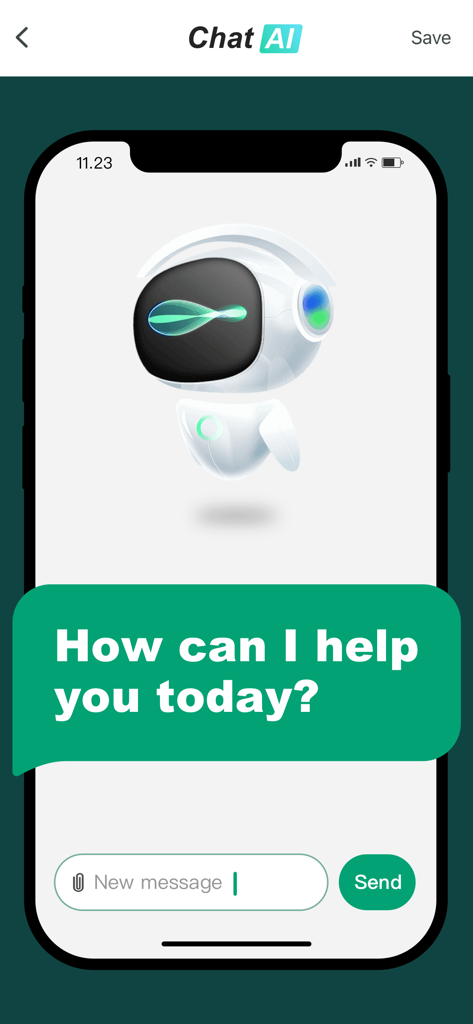
로봇 아바타와 환영 메시지를 보여주는 Object Removal 앱 내 AI 챗봇 인터페이스

로봇 아바타와 환영 메시지를 보여주는 Object Removal 앱 내 AI 챗봇 인터페이스

AI로 나만의 스타일을 완성하세요

이 앱을 돋보이게 하는 도구, 16M+ 명의 사용자가 선택.

🪄

자연스러운 사물 제거

사진을 망치는 사람들과 방해 요소를 한 번의 스와이프로 손쉽게 제거하여 완벽하게 깔끔한 사진을 만드세요.

💎

잡티 없는 AI 보정

즉각적인 잡티 제거와 FaceHD 선명도 향상으로 잡지 수준의 인물 사진을 완성하세요.

🎨

무한한 AI 창의력

멋진 AI 아트와 맞춤 음악을 생성하여 단순한 사진 편집을 넘어 소셜 피드를 향상시키세요.

전 세계 사용자들에게 사랑받는 앱

Trusted by 16M+ 명이 이 앱을 사랑합니다.

"

"이 앱은 제 인스타그램에 게임 체인저입니다! 여행 사진에서 사진을 망치는 사람들과 눈에 띄는 표지판을 말 그대로 2초 만에 제거할 수 있습니다. 매직 지우개는 매우 직관적이며 AI FaceHD 덕분에 게시하기 전에 항상 최상의 모습으로 보입니다. 제 주머니 속에 전문가 에디터가 있는 것과 같습니다."

Sophia M.
"

"저는 전혀 기술적인 사람이 아니지만, Object Removal은 사용하기 매우 쉽습니다. 배경에 무작위로 놓여 있던 쿨러를 제거하여 해변에서 찍은 아이들의 아름다운 사진을 구했습니다. 아이들의 귀여운 동영상을 만드는 데 AI 음악 기능도 좋아합니다. 가족 사진을 완벽하게 유지하기 위해 모든 센트의 가치가 있습니다."

David L.

앱 소개

에 대해 알아야 할 모든 것 Object Removal AI Retouch.

설명

Object Removal lets you easily remove unwanted content from your photos like backgrounds, objects, people, buildings, pimples, & more! Our AI guided photo editing tools can help you: • Remove unwanted objects & people • Crop out, replace or fix backgrounds & foregrounds • Hide pimples and other blemishes • Remove text & lines • Erase tattoos • Improve image clarity • Adjust brightness, contrast, saturation, blur, and more • Resize, crop & change aspect ratios • Apply stunning filters • Cut out people from photos & add effects • Fill in content with AI • Swap faces • Generate AI art and AI music with text prompts • Turn photos to video with AI • Blend two photos together • Create collages Packed with tons of useful features, Object Removal lets you take advantage of AI to make photo editing a breeze. No need to spend hours manually editing each photo. Use our tools to make professional changes in seconds just by tapping or swiping. MAGIC ERASER Use the Magic Eraser tool to remove objects, text, people, or lines from your photos. Simply swipe the brush over the areas you want to fix, and let our AI tool do the rest! The Magic Eraser tool also lets you apply filters, adjust parameters on your photos like contrast or saturation, and crop and resize your pictures too. You can even use the Magic Eraser tool to swap faces between people or animals in your photos! AI FACEHD Our cutting edge AI FaceHD tool lets you improve the look of faces in your photos with just a tap. Improve clarity, remove blurriness, hide pimples and blemishes in seconds. Just open the AI FaceHD feature, upload your pictures, and watch the AI work its magic. GENERATE AI ART Create stunning artwork in seconds with a simple text prompt. Simply describe what you want to create, choose the style, then watch as our AI generates amazing photos and videos for you in seconds. MAKE MUSIC WITH AI Ever wanted to make your own songs? We have a tool for that too! Enter a text prompt for the type of music you want to create. Choose whether you want it to be pop, rock, rap, or any other style. Then, let our AI generate a brand new song just for you! TURN PHOTOS TO VIDEOS Use the AI MotionPix feature to bring still frame photos to life as a video clip. Just select the picture you want to add motion to, and let the AI do the rest! BLEND PHOTOS TOGETHER The AI Blend feature lets you merge two existing photos together into something brand new. CUTOUT PEOPLE FROM PHOTOS Use the Cutout feature to easily crop out people from any photo, then apply all sorts of cool effects. Apply an outline around the people in your photos, or have them fold out in a 3D animation. CREATE COLLAGES Upload as many photos as you want and turn them into a collage with tons of different layouts to choose from. More than just a simple retouching app, Object Removal is filled with tons of helpful features to help you accomplish any photo editing task. Give Object Removal a try for free! There are two different Premium Membership Subscriptions (1 week & 1 year): - Weekly Premium - 1 week costs 9.99 USD - Yearly Premium - 1 year costs 79.99 USD Premium Subscription: • Payment will be charged to iTunes Account at confirmation of purchase • Subscription automatically renews unless auto-renew is turned off at least 24-hours before the end of the current period • Account will be charged for renewal within 24-hours prior to the end of the current period, and identify the cost of the renewal • Subscriptions may be managed by the user and auto-renewal may be turned off by going to the user's Account Settings after purchase • Any unused portion of a free trial period, if offered, will be forfeited when the user purchases a subscription to that publication, where applicable Terms of Use: https://docs.qq.com/doc/DWEZ6UVlrTkJ5eHRH Privacy Policy: https://docs.qq.com/doc/DWEZ6UVlrTkJ5eHRH

최신 버전

5.1.3

크기

219.1 MB

출시일

2019년 4월 7일

모든 사진을 완벽하게 만들 준비가 되셨나요?

AI를 사용하여 방해 요소를 지우고 추억을 몇 초 만에 향상시키는 1,600만 명 이상의 크리에이터와 함께하세요. 지금 다운로드하고 완벽한 피드로 향하는 여정을 시작하세요.

다운로드: App Store다운로드: Google Play
FAQ

자주 묻는 질문

에 대해 알아야 할 모든 것 Object Removal AI Retouch

Object Removal AI Retouch란 무엇인가요?

Object Removal AI Retouch는 AI를 사용하여 사진에서 원치 않는 콘텐츠를 제거하는 애플리케이션입니다. 객체, 사람, 배경, 잡티, 텍스트, 선 등을 포함하여 사진 편집 작업을 단순화합니다.

Object Removal AI Retouch의 매직 지우개 도구는 어떻게 작동하나요?

Object Removal AI Retouch의 매직 지우개 도구는 사진에서 객체, 텍스트, 사람 또는 선을 제거합니다. 사용자는 대상 영역 위에 브러시를 대고 문지르기만 하면 AI 도구가 수정합니다.

Object Removal AI Retouch의 AI FaceHD 도구는 어떤 기능을 제공하나요?

Object Removal AI Retouch의 AI FaceHD 도구는 원탭으로 선명도를 높이고, 흐릿함을 제거하며, 여드름 및 기타 잡티를 숨겨 얼굴 모양을 개선합니다.

Object Removal AI Retouch로 텍스트 프롬프트에서 아트워크를 생성할 수 있나요?

네, Object Removal AI Retouch는 멋진 AI 아트를 생성할 수 있습니다. 사용자는 텍스트 프롬프트를 제공하고 스타일을 선택하여 아트워크를 만들면 AI가 사진과 동영상을 즉시 생성합니다.

Object Removal AI Retouch를 사용하여 AI로 음악을 만들 수 있나요?

네, Object Removal AI Retouch를 사용하면 AI로 음악을 만들 수 있습니다. 사용자는 원하는 음악 유형과 스타일을 지정하는 텍스트 프롬프트를 입력하고 AI가 완전히 새로운 곡을 생성합니다.

Object Removal AI Retouch로 사진을 동영상 클립으로 변환할 수 있나요?

네, Object Removal AI Retouch는 AI MotionPix 기능을 사용하여 사진을 동영상 클립으로 변환합니다. 이 도구는 정지된 사진에 움직임을 추가하여 생동감을 불어넣습니다.

Object Removal AI Retouch의 AI Blend 기능은 어떻게 작동하나요?

Object Removal AI Retouch의 AI Blend 기능은 기존 두 개의 사진을 병합합니다. 이를 통해 사용자는 이미지를 새롭고 독특한 것으로 결합할 수 있습니다.

Object Removal AI Retouch로 이미지에서 배경을 제거할 수 있나요?

네, Object Removal AI Retouch는 이미지에서 배경을 제거합니다. 이 앱에는 사진 배경을 쉽게 지우고 교체하도록 설계된 전용 "배경 제거" 도구가 포함되어 있습니다.

Object Removal AI Retouch는 여드름과 같은 잡티를 제거하나요?

네, Object Removal AI Retouch는 여드름과 같은 잡티를 제거합니다. "사진 지우개" 기능은 앱 인터페이스에 표시된 대로 피부 결점을 대상으로 제거합니다.

Object Removal AI Retouch는 사진 콜라주 제작 옵션을 제공하나요?

네, Object Removal AI Retouch는 사진 콜라주 제작 옵션을 제공합니다. 사용자는 여러 사진을 업로드하고 수많은 다른 레이아웃 중에서 선택하여 콜라주를 디자인할 수 있습니다.

Object Removal AI Retouch Premium의 구독 비용은 얼마인가요?

Object Removal AI Retouch Premium은 두 가지 구독을 제공합니다: 주간 프리미엄은 9.99 USD이고, 연간 프리미엄은 79.99 USD입니다. 결제는 iTunes 계정을 통해 청구됩니다.

Object Removal AI Retouch는 무료 체험을 제공하나요?

네, Object Removal AI Retouch는 무료 체험 기간을 제공합니다. 사용자가 구독을 구매하면 무료 체험의 사용되지 않은 부분은 소멸됩니다.

Object Removal AI Retouch의 개인정보 처리방침은 어디에서 찾을 수 있나요?

Object Removal AI Retouch의 개인정보 처리방침은 앱 설명에 제공된 링크: https://docs.qq.com/doc/DWEZ6UVlrTkJ5eHRH를 통해 확인할 수 있습니다.