OnlinePianist: Piano Songs

OnlinePianist: Piano Songs

다운로드: App Store다운로드: Google Play
Spark by MWM logo
로고: OnlinePianist: Piano Songs

OnlinePianist: 피아노 곡 – 오늘 좋아하는 음악을 연주하세요

지루한 음계는 건너뛰고 인터랙티브 시각 튜토리얼로 좋아하는 팝, 록, 클래식 히트곡을 마스터하세요. 초보자든 전문가든, 저희의 낙하 색상 방식과 손별 연습 도구는 피아노 학습을 재미있고 빠르게, 완전히 당신의 방식대로 만들어 줍니다.

개발사

OnlinePianist N.T LTD

카테고리

Music

다운로드

4M+

사용자 평점

4.4/5

총 평가 수

15K+

지원 언어

6

당신의 재능이 형태를 갖추는 것을 보세요

이 인터페이스를 사용하는 4M+ 명의 사용자.

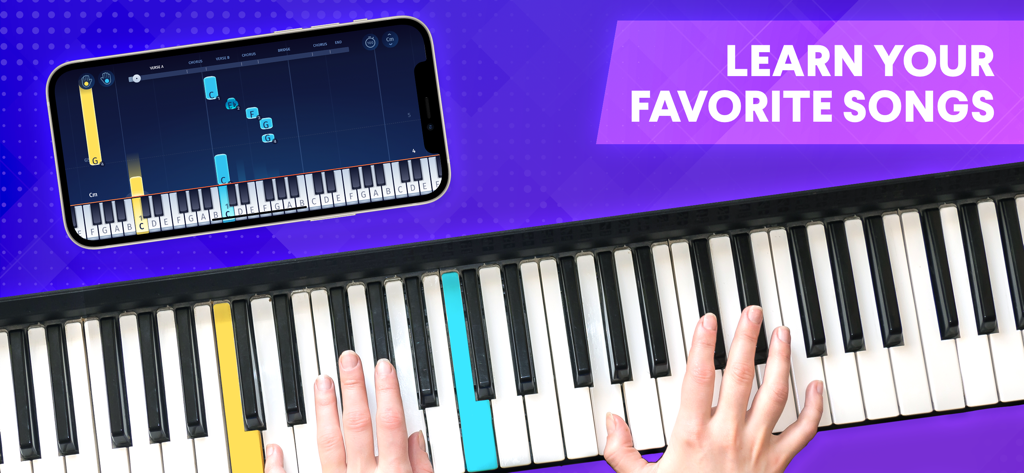
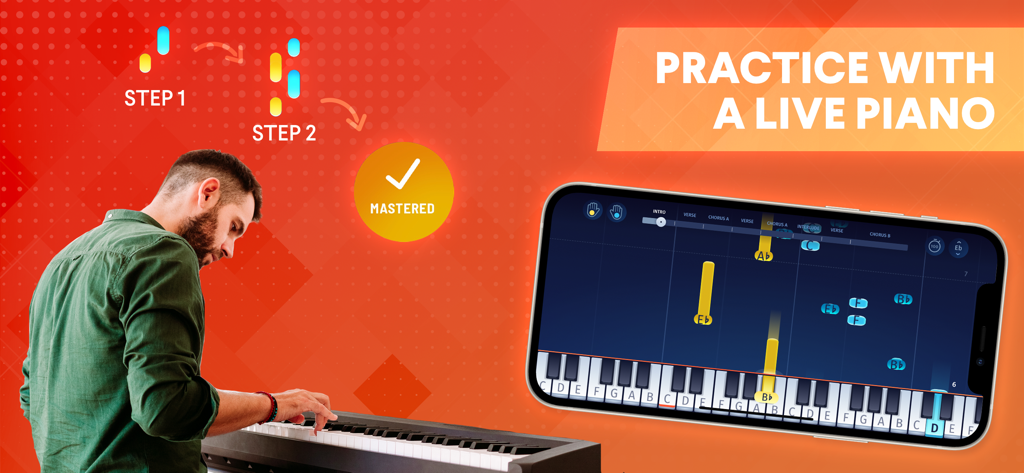
스마트폰 앱에서 시각적 피아노 튜토리얼을 따라 연주하는 사람

스마트폰 앱에서 시각적 피아노 튜토리얼을 따라 연주하는 사람

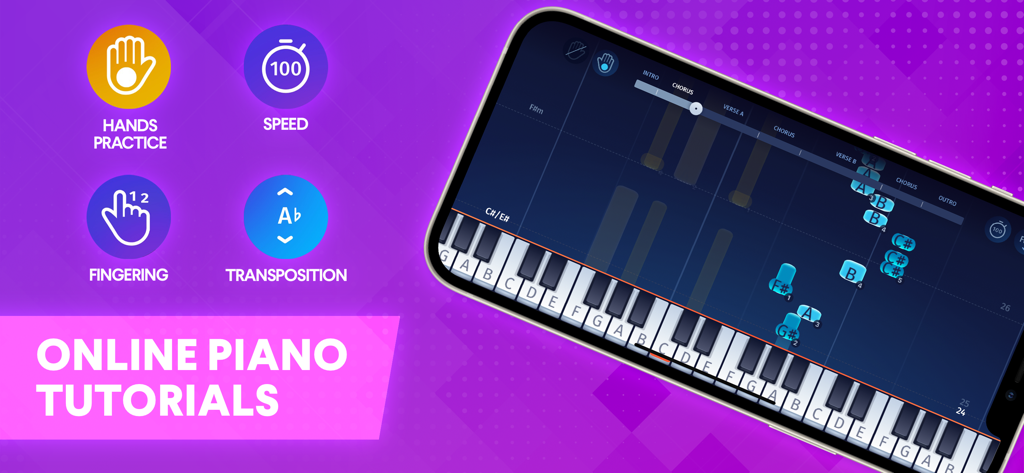
속도 조절 및 손 연습과 같은 시각적 피아노 튜토리얼 및 학습 도구가 있는 OnlinePianist 앱 인터페이스를 표시하는 휴대폰

속도 조절 및 손 연습과 같은 시각적 피아노 튜토리얼 및 학습 도구가 있는 OnlinePianist 앱 인터페이스를 표시하는 휴대폰

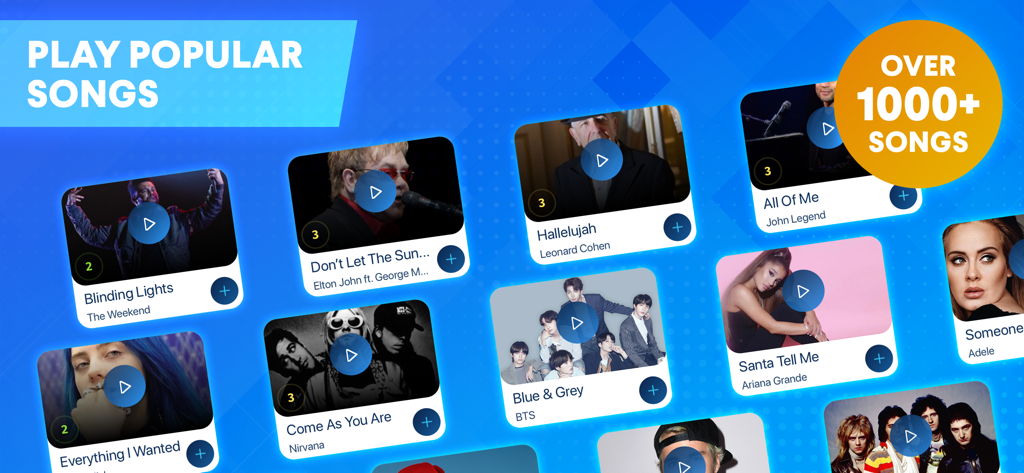
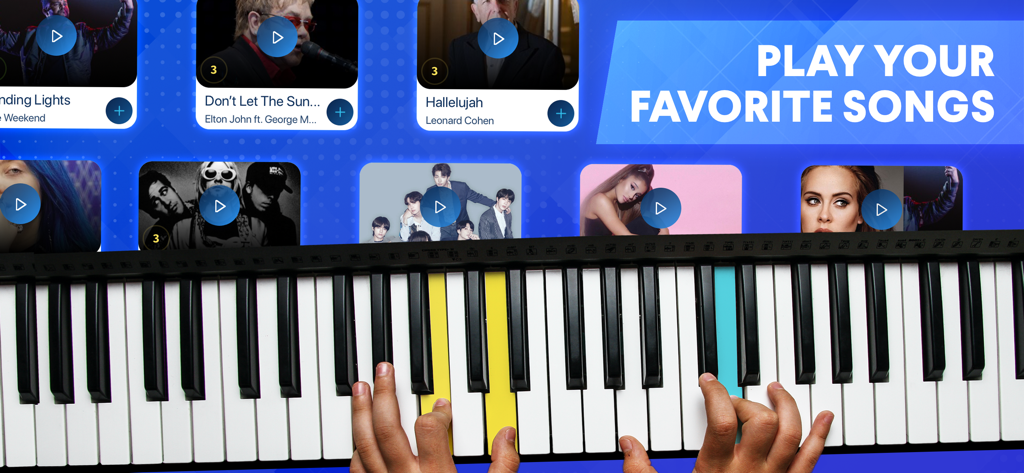
OnlinePianist 앱에서 피아노 튜토리얼을 위한 1000개 이상의 인기 곡 라이브러리 탐색

OnlinePianist 앱에서 피아노 튜토리얼을 위한 1000개 이상의 인기 곡 라이브러리 탐색

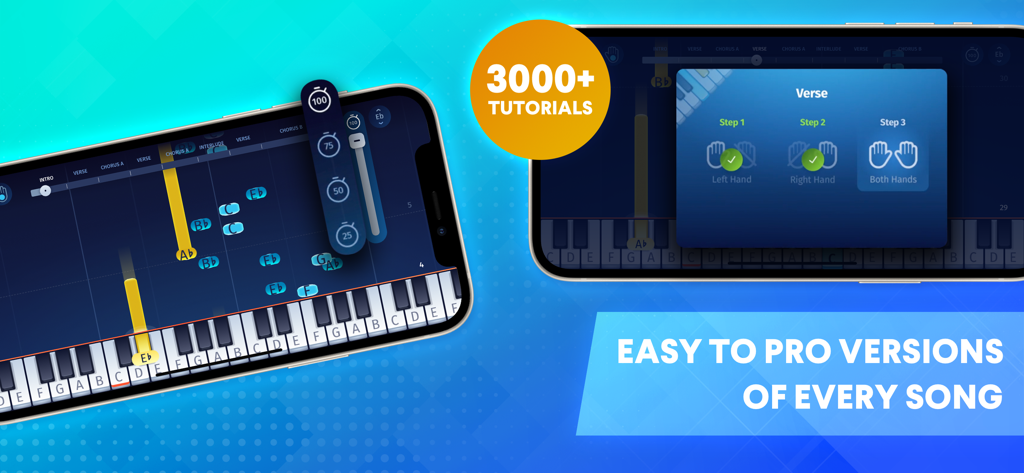
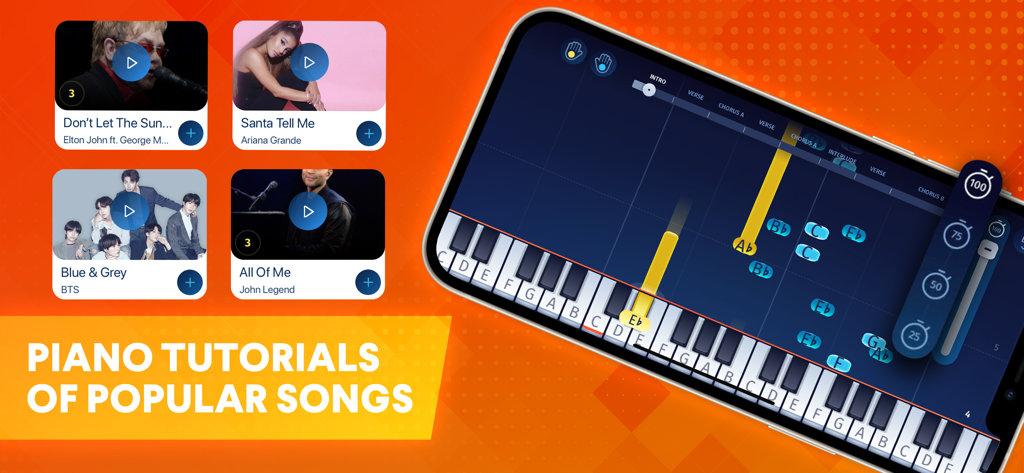
낙하 음표 피아노 튜토리얼과 손 협응 훈련 단계를 보여주는 OnlinePianist 앱 스크린샷

낙하 음표 피아노 튜토리얼과 손 협응 훈련 단계를 보여주는 OnlinePianist 앱 스크린샷

OnlinePianist 모바일 앱 튜토리얼을 사용하여 피아노를 연습하는 남성

OnlinePianist 모바일 앱 튜토리얼을 사용하여 피아노를 연습하는 남성

인기 곡 튜토리얼 선택과 함께 피아노를 연주하는 손

인기 곡 튜토리얼 선택과 함께 피아노를 연주하는 손

인기 곡의 피아노 튜토리얼과 낙하 음표가 있는 가상 키보드를 표시하는 OnlinePianist 앱 인터페이스.

인기 곡의 피아노 튜토리얼과 낙하 음표가 있는 가상 키보드를 표시하는 OnlinePianist 앱 인터페이스.

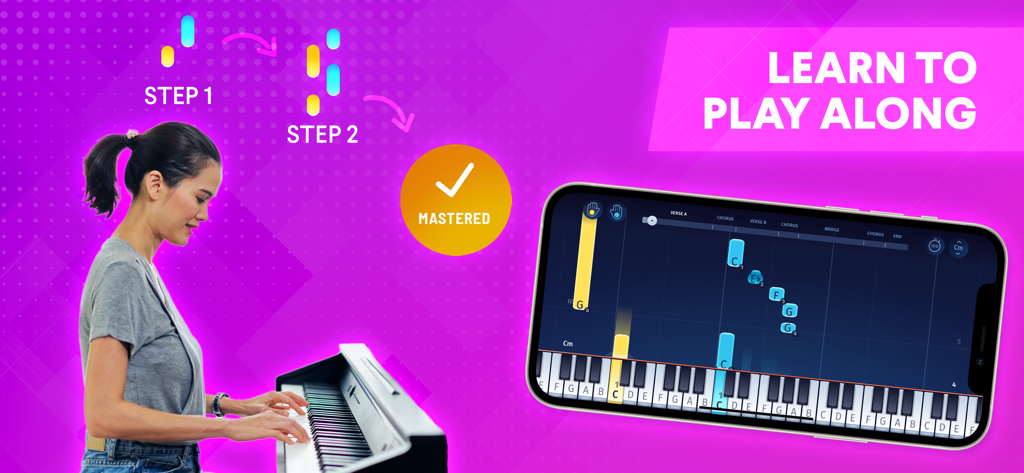
스마트폰에서 낙하 음표를 표시하는 OnlinePianist 앱을 사용하며 피아노를 연습하는 여성

스마트폰에서 낙하 음표를 표시하는 OnlinePianist 앱을 사용하며 피아노를 연습하는 여성

좋아하는 곡을 통해 피아노를 마스터하세요

이 앱을 돋보이게 하는 도구, 4M+ 명의 사용자가 선택.

🎹

악보 없는 시각 학습

전통적인 악보의 부담감을 버리세요. '낙하 색상' 비주얼라이저를 사용하여 정확히 어떤 건반을 언제 눌러야 하는지 확인하세요.

🔥

모든 트렌드를 위한 악보집

정기적으로 업데이트되는 바이럴 틱톡 히트곡과 팝 앤썸부터 우아한 클래식 명곡까지, 수천 개의 튜토리얼에 액세스하세요.

⚙️

맞춤형 연습

손별 파트를 분리하고, 템포를 늦추고, 현재 실력 수준에 맞는 편곡을 선택하여 더 빠르게 배우세요.

전 세계 사용자들에게 사랑받는 앱

Trusted by 4M+ 명이 이 앱을 사랑합니다.

"

"저는 항상 피아노를 배우고 싶었지만 전통적인 악보는 저에게 외국어처럼 느껴졌습니다. 이 앱을 사용하면 20분 안에 제가 가장 좋아하는 테일러 스위프트 곡의 코러스를 연주할 수 있었습니다. 낙하 색상 비주얼라이저는 매우 직관적이며, 왼손 연습 속도를 늦출 수 있는 기능은 제 협응력을 마스터하는 데 마침내 도움이 되었습니다."

Chloe M., 24
"

"부모로서, 저는 매주 개인 레슨의 높은 비용 없이 아들이 피아노 연습에 몰입할 수 있는 방법을 찾고 있었습니다. OnlinePianist는 정말 큰 도움이 되었습니다. 아들은 자신이 좋아하는 영화의 곡을 선택할 수 있다는 것을 좋아하고, 튜토리얼의 초보자용 버전은 그가 즉시 성공감을 느끼게 해줍니다. 연습 시간을 힘든 일에서 실제로 기대하는 것으로 바꾸었습니다."

David L., 42

앱 소개

에 대해 알아야 할 모든 것 OnlinePianist: Piano Songs.

설명

Learn how to play your favorite songs on the piano! OnlinePianist is perfect for pianists who want to learn to play the piano to songs they love. Download today to have access to thousands of popular songs and classical pieces that are updated regularly! Just open the app to access piano tutorials! Select 3 songs to begin, choose one of those songs, hit “play full song” and learn away! Your piano tutorial will appear, showing the keyboard helper to show you how the song goes! Follow along as the falling colors appear to show you what keys to hit for both your left and right hand! Equipped with 13 unique virtual piano learning features that give you a personalized learning experience! Dependent on your preferences, you can customize your individual hand practice, adjust the speed, choose from beginner and pro versions of every song, step-by-step free piano lessons, and more! Choose to learn from thousands of songs, from classic to modern, and add it to your personal songbook! Collect and practice your favorites and learn how to play piano! Download the OnlinePianist app today and learn how to play your favorites and the classics - from beginner to pro level! ONLINEPIANIST FEATURES: VIRTUAL PIANO LESSONS • Improve piano best practices with virtual piano tutorials • Learn to play piano with falling colors that appear to show you what keys to hit • Play piano in segments - intro, verse, chorus, and outro CUSTOMIZABLE FEATURES • Play piano with individual hand practice before merging • Adjust the speed on piano tutorials to help with learning • Receive finger picking (positions) advice as you play MANY SONGS TO CHOOSE FROM • Choose from beginner or pro versions of each song • Thousands of popular songs and classical pieces to learn to play on piano! PERSONAL SONGBOOK • Collect and practice your favorite songs on piano! • Sync your piano lessons in real time • Step-by-step free piano lessons Download OnlinePianist now to learn how to play your favorite songs on piano! __ How the subscription works: • OnlinePianist is an auto-renewing subscription service • Subscriptions are annual ($59.99), six months($41.99) or three months($29.99). • Every subscription period includes access to all player features and songs. • Payment will be charged to iTunes Account at confirmation of purchase • Subscription automatically renews unless auto-renew is turned off at least 24-hours before the end of the current period. • The account will be charged for renewal within 24-hours prior to the end of the current period, and identify the cost of the renewal. • Subscriptions may be managed by the user and auto-renewal may be turned off by going to the user's Account Settings after purchase. • Any unused portion of a free trial period, if offered, will be forfeited when the user purchases a subscription to that publication, where applicable. • Visit our Terms of Use & Privacy Policy for more information. • Private Policy: https://www.onlinepianist.com/legal/privacy • Terms of Use: https://www.onlinepianist.com/legal/terms Connect with us on Facebook: https://www.facebook.com/OnlinePianist Or Contact us: contact@OnlinePianist.com

최신 버전

2.6.6

크기

215.7 MB

출시일

2013년 8월 11일

좋아하는 곡을 연주할 준비가 되셨나요?

지루한 음계를 건너뛰는 4백만 명의 학습자와 함께하세요. 직관적인 시각 튜토리얼로 좋아하는 히트곡을 마스터하세요 – 악보가 필요 없습니다. 오늘 당신의 피아노 여정을 시작하세요.

다운로드: App Store다운로드: Google Play
FAQ

자주 묻는 질문

에 대해 알아야 할 모든 것 OnlinePianist: Piano Songs

OnlinePianist는 사용자에게 어떻게 피아노를 가르치나요?

OnlinePianist는 가상 튜토리얼을 통해 피아노를 가르치며, 양손 모두 쳐야 할 건반을 나타내는 떨어지는 색상을 보여줍니다. 사용자는 전체 노래 또는 세그먼트를 연주할 수 있습니다.

OnlinePianist는 어떤 맞춤형 학습 기능을 제공하나요?

OnlinePianist는 개인 손 연습, 속도 조절, 조옮김, 운지 조언을 포함한 13가지 고유한 가상 피아노 학습 기능을 제공합니다. 사용자는 초급 또는 프로 버전을 선택할 수 있습니다.

OnlinePianist 앱으로 몇 곡이나 배울 수 있나요?

OnlinePianist는 꾸준히 업데이트되는 수천 곡의 인기곡과 클래식 곡에 액세스할 수 있습니다. 스크린샷 #2는 "3000개 이상의 튜토리얼"을 나타냅니다.

OnlinePianist의 구독 비용은 얼마인가요?

OnlinePianist는 연간($59.99), 6개월($41.99), 3개월($29.99) 자동 갱신 구독을 제공합니다. 모두 플레이어 기능과 노래에 액세스할 수 있습니다.

OnlinePianist를 사용하면 노래의 특정 부분을 연습할 수 있나요?

예, OnlinePianist를 사용하면 인트로, 벌스, 코러스, 아웃트로를 포함한 세그먼트로 피아노를 연주할 수 있습니다.

사용자는 OnlinePianist로 양손을 따로 연습할 수 있나요?

예, OnlinePianist를 사용하면 양손을 합치기 전에 따로 연습할 수 있으며, 이는 사용자 정의 가능한 기능입니다.

OnlinePianist에 개인 악보집 기능이 포함되어 있나요?

예, OnlinePianist에는 사용자가 좋아하는 노래와 레슨을 수집, 연습 및 동기화할 수 있는 개인 악보집 기능이 있습니다.

OnlinePianist에는 얼마나 자주 새로운 노래가 추가되나요?

예, OnlinePianist는 수천 곡의 인기곡과 클래식 곡에 매일 새로운 노래를 추가하여 컬렉션을 꾸준히 업데이트합니다.

OnlinePianist 개인 정보 보호 정책은 어디에서 볼 수 있나요?

OnlinePianist 개인 정보 보호 정책은 웹사이트 https://www.onlinepianist.com/legal/privacy 에서 확인할 수 있습니다.