ProKnockOut-Cut Paste Photos

ProKnockOut-Cut Paste Photos

다운로드: App Store
Spark by MWM logo
로고: ProKnockOut-Cut Paste Photos

ProKnockOut-사진 잘라 붙이기: 전문 AI 편집을 손쉽게

크리에이터와 1인 사업가를 위한 올인원 툴킷으로, 전문가 수준의 AI로 정밀한 누끼 따기, 제품 일괄 처리, 멋진 비주얼 디자인을 완성하세요.

개발사

Shenzhen Qianhai Happy Tour Network Technology Co., Ltd.

카테고리

Photo & Video

다운로드

19M+

사용자 평점

4.8/5

총 평가 수

881K+

지원 언어

9

새롭게 정의된 당신의 스튜디오

이 인터페이스를 사용하는 19M+ 명의 사용자.

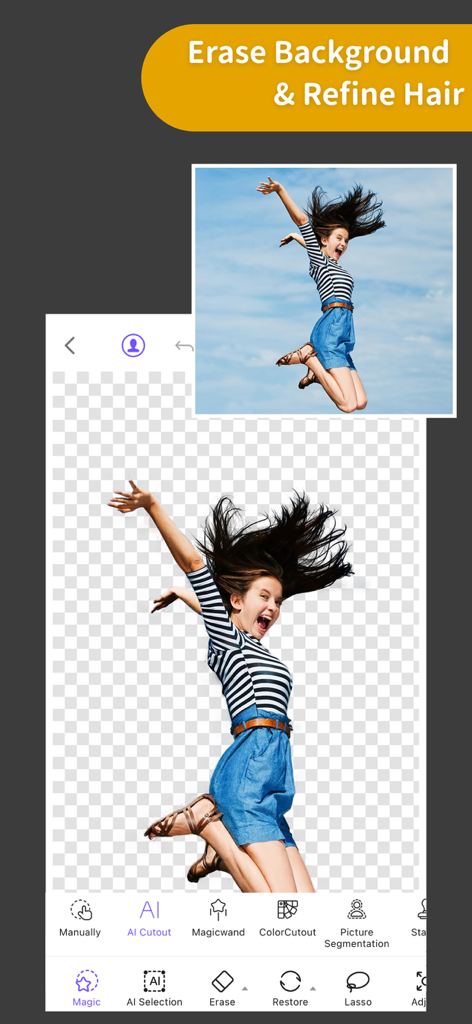
여성이 점프하고 있으며 배경이 지워지고 섬세한 머리카락 디테일이 보존된 ProKnockOut 앱 인터페이스.

여성이 점프하고 있으며 배경이 지워지고 섬세한 머리카락 디테일이 보존된 ProKnockOut 앱 인터페이스.

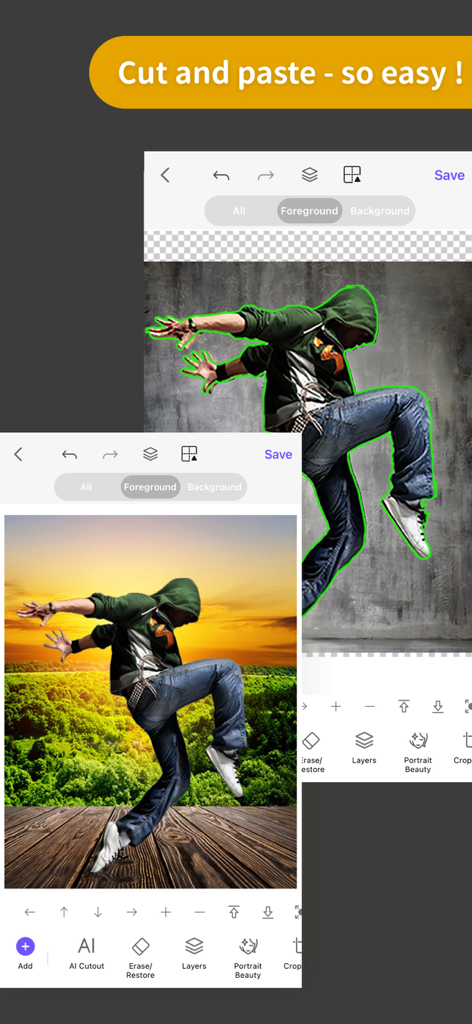
새로운 석양 배경에 잘라 붙여진 댄서 이미지가 보이는 ProKnockOut 모바일 앱

새로운 석양 배경에 잘라 붙여진 댄서 이미지가 보이는 ProKnockOut 모바일 앱

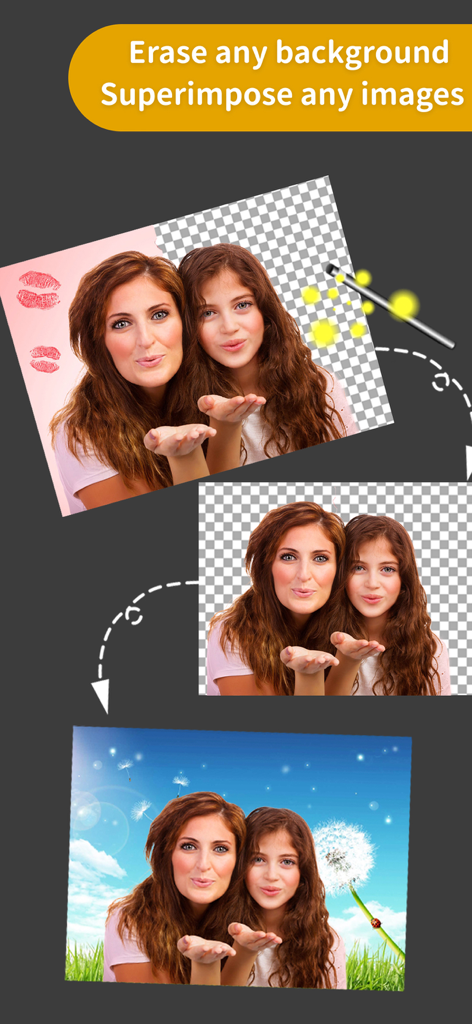
사진 배경을 지우고 사람들을 새로운 하늘 배경에 합성하는 방법을 보여주는 단계별 시각 자료

사진 배경을 지우고 사람들을 새로운 하늘 배경에 합성하는 방법을 보여주는 단계별 시각 자료

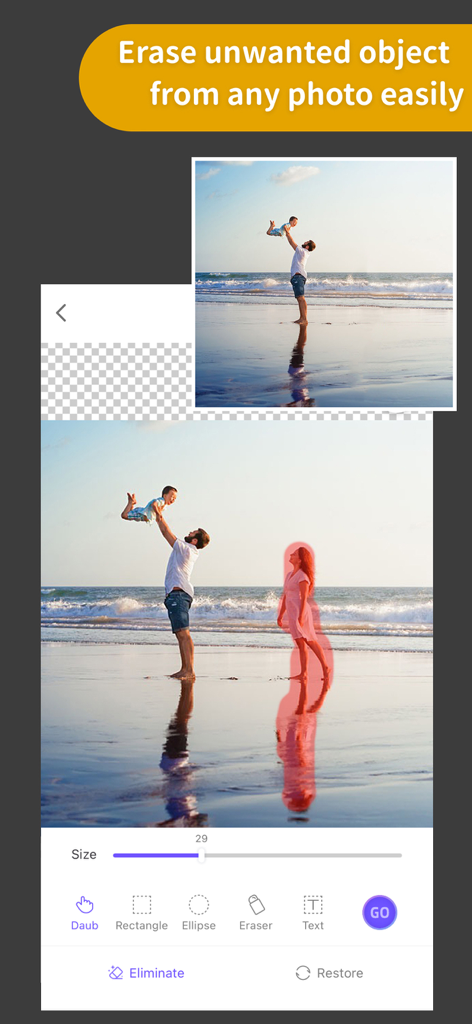
깨끗한 이미지를 만들기 위해 개체 제거 도구를 사용하여 배경의 사람을 지우는 해변 사진.

깨끗한 이미지를 만들기 위해 개체 제거 도구를 사용하여 배경의 사람을 지우는 해변 사진.

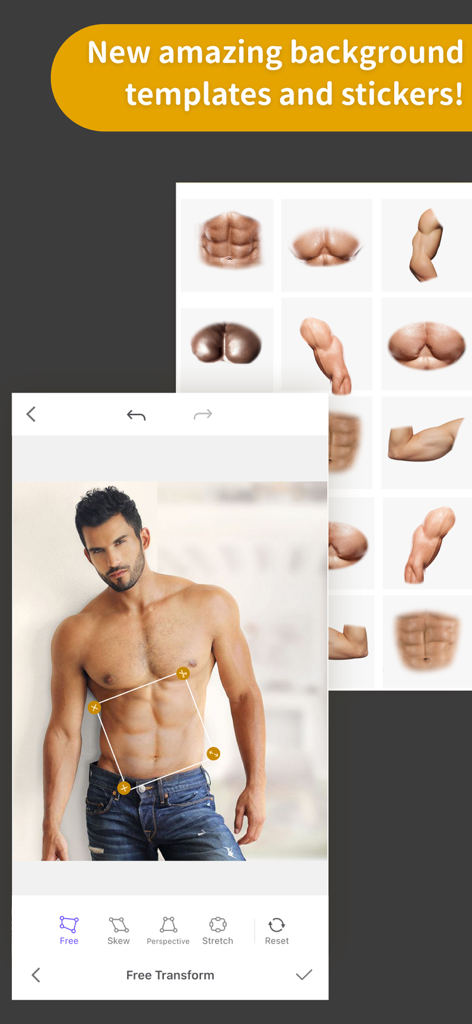
ProKnockOut 앱에서 자유 변환 도구를 사용하여 근육 복근 스티커로 편집되는 남성 사진.

ProKnockOut 앱에서 자유 변환 도구를 사용하여 근육 복근 스티커로 편집되는 남성 사진.

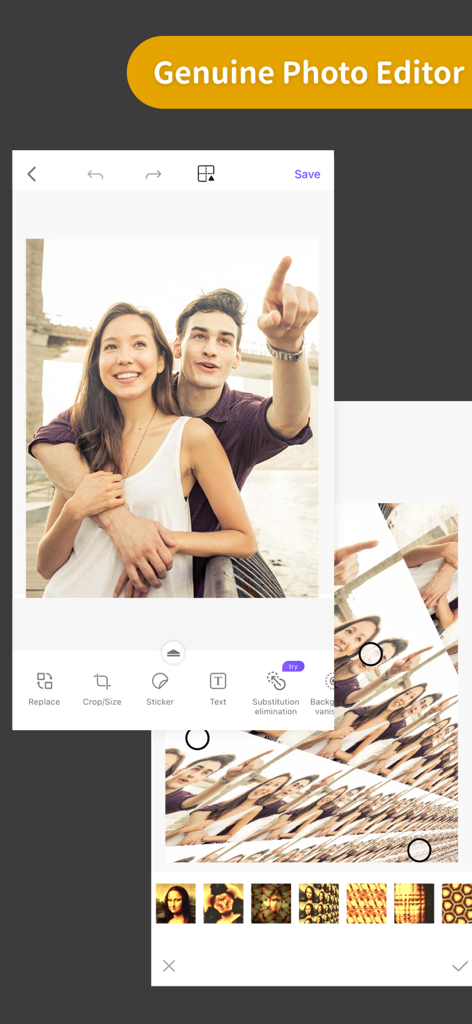
사진 편집 도구와 필터를 보여주는 ProKnockOut 모바일 앱 스크린샷

사진 편집 도구와 필터를 보여주는 ProKnockOut 모바일 앱 스크린샷

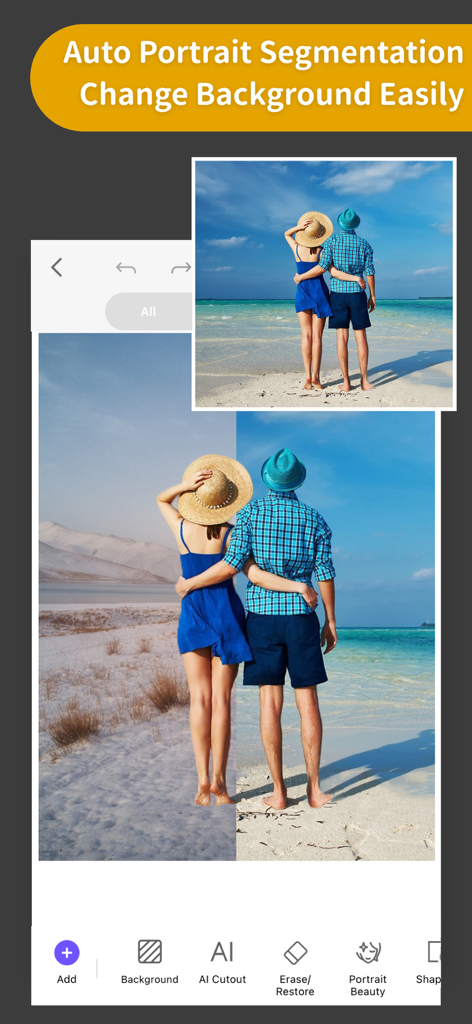
이전 및 이후 비교와 함께 자동 인물 분할 및 배경 교체 기능을 보여주는 ProKnockOut 앱 인터페이스

이전 및 이후 비교와 함께 자동 인물 분할 및 배경 교체 기능을 보여주는 ProKnockOut 앱 인터페이스

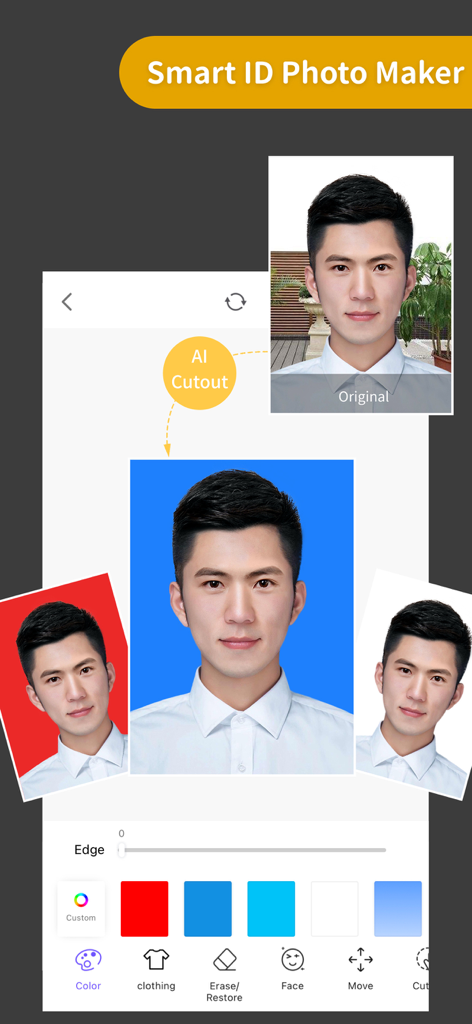
다른 배경색으로 여권 스타일 사진을 만들기 위한 AI 배경 제거 프로세스를 보여주는 ProKnockOut 앱의 스마트 ID 사진 메이커 기능 시연

다른 배경색으로 여권 스타일 사진을 만들기 위한 AI 배경 제거 프로세스를 보여주는 ProKnockOut 앱의 스마트 ID 사진 메이커 기능 시연

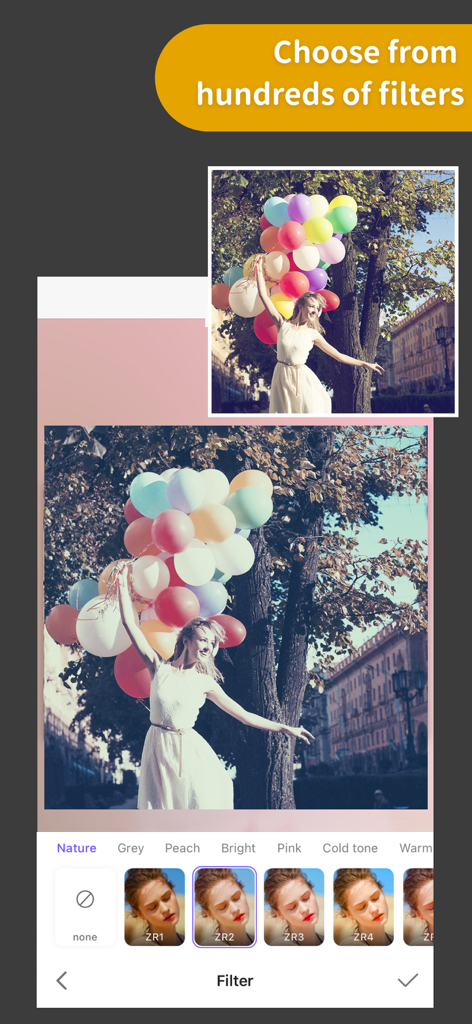
화려한 풍선을 들고 있는 여성과 화면 하단에 표시된 다양한 예술적인 사진 필터 선택

화려한 풍선을 들고 있는 여성과 화면 하단에 표시된 다양한 예술적인 사진 필터 선택

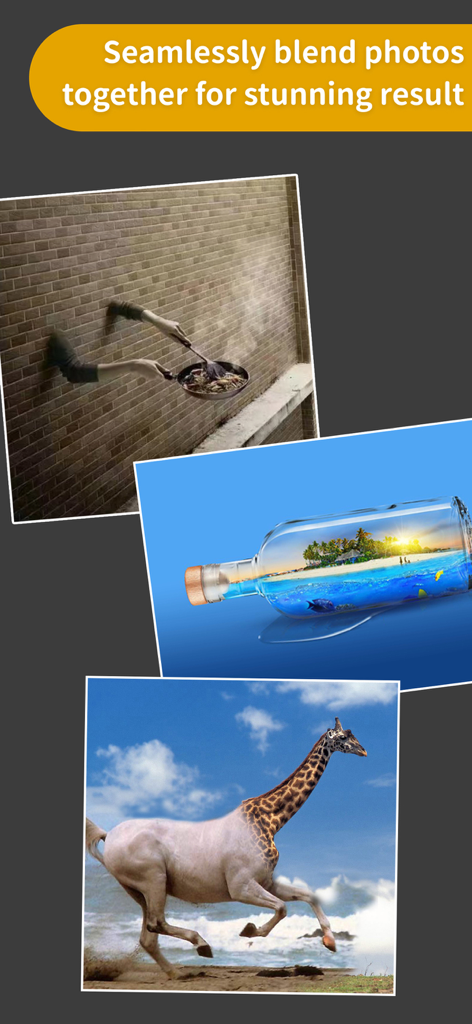
유리병 속 기린 말 하이브리드와 열대 섬을 보여주는 창의적인 사진 혼합 예시.

유리병 속 기린 말 하이브리드와 열대 섬을 보여주는 창의적인 사진 혼합 예시.

간편해진 전문 편집

이 앱을 돋보이게 하는 도구, 19M+ 명의 사용자가 선택.

✂️

원클릭 AI 누끼 따기

전문적인 정밀도로 배경을 즉시 제거하세요. 제품 사진 일괄 처리 또는 스티커 만들기에 몇 초 안에 완벽하게 사용할 수 있습니다.

정밀한 헤어 및 가장자리 다듬기

울퉁불퉁한 가장자리에 작별을 고하세요. 고급 도구가 머리카락이나 털과 같은 미세한 디테일을 처리하여 누끼 따기가 자연스럽고 전문적으로 보이도록 합니다.

🎨

전문 멀티 레이어 합성

여러 이미지를 완벽하게 혼합하고, 하늘을 바꾸고, 원치 않는 개체를 지워 멋진 소셜 미디어 콘텐츠와 마케팅 비주얼을 만드세요.

전 세계 사용자들에게 사랑받는 앱

Trusted by 19M+ 명이 이 앱을 사랑합니다.

"

"Etsy 판매자로서 ProKnockOut은 제 가게에 엄청난 변화를 가져왔습니다. 일괄 누끼 따기 기능 덕분에 제품 사진 편집 시간을 절약할 수 있고, 헤어 다듬기 도구 덕분에 모든 것이 전문적이고 깔끔해 보입니다. 마치 주머니 속의 스튜디오 같아요!"

Sarah M., 소상공인
"

"이 앱으로 독특한 콘텐츠를 만드는 것이 얼마나 쉬운지 좋아합니다. MagicEraser는 여행 사진에서 관광객을 제거하는 데 완벽하며, 하늘 바꾸기 도구는 정말 놀랍습니다. 제 인스타그램 피드가 이렇게 멋진 적이 없었어요!"

Jason K., 콘텐츠 크리에이터

앱 소개

에 대해 알아야 할 모든 것 ProKnockOut-Cut Paste Photos.

설명

Come and experience the Top 1 professional cutout and photo editing tool in Appstore! With this tool, you will become a master in photo editing area even if you are a beginner. One-click cutout、 multi-layer synthesis of pictures、 making ID photos、collages、 instantly erase redundant passers-by in photos、green screen cutouts、replace the sky··· In addition, a large number of templates and stickers making design extremely simple。 *One-click cutout & batch cutout -After selecting the picture, you can get the results of the cutout with one click. Buckle out the characters, animals, products, stamps and other content in the picture with one click, and also support batch cutouts, which greatly improves the efficiency of the cutout. -Manually selection tools: Lasso, instant alpha, eraser, a lot of manual tools to cutout if you are not satisfied with the result of the automatic cutout tool. -The new "Hair Refine" and "Edge Refine" tools, offering you a first glimpse of how much easier it could be to select hair, fur and other fine details in an image. *Multi-layer composition Powerful image synthesis function, seamlessly synthesize multiple pictures, the effect is amazing. *ID photo ID camera + multiple ID photo sizes + automatic cutout + modified background color + exquisite male and female formal wear + beauty *MagicEraser Don’t worry if you stray passers-by in the photo, "Photo Eraser" helps you erase passers-by with one click and intelligently repair the background. *100+ filters&effects There are over 100 filters and effects to make your photos unique! *23 blend modes *Powerful photo editor *Transparent PNG and colorful background JPG support Knockout Plus subscription - You can subscribe for new weekly updates (every week, new images will be available for download) - Payment will be charged to iTunes Account at confirmation of purchase - You will be able to color all available images for the duration of the subscription - Subscription automatically renews for the same price and duration period as the original "one week"/"one month"/"one year" package unless auto-renew is turned off at least 24-hours before the end of the current period - Account will be charged for renewal within 24-hours prior to the end of the current period at the cost of the chosen package (weekly, monthly or yearly package) - Subscriptions may be managed by the user and auto-renewal may be turned off by going to the user's iTunes Account Settings after purchase - No cancellation of the current subscription is allowed during active subscription period - You may cancel a subscription during its free trial period via the subscription setting through your iTunes account. This must be done 24 hours before the end of the subscription period to avoid being charged. Please visit http://support.apple.com/kb/ht4098 for more information - You may turn off the auto-renewal of your subscription via your iTunes Account Settings. However, you are not able to cancel the current subscription during its active period - Any unused portion of a free-trial period, will be forfeited when the user purchases a Knockout Plus subscription Links to our Terms of Service and Privacy Policy can be found below Privacy Policy:http://www.godimage.mobi/policy Terms of Use: http://www.godimage.mobi/terms

최신 버전

7.83

크기

202.1 MB

출시일

2014년 12월 4일

전문가처럼 만들 준비가 되셨나요?

1900만 명 이상의 크리에이터와 부업가들과 함께하세요. 전문가 수준의 누끼 따기, 완벽한 합성, 마법 같은 지우기 기능을 단 한 번의 탭으로 이용해 보세요.

다운로드: App Store
FAQ

자주 묻는 질문

에 대해 알아야 할 모든 것 ProKnockOut-Cut Paste Photos

ProKnockOut-Cut Paste Photos란 무엇인가요?

ProKnockOut-Cut Paste Photos는 전문적인 사진 편집 도구입니다. 원클릭으로 사진을 오려내거나, 여러 레이어를 합성하고, 신분증 사진을 만들고, 원치 않는 개체를 제거하며, 다양한 필터와 효과를 제공하는 기능을 갖추고 있습니다.

ProKnockOut-Cut Paste Photos는 개체를 어떻게 오려내나요?

ProKnockOut-Cut Paste Photos는 원클릭 AI, 일괄 처리, 그리고 라쏘 및 지우개와 같은 수동 선택 도구를 사용하여 개체를 오려냅니다. 또한 정밀한 디테일을 위해 "헤어 다듬기"와 "가장자리 다듬기" 기능도 포함되어 있습니다.

ProKnockOut-Cut Paste Photos를 사용하여 사진에서 원치 않는 개체나 지나가는 사람을 지울 수 있나요?

네, ProKnockOut-Cut Paste Photos에는 "매직 지우개" 도구가 있습니다. 이 도구를 사용하면 원치 않는 지나가는 사람이나 개체를 원클릭으로 지우고 배경을 지능적으로 복구할 수 있습니다.

ProKnockOut-Cut Paste Photos는 신분증 사진 만들기를 제공하나요?

네, ProKnockOut-Cut Paste Photos는 "스마트 신분증 사진 메이커" 기능을 제공합니다. 신분증 카메라, 여러 신분증 사진 크기, 자동 오려내기, 배경색 변경, 정장 착용 옵션 등이 포함되어 있습니다.

ProKnockOut-Cut Paste Photos의 Knockout Plus 구독은 어떻게 관리하나요?

사용자는 구매 후 iTunes 계정 설정을 통해 Knockout Plus 구독을 관리할 수 있습니다. 현재 기간이 종료되기 최소 24시간 전에 이곳에서 자동 갱신을 해제하여 요금이 부과되지 않도록 할 수 있습니다.

ProKnockOut-Cut Paste Photos에는 몇 개의 필터가 있나요?

ProKnockOut-Cut Paste Photos는 100개 이상의 필터와 효과를 제공합니다. 이 옵션들은 사진을 독특하게 만들고 이미지의 다양한 측면을 향상시키도록 설계되었습니다.

ProKnockOut-Cut Paste Photos는 여러 사진을 합성할 수 있나요?

네, ProKnockOut-Cut Paste Photos에는 강력한 다중 레이어 합성 기능이 있습니다. 여러 사진을 매끄럽게 합성하여 놀라운 효과를 얻을 수 있습니다.