rekordbox - DJ App & DJ Mixer

rekordbox - DJ App & DJ Mixer

다운로드: App Store다운로드: Google Play
Spark by MWM logo
로고: rekordbox - DJ App & DJ Mixer

모든 사람을 위한 프로 DJ 앱 & 믹서, rekordbox

무료로 DJ 여정을 시작하세요. Spotify 및 Apple Music의 수백만 곡을 믹싱하고, 전문가 수준의 이펙트를 마스터하고, Pioneer DJ 하드웨어와 원활하게 세트를 동기화하여 언제 어디서든 파티를 즐기세요.

다운로드: App Store

개발사

AlphaTheta Corporation

카테고리

Music

다운로드

1M+

사용자 평점

4.5/5

총 평가 수

6K+

지원 언어

9

움직이는 믹스

이 인터페이스를 사용하는 1M+ 명의 사용자.

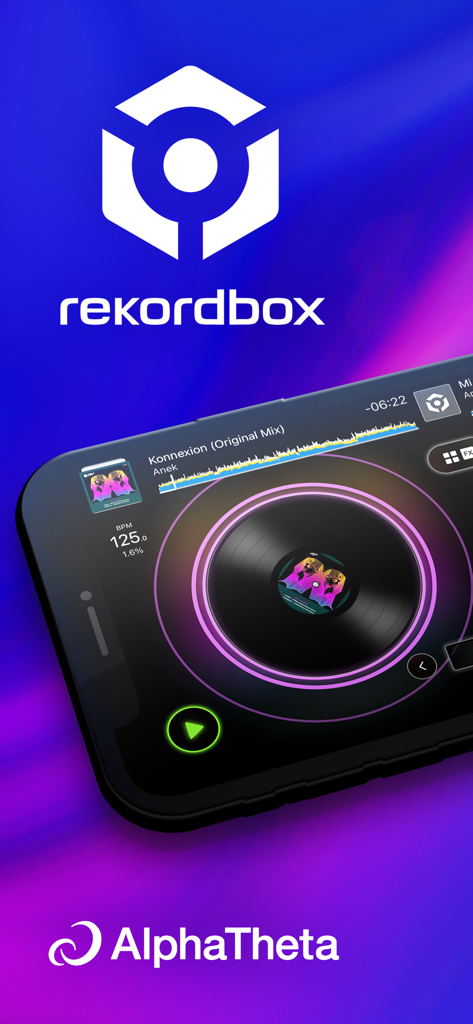
rekordbox DJ 앱의 가상 턴테이블 및 트랙 파형 인터페이스를 보여주는 스마트폰.

rekordbox DJ 앱의 가상 턴테이블 및 트랙 파형 인터페이스를 보여주는 스마트폰.

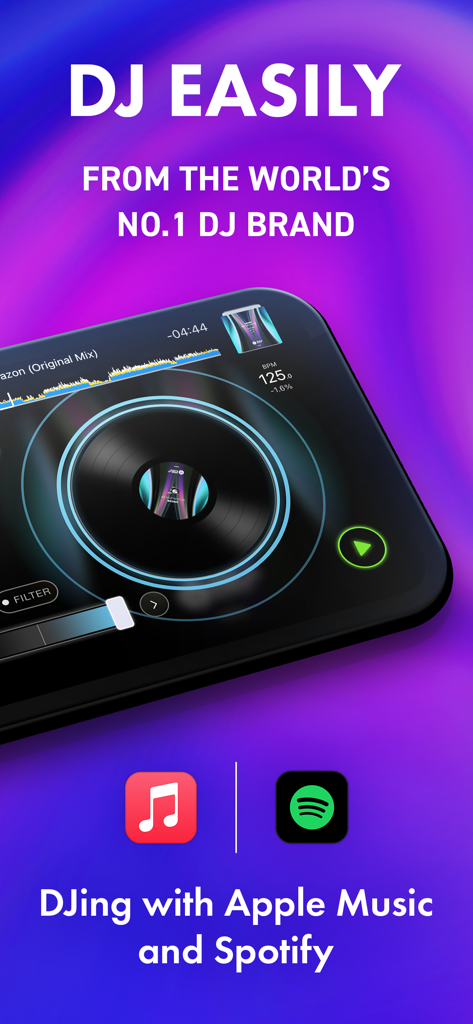
Spotify 및 Apple Music 통합을 보여주는 턴테이블이 있는 rekordbox 모바일 DJ 앱 인터페이스

Spotify 및 Apple Music 통합을 보여주는 턴테이블이 있는 rekordbox 모바일 DJ 앱 인터페이스

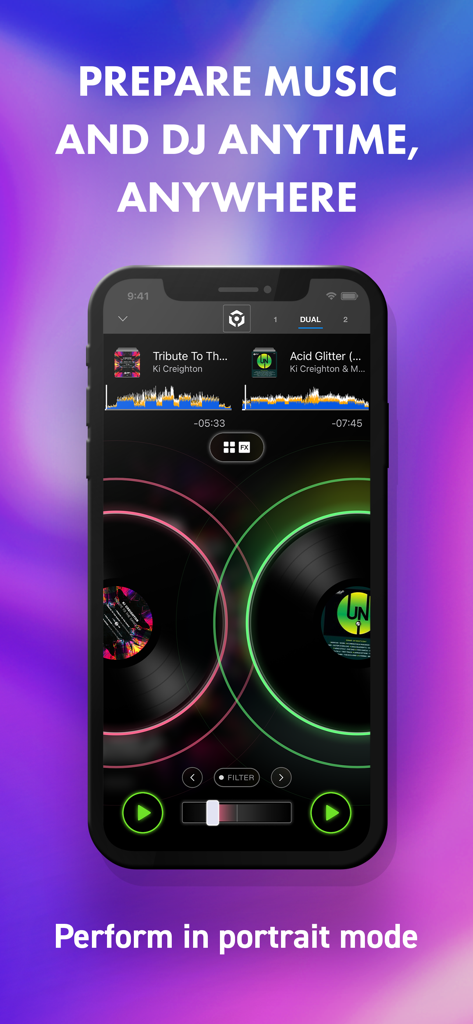
세로 모드에서 듀얼 데크 믹싱을 보여주는 rekordbox DJ 앱 인터페이스

세로 모드에서 듀얼 데크 믹싱을 보여주는 rekordbox DJ 앱 인터페이스

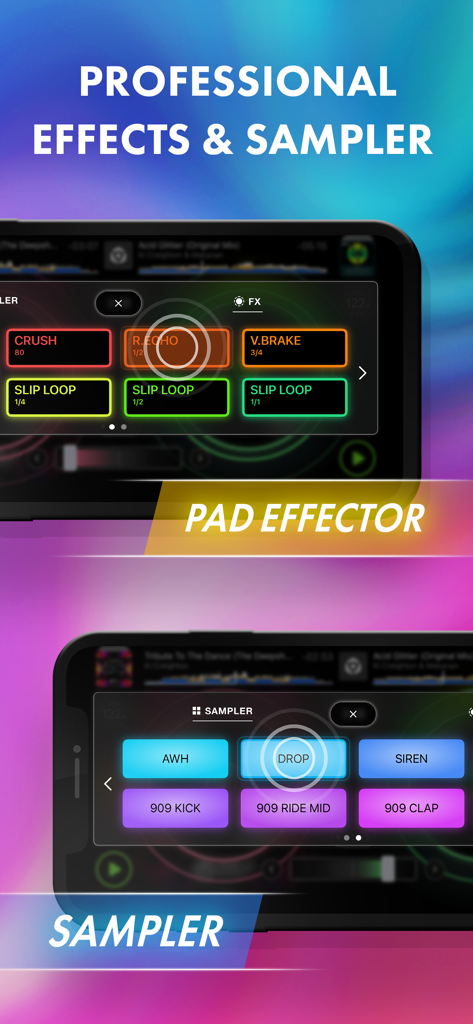
전문 패드 이펙터 및 샘플러 인터페이스를 표시하는 rekordbox 모바일 앱 화면

전문 패드 이펙터 및 샘플러 인터페이스를 표시하는 rekordbox 모바일 앱 화면

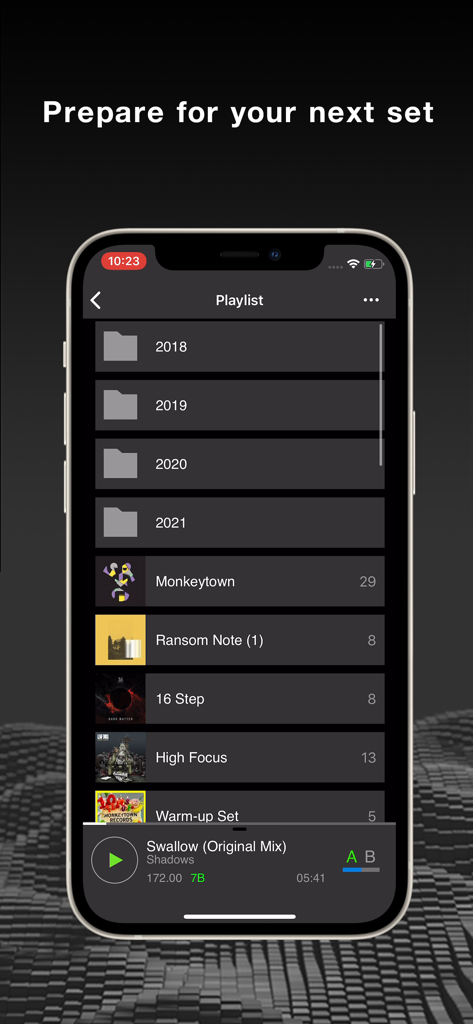
DJ 세트 준비를 위해 정리된 음악 폴더와 트랙을 보여주는 rekordbox 모바일 앱 플레이리스트 화면

DJ 세트 준비를 위해 정리된 음악 폴더와 트랙을 보여주는 rekordbox 모바일 앱 플레이리스트 화면

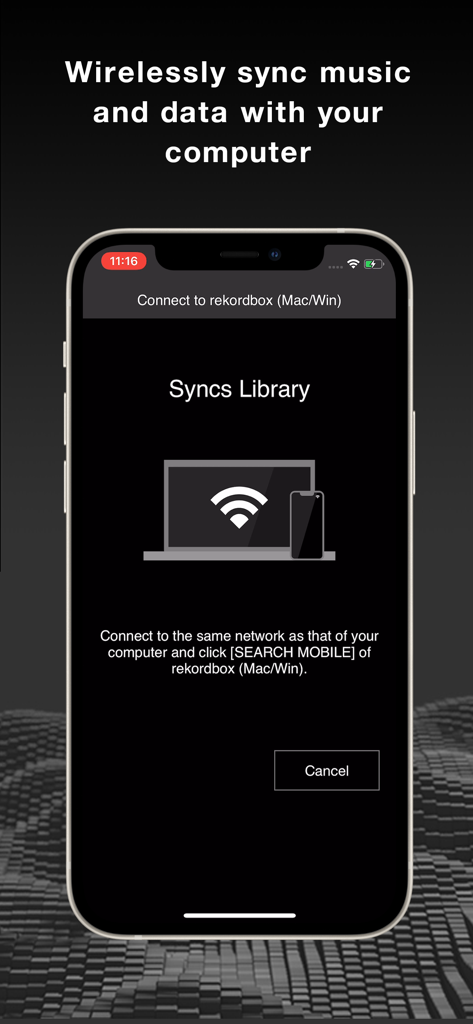
스마트폰과 컴퓨터 간의 무선 라이브러리 동기화 기능을 보여주는 Rekordbox 앱 인터페이스

스마트폰과 컴퓨터 간의 무선 라이브러리 동기화 기능을 보여주는 Rekordbox 앱 인터페이스

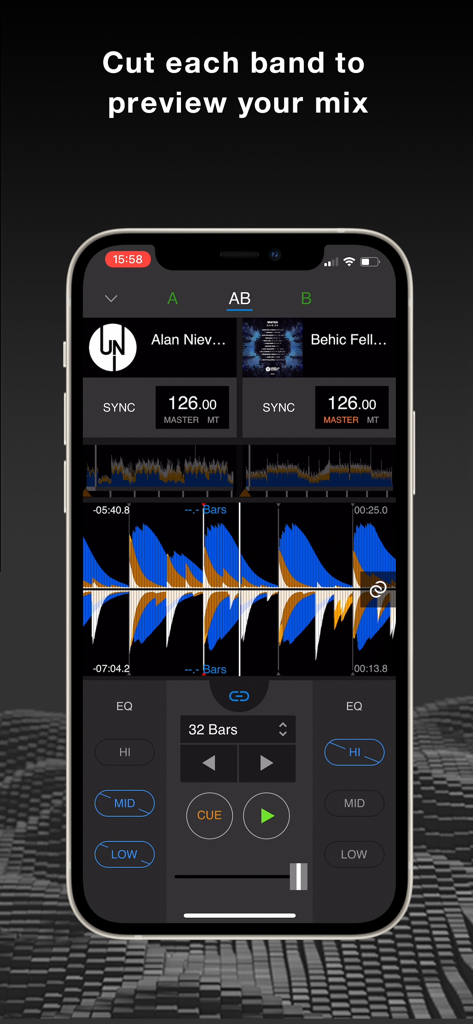
EQ 주파수 대역 컨트롤과 파형을 보여주는 rekordbox의 모바일 DJ 믹서 인터페이스.

EQ 주파수 대역 컨트롤과 파형을 보여주는 rekordbox의 모바일 DJ 믹서 인터페이스.

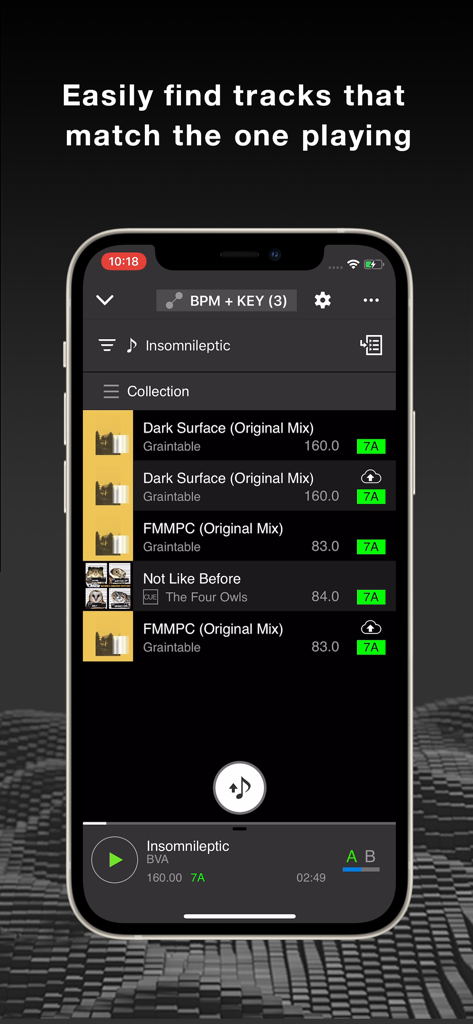
현재 노래와 BPM 및 키가 일치하는 추천 트랙 목록을 보여주는 rekordbox 앱의 iPhone 화면.

현재 노래와 BPM 및 키가 일치하는 추천 트랙 목록을 보여주는 rekordbox 앱의 iPhone 화면.

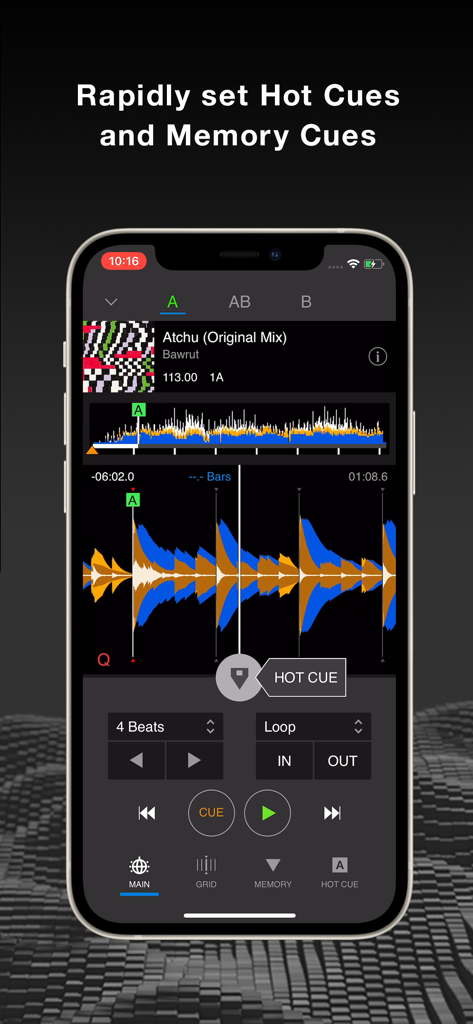
트랙 파형에서 핫큐 및 메모리 큐 설정을 보여주는 rekordbox DJ 앱 인터페이스의 iPhone 화면

트랙 파형에서 핫큐 및 메모리 큐 설정을 보여주는 rekordbox DJ 앱 인터페이스의 iPhone 화면

분위기를 장악하는 데 필요한 모든 것

이 앱을 돋보이게 하는 도구, 1M+ 명의 사용자가 선택.

🎵

즉각적인 스트리밍 통합

다운로드는 잊으세요. Spotify 또는 Apple Music 계정을 연결하여 수백만 곡에 액세스하고 좋아하는 히트곡을 즉시 믹싱하세요.

🚀

업계 표준 퍼포먼스

전문 데크, FX, 스크래칭으로 DJ 기술을 마스터하세요. 세계 최고 아티스트들이 가장 큰 클럽에서 사용하는 것과 동일한 프로급 엔진입니다.

☁️

원활한 클라우드 워크플로우

이동 중에 세트를 준비하세요. 휴대폰에서 핫큐를 설정하고 플레이리스트를 정리하면 노트북 및 Pioneer DJ 전문가 장비와 자동으로 동기화됩니다.

전 세계 사용자들에게 사랑받는 앱

Trusted by 1M+ 명이 이 앱을 사랑합니다.

"

"항상 DJ를 해보고 싶었지만 장비나 파일 라이브러리가 없었습니다. rekordbox에서 Spotify 플레이리스트를 직접 믹싱할 수 있다는 것은 정말 획기적인 변화입니다! 지난 주말 집 파티에서 사용했는데, Pad FX 덕분에 제 전환이 프로처럼 들렸습니다. 휴대폰에서 바로 시작하기가 정말 쉽습니다."

Alex Rivera
"

"클라우드 라이브러리 동기화는 바쁜 공연 일정에 큰 도움이 됩니다. 기차 안에서 iPad에서 모든 핫큐를 설정하고 플레이리스트를 정리할 수 있으며, 클럽에서 CDJ에 연결할 때 모든 것이 완벽하게 동기화됩니다. 모바일 준비를 위한 최고의 전문 도구입니다."

Jordan Miller

앱 소개

에 대해 알아야 할 모든 것 rekordbox - DJ App & DJ Mixer.

설명

DJing with Spotify – Available Now! Start your DJ journey, or master the art of mixing. rekordbox is a DJ app that enables everyone, from beginners to professionals, to experience the excitement of DJing. With this app, anyone who loves music can easily start DJing for free. You can also take things to the next level by combining this app with compatible DJ equipment such as the DDJ-FLX4, DDJ-FLX2, DDJ-GRV6 and DDJ-200. Professional-level DJing for free -rekordbox is the no. 1 DJ app. -All the basic features you need for DJing, including decks, samplers, mixers, effects, loops, and more, are available for free. -DJ at home parties, bars, clubs, and festivals. Mix EDM, hip-hop, electro, pop, or any other music you like. Give it a try, there's a world of fun waiting for you. -Not sure you can do it? No skills? No knowledge of music? No problem! -It’s easy to dive into the world of playing music. -Even if you don't have your own music, you can use songs from Spotify, Apple Music, SoundCloud, Beatport Streaming, TIDAL, and other streaming services, so you can get into the party mood right away. Remix your favourite music -rekordbox includes loads of features you can use to get creative and put your own stamp on your favourite songs. -With Pad FX, simply touch the pads on the screen to rearrange the composition of a track or add a new texture to the sound. -Using Key Shift, you can change the key of the music in a single touch, without affecting the speed. Try making a track sound high or low for a new perspective. Blend 2 songs into 1 -When it comes to DJing, mixing is everything. -It’s easy to mix 2 songs together naturally as if they were 1. -First, use Beat Sync to match the tempo and beat, then you're ready to move the faders to blend the tracks together. Make DJ sound effects, even if you’ve never done it before -Don't worry if you don't know much about DJing. -You can use the sampler to create DJ sounds. -Try hitting the pad and tap Horn. -Then tap it to the rhythm of the song. Touch and scratch the sound -Try touching the sound displayed in white, yellow, and blue waves. -Move your finger backward and forward to scratch the track. Slow down the music without changing the pitch of the notes -If you have a song that’s so fast you can’t understand the vocals, you can change the tempo and play it back slower, but without changing the pitch of the notes. -This is great not only for DJs, but also for changing the speed of backing tracks when practicing with musical instruments or dancing. Use rekordbox anytime, anywhere -Maybe you use rekordbox on your smartphone, tablet, or computer? -With Cloud Library Sync, you can manage your favourite playlists and meta data, such as cue points, using one library in the cloud. -So, you can prepare playlists on the go before a gig, then open your laptop and use it to DJ – all your changes will be seamlessly synced. -If your DJ equipment supports rekordbox CloudDirectPlay, such as the CDJ-3000, you can sign in and play tracks from the latest version of your rekordbox library directly from the hardware. Have even more fun with Pioneer DJ equipment -Want to play on DJ gear like a professional? -You can connect Pioneer DJ equipment such as the DDJ-FLX4, DDJ-FLX2, DDJ-GRV6 and DDJ-200 to take your performances to the next level. -You can also DJ with your favourite playlists by connecting to professional DJ equipment in clubs such as the CDJ-3000 or XDJ-XZ with PRO DJ LINK. -With rekordbox, you can master DJing. Play all your own music -Want to DJ with your own tracks? -rekordbox supports MP3, AAC, WAV, AIFF, FLAC, and ALAC, so you can import and play all your music files. Want to go to the next level? Subscribe today -Got the hang of the basic functions? -Then it's time to upgrade. -Subscribe to get even more advanced features. -A free trial is available so you can test out one of our plans before you subscribe. Get into the DJ lifestyle with rekordbox.

최신 버전

4.6.0

크기

681.4 MB

출시일

2020년 4월 13일

세계 최고의 DJ 앱으로 DJ 여정을 오늘 시작하세요

무료로 좋아하는 트랙을 믹싱하는 100만 명 이상의 크리에이터와 함께하세요. 첫 파티부터 메인 스테이지까지, rekordbox는 언제 어디서든 분위기를 이끌 전문 도구를 제공합니다.

다운로드: App Store다운로드: Google Play
FAQ

자주 묻는 질문

에 대해 알아야 할 모든 것 rekordbox - DJ App & DJ Mixer

rekordbox는 무료 DJ 앱인가요?

네, rekordbox는 덱, 샘플러, 믹서, 이펙트, 루프를 포함한 모든 기본 DJ 기능을 제공하는 무료 DJ 앱으로, 누구나 DJ를 시작할 수 있습니다.

rekordbox는 어떤 음악 스트리밍 서비스를 지원하나요?

rekordbox는 Spotify, Apple Music, SoundCloud, Beatport Streaming, TIDAL과 같은 스트리밍 서비스를 지원하여 DJ 세트에 음악을 통합할 수 있습니다.

외부 DJ 장비를 rekordbox에 연결할 수 있나요?

네, rekordbox는 DDJ-FLX4, DDJ-FLX2, DDJ-GRV6, DDJ-200, CDJ-3000, XDJ-XZ와 같은 호환 DJ 장비와 연결하여 퍼포먼스를 향상시킬 수 있습니다.

rekordbox는 전문 DJ 이펙트를 제공하나요?

네, rekordbox는 Pad FX와 같은 전문 이펙트와 Key Shift와 같은 기능을 포함하여 창의적인 믹싱을 제공합니다. 또한 독특한 DJ 사운드를 만들기 위한 샘플러도 제공합니다.

rekordbox는 두 곡을 믹싱하는 데 어떻게 도움이 되나요?

rekordbox는 Beat Sync 기능을 통해 템포와 비트를 맞춰 사용자가 페이더를 부드럽게 움직여 두 곡을 자연스럽게 섞을 수 있도록 합니다.

rekordbox는 장치 간에 음악을 동기화할 수 있나요?

네, rekordbox는 Cloud Library Sync를 사용하여 스마트폰, 태블릿, 컴퓨터 간의 플레이리스트와 메타데이터를 관리하여 원활한 준비와 퍼포먼스를 보장합니다.

rekordbox는 어떤 오디오 파일 형식을 지원하나요?

rekordbox는 MP3, AAC, WAV, AIFF, FLAC, ALAC 오디오 파일 형식을 지원하여 사용자가 개인 음악 파일을 가져와 재생할 수 있습니다.

rekordbox는 고급 기능에 대한 무료 평가판을 제공하나요?

네, rekordbox는 고급 기능에 대한 무료 평가판을 제공하여 사용자가 업그레이드하기 전에 구독 계획을 테스트할 수 있도록 합니다.

사용자는 rekordbox에서 피치를 변경하지 않고 음악 템포를 조정할 수 있나요?

네, rekordbox는 사용자가 음의 피치를 변경하지 않고 음악 템포를 늦출 수 있도록 하여 연습이나 보컬 분석에 유용합니다.

rekordbox로 세로 모드에서 DJ를 할 수 있나요?

네, rekordbox는 사용자가 세로 모드에서 DJ를 할 수 있도록 하여 이동 중에 음악을 준비하고 믹싱할 수 있는 유연성을 제공합니다.