
Resume Builder - CV Creator



서식 때문에 고생하지 말고 취업하세요. 채용 담당자가 승인한 템플릿 중에서 선택하고, 레이아웃을 맞춤 설정하고, 무료 PDF를 다운로드하여 오늘 꿈에 그리던 직업을 잡으세요.
개발사
카테고리
Business다운로드
794K+사용자 평점
총 평가 수
16K+지원 언어
3이 인터페이스를 사용하는 794K+ 명의 사용자.
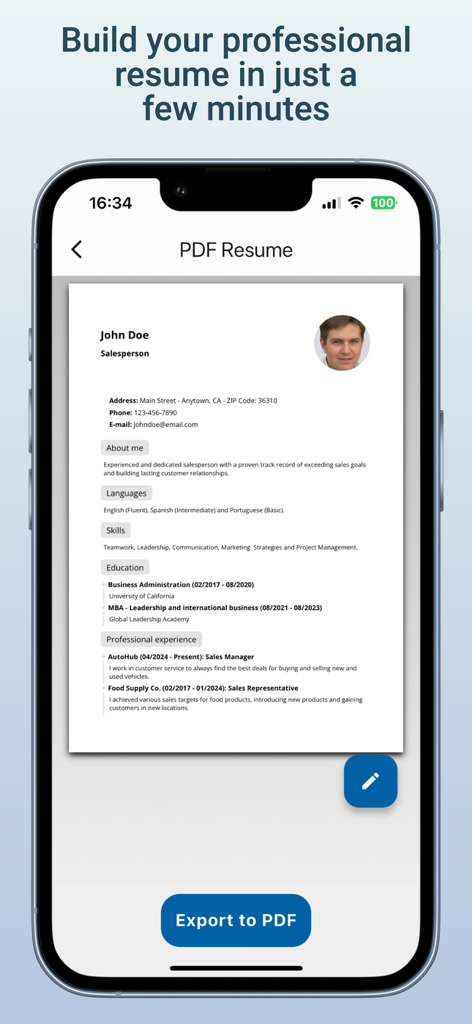
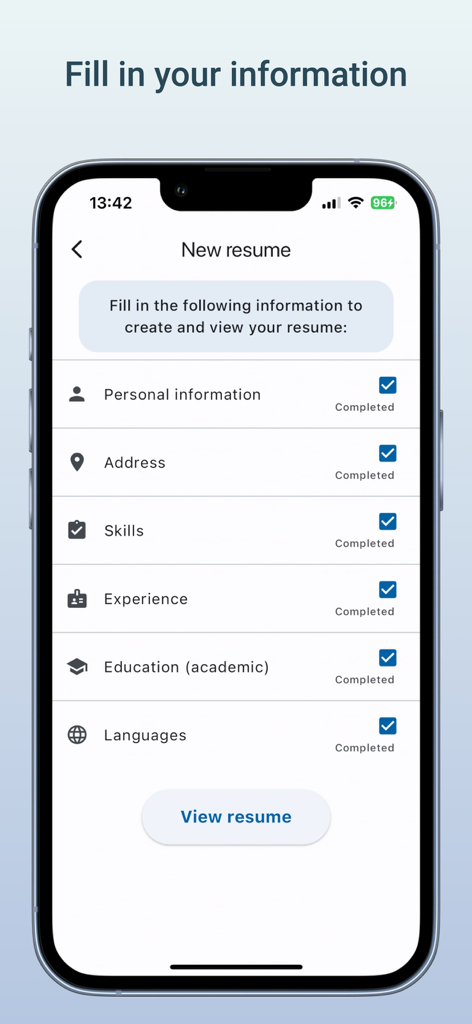
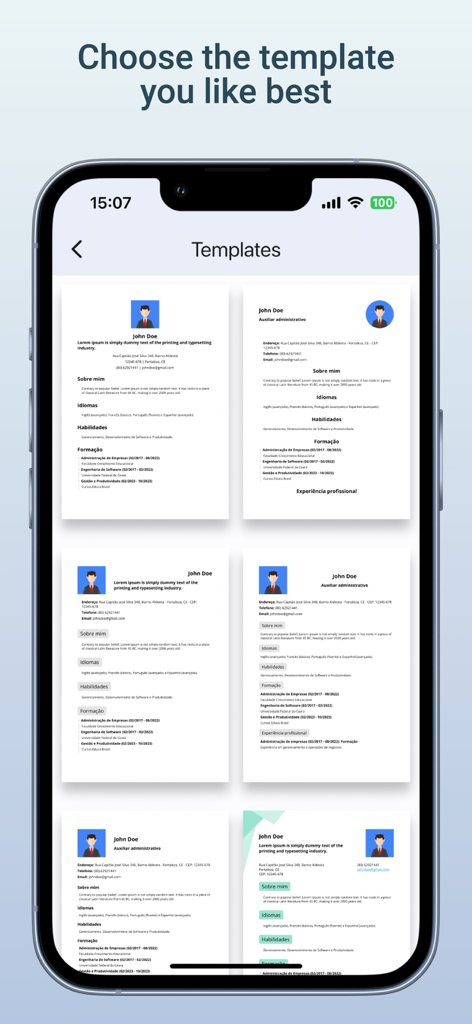
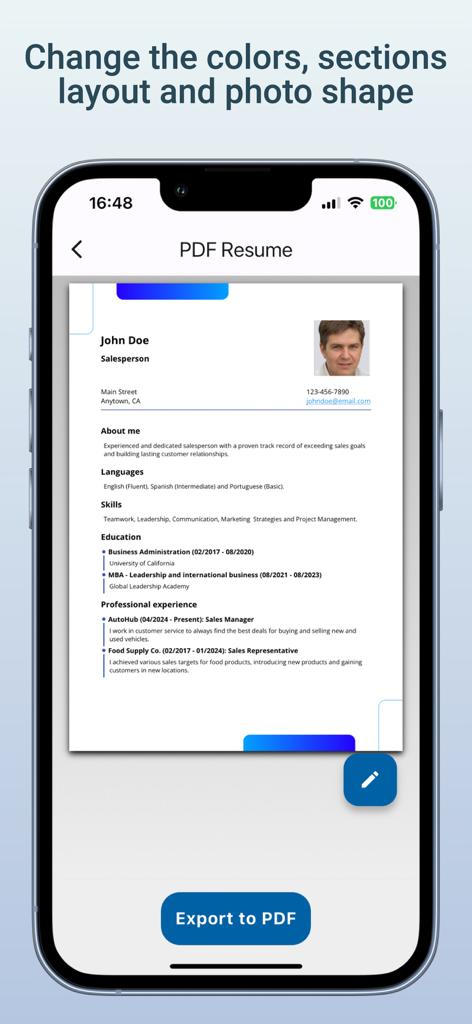
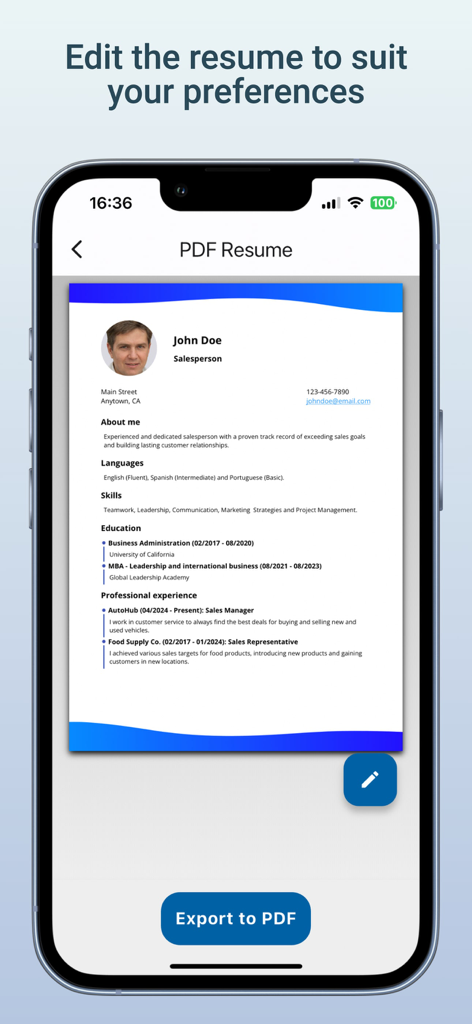
이 앱을 돋보이게 하는 도구, 794K+ 명의 사용자가 선택.
안내 섹션을 통해 '빈 페이지 증후군'을 없애세요. 단순히 경험을 입력하면 스마트 빌더가 복잡한 서식을 대신 처리해 드립니다.
지원자 추적 시스템을 통과하고 미국 최고 채용 담당자의 눈길을 사로잡도록 특별히 설계된 영향력 있는 디자인 중에서 선택하세요.
깔끔하고 전문적인 PDF 파일로 세련된 이력서를 필요한 만큼 다운로드하세요. 숨겨진 수수료 없이 LinkedIn 및 Indeed에 바로 업로드할 수 있는 파일입니다.
Trusted by 794K+ 명이 이 앱을 사랑합니다.
"최근 졸업생으로서 처음부터 전문가용 CV를 어떻게 작성해야 할지 전혀 몰랐습니다. 이 앱은 과정을 매우 단순하게 만들어 주었습니다. 정보를 입력하기만 하면 10분도 안 되어 멋진 PDF가 완성되었습니다. 실제로 이틀 후에 첫 면접을 보았습니다!"
"이동 중에도 취업 활동에 가장 좋은 도구입니다. 기차에서 업무 이력을 업데이트하고 PDF 내보내기를 사용하여 즉시 새 직무에 지원했습니다. 템플릿이 고급스럽고 현대적이어서 지원서가 눈에 띄는 데 확실히 도움이 되었습니다."
사용자 리뷰 인사이트.
감정 점수
요약
This mobile app receives overwhelmingly negative feedback from its user base. The primary and most frequent complaint centers on an excessive and intrusive amount of advertisements, which severely disrupts the user experience, often appearing after every few seconds or actions. Users are also highly dissatisfied with the app's business model, noting that most desirable curriculum templates and essential functionalities, including saving and exporting, are locked behind a paywall, or only one basic free curriculum is allowed. Additionally, several users report critical app instability issues, such as the application failing to open, frequent freezing, or problems with saving data. While a few users mentioned ease of use, these positive aspects are largely overshadowed by widespread frustration.
주요 테마
에 대해 알아야 할 모든 것 Resume Builder - CV Creator.
설명
최신 버전
2.23.1
크기
89.5 MB
출시일
2024년 2월 21일
몇 분 만에 채용 담당자에게 적합한 이력서를 만들 수 있는 무료 빌더를 사용하는 790,000명 이상의 전문가들과 함께하세요. 다음 경력 이동이 몇 번의 탭 안에 있습니다.
에 대해 알아야 할 모든 것 Resume Builder - CV Creator
네, Resume Builder - CV Creator는 완전히 무료인 애플리케이션입니다. 사용자는 요금 없이 무제한의 이력서를 PDF 형식으로 생성하고 다운로드할 수 있습니다.
Resume Builder - CV Creator를 사용하면 사용자는 완성된 이력서를 PDF 파일로 내보낼 수 있습니다. 이 내보내기 기능은 포함되어 있으며 완전히 무료로 사용할 수 있습니다.
사용자는 개인 정보, 직무 경험, 학력, 기술, 언어를 입력합니다. 앱은 포괄적이고 전문적인 이력서를 작성하기 위한 입력 프로세스를 안내합니다.
네, Resume Builder - CV Creator는 전문적이고 사용자 정의 가능한 템플릿을 제공합니다. 사용자는 제공된 디자인 중에서 선택하고 레이아웃, 색상 및 사진 모양을 수정합니다.
Resume Builder - CV Creator는 학생, 첫 구직자 및 전문가에게 적합합니다. 눈에 띄는 이력서를 만들기 위한 간단하고 빠른 방법을 제공합니다.
사용자는 개인 정보, 경험, 학력, 기술 및 언어를 입력하고 수정하여 이력서를 수정합니다. 이 앱은 또한 선택한 템플릿의 사용자 정의를 용이하게 합니다.
유사한 기능과 사용자 경험을 가진 앱
Intelligent CV

First Pick Ltd
Uncaught Exception Inc.

Wiliam Goncalves Pinto

Oleg Yuriev

Rounding Squares BV

Indeed Inc.

WEBDIA INC.

Giovanna Clemente