Ringtone Maker Garage

Ringtone Maker Garage

다운로드: App Store
Spark by MWM logo
로고: Ringtone Maker Garage
Ringtone Maker Garage: 나만의 벨소리 & 바이럴 사운드

어떤 틱톡 영상이나 노래든 몇 초 만에 독특한 아이폰 벨소리로 바꿔보세요. 유행하는 인기곡과 감각적인 배경화면으로 알림음을 개인화하세요. 컴퓨터는 필요 없습니다.

개발사

TwinBit Ltd

카테고리

Music

다운로드

2M+

사용자 평점

4.6/5

총 평가 수

15K+

지원 언어

6

당신의 사운드를 스타일링하세요

이 인터페이스를 사용하는 2M+ 명의 사용자.

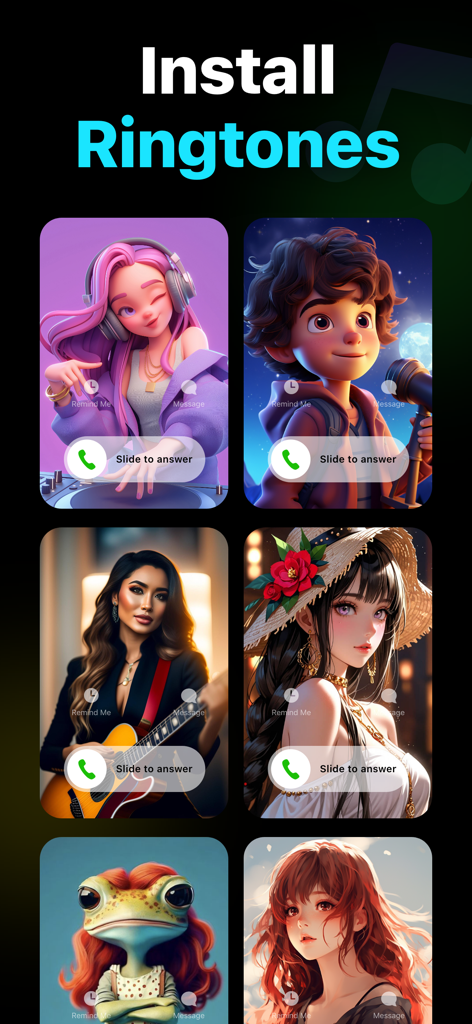
Ringtone Maker Garage 앱에서 감각적인 일러스트가 포함된 커스텀 발신 화면 표시

Ringtone Maker Garage 앱에서 감각적인 일러스트가 포함된 커스텀 발신 화면 표시

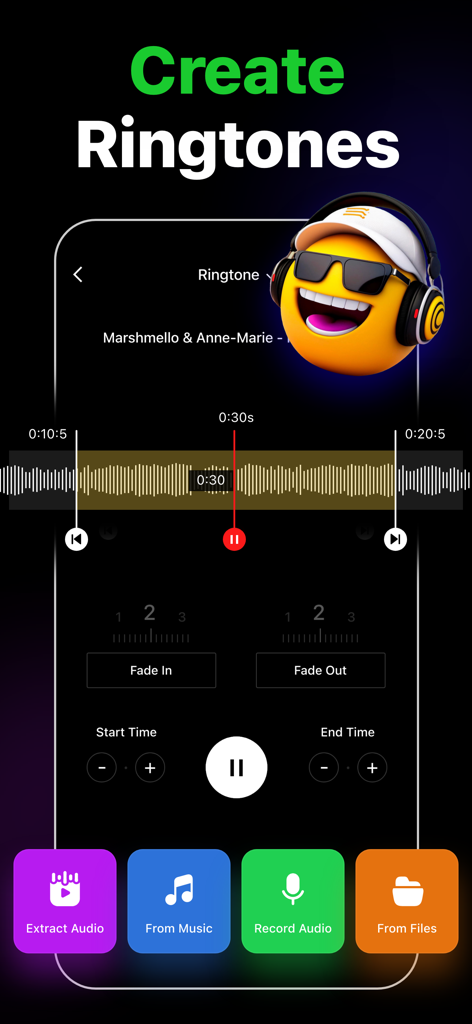
Ringtone Maker Garage 앱 인터페이스에서 오디오 트리밍 도구와 음악 및 영상에서 커스텀 벨소리를 만드는 옵션 표시

Ringtone Maker Garage 앱 인터페이스에서 오디오 트리밍 도구와 음악 및 영상에서 커스텀 벨소리를 만드는 옵션 표시

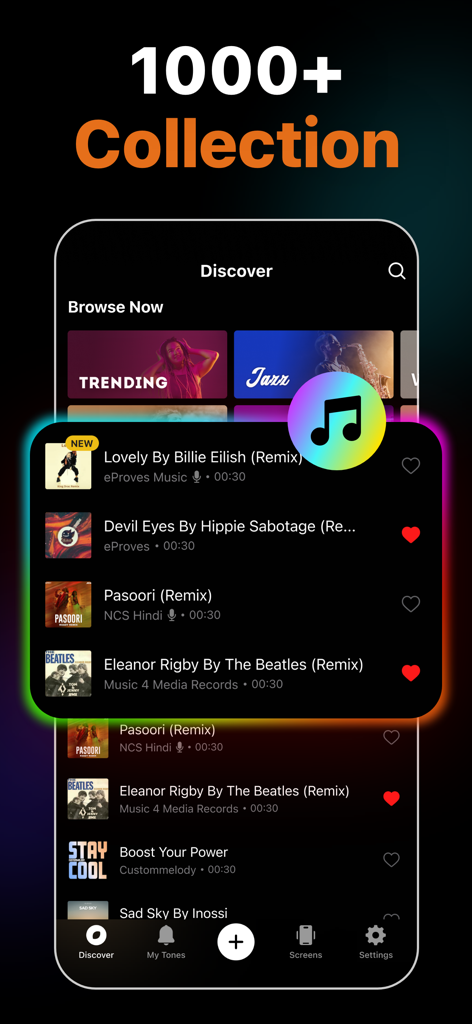
Ringtone Maker Garage 앱 탐색 화면에서 커스텀 아이폰 벨소리를 위한 인기 리믹스 곡 컬렉션 표시

Ringtone Maker Garage 앱 탐색 화면에서 커스텀 아이폰 벨소리를 위한 인기 리믹스 곡 컬렉션 표시

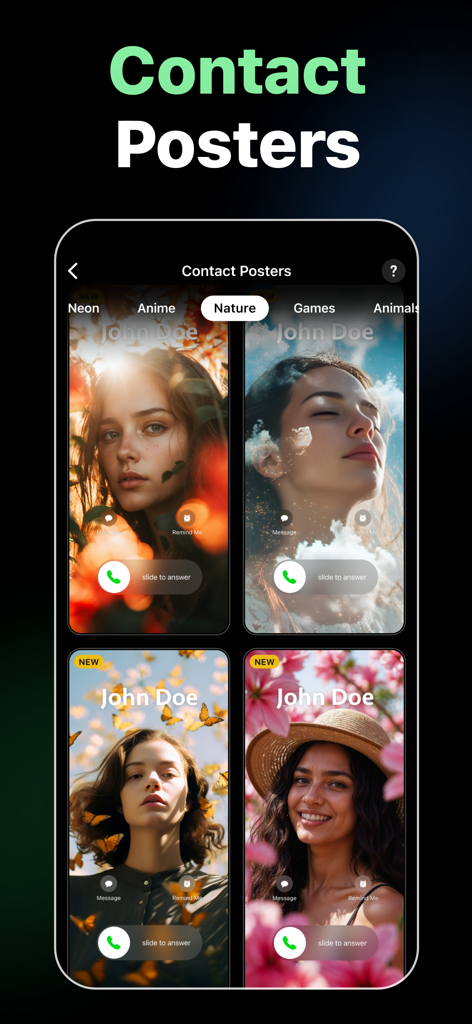
자연 및 꽃 테마를 특징으로 하는 아이폰 연락처 포스터 디자인

자연 및 꽃 테마를 특징으로 하는 아이폰 연락처 포스터 디자인

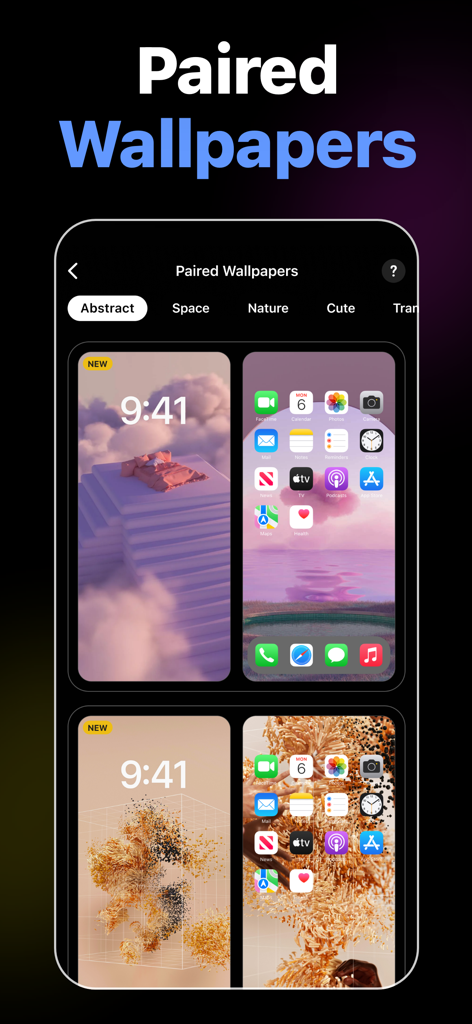
Ringtone Maker Garage 앱 내 아이폰 잠금 화면 및 홈 화면용 감각적인 페어드 배경화면 컬렉션

Ringtone Maker Garage 앱 내 아이폰 잠금 화면 및 홈 화면용 감각적인 페어드 배경화면 컬렉션

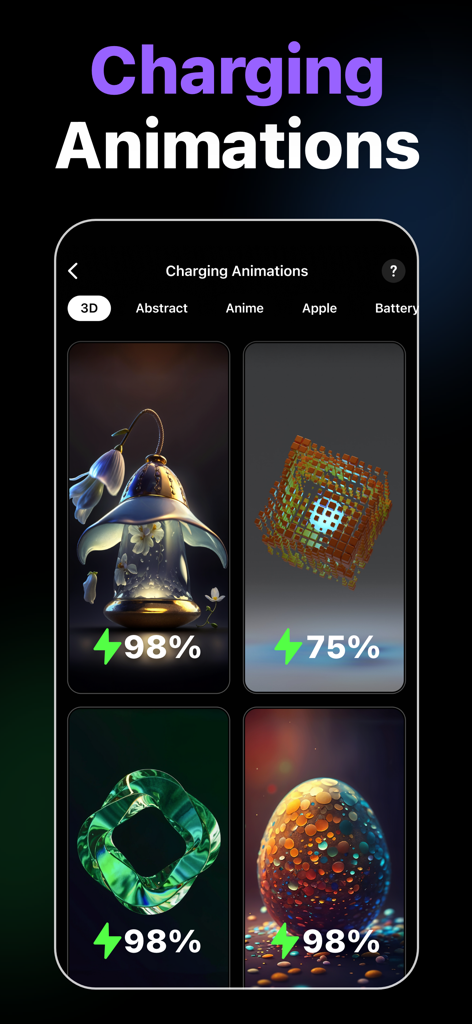
아이폰 커스터마이징을 위한 감각적인 3D 충전 애니메이션 선택

아이폰 커스터마이징을 위한 감각적인 3D 충전 애니메이션 선택

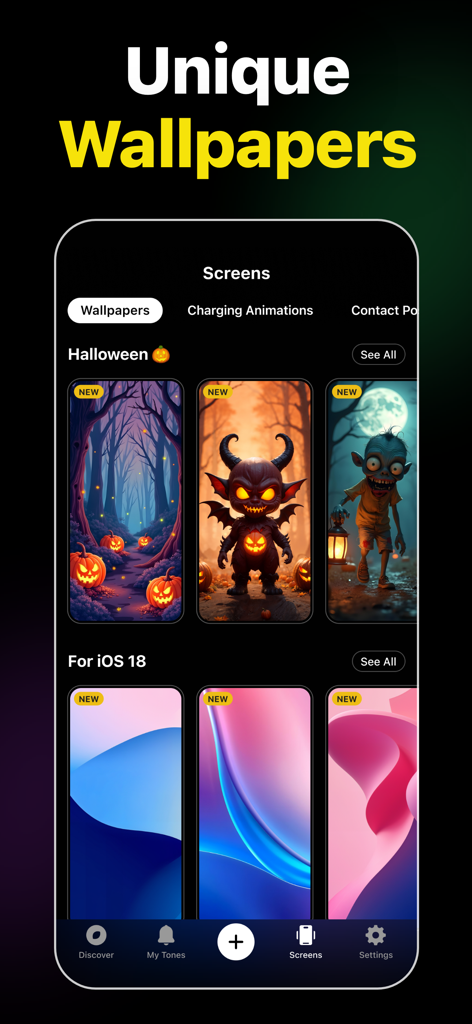
Ringtone Maker Garage 앱 인터페이스에서 할로윈 및 iOS 18 독특한 배경화면 표시

Ringtone Maker Garage 앱 인터페이스에서 할로윈 및 iOS 18 독특한 배경화면 표시

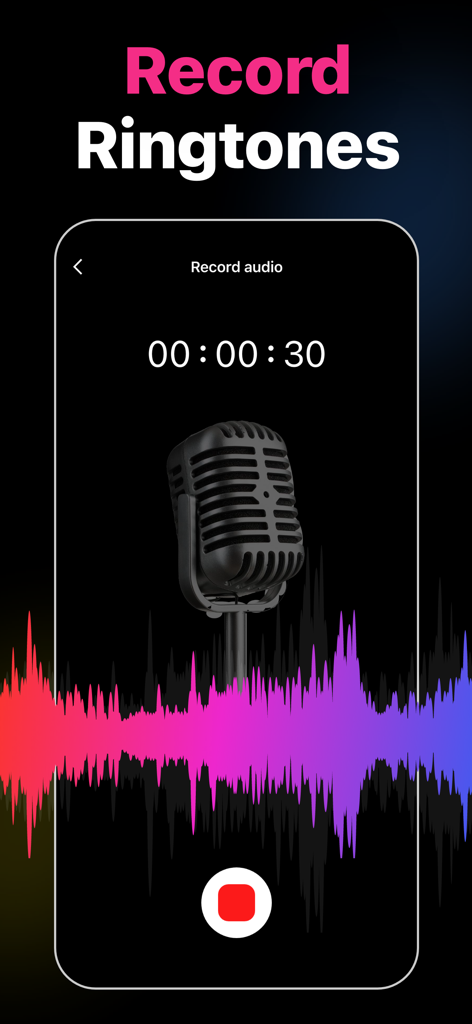
빈티지 마이크와 화려한 오디오 파형이 있는 Ringtone Maker Garage 앱 녹음 화면

빈티지 마이크와 화려한 오디오 파형이 있는 Ringtone Maker Garage 앱 녹음 화면

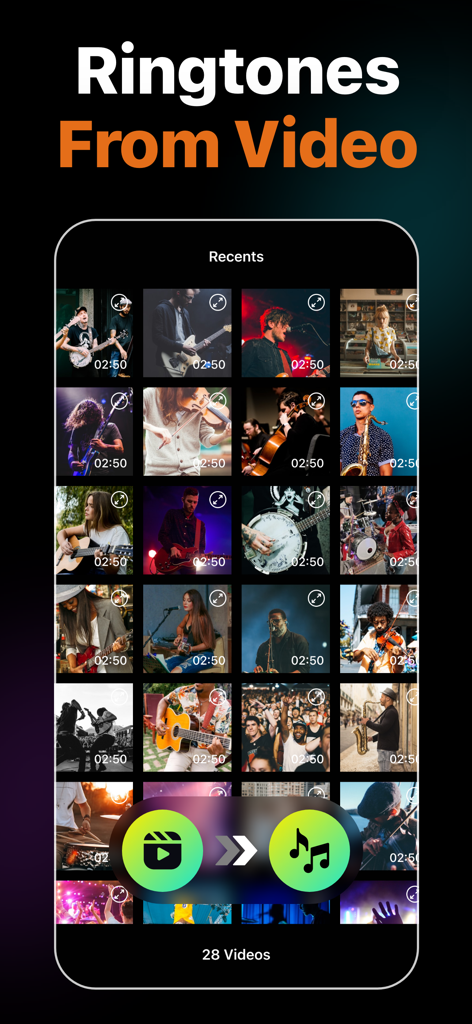
영상에서 오디오를 추출하여 커스텀 벨소리를 만드는 기능을 보여주는 Ringtone Maker Garage 앱 스크린샷

영상에서 오디오를 추출하여 커스텀 벨소리를 만드는 기능을 보여주는 Ringtone Maker Garage 앱 스크린샷

당신의 폰, 당신의 바이브

이 앱을 돋보이게 하는 도구, 2M+ 명의 사용자가 선택.

🎬

영상에서 벨소리로 마법처럼

틱톡에서 유행하는 사운드를 찾으셨나요? 어떤 화면 녹화나 영상에서도 오디오를 추출하여 몇 초 만에 독특한 톤을 만들 수 있습니다.

케이블은 이제 그만

PC에서 아이튠즈와 씨름하지 마세요. 저희의 쉬운 GarageBand 연동 기능으로 휴대폰에서 바로 커스텀 벨소리를 설치할 수 있습니다.

🎨

완벽한 감각적 제어

소리를 넘어선 경험. 커스텀 알림음과 방대한 트렌디한 배경화면 라이브러리를 매치하여 완벽한 기기 변신을 경험하세요.

전 세계 사용자들에게 사랑받는 앱

Trusted by 2M+ 명이 이 앱을 사랑합니다.

"

"이것이 바로 컴퓨터 없이 그 유행하는 틱톡 사운드를 내 문자음으로 만들 수 있는 유일한 방법이에요! 영상-오디오 추출 기능은 정말 구세주이고, 감각적인 배경화면은 내 홈 화면 레이아웃에 아주 멋진 보너스입니다."

Chloe_Vibes22
"

"기본 아이폰 소리에 정말 지겨웠는데, 아이튠즈를 쓰는 건 생각만 해도 싫었어요. 이 앱의 GarageBand 튜토리얼은 완벽해요. 좋아하는 Lo-fi 트랙을 2분 안에 편집해서 알람으로 설정할 수 있었습니다. 강력 추천합니다!"

Marcus_DigitalNomad

앱 소개

에 대해 알아야 할 모든 것 Ringtone Maker Garage.

설명

Easily create custom ringtones for iPhone with the best Ringtone Maker app using songs from local iTunes and videos. Personalize your ringtones, alarm tones, text alert, and notification sounds anytime from a rich collection of popular music genres and categories. Key Features of Ringtone Maker: • Create unique ringtones, custom alarms, and text tones for iPhone from local iTunes files • Extract audio from videos to make ringtones • Record audio to create ringtones • Trim, Fade in, and Fade out audio files • Install ringtones via GarageBand and iTunes • Numerous catalogs of ringtones – HipHop, Funky, Jazz, Rock, Classical, Children, Comedy, Reggae, TikTok, Blues ringtones, and more • Regularly updated popular ringtones section • Mark ringtones as favorites and share them with friends • Large selection of wallpapers to set as iPhone home screen and lock screen Ringtones from Various Genres of Music This music ringtones app offers tons of choices for those looking for how to change ringtones on an iPhone. Personalize your device however you want, from Latin, Instrumental, Rap, R&B to Souls, Blues, Pop, and Folk music ringtones. Create Ringtones from Audio and Video Make iPhone ringtones by directly recording audio or trimming songs in just a few steps. Cut any music from the local iTunes library using the audio trimmer. You can also extract audio from videos and set them as ringtones on your iPhone. Cool iPhone Wallpapers Personalize both your iPhone lock screen and home screen with a wide variety of wallpapers available in the app. From aesthetic wallpapers to cute backgrounds, you have a plethora of options to decorate your iPhone and give it a whole new stylish look. Popular Ringtones and Favorite Feature Frequently updated popular ringtones ensure that you don't miss out on trendy tunes and keep your iPhone experience fresh. Also, favorite any ringtones to find those easily later on. How to make a custom ringtone on iPhone with the Ringtone Maker app? Whether the goal is to make custom ringtones for contacts or create iPhone text message sounds, just follow these simple steps. - Tap on the "+" button - Select the song you want to convert into the iPhone ringtone format - Trim, fade-in, or fade-out as necessary - Save the custom ringtone How to make a ringtone for iPhone without iTunes or PC using Ringtones: Ringtone Maker? Ringtone Maker app lets you create and install unique ringtones through the GarageBand app. - Go to the "My Tones" section of the app - Tap on the three-dot option of the desired track - Press "Install Ringtone" and then "Install via GarageBand" - Select GarageBand and long-press the track - From the pop-up window, press on "Share" and then "Ringtone" - Tap "Export" - After exporting, press "Use sound as" to set the ringtone Auto-Renewable Subscription Terms: Subscribe to get unrestricted access to all the features outlined above. • Subscription Length: Weekly, Yearly • Subscription with a free trial period will automatically renew to a paid subscription unless it is canceled at least 24 hours before the end of the trial period. • Payment will be charged to iTunes Account at confirmation of purchase. • Your Apple ID account will be charged for renewal within 24 hours before the end of the trial period. • Manage and cancel your subscriptions by going to your account settings on the App Store. • Any unused portion of a free trial period, if offered, will be forfeited when the user purchases a subscription to that publication, where applicable. • By signing up for this subscription, you agree to our Terms of Use and Privacy Policy. Terms of Use: https://www.twinbit.net/tc/ringtones/terms.php Privacy Policy: https://www.twinbit.net/tc/ringtones/privacy.php Disclaimer: This app is free to download, but you will be required to sign-up for an auto-renewing subscription to access the app's full functionality.

최신 버전

1.4.7

크기

100.8 MB

출시일

2020년 11월 9일

아이폰에 바이브를 불어넣을 준비 되셨나요?

2백만 명 이상의 크리에이터들이 참여하여 유행하는 틱톡 사운드와 좋아하는 곡을 커스텀 벨소리로 만들고 있습니다. 지금 다운로드하여 독특한 사운드와 감각적인 배경화면으로 나만의 폰을 꾸며보세요.

다운로드: App Store
FAQ

자주 묻는 질문

에 대해 알아야 할 모든 것 Ringtone Maker Garage

Can I create custom ringtones using the Ringtone Maker Garage app?

네, Ringtone Maker Garage를 사용하면 iTunes 보관함의 노래, 비디오에서 추출한 오디오 또는 새로 녹음한 오디오를 사용하여 iPhone용 맞춤 벨소리를 만들 수 있습니다. 앱은 오디오 파일을 자르고 페이드 인/아웃하는 도구를 제공합니다.

Does Ringtone Maker Garage support creating ringtones from video files?

네, Ringtone Maker Garage를 사용하면 비디오에서 직접 오디오를 추출하여 iPhone용 맞춤 벨소리로 사용할 수 있습니다. 이 기능은 앱의 기능 내에서 자세히 설명되어 있습니다.

Can I record my own audio to make ringtones with Ringtone Maker Garage?

네, Ringtone Maker Garage를 사용하면 앱 내에서 직접 오디오를 녹음할 수 있습니다. 녹음된 오디오를 사용하여 iPhone용 맞춤 벨소리를 만들 수 있습니다.

How do I install ringtones created with Ringtone Maker Garage on my iPhone without using a computer?

Ringtone Maker Garage는 PC 없이 iPhone에서 직접 GarageBand를 통해 벨소리를 설치하는 것을 지원합니다. "내 벨소리"에 액세스하여 "GarageBand를 통해 설치"를 선택한 다음 GarageBand에서 벨소리를 내보냅니다.

What music genres are available for ringtones in Ringtone Maker Garage?

Ringtone Maker Garage는 힙합, 펑키, 재즈, 록, 클래식, 어린이, 코미디, 레게, 틱톡, 블루스, 라틴, 연주곡, 랩, R&B, 소울, 팝, 포크 등 다양한 장르의 풍부한 벨소리 컬렉션을 제공합니다.

Does Ringtone Maker Garage provide wallpapers for iPhone customization?

네, Ringtone Maker Garage는 다양한 배경화면을 제공합니다. 사용자는 앱에서 제공되는 다양한 미적이고 귀여운 배경으로 iPhone의 홈 화면과 잠금 화면을 모두 개인화할 수 있습니다.

Is the Ringtone Maker Garage app free to download and use?

네, Ringtone Maker Garage는 무료로 다운로드할 수 있습니다. 그러나 앱의 모든 기능을 사용하려면 자동 갱신 구독에 가입해야 합니다.

What are the subscription options for Ringtone Maker Garage?

Ringtone Maker Garage는 주간 및 연간 자동 갱신 구독을 제공합니다. 무료 평가판 구독은 평가 기간이 끝나기 24시간 전에 취소하지 않으면 자동으로 갱신됩니다. 요금은 iTunes 계정으로 청구됩니다.