Roku TV Remote Control & Cast

Roku TV Remote Control & Cast

다운로드: App Store
Spark by MWM logo
로고: Roku TV Remote Control & Cast
Roku TV 리모컨 및 캐스트: 최고의 무선 미러링 및 제어 허브

복잡한 선과 잃어버린 리모컨은 이제 그만. 실시간으로 iPhone을 손쉽게 미러링하고, 좋아하는 추억을 선명한 품질로 캐스트하고, 탭 한 번으로 Roku TV를 완벽하게 제어하세요.

개발사

Aleh Piashkou

카테고리

Utilities

다운로드

208K+

사용자 평점

4.7/5

총 평가 수

1K+

지원 언어

13

마법을 경험하세요

이 인터페이스를 사용하는 208K+ 명의 사용자.

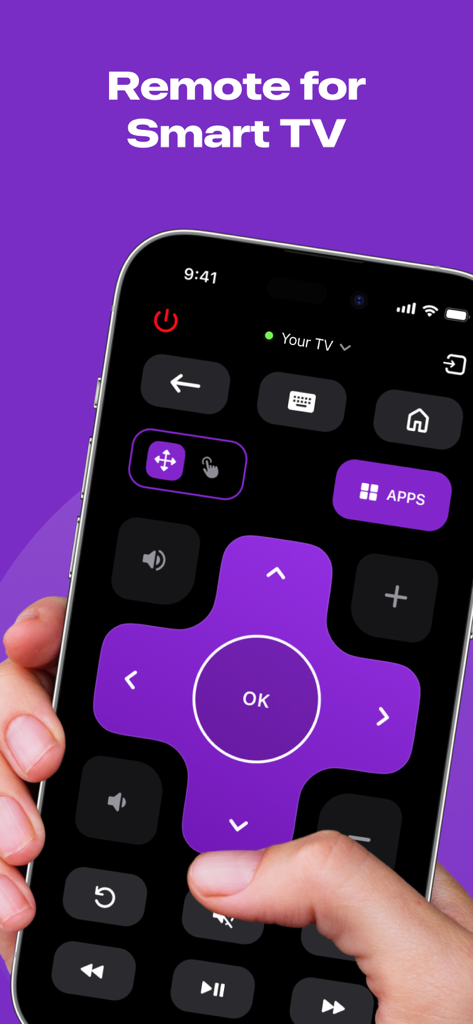
iPhone 화면에 표시되는 스마트 TV용 디지털 리모컨 인터페이스

iPhone 화면에 표시되는 스마트 TV용 디지털 리모컨 인터페이스

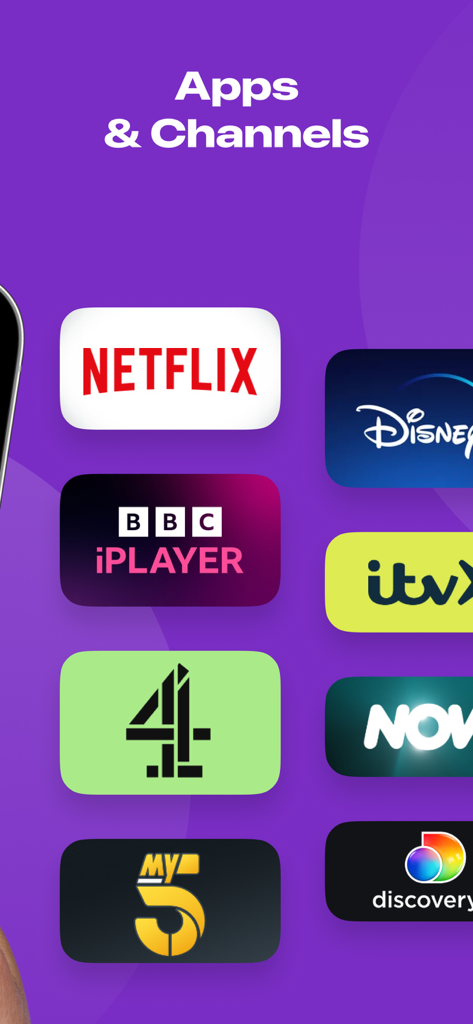
Netflix 및 Disney Plus를 포함한 스트리밍 앱 및 채널 목록

Netflix 및 Disney Plus를 포함한 스트리밍 앱 및 채널 목록

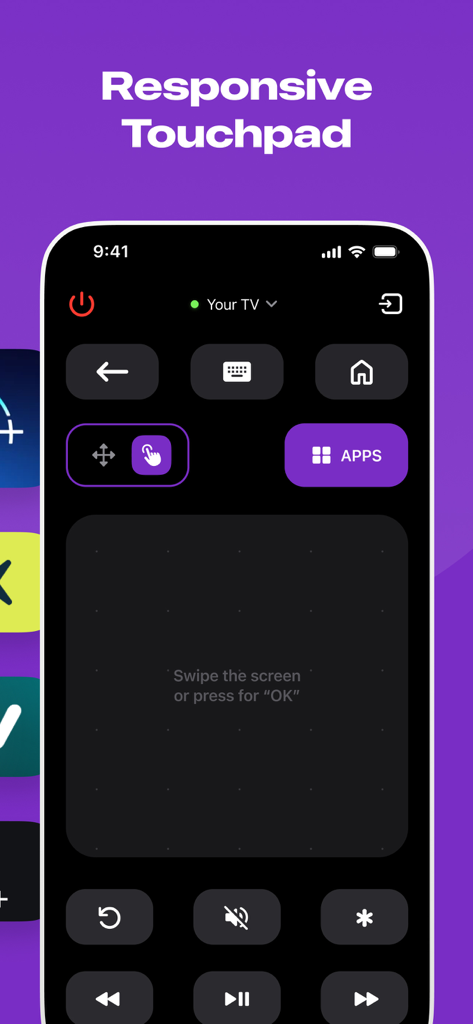
탐색을 위한 반응형 터치패드를 보여주는 Roku TV 리모컨 앱 인터페이스.

탐색을 위한 반응형 터치패드를 보여주는 Roku TV 리모컨 앱 인터페이스.

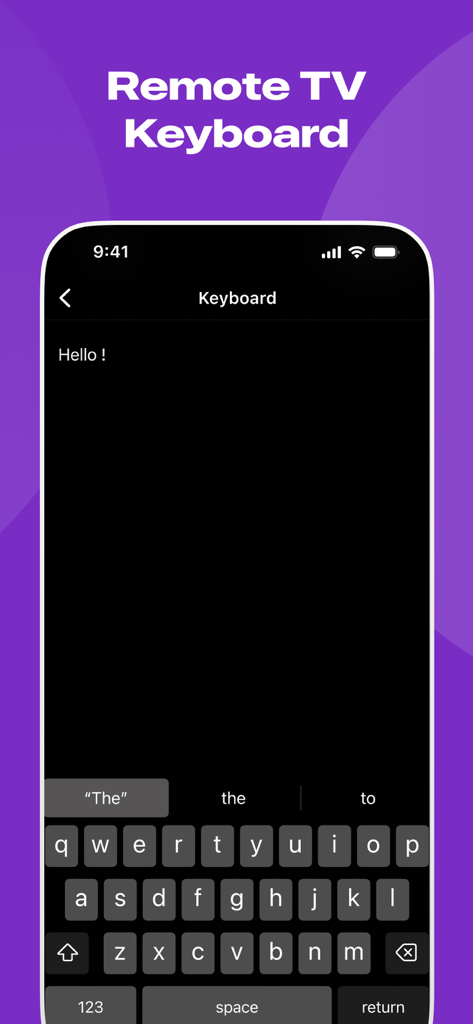
iPhone의 Roku용 리모컨 TV 키보드 기능

iPhone의 Roku용 리모컨 TV 키보드 기능

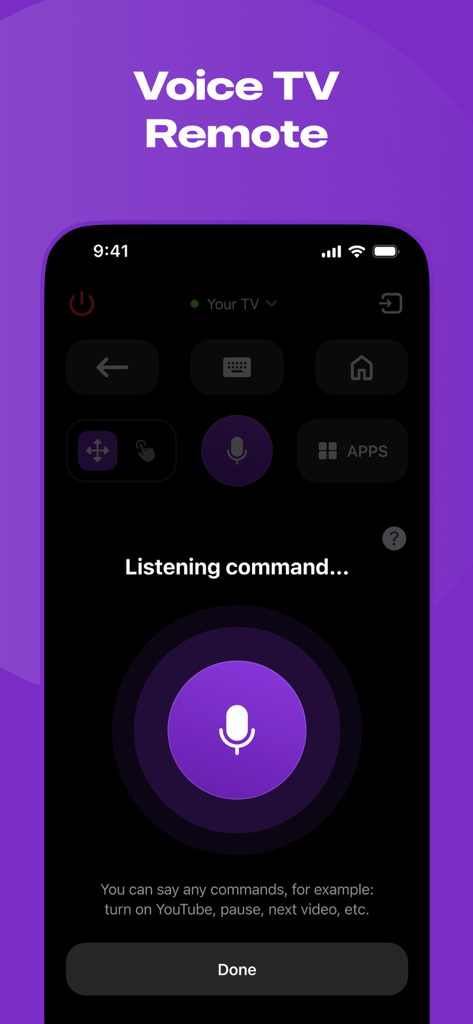
큰 마이크 버튼과 청취 프롬프트가 있는 음성 제어 기능이 표시된 Roku TV 리모컨용 모바일 앱 인터페이스

큰 마이크 버튼과 청취 프롬프트가 있는 음성 제어 기능이 표시된 Roku TV 리모컨용 모바일 앱 인터페이스

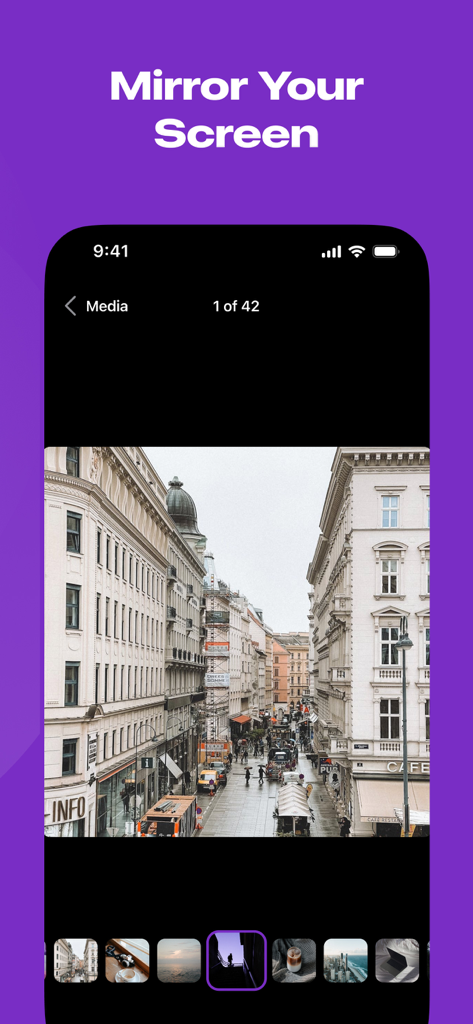
화면 미러링 헤더 아래 사진 갤러리가 표시된 iPhone 화면

화면 미러링 헤더 아래 사진 갤러리가 표시된 iPhone 화면

궁극의 Roku 동반자

이 앱을 돋보이게 하는 도구, 208K+ 명의 사용자가 선택.

📱

항상 준비된 리모컨

더 이상 소파 쿠션 사이를 뒤질 필요가 없습니다. 플라스틱 리모컨보다 빠르고 안정적인 인터페이스로 TV를 제어하고, 앱을 실행하고, 볼륨을 조절하세요.

📡

무선 미러링

좋아하는 TikTok, 모바일 게임 또는 가족 사진을 즉시 캐스트하세요. 비싼 어댑터는 버리고 복잡한 케이블 없이 깔끔하고 미니멀한 설정을 즐기세요.

지연 없는 HD 스트리밍

놀라운 고화질로 미디어를 경험하세요. 저희 실시간 기술은 모든 프레젠테이션이나 동영상이 휴대폰에서만큼이나 큰 화면에서도 부드럽게 보이도록 보장합니다.

전 세계 사용자들에게 사랑받는 앱

Trusted by 208K+ 명이 이 앱을 사랑합니다.

"

"몇 달 전에 물리적인 Roku 리모컨을 잃어버렸는데 마침내 이 앱을 찾았습니다. 정말 구세주 같아요! 즉시 아이들 축구 영상과 휴가 사진을 iPhone에서 바로 할머니, 할아버지께 보여줄 수 있다는 점이 마음에 듭니다. 선도 없고 지연도 없고, 정말 선명한 품질입니다. 너무 직관적이어서 저희 엄마도 베이비시팅할 때 사용할 수 있을 정도예요."

Sarah J.
"

"빠른 프레젠테이션을 자주 하고 동글을 들고 다니는 것을 싫어하는 사람으로서 ShareRemote는 게임 체인저입니다. 화면 미러링은 놀라울 정도로 반응이 빠릅니다. 무선 캐스팅에서는 드물게 지연이 거의 없습니다. 제 Roku TV를 순식간에 전문적인 포트폴리오 디스플레이로 바꿔주었습니다. 안정성만으로도 구독할 가치가 충분합니다."

Marcus T.

리뷰 분석

사용자 리뷰 인사이트.

감정 점수

27%
부정적

요약

This mobile app elicits a highly polarized response from users. A small segment finds it very useful, praising its remote control capabilities and even noting its functionality as superior to the original app. However, the overwhelming majority of feedback is negative, primarily due to the app's mandatory payment structure for core features, leading many to label it a scam or unusable. Users frequently report frustration with recurring charges and connectivity problems.

주요 테마

App Utility(2)
Performance and Functionality(2)
Overall User Experience(2)
Remote Control Feature(1)
Convenience(1)

앱 소개

에 대해 알아야 할 모든 것 Roku TV Remote Control & Cast.

설명

Introducing ShareRemote iOS screen mirroring app. Whether you're showing off your latest photos, streaming videos with friends, or presenting that killer presentation, our app is your go-to for making it all happen effortlessly. **Why You'll Love It:** 1. **No More Wires:** Tangled cables? No, thank you! Our app lets you mirror your device wirelessly. Just a quick tap, and voila – your screen is on the big stage! 2. **Crystal Clear Picture:** Your memories and content deserve the best. Our app keeps the quality top-notch, making sure your pictures and videos look as fabulous on the big screen as they do on your device. 3. **Keep it Real-Time:** Show off your skills live! Whether you're playing games, giving a presentation, or just goofing around, our app mirrors every move in real-time. It's like having your own mini movie premiere. 4. **Easy Peasy Interface:** No tech degree needed here! Our app is designed to be super easy to use. Just open, tap, and watch the magic unfold. It's so simple even your grandma could do it. Whether you're a pro or just looking to spice up your digital life, our screen mirroring app is the sidekick you've been waiting for. Turn any screen into a portal to your device. Download now and let the mirroring adventures begin! ShareRemote subscription plans are: - Yearly subscription - 6 months subscription - Monthly subscription - Weekly subscription - Payment will be charged to iTunes Account at confirmation of purchase. - Subscription automatically renews unless auto-renew is turned off at least 24-hours prior to the end of the current period. - The account is charged for renewal within 24-hours before the end of the current period. - Subscriptions may be managed by the user and auto-renewal may be turned off by going to the user’s Account Settings after purchase. - The cost of renewal is equal to the value that “Apple’s App Store Matrix” determines as the equivalent of the subscription price in $USD. - Any unused portion of a free trial period, if offered, will be forfeited when the user purchases a subscription to that publication. *Prices are equal to the value that "Apple's App Store Matrix" determines is the equivalent of the subscription price in $USD. Privacy Policy - https://docs.google.com/document/d/1ahEeO01U4RiZyrZyXq2MkmMjxl8cBKmxlYxlrHaGwUg/edit?usp=sharing Terms of Use - https://docs.google.com/document/d/1xD4dteABb8nb7IY_UNEBLtTUo7Z4KFDfuvoq2gmuVk8/edit?usp=sharing

최신 버전

1.5

크기

52.3 MB

출시일

2024년 1월 23일

Roku TV를 마스터할 준비가 되셨나요?

분실된 리모컨과 복잡한 선은 잊은 208,000명 이상의 사용자와 함께하세요. 지금 ShareRemote를 다운로드하고 실시간으로 세상을 미러링하세요.

다운로드: App Store
FAQ

자주 묻는 질문

에 대해 알아야 할 모든 것 Roku TV Remote Control & Cast

Roku TV 리모컨 및 캐스트 앱이란 무엇인가요?

Roku TV 리모컨 및 캐스트 앱은 스마트 TV의 리모컨 역할을 하며 무선 화면 미러링 기능을 제공합니다. 반응성이 뛰어난 컨트롤, 키보드, 음성 명령 기능을 갖추고 있으며 사진 및 동영상을 더 큰 화면으로 전송할 수 있습니다.

Roku TV 리모컨 및 캐스트 앱에서 화면 미러링을 사용할 수 있나요?

예, Roku TV 리모컨 및 캐스트 앱은 무선 화면 미러링을 지원합니다. 사용자는 선명한 품질과 실시간 성능으로 사진을 표시하거나 동영상을 스트리밍하거나 장치에서 더 큰 화면으로 프레젠테이션할 수 있습니다.

Roku TV 리모컨 및 캐스트 앱은 어떤 리모컨 기능을 제공하나요?

Roku TV 리모컨 및 캐스트 앱은 전원 제어, 탐색, 앱 액세스, 볼륨 조절, 미디어 재생을 포함한 포괄적인 리모컨 기능을 제공합니다. 또한 반응성이 뛰어난 터치패드, 리모컨 키보드, TV 음성 제어 기능도 포함되어 있습니다.

Roku TV 리모컨 및 캐스트 앱의 구독 옵션은 무엇인가요?

Roku TV 리모컨 및 캐스트 앱은 여러 구독 옵션을 제공합니다. 사용자는 연간, 6개월, 월간, 주간 요금제를 선택하여 앱의 모든 기능을 이용할 수 있습니다.

Roku TV 리모컨 및 캐스트 구독의 자동 갱신은 어떻게 관리하나요?

사용자는 Roku TV 리모컨 및 캐스트 구독을 관리하고 자동 갱신을 끌 수 있습니다. 이는 구매 후 iTunes의 사용자 계정 설정으로 이동하여 수행할 수 있습니다.

Roku TV 리모컨 및 캐스트 앱의 개인정보 처리방침은 어디에 있나요?

Roku TV 리모컨 및 캐스트 앱의 개인정보 처리방침은 앱 설명에 제공된 직접 링크를 통해 확인할 수 있습니다. 이를 통해 사용자는 데이터 처리 관행에 대한 정보에 액세스할 수 있습니다.