RunwayMap - #1 Pilot Community

RunwayMap - #1 Pilot Community

다운로드: App Store
Spark by MWM logo
로고: RunwayMap - #1 Pilot Community

RunwayMap: 공항 검색 및 비행 계획을 위한 최고의 부조종사

3D 접근 미리보기, 실시간 항공 기상 정보 및 최고의 공항 레스토랑 가이드를 통해 모든 착륙을 완벽하게 준비하세요.

개발사

RedDev GmbH

카테고리

Weather

다운로드

62K+

사용자 평점

4.7/5

총 평가 수

1K+

지원 언어

2

당신의 비행을 시각화하세요

이 인터페이스를 사용하는 62K+ 명의 사용자.

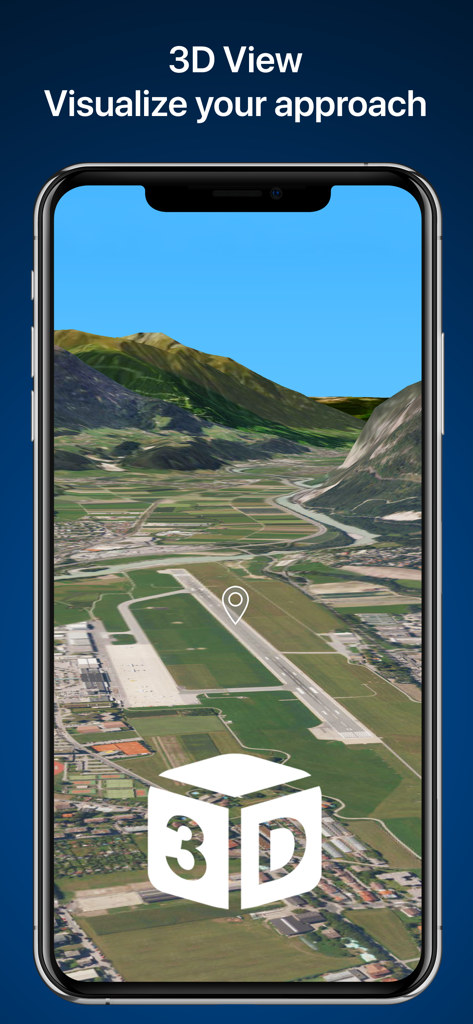
스마트폰 화면에 표시된 공항 활주로의 3D 접근 시각화

스마트폰 화면에 표시된 공항 활주로의 3D 접근 시각화

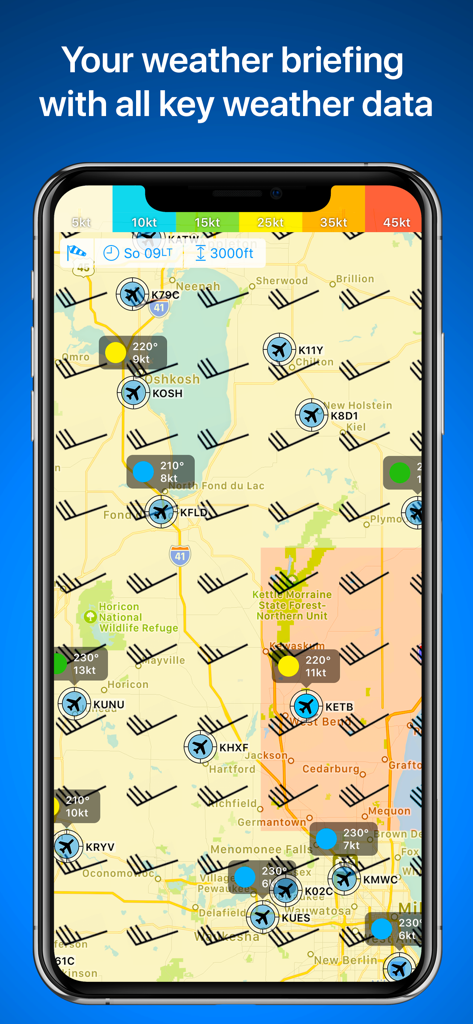
풍향 기호와 공항 비행 상태를 보여주는 RunwayMap의 항공 기상 지도

풍향 기호와 공항 비행 상태를 보여주는 RunwayMap의 항공 기상 지도

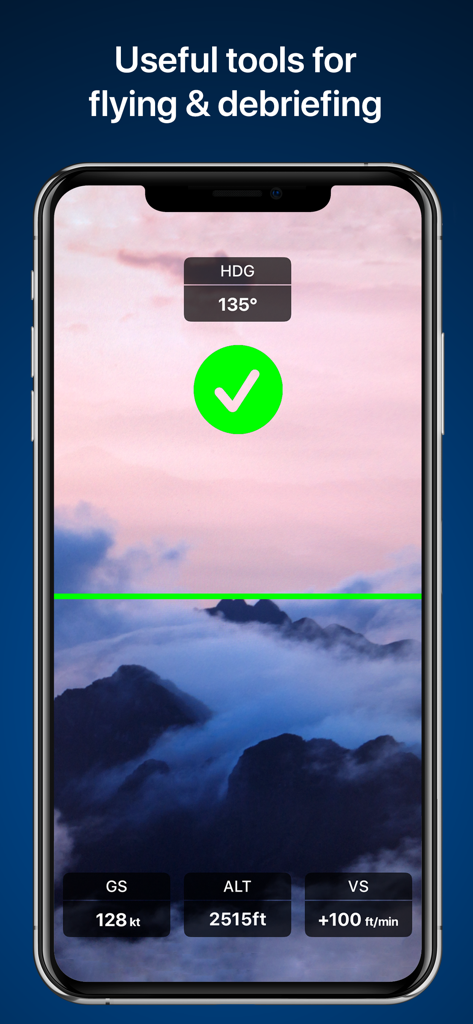
고도 및 속도 데이터 오버레이가 포함된 RunwayMap 비행 도구를 보여주는 스마트폰 화면

고도 및 속도 데이터 오버레이가 포함된 RunwayMap 비행 도구를 보여주는 스마트폰 화면

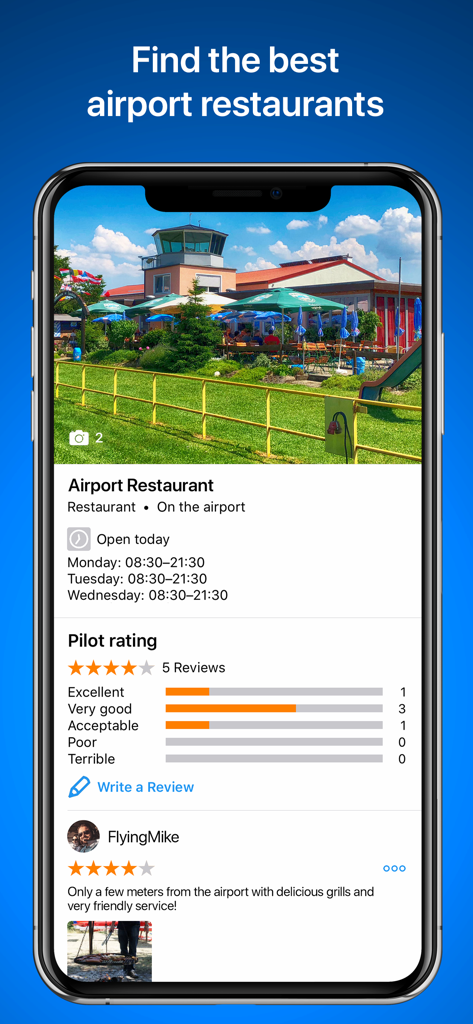
공항 레스토랑 평점과 조종사 리뷰를 보여주는 RunwayMap 앱 인터페이스

공항 레스토랑 평점과 조종사 리뷰를 보여주는 RunwayMap 앱 인터페이스

공항의 경비행기와 함께 조종사 게시물을 보여주는 RunwayMap 조종사 커뮤니티 프로필

공항의 경비행기와 함께 조종사 게시물을 보여주는 RunwayMap 조종사 커뮤니티 프로필

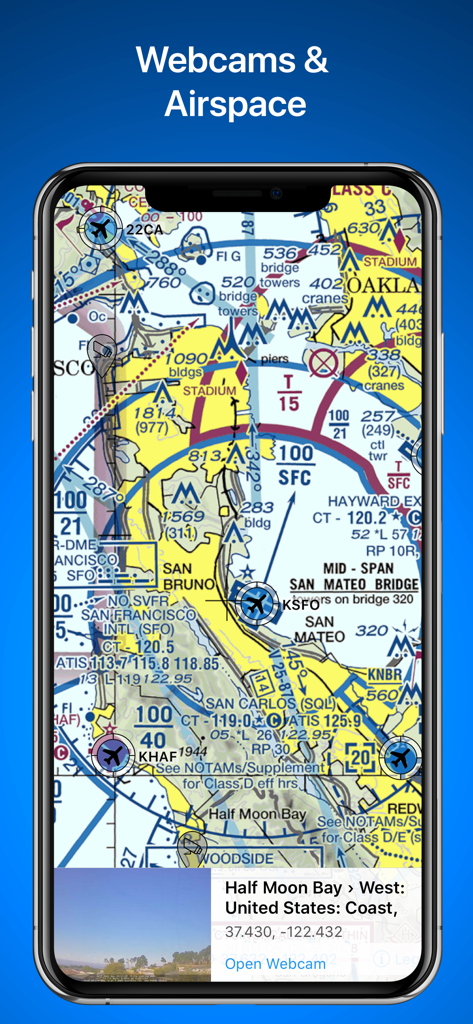
공역 세부 정보와 하프문베이(Half Moon Bay)의 실시간 공항 웹캠 미리보기가 포함된 항공 구역 차트를 표시하는 RunwayMap 앱

공역 세부 정보와 하프문베이(Half Moon Bay)의 실시간 공항 웹캠 미리보기가 포함된 항공 구역 차트를 표시하는 RunwayMap 앱

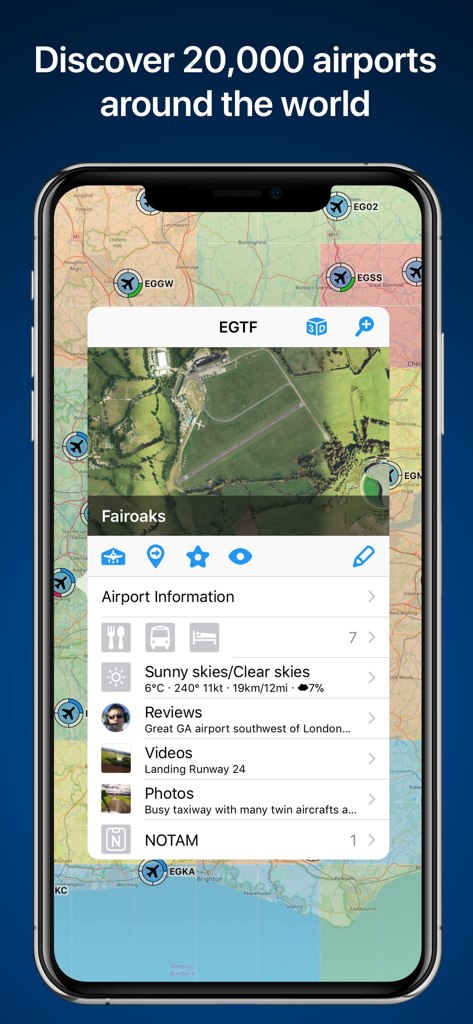
페어오크스(Fairoaks) 공항에 대한 상세 정보와 함께 공항 지도를 표시하는 RunwayMap 앱 화면

페어오크스(Fairoaks) 공항에 대한 상세 정보와 함께 공항 지도를 표시하는 RunwayMap 앱 화면

계획부터 착륙까지, 당신의 비행을 마스터하세요

이 앱을 돋보이게 하는 도구, 62K+ 명의 사용자가 선택.

🛩️

3D 접근 미리보기

3D 가상 비행을 통해 착륙을 미리 연습하여 새로운 공항에 대한 불안감을 없애세요. 이륙 전 거리와 활공각을 설정하여 모든 접근을 완벽하게 익힐 수 있습니다.

🌤️

시각적 항공 기상

텍스트를 해독하는 대신 하늘을 직접 확인하세요. 시각화된 METAR, FL150까지의 상층풍, 최적의 활주로 선택을 위한 계산된 측풍 성분을 확인하세요.

🍔

조종사 소셜 가이드

최고의 공항 레스토랑과 선데크를 찾아보세요. 방문한 공항을 표시하고 즐겨 찾는 목적지에 메모를 남겨 개인 비행 기록을 관리하세요.

전 세계 사용자들에게 사랑받는 앱

Trusted by 62K+ 명이 이 앱을 사랑합니다.

"

"RunwayMap은 주말 여행을 계획할 때 제가 가장 좋아하는 도구입니다. 공항 레스토랑 찾기 기능은 정말 유용하며, 개인 지도에 새로운 목적지를 표시하는 것도 즐겁습니다. 모든 기상 데이터를 하나의 명확하고 시각적인 인터페이스에 담아내면서 모든 비행을 사교적인 모험으로 바꿔줍니다."

데이비드 '텍스' 밀러, 자가용 조종사
"

"3D 접근 뷰는 안전 측면에서 혁신적인 기능입니다. 낯선 비행장에서의 착륙을 미리 볼 수 있어 훨씬 자신감이 생깁니다. 이제 표준 텍스트보다 훨씬 읽기 쉬운 시각적 METAR 업데이트와 함께 비행 전 루틴의 필수적인 부분이 되었습니다."

사만다 리드, 비행 교관

앱 소개

에 대해 알아야 할 모든 것 RunwayMap - #1 Pilot Community.

설명

The interactive map gives you an overview of the airports. We have collected important information on every airport: • Aviation Weather Forecasts • 3D Approach View and 3D Airport Surroundings View • NOTAM and Runways • Airport Restaurants • Webcams and much more Download the versatile pilot app while you are at it. Features: VISUALIZE YOUR APPROACH AND LANDING IN 3D The 3D feature is available for over 20,000 airports. Get a 3D approach view and a 3D airport surroundings view. With 3D PLUS you can preview your approach like you're right there in the cockpit. You can set your distance from the runway and adjust your glide path. AVIATION WEATHER See a visual display of the METAR and flight conditions on the map. In addition, you can see the decoded METAR with wind, clouds, gusts, and visibility on the airport's detail page. Sunrise and sunset On each airport's detail page, you can find the times for sunrise and sunset as well as the beginning and end of civil twilight. Winds aloft See winds displayed on the map at 6 different levels, from surface winds up to FL 150. Weather PLUS Based on the wind data from METAR or the forecast, the best runway for landing and the crosswind component will be displayed for the desired time. For GAFOR and the weather parameters, you see the forecast for the next 5 days in 3-hour increments. Check winds aloft, cloud cover, precipitation volume, and temperatures as well as the icing conditions. MAP Search by name or ICAO to discover new airports. Receive important information such as the address, position, runways, and airport restaurants. Mark and save what airports you’ve already flown to or those you’d like to fly to next. Save your personal notes for every airport. AIRPORT RESTAURANTS Where can you call in an order over the radio while you’re still up in the air? Which airport restaurant has a great sun deck with a view of the runway? In RunwayMap, you’ll find restaurants at and near airports. Easily find the restaurant’s opening times and contact info and see how far it is from the airport. DOCUMENTS With just a few clicks, add your flight documents, such as the Jeppesen approach charts, FAA terminal procedures and airport diagrams, ForeFlight manuals or the Garmin pilot’s guide. That way you always have them close at hand. TOOLS & AVIATION CALCULATOR Use the handy aviation calculator for conversions for distance, weight, temperature, and more. Have it display your QNH and QFE. RUNWAYMAP APP Download and use basic RunwayMap features free of charge. The Weather PLUS feature and the 3D PLUS feature are available as in-app subscriptions. Prices are clearly displayed in the app and may vary per country. You can choose between Weather PLUS / 3D PLUS as a monthly subscription or an annual subscription. Payment will be charged to your App Store Account at confirmation of purchase. Your subscription will be automatically renewed (another month for monthly subscribers, another year for annual subscribers) if you do not cancel it at least 24 hours before expiry of the current term. Your account will be debited for the next term within 24 hours of expiry of the current subscription. You cannot cancel the current subscription during the ongoing subscription period. After purchasing, you can manage your subscription in the account settings. RunwayMap’s privacy policy can be found at www.runwaymap.com/privacypolicy and terms of service at www.runwaymap.com/termsofservice Important note: RunwayMap is not intended to provide aeronautical information or navigation aids. For navigation purposes, we strongly recommend using only approved and updated aviation information such as ForeFlight, Skydemon or Garmin Pilot. The weather data shown in RunwayMap is only general information about possible weather development. It does not replace professional weather briefing by an official body before the flight. Learn more about RunwayMap at runwaymap.com

최신 버전

3.9.8

크기

76.7 MB

출시일

2017년 6월 28일

다음 비행의 지휘권을 잡을 준비가 되셨나요?

60,000명 이상의 조종사와 함께하세요. RunwayMap을 다운로드하여 3D 접근 미리보기를 익히고, 실시간 항공 기상을 확인하며, 다음번에 방문할 마음에 드는 공항 레스토랑을 찾아보세요.

다운로드: App Store