Scan-IT to Office

Scan-IT to Office

다운로드: App Store
Spark by MWM logo
로고: Scan-IT to Office

Scan-IT to Office: 스프레드시트 및 앱을 위한 실시간 모바일 데이터 수집

스마트폰을 전문가급 스캐너로 변신시키세요. 종단 간 암호화를 통해 바코드, NFC 태그 및 이미지를 Excel, Google Sheets 또는 모든 PC/Mac 애플리케이션으로 즉시 캡처합니다.

개발사

TEC-IT Datenverarbeitung GmbH

카테고리

Business

다운로드

171K+

사용자 평점

4.8/5

총 평가 수

6K+

지원 언어

7

정확한 작동

이 인터페이스를 사용하는 171K+ 명의 사용자.

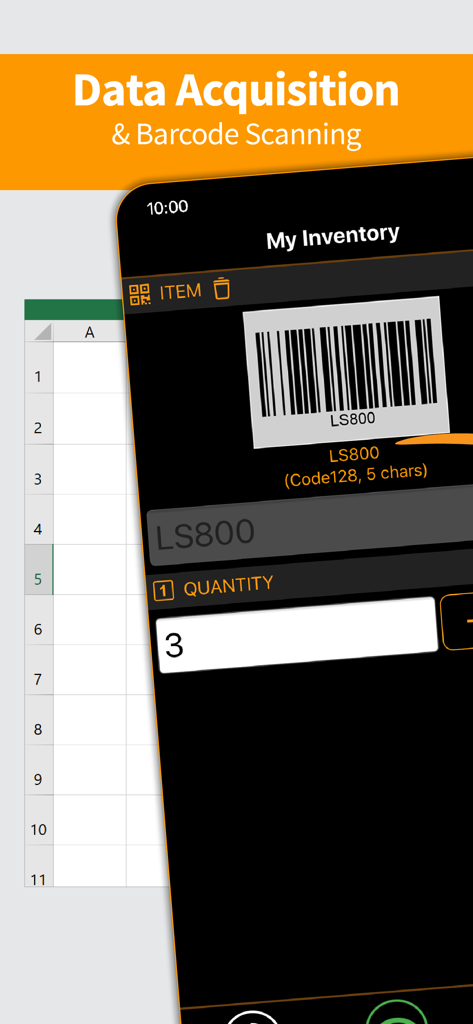
원활한 사무실 통합을 위한 바코드 스캔 및 재고 데이터 입력을 보여주는 모바일 앱 인터페이스

원활한 사무실 통합을 위한 바코드 스캔 및 재고 데이터 입력을 보여주는 모바일 앱 인터페이스

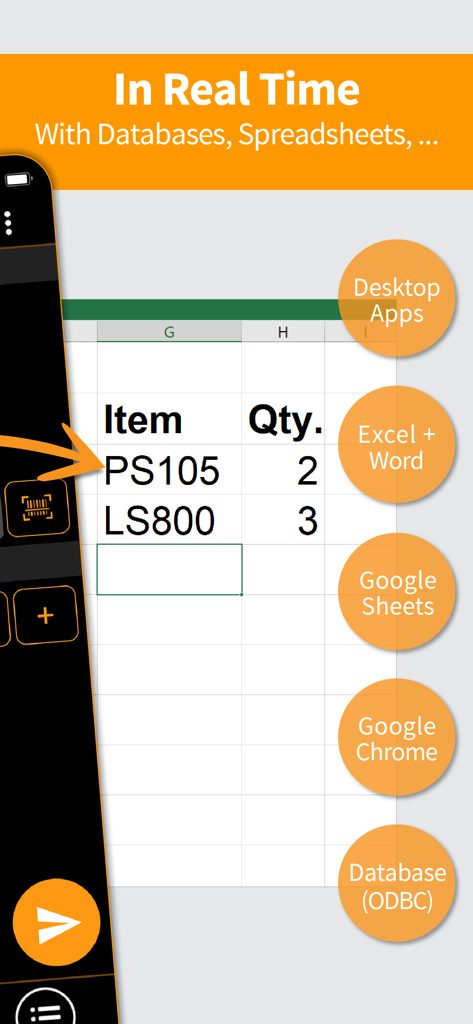
모바일 폰에서 스프레드시트 및 데이터베이스로의 실시간 바코드 데이터 전송을 보여주는 Scan-IT to Office 앱

모바일 폰에서 스프레드시트 및 데이터베이스로의 실시간 바코드 데이터 전송을 보여주는 Scan-IT to Office 앱

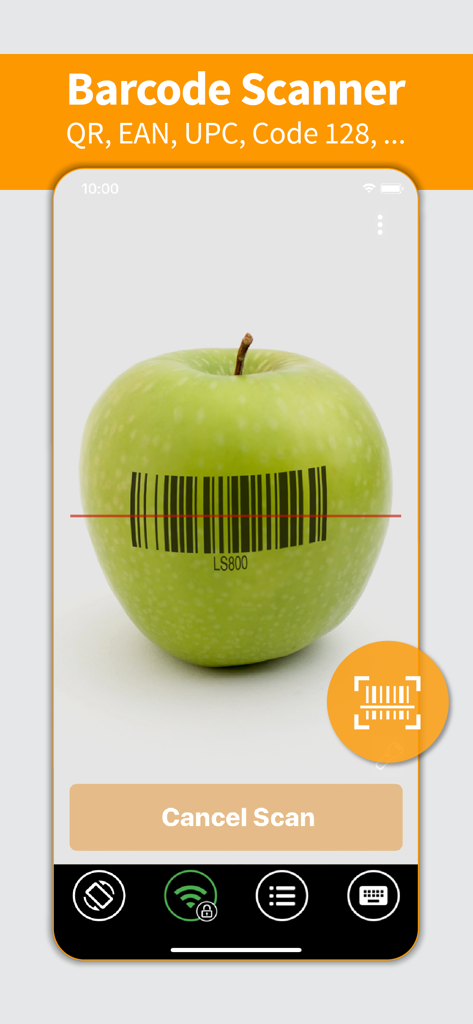
녹색 사과에 바코드가 스캔되는 것을 보여주는 Scan-IT to Office 모바일 앱 인터페이스

녹색 사과에 바코드가 스캔되는 것을 보여주는 Scan-IT to Office 모바일 앱 인터페이스

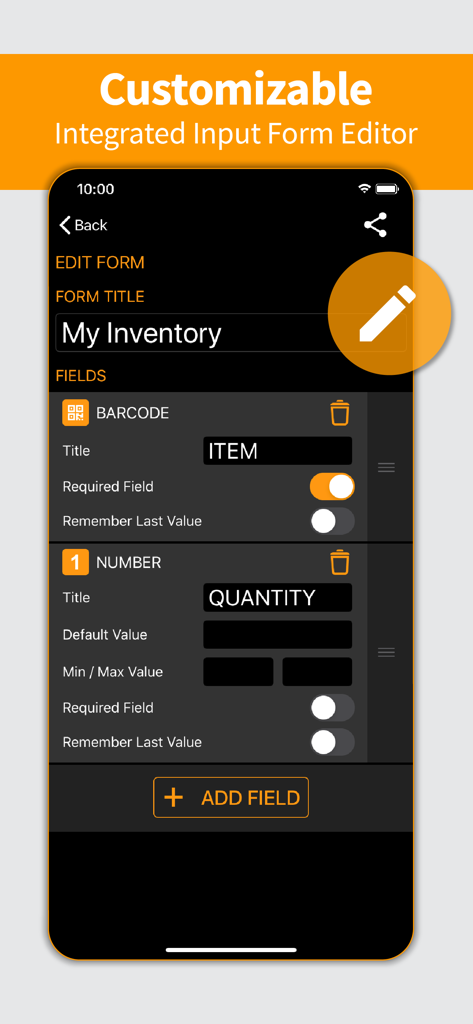
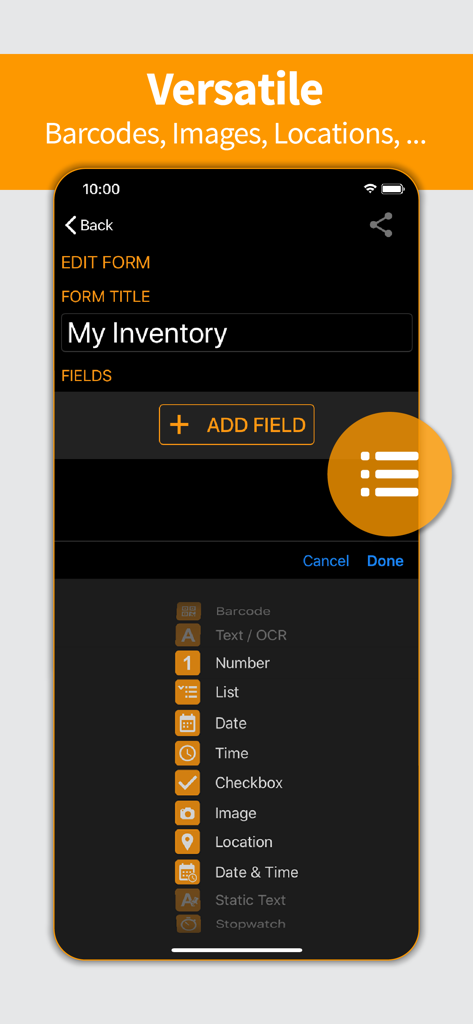
재고 추적을 위한 사용자 정의 가능한 입력 양식 편집기를 보여주는 Scan-IT to Office 앱의 모바일 인터페이스.

재고 추적을 위한 사용자 정의 가능한 입력 양식 편집기를 보여주는 Scan-IT to Office 앱의 모바일 인터페이스.

바코드, 이미지 및 위치 데이터에 대한 필드 옵션이 있는 사용자 정의 재고 양식 빌더를 보여주는 Scan-IT to Office 앱의 인터페이스.

바코드, 이미지 및 위치 데이터에 대한 필드 옵션이 있는 사용자 정의 재고 양식 빌더를 보여주는 Scan-IT to Office 앱의 인터페이스.

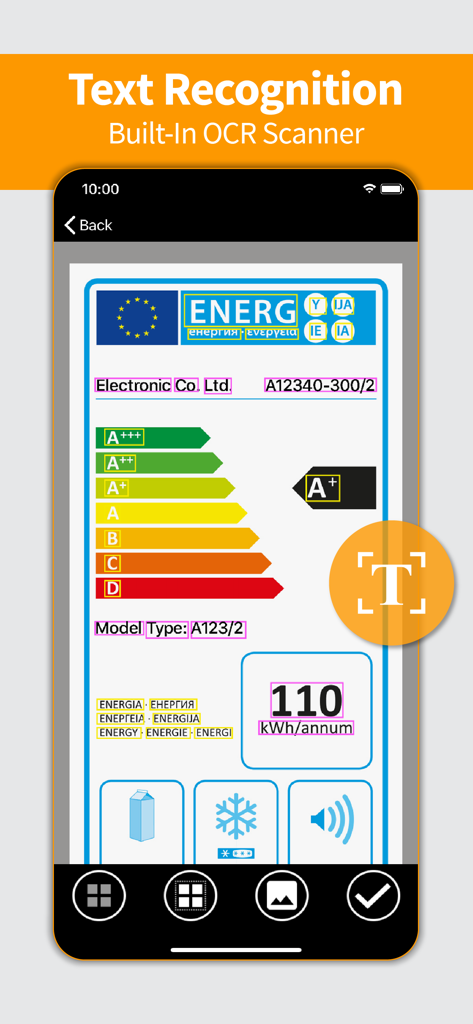
라벨의 텍스트 인식을 위한 내장 OCR 스캐너를 보여주는 Scan-IT to Office 앱 인터페이스

라벨의 텍스트 인식을 위한 내장 OCR 스캐너를 보여주는 Scan-IT to Office 앱 인터페이스

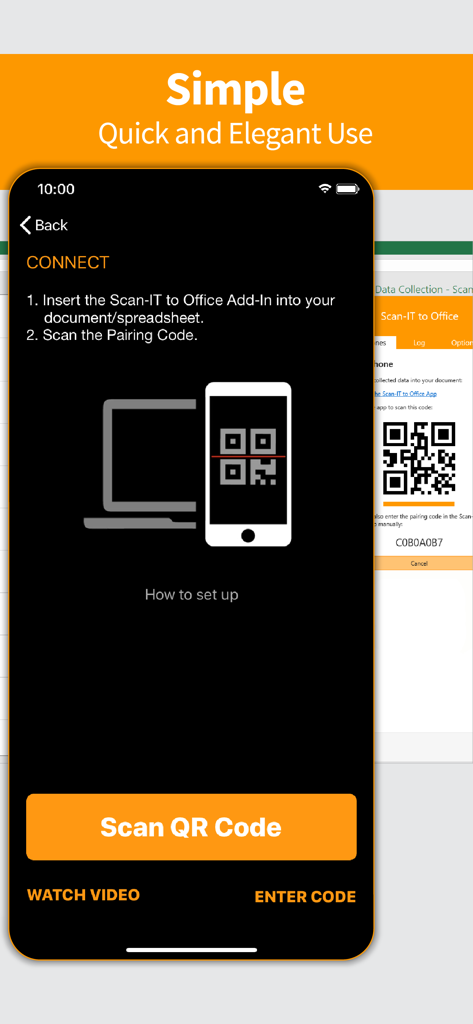
QR 코드를 통해 데스크톱 애플리케이션에 연결하는 방법을 보여주는 Scan-IT to Office 모바일 앱 페어링 화면

QR 코드를 통해 데스크톱 애플리케이션에 연결하는 방법을 보여주는 Scan-IT to Office 모바일 앱 페어링 화면

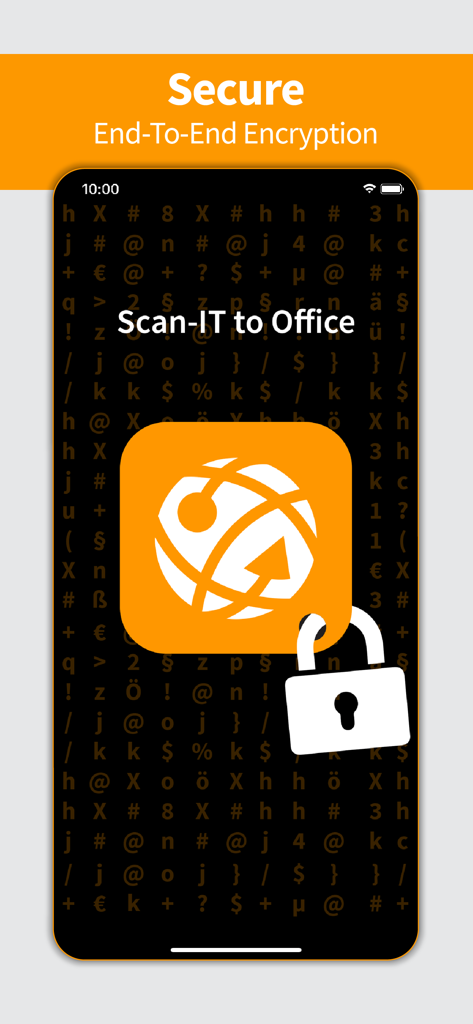
데이터 수집을 위한 안전한 종단 간 암호화를 강조하는 Scan-IT to Office 모바일 앱 인터페이스

데이터 수집을 위한 안전한 종단 간 암호화를 강조하는 Scan-IT to Office 모바일 앱 인터페이스

데이터 수집 간소화

이 앱을 돋보이게 하는 도구, 171K+ 명의 사용자가 선택.

실시간 데스크톱 동기화

데이터는 케이블, 이메일 또는 수동 내보내기 없이 모바일 장치에서 Excel, Word 또는 Google Sheets로 직접 전송됩니다.

📦

올인원 데이터 캡처

바코드 그 이상을 캡처하세요. NFC 태그, 고품질 이미지, 타임스탬프 및 GPS 좌표를 하나의 간소화된 워크플로에서 수집하세요.

🛠️

맞춤형 워크플로

특정 비즈니스 요구에 맞춰 스마트 입력 양식을 설계하세요. 코딩 기술이나 고가의 독점 하드웨어가 필요 없습니다.

전 세계 사용자들에게 사랑받는 앱

Trusted by 171K+ 명이 이 앱을 사랑합니다.

"

"Scan-IT to Office는 우리의 재고 워크플로를 완전히 변화시켰습니다. 값비싸고 부피가 큰 스캐너를 기존 iPad로 교체했고, 데이터는 즉시 Excel 시트에 들어옵니다. 더 이상 수동 입력 오류나 복잡한 CSV 내보내기가 없습니다. 전체 창고에서 원활하게 작동합니다."

제임스 헨더슨, 물류 관리자
"

"맞춤형 양식을 만들 수 있는 기능은 우리 현장 팀에게 꼭 필요한 것이었습니다. 바코드, 사진 및 GPS 위치를 캡처하면 Google Sheets에 실시간으로 나타납니다. 종단 간 암호화는 기업 데이터 보안에 필요한 마음의 평화를 제공합니다."

엘레나 로드리게스, 운영 이사

앱 소개

에 대해 알아야 할 모든 것 Scan-IT to Office.

설명

Scan-IT to Office is the efficient solution for mobile data acquisition with real-time connectivity to arbitrary PC or Mac applications and databases accessible via ODBC - with enhanced support for Microsoft Excel, Microsoft Word, Google Sheets and Google Chrome. Captured data like barcodes, NFC tags, texts, numbers, locations or images is transferred via cloud services immediately to targets on your desktop computer. This works regardless of your location, even across different offices, facilities or countries. VERSATILE Data is captured into clearly structured input forms on the smartphone or tablet. Users can select from predefined standard forms or create their own input forms if required. EASY TO USE Scan-IT to Office is ready to use in just a few steps: This data acquisition app is paired with the corresponding target by scanning a QR code. Now the data transfer works on its own: captured bar-codes, pictures, manual inputs, timestamps or location data are automatically sent to their destination. FEATURES • Mobile data collection app for smartphones and tablets • Captures barcodes, NFC tags, images, timestamps, texts, location data and numbers • Real-time data transfer to any PC or Mac application • Store data in any database accessible via ODBC • Insert data directly into Word, Excel, Google Sheets or Google Chrome • Custom and predefined data acquisition forms • End-to-end encryption guarantees maximum privacy & security • Works worldwide, independent of time and place • For single and multi-user scenarios FREE DEMO The app is available as free trial, a paid subscription unlocks all functions. Without a subscription, the app replaces collected data at random intervals with a demo text and/or a notification is displayed. IMPORTANT NOTICE To use this app, you need to install the additionally required Scan-IT to Office software (available for free) on your desktop computer: Scan-IT to Office Tools enable arbitrary PC or Mac applications and ODBC-databases to receive data collected with the app. Download the tools using this link: https://www.tec-it.com/stodownload Scan-IT to Office Add-Ins are dedicated Add-Ins for Microsoft Word, Microsoft Excel, Google Sheets and Google Chrome, which provide optimized and seamless data acquisition functionality. Install the desired Add-In directly in the host application or from the respective store: • Microsoft Word / Microsoft Excel: https://appsource.microsoft.com/product/office/wa104381026 • Google Sheets: https://chrome.google.com/webstore/detail/scan-it-to-office/oeggkbdldochacapfbnbmhghcfinaehh • Google Chrome: https://chrome.google.com/webstore/detail/scan-it-to-office/ijemakhbbjajapbmdonhjmfkkcpliafp FREE SUPPORT In case of questions, please contact us at support@tec-it.com (E-Mail), TECITSupport (Skype) or visit https://www.tec-it.com/sto. SUBSCRIPTION POLICY • Monthly, quarterly or yearly subscriptions are available • When buying a subscription, payment will be charged to your iTunes Account at confirmation of purchase. • Subscription automatically renews unless auto-renew is turned off at least 24-hours before the end of the current period. • Account will be charged for renewal within 24-hours prior to the end of the current period, and identify the cost of the renewal. • You may also manage your subscriptions via App Store. • Auto-renewal of a subscription may be turned off by going to your Account Settings in the App Store after purchase. Terms of use and privacy: https://www.tec-it.com/download/PDF/TEC-IT_AGB_EN.pdf

최신 버전

5.5.3

크기

67.3 MB

출시일

2017년 7월 20일

입력은 멈추고, 스캔을 시작하세요

현장과 사무실 간의 간극을 좁히는 17만 1천 명 이상의 전문가들과 함께하세요. 바코드, NFC 태그 및 위치를 Excel, Google Sheets 또는 데이터베이스로 실시간으로 직접 캡처하세요. 오늘 무료 체험을 시작하세요.

다운로드: App Store