School Timetable - class study

School Timetable - class study

다운로드: App Store
Spark by MWM logo
로고: School Timetable - class study
School Timetable - 수업 학습: 학생들을 위한 감성적인 일정 플래너

아름다운 컬러 코딩 수업, 인터랙티브 위젯, 원활한 Apple Watch 동기화로 대학 생활을 마스터하세요. 시험, 숙제, 바쁜 학업 주간을 추적하는 가장 깔끔한 방법입니다.

개발사

Pranoy Chowdhury

카테고리

Education

다운로드

130K+

사용자 평점

4.5/5

총 평가 수

200

지원 언어

1

나만의 학업 감성

이 인터페이스를 사용하는 130K+ 명의 사용자.

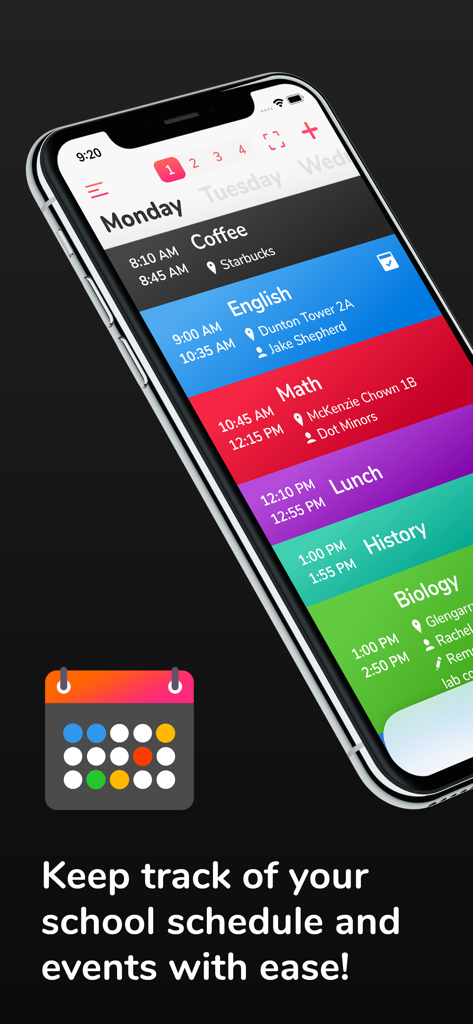
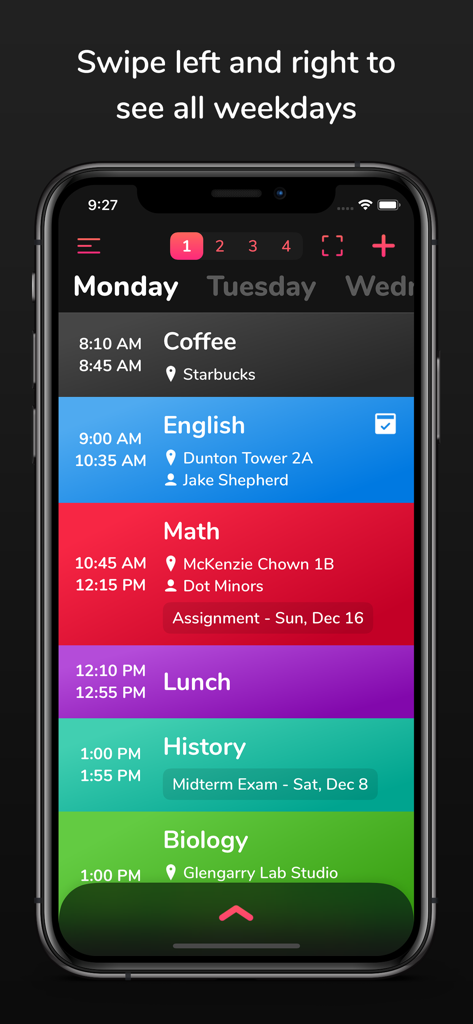
수업 시간과 장소가 표시된 컬러 코딩된 일일 학교 일정을 보여주는 iPhone

수업 시간과 장소가 표시된 컬러 코딩된 일일 학교 일정을 보여주는 iPhone

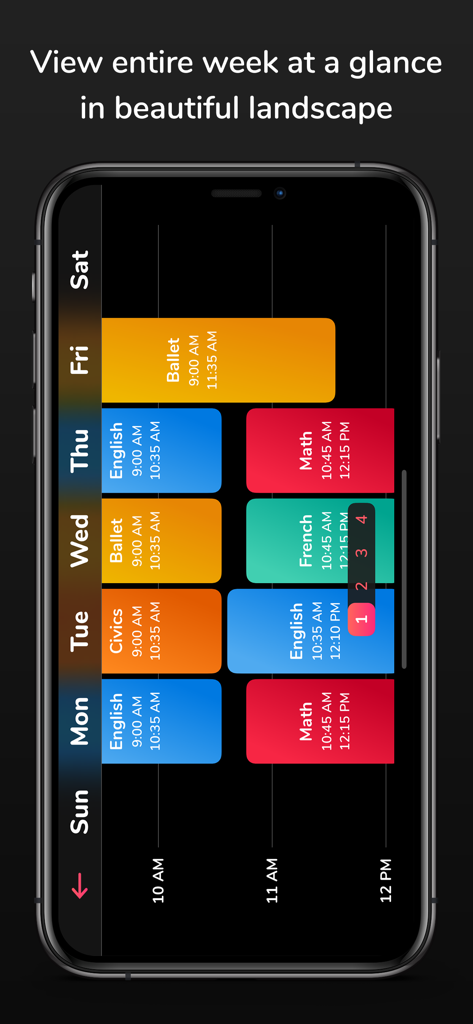
가로 보기의 주간 컬러 코딩 학생 일정

가로 보기의 주간 컬러 코딩 학생 일정

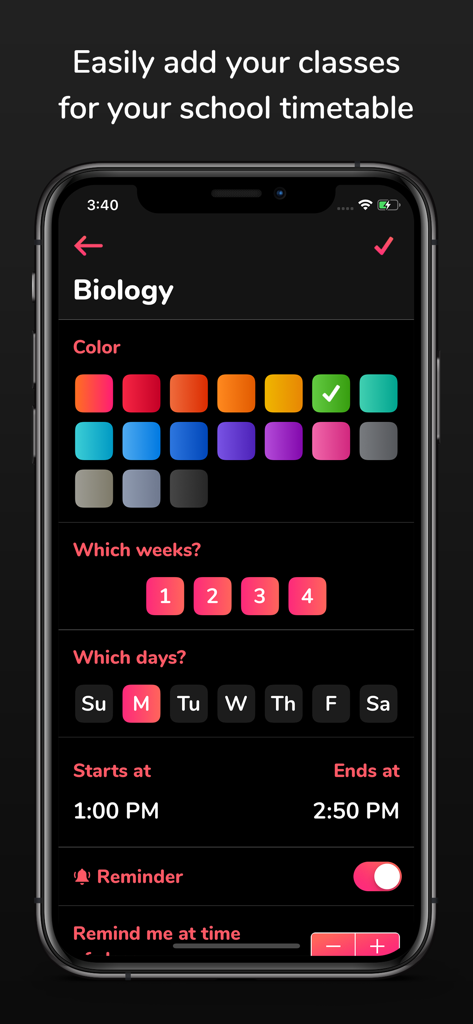
컬러 코딩 및 일정 설정으로 생물학 수업을 추가하는 모바일 앱 인터페이스

컬러 코딩 및 일정 설정으로 생물학 수업을 추가하는 모바일 앱 인터페이스

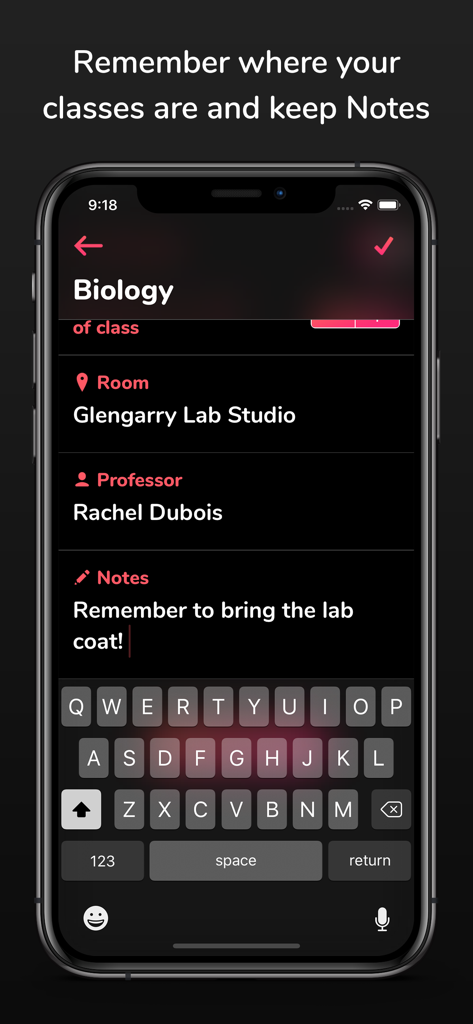
School Timetable 앱 내에서 수업 세부 정보(교실, 교수, 학습 노트 포함)를 보여주는 스마트폰 화면

School Timetable 앱 내에서 수업 세부 정보(교실, 교수, 학습 노트 포함)를 보여주는 스마트폰 화면

학생을 위한 수업과 장소를 보여주는 School Timetable 앱의 컬러 코딩된 일일 학교 일정

학생을 위한 수업과 장소를 보여주는 School Timetable 앱의 컬러 코딩된 일일 학교 일정

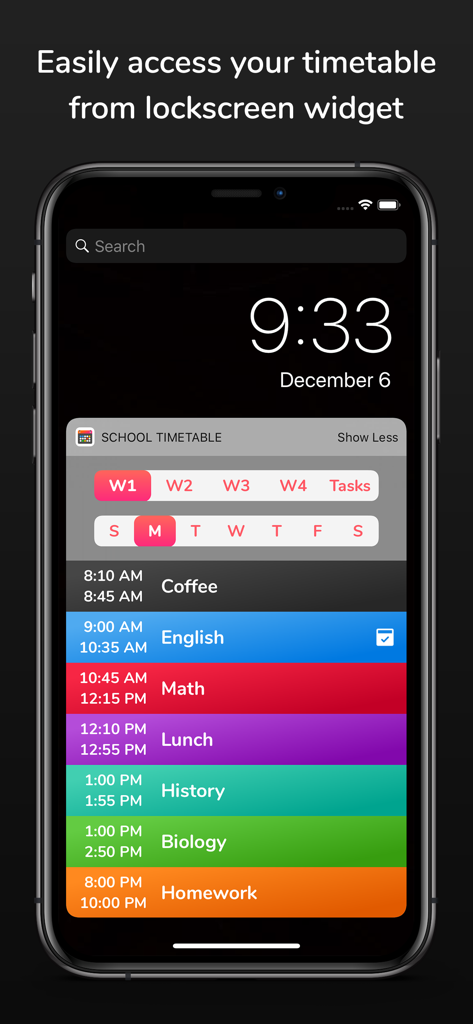
컬러 코딩된 일일 수업 일정을 보여주는 iPhone 잠금 화면 위젯

컬러 코딩된 일일 수업 일정을 보여주는 iPhone 잠금 화면 위젯

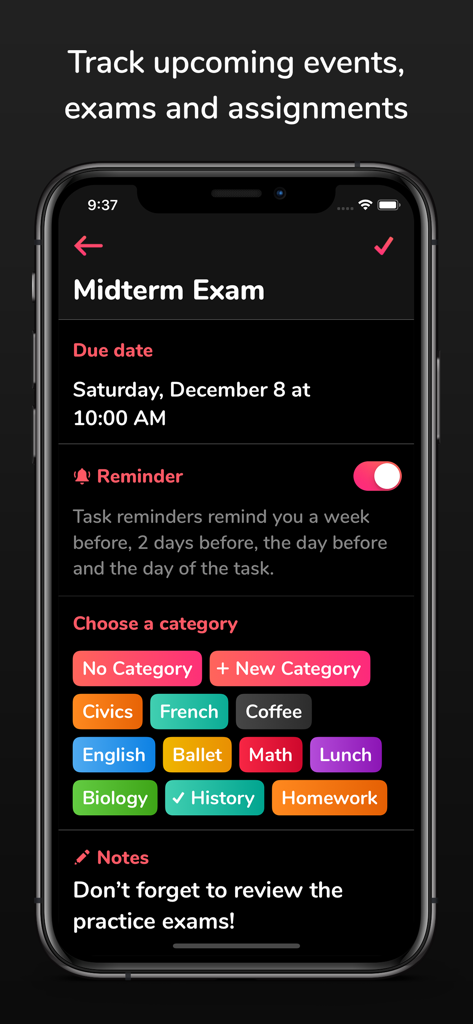
마감일, 알림 토글, 컬러 코딩된 과목 카테고리가 있는 중간고사 항목을 보여주는 모바일 앱 인터페이스

마감일, 알림 토글, 컬러 코딩된 과목 카테고리가 있는 중간고사 항목을 보여주는 모바일 앱 인터페이스

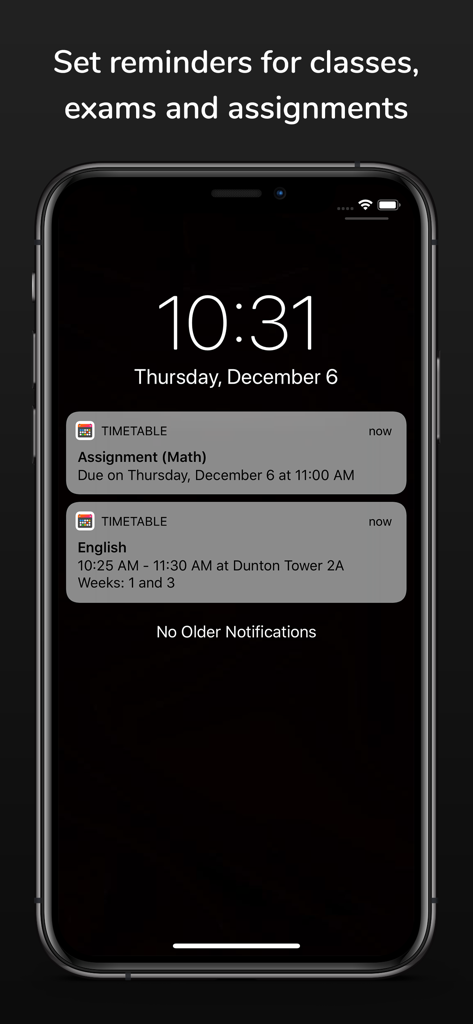
과제와 수업에 대한 학교 시간표 알림을 보여주는 iPhone 잠금 화면.

과제와 수업에 대한 학교 시간표 알림을 보여주는 iPhone 잠금 화면.

완벽하게 정리된 학업 생활

이 앱을 돋보이게 하는 도구, 130K+ 명의 사용자가 선택.

🎨

감성적인 & 시각적인 계획

생생한 컬러 코딩과 맞춤 테마로 시간표를 개인화하여 바쁜 한 주를 깔끔하고 시각적인 대시보드로 바꿔보세요.

빠른 정보 확인

휴대전화를 잠금 해제하지 않고도 Apple Watch 컴플리케이션과 인터랙티브 iOS 17 위젯을 통해 다음 수업 또는 교수님 정보를 즉시 확인할 수 있습니다.

🚀

복잡한 일정을 위한 설계

회전식 다주 주기 시간표를 쉽게 관리하고 시험 및 과제에 대한 스마트 알림을 설정하여 마감일을 놓치지 않도록 하세요.

전 세계 사용자들에게 사랑받는 앱

Trusted by 130K+ 명이 이 앱을 사랑합니다.

"

"드디어 2010년에 만들어진 것 같지 않은 일정 앱이 나왔네요. 컬러 코딩이 제 학습 스타일에 완벽하고, Apple Watch 컴플리케이션에서 다음 수업을 볼 수 있다는 점은 강의 사이에 정말 도움이 됩니다."

Chloe M., 대학 2학년
"

"이 앱은 과제와 시험 날짜를 추적하는 데 정말 좋습니다. 홈 화면의 인터랙티브 위젯 덕분에 수업 장소를 찾느라 헤맬 필요가 없습니다. 바쁜 학기 동안 정리하는 데 최고의 도구입니다."

Hunter T., 고등학교 3학년

앱 소개

에 대해 알아야 할 모든 것 School Timetable - class study.

설명

School Timetable is the most easy to use, yet versatile scheduling app for students of school, college or university. Easily keep track of your weekly school schedule and events like homework assignments, exams and quizzes in this beautiful tracker accompanied by an Apple Watch app. Check out the following features which makes School Timetable the most complete schedule organizer app for students: - Simply swipe left and right to see all weekdays - Color coded classes - Add room and location, professor name, phone number, email and other information for each class with notes - Classes show break times and conflict time to next class - Multiple week timetable - If you have a very mixed up schedule with the same class at different times on different days, no need to add the same class multiple times. Simply add a variation and choose the days and time. Variations can be given a name too! - Reminder notifications can be set to remind you X minutes before the class where X can be set as 5, 10, 15...55 minutes. - Support for Apple Watch app and many complications - Interactive large widget for home screen for iOS 17+ devices. Legacy widget is still supported on older devices which can be added using steps described at the bottom. - Setup reminders for upcoming events, exams and homework assignments. These reminders will remind you a week before, 2 days before, 1 day before and the morning of the event to keep you on top of your game! - Beautiful landscape view of the entire week at once (Just tap the fullscreen landscape button on top) - Accent theme color settings - No need to unlock your phone as it comes with a lockscreen widget for all your classes and tasks - Force touch the Apple Watch app to change weeks and Tasks - Ability to customize the number of weeks between 1-4 and auto-switch weeks - Ability to customize reminder ringtone - Save timetable as image in photos. Tap the full screen button on top right and there you will see the button to save as image. - Export timetable - Search classes, tasks, professor, room, notes etc. Search screen can also be used to edit reminders of all classes and tasks at a common place. - App detects emails, sites, phone numbers and addresses in the notes and opens them in respective apps - multiple email and maps clients are supported - iCloud Backup and Restore! Tap the hamburger menu button on top left and tap "Backup to iCloud" from side menu. On another device signed in with same iCloud account, tap the "Restore from iCloud" button. Steps for legacy widget for older devices: - Now you can strikethrough your tasks when they are done by either tapping the done button next to the task name or swiping horizontally on it. Tasks marked Done won't receive notifications. - The app now supports importing timetable which has been exported from the app. - Updated the UI for selecting colors for classes and themes. Also added many new colors. - NOTE regarding widget on iOS 14+: 1. Unlock phone 2. Swipe left to the widget screen 3. Scroll all the way to the bottom 4. Tap the "Edit" button 5. Don't search for the widget. Scroll to the bottom again. 6. Tap "Customize" at the bottom. 7. Look for "School Timetable" in the list and add it. This should give you the widget. Reviews: "This is dope **insert 2 clapping emojis**" - Sarah "It looks good" - Tom "That's dope dude!!" - Rachel "So clean man, nice **insert thumbs up emoji**" - Nathan If you find this app useful, please leave us a positive rating on the app store as that helps get the word out to others! Thank you for the support! If you have any feature suggestions, bug reports or just wanna say good job, email me at: pran@pranapps.com

최신 버전

20

크기

18.3 MB

출시일

2019년 1월 5일

이번 학기를 마스터할 준비가 되셨나요?

130,000명 이상의 학생들과 함께 가장 감각적이고 컬러 코딩된 시간표로 일상을 정리하세요. iPhone과 Apple Watch 간의 원활한 동기화로 모든 수업과 퀴즈를 앞서나가세요.

다운로드: App Store